Final trueSpace 7.61 Beta 8 Unofficial Update

User avatar
trueBlue
Captain
Posts: 5548
Joined: 06 Jul 2009, 22:50
Type the number ten into the box: 10

Re: Final trueSpace 7.61 Beta 8 Unofficial Update

Post by trueBlue »

clintonman wrote: 18 Jun 2020, 18:30 With regards to my disagreement on "This has to be strictly enforced."
I do agree that it should be enforced in the workspace aspect.

I'm also thinking that workspace aspect should automatically run a reset on all the default values.
Sounds good!
What should the Default aspect Cancel script be?
User avatar
clintonman
Captain
Posts: 5659
Joined: 21 May 2009, 21:08
Type the number ten into the box: 0
Location: California

Re: Final trueSpace 7.61 Beta 8 Unofficial Update

Post by clintonman »

trueBlue wrote: 18 Jun 2020, 18:36
clintonman wrote: 18 Jun 2020, 18:30 With regards to my disagreement on "This has to be strictly enforced."
I do agree that it should be enforced in the workspace aspect.

I'm also thinking that workspace aspect should automatically run a reset on all the default values.
Sounds good!
What should the Default aspect Cancel script be?
It would work like the YafaRay reset script. The default values would be set like normal and a reset script would be created to use those values.

Edit:
Just looked inside YafaRay and the "ResetToDefaults" node looks like it will work without any changes inside the Synchronize node. Though I will change it to remove YafaRay specific stuff.
Last edited by clintonman on 18 Jun 2020, 18:54, edited 1 time in total.
Clinton Reese

http://clintons3d.com
User avatar
clintonman
Captain
Posts: 5659
Joined: 21 May 2009, 21:08
Type the number ten into the box: 0
Location: California

Re: Final trueSpace 7.61 Beta 8 Unofficial Update

Post by clintonman »

My last bit of confusion.
Do you still believe that the cancel button needs to close the model window?

My understanding is:
If you don't run activate then there is no model view to close.
If you run activate and try to cancel it won't do anything.
if you run deactivate with the new upcoming default values then the model view also closes and there's no need to close it again by pressing cancel.
Clinton Reese

http://clintons3d.com
User avatar
trueBlue
Captain
Posts: 5548
Joined: 06 Jul 2009, 22:50
Type the number ten into the box: 10

Re: Final trueSpace 7.61 Beta 8 Unofficial Update

Post by trueBlue »

clintonman wrote: 18 Jun 2020, 18:50 My last bit of confusion.
Do you still believe that the cancel button needs to close the model window?

My understanding is:
If you don't run activate then there is no model view to close.
If you run activate and try to cancel it won't do anything.
if you run deactivate with the new upcoming default values then the model view also closes and there's no need to close it again by pressing cancel.
It's up you but my understanding of a Cancel script, is it cancels everything.
So Workspace is restored back to its original state as if Synchronize did not even run.
User avatar
clintonman
Captain
Posts: 5659
Joined: 21 May 2009, 21:08
Type the number ten into the box: 0
Location: California

Re: Final trueSpace 7.61 Beta 8 Unofficial Update

Post by clintonman »

trueBlue wrote: 18 Jun 2020, 19:05
clintonman wrote: 18 Jun 2020, 18:50 My last bit of confusion.
Do you still believe that the cancel button needs to close the model window?

My understanding is:
If you don't run activate then there is no model view to close.
If you run activate and try to cancel it won't do anything.
if you run deactivate with the new upcoming default values then the model view also closes and there's no need to close it again by pressing cancel.
It's up you but my understanding of a Cancel script, is it cancels everything, including restoring.
So Workspace is restored back to its original state as if Synchronize did not even run.
I think this was what you wanted for the "cancel" button?

Code: Select all

Node.Delete(Node.Value("%THIS_NAME%", "DoDelete") = true
Node.Value("%THIS_NAME%", "DoClose") = true
Activity.Run("%THIS_NAME%/Deactivate")
This is deactivate on workspace:

Code: Select all

Node.Value("%THIS_NAME%", "DoDelete") = true
Activity.Run("%THIS_NAME%/Deactivate")
So cancel and deactivate are the same thing except that cancel also closes Synchronize by deleting it. Is that right?

In any case if you have working code for the workspace aspect activate, deactivate and cancel share it here and I'll add it in.
Clinton Reese

http://clintons3d.com
User avatar
trueBlue
Captain
Posts: 5548
Joined: 06 Jul 2009, 22:50
Type the number ten into the box: 10

Re: Final trueSpace 7.61 Beta 8 Unofficial Update

Post by trueBlue »

clintonman wrote: 18 Jun 2020, 20:14
trueBlue wrote: 18 Jun 2020, 19:05
clintonman wrote: 18 Jun 2020, 18:50 My last bit of confusion.
Do you still believe that the cancel button needs to close the model window?

My understanding is:
If you don't run activate then there is no model view to close.
If you run activate and try to cancel it won't do anything.
if you run deactivate with the new upcoming default values then the model view also closes and there's no need to close it again by pressing cancel.
It's up you but my understanding of a Cancel script, is it cancels everything, including restoring.
So Workspace is restored back to its original state as if Synchronize did not even run.
I think this was what you wanted for the "cancel" button?

Code: Select all

Node.Delete(Node.Value("%THIS_NAME%", "DoDelete") = true
Node.Value("%THIS_NAME%", "DoClose") = true
Activity.Run("%THIS_NAME%/Deactivate")
This is deactivate on workspace:

Code: Select all

Node.Value("%THIS_NAME%", "DoDelete") = true
Activity.Run("%THIS_NAME%/Deactivate")
So cancel and deactivate are the same thing except that cancel also closes Synchronize by deleting it. Is that right?

In any case if you have working code for the workspace aspect activate, deactivate and cancel share it here and I'll add it in.
What you have shown is what I have except, I added Space.Unselect() to the bottom of the deactivate on workspace.

Code: Select all

Node.Value("%THIS_NAME%", "DoDelete") = true
Activity.Run("%THIS_NAME%/Deactivate")
Space.Unselect()
What is Restore View?
How or why would you use it?
Why is it a Toggle Button Control verses a Check Box without a Default setting?
User avatar
clintonman
Captain
Posts: 5659
Joined: 21 May 2009, 21:08
Type the number ten into the box: 0
Location: California

Re: Final trueSpace 7.61 Beta 8 Unofficial Update

Post by clintonman »

trueBlue wrote: 18 Jun 2020, 20:45
clintonman wrote: 18 Jun 2020, 20:14
trueBlue wrote: 18 Jun 2020, 19:05
It's up you but my understanding of a Cancel script, is it cancels everything, including restoring.
So Workspace is restored back to its original state as if Synchronize did not even run.
I think this was what you wanted for the "cancel" button?

Code: Select all

Node.Delete(Node.Value("%THIS_NAME%", "DoDelete") = true
Node.Value("%THIS_NAME%", "DoClose") = true
Activity.Run("%THIS_NAME%/Deactivate")
This is deactivate on workspace:

Code: Select all

Node.Value("%THIS_NAME%", "DoDelete") = true
Activity.Run("%THIS_NAME%/Deactivate")
So cancel and deactivate are the same thing except that cancel also closes Synchronize by deleting it. Is that right?

In any case if you have working code for the workspace aspect activate, deactivate and cancel share it here and I'll add it in.
What you have shown is what I have except, I added Space.Unselect() to the bottom of the deactivate on workspace.

Code: Select all

Node.Value("%THIS_NAME%", "DoDelete") = true
Activity.Run("%THIS_NAME%/Deactivate")
Space.Unselect()
What is Restore View?
How or why would you use it?
Why is it a Toggle Button Control verses a Check Box without a Default setting?
Beats me. I never use it.
I'll remove it since neither of us knows what it is.

Edit:
I see, it's for leaving the view in it's last state instead of resetting to it's state before the run.
Glad you brought it up. Thought I had to just live with the display jumping back to a previous state.
I prefer checkboxes.
Clinton Reese

http://clintons3d.com
User avatar
clintonman
Captain
Posts: 5659
Joined: 21 May 2009, 21:08
Type the number ten into the box: 0
Location: California

Re: Final trueSpace 7.61 Beta 8 Unofficial Update

Post by clintonman »

Here is the untested script changes.

Added ResetToDefaults script - please do not remove the Start button, it is pia to debug without them

Added default values to missing items - feel free to change the defaults to match your vision for the Workspace aspect

Also feel free to alter the Workspace buttons. I think I set it up the way you like based on defaults, but I could easily be wrong.

Workspace Activation:
if(Node.SubObjectCount("/D3DView")==0)return;
Activity.Run('%THIS_NAME%' + "/ResetToDefaults")
Activity.Run('%THIS_NAME%' + "/Set Play Range")

Workspace Deactivation:
Activity.Run('%THIS_NAME%' + "/ResetToDefaults")
Activity.Run("%THIS_NAME%/Deactivate")
Space.Unselect()

Workspace Cancel:
Activity.Run('%THIS_NAME%' + "/ResetToDefaults");
Activity.Run("%THIS_NAME%/Deactivate");

Default aspect:

Changed "Restore View" input from a button to checkbox

Added a "Reset to Default Values" button

Renamed the "Cancel" button to "Close"
Attachments
Synchronize09.RsObj
(224.53 KiB) Downloaded 169 times
Clinton Reese

http://clintons3d.com
User avatar
trueBlue
Captain
Posts: 5548
Joined: 06 Jul 2009, 22:50
Type the number ten into the box: 10

Re: Final trueSpace 7.61 Beta 8 Unofficial Update

Post by trueBlue »

Okay and thank you, Clinton!
Sorry to drag you thorough the ringers AGAIN.
I'll check it out later this evening or tomorrow morning.
User avatar
clintonman
Captain
Posts: 5659
Joined: 21 May 2009, 21:08
Type the number ten into the box: 0
Location: California

Re: Final trueSpace 7.61 Beta 8 Unofficial Update

Post by clintonman »

Sounds good. :bananathumb:
Clinton Reese

http://clintons3d.com
User avatar
trueBlue
Captain
Posts: 5548
Joined: 06 Jul 2009, 22:50
Type the number ten into the box: 10

Re: Final trueSpace 7.61 Beta 8 Unofficial Update

Post by trueBlue »

RestoreView
RestoreView Camera type.png
RestoreView Camera type.png (12.02 KiB) Viewed 3005 times
Not sure if this was an issue, but the Camera Type was wrong

Restore
Changed DoDelete to DoClose

Protect
Changed DoDeleteBackup to DoDelete

Add missing Synchronize Scene script

Close button script
Add
Question Yes/No

ResetToDefaults
Add
var Cam = System.ThisOwner()
Node.Value(Cam, "FOV") = 0.500
Space.NodeMatrixElement(Cam,'yaw') = 21.485;
Space.NodeMatrixElement(Cam,'roll') = -123.579;
Space.NodeMatrixElement(Cam,'pitch') = -36.363;
Space.NodeMatrixElement(Cam,'tx') = -18.833;
Space.NodeMatrixElement(Cam,'ty') = 21.310;
Space.NodeMatrixElement(Cam,'tz') = 14.147;

Reset the Camera's location
Saved the SyncPanelFrame's location and enabled SnappedTo

Modify the Protect Workspace UI to match Workspace's Protect Workspace
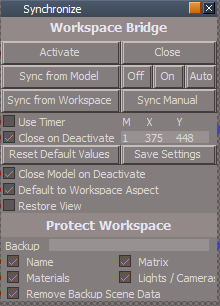
Synchronize.png
Synchronize.png (16.01 KiB) Viewed 3008 times
Attachments
Synchronize7737.RsObj
(224.83 KiB) Downloaded 185 times
User avatar
trueBlue
Captain
Posts: 5548
Joined: 06 Jul 2009, 22:50
Type the number ten into the box: 10

Re: Final trueSpace 7.61 Beta 8 Unofficial Update

Post by trueBlue »

Something is wrong with Close Model on Deactivate, Unchecked
It switches to Workspace and every time you Activate/Deactivate, it opens another window.
Shouldn't the window be closed first before opening another window?
User avatar
clintonman
Captain
Posts: 5659
Joined: 21 May 2009, 21:08
Type the number ten into the box: 0
Location: California

Re: Final trueSpace 7.61 Beta 8 Unofficial Update

Post by clintonman »

trueBlue wrote: 19 Jun 2020, 14:00 Something is wrong with Close Model on Deactivate, Unchecked
It switches to Workspace and every time you Activate/Deactivate, it opens another window.
Shouldn't the window be closed first before opening another window?
I fixed it.
What is the point of the Yes/No question on the Close button? Why does model have to be closed when deleting Synchronize?

Also Synchronize Scene node, where is it called from?
Edit: Ok, I see it. Complicated.
Clinton Reese

http://clintons3d.com
User avatar
trueBlue
Captain
Posts: 5548
Joined: 06 Jul 2009, 22:50
Type the number ten into the box: 10

Re: Final trueSpace 7.61 Beta 8 Unofficial Update

Post by trueBlue »

clintonman wrote: 19 Jun 2020, 16:03
trueBlue wrote: 19 Jun 2020, 14:00 Something is wrong with Close Model on Deactivate, Unchecked
It switches to Workspace and every time you Activate/Deactivate, it opens another window.
Shouldn't the window be closed first before opening another window?
I fixed it.
What is the point of the Yes/No question on the Close button? Why does model have to be closed when deleting Synchronize?

Also Synchronize Scene node, where is it called from?
In the Default aspect, Uncheck "Close on Deactivate" and "Close Model on Deactivate"
Run Activate/Deactivate
Results: Model is open
Run Close


Synchronize Scene gets connected in the Connect script
User avatar
clintonman
Captain
Posts: 5659
Joined: 21 May 2009, 21:08
Type the number ten into the box: 0
Location: California

Re: Final trueSpace 7.61 Beta 8 Unofficial Update

Post by clintonman »

trueBlue wrote: 19 Jun 2020, 16:17
clintonman wrote: 19 Jun 2020, 16:03
trueBlue wrote: 19 Jun 2020, 14:00 Something is wrong with Close Model on Deactivate, Unchecked
It switches to Workspace and every time you Activate/Deactivate, it opens another window.
Shouldn't the window be closed first before opening another window?
I fixed it.
What is the point of the Yes/No question on the Close button? Why does model have to be closed when deleting Synchronize?

Also Synchronize Scene node, where is it called from?
In the Default aspect, Uncheck "Close on Deactivate" and "Close Model on Deactivate"
Run Activate/Deactivate
Results: Model is open
Run Close


Synchronize Scene gets connected in the Connect script
Cross post on the Synchronize question.
Not asking for steps is already fixed, asking why Yes/No question on the Close button?
Clinton Reese

http://clintons3d.com
User avatar
trueBlue
Captain
Posts: 5548
Joined: 06 Jul 2009, 22:50
Type the number ten into the box: 10

Re: Final trueSpace 7.61 Beta 8 Unofficial Update

Post by trueBlue »

That's what I was answering.
I just repeated my steps and now Model is not open.
So I am not sure if the Yes/No question is needed or not.
Getting unpredictable results.
If you do not think it is a good idea, just remove the code.
BTW... this is the scenario I was pointing out to you yesterday
User avatar
clintonman
Captain
Posts: 5659
Joined: 21 May 2009, 21:08
Type the number ten into the box: 0
Location: California

Re: Final trueSpace 7.61 Beta 8 Unofficial Update

Post by clintonman »

trueBlue wrote: 19 Jun 2020, 16:31 That's what I was answering.
I just repeated my steps and now Model is not open.
So I am not sure if the Yes/No question is needed or not.
Getting unpredictable results.
If you do not think it is a good idea, just remove the code.
BTW... this is the scenario I was pointing out to you yesterday
I see, the Yes/No was because of the windows not closing. It was confusing because it mentions model view, but it gets converted to a workspace view before the Close button is pressed.
Not needed with the fix so I removed it.
Attached is the latest. The fix is in the OpenModelView script node. It will reuse a window that is previously created by the Synchonize instead of always creating a new one.

Also attached is ProtectWorkspace with the System.Traces commented out.
Attachments
ProtectWorkspace0A.RsObj
(134.48 KiB) Downloaded 169 times
Synchronize0E.RsObj
(224.38 KiB) Downloaded 179 times
Clinton Reese

http://clintons3d.com
User avatar
trueBlue
Captain
Posts: 5548
Joined: 06 Jul 2009, 22:50
Type the number ten into the box: 10

Re: Final trueSpace 7.61 Beta 8 Unofficial Update

Post by trueBlue »

In the Default aspect, Uncheck "Close on Deactivate" and "Close Model on Deactivate"
Run Activate/Deactivate
Manually close the Model window
Run Activate/Deactivate
The Model window does not open

Unexpected use for sure but thought I should share.
User avatar
clintonman
Captain
Posts: 5659
Joined: 21 May 2009, 21:08
Type the number ten into the box: 0
Location: California

Re: Final trueSpace 7.61 Beta 8 Unofficial Update

Post by clintonman »

trueBlue wrote: 19 Jun 2020, 17:25 In the Default aspect, Uncheck "Close on Deactivate" and "Close Model on Deactivate"
Run Activate/Deactivate
Manually close the Model window
Run Activate/Deactivate
The Model window does not open

Unexpected use for sure but thought I should share.
Ugh, trueSpace being weird. It is seeing Node.Exists("") as true.
Fixed
Attachments
Synchronize0F.RsObj
(224.31 KiB) Downloaded 179 times
Clinton Reese

http://clintons3d.com
User avatar
trueBlue
Captain
Posts: 5548
Joined: 06 Jul 2009, 22:50
Type the number ten into the box: 10

Re: Final trueSpace 7.61 Beta 8 Unofficial Update

Post by trueBlue »

Perfecto! :worship:
Any chance you could look at the HideAll script?
That script is poorly written!!!
Wish list:
Searches the scene and hides everything without Selecting or Unselecting

Ultimate Wish list unrelated to the above:
Replacement script for tS command D3DView.ShowRenderAttribsForObject('','');
For single objects:
RsFileIO.LoadObject(System.GetMainDir() + '\\Scripts\\preobjects\\ObjectAttributes.RsObj', Node.Selection())
Node.ExportConnector(Node.Selection() + "/Object Render Attributes", "RenderAttributes", "", 1, 1)

For grouped objects:
Parent
RsFileIO.LoadObject(System.GetMainDir() + '\\Scripts\\preobjects\\ObjectAttributes.RsObj', Node.Selection())
Children
Node.Create("Space 3D Package/RenderAttributes", Node.Selection()) and Export the Input Attributes & RenderAttributes
Connect the Parent's ObjectAttributes.RsObj's RenderAttributes to the Children's Input Attributes

You did some awesome scripting with the 3D Unecapsulate script!
User avatar
clintonman
Captain
Posts: 5659
Joined: 21 May 2009, 21:08
Type the number ten into the box: 0
Location: California

Re: Final trueSpace 7.61 Beta 8 Unofficial Update

Post by clintonman »

I'll see what I can do.
Clinton Reese

http://clintons3d.com
User avatar
clintonman
Captain
Posts: 5659
Joined: 21 May 2009, 21:08
Type the number ten into the box: 0
Location: California

Re: Final trueSpace 7.61 Beta 8 Unofficial Update

Post by clintonman »

Doing research and testing and this is what I have so far. I think it answers the first wish list item in a different way.
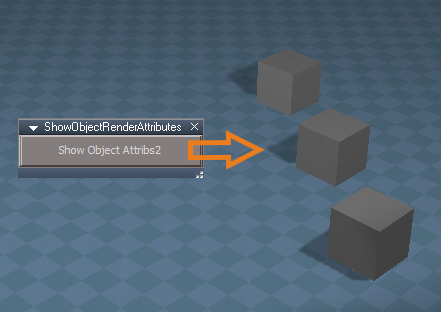
This is a direct replacement/enhancement for the D3DView.ShowRenderAttribsForObject('','') command.

It works by running the ShowRenderAttribsForObject command on the first selected item.
Then it exports the Object Render Attributes panel.
Then it removes all panels from settings that are of type "locked" which removes the Object Render Attributes from the Settings tab.
A side effect is that the Desktop also gets removed, so the next step is to replace it.
Last step is switching the stack view from the Setting tab to the Panel tab to show the object and it's new exported object render attributes.

The commands can't all run from one command node, so it contains 2.
Attachments
ShowObjectRenderAttributes_03.RsObj
(13.69 KiB) Downloaded 167 times
Clinton Reese

http://clintons3d.com
User avatar
clintonman
Captain
Posts: 5659
Joined: 21 May 2009, 21:08
Type the number ten into the box: 0
Location: California

Re: Final trueSpace 7.61 Beta 8 Unofficial Update

Post by clintonman »

Started HideAll by first looking at Hide.

New Hide command
Removed a lot of looping code that wasn't doing anything.
Changed so selection doesn't change while hiding objects.
Also changed so doesn't just stop when a invalid object is selected.
Attachments
Hide7c00.RsObj
(6.79 KiB) Downloaded 159 times
Clinton Reese

http://clintons3d.com
User avatar
trueBlue
Captain
Posts: 5548
Joined: 06 Jul 2009, 22:50
Type the number ten into the box: 10

Re: Final trueSpace 7.61 Beta 8 Unofficial Update

Post by trueBlue »

clintonman wrote: 20 Jun 2020, 21:58 Doing research and testing and this is what I have so far. I think it answers the first wish list item in a different way.
This is a direct replacement/enhancement for the D3DView.ShowRenderAttribsForObject('','') command.

It works by running the ShowRenderAttribsForObject command on the first selected item.
Then it exports the Object Render Attributes panel.
Then it removes all panels from settings that are of type "locked" which removes the Object Render Attributes from the Settings tab.
A side effect is that the Desktop also gets removed, so the next step is to replace it.
Last step is switching the stack view from the Setting tab to the Panel tab to show the object and it's new exported object render attributes.

The commands can't all run from one command node, so it contains 2.
You mean Ultimate Wish list.
This is great! :worship:
I was trying to get your scripts to not run if necessary, so far no go.
You would think this would work

Code: Select all

	//original only works for the first selected object
	var firstSel = Node.FirstSelected();

	if(!firstSel) {
		params.SetTerminationFlag();
		return;
	}
	if(Node.Exists(firstSel + "/RenderAttributes"))
	{
		params.SetTerminationFlag();
		return;
	}
	if(!Node.Exists(firstSel + "/RenderAttributes"))
	{
	D3DView.ShowRenderAttribsForObject('', firstSel)
	RsStackView.SetPanelExportInfo(firstSel + '/Object Render Attributes','Default',1,1)
	}
Another little side effect when running your script with the Stack/Panels open, and switch to Stack/Settings.
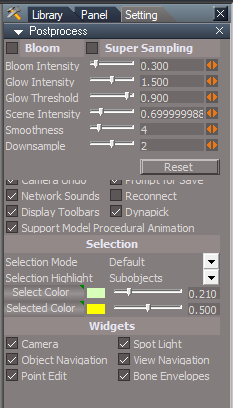
Hidden Desktop.png
User avatar
trueBlue
Captain
Posts: 5548
Joined: 06 Jul 2009, 22:50
Type the number ten into the box: 10

Re: Final trueSpace 7.61 Beta 8 Unofficial Update

Post by trueBlue »

clintonman wrote: 21 Jun 2020, 00:17 Started HideAll by first looking at Hide.

New Hide command
Removed a lot of looping code that wasn't doing anything.
Changed so selection doesn't change while hiding objects.
Also changed so doesn't just stop when a invalid object is selected.
Yeah, what a mess!!!
This was going to be my next request.
In trying to create a HideAll, I noticed that the Cameras and Lights do not need to have the Object hider disconnected and more importantly should not be disconnected.

Code: Select all

function Execute(params)
{
	var scene = Space.CurrentScene();
	var numTopLevel = Node.SubObjectCount(scene);

	for(var i=0; i< numTopLevel; i++) {
		var item = scene + "/" + Node.SubObject(scene, i);
		HideSearch(item)
	}

}

function HideSearch(curNode)
{
	if(Node.Exists(curNode + "/Object Render Attributes")) {
		Node.Value(curNode + "/Object Render Attributes", "Invisible") = true;
		//return;
	}

	if(Node.IsCamera(curNode)) {
		Node.Value(curNode + "/Object hider", "Invisible") = true;
		return;
	}

	if(Node.IsLight(curNode)) {
		if(Node.Exists(curNode + "/Object hider")) {
			Node.Value(curNode + "/Object hider", "Invisible") = true;
		} else {
			Node.Value(curNode + "/Object Render Attributes", "Invisible") = true;
		}
		return;
	}

	if(Node.IsRenderable(curNode) || Node.IsCamera(curNode) || Node.IsLight(curNode)) return;

	var numChildren = Node.SubObjectCount(curNode);
	for(var i=0; i< numChildren ; i++) {
		var child = curNode+ "/" + Node.SubObject(curNode, i);
		HideSearch(child);
	}
}

The above does not work on grouped objects that have the D3DView.ShowRenderAttribsForObject('', '') command ran on them.
User avatar
clintonman
Captain
Posts: 5659
Joined: 21 May 2009, 21:08
Type the number ten into the box: 0
Location: California

Re: Final trueSpace 7.61 Beta 8 Unofficial Update

Post by clintonman »

trueBlue wrote: 21 Jun 2020, 00:36 I was trying to get your scripts to not run if necessary, so far no go.
You would think this would work

Code: Select all

	//original only works for the first selected object
	var firstSel = Node.FirstSelected();

	if(!firstSel) {
		params.SetTerminationFlag();
		return;
	}
	if(Node.Exists(firstSel + "/RenderAttributes"))
	{
		params.SetTerminationFlag();
		return;
	}
	if(!Node.Exists(firstSel + "/RenderAttributes"))
	{
	D3DView.ShowRenderAttribsForObject('', firstSel)
	RsStackView.SetPanelExportInfo(firstSel + '/Object Render Attributes','Default',1,1)
	}
Another little side effect when running your script with the Stack/Panels open, and switch to Stack/Settings.
Hidden Desktop.png
You may not want to add those checks. I found that the default behavior for the ShowRenderAttribsForObject command is to replace the preexisting RenderAttributes node with an Object Render Attributes node. I guess it's that way because then you can override the visibility of child nodes.

Interesting side effect, I'll see if I can reproduce it.
Edit: Yep, I see it.
Clinton Reese

http://clintons3d.com
User avatar
clintonman
Captain
Posts: 5659
Joined: 21 May 2009, 21:08
Type the number ten into the box: 0
Location: California

Re: Final trueSpace 7.61 Beta 8 Unofficial Update

Post by clintonman »

Fixed ( I hope) the weird Settings tab issue.
Trick was to be sure the Settings tab is open before opening the desktop back up.
Attachments
ShowObjectRenderAttributes_05.RsObj
(14.01 KiB) Downloaded 176 times
Clinton Reese

http://clintons3d.com
User avatar
trueBlue
Captain
Posts: 5548
Joined: 06 Jul 2009, 22:50
Type the number ten into the box: 10

Re: Final trueSpace 7.61 Beta 8 Unofficial Update

Post by trueBlue »

Gotcha! Doesn't work anyway.
I have replaced the code in the Scripts/Commands/Show script with your code as follows:
var firstSel = Node.FirstSelected();

if(!firstSel) {
params.SetTerminationFlag();
return;
}

if(!Node.Exists(firstSel + "/RenderAttributes"))
{
D3DView.ShowRenderAttribsForObject('', firstSel)
RsStackView.SetPanelExportInfo(firstSel + '/Object Render Attributes','Default',1,1)
Activity.Run(System.ThisOwner() + "/CloseORASettings")
}
And added your CloseORASettings script.
Works great!
User avatar
clintonman
Captain
Posts: 5659
Joined: 21 May 2009, 21:08
Type the number ten into the box: 0
Location: California

Re: Final trueSpace 7.61 Beta 8 Unofficial Update

Post by clintonman »

I should point out that the scripts I wrote are a replacement for the D3DView.ShowRenderAttribsForObject command. The Show script runs on all selected objects and this new script only acts on the first selected object.

Edit:
Also just noticed it doesn't do the extra light and camera stuff too.
Clinton Reese

http://clintons3d.com
User avatar
clintonman
Captain
Posts: 5659
Joined: 21 May 2009, 21:08
Type the number ten into the box: 0
Location: California

Re: Final trueSpace 7.61 Beta 8 Unofficial Update

Post by clintonman »

Show and Hide scripts.
Hide - Minor change got rid of the unnecessary array build at the start of the code.
Show - basically the opposite of hide

HideAll and ShowAll are coming up soon.
Attachments
Show01.RsObj
(7.25 KiB) Downloaded 154 times
Hide04.RsObj
(6.67 KiB) Downloaded 156 times
Clinton Reese

http://clintons3d.com
User avatar
trueBlue
Captain
Posts: 5548
Joined: 06 Jul 2009, 22:50
Type the number ten into the box: 10

Re: Final trueSpace 7.61 Beta 8 Unofficial Update

Post by trueBlue »

clintonman wrote: 21 Jun 2020, 02:25 I should point out that the scripts I wrote are a replacement for the D3DView.ShowRenderAttribsForObject command. The Show script runs on all selected objects and this new script only acts on the first selected object.

Edit:
Also just noticed it doesn't do the extra light and camera stuff too.
Okay will have to change the command in Settings/Scene - Show Object Attribs button.
User avatar
clintonman
Captain
Posts: 5659
Joined: 21 May 2009, 21:08
Type the number ten into the box: 0
Location: California

Re: Final trueSpace 7.61 Beta 8 Unofficial Update

Post by clintonman »

Just realized the new Show and Hide don't clean the Settings tab, so will add that after I get the basic mods done.
Clinton Reese

http://clintons3d.com
User avatar
trueBlue
Captain
Posts: 5548
Joined: 06 Jul 2009, 22:50
Type the number ten into the box: 10

Re: Final trueSpace 7.61 Beta 8 Unofficial Update

Post by trueBlue »

Edit: On second thought, if possible, would be better if the Show script can run your script on multiple selections. :!:
User avatar
clintonman
Captain
Posts: 5659
Joined: 21 May 2009, 21:08
Type the number ten into the box: 0
Location: California

Re: Final trueSpace 7.61 Beta 8 Unofficial Update

Post by clintonman »

OK, think I got it all squared away.
Selections don't change. Exports the Object Render Attributes panel. Clears the Setting tab of all the newly created Object Render Attributes displays. Added some more checks mostly to check for the existence of the Object Render Attributes node before trying to change it's values.
CloseORASettings needs to be in the same place as all the other scripts.

Edit:
Make that mostly squared away. I just checked my notes from earlier in the day and some cleanup would be good. Something to do with orphan "Render Attribute" and "Object Render attributes" nodes.
Attachments
ShowAll02.RsObj
(6.46 KiB) Downloaded 153 times
Show03.RsObj
(7.74 KiB) Downloaded 153 times
HideAll04.RsObj
(8.13 KiB) Downloaded 152 times
Hide06.RsObj
(7.14 KiB) Downloaded 168 times
CloseORASettings.RsObj
(5.79 KiB) Downloaded 152 times
Clinton Reese

http://clintons3d.com
User avatar
trueBlue
Captain
Posts: 5548
Joined: 06 Jul 2009, 22:50
Type the number ten into the box: 10

Re: Final trueSpace 7.61 Beta 8 Unofficial Update

Post by trueBlue »

Gonna try baby steps and hopefully we are on the same page
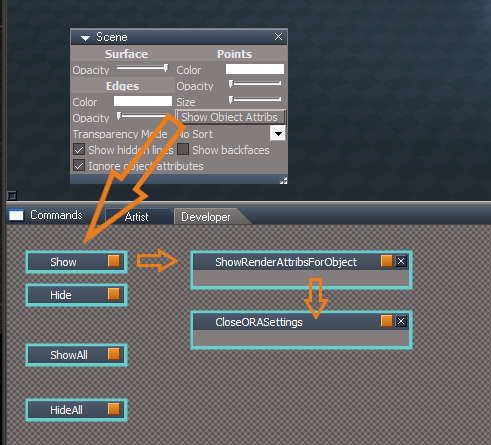
First, Setup
I have all of the new scripts in Scripts/Commands
The Scene panel's Show Object Attribs button runs the Show script
The ShowRenderAttribsForObject script runs the CloseORASettings script
ORA Setup.png
Notes:
ShowRenderAttribsForObject
Change
Add
Activity.Run(System.ThisOwner() + "/CloseORASettings")

Show
Uses original command
D3DView.ShowRenderAttribsForObject('', Sel);
Change to
Activity.Run(System.ThisOwner() + "/ShowObjectRenderAttributes");

Hide
Uses original command
D3DView.ShowRenderAttribsForObject('', Sel);
Change to
Activity.Run(System.ThisOwner() + "/ShowObjectRenderAttributes");

ShowAll
Does not use any command

HideAll
Uses original command
D3DView.ShowRenderAttribsForObject('', CurrentNode);
Change to
Activity.Run(System.ThisOwner() + "/ShowObjectRenderAttributes");


First test with a Workspace 3D Encaps
Running the Show script does NOT work
Using the ShowObjectRenderAttributes script which is using the new connected CloseORASettings script DOES work.
Works with 3D Encaps.png

Notes:
IsRenderable does not work with 3D Encaps
My Guess
They do not have a Mesh attribute (Not tested)

3D Encaps has unused Object Render Attributes.RsObj(S)
User avatar
clintonman
Captain
Posts: 5659
Joined: 21 May 2009, 21:08
Type the number ten into the box: 0
Location: California

Re: Final trueSpace 7.61 Beta 8 Unofficial Update

Post by clintonman »

The scripts I uploaded should work without any modification needed with the exception of the ShowRenderAttribsForObject which was hard wired to the CloseORASettings node.
There functionality of the CloseORASettings is already inside all those command nodes.

"3D Encaps has unused Object Render Attributes.RsObj(S)", yep that's the cleanup I was talking about.
Clinton Reese

http://clintons3d.com
User avatar
trueBlue
Captain
Posts: 5548
Joined: 06 Jul 2009, 22:50
Type the number ten into the box: 10

Re: Final trueSpace 7.61 Beta 8 Unofficial Update

Post by trueBlue »

clintonman wrote: 21 Jun 2020, 15:07 The scripts I uploaded should work without any modification needed with the exception of the ShowRenderAttribsForObject which was hard wired to the CloseORASettings node.
There functionality of the CloseORASettings is already inside all those command nodes.

"3D Encaps has unused Object Render Attributes.RsObj(S)", yep that's the cleanup I was talking about.
Is my setup correct?
Are you using this setup?

Why are you using the original tS command and not your new command?

Edit: I changed the tS commands back to the way you had it.
User avatar
clintonman
Captain
Posts: 5659
Joined: 21 May 2009, 21:08
Type the number ten into the box: 0
Location: California

Re: Final trueSpace 7.61 Beta 8 Unofficial Update

Post by clintonman »

trueBlue wrote: 21 Jun 2020, 15:13
clintonman wrote: 21 Jun 2020, 15:07 The scripts I uploaded should work without any modification needed with the exception of the ShowRenderAttribsForObject which was hard wired to the CloseORASettings node.
There functionality of the CloseORASettings is already inside all those command nodes.

"3D Encaps has unused Object Render Attributes.RsObj(S)", yep that's the cleanup I was talking about.
Is my setup correct?
Are you using this setup?

Why are you using the original tS command and not your new command?

Edit: I changed the tS commands back to the way you had it.
I have no idea if this works or not. It's just unnecessary.
D3DView.ShowRenderAttribsForObject('', Sel);
Change to
Activity.Run(System.ThisOwner() + "/ShowObjectRenderAttributes");

"Running the Show script does NOT work"
Verified. The Show command needs to run the commands in the case where a child item is individually hidden. The Show won't change it if run on the group.

"Why are you using the original tS command and not your new command?"
To make sure things are run in the proper order. Activity.Run happens after a script is done so I don't want to worry about things running in the wrong order and not working.
Clinton Reese

http://clintons3d.com
User avatar
trueBlue
Captain
Posts: 5548
Joined: 06 Jul 2009, 22:50
Type the number ten into the box: 10

Re: Final trueSpace 7.61 Beta 8 Unofficial Update

Post by trueBlue »

Hummm... It seems that your ShowRenderAttribsForObject script may not be needed.
You found a way to use the original tS command D3DView.ShowRenderAttribsForObject('', Sel); by using the CloseORASettings script.
Your new Show script seems to prove this.
User avatar
clintonman
Captain
Posts: 5659
Joined: 21 May 2009, 21:08
Type the number ten into the box: 0
Location: California

Re: Final trueSpace 7.61 Beta 8 Unofficial Update

Post by clintonman »

The ShowRenderAttribsForObject script is not needed in the way you have the Unofficial Updates setup.
The ShowRenderAttribsForObject script would be a replacement for the original not updated Show Object Attribs button which only has the one command, D3DView.ShowRenderAttribsForObject('', '');
Clinton Reese

http://clintons3d.com
User avatar
trueBlue
Captain
Posts: 5548
Joined: 06 Jul 2009, 22:50
Type the number ten into the box: 10

Re: Final trueSpace 7.61 Beta 8 Unofficial Update

Post by trueBlue »

Okay, so for the Unofficial Updates the ShowRenderAttribsForObject script is Not needed.
The CloseORASettings script is the ONLY script needed, as well as,
your (Unmodified) Show, Hide, ShowAll, and HideAll scripts.
Correct?
User avatar
clintonman
Captain
Posts: 5659
Joined: 21 May 2009, 21:08
Type the number ten into the box: 0
Location: California

Re: Final trueSpace 7.61 Beta 8 Unofficial Update

Post by clintonman »

Latest changes to clean orphaned nodes and changed Show command to run the D3DView.ShowRenderAttribsForObject so that hidden children will show when the parent is made visible.
No changes to ShowAll and CloseORASettings.
Attachments
Hide07.RsObj
(8.38 KiB) Downloaded 185 times
HideAll05.RsObj
(9.34 KiB) Downloaded 177 times
Show05.RsObj
(9.15 KiB) Downloaded 178 times
Clinton Reese

http://clintons3d.com
User avatar
clintonman
Captain
Posts: 5659
Joined: 21 May 2009, 21:08
Type the number ten into the box: 0
Location: California

Re: Final trueSpace 7.61 Beta 8 Unofficial Update

Post by clintonman »

trueBlue wrote: 21 Jun 2020, 16:11 Okay, so for the Unofficial Updates the ShowRenderAttribsForObject script is Not needed.
The CloseORASettings script is the ONLY script needed, as well as,
your (Unmodified) Show, Hide, ShowAll, and HideAll scripts.
Correct?
Correct.
Clinton Reese

http://clintons3d.com
User avatar
trueBlue
Captain
Posts: 5548
Joined: 06 Jul 2009, 22:50
Type the number ten into the box: 10

Re: Final trueSpace 7.61 Beta 8 Unofficial Update

Post by trueBlue »

You are a frickin Genius! :worship:
Thank you so much! :D
User avatar
trueBlue
Captain
Posts: 5548
Joined: 06 Jul 2009, 22:50
Type the number ten into the box: 10

Re: Final trueSpace 7.61 Beta 8 Unofficial Update

Post by trueBlue »

New Update for trueSpace7.61 Beta 8 Unofficial Update
viewtopic.php?t=3732
RC3 June 21, 2020

Updates for the Protect Workspace, Synchronize, and Show Objects Attributes scripts - Author Clinton Reese :worship:

Recommend that you completely Uninstall and Install trueSpace7.61 Beta 8 to a clean directory before installing this update. This update precedes all previous updates and recommend that you delete any and all previous updates.
Workspace.png
Scripts/Commands
Add New
CloseORASettings - Author Clinton Reese
Show
ShowAll
Hide
HideAll

Toolbars
PESelectionToolbar
Zoom to Selection.png
Zoom to Selection.png (22.08 KiB) Viewed 3278 times
Add
Zoom to Selection / Zoom Out
LMB click Zooms to Selection
RMB click switches to a reset Perspective view

Protect Workspace - Author Clinton Reese
Update to version 10 6/21/2020

Synchronize - Author Clinton Reese
Restore
Changed DoDelete to DoClose

Protect
Changed DoDeleteBackup to DoDelete

Add missing Synchronize Scene script

ResetToDefaults
Add
var Cam = System.ThisOwner()
Node.Value(Cam, "FOV") = 0.500
Space.NodeMatrixElement(Cam,'yaw') = 21.485;
Space.NodeMatrixElement(Cam,'roll') = -123.579;
Space.NodeMatrixElement(Cam,'pitch') = -36.363;
Space.NodeMatrixElement(Cam,'tx') = -18.833;
Space.NodeMatrixElement(Cam,'ty') = 21.310;
Space.NodeMatrixElement(Cam,'tz') = 14.147;

Reset the Camera's location
Saved the SyncPanelFrame's location and enabled SnappedTo

D3D_Render_Grp.RsObj - Author Clinton Reese
Saved the D3D_Render_PanelFrame's location and enabled SnappedTo

Background widget
Changed
Comma + LMB Drag - Shows All
Period + LMB Drag - Hides All (Except selection)

Object Navigation Widget(s)
Add
Auto Keyframing to Arcs RMB Gesture - Author Clinton Reese
User avatar
clintonman
Captain
Posts: 5659
Joined: 21 May 2009, 21:08
Type the number ten into the box: 0
Location: California

Re: Final trueSpace 7.61 Beta 8 Unofficial Update

Post by clintonman »

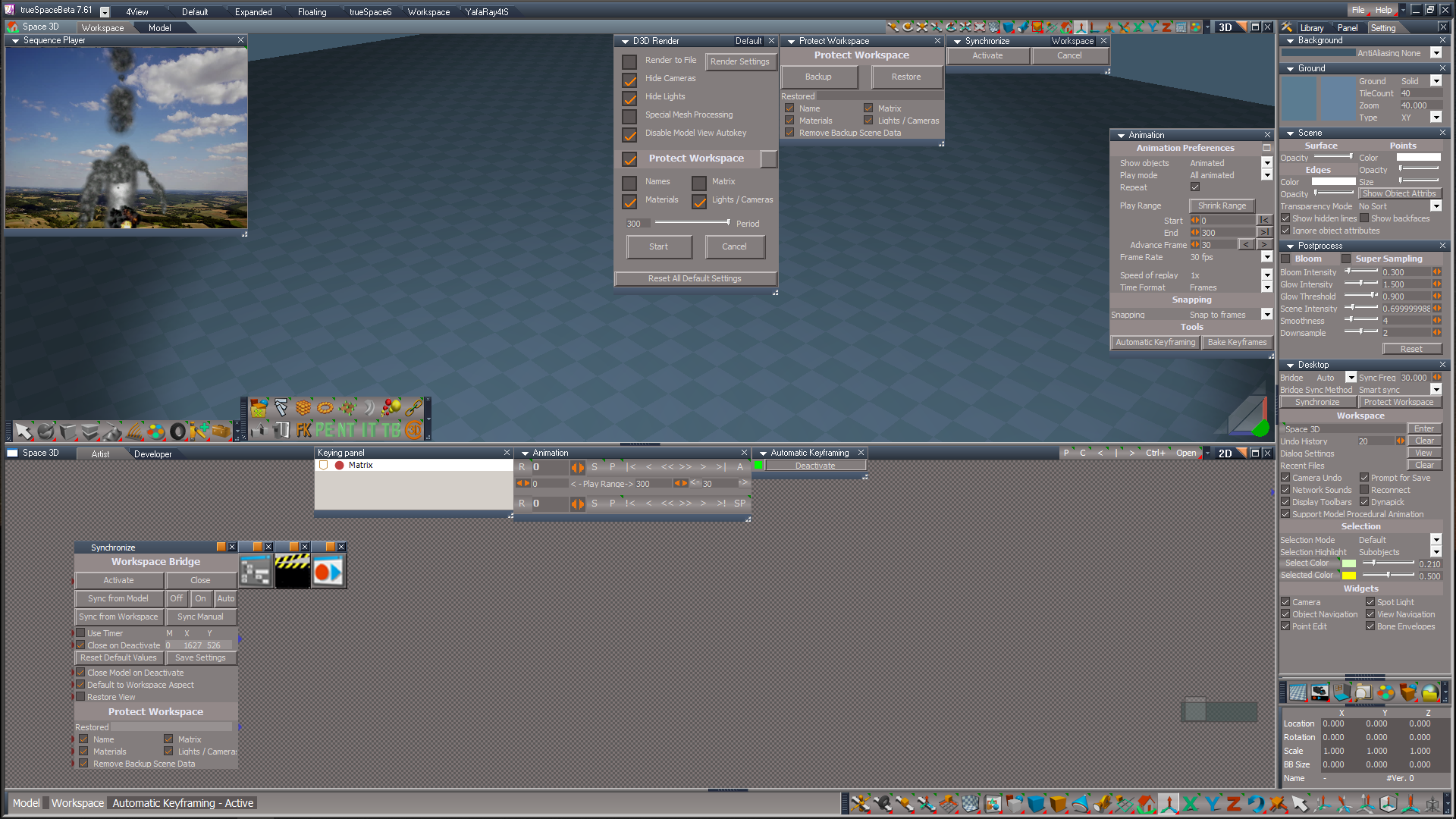
AboutBoxes_ModelWorkspace.jpg
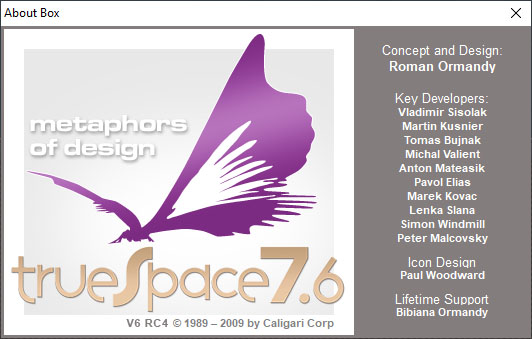
I don't know if you want to pursue this, but it's possible to add the Unofficial Update version to the image for the splash screen and about boxes.
The images are stored inside 2 files, tSBehavior.dll and tSCommon.dll
tSBehavior has the workspace about image and tSCommon has the splash screen and modelspace about image.

To edit you can use Resource Hacker, http://www.angusj.com/resourcehacker/ to open the files
tSBehavior > Bitmap and export the bmp file, edit the file and replace the image and save
tSCommon > Bitmap > TERTITL2 and export the bmp file, edit the file and replace the image and save

The program saves a backup before making the changes.

Text font Arial Bold, size 11px, color (131,125,125)
Clinton Reese

http://clintons3d.com
User avatar
trueBlue
Captain
Posts: 5548
Joined: 06 Jul 2009, 22:50
Type the number ten into the box: 10

Re: Final trueSpace 7.61 Beta 8 Unofficial Update

Post by trueBlue »

Sounds good!
It sounds like we would need to include the modified tSBehavior.dll and tSCommon.dll files in the Updates?
Wonder if it effects the Mode: DDB?
Personally I like Beta 7.61.6
UU 6 is like, What does that mean?
User avatar
trueBlue
Captain
Posts: 5548
Joined: 06 Jul 2009, 22:50
Type the number ten into the box: 10

Re: Final trueSpace 7.61 Beta 8 Unofficial Update

Post by trueBlue »

New Update for trueSpace7.61 Beta 8 Unofficial Update
viewtopic.php?t=3732
RC4 June 22, 2020

Recommend that you completely Uninstall and Install trueSpace7.61 Beta 8 to a clean directory before installing this update. This update precedes all previous updates and recommend that you delete any and all previous updates.

All widget Help scripts were change to close the WidgetHelpFrame first before opening a different widget Help
WindowsManager.CloseWindow("/Project/Windows Manager Space/WidgetHelpFrame")

All Object, Point Edit, and Camera widgets
I + LMB click on any part of the widgets opens Help

Axis widget
I + LMB click on the Sphere opens Help

Background widget
B + I + LMB click in 3D Space opens Help

View widget
I + LMB click on the Green Encircle opens Help

Inspect widget
Removed Space.Unselect() from the Cancel command
Add
Help
I + LMB click in 3D Space opens Help

Background widget
Updated
Look at selection
All Look at Selection commands
Changes make it possible to use the gestures in any window, independently.

Ctrl + MMB click - Looks At Selection
MMB click - Moves the view to the current selection or Point Edit selection
Shift + MMB click - Moves the view to all objects in the scene
Comma + LMB Drag - Shows All
Period + LMB Drag - Hides All (Except selection)
User avatar
clintonman
Captain
Posts: 5659
Joined: 21 May 2009, 21:08
Type the number ten into the box: 0
Location: California

Re: Final trueSpace 7.61 Beta 8 Unofficial Update

Post by clintonman »

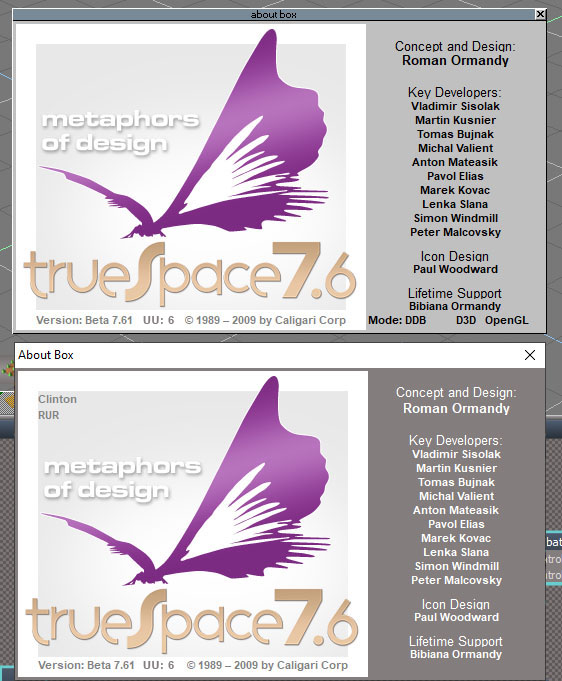
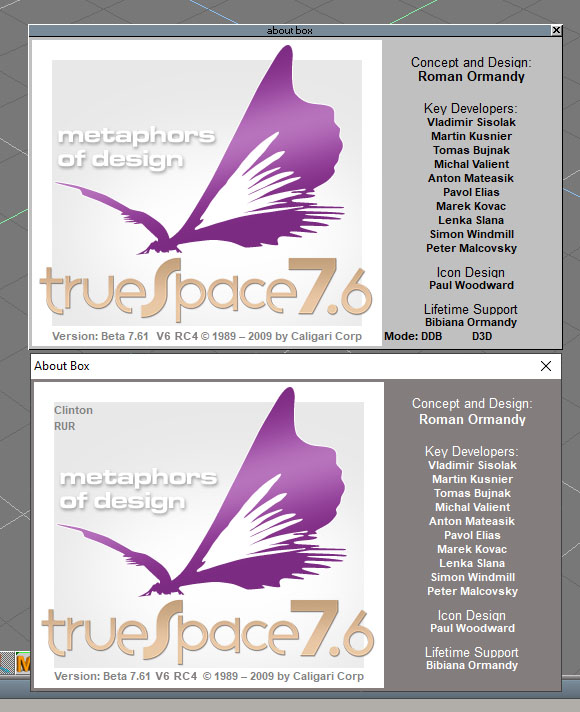
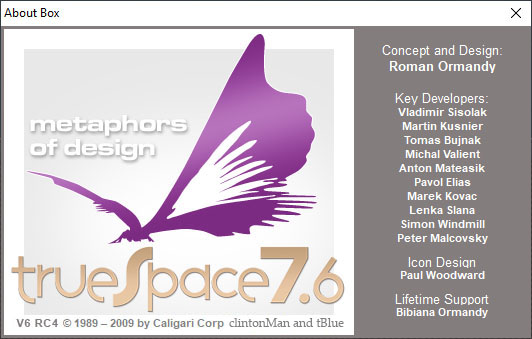
AboutBoxes_ModelWorkspace_Actual.jpg
Actual screenshots for the about boxes from workspace and modelspace.
The previous pictures were just mockups.
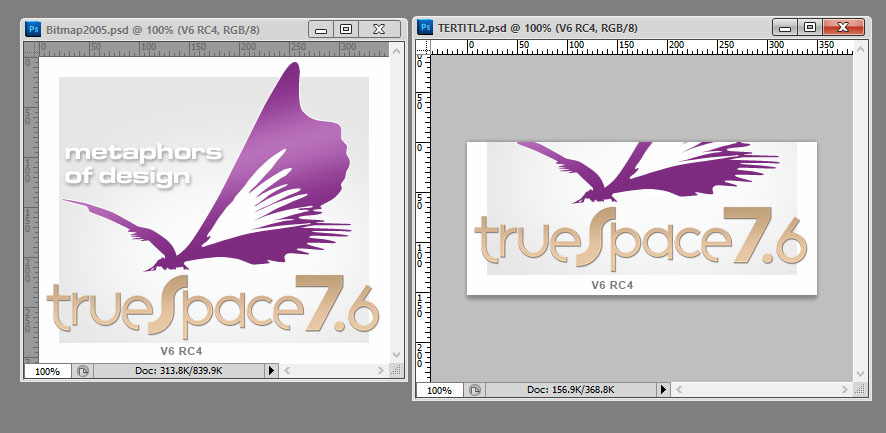
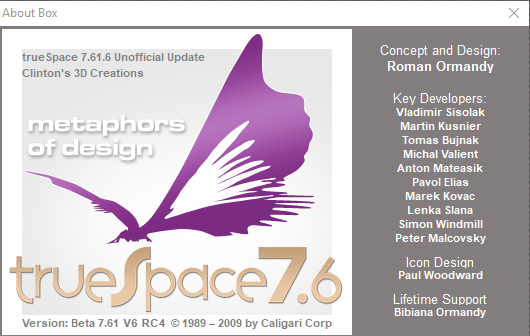
The fine positioning needed for something like "76.1.6" would take a lot of work to line it up and the 2 about dialogs use different images. Shown below the half image is used in modelspace about and splash screen and the full image is used in the workspace about.
AboutImages.jpg

I've attached the altered tSBehavior.dll and tSCommon.dll if you want to try them out.
Close trueSpace, backup the original files from the C:\trueSpace761\tS folder and replace with the attached.
Attachments
tS_Splash.zip
(2.82 MiB) Downloaded 178 times
Clinton Reese

http://clintons3d.com
User avatar
trueBlue
Captain
Posts: 5548
Joined: 06 Jul 2009, 22:50
Type the number ten into the box: 10

Re: Final trueSpace 7.61 Beta 8 Unofficial Update

Post by trueBlue »

Looks Good!
I tested it in tS7.61 by using and changing the Configure trueSpace dialog, by holding down the Ctrl key when opening tS7.61
Did not seeing any issues.

tS7.61 Standalone runs the Splash screen on startup, so this might be an issue, unless the init.js file is modified removing two lines:

Code: Select all

var splashId = RsApp.CreateLogHandler('{9C288E91-2C8A-4637-BB4F-9A3A032E802E}');
RsApp.DestroyLogHandler(splashId);
Saul
Senior Chief Petty Officer
Posts: 308
Joined: 22 May 2009, 16:50

Re: Final trueSpace 7.61 Beta 8 Unofficial Update

Post by Saul »

Considered adding, to the splash, the names of yourself and trueBlue as developers post 2010?
User avatar
clintonman
Captain
Posts: 5659
Joined: 21 May 2009, 21:08
Type the number ten into the box: 0
Location: California

Re: Final trueSpace 7.61 Beta 8 Unofficial Update

Post by clintonman »

Saul wrote: 23 Jun 2020, 16:07 Considered adding, to the splash, the names of yourself and trueBlue as developers post 2010?
Where would it go, under the left wing of the butterfly?
Clinton Reese

http://clintons3d.com
User avatar
trueBlue
Captain
Posts: 5548
Joined: 06 Jul 2009, 22:50
Type the number ten into the box: 10

Re: Final trueSpace 7.61 Beta 8 Unofficial Update

Post by trueBlue »

Saul wrote: 23 Jun 2020, 16:07 Considered adding, to the splash, the names of yourself and trueBlue as developers post 2010?
Clinton's name perhaps but not the Hacker! :mrgreen:
I propose this for the About screens:
https://youtu.be/2EE5VWUauQo
and maybe an Easter Egg or two.
Actually there is a few unreported Easter Eggs in the Updates and I am not telling where they are. :ugeek:
User avatar
clintonman
Captain
Posts: 5659
Joined: 21 May 2009, 21:08
Type the number ten into the box: 0
Location: California

Re: Final trueSpace 7.61 Beta 8 Unofficial Update

Post by clintonman »

RosettaAbout.jpg
Here is a first draft of the trueSpaceStd version of the about box image. The image lives inside the Rosetta.exe file. The bottom text does not show during the splash screen, but is covered up by text messages during loading.
All the space to the left of the copyright symbol is available.
Attachments
Rosetta353c.zip
(223.34 KiB) Downloaded 175 times
Clinton Reese

http://clintons3d.com
User avatar
trueBlue
Captain
Posts: 5548
Joined: 06 Jul 2009, 22:50
Type the number ten into the box: 10

Re: Final trueSpace 7.61 Beta 8 Unofficial Update

Post by trueBlue »

clintonman wrote: 21 Jun 2020, 16:11 Latest changes to clean orphaned nodes and changed Show command to run the D3DView.ShowRenderAttribsForObject so that hidden children will show when the parent is made visible.
No changes to ShowAll and CloseORASettings.
I still think that disconnecting the Object Hider for the lights and cameras is not a good idea.
Unless I am missing something.
Please check out the HideCameraAndLights and ShowCameraAndLights scripts in Scripts/Commands.
I believe these are your scripts
As far as I can tell these work on all lights and cameras without disconnecting the Object Hider.
User avatar
clintonman
Captain
Posts: 5659
Joined: 21 May 2009, 21:08
Type the number ten into the box: 0
Location: California

Re: Final trueSpace 7.61 Beta 8 Unofficial Update

Post by clintonman »

trueBlue wrote: 23 Jun 2020, 16:57
clintonman wrote: 21 Jun 2020, 16:11 Latest changes to clean orphaned nodes and changed Show command to run the D3DView.ShowRenderAttribsForObject so that hidden children will show when the parent is made visible.
No changes to ShowAll and CloseORASettings.
I still think that disconnecting the Object Hider for the lights and cameras is not a good idea.
Unless I am missing something.
Please check out the HideCameraAndLights and ShowCameraAndLights scripts in Scripts/Commands.
I believe these are your scripts
As far as I can tell these work on all lights and cameras without disconnecting the Object Hider.
I'll check it out later. I always have to do extra work to test these things because the nodes don't have a run button. :x
Edit:
I see there is a button for it in the toolbar. The color makes it look disabled.
Clinton Reese

http://clintons3d.com
Saul
Senior Chief Petty Officer
Posts: 308
Joined: 22 May 2009, 16:50

Re: Final trueSpace 7.61 Beta 8 Unofficial Update

Post by Saul »

What about moving the copyright text left and adding you guys right?
Not much space, maybe make your names even smaller.
Attachments
RosettaAbout.jpg
User avatar
clintonman
Captain
Posts: 5659
Joined: 21 May 2009, 21:08
Type the number ten into the box: 0
Location: California

Re: Final trueSpace 7.61 Beta 8 Unofficial Update

Post by clintonman »

Saul wrote: 23 Jun 2020, 17:23 What about moving the copyright text left and adding you guys right?
Not much space, maybe make your names even smaller.
We can only alter the image. Not the text.
Clinton Reese

http://clintons3d.com
User avatar
clintonman
Captain
Posts: 5659
Joined: 21 May 2009, 21:08
Type the number ten into the box: 0
Location: California

Re: Final trueSpace 7.61 Beta 8 Unofficial Update

Post by clintonman »

trueBlue wrote: 23 Jun 2020, 16:57
clintonman wrote: 21 Jun 2020, 16:11 Latest changes to clean orphaned nodes and changed Show command to run the D3DView.ShowRenderAttribsForObject so that hidden children will show when the parent is made visible.
No changes to ShowAll and CloseORASettings.
I still think that disconnecting the Object Hider for the lights and cameras is not a good idea.
Unless I am missing something.
Please check out the HideCameraAndLights and ShowCameraAndLights scripts in Scripts/Commands.
I believe these are your scripts
As far as I can tell these work on all lights and cameras without disconnecting the Object Hider.
I don't remember but it seems likely it's there for a reason. You have 2 choices make your show/hide cameras and lights compatible with the code in the Show/Hide/ShowAll/HideAll or change the code in those to match your show/hide cameras and lights. They are not compatible because of the disconnecting so you have to make a choice and then test it.
Clinton Reese

http://clintons3d.com
User avatar
trueBlue
Captain
Posts: 5548
Joined: 06 Jul 2009, 22:50
Type the number ten into the box: 10

Re: Final trueSpace 7.61 Beta 8 Unofficial Update

Post by trueBlue »

Just change your Caligari.ini :mrgreen:
CaligariINI.png
User avatar
clintonman
Captain
Posts: 5659
Joined: 21 May 2009, 21:08
Type the number ten into the box: 0
Location: California

Re: Final trueSpace 7.61 Beta 8 Unofficial Update

Post by clintonman »

trueBlue wrote: 23 Jun 2020, 17:38 Just change your Caligari.ini :mrgreen:
CaligariINI.png
Don't know how to do that and wouldn't want to change users values.
Clinton Reese

http://clintons3d.com
User avatar
trueBlue
Captain
Posts: 5548
Joined: 06 Jul 2009, 22:50
Type the number ten into the box: 10

Re: Final trueSpace 7.61 Beta 8 Unofficial Update

Post by trueBlue »

clintonman wrote: 23 Jun 2020, 17:45
trueBlue wrote: 23 Jun 2020, 17:38 Just change your Caligari.ini :mrgreen:
CaligariINI.png
Don't know how to do that and wouldn't want to change users values.
Just kidding around! :P
User avatar
clintonman
Captain
Posts: 5659
Joined: 21 May 2009, 21:08
Type the number ten into the box: 0
Location: California

Re: Final trueSpace 7.61 Beta 8 Unofficial Update

Post by clintonman »

trueBlue wrote: 23 Jun 2020, 17:50
clintonman wrote: 23 Jun 2020, 17:45
trueBlue wrote: 23 Jun 2020, 17:38 Just change your Caligari.ini :mrgreen:
CaligariINI.png
Don't know how to do that and wouldn't want to change users values.
Just kidding around! :P
Still don't know how you did it. :cry:
Clinton Reese

http://clintons3d.com
User avatar
trueBlue
Captain
Posts: 5548
Joined: 06 Jul 2009, 22:50
Type the number ten into the box: 10

Re: Final trueSpace 7.61 Beta 8 Unofficial Update

Post by trueBlue »

Replace "UserName" with your name
C:\Users\"UserName"\AppData\Local\VirtualStore\Windows
and edit the name= and company= in the Caligari.ini

Code: Select all

[Caligari]
name=trueSpace 7.61.6 Unofficial Update
company=Clinton's 3D Creations
state_tS7=0
small_browse_tS7=0
truespace_cx_tS7=430
truespace_cy_tS7=330
truespace_lx_tS7=0
truespace_ly_tS7=8416
cx_edit_tS7=430
cy_edit_tS7=330
lx_edit_tS7=0
ly_edit_tS7=8416
edit_state_tS7=1
maximize_tS7=1
mode=1
setpixel=0
RenderAPI=32
User avatar
clintonman
Captain
Posts: 5659
Joined: 21 May 2009, 21:08
Type the number ten into the box: 0
Location: California

Re: Final trueSpace 7.61 Beta 8 Unofficial Update

Post by clintonman »

trueBlue wrote: 23 Jun 2020, 19:08 Replace "UserName" with your name
C:\Users\"UserName"\AppData\Local\VirtualStore\Windows
and edit the name= and company= in the Caligari.ini

Code: Select all

[Caligari]
name=trueSpace 7.61.6 Unofficial Update
company=Clinton's 3D Creations
state_tS7=0
small_browse_tS7=0
truespace_cx_tS7=430
truespace_cy_tS7=330
truespace_lx_tS7=0
truespace_ly_tS7=8416
cx_edit_tS7=430
cy_edit_tS7=330
lx_edit_tS7=0
ly_edit_tS7=8416
edit_state_tS7=1
maximize_tS7=1
mode=1
setpixel=0
RenderAPI=32
Thanks :)
Clinton Reese

http://clintons3d.com
User avatar
trueBlue
Captain
Posts: 5548
Joined: 06 Jul 2009, 22:50
Type the number ten into the box: 10

Re: Final trueSpace 7.61 Beta 8 Unofficial Update

Post by trueBlue »

clintonman wrote: 23 Jun 2020, 17:31
trueBlue wrote: 23 Jun 2020, 16:57
clintonman wrote: 21 Jun 2020, 16:11 Latest changes to clean orphaned nodes and changed Show command to run the D3DView.ShowRenderAttribsForObject so that hidden children will show when the parent is made visible.
No changes to ShowAll and CloseORASettings.
I still think that disconnecting the Object Hider for the lights and cameras is not a good idea.
Unless I am missing something.
Please check out the HideCameraAndLights and ShowCameraAndLights scripts in Scripts/Commands.
I believe these are your scripts
As far as I can tell these work on all lights and cameras without disconnecting the Object Hider.
I don't remember but it seems likely it's there for a reason. You have 2 choices make your show/hide cameras and lights compatible with the code in the Show/Hide/ShowAll/HideAll or change the code in those to match your show/hide cameras and lights. They are not compatible because of the disconnecting so you have to make a choice and then test it.
I replaced all the statements that were Disconnecting/Connecting in the Hide, Show, HideAll, and ShowAll scripts with, as an example, for the Hide script:

Code: Select all

if(Node.Exists(Sel + "/Object hider")) {
	Node.Value(Sel + "/Object hider", "Invisible") = true
	Node.Value(Sel +  "/Object Render Attributes", "Cast shadows") = 0
	Node.Value(Sel +  "/Object Render Attributes", "Receive shadows") = 0
}
Tested every Model and Workspace light and cameras, including Light Setups.
Works as expected! :D
User avatar
clintonman
Captain
Posts: 5659
Joined: 21 May 2009, 21:08
Type the number ten into the box: 0
Location: California

Re: Final trueSpace 7.61 Beta 8 Unofficial Update

Post by clintonman »

Good :bananathumb: , they should all work together now with everyone doing the same thing in the same way.
Clinton Reese

http://clintons3d.com
User avatar
trueBlue
Captain
Posts: 5548
Joined: 06 Jul 2009, 22:50
Type the number ten into the box: 10

Re: Final trueSpace 7.61 Beta 8 Unofficial Update

Post by trueBlue »

Second Test on a Workspace Spotlight and Camera, with the Object hider Disconnected.
Every script works except the ShowAll

Code: Select all

function Execute(params)
{
	SceneRoot = Space.CurrentScene();
	var i=0;
	while (i<Node.SubObjectCount(SceneRoot)) {

		if (Search(SceneRoot + '/' + Node.SubObject(SceneRoot, i))) {
			return;
		}
		i = i + 1;
	}
}

function Search(CurrentNode)
{
	if (Node.SubObjectCount(CurrentNode) == 0)
		return false;

	if(Node.Exists(CurrentNode + "/Object hider")) {
		Node.Value(CurrentNode + "/Object hider", "Invisible") = false;
		return false
	}

	if (Node.IsRenderable(CurrentNode) && Node.Exists(CurrentNode +  "/Object Render Attributes")) {
		try {
			Node.Value(CurrentNode +  "/Object Render Attributes", "Invisible") = 0
		} catch (e) {}

		return false;
	}
		
	var j=0;
	while (j < Node.SubObjectCount(CurrentNode)) {
		if(Node.Exists(CurrentNode +  "/Object Render Attributes")) {
			try {
				Node.Value(CurrentNode +  "/Object Render Attributes", "Invisible") = 0
			} catch (e) {}
		}

		if(Search(CurrentNode + '/' + Node.SubObject(CurrentNode, j))) { 
			return true;
		}
		j = j + 1;
	}

	return false;
}

Any suggestions?
Also is there anything else that you would want changed in the Updates?
User avatar
clintonman
Captain
Posts: 5659
Joined: 21 May 2009, 21:08
Type the number ten into the box: 0
Location: California

Re: Final trueSpace 7.61 Beta 8 Unofficial Update

Post by clintonman »

trueBlue wrote: 23 Jun 2020, 20:03 Second Test on a Workspace Spotlight and Camera, with the Object hider Disconnected.
Every script works except the ShowAll

Code: Select all

function Execute(params)
{
	SceneRoot = Space.CurrentScene();
	var i=0;
	while (i<Node.SubObjectCount(SceneRoot)) {

		if (Search(SceneRoot + '/' + Node.SubObject(SceneRoot, i))) {
			return;
		}
		i = i + 1;
	}
}

function Search(CurrentNode)
{
	if (Node.SubObjectCount(CurrentNode) == 0)
		return false;

	if(Node.Exists(CurrentNode + "/Object hider")) {
		Node.Value(CurrentNode + "/Object hider", "Invisible") = false;
		return false
	}

	if (Node.IsRenderable(CurrentNode) && Node.Exists(CurrentNode +  "/Object Render Attributes")) {
		try {
			Node.Value(CurrentNode +  "/Object Render Attributes", "Invisible") = 0
		} catch (e) {}

		return false;
	}
		
	var j=0;
	while (j < Node.SubObjectCount(CurrentNode)) {
		if(Node.Exists(CurrentNode +  "/Object Render Attributes")) {
			try {
				Node.Value(CurrentNode +  "/Object Render Attributes", "Invisible") = 0
			} catch (e) {}
		}

		if(Search(CurrentNode + '/' + Node.SubObject(CurrentNode, j))) { 
			return true;
		}
		j = j + 1;
	}

	return false;
}

Any suggestions?
Also is there anything else that you would want changed in the Updates?
I thought you got rid of the disconnecting of the object hider. Did you do your new tests on a fresh scene?
Clinton Reese

http://clintons3d.com
User avatar
trueBlue
Captain
Posts: 5548
Joined: 06 Jul 2009, 22:50
Type the number ten into the box: 10

Re: Final trueSpace 7.61 Beta 8 Unofficial Update

Post by trueBlue »

I deliberately disconnected them to test for backwards compatibility.

Show and Hide selected works
User avatar
clintonman
Captain
Posts: 5659
Joined: 21 May 2009, 21:08
Type the number ten into the box: 0
Location: California

Re: Final trueSpace 7.61 Beta 8 Unofficial Update

Post by clintonman »

trueBlue wrote: 23 Jun 2020, 20:17 I deliberately disconnected them to test for backwards compatibility.

Show and Hide selected works
Maybe it's because it's selected and Show and Hide work with the selection and HideAll and ShowAll don't.
Clinton Reese

http://clintons3d.com
User avatar
trueBlue
Captain
Posts: 5548
Joined: 06 Jul 2009, 22:50
Type the number ten into the box: 10

Re: Final trueSpace 7.61 Beta 8 Unofficial Update

Post by trueBlue »

Oddly HideAll works but ShowAll does not
User avatar
trueBlue
Captain
Posts: 5548
Joined: 06 Jul 2009, 22:50
Type the number ten into the box: 10

Re: Final trueSpace 7.61 Beta 8 Unofficial Update

Post by trueBlue »

Got it!
trueSpace's lovely Check Boxes... :roll:

Code: Select all

	if(Node.Exists(CurrentNode + "/Object hider")) {
		Node.Value(CurrentNode + "/Object hider", "Invisible") = false;
Node.Value(CurrentNode +  "/Object Render Attributes", "Invisible") = -1
Node.Value(CurrentNode +  "/Object Render Attributes", "Invisible") = 0
		return false
	}
I am planing for some updates:
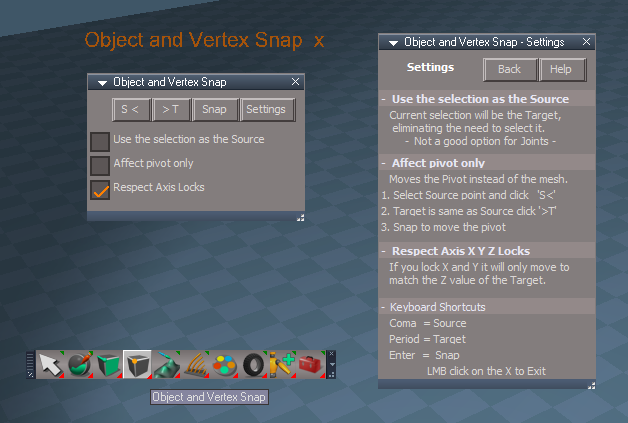
Finished the changes to the Object and Vertext Snap
Add the toolbar buttons to ClintonsToolbar and ClintonsPointEdit toolbar
Object and Vertext Snap.png
New Hide, Show, HideAll, and ShowAll scrips:
Attachments
HideandShoAllwScripts.zip
(5.05 KiB) Downloaded 171 times
User avatar
clintonman
Captain
Posts: 5659
Joined: 21 May 2009, 21:08
Type the number ten into the box: 0
Location: California

Re: Final trueSpace 7.61 Beta 8 Unofficial Update

Post by clintonman »

Maybe the unreliable checkboxes was the reason for the disconnecting in the previous version and you found another way around it.
Clinton Reese

http://clintons3d.com
User avatar
clintonman
Captain
Posts: 5659
Joined: 21 May 2009, 21:08
Type the number ten into the box: 0
Location: California

Re: Final trueSpace 7.61 Beta 8 Unofficial Update

Post by clintonman »

trueBlue wrote: 23 Jun 2020, 20:53 ...
New Hide, Show, HideAll, and ShowAll scrips:
I'll download your latest updates, apply these changes and update the workspace layers scripts to the new style of hide and show.
Correction looks like I already have your latest.
Clinton Reese

http://clintons3d.com
User avatar
trueBlue
Captain
Posts: 5548
Joined: 06 Jul 2009, 22:50
Type the number ten into the box: 10

Re: Final trueSpace 7.61 Beta 8 Unofficial Update

Post by trueBlue »

clintonman wrote: 24 Jun 2020, 15:21
trueBlue wrote: 23 Jun 2020, 20:53 ...
New Hide, Show, HideAll, and ShowAll scrips:
I'll download your latest updates, apply these changes and update the workspace layers scripts to the new style of hide and show.
Correction looks like I already have your latest.
I have not uploaded the new Hide/Show scripts to the Updates yet.
You can get the xml files in the previous post.
Extract them to
C:\trueSpace761\tS\Scripts\ScriptCommands
Reset the Default Context
User avatar
clintonman
Captain
Posts: 5659
Joined: 21 May 2009, 21:08
Type the number ten into the box: 0
Location: California

Re: Final trueSpace 7.61 Beta 8 Unofficial Update

Post by clintonman »

Thanks, that's what I meant by "apply these changes". And by got your latest I meant your full update.
Clinton Reese

http://clintons3d.com
User avatar
clintonman
Captain
Posts: 5659
Joined: 21 May 2009, 21:08
Type the number ten into the box: 0
Location: California

Re: Final trueSpace 7.61 Beta 8 Unofficial Update

Post by clintonman »

I have to take a break now, but it looks like your changes to the Hide/HideAll doesn't work for selected spotlights.
I'm not sure because I started working on the workspace layers before testing those changes so it could be something I did.
Clinton Reese

http://clintons3d.com
User avatar
trueBlue
Captain
Posts: 5548
Joined: 06 Jul 2009, 22:50
Type the number ten into the box: 10

Re: Final trueSpace 7.61 Beta 8 Unofficial Update

Post by trueBlue »

HideAll is working for me.
Hide is working but not on the first selected.

Finally figured out what the Object hider does.
When you select a light or camera that has the Object hider, it hides the object's mesh.

So as I understand this fiasco, Hide and Show works on selections and D3DView.ShowRenderAttribsForObject('', '') only works on the first selected.

The only thing I can think of is, create a function that disconnects the Object hider
Create a function that Hides the object.
Create a function that Shows the object.
Create a function that reconnects the Object hider. Maybe this needs to be a separate script that runs after the above scripts.
User avatar
clintonman
Captain
Posts: 5659
Joined: 21 May 2009, 21:08
Type the number ten into the box: 0
Location: California

Re: Final trueSpace 7.61 Beta 8 Unofficial Update

Post by clintonman »

It looks like you can't fight trueSpace for these cases. If a camera, spotlight or projection light is selected and the widget is checked in the desktop settings they will be visible. The only way I found to hide them was to remove those items from the selection so they can become invisible. This is less destructive than unlinking connectors. Let me know what you think.
Attachments
HideAll_101.RsObj
(11.13 KiB) Downloaded 163 times
Hide_107.RsObj
(9.94 KiB) Downloaded 167 times
Clinton Reese

http://clintons3d.com

Return to “General Discussion”