Final trueSpace 7.61 Beta 8 Unofficial Update

User avatar
clintonman
Captain
Posts: 5659
Joined: 21 May 2009, 21:08
Type the number ten into the box: 0
Location: California

Re: Final trueSpace 7.61 Beta 8 Unofficial Update

Post by clintonman »

trueBlue wrote: 02 Jul 2020, 15:20 Let's start over.
I have made some discoveries.
First, Node.IsRenderable(curNode) works on objects that have a Mesh output only!
Lights, Cameras, and Objects have a Mesh output, maybe more.
Nice find. The only thing you missed is that it has to have a Mesh and a WldMatrix to qualify as renderable.

The line

Code: Select all

if(Node.IsRenderable(curNode) || Node.IsCamera(curNode) || Node.IsLight(curNode)) return;
can be simplified down to

Code: Select all

if(Node.IsRenderable(curNode)) return;
because as you found IsRenderable already includes lights and cameras.
Clinton Reese

http://clintons3d.com
User avatar
trueBlue
Captain
Posts: 5548
Joined: 06 Jul 2009, 22:50
Type the number ten into the box: 10

Re: Final trueSpace 7.61 Beta 8 Unofficial Update

Post by trueBlue »

Thank you for the more complete explanation
Where I was leading to, the previous Hiding and Showing scripts were missing objects like Hairy objects, Characters, and 3D Encapsulated objects. Also the HideAll and ShowAll was not installing the ORA panels to objects that did not have an ORA.
This new update has updated scripts.
You are and frankly me as well, will not like the Flashing/Switching of Settings/Panel in the Stack.
Hopefully you can take a peak and see if this could be resolved.
If you can this would be a true HideAll and ShowAll
User avatar
trueBlue
Captain
Posts: 5548
Joined: 06 Jul 2009, 22:50
Type the number ten into the box: 10

Re: Final trueSpace 7.61 Beta 8 Unofficial Update

Post by trueBlue »

I was able to fix the HideAll and ShowAll scripts from the switching. :D
Uploaded the changes at this writing.
Edit:
Ugh! Switching is fixed but the Desktop panel reloading is not working.
Settings.png
Settings.png (19.36 KiB) Viewed 3067 times
User avatar
clintonman
Captain
Posts: 5659
Joined: 21 May 2009, 21:08
Type the number ten into the box: 0
Location: California

Re: Final trueSpace 7.61 Beta 8 Unofficial Update

Post by clintonman »

Do you have any new updates coming? I just finished fixing the workspace layers so I can finally take a look at your stuff. I'll hold off if something is on the way.
Clinton Reese

http://clintons3d.com
User avatar
trueBlue
Captain
Posts: 5548
Joined: 06 Jul 2009, 22:50
Type the number ten into the box: 10

Re: Final trueSpace 7.61 Beta 8 Unofficial Update

Post by trueBlue »

No, just trying to fix the ShowAll and HideAll.
User avatar
clintonman
Captain
Posts: 5659
Joined: 21 May 2009, 21:08
Type the number ten into the box: 0
Location: California

Re: Final trueSpace 7.61 Beta 8 Unofficial Update

Post by clintonman »

OK, I'll let you know if I find anything. Downloading...
Clinton Reese

http://clintons3d.com
User avatar
trueBlue
Captain
Posts: 5548
Joined: 06 Jul 2009, 22:50
Type the number ten into the box: 10

Re: Final trueSpace 7.61 Beta 8 Unofficial Update

Post by trueBlue »

I moved the
HT_PREFERENCES = 5
RsStackView.SwitchStackViewAspect(HT_PREFERENCES);
from the CloseORASettings script to the beginning of the HideAll and ShowAll scripts to try and stop the switching.
Edit: I see now that I am applying the ORA to every object that has a WldMatrix instead of checking if the ORA Exist. :oops:
But doing so causes an error!
User avatar
clintonman
Captain
Posts: 5659
Joined: 21 May 2009, 21:08
Type the number ten into the box: 0
Location: California

Re: Final trueSpace 7.61 Beta 8 Unofficial Update

Post by clintonman »

trueBlue wrote: 03 Jul 2020, 04:20 I moved the
HT_PREFERENCES = 5
RsStackView.SwitchStackViewAspect(HT_PREFERENCES);
from the CloseORASettings script to the beginning of the HideAll and ShowAll scripts to try and stop the switching.
Edit: I see now that I am applying the ORA to every object that has a WldMatrix instead of checking if the ORA Exist. :oops:
But doing so causes an error!
Yep, the test needs more work. I also found cases where testing for ORA as well still errors out.
Here's what I have so far. So you can see if it's moving in the right direction.
Attachments
ShowHideJuly022020.zip
(9.76 KiB) Downloaded 203 times
Clinton Reese

http://clintons3d.com
User avatar
trueBlue
Captain
Posts: 5548
Joined: 06 Jul 2009, 22:50
Type the number ten into the box: 10

Re: Final trueSpace 7.61 Beta 8 Unofficial Update

Post by trueBlue »

So...THATS how you do it!
Awesome! :worship:
Thank you!
Thank you!
Thank you!
User avatar
trueBlue
Captain
Posts: 5548
Joined: 06 Jul 2009, 22:50
Type the number ten into the box: 10

Re: Final trueSpace 7.61 Beta 8 Unofficial Update

Post by trueBlue »

Do you like this concept?

Code: Select all

	var scene = Space.CurrentScene();
	var numTopLevel = Node.SubObjectCount(scene);
	HT_PREFERENCES	= 5
	RsStackView.SwitchStackViewAspect(HT_PREFERENCES);
	for(var i=0; i< numTopLevel; i++) {
		var item = scene + "/" + Node.SubObject(scene, i);
		Search(item)
	}
	Activity.Run(System.ThisOwner() + "/DeleteORA");
	Activity.Run(System.ThisOwner() + "/ShowCameraAndLights");
	Activity.Run(System.ThisOwner() + "/CloseORASettings")
With regards to the DeleteORA script...
My thought is this could be backwards compatible and fix scenes that have the orphaned ORA nodes.
A Cleanup if you will.
I am worried about all of the possible Object Hiders out there that are Disconnected

Also wonder if would be possible to make it more efficient.
Instead of running these scripts on every node that has a WldMatrix
Is it possible to check for the ORA and if it exist, make it visible or invisible return, else run D3DView.ShowRenderAttribsForObject('', curNode) all within a try and catch. The previous mentioned error has to be bogus!
User avatar
clintonman
Captain
Posts: 5659
Joined: 21 May 2009, 21:08
Type the number ten into the box: 0
Location: California

Re: Final trueSpace 7.61 Beta 8 Unofficial Update

Post by clintonman »

trueBlue wrote: 03 Jul 2020, 06:28 ...

Also wonder if would be possible to make it more efficient.
Instead of running these scripts on every node that has a WldMatrix
Is it possible to check for the ORA and if it exist, make it visible or invisible return, else run D3DView.ShowRenderAttribsForObject('', curNode) all within a try and catch. The previous mentioned error has to be bogus!
The latest workspace layers already does this as an option. Testing is needed to see if it works in all cases. You want to avoid the use of try catch. It is for errors you have no control over and it's better to fix the error instead of hiding them inside a try catch.
Since you brought it up I'll add it to the ShowAll HideAll scripts.
Clinton Reese

http://clintons3d.com
User avatar
trueBlue
Captain
Posts: 5548
Joined: 06 Jul 2009, 22:50
Type the number ten into the box: 10

Re: Final trueSpace 7.61 Beta 8 Unofficial Update

Post by trueBlue »

Thank You!
Testing your new Workspace Layers as we speak.
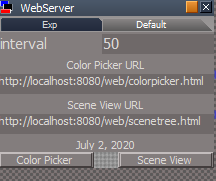
Found a way to Open your Color Picker and Scene View
Open Color Picker.png
Open Color Picker.png (10.59 KiB) Viewed 2843 times

Code: Select all

Activity.Run("Scripts/CustomCommands/WebServer/StartWebServer");
RsTool.OpenWebPage("localhost:8080/web/colorpicker.html")
Would be perfect if you could open it with tS's Html Control :mrgreen:
It does open but is non functional :(
User avatar
clintonman
Captain
Posts: 5659
Joined: 21 May 2009, 21:08
Type the number ten into the box: 0
Location: California

Re: Final trueSpace 7.61 Beta 8 Unofficial Update

Post by clintonman »

trueBlue wrote: 03 Jul 2020, 16:24 Thank You!
Testing your new Workspace Layers as we speak.
Found a way to Open your Color Picker and Scene View
Open Color Picker.png

Code: Select all

Activity.Run("Scripts/CustomCommands/WebServer/StartWebServer");
RsTool.OpenWebPage("localhost:8080/web/colorpicker.html")
Would be perfect if you could open it with tS's Html Control :mrgreen:
It does open but is non functional :(
From website "Dev note: Does not work with the trueSpace http control."
Clinton Reese

http://clintons3d.com
User avatar
clintonman
Captain
Posts: 5659
Joined: 21 May 2009, 21:08
Type the number ten into the box: 0
Location: California

Re: Final trueSpace 7.61 Beta 8 Unofficial Update

Post by clintonman »

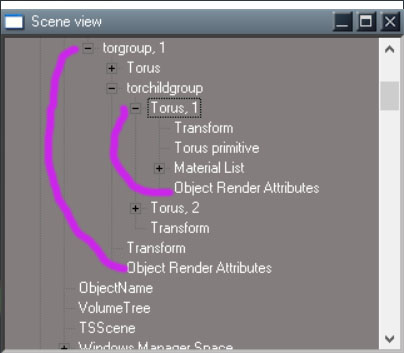
OptimizationFail.jpg
Optimization won't work in all cases.
Above shows a group within a group with 1 child having an ORA. If the ShowObjectAttribs is not run on the top group that child won't update with show/hide changes.
Clinton Reese

http://clintons3d.com
User avatar
clintonman
Captain
Posts: 5659
Joined: 21 May 2009, 21:08
Type the number ten into the box: 0
Location: California

Re: Final trueSpace 7.61 Beta 8 Unofficial Update

Post by clintonman »

Fix checks to prevent errors.
Optimization check for ORA commented out. Leaving it in just in case a way is found to use it reliably.
Attachments
ShowHideJuly_0B.zip
(15.86 KiB) Downloaded 169 times
Clinton Reese

http://clintons3d.com
User avatar
trueBlue
Captain
Posts: 5548
Joined: 06 Jul 2009, 22:50
Type the number ten into the box: 10

Re: Final trueSpace 7.61 Beta 8 Unofficial Update

Post by trueBlue »

Many thanks, Clinton! :worship:
I uploaded your changes to both Updates.
Needing to test Workspace Layers, Web Server, Hiding, and Showing scripts with limited time this weekend.
Shooting for a final release on 6/6/2020
User avatar
trueBlue
Captain
Posts: 5548
Joined: 06 Jul 2009, 22:50
Type the number ten into the box: 10

Re: Final trueSpace 7.61 Beta 8 Unofficial Update

Post by trueBlue »

@Clinton
I would like to make one correction with the HideAll and ShowAll scripts

Code: Select all

//	if(Node.ConExists(curNode, "WldMatrix") && Node.SubObjectCount(curNode) > 1) {
	if(!Node.Exists(curNode + "/Object hider") &&	Node.ConExists(curNode, "WldMatrix") && Node.SubObjectCount(curNode) > 1) {
Adding
!Node.Exists(curNode + "/Object hider") &&
So that it does not show a non working ORA panel for the lights that have the Object hider and cameras
You did the similar to the Hide and Show scripts
Is this the correct way to do this?
It seems to work for me.
User avatar
clintonman
Captain
Posts: 5659
Joined: 21 May 2009, 21:08
Type the number ten into the box: 0
Location: California

Re: Final trueSpace 7.61 Beta 8 Unofficial Update

Post by clintonman »

trueBlue wrote: 04 Jul 2020, 18:05 @Clinton
I would like to make one correction with the HideAll and ShowAll scripts

Code: Select all

//	if(Node.ConExists(curNode, "WldMatrix") && Node.SubObjectCount(curNode) > 1) {
	if(!Node.Exists(curNode + "/Object hider") &&	Node.ConExists(curNode, "WldMatrix") && Node.SubObjectCount(curNode) > 1) {
Adding
!Node.Exists(curNode + "/Object hider") &&
So that it does not show a non working ORA panel for the lights that have the Object hider and cameras
You did the similar to the Hide and Show scripts
Is this the correct way to do this?
It seems to work for me.
Yes, looks good to me since you have the Activity.Run(System.ThisOwner() + "/ShowCameraAndLights"); running near the end of the process.
Clinton Reese

http://clintons3d.com
User avatar
trueBlue
Captain
Posts: 5548
Joined: 06 Jul 2009, 22:50
Type the number ten into the box: 10

Re: Final trueSpace 7.61 Beta 8 Unofficial Update

Post by trueBlue »

Thank you!
User avatar
trueBlue
Captain
Posts: 5548
Joined: 06 Jul 2009, 22:50
Type the number ten into the box: 10

Re: Final trueSpace 7.61 Beta 8 Unofficial Update

Post by trueBlue »

New Update for trueSpace7.61 Beta 8 Unofficial Update
viewtopic.php?t=3732
RC8 July 05, 2020

Recommend that you completely Uninstall and Install trueSpace7.61 Beta 8 to a clean directory before installing this update. This update precedes all previous updates and recommend that you delete any and all previous updates.

HideAll and ShowAll scripts
Updated
Note: HideAll does not hide objects that have an Object Hider if they are selected beforehand.
Adding Space.Unselect() to HideAll interfers with HideAll except selection

Background widget
Fixed
Comma + LMB Drag = ShowAll
Period + LMB Drag = HideAll except current selection

Activities - Base
Add
truePause - Author - Clinton Reese
LeftBackWheel - tricycle's left back wheel, includes the Rotation Engine script

Materials - DX9
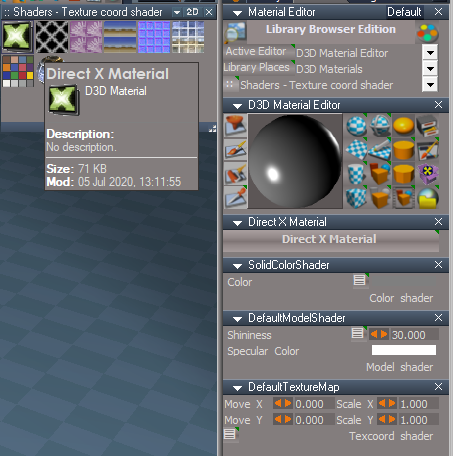
Restored to original state
BlankDXMaterial.RsMat

Shaders - Texture coord shader
Add
Direct X Material.RsMat
Direct X Material.png
User avatar
trueBlue
Captain
Posts: 5548
Joined: 06 Jul 2009, 22:50
Type the number ten into the box: 10

Re: Final trueSpace 7.61 Beta 8 Unofficial Update

Post by trueBlue »

New Update for trueSpace7.61 Beta 8 Unofficial Update
viewtopic.php?t=3732
RC9 July 06, 2020

Recommend that you completely Uninstall and Install trueSpace7.61 Beta 8 to a clean directory before installing this update. This update precedes all previous updates and recommend that you delete any and all previous updates.

My Scenes
Update
Scene.RsScn

ShowCameraAndLights
HideCameraAndLights
Updated
Disconnect and Connect the Object hider to Object Render Attributes

DeleteORA
Add
&& Node.ConExists(curNode, "Input Attributes"
User avatar
trueBlue
Captain
Posts: 5548
Joined: 06 Jul 2009, 22:50
Type the number ten into the box: 10

Re: Final trueSpace 7.61 Beta 8 Unofficial Update

Post by trueBlue »

New Update for trueSpace7.61 Beta 8 Unofficial Update
viewtopic.php?t=3732
RC10 July 06, 2020

Recommend that you completely Uninstall and Install trueSpace7.61 Beta 8 to a clean directory before installing this update. This update precedes all previous updates and recommend that you delete any and all previous updates.

My Scenes
Update
Scene.RsScn

ShowCameraAndLights
HideCameraAndLights
Updated
Disconnect and Connect the Object hider to Object Render Attributes

DeleteORA
Add
&& Node.ConExists(curNode, "Input Attributes"

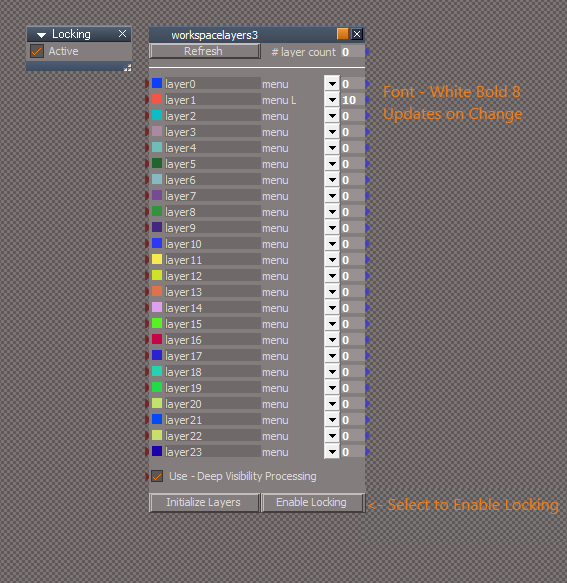
Workspace Layers 3 Author - Clinton Reese
This version does not need the Clintons3dRsView.rsx plugin nor the Web Server to be active.
Included is a different Locking script that is incorporated and UnDo's the last selection when Active
WL3UU.png
If this version does not fit your needs, you can Right click the Workspace Layer's toolbar icon that opens your web browser to the original Workspace Layers 3 made by Clinton Reese. In with which you can download and install all of the required items and it will overwrite this modified version.
User avatar
trueBlue
Captain
Posts: 5548
Joined: 06 Jul 2009, 22:50
Type the number ten into the box: 10

Re: Final trueSpace 7.61 Beta 8 Unofficial Update

Post by trueBlue »

New Update for trueSpace7.61 Beta 8 Unofficial Update
viewtopic.php?t=3732
RC11 July 12, 2020

Recommend that you completely Uninstall and Install trueSpace7.61 Beta 8 to a clean directory before installing this update. This update precedes all previous updates and recommend that you delete any and all previous updates.

Lights.RsObj

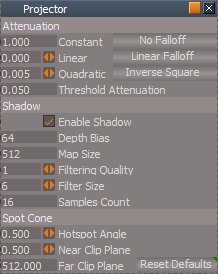
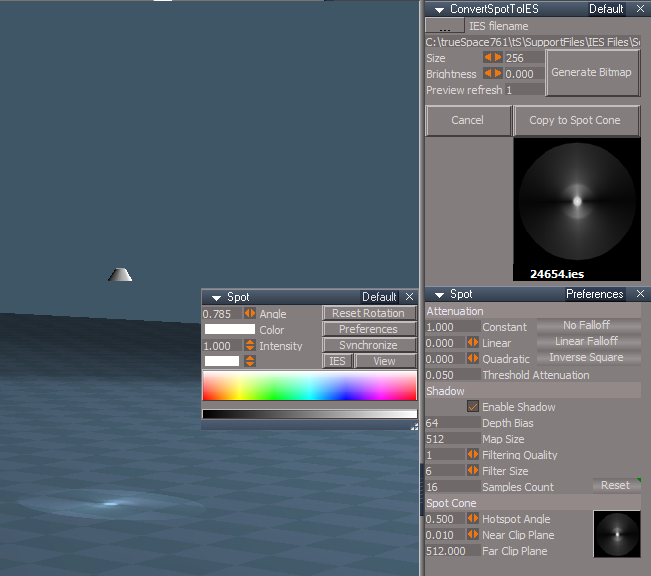
Spot & Projector lights Preferences aspect
Update
Add
Hotspot Angle - Scrubber with Min/Max values, Max is the Default
Near Clip Plane - Scrubber with Min/Max values, Max is the Default
Reset Defaults button - LMB - Resets all Defaults / RMB - Resets - Spot Cone
Preferences.png
Preferences.png (15.71 KiB) Viewed 2948 times
Projector
Update
Moved Square bitmap to Projector Preferences and unexported the SpotCone attribute

YafaRay IES Spot
Update
IESimport script per Clinton Reese's update and unexported the SpotCone attribute

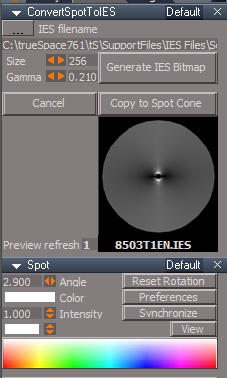
CustomCommands
Add
ConvertSpotToIES.RsObj scripts - Author - Clinton Reese
Newly updated scripts with major improvements. Many thanks Clinton!
Other updates:
Compatible with new Projector lights
Remove circular mask code from BitmapBuffer
Several little tweaks
ConvertSpotToIES.png
ConvertSpotToIES.png (22.83 KiB) Viewed 2963 times
Toolbars.RsObj
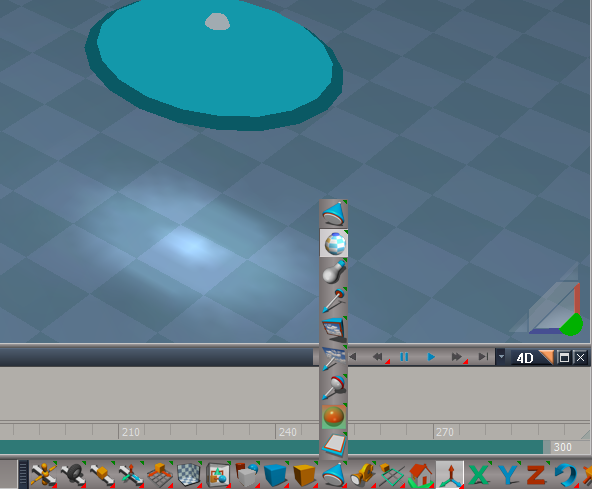
Add
IES Profiles / Spot Cone
iesSpotButton to all Workspace(s) toolbar(s) Lights
AgentID = {5B44AED2-C4BF-460B-A1D9-7C83F91B307A}
TagAlias = /Widgets/Select/Spot light widget
Lights toolbar.png
User avatar
trueBlue
Captain
Posts: 5548
Joined: 06 Jul 2009, 22:50
Type the number ten into the box: 10

Re: Final trueSpace 7.61 Beta 8 Unofficial Update

Post by trueBlue »

@Clinton
Notice that if you select a jScript.RsObj (Maybe other nodes too) and run LE.Unencapsulate('') equals Crash? :(
Proposing the following changes unless you see something that is not correct.

//LMB Unencapsulate
if(!Node.IsRenderable(Node.Selection())) return;LE.Unencapsulate('')
Maybe add a modal question?

//LMB 3D Encapsulate
if(!Node.IsRenderable(Node.Selection())) return;LE.RectEncapsulationDialog('{5B3DD4D4-BD80-480A-BFD8-0B3A19DF1558}', true)
Note:
1) Would like to make this not run, if only one object is selected too.
Seems silly to 3D Encapsulate one object.
2) Make 3D Unencapsulate icon

//LMB Flatten
if(Node.IsLight(Node.Selection())) return;if(Node.IsCamera(Node.Selection())) return;if(!Node.IsRenderable(Node.Selection())) return;MeshModifiers.FlattenNodes('');

//RMB Flatten
if(Node.IsLight(Node.Selection())) return;if(Node.IsCamera(Node.Selection())) return;if(!Node.IsRenderable(Node.Selection())) return;MeshModifiers.FlattenNodes('');Node.ConRemove(Node.FirstSelected(), "UvProjection");
User avatar
clintonman
Captain
Posts: 5659
Joined: 21 May 2009, 21:08
Type the number ten into the box: 0
Location: California

Re: Final trueSpace 7.61 Beta 8 Unofficial Update

Post by clintonman »

trueBlue wrote: 14 Jul 2020, 17:14 @Clinton
Notice that if you select a jScript.RsObj (Maybe other nodes too) and run LE.Unencapsulate('') equals Crash? :(
Proposing the following changes unless you see something that is not correct.

//LMB Unencapsulate
if(!Node.IsRenderable(Node.Selection())) return;LE.Unencapsulate('')
Maybe add a modal question?

//LMB 3D Encapsulate
if(!Node.IsRenderable(Node.Selection())) return;LE.RectEncapsulationDialog('{5B3DD4D4-BD80-480A-BFD8-0B3A19DF1558}', true)
Note:
1) Would like to make this not run, if only one object is selected too.
Seems silly to 3D Encapsulate one object.
2) Make 3D Unencapsulate icon

//LMB Flatten
if(Node.IsLight(Node.Selection())) return;if(Node.IsCamera(Node.Selection())) return;if(!Node.IsRenderable(Node.Selection())) return;MeshModifiers.FlattenNodes('');

//RMB Flatten
if(Node.IsLight(Node.Selection())) return;if(Node.IsCamera(Node.Selection())) return;if(!Node.IsRenderable(Node.Selection())) return;MeshModifiers.FlattenNodes('');Node.ConRemove(Node.FirstSelected(), "UvProjection");
!Node.IsRenderable(Node.Selection()) puts an unreasonable restriction on the use of the LE.Unencapsulate('') command. Now if you 3d encapsulate something you have no choice but to use the 3d unencapsulate and it won't be the same result.
One more thing if you add a Mesh and WldMatrix connector to a script it will read as renderable and still crash.

Did some tests and I don't see any one line solution. Needs a full script to examine each selected item before running LE.Unencapsulate on each selected item.

Place a mesh somewhere in the scene. Use the rotation widget LMB RMB there is no difference. Now 3d encapsulate the torus. Now LMB RMB rotate are not the same. Dont remove the option of having this and other behaviors.

I don't see any negative effect of flattening a light or camera. I run it and they still seem to work. If there is a reason for it go ahead. If not, don't fix it if it's not broken.
Clinton Reese

http://clintons3d.com
User avatar
trueBlue
Captain
Posts: 5548
Joined: 06 Jul 2009, 22:50
Type the number ten into the box: 10

Re: Final trueSpace 7.61 Beta 8 Unofficial Update

Post by trueBlue »

Thank you for the response.
I will not change anything per your advice.
Was just hoping to stop the crash!
Another idea, !Node.IsRenderable(Node.Selection()) (Add modal question with explanation about possible crash)
Yes = LE.Unencapsulate('')
No = return
Untested, just an idea

I am not understanding what is meant by:
Place a mesh somewhere in the scene. Use the rotation widget LMB RMB there is no difference. Now 3d encapsulate the torus. Now LMB RMB rotate are not the same. Dont remove the option of having this and other behaviors.
What is meant by, "Dont remove the option of having this and other behaviors"
Are you referring to that something is wrong with the Rotation widget?
Or something else, currently in the Unofficial Updates?
User avatar
clintonman
Captain
Posts: 5659
Joined: 21 May 2009, 21:08
Type the number ten into the box: 0
Location: California

Re: Final trueSpace 7.61 Beta 8 Unofficial Update

Post by clintonman »

trueBlue wrote: 14 Jul 2020, 22:46 Thank you for the response.
I will not change anything per your advice.
Was just hoping to stop the crash!
Another idea, !Node.IsRenderable(Node.Selection()) (Add modal question with explanation about possible crash)
Yes = LE.Unencapsulate('')
No = return
Untested, just an idea

I am not understanding what is meant by:
Place a mesh somewhere in the scene. Use the rotation widget LMB RMB there is no difference. Now 3d encapsulate the torus. Now LMB RMB rotate are not the same. Dont remove the option of having this and other behaviors.
What is meant by, "Dont remove the option of having this and other behaviors"
Are you referring to that something is wrong with the Rotation widget?
Or something else, currently in the Unofficial Updates?
You can have the modal but if you answer yes it will still crash. Better than nothing though.

I was trying to show that 3d encapsulate a single object has an effect. If you take it away it takes away the option of using that effect.
Clinton Reese

http://clintons3d.com
User avatar
trueBlue
Captain
Posts: 5548
Joined: 06 Jul 2009, 22:50
Type the number ten into the box: 10

Re: Final trueSpace 7.61 Beta 8 Unofficial Update

Post by trueBlue »

Gotcha!
BTW... the icon with the LE.Unencapsulate('') command was added to the U Updates. It is not present in the original programs.
So I am the one responsible for the crash. :oops:
User avatar
clintonman
Captain
Posts: 5659
Joined: 21 May 2009, 21:08
Type the number ten into the box: 0
Location: California

Re: Final trueSpace 7.61 Beta 8 Unofficial Update

Post by clintonman »

trueBlue wrote: 14 Jul 2020, 23:55 Gotcha!
BTW... the icon with the LE.Unencapsulate('') command was added to the U Updates. It is not present in the original programs.
So I am the one responsible for the crash. :oops:
The way I remember is that you wanted to get rid of it and I talked you into keeping it. So it's only fair I try to fix it. So here we go...
Clinton Reese

http://clintons3d.com
User avatar
clintonman
Captain
Posts: 5659
Joined: 21 May 2009, 21:08
Type the number ten into the box: 0
Location: California

Re: Final trueSpace 7.61 Beta 8 Unofficial Update

Post by clintonman »

Not as bad as I thought it would be. This will do the basic LE.Unencapsulate('') without crashing.

made it to page 100! :bananamouse:
Attachments
LEUnencapsulate04.RsObj
(5.11 KiB) Downloaded 183 times
Clinton Reese

http://clintons3d.com
User avatar
trueBlue
Captain
Posts: 5548
Joined: 06 Jul 2009, 22:50
Type the number ten into the box: 10

Re: Final trueSpace 7.61 Beta 8 Unofficial Update

Post by trueBlue »

Awesome, works great! :worship:
User avatar
trueBlue
Captain
Posts: 5548
Joined: 06 Jul 2009, 22:50
Type the number ten into the box: 10

Re: Final trueSpace 7.61 Beta 8 Unofficial Update

Post by trueBlue »

New Update for trueSpace7.61 Beta 8 Unofficial Update
viewtopic.php?t=3732
RC12 July 16, 2020

Recommend that you completely Uninstall and Install trueSpace7.61 Beta 8 to a clean directory before installing this update. This update precedes all previous updates and recommend that you delete any and all previous updates.

Toolbars.RsObj
Add
3D Unencapsulate icon
Update
2D Unencapsulate icon

ScriptCommands
Add
Unencapsulate.xml
Add the missing
OpenD3DRenderPath.xml

Widgets.RsObj
Point Edit Widget's Help
Update
O + LMB select the widget switches to Mesh Object Coordinate Mode On/Off
Switch to the Object Coordinate system to change the widget's behavior
IMPORTANT: This will also have an effect on the Tangent Coordinate system
Switch back before using the Tangent Coordinate system

Material Editor/MaterialConverter
Updated 07/15/2020 Author - Clinton Reese
"Fix instancing script to work with materials from the FBX import scripts"
Modified
SetMaterialEditorMode script
Add
if(Node.IsCamera(Node.Selection())) return;
if(Node.IsLight(Node.Selection())) return;
Add ! button
LMB = System.Alert(" Converting - D3D Material -> Instancing\n changes your Material Editor's Advance settings\n to your selected choice")
RMB = Node.ConReset("/Material Editor/Material Editor", "Material instancing");Node.ConReset("%THIS_NAME%", "MatEditInstancing")
Add OnDefaultValue = None
Set D3D Material to Instancing Link to the MatEditInstancing attribute

ClintonsToolbar
MeshOrigin
Updated 07/15/2020 Author - Clinton Reese

ConvertSpotToIES
ies script
Changed code to previous version dated July 8, 2020
User avatar
clintonman
Captain
Posts: 5659
Joined: 21 May 2009, 21:08
Type the number ten into the box: 0
Location: California

Re: Final trueSpace 7.61 Beta 8 Unofficial Update

Post by clintonman »

IconsCutoff.jpg
UU trueSpace
IconsNotCutoff.jpg
Standard trueSpace

I think there may be something off in the layout. The buttons seem to always be cutoff and the info window is too small can only see the numbers not the name or vertex counts of the selected item.
Clinton Reese

http://clintons3d.com
User avatar
trueBlue
Captain
Posts: 5548
Joined: 06 Jul 2009, 22:50
Type the number ten into the box: 10

Re: Final trueSpace 7.61 Beta 8 Unofficial Update

Post by trueBlue »

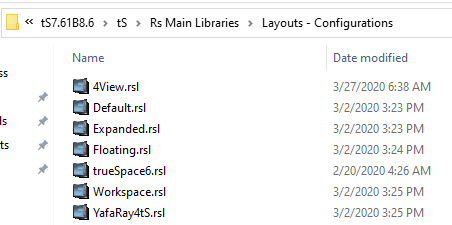
There has been no changes to the Layouts since March 2020
Layouts.png
They are working as expected on my pc, display resolution 1920x1080
Default.png
What happen to your trueSpace icon?
IconsCutoff.jpg
IconsCutoff.jpg (15.99 KiB) Viewed 3397 times
User avatar
trueBlue
Captain
Posts: 5548
Joined: 06 Jul 2009, 22:50
Type the number ten into the box: 10

Re: Final trueSpace 7.61 Beta 8 Unofficial Update

Post by trueBlue »

New Update for trueSpace7.61 Beta 8 Unofficial Update
viewtopic.php?t=3732
RC13 July 17, 2020

Recommend that you completely Uninstall and Install trueSpace7.61 Beta 8 to a clean directory before installing this update. This update precedes all previous updates and recommend that you delete any and all previous updates.

Toolbars.RsObj
Add
3D Unencapsulate icon
Update
2D Unencapsulate icon

ScriptCommands
Add
Unencapsulate.xml
Add the missing
OpenD3DRenderPath.xml

Widgets.RsObj
Point Edit Widget's Help
Update
O + LMB select the widget switches to Mesh Object Coordinate Mode On/Off
Switch to the Object Coordinate system to change the widget's behavior
IMPORTANT: This will also have an effect on the Tangent Coordinate system
Switch back before using the Tangent Coordinate system

Material Editor/MaterialConverter
Updated 07/16/2020 Author - Clinton Reese
"Fix instancing script to work with materials from the FBX import scripts"

ClintonsToolbar
MeshOrigin
Updated 07/16/2020 Author - Clinton Reese

ConvertSpotToIES
Updated 07/16/2020 Author - Clinton Reese
User avatar
trueBlue
Captain
Posts: 5548
Joined: 06 Jul 2009, 22:50
Type the number ten into the box: 10

Re: Final trueSpace 7.61 Beta 8 Unofficial Update

Post by trueBlue »

New Update for trueSpace7.61 Beta 8 Unofficial Update
viewtopic.php?t=3732
RC14 July 17, 2020

Recommend that you completely Uninstall and Install trueSpace7.61 Beta 8 to a clean directory before installing this update. This update precedes all previous updates and recommend that you delete any and all previous updates.

Toolbars.RsObj
Add
3D Unencapsulate icon
Update
2D Unencapsulate icon

ScriptCommands
Add
Unencapsulate.xml
Add the missing
OpenD3DRenderPath.xml

Widgets.RsObj
Point Edit Widget's Help
Update
O + LMB select the widget switches to Mesh Object Coordinate Mode On/Off
Switch to the Object Coordinate system to change the widget's behavior
IMPORTANT: This will also have an effect on the Tangent Coordinate system
Switch back before using the Tangent Coordinate system

Material Editor/MaterialConverter
Updated 07/16/2020 Author - Clinton Reese
"Fix instancing script to work with materials from the FBX import scripts"

ClintonsToolbar
MeshOrigin
Updated 07/16/2020 Author - Clinton Reese

ConvertSpotToIES
Updated 07/17/2020 Author - Clinton Reese
User avatar
trueBlue
Captain
Posts: 5548
Joined: 06 Jul 2009, 22:50
Type the number ten into the box: 10

Re: Final trueSpace 7.61 Beta 8 Unofficial Update

Post by trueBlue »

New Update for trueSpace7.61 Beta 8 Unofficial Update
viewtopic.php?t=3732
RC15 July 18, 2020

Recommend that you completely Uninstall and Install trueSpace7.61 Beta 8 to a clean directory before installing this update. This update precedes all previous updates and recommend that you delete any and all previous updates.

unSelectable.RsObj Author - Clinton Reese
Updated 7/17/2020

workspacelayers3.RsObj Author - Clinton Reese
Locking
Updated 7/17/2020
User avatar
trueBlue
Captain
Posts: 5548
Joined: 06 Jul 2009, 22:50
Type the number ten into the box: 10

Re: Final trueSpace 7.61 Beta 8 Unofficial Update

Post by trueBlue »

New Update for trueSpace7.61 Beta 8 Unofficial Update
viewtopic.php?t=3732
RC16 July 19, 2020

Recommend that you completely Uninstall and Install trueSpace7.61 Beta 8 to a clean directory before installing this update. This update precedes all previous updates and recommend that you delete any and all previous updates.

unSelectable.RsObj Author - Clinton Reese
Updated 7/19/2020

workspacelayers3.RsObj Author - Clinton Reese
Locking
Updated 7/19/2020

Toolbars.RsObj
Updated 7/19/2020
Hide and Show icons
RMB = Settings "Opens the selected object's Object Render Attributes panel in Panels"
User avatar
trueBlue
Captain
Posts: 5548
Joined: 06 Jul 2009, 22:50
Type the number ten into the box: 10

Re: Final trueSpace 7.61 Beta 8 Unofficial Update

Post by trueBlue »

New Update for trueSpace7.61 Beta 8 Unofficial Update
viewtopic.php?t=3732
RC17 July 24, 2020

Recommend that you completely Uninstall and Install trueSpace7.61 Beta 8 to a clean directory before installing this update. This update precedes all previous updates and recommend that you delete any and all previous updates.

ClintonsToolbar
Updated 7/24/2020
PE, NT, IT, and TB icons

Toolbars.RsObj
Updated 7/24/2020
LENavigatorBar
Add
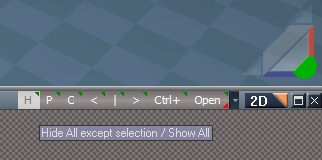
H
LMB = Hide All except selection
RMB = Show All
HideAllexceptSelection.png
HideAllexceptSelection.png (14.05 KiB) Viewed 3328 times
User avatar
trueBlue
Captain
Posts: 5548
Joined: 06 Jul 2009, 22:50
Type the number ten into the box: 10

Re: Final trueSpace 7.61 Beta 8 Unofficial Update

Post by trueBlue »

New Update for trueSpace7.61 Beta 8 Unofficial Update
viewtopic.php?t=3732
RC18 July 27, 2020

Recommend that you completely Uninstall and Install trueSpace7.61 Beta 8 to a clean directory before installing this update. This update precedes all previous updates and recommend that you delete any and all previous updates.

Material Editor
Update
D3D Material Converter

Toolbars
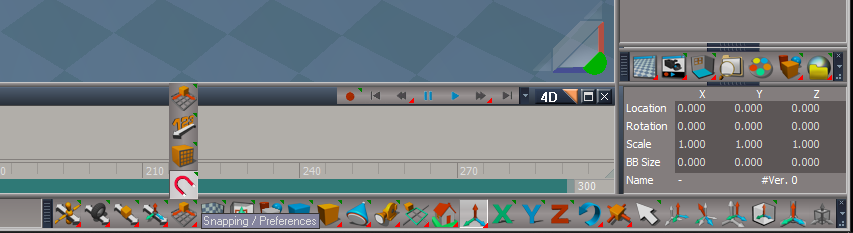
Update
Q_PESnappingToolbar
Update Icons.png
Update Icons.png (34.21 KiB) Viewed 3673 times
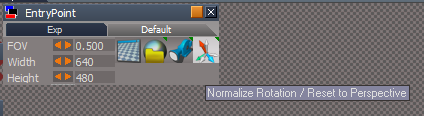
Cameras
Update
LMB = Normalize Rotatiion
RMB = Reset to Perspective
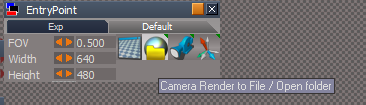
Camera updates.png
LMB = Camera Render to File
RMB = Open folder
Camera updates2.png
Camera updates2.png (13 KiB) Viewed 3673 times
User avatar
trueBlue
Captain
Posts: 5548
Joined: 06 Jul 2009, 22:50
Type the number ten into the box: 10

Re: Final trueSpace 7.61 Beta 8 Unofficial Update

Post by trueBlue »

New Update for trueSpace7.61 Beta 8 Unofficial Update
viewt ... =55&t=3732
RC19 July 28, 2020

Recommend that you completely Uninstall and Install trueSpace7.61 Beta 8 to a clean directory before installing this update. This update precedes all previous updates and recommend that you delete any and all previous updates.

Copy Attributes
Updated script with plugin check
User avatar
trueBlue
Captain
Posts: 5548
Joined: 06 Jul 2009, 22:50
Type the number ten into the box: 10

Re: Final trueSpace 7.61 Beta 8 Unofficial Update

Post by trueBlue »

New Update for trueSpace7.61 Beta 8 Unofficial Update
viewtopic.php?t=3732
Final Update August 6, 2020

Recommend that you completely Uninstall and Install trueSpace7.61 Beta 8 to a clean directory before installing this update. This update precedes all previous updates and recommend that you delete any and all previous updates.

Recommend that you install Vray version 1.54 first before applying this update.
After applying this update, open trueSpace, Install/Load Vray from the Package Manager and Reset to Default Context
You can download Vray version 1.54 here:
https://united3dartists.com/index.html

Widgets
Rotate
Rotate.png
Rotate.png (8.09 KiB) Viewed 3533 times
RMB click the icon to Exit
Additional controls:
* Shift + LMB click in empty 3D Space deactivates Object widgets
Add
* Ctrl + LMB click rotates selected object +45 degrees
* Alt + LMB click rotates selected object -45 degrees

Toolbars
Workspace File Menu
Help
Update
United 3D Artist button
Changed link to: RsTool.OpenWebPage("www.united3dartists.com/forum");

Special thanks to Clinton Reese for all his help and awesome contributions in this update! :worship:
http://www.clintons3d.com
User avatar
trueBlue
Captain
Posts: 5548
Joined: 06 Jul 2009, 22:50
Type the number ten into the box: 10

Re: Final trueSpace 7.61 Beta 8 Unofficial Update

Post by trueBlue »

New Update for trueSpace7.61 Beta 8 Unofficial Update
viewtopic.php?t=3732
Final Update August 6, 2020

Recommend that you completely Uninstall and Install trueSpace7.61 Beta 8 to a clean directory before installing this update. This update precedes all previous updates and recommend that you delete any and all previous updates.

Recommend that you install Vray version 1.54 first before applying this update.
After applying this update, open trueSpace, Install/Load Vray from the Package Manager and Reset to Default Context
You can download Vray version 1.54 here:
https://united3dartists.com/index.html

Widgets
Rotate
Rotate.png
Rotate.png (8.09 KiB) Viewed 3520 times
RMB click the icon to Exit
Widget Additional controls:
* Shift + LMB click in empty 3D Space deactivates Object widgets
Add
* Ctrl + LMB click in empty 3D Space rotates selected object +45 degrees
* Alt + LMB click in empty 3D Space rotates selected object -45 degrees

Toolbars
Workspace File Menu
Help
Update
United 3D Artist button
Changed link to: RsTool.OpenWebPage("united3dartists.com/forum");

Special thanks to Clinton Reese for all his help and awesome contributions in this update! :worship:
http://www.clintons3d.com
User avatar
trueBlue
Captain
Posts: 5548
Joined: 06 Jul 2009, 22:50
Type the number ten into the box: 10

Re: Final trueSpace 7.61 Beta 8 Unofficial Update

Post by trueBlue »

New Update for trueSpace7.61 Beta 8 Unofficial Update
viewtopic.php?t=3732
Final Update August 8, 2020

Recommend that you completely Uninstall and Install trueSpace7.61 Beta 8 to a clean directory before installing this update. This update precedes all previous updates and recommend that you delete any and all previous updates.

Recommend that you install Vray version 1.54 first before applying this update.
After applying this update, open trueSpace, Install/Load Vray from the Package Manager and Reset to Default Context
You can download Vray version 1.54 here:
https://united3dartists.com/index.html

Update
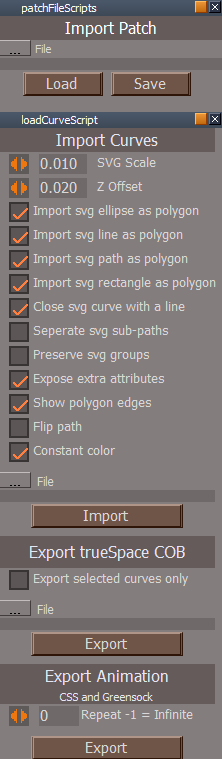
NURBS Curves and Sweep Curve for Workspace - Author Clinton Reese
Update August 2020

SVG import works with reflection type curve path tags s, S, t, and T
now reads the single line DTD, so manual edit of some svg files from adobe illustrator is not needed before importing
installer updated to clear the recent files lists

Biggest change for this release is that it will read all curve types now.
CustomCommads
Add
Select.RsObj - Author Clinton Reese
Incorporate
"Selection Scripts and Alphabetize Scene / Object"
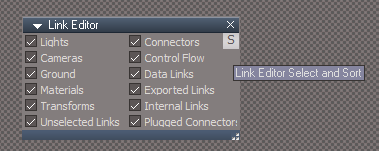
Select and Sort.png
Select and Sort.png (10.94 KiB) Viewed 3509 times

preobjects
Update
LePreferences.rsobj
Add
Button that shows the above Select script in Panels
LEpreferences button.png
LEpreferences button.png (8.05 KiB) Viewed 3509 times
User avatar
trueBlue
Captain
Posts: 5548
Joined: 06 Jul 2009, 22:50
Type the number ten into the box: 10

Re: Final trueSpace 7.61 Beta 8 Unofficial Update

Post by trueBlue »

New Update for trueSpace7.61 Beta 8 Unofficial Update
viewtopic.php?t=3732
Final Update August 11, 2020

Recommend that you completely Uninstall and Install trueSpace7.61 Beta 8 to a clean directory before installing this update. This update precedes all previous updates and recommend that you delete any and all previous updates.

Recommend that you install Vray version 1.54 first before applying this update.
After applying this update, open trueSpace, Install/Load Vray from the Package Manager and Reset to Default Context
You can download Vray version 1.54 here:
https://united3dartists.com/index.html

Objects - tS7.61 Update objects library
Update
tS Community.RsObj
trueHelp.RsObj


Widgets
Shear.RsObj
Update
Freeze normalizes Shear only

PDFMan
Update
tS65Help.chm
Version 6.6 - May, 2004
Edit
ch01_IntroductoryTutorial.htm
User avatar
trueBlue
Captain
Posts: 5548
Joined: 06 Jul 2009, 22:50
Type the number ten into the box: 10

Re: Final trueSpace 7.61 Beta 8 Unofficial Update

Post by trueBlue »

New Update for trueSpace7.61 Beta 8 Unofficial Update
viewtopic.php?t=3732
Final Update August 16, 2020

Recommend that you completely Uninstall and Install trueSpace7.61 Beta 8 to a clean directory before installing this update. This update precedes all previous updates and recommend that you delete any and all previous updates.

Recommend that you install Vray version 1.54 first before applying this update.
After applying this update, open trueSpace, Install/Load Vray from the Package Manager and Reset to Default Context
You can download Vray version 1.54 here:
https://united3dartists.com/index.html

Layouts - Configurations library
Update
Default layout
Add
Postprocess library
Load the Update RsD3DBloomFilter.RsObj to setup Post Processing

Widgets
Update
3D View Widget

Lights
Add
Widget to all Workspace lights - Author - Prodigy
RMB select the unselected light's shape, opens it's floating panel

Spot & Projector lights
New Lights.png
Add
IES button
Spot Cone bitmap exported out to Preferences

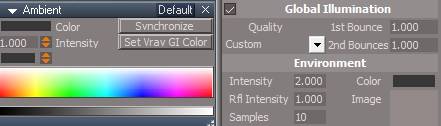
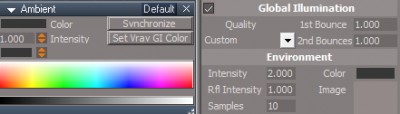
Ambient
New Ambient Light.png
Add
Set Vray GI Color button - Author - Prodigy
Note: Useful for setting Vray's GI Color with Intensity

CustomCommands
ConvertToIES
Update scripts to apply generated bitmap to Spot Cone bitmap

IES script
Add
var selcount = Node.SelectedCount();
if(selcount == 0) return;
Note: Stops generating a bitmap if nothing is selected

copyBitmap script
Add
var pr = Node.Value(System.ThisOwner(), "Preview refresh")
if (pr == 0) return;
Note: Stops applying a black bitmap if the IES bitmap was not generated first
User avatar
trueBlue
Captain
Posts: 5548
Joined: 06 Jul 2009, 22:50
Type the number ten into the box: 10

Re: Final trueSpace 7.61 Beta 8 Unofficial Update

Post by trueBlue »

New Update for trueSpace7.61 Beta 8 Unofficial Update
viewtopic.php?t=3732
Final Update August 19, 2020

Recommend that you completely Uninstall and Install trueSpace7.61 Beta 8 to a clean directory before installing this update. This update precedes all previous updates and recommend that you delete any and all previous updates.

Recommend that you install Vray version 1.54 first before applying this update.
After applying this update, open trueSpace, Install/Load Vray from the Package Manager and Reset to Default Context
You can download Vray version 1.54 here:
https://united3dartists.com/index.html

Ambient
Update - Previous version was using the wrong Color value
Set Vray GI Color button - Author - Prodigy
Note: Useful for setting Vray's GI Color with Intensity
New Ambient Light.png
New Ambient Light.png (41.25 KiB) Viewed 3439 times
User avatar
trueBlue
Captain
Posts: 5548
Joined: 06 Jul 2009, 22:50
Type the number ten into the box: 10

Re: Final trueSpace 7.61 Beta 8 Unofficial Update

Post by trueBlue »

New Update for trueSpace7.61 Beta 8 Unofficial Update
viewtopic.php?t=3732
Final Update August 22, 2020

Recommend that you completely Uninstall and Install trueSpace7.61 Beta 8 to a clean directory before installing this update. This update precedes all previous updates and recommend that you delete any and all previous updates.

Recommend that you install Vray version 1.54 first before applying this update.
After applying this update, open trueSpace, Install/Load Vray from the Package Manager and Reset to Default Context
You can download Vray version 1.54 here:
https://united3dartists.com/index.html

freezeTransfoms script - Author Clinton Reese
Update
Fixed and issue with selecting No when Converting to an Editable mesh
Updated the toolbar button with a TagAlias
User avatar
trueBlue
Captain
Posts: 5548
Joined: 06 Jul 2009, 22:50
Type the number ten into the box: 10

Re: Final trueSpace 7.61 Beta 8 Unofficial Update

Post by trueBlue »

Final Update August 24, 2020

Recommend that you completely Uninstall and Install trueSpace7.61 Beta 8 to a clean directory before installing this update. This update precedes all previous updates and recommend that you delete any and all previous updates

Recommend that you install Vray version 1.54 first before applying this update.
After applying this update, open trueSpace, Install/Load Vray from the Package Manager and Reset to Default Context
You can download Vray for tS7.61 version 1.54 here:
https://united3dartists.com/index.html

Widgets.RsObj
Fix
Previous version had the Point Edit Widget saved with the trueObject Coordinate Mode enabled

Vray.RsObj
Add
Open Vray in a floating panel with the Material Editor

Material Editor
Vray Material Editor
Add
Vray Materials icon
VrayPanelandVME.png
Toolbars.RsObj
Link Editor Navigator
Add
Select
LESelect.png
CustomCommands
Select - Author Clinton Reese
SelectPanel.png
SelectPanel.png (7.04 KiB) Viewed 3394 times
Add
3D Objects
2D Objects
Update
SelectAll & SelectInverse
Remove the YafaRay4tS, Vray and PhotoRender nodes from the selection

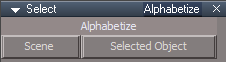
Alphabetize aspect
SelectPanelA2Z.png
SelectPanelA2Z.png (2.97 KiB) Viewed 3394 times
Selected Object
Update
Opens the selected object in the Link Editor and Alphabetize/Arranges the nodes

Select, Sort, and Arrange Tutorial
Open the Select panel
Select one of the selection options
Delete
Undo
With the Link Editor Navigator select Open/Organize

Results
Minimize and Arranges all nodes and moves your selection to the end of the arrangement
User avatar
clintonman
Captain
Posts: 5659
Joined: 21 May 2009, 21:08
Type the number ten into the box: 0
Location: California

Re: Final trueSpace 7.61 Beta 8 Unofficial Update

Post by clintonman »

Confused by one part.
Says recommend install vray 1.54 first then later says download vray 1.53 and gives a link.
Clinton Reese

http://clintons3d.com
User avatar
trueBlue
Captain
Posts: 5548
Joined: 06 Jul 2009, 22:50
Type the number ten into the box: 10

Re: Final trueSpace 7.61 Beta 8 Unofficial Update

Post by trueBlue »

Fixed :oops:
Thanks :)
User avatar
trueBlue
Captain
Posts: 5548
Joined: 06 Jul 2009, 22:50
Type the number ten into the box: 10

Re: Final trueSpace 7.61 Beta 8 Unofficial Update

Post by trueBlue »

@Clinton
The ReloadCustomScripts script does not work as you would expect.
Looks like you need to delete the CustomCommands node first.
Steps
Go to CustomCommands and make a change to one of your scripts without saving it to the CustomScriptsStore
Run Restore Custom Scripts from your toolbar
Results
The script that you changed is not replaced
User avatar
clintonman
Captain
Posts: 5659
Joined: 21 May 2009, 21:08
Type the number ten into the box: 0
Location: California

Re: Final trueSpace 7.61 Beta 8 Unofficial Update

Post by clintonman »

trueBlue wrote: 25 Aug 2020, 20:02 @Clinton
The ReloadCustomScripts script does not work as you would expect.
Looks like you need to delete the CustomCommands node first.
Steps
Go to CustomCommands and make a change to one of your scripts without saving it to the CustomScriptsStore
Run Restore Custom Scripts from your toolbar
Results
The script that you changed is not replaced
I don't think deleting it is the way to go. Any script not converted to persistent installation would be lost.
Clinton Reese

http://clintons3d.com
User avatar
clintonman
Captain
Posts: 5659
Joined: 21 May 2009, 21:08
Type the number ten into the box: 0
Location: California

Re: Final trueSpace 7.61 Beta 8 Unofficial Update

Post by clintonman »

This might work. Not tested.
It will delete the command nodes if they already exist if the user chooses to do so.
ReloadCustomScripts

Code: Select all

function Execute(params)
{
	var deleteExisting = false;
	if(Node.Exists("Scripts/CustomCommands")) {
		if(System.Question("Overwrite preexisting commands?")) {
			deleteExisting = true;
		}
	}
	if(!Node.Exists("Scripts/CustomCommands")) {
		var temp = Node.Create("Kernel Package/Object","/Scripts");
		var custcom = Node.Rename(temp,"CustomCommands");
	}
	var mainDir = System.GetMainDir();
	var scriptsFolder = mainDir + "\\Scripts\\clintonobjects\\CustomScriptsStore";
	var fso = new ActiveXObject("Scripting.FileSystemObject");
	if(!fso.FolderExists(scriptsFolder)) {
	  System.Alert("Scripts store folder not found");
		return;
	}
	var folder = fso.GetFolder(scriptsFolder); 
	var filesEnum = new Enumerator(folder.Files); 
	for (; !filesEnum.atEnd(); filesEnum.moveNext()) {
		var thefile = filesEnum.item();
		var basename = fso.GetBaseName(thefile);
		//if(Node.Exists("Scripts/CustomCommands/" + basename)) continue;
		if(Node.Exists("Scripts/CustomCommands/" + basename)) {
			if(deleteExisting) {
				Node.Delete("Scripts/CustomCommands/" + basename);
			} else {
				continue;
			}
		}
		RsFileIO.LoadObject(thefile, "Scripts/CustomCommands/");
	}
}
Clinton Reese

http://clintons3d.com
User avatar
trueBlue
Captain
Posts: 5548
Joined: 06 Jul 2009, 22:50
Type the number ten into the box: 10

Re: Final trueSpace 7.61 Beta 8 Unofficial Update

Post by trueBlue »

Works as expected. :worship:
Restores all of the scripts in CustomCommands that are in the CustomScriptsStore folder and does not delete any other scripts in CustomCommands.

In the Unofficial Updates, the C3DButton runs Activity.Run("/Scripts/Commands/C3DRestore");
So I will update the C3DRestore script as follows:

Code: Select all

function Execute(params)
{

function Question(strText)
{
	var nSecondsToWait = -1;
	var strTitle = "Question"; // Titlebar text
	// values are hexadecimal
	var MB_YESNO = 4;
	var MB_SYSTEMMODAL = 4096;//1000L force on top
	var MB_ICONQUESTION = 32;//20L question mark symbol // 16;= 10L stop-sign symbol


	var nType = MB_YESNO+MB_SYSTEMMODAL+MB_ICONQUESTION;
	var IDYES = 6;
	var IDNO = 7;

	var shell = new ActiveXObject("WScript.shell");
	var button = shell.Popup (strText, nSecondsToWait, strTitle, nType);

	if(button == IDYES) return true;
	return false;
}


	var deleteExisting = false;
	if(Node.Exists("Scripts/CustomCommands")) {
		if(Question("Restore Custom Scripts?")) {
			deleteExisting = true;
Node.Value("/Status Message", "Seconds") = 5000
Node.Value("/Status Message", "Message") = "  Restoring Custom Scripts..."
Activity.Run("/Status Message/Status Message")
		}
	}
	if(!Node.Exists("Scripts/CustomCommands")) {
		var temp = Node.Create("Kernel Package/Object","/Scripts");
		var custcom = Node.Rename(temp,"CustomCommands");
	}
	var mainDir = System.GetMainDir();
	var scriptsFolder = mainDir + "\\Scripts\\clintonobjects\\CustomScriptsStore";
	var fso = new ActiveXObject("Scripting.FileSystemObject");
	if(!fso.FolderExists(scriptsFolder)) {
	  System.Alert("Scripts store folder not found");
		return;
	}
	var folder = fso.GetFolder(scriptsFolder); 
	var filesEnum = new Enumerator(folder.Files); 
	for (; !filesEnum.atEnd(); filesEnum.moveNext()) {
		var thefile = filesEnum.item();
		var basename = fso.GetBaseName(thefile);
		//if(Node.Exists("Scripts/CustomCommands/" + basename)) continue;
		if(Node.Exists("Scripts/CustomCommands/" + basename)) {
			if(deleteExisting) {
				Node.Delete("Scripts/CustomCommands/" + basename);
			} else {
				continue;
			}
		}
		RsFileIO.LoadObject(thefile, "Scripts/CustomCommands/");
	}
return;
}

The only thing that I am not sure of is the return; at the bottom of the script
User avatar
clintonman
Captain
Posts: 5659
Joined: 21 May 2009, 21:08
Type the number ten into the box: 0
Location: California

Re: Final trueSpace 7.61 Beta 8 Unofficial Update

Post by clintonman »

trueBlue wrote: 26 Aug 2020, 18:17 Works as expected. :worship:
Restores all of the scripts in CustomCommands that are in the CustomScriptsStore folder and does not delete any other scripts in CustomCommands.

In the Unofficial Updates, the C3DButton runs Activity.Run("/Scripts/Commands/C3DRestore");
So I will update the C3DRestore script as follows:

Code: Select all

function Execute(params)
{

function Question(strText)
{
	var nSecondsToWait = -1;
	var strTitle = "Question"; // Titlebar text
	// values are hexadecimal
	var MB_YESNO = 4;
	var MB_SYSTEMMODAL = 4096;//1000L force on top
	var MB_ICONQUESTION = 32;//20L question mark symbol // 16;= 10L stop-sign symbol


	var nType = MB_YESNO+MB_SYSTEMMODAL+MB_ICONQUESTION;
	var IDYES = 6;
	var IDNO = 7;

	var shell = new ActiveXObject("WScript.shell");
	var button = shell.Popup (strText, nSecondsToWait, strTitle, nType);

	if(button == IDYES) return true;
	return false;
}


	var deleteExisting = false;
	if(Node.Exists("Scripts/CustomCommands")) {
		if(Question("Restore Custom Scripts?")) {
			deleteExisting = true;
Node.Value("/Status Message", "Seconds") = 5000
Node.Value("/Status Message", "Message") = "  Restoring Custom Scripts..."
Activity.Run("/Status Message/Status Message")
		}
	}
	if(!Node.Exists("Scripts/CustomCommands")) {
		var temp = Node.Create("Kernel Package/Object","/Scripts");
		var custcom = Node.Rename(temp,"CustomCommands");
	}
	var mainDir = System.GetMainDir();
	var scriptsFolder = mainDir + "\\Scripts\\clintonobjects\\CustomScriptsStore";
	var fso = new ActiveXObject("Scripting.FileSystemObject");
	if(!fso.FolderExists(scriptsFolder)) {
	  System.Alert("Scripts store folder not found");
		return;
	}
	var folder = fso.GetFolder(scriptsFolder); 
	var filesEnum = new Enumerator(folder.Files); 
	for (; !filesEnum.atEnd(); filesEnum.moveNext()) {
		var thefile = filesEnum.item();
		var basename = fso.GetBaseName(thefile);
		//if(Node.Exists("Scripts/CustomCommands/" + basename)) continue;
		if(Node.Exists("Scripts/CustomCommands/" + basename)) {
			if(deleteExisting) {
				Node.Delete("Scripts/CustomCommands/" + basename);
			} else {
				continue;
			}
		}
		RsFileIO.LoadObject(thefile, "Scripts/CustomCommands/");
	}
return;
}

The only thing that I am not sure of is the return; at the bottom of the script
The bottom of a function automatically returns, so the return at the bottom isn't needed.
It would also be cleaner to have the question function on the outside of the execute function.
Clinton Reese

http://clintons3d.com
User avatar
trueBlue
Captain
Posts: 5548
Joined: 06 Jul 2009, 22:50
Type the number ten into the box: 10

Re: Final trueSpace 7.61 Beta 8 Unofficial Update

Post by trueBlue »

Okay, thank you!
User avatar
trueBlue
Captain
Posts: 5548
Joined: 06 Jul 2009, 22:50
Type the number ten into the box: 10

Re: Final trueSpace 7.61 Beta 8 Unofficial Update

Post by trueBlue »

New Update for trueSpace7.61 Beta 8 Unofficial Update
viewtopic.php?t=3732
Final Update August 26, 2020

Recommend that you completely Uninstall and Install trueSpace7.61 Beta 8 to a clean directory before installing this update. This update precedes all previous updates and recommend that you delete any and all previous updates

Recommend that you install Vray version 1.54 first before applying this update.
After applying this update, open trueSpace, Install/Load Vray from the Package Manager and Reset to Default Context
You can download Vray for tS7.61 version 1.54 here:
https://united3dartists.com/index.html

Lights
Widget / LightPanelFrame
Disable - SnapToRatio

Spot & Projector
Preferences / Spot Cone
Add
LMB click opens the Shadow Map & Image Browser
New Projector and Spot lights.png
AnimPrefPanelFrame
Disable - SnapToRatio

Update WS - Default light setup
Update Scene Lights & Camera

Select - Author Clinton Reese
Add
None button

Widgets
Camera(s)
Add
RMB select the Camera Widget's (sides) shows the Camera's floating panel
CameraFloatingPanel.png
View Widget
Encircle 'Green' / Perspective
Add
Alt + RMB click resets the Perspective view
Note: This is using new values and is different then trueSpace's Reset View command

C3DRestore.xml - Author Clinton Reese
Update
User avatar
trueBlue
Captain
Posts: 5548
Joined: 06 Jul 2009, 22:50
Type the number ten into the box: 10

Re: Final trueSpace 7.61 Beta 8 Unofficial Update

Post by trueBlue »

New Update for trueSpace7.61 Beta 8 Unofficial Update
viewtopic.php?t=3732
Final Update August 28, 2020

Recommend that you completely Uninstall and Install trueSpace7.61 Beta 8 to a clean directory before installing this update. This update precedes all previous updates and recommend that you delete any and all previous updates

Recommend that you install Vray version 1.54 first before applying this update.
After applying this update, open trueSpace, Install/Load Vray from the Package Manager and Reset to Default Context
You can download Vray for tS7.61 version 1.54 here:
https://united3dartists.com/index.html

Toolbars - Object button(s)
Select - None button
Link Editor Navigation - Ctrl+ button
Camera(s) - Camera Window script
All of the above have been updated to remove the selection in the Stack/Panels when Unselecting
Saul
Senior Chief Petty Officer
Posts: 308
Joined: 22 May 2009, 16:50

Re: Final trueSpace 7.61 Beta 8 Unofficial Update

Post by Saul »

Don't know if this right place to post this but i am sure trueBlue will let me know pronto if it's not.
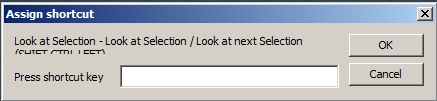
I am having trouble with setting short cut keys. I use as example 'Look at selection/Look at next selection'
Ctrl-RMB gives the attached image:
ScreenHunter 332.jpg
The assigned key is truncated and using the Shft-Ctrl-Left does not look at the selected object, it cycles through all objects in scene, same for Shft-Ctrl-Right.
Attempting to assign a new short cut results in neither the new one or old working.
What me do wrong?
User avatar
trueBlue
Captain
Posts: 5548
Joined: 06 Jul 2009, 22:50
Type the number ten into the box: 10

Re: Final trueSpace 7.61 Beta 8 Unofficial Update

Post by trueBlue »

Saul wrote: 28 Aug 2020, 16:04 Don't know if this right place to post this but i am sure trueBlue will let me know pronto if it's not.
I am having trouble with setting short cut keys. I use as example 'Look at selection/Look at next selection'
Ctrl-RMB gives the attached image:ScreenHunter 332.jpg
The assigned key is truncated and using the Shft-Ctrl-Left does not look at the selected object, it cycles through all objects in scene, same for Shft-Ctrl-Right.
Attempting to assign a new short cut results in neither the new one or old working.
What me do wrong?
Hello Saul :bananahi:
I get the same results on the bottom toolbar as you have shown and I am not sure what the problem is.
I'll see if I can fix that.
The Unofficial Update shortcut is

Code: Select all

    <RS_ACC KEY="CTRL SHIFT LEFT" GROUP="GLOBAL" DESC="Select Previous object" COMMAND="RsTool.SelectPrevObj();RsTool.LookAtSelection('');" />
    <RS_ACC KEY="CTRL SHIFT RIGHT" GROUP="GLOBAL" DESC="Select Next object" COMMAND="RsTool.SelectNextObj();RsTool.LookAtSelection('');" />
Personally, I do not use the Ctrl + RMB on the icons to assign shortcuts because it makes a mess of the file.
I edit the file manually.
If you do not like the above shortcut, try assigning a new shortcut in the top aspect toolbar. Make sure the 3D window as focus.

Another option, open the WorkspaceMain toolbar from the tS761 Toolbars (Red Toolbox)
WorkspaceMain toolbar.png
EDIT: I found the problem and fixed it. I will upload the changes plus some new modifications to the widgets that include more Automatic Keyframing. Note: Could be the / between the left and right HelpText attribute entry.
Saul
Senior Chief Petty Officer
Posts: 308
Joined: 22 May 2009, 16:50

Re: Final trueSpace 7.61 Beta 8 Unofficial Update

Post by Saul »

Can't get top aspect toolbar to assign either.
Where is the File i can edit to make key shorts? I found this shortcut_description.txt.
User avatar
trueBlue
Captain
Posts: 5548
Joined: 06 Jul 2009, 22:50
Type the number ten into the box: 10

Re: Final trueSpace 7.61 Beta 8 Unofficial Update

Post by trueBlue »

In the same folder
Window.Shortcuts.xml
Right click / Open with... Notepad
Saul
Senior Chief Petty Officer
Posts: 308
Joined: 22 May 2009, 16:50

Re: Final trueSpace 7.61 Beta 8 Unofficial Update

Post by Saul »

Thank you :)
Modifying the xml file seems to have energised the top aspect toolbar! I can now use CTRL-RMB.
User avatar
trueBlue
Captain
Posts: 5548
Joined: 06 Jul 2009, 22:50
Type the number ten into the box: 10

Re: Final trueSpace 7.61 Beta 8 Unofficial Update

Post by trueBlue »

New Update for trueSpace7.61 Beta 8 Unofficial Update
viewtopic.php?t=3732
Final Update August 28, 2020

Recommend that you completely Uninstall and Install trueSpace7.61 Beta 8 to a clean directory before installing this update. This update precedes all previous updates and recommend that you delete any and all previous updates

Recommend that you install Vray version 1.54 first before applying this update.
After applying this update, open trueSpace, Install/Load Vray from the Package Manager and Reset to Default Context
You can download Vray for tS7.61 version 1.54 here:
https://united3dartists.com/index.html

Toolbars
Update
Look at Selection icon(s)

Widgets
Object Move, Rotate, and Scale
Camera Move, Rotate, and FOV
Spot and Projector
Camera(s)
Add
Automatic Keyframing Author - Clinton Reese

Enable Automatic Keyframing from the Animation Preferences panel
Navigation widget(s), Object Move, Rotate, Scale, Camera Move, Rotate, FOV, Spot, Projector, and Camera(s) widgets include Automatic Keyframing

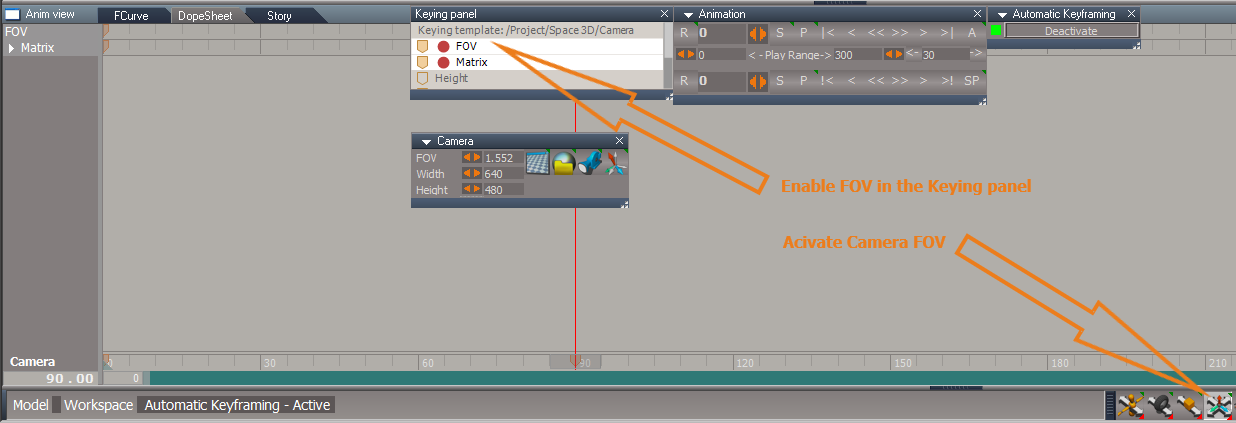
Note:
The Spot and Projector Angle needs to be enabled in the Keying panel
The Camera FOV needs to be enabled in the Keying panel
Camera FOV Widget Auto Keyframing.png

Try
Add Cube
Enable Automatic Keyframing
Enable Object Rotate
In 3D Space, Alt + LMB click or Ctrl + LMB click
Advance timeline 30 Frames
In 3D Space, Alt + LMB click
Advance timeline 30 Frames
In 3D Space, Alt + LMB click
Advance timeline 30 Frames
In 3D Space, Alt + LMB click
Advance timeline 30 Frames
Disable Automatic Keyframing
Play animation
User avatar
trueBlue
Captain
Posts: 5548
Joined: 06 Jul 2009, 22:50
Type the number ten into the box: 10

Re: Final trueSpace 7.61 Beta 8 Unofficial Update

Post by trueBlue »

New Update for trueSpace7.61 Beta 8 Unofficial Update
viewtopic.php?t=3732
Final Update August 30, 2020

Recommend that you completely Uninstall and Install trueSpace7.61 Beta 8 to a clean directory before installing this update. This update precedes all previous updates and recommend that you delete any and all previous updates

Recommend that you install Vray version 1.54 first before applying this update.
After applying this update, open trueSpace, Install/Load Vray from the Package Manager and Reset to Default Context
You can download Vray for tS7.61 version 1.54 here:
https://united3dartists.com/index.html

Toolbars
Update
HelpText attributes to be compatible with Keyboard shortcuts

Windows.Shortcuts.xml
Moved
Quad Toolbar to Point Edit

CustomCommands
MeshObjectCoordinateSystem
Add
CoordinatePopupFrame
trueObjectCoordinate.png
trueObjectCoordinate.png (10.74 KiB) Viewed 4179 times
User avatar
trueBlue
Captain
Posts: 5548
Joined: 06 Jul 2009, 22:50
Type the number ten into the box: 10

Re: Final trueSpace 7.61 Beta 8 Unofficial Update

Post by trueBlue »

New Update for trueSpace7.61 Beta 8 Unofficial Update
viewtopic.php?t=3732
Final Update September 2, 2020

Recommend that you completely Uninstall and Install trueSpace7.61 Beta 8 to a clean directory before installing this update. This update precedes all previous updates and recommend that you delete any and all previous updates

Recommend that you install Vray version 1.54 first before applying this update.
After applying this update, open trueSpace, Install/Load Vray from the Package Manager and Reset to Default Context
You can download Vray for tS7.61 version 1.54 here:
https://united3dartists.com/index.html

Widgets
Inspect
Add
Shift - Open scene in the Link Editor

Soft paint
Add
Custom color to the bitmap control

Point Edit Widgets 2 & 3
Sphere & Triangles
Add
Alt + LMB select - Opens the Quad Menu
Ctrl + LMB select - Closes the Quad Menu
or
RMB click in 3D Space to End Point Editing
Note:
Point Edit Widget 2 has the Quad Menu
Point Edit Widget 3 has the Quad Toolbar and it's own Widget Help

RotatePOV.xml
Add
try&catch(error)

Mesh Editor Settings
Add
Aspect titles

Displacement Mapper
Export Default aspect

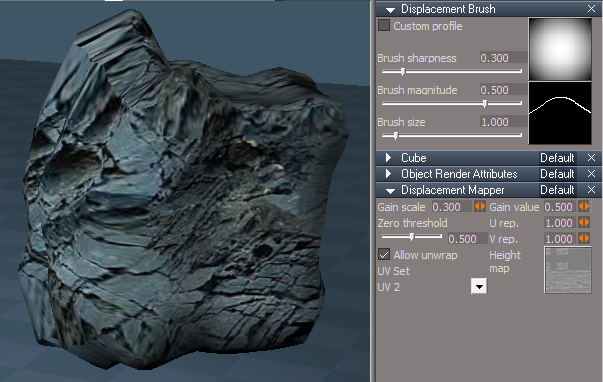
Displacement Brush icon
Fix
RMB - Displacement Brush settings
Displacement Brush.png
User avatar
trueBlue
Captain
Posts: 5548
Joined: 06 Jul 2009, 22:50
Type the number ten into the box: 10

Re: Final trueSpace 7.61 Beta 8 Unofficial Update

Post by trueBlue »

New Update for trueSpace7.61 Beta 8 Unofficial Update
viewtopic.php?t=3732
Final Update September 25, 2020

Recommend that you completely Uninstall and Install trueSpace7.61 Beta 8 to a clean directory before installing this update. This update precedes all previous updates and recommend that you delete any and all previous updates

Recommend that you install Vray version 1.54 first before applying this update.
After applying this update, open trueSpace, Install/Load Vray from the Package Manager and Reset to Default Context
You can download Vray for tS7.61 version 1.54 here:
https://united3dartists.com/index.html

Clinton toolbar
Add
UnSelectable icon Author - Clinton Reese
LMB - Lock selection
Installs the UnSelectable script into the scene if it does not exist
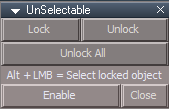
UnSelectable.png
UnSelectable.png (3.49 KiB) Viewed 4100 times
Enable - Updates the Select widget with new plugin based selection system
LMB selecting 3D Objects in 3D Space that have been Locked will be unselectable
Alt + LMB - Selects Locked objects
Disable - Restores the Select widget
Close - Removes the UnSelectable script from the scene and restores the Select widget
Recommend that you Disable this process before saving your scene or closing trueSpace!

Workspace Layers 3 icon Author - Clinton Reese
Update
Removed the Selection Change Event/Undo selection and added the new plugin based selection system

Enable Locking - Updates the Select widget with new plugin based selection system
Disable Locking - Restores the Select widget
Recommend that you Disable this process before saving your scene or closing trueSpace!

Link Editor toolbar
Add
Set
LE Tools.png
LMB - Sets the active Link Editor (2D) window's Link Editor toolbar as the source
RMB - Installs the Link Editor toolbar in the active Link Editor (2D) window's titlebar and sets it as the source

QuadToolbar scripts Author - Clinton Reese
Updated September 11, 2020
New plugin commands are GetFrameRect for reading the window position, SetFrameRect for setting the window position and UpdateFrameRect which will update the display of a window after changing it's frame node values (width, height, title, frame type etc.)

Clintons3D Package v.1638419 plugin Author - Clinton Reese
Update
Removed Collada plugin code (3 MBS)
Add
Widget based selection system
GetWindowAspect
GetFrameRect, SetFrameRect, and UpdateFrameRect
IMPORTANT: All of the above updates require this plugin v.1638419 or higher to be Installed and Loaded
User avatar
trueBlue
Captain
Posts: 5548
Joined: 06 Jul 2009, 22:50
Type the number ten into the box: 10

Re: Final trueSpace 7.61 Beta 8 Unofficial Update

Post by trueBlue »

New Update for trueSpace7.61 Beta 8 Unofficial Update
viewtopic.php?t=3732
Final Update September 30, 2020

Recommend that you completely Uninstall and Install trueSpace7.61 Beta 8 to a clean directory before installing this update. This update precedes all previous updates and recommend that you delete any and all previous updates

Recommend that you install Vray version 1.54 first before applying this update.
After applying this update, open trueSpace, Install/Load Vray from the Package Manager and Reset to Default Context
You can download Vray for tS7.61 version 1.54 here:
https://united3dartists.com/index.html

unSelectable.RsObj
Update
selectionLocking
Export the Default aspect
Note: Uses the unSelectable scripts prior to the Tue Sep 29, 2020 6:21 pm update

Clintons3D Package v.1638420 plugin Author - Clinton Reese
Update
Widget based selection system
Clintons3D Package v.1638420 plugin will check for the "UnSelectable" connector and read it's value, checked is locked, unchecked is unlocked.
User avatar
trueBlue
Captain
Posts: 5548
Joined: 06 Jul 2009, 22:50
Type the number ten into the box: 10

Re: Final trueSpace 7.61 Beta 8 Unofficial Update

Post by trueBlue »

New Update for trueSpace7.61 Beta 8 Unofficial Update
viewtopic.php?t=3732
Final Update October 02, 2020

Recommend that you completely Uninstall and Install trueSpace7.61 Beta 8 to a clean directory before installing this update. This update precedes all previous updates and recommend that you delete any and all previous updates

Recommend that you install Vray version 1.54 first before applying this update.
After applying this update, open trueSpace, Install/Load Vray from the Package Manager and Reset to Default Context
You can download Vray for tS7.61 version 1.54 here:
https://united3dartists.com/index.html

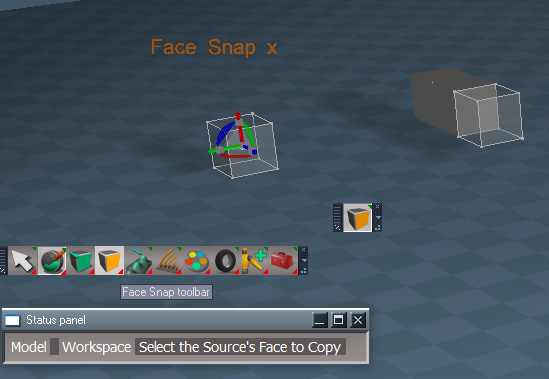
Face to Face Snapping Author - Clinton Reese
Update
Change Model status message to Workspace status message

update selection if using copy mode.RsObj
Add
UserInterface.OpenToolPanelViewEx2("" , "" ,"Scripts/CustomCommands/facetoface", 3, 1, 0);

Removed Face Snap from Widgets/Tools
Update Face Snap icon(s) all toolbars
User avatar
trueBlue
Captain
Posts: 5548
Joined: 06 Jul 2009, 22:50
Type the number ten into the box: 10

Re: Final trueSpace 7.61 Beta 8 Unofficial Update

Post by trueBlue »

New Update for trueSpace7.61 Beta 8 Unofficial Update
viewtopic.php?t=3732
Final Update October 06, 2020

Recommend that you completely Uninstall and Install trueSpace7.61 Beta 8 to a clean directory before installing this update. This update precedes all previous updates and recommend that you delete any and all previous updates

Recommend that you install Vray version 1.54 first before applying this update.
After applying this update, open trueSpace, Install/Load Vray from the Package Manager and Reset to Default Context
You can download Vray for tS7.61 version 1.54 here:
https://united3dartists.com/index.html

Clintons3dPlugin.rsx v.1638421

unSelectable.RsObj
Update - Author Clinton Reese
Note: You must have atleast one 3D object, Light, or Camera selected before using the Lock Selection toolbar icon or panel Lock and Unlock buttons.

Workspace Layers 3.RsObj
Update - Author Clinton Reese
Replaced the Web UI plugin based Locking button with Enable/Disable - Widget based locking system
User avatar
trueBlue
Captain
Posts: 5548
Joined: 06 Jul 2009, 22:50
Type the number ten into the box: 10

Re: Final trueSpace 7.61 Beta 8 Unofficial Update

Post by trueBlue »

New Update for trueSpace7.61 Beta 8 Unofficial Update
viewtopic.php?t=3732
Final Update October 09, 2020

Recommend that you completely Uninstall and Install trueSpace7.61 Beta 8 to a clean directory before installing this update. This update precedes all previous updates and recommend that you delete any and all previous updates

Recommend that you install Vray version 1.54 first before applying this update.
After applying this update, open trueSpace, Install/Load Vray from the Package Manager and Reset to Default Context
You can download Vray for tS7.61 version 1.54 here:
https://united3dartists.com/index.html

Clintons3dPlugin.rsx v.1638421

Widgets/Default context widget/Select
* Ctrl + X + LMB click in 3D Space = Cut selected object
* Ctrl + V + LMB click in 3D Space = Paste last Cut object
Add
Widget based locking - Author - Clinton Reese :worship:
* L + LMB click in 3D Space = Lock selection
* U + LMB click in 3D Space = Unlock selection
* ALT + LMB click in 3D Space = Select Locked object

unSelectable Author - Clinton Reese
Update
Removed the Restore aspect
Note: Reset the Default Context to restore the Widget based locking
Removed the Enable/Disable buttons

Workspace Layers 3 Author - Clinton Reese
Removed the Start Web Server button
Update
Layer object count Row - Changed to White Bold font
loadIt script alerts and warnings
Checks scene for existing unSelectable and workspacelayers3 nodes with Alerts
Add
RemoteCommand
Opens the panel on startup
Runs Scripts/CustomCommands/unSelectable/ActivateWidgetLocking


Primitives
* Settings icon
LMB command
Add
RsAnimKeying.OpenView()

LMB click - Selects the preferences node and opens Settings in the Keying panel
RMB click - Selects the parent object

Text
Add
* Settings icon
User avatar
trueBlue
Captain
Posts: 5548
Joined: 06 Jul 2009, 22:50
Type the number ten into the box: 10

Re: Final trueSpace 7.61 Beta 8 Unofficial Update

Post by trueBlue »

New Update for trueSpace7.61 Beta 8 Unofficial Update
viewtopic.php?t=3732
Final Update October 19, 2020

Recommend that you completely Uninstall and Install trueSpace7.61 Beta 8 to a clean directory before installing this update. This update precedes all previous updates and recommend that you delete any and all previous updates

Recommend that you install Vray version 1.54 first before applying this update.
After applying this update, open trueSpace, Install/Load Vray from the Package Manager and Reset to Default Context
You can download Vray for tS7.61 version 1.54 here:
https://united3dartists.com/index.html

ReloadCustomScripts Author - Clinton Reese
Add
Check for valid RsObj extension

Window.Shortcuts.xml
Add
<RS_ACC KEY="CTRL SHIFT C" DESC="Copy selected objects to active Link Editor" GROUP="LINKEDITOR" COMMAND="Activity.Run('/Scripts/Commands/Copy');" />

Radial Array 2, Grid Array 2, and PointClone Author - Clinton Reese
Add
Flatten panel script

ClintonsToolbar
Removed most of the RMB Help commands and added it to their panels

Workspace Layers 3 Author - Clinton Reese
Update
October 19, 2020
bug fix infinite loop caused by slow connector update
removed webserver based locking
option to replace older layers node version when loading the ui
Updated
loadIt script
Fixed the plugin warnings and added Alerts
Layer object count Row - Changed to White Bold font
Checks scene for existing unSelectable script
Add
RemoteCommand
Opens the panel on startup

Rectangle Select Author - Clinton Reese
Visible Rectangle Select.png
Visible Rectangle Select.png (65.98 KiB) Viewed 3541 times
Modified
Incorporated the Rectangle Select Widget node into a Rectangle Zoom Widget
Added two RsApp.Undo() lines to that data script to undo the Zoom
Default aspect 'Invisible'
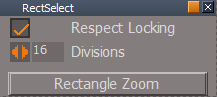
DefaultAspect.png
DefaultAspect.png (4.38 KiB) Viewed 3541 times
Add
Rectangle Zoom button
Connects the Rectangle Zoom Widget and switches to the Rectangle aspect
Add
Rectangle aspect 'Visible'
RectangleAspect.png
RectangleAspect.png (3.49 KiB) Viewed 3541 times
Zoom to Selection selects objects and Zooms to selection
Keep Active keeps the widget active until user RMB selects in 3D Space
Default button disconnects the Rectangle Zoom Widget and switches to the Default aspect

The Rectangle Zoom aspect is not perfect by no means as there is a periodically zoom in/out, but not all of the time.
Tip: Seems better if you hold the rectangle over the selection a little bit before releasing it.
Also using Objects in the Desktop/Selection Highlight gives you feedback when using Rectangle Select.


UnSelectable Author - Clinton Reese
Lock
Add
var PVT_LOCKED = 2;RsStackView.RemovePanelsFromCurrSelection(PVT_LOCKED, 0);Space.Unselect()
Lock, Unlock, and Unlock All scripts
Add
Return if object is in Point Edit Mode
RMB script
Add
Check if floating panel is already open
If Show false, open panel in Stack/Panels
User avatar
trueBlue
Captain
Posts: 5548
Joined: 06 Jul 2009, 22:50
Type the number ten into the box: 10

Re: Final trueSpace 7.61 Beta 8 Unofficial Update

Post by trueBlue »

New Update for trueSpace7.61 Beta 8 Unofficial Update
viewtopic.php?t=3732
Final Update October 23, 2020

Recommend that you completely Uninstall and Install trueSpace7.61 Beta 8 to a clean directory before installing this update. This update precedes all previous updates and recommend that you delete any and all previous updates

Recommend that you install Vray version 1.54 first before applying this update.
After applying this update, open trueSpace, Install/Load Vray from the Package Manager and Reset to Default Context
You can download Vray for tS7.61 version 1.54 here:
https://united3dartists.com/index.html

Toolbars/Link Editor Navigator/Set LE button
Add
RMB = Switch to 3D

Toolbars/Main2
LE Window icon
Add Link Editor Navigator aspect toolbar and set as active

Toolbars/Link Editor Navigator/Set LE button
Add
RMB = Switch to 3D

Toolbars/Main2
LE Window icon
Add Link Editor Navigator aspect toolbar and set as active

Toolbars/WinGUID_Bar/Reset View icon
Add
RMB = Perspective
Note: Resets to a custom Perspective view

RectSelect Author = Clinton Reese
Add
Rectangle Select icon to the panel

Widgets/Tools/Rect select widget Author = Clinton Reese
Add
Alt + LMB click = Reset View
Note: Only usefull when using Rectangle Zoom with Keep Active and Zoom to Selection checked
RMB click to close the widget

Toolbars/WorkspaceNav/Face Snap icon
Opens the Face Snap toolbar in active window

Face Snap
LMB = Face Snap
RMB = Copy Source
* Fixed an issue when right clicking during processing a Face Snap
Cancel = LMB select the orange Face Snap widget
Add
Widgets/Tools/Face Snap widget
Includes a modified facetoface script Author = Clinton Reese
* Fixed an issue with the Copied object's Pivot
Changed the PE selection from Destination to Source plus Copied object
Added Workspace status messages
Tip: Select two 3D Objects and enter into Point Edit mode.
Select an Object Source's face.
RMB select the Face Snap's icon
Select the Object Destination's face
RMB select the Face Snap's icon to countinue...
Face 2 Face Snap.png
User avatar
trueBlue
Captain
Posts: 5548
Joined: 06 Jul 2009, 22:50
Type the number ten into the box: 10

Re: Final trueSpace 7.61 Beta 8 Unofficial Update

Post by trueBlue »

New Update for trueSpace7.61 Beta 8 Unofficial Update
viewtopic.php?t=3732
Final Update October 29, 2020

Recommend that you completely Uninstall and Install trueSpace7.61 Beta 8 to a clean directory before installing this update. This update precedes all previous updates and recommend that you delete any and all previous updates

Recommend that you install Vray version 1.54 first before applying this update.
After applying this update, open trueSpace, Install/Load Vray from the Package Manager and Reset to Default Context
You can download Vray for tS7.61 version 1.54 here:
https://united3dartists.com/index.html

Clintons3dPlugin.rsx - Author Clinton Reese :worship:
Update
v.1638424
Selection locked widget
* Fix for UnSelectable to work properly with grouped items
* Fix UnSelectable string type check for Selection locked widget

Workspace Layers 3 - Author Clinton Reese
Update
v.October 25, 2020

CustomCommands
Add
SnappingScripts - Author Clinton Reese :worship:
Panels
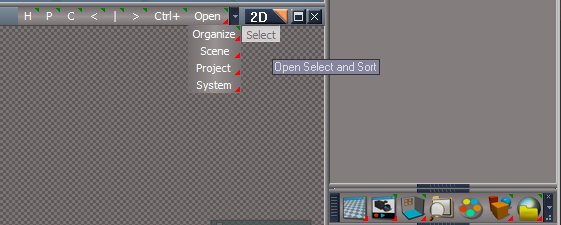
Widget Options icon
Add commands that shows their panel with the Pick Select Widget's panel in the Stack
Add widget shortcuts list
Toolbar Styles
Add
Option for Status Messages On/Off
Pivot scripts/panels
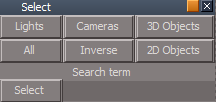
Option for the Show Axis On/Off
Note: Displays the Axis widget for 500 ms

Toolbars
ClintonsToolbar - Author Clinton Reese
ClintonToolbarSnappingIcon.png
Add
Snapping icon
Changed the loading positions of all toolbars

WorkspaceMain2
SnappingToolbar.png
Add
Snapping icon

Toolbars
Add
SnappingToolbar
Updated the AgentID & TagAlias


Widgets/Select
Add
ObjectPickingWidget - Author Clinton Reese
Sphere
Add gesture
LMB = Commit to Selection
RMB = Cancel "Already included"
Add
Exit Commit Cancel
ENTER + Move cursor = Commit to Selection
ESC + Move cursor = Cancel

Widgets/Tools
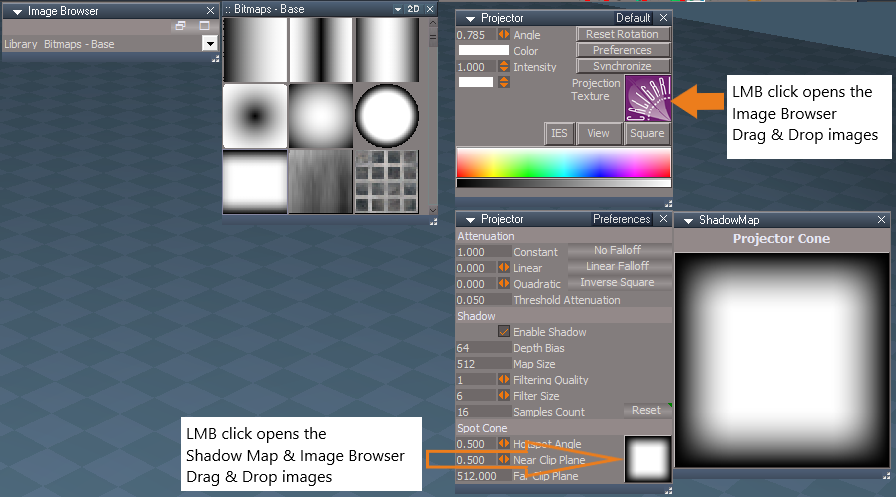
Add
PickFaceWidget, PickFaceWidget2, PickVertexWidget, & PickVertexWidget2 - Author Clinton Reese
Add gestures
ENTER + Move cursor = Commit to Selection
ESC + Move cursor = Cancel
User avatar
trueBlue
Captain
Posts: 5548
Joined: 06 Jul 2009, 22:50
Type the number ten into the box: 10

Re: Final trueSpace 7.61 Beta 8 Unofficial Update

Post by trueBlue »

New Update for trueSpace7.61 Beta 8 Unofficial Update
viewtopic.php?t=3732
Final Update October 30, 2020

Recommend that you completely Uninstall and Install trueSpace7.61 Beta 8 to a clean directory before installing this update. This update precedes all previous updates and recommend that you delete any and all previous updates

Recommend that you install Vray version 1.54 first before applying this update.
After applying this update, open trueSpace, Install/Load Vray from the Package Manager and Reset to Default Context
You can download Vray for tS7.61 version 1.54 here:
https://united3dartists.com/index.html

I made a mistake in the previous update :oops:
The Snapping toolbar Icon(S) were not highlighting when in use, as was intended by the Author - Clinton Reese
Sorry about that!

Toolbars
Update
SnappingToolbar - Author Clinton Reese
Restored the AgentID & TagAlias
Axis to Point Editing
Add
Button Highlight

CustomCommands
Update
SnappingScripts - Author Clinton Reese
Axis to Point Editing
Add
Button Highlight

Updated the Show Axis scripts for the Pivot scripts, so that it does not run if it is Not Checked.
User avatar
trueBlue
Captain
Posts: 5548
Joined: 06 Jul 2009, 22:50
Type the number ten into the box: 10

Re: Final trueSpace 7.61 Beta 8 Unofficial Update

Post by trueBlue »

New Update for trueSpace7.61 Beta 8 Unofficial Update
viewtopic.php?t=3732
Final Update November 1, 2020

Recommend that you completely Uninstall and Install trueSpace7.61 Beta 8 to a clean directory before installing this update. This update precedes all previous updates and recommend that you delete any and all previous updates

Recommend that you install Vray version 1.54 first before applying this update.
After applying this update, open trueSpace, Install/Load Vray from the Package Manager and Reset to Default Context
You can download Vray for tS7.61 version 1.54 here:
https://united3dartists.com/index.html

Workspace NURBS Curves & Patches - Author - Clinton Reese :worship:
NURBStoolbar.png
NURBSpanels.png
These old scripts were removed which are now incorporated into the above NURBS scripts...
Scripts\clintonobjects\CustomScriptsStore\
extendCurveScript
insertControlPointScript
deleteControlPointScript
loadCurveScript
points2curveScript
polygon2curveScript

WARNING! - If you do not follow the above Recommendation they will not be removed and loaded into trueSpace
User avatar
trueBlue
Captain
Posts: 5548
Joined: 06 Jul 2009, 22:50
Type the number ten into the box: 10

Re: Final trueSpace 7.61 Beta 8 Unofficial Update

Post by trueBlue »

New Update for trueSpace7.61 Beta 8 Unofficial Update
viewtopic.php?t=3732
Final Update November 2, 2020

Recommend that you completely Uninstall and Install trueSpace7.61 Beta 8 to a clean directory before installing this update. This update precedes all previous updates and recommend that you delete any and all previous updates

Recommend that you install Vray version 1.54 first before applying this update.
After applying this update, open trueSpace, Install/Load Vray from the Package Manager and Reset to Default Context
You can download Vray for tS7.61 version 1.54 here:
https://united3dartists.com/index.html

SnappingScripts - Author - Clinton Reese
Update
The SnappingScripts in the previous Unofficial Updates (11/1/2020) was not saved in a correct state.


Workspace NURBS Curves & Patches - Author - Clinton Reese


These old scripts were removed which are now incorporated into the above NURBS scripts...
Scripts\clintonobjects\CustomScriptsStore\
extendCurveScript
insertControlPointScript
deleteControlPointScript
loadCurveScript
points2curveScript
polygon2curveScript

WARNING! - If you do not follow the above Recommendation they will not be removed and loaded into trueSpace
User avatar
trueBlue
Captain
Posts: 5548
Joined: 06 Jul 2009, 22:50
Type the number ten into the box: 10

Re: Final trueSpace 7.61 Beta 8 Unofficial Update

Post by trueBlue »

New Update for trueSpace7.61 Beta 8 Unofficial Update
viewtopic.php?t=3732
Final Update November 5, 2020

Recommend that you completely Uninstall and Install trueSpace7.61 Beta 8 to a clean directory before installing this update. This update precedes all previous updates and recommend that you delete any and all previous updates

Recommend that you install Vray version 1.54 first before applying this update.
After applying this update, open trueSpace, Install/Load Vray from the Package Manager and Reset to Default Context
You can download Vray for tS7.61 version 1.54 here:
https://united3dartists.com/index.html

Major improvements for all Layouts!

Layouts
default_layout.rsl
Fixed
An issue with the bottom Status Title bar closing
4View.rsl
Add
LENavigatorBar(s)
Default.rsl
Expanded.rsl
Floating.rsl
Add
LENavigatorBar(s)
trueSpace6.rsl
Add
LENavigatorBar(s)
Workspace.rsl
YafaRay4tS.rsl
Update
Changed all of the LE Navigator Toolbar Frame's WinID and the WinGUID_Bar frame's WinID to a unique GUID in all of the Layouts

LEtools
Open LE toolbar script
Add
GUID script that generates a new unique GUID for the LE Navigator Toolbar Frame's WinID
Add
Open LE, AE, 3D scripts
LENavigatorBar
Add
Open LE, AE, 3D buttons
User avatar
trueBlue
Captain
Posts: 5548
Joined: 06 Jul 2009, 22:50
Type the number ten into the box: 10

Re: Final trueSpace 7.61 Beta 8 Unofficial Update

Post by trueBlue »

New Update for trueSpace7.61 Beta 8 Unofficial Update
viewtopic.php?t=3732
Final Update November 5, 2020

Recommend that you completely Uninstall and Install trueSpace7.61 Beta 8 to a clean directory before installing this update. This update precedes all previous updates and recommend that you delete any and all previous updates

Recommend that you install Vray version 1.54 first before applying this update.
After applying this update, open trueSpace, Install/Load Vray from the Package Manager and Reset to Default Context
You can download Vray for tS7.61 version 1.54 here:
https://united3dartists.com/index.html

I just noticed I saved the Point Edit Widget in Mesh Object Coordinate Mode
in the previous update. So... a new update. Sorry about that! :oops:

Major improvements for all Layouts!

Layouts
default_layout.rsl
Fixed
An issue with the bottom Status Title bar closing
4View.rsl
Add
LENavigatorBar(s)
Default.rsl
Expanded.rsl
Floating.rsl
Add
LENavigatorBar(s)
trueSpace6.rsl
Add
LENavigatorBar(s)
Workspace.rsl
YafaRay4tS.rsl
Update
Changed all of the LE Navigator Toolbar Frame's WinID and the WinGUID_Bar frame's WinID to a unique GUID in all of the Layouts

LEtools
Open LE toolbar script
Add
GUID script that generates a new unique GUID for the LE Navigator Toolbar Frame's WinID
Add
Open LE, AE, 3D scripts
LENavigatorBar
Add
Open LE, AE, 3D buttons

Return to “General Discussion”