Could it be that he installed tS761Std into c:\trueSpace761 instead of trueSpace761Std ? Is that compatible with your installer?
Also is YafaRay required or optional?
Final trueSpace 7.61 Beta 8 Unofficial Update
-
clintonman

- Captain
- Posts: 5659
- Joined: 21 May 2009, 21:08
- Type the number ten into the box: 0
- Location: California
Re: Final trueSpace 7.61 Beta 8 Unofficial Update
-
trueBlue

- Captain
- Posts: 5548
- Joined: 06 Jul 2009, 22:50
- Type the number ten into the box: 10
Re: Final trueSpace 7.61 Beta 8 Unofficial Update
I reread his post and it looks like that is the caseclintonman wrote: 23 Jan 2023, 16:05 Could it be that he installed tS761Std into c:\trueSpace761 instead of trueSpace761Std ? Is that compatible with your installer?
Also is YafaRay required or optional?
Defiantly not compatible
I do not know what the consequences would be if YafaRay was not installed
-
garcia
- Chief Petty Officer
- Posts: 80
- Joined: 23 Jan 2023, 02:51
- Type the number ten into the box: 10
Re: Final trueSpace 7.61 Beta 8 Unofficial Update
Thanks for the tips.... I was following the install instructions from 2012 


I got there by: viewtopic.php?t=3732
clicking May 18, 2022
I was following those instructions just above the update download...

So I guess the correct instructions are here?
viewtopic.php?t=6283 with the DISCONTINUED in red?
Silly question, but ha, where is "tS7.61B8StdUU8Vray.1.exe"?
Is that https://united3dartists.com/download/tS ... 1_54B8.exe ?
is it here? https://united3dartists.com/download/tS ... Vray.1.exe nope
It's like you guys don't want anyone to run your update??
Anyway, I'll try that and report back
I search google and the forum for "tS7.61B8StdUU8Vray.1.exe", looks like it only appears twice, in the instructions and this post
Followed the instruction without that .exe, Vray isn't in my Package Manager list, it still looks the same to me, even has stack view crashing the right panel
And I still have C:\Program Files\yafaray_v3 there, I get the cmd line usage instructions, so I guess it works... I've added C:\Program Files\yafaray_v3\bin to the path also.
TBH, I'm not sure I'm following the right instructions, it's a maze of updates, comments and instructions
I got there by: viewtopic.php?t=3732
clicking May 18, 2022
I was following those instructions just above the update download...
So I guess the correct instructions are here?
viewtopic.php?t=6283 with the DISCONTINUED in red?
Silly question, but ha, where is "tS7.61B8StdUU8Vray.1.exe"?
Is that https://united3dartists.com/download/tS ... 1_54B8.exe ?
is it here? https://united3dartists.com/download/tS ... Vray.1.exe nope
It's like you guys don't want anyone to run your update??
Anyway, I'll try that and report back
I search google and the forum for "tS7.61B8StdUU8Vray.1.exe", looks like it only appears twice, in the instructions and this post
Followed the instruction without that .exe, Vray isn't in my Package Manager list, it still looks the same to me, even has stack view crashing the right panel
And I still have C:\Program Files\yafaray_v3 there, I get the cmd line usage instructions, so I guess it works... I've added C:\Program Files\yafaray_v3\bin to the path also.
TBH, I'm not sure I'm following the right instructions, it's a maze of updates, comments and instructions
-
trueBlue
- Captain
- Posts: 5548
- Joined: 06 Jul 2009, 22:50
- Type the number ten into the box: 10
Re: Final trueSpace 7.61 Beta 8 Unofficial Update
It should not be this difficultgarcia wrote: 23 Jan 2023, 22:51 TBH, I'm not sure I'm following the right instructions, it's a maze of updates, comments and instructions
Which trueSpace version do you want to install?
tS7.6
tS7.61
tS7.61 Standalone
-
garcia
- Chief Petty Officer
- Posts: 80
- Joined: 23 Jan 2023, 02:51
- Type the number ten into the box: 10
Re: Final trueSpace 7.61 Beta 8 Unofficial Update
trueSpace7.61 Beta 8 StandalonetrueBlue wrote: 23 Jan 2023, 23:49It should not be this difficultgarcia wrote: 23 Jan 2023, 22:51 TBH, I'm not sure I'm following the right instructions, it's a maze of updates, comments and instructions
Which trueSpace version do you want to install?
tS7.6
tS7.61
tS7.61 Standalone
I just watched the SDK video, I now know how to install plugin's (right click and install new)... I assumed that it would just be there on the list.
I have all 3 plugin's loaded, CTRL SHIFT R and default, I still have the stack view button
-
trueBlue
- Captain
- Posts: 5548
- Joined: 06 Jul 2009, 22:50
- Type the number ten into the box: 10
Re: Final trueSpace 7.61 Beta 8 Unofficial Update
Did you uninstall tS7.61 Standalone first?
-
garcia
- Chief Petty Officer
- Posts: 80
- Joined: 23 Jan 2023, 02:51
- Type the number ten into the box: 10
Re: Final trueSpace 7.61 Beta 8 Unofficial Update
yes, and deleted the folder.trueBlue wrote: 24 Jan 2023, 00:00 Did you uninstall tS7.61 Standalone first?
I'm following the instructions here:
viewtopic.php?t=6283
Prerequisites
In the following order:
REQUIRED: Uninstall trueSpace7.61 Beta 8 Standalone and delete the trueSpace761Std folder!
REQUIRED: Install tS761B8Std.exe to C:\trueSpace761Std
REQUIRED: Install Vray for trueSpace7.61 Beta 8 to the C:\trueSpace761Std
REQUIRED: Run the trueSpace Beta 7.61 Standalone Unofficial Update version 8
Instructions:
1.) Run the tS7.61B8StdUU8Vray.1.exe
2.) Browse [...] to where you installed C:\trueSpace761Std, select its folder and then the Extract button
3.) Select the Yes to All button
4.) Open trueSpace and select the Reset to Default Context icon
5.) In Workspace, select the Default layout tab
6.) In Workspace, Install/Load Vray from the Package Manager and Exit trueSpace
The included Plugins.xml file has the Clintons3dPlugin, Clintons3dPluginExt and Clintons3dRsView, Installed and Loaded to the default path:
C:\trueSpace761Std
WARNING: These 3 plugins are required to be Installed and Loaded when using trueSpace!
CAUTION: This will overwrite any installed plugins, so you will have to reinstall them using the Package Manager!
CAUTION: If the reset.js file is deleted or modified you will have to extract the tS7.61B8Std.8.exe again!
Do you know where tS7.61B8StdUU8Vray.1.exe can be found?
-
trueBlue
- Captain
- Posts: 5548
- Joined: 06 Jul 2009, 22:50
- Type the number ten into the box: 10
Re: Final trueSpace 7.61 Beta 8 Unofficial Update
viewforum.php?f=55
If you want to use the Unofficial Update Version 8, use the correct version from the link above
trueSpace7.61 Beta 8 Standalone
Use the instructions included in the Unofficial Update for the trueSpace version you want to apply the update to
Edit: tS7.61B8StdUU8Vray.1.exe has been discontinued
Vray for trueSpace7.61 Beta 8 Standalone Unofficial Update version 8 has been DISCONTINUED
If you want to use the Unofficial Update Version 8, use the correct version from the link above
trueSpace7.61 Beta 8 Standalone
Use the instructions included in the Unofficial Update for the trueSpace version you want to apply the update to
Edit: tS7.61B8StdUU8Vray.1.exe has been discontinued
Vray for trueSpace7.61 Beta 8 Standalone Unofficial Update version 8 has been DISCONTINUED
-
clintonman
- Captain
- Posts: 5659
- Joined: 21 May 2009, 21:08
- Type the number ten into the box: 0
- Location: California
Re: Final trueSpace 7.61 Beta 8 Unofficial Update
Maybe you should remove step #1 from the install instructions.trueBlue wrote: 24 Jan 2023, 00:15 viewforum.php?f=55
If you want to use the Unofficial Update Version 8, use the correct version from the link above
trueSpace7.61 Beta 8 Standalone
Use the instructions included in the Unofficial Update for the trueSpace version you want to apply the update to
Edit: tS7.61B8StdUU8Vray.1.exe has been discontinued
Vray for trueSpace7.61 Beta 8 Standalone Unofficial Update version 8 has been DISCONTINUED
"1.) Run the tS7.61B8StdUU8Vray.1.exe"
-
trueBlue
- Captain
- Posts: 5548
- Joined: 06 Jul 2009, 22:50
- Type the number ten into the box: 10
Re: Final trueSpace 7.61 Beta 8 Unofficial Update
This is the install instructions for the Unofficial Update Version 8 for trueSpace7.61 Beta 8 Standaloneclintonman wrote: 24 Jan 2023, 00:43Maybe you should remove step #1 from the install instructions.trueBlue wrote: 24 Jan 2023, 00:15 viewforum.php?f=55
If you want to use the Unofficial Update Version 8, use the correct version from the link above
trueSpace7.61 Beta 8 Standalone
Use the instructions included in the Unofficial Update for the trueSpace version you want to apply the update to
Edit: tS7.61B8StdUU8Vray.1.exe has been discontinued
Vray for trueSpace7.61 Beta 8 Standalone Unofficial Update version 8 has been DISCONTINUED
"1.) Run the tS7.61B8StdUU8Vray.1.exe"
Optionally, but recommend you install the iOptDetector plugin http://rs.siprogs.sk/p/iOptDetectorsPage
Recommend that you install it to your C:/ drive so that it can be shared with different versions of trueSpace
The OptDetector.dll must be Installed and Loaded from the Workspace's Package Manager
Steps for the easiest installation:
2.) Install trueSpace 7.61 Standalone
2.) Install YafaRay v3.3.0
3.) Install iOptDetector (Optional)
4.) Extract the tS7.61B8Std.8.exe
5.) Open trueSpace and select the Default tab and Reset the Default Context
6.) Install/Load iOptDetector.dll from the Package Manager and Exit trueSpace
Update instructions:
It is recommend that you completely Uninstall and Install trueSpace7.61 Standalone to a clean directory
1.) Run the tS7.61B8Std.8.exe
2.) Browse [...] to where you installed C:\trueSpace761Std, select its folder and then the Extract button
3.) Select the Yes to All button
4.) Open trueSpace and select the Reset to Default Context icon
5.) In Workspace select the Default layout tab
6.) In Workspace, Install/Load iOptDetector.dll from the Package Manager and Exit trueSpace
The included Plugins.xml file has the Clintons3dPlugin, Clintons3dPluginExt and Clintons3dRsView, Installed and Loaded to the default path: C:\trueSpace761Std
WARNING: These 3 plugins are required to be Installed and Loaded when using trueSpace!
CAUTION: This will overwrite any installed plugins, so you will have to reinstall them using the Package Manager!
CAUTION: If the reset.js file is deleted or modified you will have to extract the tS7.61B8Std.8.exe again!
-
clintonman
- Captain
- Posts: 5659
- Joined: 21 May 2009, 21:08
- Type the number ten into the box: 0
- Location: California
Re: Final trueSpace 7.61 Beta 8 Unofficial Update
Ah, I got confused, sorry. 
-
garcia
- Chief Petty Officer
- Posts: 80
- Joined: 23 Jan 2023, 02:51
- Type the number ten into the box: 10
Re: Final trueSpace 7.61 Beta 8 Unofficial Update
trueBlue wrote: 24 Jan 2023, 00:50This is the install instructions for the Unofficial Update Version 8 for trueSpace7.61 Beta 8 Standaloneclintonman wrote: 24 Jan 2023, 00:43Maybe you should remove step #1 from the install instructions.trueBlue wrote: 24 Jan 2023, 00:15 viewforum.php?f=55
If you want to use the Unofficial Update Version 8, use the correct version from the link above
trueSpace7.61 Beta 8 Standalone
Use the instructions included in the Unofficial Update for the trueSpace version you want to apply the update to
Edit: tS7.61B8StdUU8Vray.1.exe has been discontinued
Vray for trueSpace7.61 Beta 8 Standalone Unofficial Update version 8 has been DISCONTINUED
"1.) Run the tS7.61B8StdUU8Vray.1.exe"
Optionally, but recommend you install the iOptDetector plugin http://rs.siprogs.sk/p/iOptDetectorsPage
Recommend that you install it to your C:/ drive so that it can be shared with different versions of trueSpace
The OptDetector.dll must be Installed and Loaded from the Workspace's Package Manager
Steps for the easiest installation:
2.) Install trueSpace 7.61 Standalone
2.) Install YafaRay v3.3.0
3.) Install iOptDetector (Optional)
4.) Extract the tS7.61B8Std.8.exe
5.) Open trueSpace and select the Default tab and Reset the Default Context
6.) Install/Load iOptDetector.dll from the Package Manager and Exit trueSpace
Update instructions:
It is recommend that you completely Uninstall and Install trueSpace7.61 Standalone to a clean directory
1.) Run the tS7.61B8Std.8.exe
2.) Browse [...] to where you installed C:\trueSpace761Std, select its folder and then the Extract button
3.) Select the Yes to All button
4.) Open trueSpace and select the Reset to Default Context icon
5.) In Workspace select the Default layout tab
6.) In Workspace, Install/Load iOptDetector.dll from the Package Manager and Exit trueSpace
The included Plugins.xml file has the Clintons3dPlugin, Clintons3dPluginExt and Clintons3dRsView, Installed and Loaded to the default path: C:\trueSpace761Std
WARNING: These 3 plugins are required to be Installed and Loaded when using trueSpace!
CAUTION: This will overwrite any installed plugins, so you will have to reinstall them using the Package Manager!
CAUTION: If the reset.js file is deleted or modified you will have to extract the tS7.61B8Std.8.exe again!
Ahh excellent, thank you heaps!
my mistake was using tS7.61B8.8.exe instead of tS7.61B8Std.8.exe
Worked first time

thanks

-
trueBlue
- Captain
- Posts: 5548
- Joined: 06 Jul 2009, 22:50
- Type the number ten into the box: 10
Re: Final trueSpace 7.61 Beta 8 Unofficial Update
Great, glad to hear you got it working!
If you want to use Vray for trueSpace7.61 Beta 8 Standalone, just ask
Note: Vray was not designed to work with the Stanadalone version but there is an Unofficial Update version 9 that makes it possible
If you want to use Vray for trueSpace7.61 Beta 8 Standalone, just ask
Note: Vray was not designed to work with the Stanadalone version but there is an Unofficial Update version 9 that makes it possible
-
garcia
- Chief Petty Officer
- Posts: 80
- Joined: 23 Jan 2023, 02:51
- Type the number ten into the box: 10
Re: Final trueSpace 7.61 Beta 8 Unofficial Update
That sounds cool, it's out? struggling to get yafaray working, but I don't need a render tbh.trueBlue wrote: 24 Jan 2023, 01:43 Great, glad to hear you got it working!
If you want to use Vray for trueSpace7.61 Beta 8 Standalone, just ask
Note: Vray was not designed to work with the Stanadalone version but there is an Unofficial Update version 9 that makes it possible
-
trueBlue
- Captain
- Posts: 5548
- Joined: 06 Jul 2009, 22:50
- Type the number ten into the box: 10
Re: Final trueSpace 7.61 Beta 8 Unofficial Update
Do not forget to uninstall trueSpace7.61 Beta 8 Standalone and delete the folder first
trueSpace7.61 Beta 8 Standalone Unofficial Update Version 9
viewtopic.php?t=5418
Note:
The included Clintons3dPlugin.dll v.1638433, Clintons3dPluginExt.dll v.1638413, Clintons3dRsView.dll v.1638409 and the OptDetectors.dll Author - Vladimir Sisolak, are in: C:\trueSpace761Std
WARNING: The init.js file Imports the above 4 plugins and should not be Installed from the Package Manager, including any other plugins with the same name that have the rsx extension
All scripts that check for these plugins with the rsx extension have been removed!
trueSpace7.61 Beta 8 Standalone Unofficial Update Version 9
viewtopic.php?t=5418
Note:
The included Clintons3dPlugin.dll v.1638433, Clintons3dPluginExt.dll v.1638413, Clintons3dRsView.dll v.1638409 and the OptDetectors.dll Author - Vladimir Sisolak, are in: C:\trueSpace761Std
WARNING: The init.js file Imports the above 4 plugins and should not be Installed from the Package Manager, including any other plugins with the same name that have the rsx extension
All scripts that check for these plugins with the rsx extension have been removed!
-
trueBlue
- Captain
- Posts: 5548
- Joined: 06 Jul 2009, 22:50
- Type the number ten into the box: 10
Re: Final trueSpace 7.61 Beta 8 Unofficial Update
@Clinton
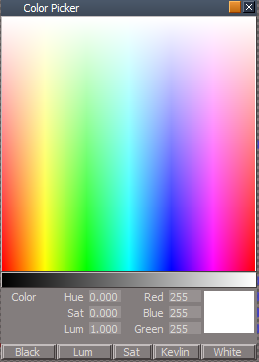
I made a replacement Color Picker for the Objects - Script objects library.
It uses your utility functions so there is no undo.
It also uses your Bitmap script from the Light(s) color picker that creates the Luminosity, Saturation, Kelvin, and 1dColorData bitmaps.
The othe scripts were not used and the Clickable Bitmap Controls do not use "On Drag"
.
I made a replacement Color Picker for the Objects - Script objects library.
It uses your utility functions so there is no undo.
It also uses your Bitmap script from the Light(s) color picker that creates the Luminosity, Saturation, Kelvin, and 1dColorData bitmaps.
The othe scripts were not used and the Clickable Bitmap Controls do not use "On Drag"
- Color Picker.png (22.48 KiB) Viewed 1308 times
-
garcia
- Chief Petty Officer
- Posts: 80
- Joined: 23 Jan 2023, 02:51
- Type the number ten into the box: 10
Re: Final trueSpace 7.61 Beta 8 Unofficial Update
I think undo is very important, so if you change a color, it can't be undone?trueBlue wrote: 26 Jan 2023, 02:52 It uses your utility functions so there is no undo.
How much of the Unofficial Update, uses this utility functions?
-
clintonman
- Captain
- Posts: 5659
- Joined: 21 May 2009, 21:08
- Type the number ten into the box: 0
- Location: California
Re: Final trueSpace 7.61 Beta 8 Unofficial Update
I agree undos are important. The color picker above is a separate object in a library, so it's not "a part" of the main program.garcia wrote: 26 Jan 2023, 21:48I think undo is very important, so if you change a color, it can't be undone?trueBlue wrote: 26 Jan 2023, 02:52 It uses your utility functions so there is no undo.
How much of the Unofficial Update, uses this utility functions?
Plenty of places in the UU does use the utility functions. It's mostly used to prevent bad undos and to reduce unnecessary undos. We have access to change things via scripting, so it's all done from the outside, no source code access. This can make for some unwanted side effects. Like you run a tool and it takes 7 steps to fully setup. If you undo half way through those steps trueSpace could be left in an unstable state. The utility functions make it so when you undo, those 7 steps are ignored and bypassed. So you still have all your undos from before and after running those 7 steps.
I tried to document all tools that have undo issues in the manual. Some tools will eat up undos like crazy. Most of those have been reduced by using the utility functions. Then there are the tools that will completely erase all undos. I put warning symbols on those sections of the manual.
-
garcia
- Chief Petty Officer
- Posts: 80
- Joined: 23 Jan 2023, 02:51
- Type the number ten into the box: 10
Re: Final trueSpace 7.61 Beta 8 Unofficial Update
Cool, thanks, I'm halfway through the UU manual, i read it along with the 7.6 manuals.
-
trueBlue
- Captain
- Posts: 5548
- Joined: 06 Jul 2009, 22:50
- Type the number ten into the box: 10
Re: Final trueSpace 7.61 Beta 8 Unofficial Update
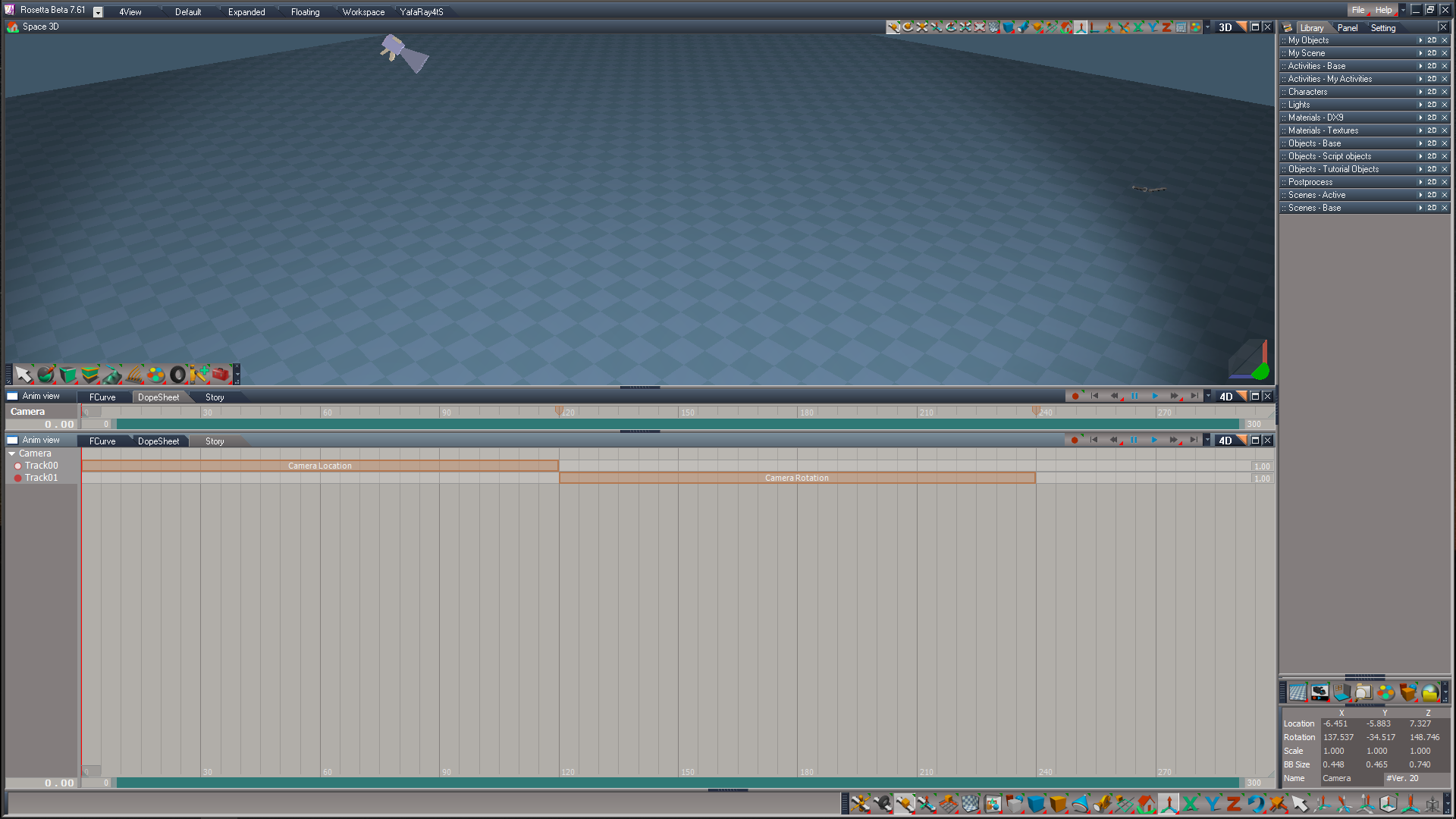
Thinking about changing the Default layout.
Default
.
Link Editor opened by the Middle up arrow.
.
Link Editor changed to 4D
Note: Dope Sheet mode at the top and Story mode in the bottom
.
Any opinions?
Default

Link Editor opened by the Middle up arrow.

Link Editor changed to 4D
.
Any opinions?
-
clintonman
- Captain
- Posts: 5659
- Joined: 21 May 2009, 21:08
- Type the number ten into the box: 0
- Location: California
Re: Final trueSpace 7.61 Beta 8 Unofficial Update
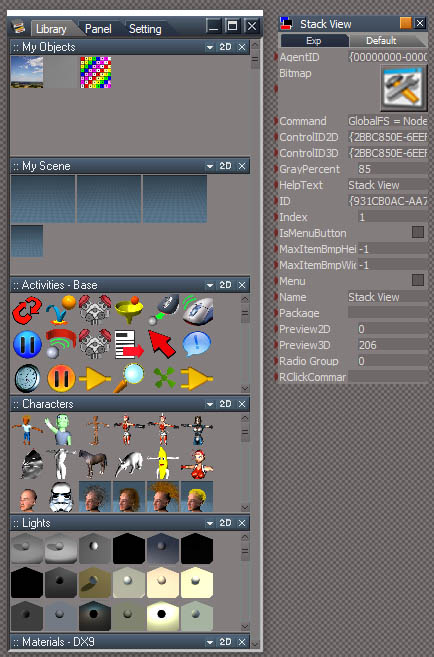
I found a way to open the stack view and I'd like to restore the stack view button to the UU.
Attached are the button and the change to the global function set
It might make more sense to adjust the button and put the 2 functions in the UUFunctionSet instead of the Global Function Set
button:
Code: Select all
GlobalFS = Node.AccessFnSet('Scripts/CustomCommands/Global Function Set');GlobalFS.OpenHistoryWindow();Code: Select all
function OpenHistoryWindow()
{
	var WMS = WindowsManager.GetWindowsManagerNodeName();
	var StackPanelNode = FindStackPanel(WMS);

	if(StackPanelNode) return;

	WindowsManager.OpenHistoryWindow();

	WMS = WindowsManager.GetWindowsManagerNodeName();
	var lastFrame = WMS + "/" + Node.SubObject(WMS, Node.SubObjectCount(WMS) - 1)

	var MainWindowFrame = WMS + "/Frame Window";
	WindowsManager.SetFrameOwnerFrame(lastFrame, MainWindowFrame);

	//open default uu libraries

	Library2.ShowStandardLibraryWindow('Libraries/Main Library Place:Scenes - Base');
	Library2.ShowStandardLibraryWindow('Libraries/Main Library Place:Scenes - Active');
	Library2.ShowStandardLibraryWindow('Libraries/Main Library Place:Postprocess');
	Library2.ShowStandardLibraryWindow('Libraries/Main Library Place:Objects - Tutorial objects');
	Library2.ShowStandardLibraryWindow('Libraries/Main Library Place:Objects - Script objects');
	Library2.ShowStandardLibraryWindow('Libraries/Main Library Place:Objects - Base');
	Library2.ShowStandardLibraryWindow('Libraries/Main Library Place:Materials - Textures');
	Library2.ShowStandardLibraryWindow('Libraries/Main Library Place:Materials - DX9');
	Library2.ShowStandardLibraryWindow('Libraries/Main Library Place:Lights');
	Library2.ShowStandardLibraryWindow('Libraries/Main Library Place:Characters');
	Library2.ShowStandardLibraryWindow('Libraries/Main Library Place:Activities - Base');
	Library2.ShowStandardLibraryWindow('Libraries/Main Library Place:My Scene');
	Library2.ShowStandardLibraryWindow('Libraries/Main Library Place:My Objects');

}

function FindStackPanel(currentNode)
{
	if(Node.ShortName(currentNode) == "StackPanelView Node") {
		return currentNode;
	}

	var subObjCount = Node.SubObjectCount(currentNode);

	if(subObjCount == 0) return;

	for(var i=0;i<subObjCount;i++) {
		var subObj = currentNode + "/" + Node.SubObject(currentNode, i);
		var foundval = FindStackPanel(subObj);
		if(foundval) {
			return foundval;
		}
	}
}- Attachments
-
- Global Function Set7711.RsObj
- (38.83 KiB) Downloaded 95 times
-
- Stack View.RsObj
- (39.42 KiB) Downloaded 74 times
-
trueBlue
- Captain
- Posts: 5548
- Joined: 06 Jul 2009, 22:50
- Type the number ten into the box: 10
Re: Final trueSpace 7.61 Beta 8 Unofficial Update
Great!clintonman wrote: 20 Feb 2023, 04:46 StackViewForUU9.jpg
I found a way to open the stack view and I'd like to restore the stack view button to the UU.
Attached are the button and the change to the global function set
It might make more sense to adjust the button and put the 2 functions in the UUFunctionSet instead of the Global Function Set
button:2 functions:Code: Select all
GlobalFS = Node.AccessFnSet('Scripts/CustomCommands/Global Function Set');GlobalFS.OpenHistoryWindow();Code: Select all
function OpenHistoryWindow()
{
	var WMS = WindowsManager.GetWindowsManagerNodeName();
	var StackPanelNode = FindStackPanel(WMS);

	if(StackPanelNode) return;

	WindowsManager.OpenHistoryWindow();

	WMS = WindowsManager.GetWindowsManagerNodeName();
	var lastFrame = WMS + "/" + Node.SubObject(WMS, Node.SubObjectCount(WMS) - 1)

	var MainWindowFrame = WMS + "/Frame Window";
	WindowsManager.SetFrameOwnerFrame(lastFrame, MainWindowFrame);

	//open default uu libraries

	Library2.ShowStandardLibraryWindow('Libraries/Main Library Place:Scenes - Base');
	Library2.ShowStandardLibraryWindow('Libraries/Main Library Place:Scenes - Active');
	Library2.ShowStandardLibraryWindow('Libraries/Main Library Place:Postprocess');
	Library2.ShowStandardLibraryWindow('Libraries/Main Library Place:Objects - Tutorial objects');
	Library2.ShowStandardLibraryWindow('Libraries/Main Library Place:Objects - Script objects');
	Library2.ShowStandardLibraryWindow('Libraries/Main Library Place:Objects - Base');
	Library2.ShowStandardLibraryWindow('Libraries/Main Library Place:Materials - Textures');
	Library2.ShowStandardLibraryWindow('Libraries/Main Library Place:Materials - DX9');
	Library2.ShowStandardLibraryWindow('Libraries/Main Library Place:Lights');
	Library2.ShowStandardLibraryWindow('Libraries/Main Library Place:Characters');
	Library2.ShowStandardLibraryWindow('Libraries/Main Library Place:Activities - Base');
	Library2.ShowStandardLibraryWindow('Libraries/Main Library Place:My Scene');
	Library2.ShowStandardLibraryWindow('Libraries/Main Library Place:My Objects');

}

function FindStackPanel(currentNode)
{
	if(Node.ShortName(currentNode) == "StackPanelView Node") {
		return currentNode;
	}

	var subObjCount = Node.SubObjectCount(currentNode);

	if(subObjCount == 0) return;

	for(var i=0;i<subObjCount;i++) {
		var subObj = currentNode + "/" + Node.SubObject(currentNode, i);
		var foundval = FindStackPanel(subObj);
		if(foundval) {
			return foundval;
		}
	}
}
I will add it to the UUFunctionSet.
There is a typo though:
//Library2.ShowStandardLibraryWindow('Libraries/Main Library Place:Objects - Tutorial objects');
Code: Select all
Library2.ShowStandardLibraryWindow('Libraries/Main Library Place:Objects - Tutorial Objects');Code: Select all
WindowsManager.DockFrameToFrame( '/Project/Windows Manager Space/Frame Window/Border Docking Place/Frame Window, 1/Split Docking Place/Frame Window, 1/Split Docking Place/Frame Window, 2', '/Project/Windows Manager Space/Frame Window, 1', '{04BCF3FE-DE2C-45A9-9CCF-F50EC348D4FF}', 0, 65538, 1)-
trueBlue
- Captain
- Posts: 5548
- Joined: 06 Jul 2009, 22:50
- Type the number ten into the box: 10
Re: Final trueSpace 7.61 Beta 8 Unofficial Update
trueSpace7.61 Beta 8 Unofficial Update Version 9
Please test this RC19 2/25/2023
New Unofficial Update Instructions:
It is Required that you completely Uninstall and Install trueSpace7.61 Beta 8 to a clean directory
You can keep your Rs Main Libraries folder, but all other folders and files should be removed
Install the PDF Manual for trueSpace (Optional but required before installing the Update)
Install the tS76_Vray1_54B8.exe (Optional but required before installing the Update)
If trueSpace is open, Close trueSpace
1.) Install the YafaRay v3.3.0 render engine
2.) Install the tS76PDF 'Manual for Caligari trueSpace' & tS76Video (Optional but required before installing the Update)
3.) Install tS76_Vray1_54B8.exe to C:\trueSpace761 (Optional but required before installing the Update)
4.) Install tS7.61B8.9.exe to C:\trueSpace761
Browse [...] to where you installed C:\trueSpace761, select its folder and then the [Extract] button
Select the [Yes to All] button
5.) Open trueSpace
6.) Select the [OK] button in the OptDetectors plugin Information dialog
7.) Reset to Default Context
When trueSpace opens, select one of the layout tabs at the top
If Vray is installed:
8.) Press your keyboard's CTRL + F8 keys to open the Package Manager
Right click in the Package Manager and select Install New...
Open C:\trueSpace761\Vray_ts.rsx
Right click in the Package Manager's Vray Package and select Load
Close the Package Manager
9.) Close trueSpace
The included Clintons3dPlugin.dll v.1638440, Clintons3dPluginExt.dll v.1638413, Clintons3dRsView.dll v.1638409 and the OptDetectors.dll Author - Vladimir Sisolak, are in: C:\trueSpace761
WARNING: The init.js file Imports the above 4 plugins and should not be Installed from the Package Manager, including any other plugins with the same name that have the rsx extension
All scripts that check for these plugins with the rsx extension have been removed!
Unofficial Update Version 9
Started on Fri Sep 02, 2022
Commands
Removed all of the discontinued xml scripts
Plugins Author - Clinton Reese
Renamed from rsx to dll:
Clintons3dPlugin.dll v1638440
Clintons3dRsView.dll
Clintons3dPluginExt.dll
Add
OptDetectors.dll Author - Vladimir Sisolak
Library
Add
OptDetectors
OptDetectors - Help objects
OptDetectors - Samples
Scripts
Update
init.js 'Loads the above 4 plugins'
Window.Shortcuts.xml
tS761 Workspace Shortcut List.rtf
Widget.Shortcuts.xml
CustomCommands Author - Clinton Reese
Add
JSON Function Set
Global Function Set
Dimensions
Hierarchy
Toolbar Manager
ShortcutRunner
Color Picker
Paint Vertex Color
Cloth Conversion
Enhanced Collada
2/25/2023
UUCommands
ImportExport
Toolbars
Status Message
MaterialEditor
Custom preferences
Camera1
light01
light02
light03
light04
WS - Default
Widgets
Primitives
Layouts - Configurations
BlankDXMaterial
ctrlSelectionGroup
DX9 Vertex Color
DX9 Vertex Constant Color
Solid Transparency Vertex
Window.Shortcuts
tS761 Workspace Shortcut List.rtf
Widget.Shortcuts.xml
modelCloth2vertexAnim.py
If the plugins do not Load, Download and Install the Microsoft Visual C++ 2008 Service Pack 1 Redistributable Package
https://www.microsoft.com/en-us/downloa ... x?id=26368
Note: When downloading the Microsoft Visual C++ 2008 Service Pack 1 Redistributable Package you are given 3 choices
Choose the 32-bit version; vcredist_x86.exe
.
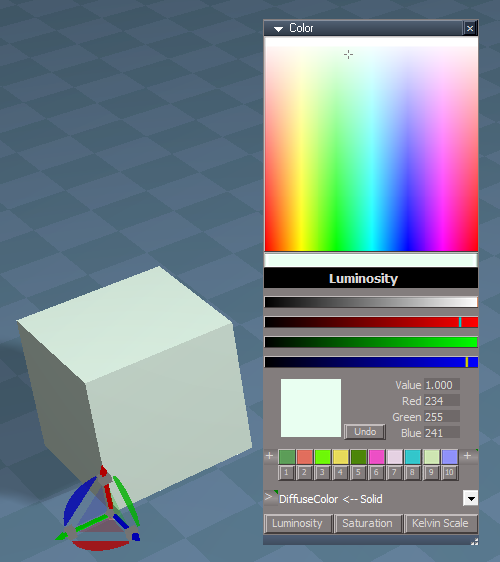
Color Picker - SHIFT C 'Selected item' or from the Red Toolbar
.
Paint Vertex Color
.
Cloth Conversion
.
Enhanced Collada
Removed due to update
Please test this RC19 2/25/2023
New Unofficial Update Instructions:
It is Required that you completely Uninstall and Install trueSpace7.61 Beta 8 to a clean directory
You can keep your Rs Main Libraries folder, but all other folders and files should be removed
Install the PDF Manual for trueSpace (Optional but required before installing the Update)
Install the tS76_Vray1_54B8.exe (Optional but required before installing the Update)
If trueSpace is open, Close trueSpace
1.) Install the YafaRay v3.3.0 render engine
2.) Install the tS76PDF 'Manual for Caligari trueSpace' & tS76Video (Optional but required before installing the Update)
3.) Install tS76_Vray1_54B8.exe to C:\trueSpace761 (Optional but required before installing the Update)
4.) Install tS7.61B8.9.exe to C:\trueSpace761
Browse [...] to where you installed C:\trueSpace761, select its folder and then the [Extract] button
Select the [Yes to All] button
5.) Open trueSpace
6.) Select the [OK] button in the OptDetectors plugin Information dialog
7.) Reset to Default Context
When trueSpace opens, select one of the layout tabs at the top
If Vray is installed:
8.) Press your keyboard's CTRL + F8 keys to open the Package Manager
Right click in the Package Manager and select Install New...
Open C:\trueSpace761\Vray_ts.rsx
Right click in the Package Manager's Vray Package and select Load
Close the Package Manager
9.) Close trueSpace
The included Clintons3dPlugin.dll v.1638440, Clintons3dPluginExt.dll v.1638413, Clintons3dRsView.dll v.1638409 and the OptDetectors.dll Author - Vladimir Sisolak, are in: C:\trueSpace761
WARNING: The init.js file Imports the above 4 plugins and should not be Installed from the Package Manager, including any other plugins with the same name that have the rsx extension
All scripts that check for these plugins with the rsx extension have been removed!
Unofficial Update Version 9
Started on Fri Sep 02, 2022
Commands
Removed all of the discontinued xml scripts
Plugins Author - Clinton Reese
Renamed from rsx to dll:
Clintons3dPlugin.dll v1638440
Clintons3dRsView.dll
Clintons3dPluginExt.dll
Add
OptDetectors.dll Author - Vladimir Sisolak
Library
Add
OptDetectors
OptDetectors - Help objects
OptDetectors - Samples
Scripts
Update
init.js 'Loads the above 4 plugins'
Window.Shortcuts.xml
tS761 Workspace Shortcut List.rtf
Widget.Shortcuts.xml
CustomCommands Author - Clinton Reese
Add
JSON Function Set
Global Function Set
Dimensions
Hierarchy
Toolbar Manager
ShortcutRunner
Color Picker
Paint Vertex Color
Cloth Conversion
Enhanced Collada
2/25/2023
UUCommands
ImportExport
Toolbars
Status Message
MaterialEditor
Custom preferences
Camera1
light01
light02
light03
light04
WS - Default
Widgets
Primitives
Layouts - Configurations
BlankDXMaterial
ctrlSelectionGroup
DX9 Vertex Color
DX9 Vertex Constant Color
Solid Transparency Vertex
Window.Shortcuts
tS761 Workspace Shortcut List.rtf
Widget.Shortcuts.xml
modelCloth2vertexAnim.py
If the plugins do not Load, Download and Install the Microsoft Visual C++ 2008 Service Pack 1 Redistributable Package
https://www.microsoft.com/en-us/downloa ... x?id=26368
Note: When downloading the Microsoft Visual C++ 2008 Service Pack 1 Redistributable Package you are given 3 choices
Choose the 32-bit version; vcredist_x86.exe
.
Color Picker - SHIFT C 'Selected item' or from the Red Toolbar
Paint Vertex Color
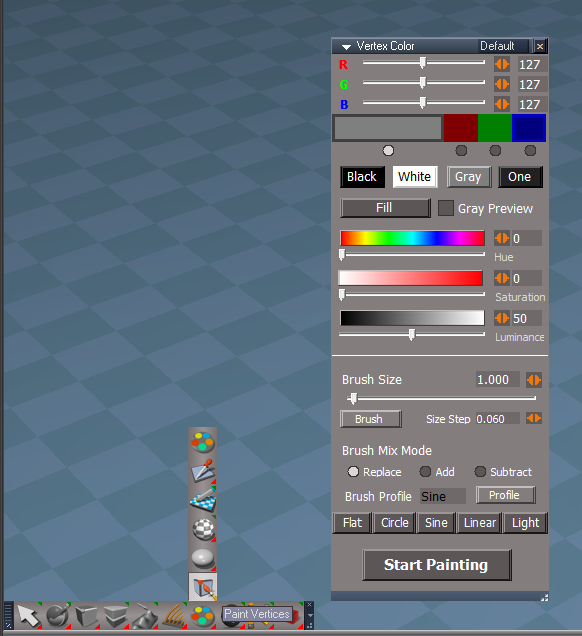
Cloth Conversion

Enhanced Collada
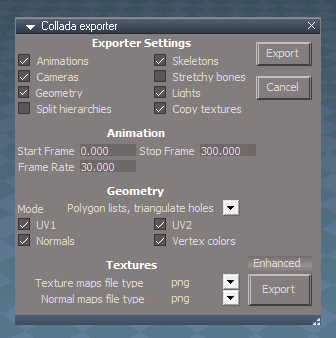
- Enhanced Collada.png (24.72 KiB) Viewed 1277 times
-
trueBlue
- Captain
- Posts: 5548
- Joined: 06 Jul 2009, 22:50
- Type the number ten into the box: 10
Re: Final trueSpace 7.61 Beta 8 Unofficial Update
trueSpace7.61 Beta 8 Unofficial Update Version 9
Please test this RC20 2/26/2023
New Unofficial Update Instructions:
It is Required that you completely Uninstall and Install trueSpace7.61 Beta 8 to a clean directory
You can keep your Rs Main Libraries folder, but all other folders and files should be removed
Install the PDF Manual for trueSpace (Optional but required before installing the Update)
Install the tS76_Vray1_54B8.exe (Optional but required before installing the Update)
If trueSpace is open, Close trueSpace
1.) Install the YafaRay v3.3.0 render engine
2.) Install the tS76PDF 'Manual for Caligari trueSpace' & tS76Video (Optional but required before installing the Update)
3.) Install tS76_Vray1_54B8.exe to C:\trueSpace761 (Optional but required before installing the Update)
4.) Install tS7.61B8.9.exe to C:\trueSpace761
Browse [...] to where you installed C:\trueSpace761, select its folder and then the [Extract] button
Select the [Yes to All] button
5.) Open trueSpace
6.) Select the [OK] button in the OptDetectors plugin Information dialog
7.) Reset to Default Context
When trueSpace opens, select one of the layout tabs at the top
If Vray is installed:
8.) Press your keyboard's CTRL + F8 keys to open the Package Manager
Right click in the Package Manager and select Install New...
Open C:\trueSpace761\Vray_ts.rsx
Right click in the Package Manager's Vray Package and select Load
Close the Package Manager
9.) Close trueSpace
The included Clintons3dPlugin.dll v.1638440, Clintons3dPluginExt.dll v.1638413, Clintons3dRsView.dll v.1638409 and the OptDetectors.dll Author - Vladimir Sisolak, are in: C:\trueSpace761
WARNING: The init.js file Imports the above 4 plugins and should not be Installed from the Package Manager, including any other plugins with the same name that have the rsx extension
All scripts that check for these plugins with the rsx extension have been removed!
Unofficial Update Version 9
Started on Fri Sep 02, 2022
Commands
Removed all of the discontinued xml scripts
Plugins Author - Clinton Reese
Renamed from rsx to dll:
Clintons3dPlugin.dll v1638440
Clintons3dRsView.dll
Clintons3dPluginExt.dll
Add
OptDetectors.dll Author - Vladimir Sisolak
Library
Add
OptDetectors
OptDetectors - Help objects
OptDetectors - Samples
Scripts
Update
init.js 'Loads the above 4 plugins'
Window.Shortcuts.xml
tS761 Workspace Shortcut List.rtf
Widget.Shortcuts.xml
CustomCommands Author - Clinton Reese
Add
JSON Function Set
Global Function Set
Dimensions
Hierarchy
Toolbar Manager
ShortcutRunner
Color Picker
Paint Vertex Color
Cloth Conversion
Enhanced Collada
2/26/2023
Cloth Conversion 'Add checks for preexisting Cloth Conversions'
UUCommands/UUFunctionSet
function FlattenObjects()
Add:
Node.ConRemove(sel, "vOffset")
Node.ConRemove(sel, "AnimTrack")
If the plugins do not Load, Download and Install the Microsoft Visual C++ 2008 Service Pack 1 Redistributable Package
https://www.microsoft.com/en-us/downloa ... x?id=26368
Note: When downloading the Microsoft Visual C++ 2008 Service Pack 1 Redistributable Package you are given 3 choices
Choose the 32-bit version; vcredist_x86.exe
Removed due to update
Please test this RC20 2/26/2023
New Unofficial Update Instructions:
It is Required that you completely Uninstall and Install trueSpace7.61 Beta 8 to a clean directory
You can keep your Rs Main Libraries folder, but all other folders and files should be removed
Install the PDF Manual for trueSpace (Optional but required before installing the Update)
Install the tS76_Vray1_54B8.exe (Optional but required before installing the Update)
If trueSpace is open, Close trueSpace
1.) Install the YafaRay v3.3.0 render engine
2.) Install the tS76PDF 'Manual for Caligari trueSpace' & tS76Video (Optional but required before installing the Update)
3.) Install tS76_Vray1_54B8.exe to C:\trueSpace761 (Optional but required before installing the Update)
4.) Install tS7.61B8.9.exe to C:\trueSpace761
Browse [...] to where you installed C:\trueSpace761, select its folder and then the [Extract] button
Select the [Yes to All] button
5.) Open trueSpace
6.) Select the [OK] button in the OptDetectors plugin Information dialog
7.) Reset to Default Context
When trueSpace opens, select one of the layout tabs at the top
If Vray is installed:
8.) Press your keyboard's CTRL + F8 keys to open the Package Manager
Right click in the Package Manager and select Install New...
Open C:\trueSpace761\Vray_ts.rsx
Right click in the Package Manager's Vray Package and select Load
Close the Package Manager
9.) Close trueSpace
The included Clintons3dPlugin.dll v.1638440, Clintons3dPluginExt.dll v.1638413, Clintons3dRsView.dll v.1638409 and the OptDetectors.dll Author - Vladimir Sisolak, are in: C:\trueSpace761
WARNING: The init.js file Imports the above 4 plugins and should not be Installed from the Package Manager, including any other plugins with the same name that have the rsx extension
All scripts that check for these plugins with the rsx extension have been removed!
Unofficial Update Version 9
Started on Fri Sep 02, 2022
Commands
Removed all of the discontinued xml scripts
Plugins Author - Clinton Reese
Renamed from rsx to dll:
Clintons3dPlugin.dll v1638440
Clintons3dRsView.dll
Clintons3dPluginExt.dll
Add
OptDetectors.dll Author - Vladimir Sisolak
Library
Add
OptDetectors
OptDetectors - Help objects
OptDetectors - Samples
Scripts
Update
init.js 'Loads the above 4 plugins'
Window.Shortcuts.xml
tS761 Workspace Shortcut List.rtf
Widget.Shortcuts.xml
CustomCommands Author - Clinton Reese
Add
JSON Function Set
Global Function Set
Dimensions
Hierarchy
Toolbar Manager
ShortcutRunner
Color Picker
Paint Vertex Color
Cloth Conversion
Enhanced Collada
2/26/2023
Cloth Conversion 'Add checks for preexisting Cloth Conversions'
UUCommands/UUFunctionSet
function FlattenObjects()
Add:
Node.ConRemove(sel, "vOffset")
Node.ConRemove(sel, "AnimTrack")
If the plugins do not Load, Download and Install the Microsoft Visual C++ 2008 Service Pack 1 Redistributable Package
https://www.microsoft.com/en-us/downloa ... x?id=26368
Note: When downloading the Microsoft Visual C++ 2008 Service Pack 1 Redistributable Package you are given 3 choices
Choose the 32-bit version; vcredist_x86.exe
Removed due to update
-
trueBlue
- Captain
- Posts: 5548
- Joined: 06 Jul 2009, 22:50
- Type the number ten into the box: 10
Re: Final trueSpace 7.61 Beta 8 Unofficial Update
trueSpace7.61 Beta 8 Unofficial Update Version 9
Please test this RC21 2/27/2023
New Unofficial Update Instructions:
It is Required that you completely Uninstall and Install trueSpace7.61 Beta 8 to a clean directory
You can keep your Rs Main Libraries folder, but all other folders and files should be removed
Install the PDF Manual for trueSpace (Optional but required before installing the Update)
Install the tS76_Vray1_54B8.exe (Optional but required before installing the Update)
If trueSpace is open, Close trueSpace
1.) Install the YafaRay v3.3.0 render engine
2.) Install the tS76PDF 'Manual for Caligari trueSpace' & tS76Video (Optional but required before installing the Update)
3.) Install tS76_Vray1_54B8.exe to C:\trueSpace761 (Optional but required before installing the Update)
4.) Install tS7.61B8.9.exe to C:\trueSpace761
Browse [...] to where you installed C:\trueSpace761, select its folder and then the [Extract] button
Select the [Yes to All] button
5.) Open trueSpace
6.) Select the [OK] button in the OptDetectors plugin Information dialog
7.) Reset to Default Context
When trueSpace opens, select one of the layout tabs at the top
If Vray is installed:
8.) Press your keyboard's CTRL + F8 keys to open the Package Manager
Right click in the Package Manager and select Install New...
Open C:\trueSpace761\Vray_ts.rsx
Right click in the Package Manager's Vray Package and select Load
Close the Package Manager
9.) Close trueSpace
The included Clintons3dPlugin.dll v.1638440, Clintons3dPluginExt.dll v.1638413, Clintons3dRsView.dll v.1638409 and the OptDetectors.dll Author - Vladimir Sisolak, are in: C:\trueSpace761
WARNING: The init.js file Imports the above 4 plugins and should not be Installed from the Package Manager, including any other plugins with the same name that have the rsx extension
All scripts that check for these plugins with the rsx extension have been removed!
Unofficial Update Version 9
Started on Fri Sep 02, 2022
Commands
Removed all of the discontinued xml scripts
Plugins Author - Clinton Reese
Renamed from rsx to dll:
Clintons3dPlugin.dll v1638440
Clintons3dRsView.dll
Clintons3dPluginExt.dll
Add
OptDetectors.dll Author - Vladimir Sisolak
Library
Add
OptDetectors
OptDetectors - Help objects
OptDetectors - Samples
Scripts
Update
init.js 'Loads the above 4 plugins'
Window.Shortcuts.xml
tS761 Workspace Shortcut List.rtf
Widget.Shortcuts.xml
CustomCommands Author - Clinton Reese
Add
JSON Function Set
Global Function Set
Dimensions
Hierarchy
Toolbar Manager
ShortcutRunner
Color Picker
Paint Vertex Color
Cloth Conversion
Enhanced Collada
2/27/2023
Cloth Conversion 'Add checks for preexisting Cloth Conversions'
Desktop 'Protect Workspace button opens Synchronize
UUCommands 'Add Synchronize' Note: Restricted to first selected object
If the plugins do not Load, Download and Install the Microsoft Visual C++ 2008 Service Pack 1 Redistributable Package
https://www.microsoft.com/en-us/downloa ... x?id=26368
Note: When downloading the Microsoft Visual C++ 2008 Service Pack 1 Redistributable Package you are given 3 choices
Choose the 32-bit version; vcredist_x86.exe
Removed due to update
Please test this RC21 2/27/2023
New Unofficial Update Instructions:
It is Required that you completely Uninstall and Install trueSpace7.61 Beta 8 to a clean directory
You can keep your Rs Main Libraries folder, but all other folders and files should be removed
Install the PDF Manual for trueSpace (Optional but required before installing the Update)
Install the tS76_Vray1_54B8.exe (Optional but required before installing the Update)
If trueSpace is open, Close trueSpace
1.) Install the YafaRay v3.3.0 render engine
2.) Install the tS76PDF 'Manual for Caligari trueSpace' & tS76Video (Optional but required before installing the Update)
3.) Install tS76_Vray1_54B8.exe to C:\trueSpace761 (Optional but required before installing the Update)
4.) Install tS7.61B8.9.exe to C:\trueSpace761
Browse [...] to where you installed C:\trueSpace761, select its folder and then the [Extract] button
Select the [Yes to All] button
5.) Open trueSpace
6.) Select the [OK] button in the OptDetectors plugin Information dialog
7.) Reset to Default Context
When trueSpace opens, select one of the layout tabs at the top
If Vray is installed:
8.) Press your keyboard's CTRL + F8 keys to open the Package Manager
Right click in the Package Manager and select Install New...
Open C:\trueSpace761\Vray_ts.rsx
Right click in the Package Manager's Vray Package and select Load
Close the Package Manager
9.) Close trueSpace
The included Clintons3dPlugin.dll v.1638440, Clintons3dPluginExt.dll v.1638413, Clintons3dRsView.dll v.1638409 and the OptDetectors.dll Author - Vladimir Sisolak, are in: C:\trueSpace761
WARNING: The init.js file Imports the above 4 plugins and should not be Installed from the Package Manager, including any other plugins with the same name that have the rsx extension
All scripts that check for these plugins with the rsx extension have been removed!
Unofficial Update Version 9
Started on Fri Sep 02, 2022
Commands
Removed all of the discontinued xml scripts
Plugins Author - Clinton Reese
Renamed from rsx to dll:
Clintons3dPlugin.dll v1638440
Clintons3dRsView.dll
Clintons3dPluginExt.dll
Add
OptDetectors.dll Author - Vladimir Sisolak
Library
Add
OptDetectors
OptDetectors - Help objects
OptDetectors - Samples
Scripts
Update
init.js 'Loads the above 4 plugins'
Window.Shortcuts.xml
tS761 Workspace Shortcut List.rtf
Widget.Shortcuts.xml
CustomCommands Author - Clinton Reese
Add
JSON Function Set
Global Function Set
Dimensions
Hierarchy
Toolbar Manager
ShortcutRunner
Color Picker
Paint Vertex Color
Cloth Conversion
Enhanced Collada
2/27/2023
Cloth Conversion 'Add checks for preexisting Cloth Conversions'
Desktop 'Protect Workspace button opens Synchronize
UUCommands 'Add Synchronize' Note: Restricted to first selected object
If the plugins do not Load, Download and Install the Microsoft Visual C++ 2008 Service Pack 1 Redistributable Package
https://www.microsoft.com/en-us/downloa ... x?id=26368
Note: When downloading the Microsoft Visual C++ 2008 Service Pack 1 Redistributable Package you are given 3 choices
Choose the 32-bit version; vcredist_x86.exe
Removed due to update
-
trueBlue
- Captain
- Posts: 5548
- Joined: 06 Jul 2009, 22:50
- Type the number ten into the box: 10
Re: Final trueSpace 7.61 Beta 8 Unofficial Update
trueSpace7.61 Beta 8 Unofficial Update Version 9
Please test this RC22 2/28/2023
New Unofficial Update Instructions:
It is Required that you completely Uninstall and Install trueSpace7.61 Beta 8 to a clean directory
You can keep your Rs Main Libraries folder, but all other folders and files should be removed
Install the PDF Manual for trueSpace (Optional but required before installing the Update)
Install the tS76_Vray1_54B8.exe (Optional but required before installing the Update)
If trueSpace is open, Close trueSpace
1.) Install the YafaRay v3.3.0 render engine
2.) Install the tS76PDF 'Manual for Caligari trueSpace' & tS76Video (Optional but required before installing the Update)
3.) Install tS76_Vray1_54B8.exe to C:\trueSpace761 (Optional but required before installing the Update)
4.) Install tS7.61B8.9.exe to C:\trueSpace761
Browse [...] to where you installed C:\trueSpace761, select its folder and then the [Extract] button
Select the [Yes to All] button
5.) Open trueSpace
6.) Select the [OK] button in the OptDetectors plugin Information dialog
7.) Reset to Default Context
When trueSpace opens, select one of the layout tabs at the top
If Vray is installed:
8.) Press your keyboard's CTRL + F8 keys to open the Package Manager
Right click in the Package Manager and select Install New...
Open C:\trueSpace761\Vray_ts.rsx
Right click in the Package Manager's Vray Package and select Load
Close the Package Manager
9.) Close trueSpace
The included Clintons3dPlugin.dll v.1638440, Clintons3dPluginExt.dll v.1638413, Clintons3dRsView.dll v.1638409 and the OptDetectors.dll Author - Vladimir Sisolak, are in: C:\trueSpace761
WARNING: The init.js file Imports the above 4 plugins and should not be Installed from the Package Manager, including any other plugins with the same name that have the rsx extension
All scripts that check for these plugins with the rsx extension have been removed!
Unofficial Update Version 9
Started on Fri Sep 02, 2022
Commands
Removed all of the discontinued xml scripts
Plugins Author - Clinton Reese
Renamed from rsx to dll:
Clintons3dPlugin.dll v1638440
Clintons3dRsView.dll
Clintons3dPluginExt.dll
Add
OptDetectors.dll Author - Vladimir Sisolak
Library
Add
OptDetectors
OptDetectors - Help objects
OptDetectors - Samples
Scripts
Update
init.js 'Loads the above 4 plugins'
Window.Shortcuts.xml
tS761 Workspace Shortcut List.rtf
Widget.Shortcuts.xml
CustomCommands Author - Clinton Reese
Add
JSON Function Set
Global Function Set
Dimensions
Hierarchy
Toolbar Manager
ShortcutRunner
Color Picker
Paint Vertex Color
Cloth Conversion
Enhanced Collada
2/28/2023
Toolbars 'Update Render to File icon(s) LMB button commands'
UUCommands 'Update Synchronize, Close All Toolbars Windows and Panels, and Close All Panels'
Notes:
Desktop's Protect Workspace button opens Synchronize
Will not open if Bridge is set to Off
Restricted to first selected object
Delay - Amount of Delay that the Synchronize command runs 'Debounce Timespan' - Author Clinton Reese
Default Delay - 100.000 equals no Delay, higher values will Delay
Synchronize panel's X closes Synchronize and disconnects the Watch Dog Event from the Mouse Listener - Author Clinton Reese
Render to File will close Synchronize
Recommend that you close Synchronize when using Model's Render to File
If the plugins do not Load, Download and Install the Microsoft Visual C++ 2008 Service Pack 1 Redistributable Package
https://www.microsoft.com/en-us/downloa ... x?id=26368
Note: When downloading the Microsoft Visual C++ 2008 Service Pack 1 Redistributable Package you are given 3 choices
Choose the 32-bit version; vcredist_x86.exe
Removed due to update
Please test this RC22 2/28/2023
New Unofficial Update Instructions:
It is Required that you completely Uninstall and Install trueSpace7.61 Beta 8 to a clean directory
You can keep your Rs Main Libraries folder, but all other folders and files should be removed
Install the PDF Manual for trueSpace (Optional but required before installing the Update)
Install the tS76_Vray1_54B8.exe (Optional but required before installing the Update)
If trueSpace is open, Close trueSpace
1.) Install the YafaRay v3.3.0 render engine
2.) Install the tS76PDF 'Manual for Caligari trueSpace' & tS76Video (Optional but required before installing the Update)
3.) Install tS76_Vray1_54B8.exe to C:\trueSpace761 (Optional but required before installing the Update)
4.) Install tS7.61B8.9.exe to C:\trueSpace761
Browse [...] to where you installed C:\trueSpace761, select its folder and then the [Extract] button
Select the [Yes to All] button
5.) Open trueSpace
6.) Select the [OK] button in the OptDetectors plugin Information dialog
7.) Reset to Default Context
When trueSpace opens, select one of the layout tabs at the top
If Vray is installed:
8.) Press your keyboard's CTRL + F8 keys to open the Package Manager
Right click in the Package Manager and select Install New...
Open C:\trueSpace761\Vray_ts.rsx
Right click in the Package Manager's Vray Package and select Load
Close the Package Manager
9.) Close trueSpace
The included Clintons3dPlugin.dll v.1638440, Clintons3dPluginExt.dll v.1638413, Clintons3dRsView.dll v.1638409 and the OptDetectors.dll Author - Vladimir Sisolak, are in: C:\trueSpace761
WARNING: The init.js file Imports the above 4 plugins and should not be Installed from the Package Manager, including any other plugins with the same name that have the rsx extension
All scripts that check for these plugins with the rsx extension have been removed!
Unofficial Update Version 9
Started on Fri Sep 02, 2022
Commands
Removed all of the discontinued xml scripts
Plugins Author - Clinton Reese
Renamed from rsx to dll:
Clintons3dPlugin.dll v1638440
Clintons3dRsView.dll
Clintons3dPluginExt.dll
Add
OptDetectors.dll Author - Vladimir Sisolak
Library
Add
OptDetectors
OptDetectors - Help objects
OptDetectors - Samples
Scripts
Update
init.js 'Loads the above 4 plugins'
Window.Shortcuts.xml
tS761 Workspace Shortcut List.rtf
Widget.Shortcuts.xml
CustomCommands Author - Clinton Reese
Add
JSON Function Set
Global Function Set
Dimensions
Hierarchy
Toolbar Manager
ShortcutRunner
Color Picker
Paint Vertex Color
Cloth Conversion
Enhanced Collada
2/28/2023
Toolbars 'Update Render to File icon(s) LMB button commands'
UUCommands 'Update Synchronize, Close All Toolbars Windows and Panels, and Close All Panels'
Notes:
Desktop's Protect Workspace button opens Synchronize
Will not open if Bridge is set to Off
Restricted to first selected object
Delay - Amount of Delay that the Synchronize command runs 'Debounce Timespan' - Author Clinton Reese
Default Delay - 100.000 equals no Delay, higher values will Delay
Synchronize panel's X closes Synchronize and disconnects the Watch Dog Event from the Mouse Listener - Author Clinton Reese
Render to File will close Synchronize
Recommend that you close Synchronize when using Model's Render to File
If the plugins do not Load, Download and Install the Microsoft Visual C++ 2008 Service Pack 1 Redistributable Package
https://www.microsoft.com/en-us/downloa ... x?id=26368
Note: When downloading the Microsoft Visual C++ 2008 Service Pack 1 Redistributable Package you are given 3 choices
Choose the 32-bit version; vcredist_x86.exe
Removed due to update
-
trueBlue
- Captain
- Posts: 5548
- Joined: 06 Jul 2009, 22:50
- Type the number ten into the box: 10
Re: Final trueSpace 7.61 Beta 8 Unofficial Update
trueSpace7.61 Beta 8 Unofficial Update Version 9
Please test this RC23 3/3/2023
New Unofficial Update Instructions:
It is Required that you completely Uninstall and Install trueSpace7.61 Beta 8 to a clean directory
You can keep your Rs Main Libraries folder, but all other folders and files should be removed
Install the PDF Manual for trueSpace (Optional but required before installing the Update)
Install the tS76_Vray1_54B8.exe (Optional but required before installing the Update)
If trueSpace is open, Close trueSpace
1.) Install the YafaRay v3.3.0 render engine
2.) Install the tS76PDF 'Manual for Caligari trueSpace' & tS76Video (Optional but required before installing the Update)
3.) Install tS76_Vray1_54B8.exe to C:\trueSpace761 (Optional but required before installing the Update)
4.) Install tS7.61B8.9.exe to C:\trueSpace761
Browse [...] to where you installed C:\trueSpace761, select its folder and then the [Extract] button
Select the [Yes to All] button
5.) Open trueSpace
6.) Select the [OK] button in the OptDetectors plugin Information dialog
7.) Reset to Default Context
When trueSpace opens, select one of the layout tabs at the top
If Vray is installed:
8.) Press your keyboard's CTRL + F8 keys to open the Package Manager
Right click in the Package Manager and select Install New...
Open C:\trueSpace761\Vray_ts.rsx
Right click in the Package Manager's Vray Package and select Load
Close the Package Manager
9.) Close trueSpace
The included Clintons3dPlugin.dll v.1638440, Clintons3dPluginExt.dll v.1638413, Clintons3dRsView.dll v.1638409 and the OptDetectors.dll Author - Vladimir Sisolak, are in: C:\trueSpace761
WARNING: The init.js file Imports the above 4 plugins and should not be Installed from the Package Manager, including any other plugins with the same name that have the rsx extension
All scripts that check for these plugins with the rsx extension have been removed!
Unofficial Update Version 9
Started on Fri Sep 02, 2022
Commands
Removed all of the discontinued xml scripts
Plugins Author - Clinton Reese
Renamed from rsx to dll:
Clintons3dPlugin.dll v1638440
Clintons3dRsView.dll
Clintons3dPluginExt.dll
Add
OptDetectors.dll Author - Vladimir Sisolak
Library
Add
OptDetectors
OptDetectors - Help objects
OptDetectors - Samples
Scripts
Update
init.js 'Loads the above 4 plugins'
Window.Shortcuts.xml
tS761 Workspace Shortcut List.rtf
Widget.Shortcuts.xml
CustomCommands Author - Clinton Reese
Add
JSON Function Set
Global Function Set
Dimensions
Hierarchy
Toolbar Manager
ShortcutRunner
Color Picker
Paint Vertex Color
Cloth Conversion
Enhanced Collada
3/3/2023
Close X Cover Panels
init.js
Cloth Conversion 'Update - Model Vertex Animation'
Layouts - Configurations ' Add - Model.rsl
My Scene - 'Add - Model.RsScn
If the plugins do not Load, Download and Install the Microsoft Visual C++ 2008 Service Pack 1 Redistributable Package
https://www.microsoft.com/en-us/downloa ... x?id=26368
Note: When downloading the Microsoft Visual C++ 2008 Service Pack 1 Redistributable Package you are given 3 choices
Choose the 32-bit version; vcredist_x86.exe
Removed due to update
Please test this RC23 3/3/2023
New Unofficial Update Instructions:
It is Required that you completely Uninstall and Install trueSpace7.61 Beta 8 to a clean directory
You can keep your Rs Main Libraries folder, but all other folders and files should be removed
Install the PDF Manual for trueSpace (Optional but required before installing the Update)
Install the tS76_Vray1_54B8.exe (Optional but required before installing the Update)
If trueSpace is open, Close trueSpace
1.) Install the YafaRay v3.3.0 render engine
2.) Install the tS76PDF 'Manual for Caligari trueSpace' & tS76Video (Optional but required before installing the Update)
3.) Install tS76_Vray1_54B8.exe to C:\trueSpace761 (Optional but required before installing the Update)
4.) Install tS7.61B8.9.exe to C:\trueSpace761
Browse [...] to where you installed C:\trueSpace761, select its folder and then the [Extract] button
Select the [Yes to All] button
5.) Open trueSpace
6.) Select the [OK] button in the OptDetectors plugin Information dialog
7.) Reset to Default Context
When trueSpace opens, select one of the layout tabs at the top
If Vray is installed:
8.) Press your keyboard's CTRL + F8 keys to open the Package Manager
Right click in the Package Manager and select Install New...
Open C:\trueSpace761\Vray_ts.rsx
Right click in the Package Manager's Vray Package and select Load
Close the Package Manager
9.) Close trueSpace
The included Clintons3dPlugin.dll v.1638440, Clintons3dPluginExt.dll v.1638413, Clintons3dRsView.dll v.1638409 and the OptDetectors.dll Author - Vladimir Sisolak, are in: C:\trueSpace761
WARNING: The init.js file Imports the above 4 plugins and should not be Installed from the Package Manager, including any other plugins with the same name that have the rsx extension
All scripts that check for these plugins with the rsx extension have been removed!
Unofficial Update Version 9
Started on Fri Sep 02, 2022
Commands
Removed all of the discontinued xml scripts
Plugins Author - Clinton Reese
Renamed from rsx to dll:
Clintons3dPlugin.dll v1638440
Clintons3dRsView.dll
Clintons3dPluginExt.dll
Add
OptDetectors.dll Author - Vladimir Sisolak
Library
Add
OptDetectors
OptDetectors - Help objects
OptDetectors - Samples
Scripts
Update
init.js 'Loads the above 4 plugins'
Window.Shortcuts.xml
tS761 Workspace Shortcut List.rtf
Widget.Shortcuts.xml
CustomCommands Author - Clinton Reese
Add
JSON Function Set
Global Function Set
Dimensions
Hierarchy
Toolbar Manager
ShortcutRunner
Color Picker
Paint Vertex Color
Cloth Conversion
Enhanced Collada
3/3/2023
Close X Cover Panels
init.js
Cloth Conversion 'Update - Model Vertex Animation'
Layouts - Configurations ' Add - Model.rsl
My Scene - 'Add - Model.RsScn
If the plugins do not Load, Download and Install the Microsoft Visual C++ 2008 Service Pack 1 Redistributable Package
https://www.microsoft.com/en-us/downloa ... x?id=26368
Note: When downloading the Microsoft Visual C++ 2008 Service Pack 1 Redistributable Package you are given 3 choices
Choose the 32-bit version; vcredist_x86.exe
Removed due to update
-
trueBlue
- Captain
- Posts: 5548
- Joined: 06 Jul 2009, 22:50
- Type the number ten into the box: 10
Re: Final trueSpace 7.61 Beta 8 Unofficial Update
trueSpace7.61 Beta 8 Unofficial Update Version 9
Please test this RC24 3/6/2023
New Unofficial Update Instructions:
It is Required that you completely Uninstall and Install trueSpace7.61 Beta 8 to a clean directory
You can keep your Rs Main Libraries folder, but all other folders and files should be removed
Install the PDF Manual for trueSpace (Optional but required before installing the Update)
Install the tS76_Vray1_54B8.exe (Optional but required before installing the Update)
If trueSpace is open, Close trueSpace
1.) Install the YafaRay v3.3.0 render engine
2.) Install the tS76PDF 'Manual for Caligari trueSpace' & tS76Video (Optional but required before installing the Update)
3.) Install tS76_Vray1_54B8.exe to C:\trueSpace761 (Optional but required before installing the Update)
4.) Install tS7.61B8.9.exe to C:\trueSpace761
Browse [...] to where you installed C:\trueSpace761, select its folder and then the [Extract] button
Select the [Yes to All] button
5.) Open trueSpace
6.) Select the [OK] button in the OptDetectors plugin Information dialog
7.) Reset to Default Context
When trueSpace opens, select one of the layout tabs at the top
If Vray is installed:
8.) Press your keyboard's CTRL + F8 keys to open the Package Manager
Right click in the Package Manager and select Install New...
Open C:\trueSpace761\Vray_ts.rsx
Right click in the Package Manager's Vray Package and select Load
Close the Package Manager
9.) Close trueSpace
The included Clintons3dPlugin.dll v.1638440, Clintons3dPluginExt.dll v.1638413, Clintons3dRsView.dll v.1638409 and the OptDetectors.dll Author - Vladimir Sisolak, are in: C:\trueSpace761
WARNING: The init.js file Imports the above 4 plugins and should not be Installed from the Package Manager, including any other plugins with the same name that have the rsx extension
All scripts that check for these plugins with the rsx extension have been removed!
Unofficial Update Version 9
Started on Fri Sep 02, 2022
Commands
Removed all of the discontinued xml scripts
Plugins Author - Clinton Reese
Renamed from rsx to dll:
Clintons3dPlugin.dll v1638440
Clintons3dRsView.dll
Clintons3dPluginExt.dll
Add
OptDetectors.dll Author - Vladimir Sisolak
Library
Add
OptDetectors
OptDetectors - Help objects
OptDetectors - Samples
Scripts
Update
init.js 'Loads the above 4 plugins'
Window.Shortcuts.xml
tS761 Workspace Shortcut List.rtf
Widget.Shortcuts.xml
CustomCommands Author - Clinton Reese
Add
JSON Function Set
Global Function Set
Dimensions
Hierarchy
Toolbar Manager
ShortcutRunner
Color Picker
Paint Vertex Color
Cloth Conversion
Enhanced Collada
3/6/2023
UUCommands 'Update SetCamera functions' Restrict to Camera
Toolbars 'Update Main, Main2 toolbars'
Lights 'Update Spot and Projector lights' Angle to Camera FOV
LEtools 'Link Editor Navigator closes up to 3 windows that have LE NAV toolbar'
.
If the plugins do not Load, Download and Install the Microsoft Visual C++ 2008 Service Pack 1 Redistributable Package
https://www.microsoft.com/en-us/downloa ... x?id=26368
Note: When downloading the Microsoft Visual C++ 2008 Service Pack 1 Redistributable Package you are given 3 choices
Choose the 32-bit version; vcredist_x86.exe
Removed due to update
Please test this RC24 3/6/2023
New Unofficial Update Instructions:
It is Required that you completely Uninstall and Install trueSpace7.61 Beta 8 to a clean directory
You can keep your Rs Main Libraries folder, but all other folders and files should be removed
Install the PDF Manual for trueSpace (Optional but required before installing the Update)
Install the tS76_Vray1_54B8.exe (Optional but required before installing the Update)
If trueSpace is open, Close trueSpace
1.) Install the YafaRay v3.3.0 render engine
2.) Install the tS76PDF 'Manual for Caligari trueSpace' & tS76Video (Optional but required before installing the Update)
3.) Install tS76_Vray1_54B8.exe to C:\trueSpace761 (Optional but required before installing the Update)
4.) Install tS7.61B8.9.exe to C:\trueSpace761
Browse [...] to where you installed C:\trueSpace761, select its folder and then the [Extract] button
Select the [Yes to All] button
5.) Open trueSpace
6.) Select the [OK] button in the OptDetectors plugin Information dialog
7.) Reset to Default Context
When trueSpace opens, select one of the layout tabs at the top
If Vray is installed:
8.) Press your keyboard's CTRL + F8 keys to open the Package Manager
Right click in the Package Manager and select Install New...
Open C:\trueSpace761\Vray_ts.rsx
Right click in the Package Manager's Vray Package and select Load
Close the Package Manager
9.) Close trueSpace
The included Clintons3dPlugin.dll v.1638440, Clintons3dPluginExt.dll v.1638413, Clintons3dRsView.dll v.1638409 and the OptDetectors.dll Author - Vladimir Sisolak, are in: C:\trueSpace761
WARNING: The init.js file Imports the above 4 plugins and should not be Installed from the Package Manager, including any other plugins with the same name that have the rsx extension
All scripts that check for these plugins with the rsx extension have been removed!
Unofficial Update Version 9
Started on Fri Sep 02, 2022
Commands
Removed all of the discontinued xml scripts
Plugins Author - Clinton Reese
Renamed from rsx to dll:
Clintons3dPlugin.dll v1638440
Clintons3dRsView.dll
Clintons3dPluginExt.dll
Add
OptDetectors.dll Author - Vladimir Sisolak
Library
Add
OptDetectors
OptDetectors - Help objects
OptDetectors - Samples
Scripts
Update
init.js 'Loads the above 4 plugins'
Window.Shortcuts.xml
tS761 Workspace Shortcut List.rtf
Widget.Shortcuts.xml
CustomCommands Author - Clinton Reese
Add
JSON Function Set
Global Function Set
Dimensions
Hierarchy
Toolbar Manager
ShortcutRunner
Color Picker
Paint Vertex Color
Cloth Conversion
Enhanced Collada
3/6/2023
UUCommands 'Update SetCamera functions' Restrict to Camera
Toolbars 'Update Main, Main2 toolbars'
Lights 'Update Spot and Projector lights' Angle to Camera FOV
LEtools 'Link Editor Navigator closes up to 3 windows that have LE NAV toolbar'
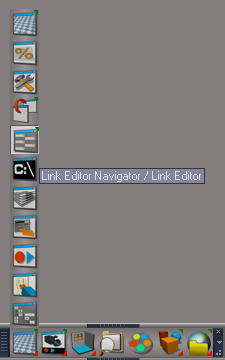
- LInk Editor Navigator.png (29.79 KiB) Viewed 1137 times
If the plugins do not Load, Download and Install the Microsoft Visual C++ 2008 Service Pack 1 Redistributable Package
https://www.microsoft.com/en-us/downloa ... x?id=26368
Note: When downloading the Microsoft Visual C++ 2008 Service Pack 1 Redistributable Package you are given 3 choices
Choose the 32-bit version; vcredist_x86.exe
Removed due to update
-
trueBlue
- Captain
- Posts: 5548
- Joined: 06 Jul 2009, 22:50
- Type the number ten into the box: 10
Re: Final trueSpace 7.61 Beta 8 Unofficial Update
trueSpace7.61 Beta 8 Unofficial Update Version 9
Please test this RC25 3/7/2023
New Unofficial Update Instructions:
It is Required that you completely Uninstall and Install trueSpace7.61 Beta 8 to a clean directory
You can keep your Rs Main Libraries folder, but all other folders and files should be removed
Install the PDF Manual for trueSpace (Optional but required before installing the Update)
Install the tS76_Vray1_54B8.exe (Optional but required before installing the Update)
If trueSpace is open, Close trueSpace
1.) Install the YafaRay v3.3.0 render engine
2.) Install the tS76PDF 'Manual for Caligari trueSpace' & tS76Video (Optional but required before installing the Update)
3.) Install tS76_Vray1_54B8.exe to C:\trueSpace761 (Optional but required before installing the Update)
4.) Install tS7.61B8.9.exe to C:\trueSpace761
Browse [...] to where you installed C:\trueSpace761, select its folder and then the [Extract] button
Select the [Yes to All] button
5.) Open trueSpace
6.) Select the [OK] button in the OptDetectors plugin Information dialog
7.) Reset to Default Context
When trueSpace opens, select one of the layout tabs at the top
If Vray is installed:
8.) Press your keyboard's CTRL + F8 keys to open the Package Manager
Right click in the Package Manager and select Install New...
Open C:\trueSpace761\Vray_ts.rsx
Right click in the Package Manager's Vray Package and select Load
Close the Package Manager
9.) Close trueSpace
The included Clintons3dPlugin.dll v.1638440, Clintons3dPluginExt.dll v.1638413, Clintons3dRsView.dll v.1638409 and the OptDetectors.dll Author - Vladimir Sisolak, are in: C:\trueSpace761
WARNING: The init.js file Imports the above 4 plugins and should not be Installed from the Package Manager, including any other plugins with the same name that have the rsx extension
All scripts that check for these plugins with the rsx extension have been removed!
Unofficial Update Version 9
Started on Fri Sep 02, 2022
Commands
Removed all of the discontinued xml scripts
Plugins Author - Clinton Reese
Renamed from rsx to dll:
Clintons3dPlugin.dll v1638440
Clintons3dRsView.dll
Clintons3dPluginExt.dll
Add
OptDetectors.dll Author - Vladimir Sisolak
Library
Add
OptDetectors
OptDetectors - Help objects
OptDetectors - Samples
Scripts
Update
init.js 'Loads the above 4 plugins'
Window.Shortcuts.xml
tS761 Workspace Shortcut List.rtf
Widget.Shortcuts.xml
CustomCommands Author - Clinton Reese
Add
JSON Function Set
Global Function Set
Dimensions
Hierarchy
Toolbar Manager
ShortcutRunner
Color Picker
Paint Vertex Color
Cloth Conversion
Enhanced Collada
3/7/2023
Toolbars 'Update Main, Main2 toolbars' Fixed typo
If the plugins do not Load, Download and Install the Microsoft Visual C++ 2008 Service Pack 1 Redistributable Package
https://www.microsoft.com/en-us/downloa ... x?id=26368
Note: When downloading the Microsoft Visual C++ 2008 Service Pack 1 Redistributable Package you are given 3 choices
Choose the 32-bit version; vcredist_x86.exe
Removed due to update
Please test this RC25 3/7/2023
New Unofficial Update Instructions:
It is Required that you completely Uninstall and Install trueSpace7.61 Beta 8 to a clean directory
You can keep your Rs Main Libraries folder, but all other folders and files should be removed
Install the PDF Manual for trueSpace (Optional but required before installing the Update)
Install the tS76_Vray1_54B8.exe (Optional but required before installing the Update)
If trueSpace is open, Close trueSpace
1.) Install the YafaRay v3.3.0 render engine
2.) Install the tS76PDF 'Manual for Caligari trueSpace' & tS76Video (Optional but required before installing the Update)
3.) Install tS76_Vray1_54B8.exe to C:\trueSpace761 (Optional but required before installing the Update)
4.) Install tS7.61B8.9.exe to C:\trueSpace761
Browse [...] to where you installed C:\trueSpace761, select its folder and then the [Extract] button
Select the [Yes to All] button
5.) Open trueSpace
6.) Select the [OK] button in the OptDetectors plugin Information dialog
7.) Reset to Default Context
When trueSpace opens, select one of the layout tabs at the top
If Vray is installed:
8.) Press your keyboard's CTRL + F8 keys to open the Package Manager
Right click in the Package Manager and select Install New...
Open C:\trueSpace761\Vray_ts.rsx
Right click in the Package Manager's Vray Package and select Load
Close the Package Manager
9.) Close trueSpace
The included Clintons3dPlugin.dll v.1638440, Clintons3dPluginExt.dll v.1638413, Clintons3dRsView.dll v.1638409 and the OptDetectors.dll Author - Vladimir Sisolak, are in: C:\trueSpace761
WARNING: The init.js file Imports the above 4 plugins and should not be Installed from the Package Manager, including any other plugins with the same name that have the rsx extension
All scripts that check for these plugins with the rsx extension have been removed!
Unofficial Update Version 9
Started on Fri Sep 02, 2022
Commands
Removed all of the discontinued xml scripts
Plugins Author - Clinton Reese
Renamed from rsx to dll:
Clintons3dPlugin.dll v1638440
Clintons3dRsView.dll
Clintons3dPluginExt.dll
Add
OptDetectors.dll Author - Vladimir Sisolak
Library
Add
OptDetectors
OptDetectors - Help objects
OptDetectors - Samples
Scripts
Update
init.js 'Loads the above 4 plugins'
Window.Shortcuts.xml
tS761 Workspace Shortcut List.rtf
Widget.Shortcuts.xml
CustomCommands Author - Clinton Reese
Add
JSON Function Set
Global Function Set
Dimensions
Hierarchy
Toolbar Manager
ShortcutRunner
Color Picker
Paint Vertex Color
Cloth Conversion
Enhanced Collada
3/7/2023
Toolbars 'Update Main, Main2 toolbars' Fixed typo
If the plugins do not Load, Download and Install the Microsoft Visual C++ 2008 Service Pack 1 Redistributable Package
https://www.microsoft.com/en-us/downloa ... x?id=26368
Note: When downloading the Microsoft Visual C++ 2008 Service Pack 1 Redistributable Package you are given 3 choices
Choose the 32-bit version; vcredist_x86.exe
Removed due to update
-
trueBlue
- Captain
- Posts: 5548
- Joined: 06 Jul 2009, 22:50
- Type the number ten into the box: 10
Re: Final trueSpace 7.61 Beta 8 Unofficial Update
trueSpace7.61 Beta 8 Unofficial Update Version 9
Please test this RC26 3/25/2023
New Unofficial Update Instructions:
It is Required that you completely Uninstall and Install trueSpace7.61 Beta 8 to a clean directory
You can keep your Rs Main Libraries folder, but all other folders and files should be removed
Install the PDF Manual for trueSpace (Optional but required before installing the Update)
Install the tS76_Vray1_54B8.exe (Optional but required before installing the Update)
If trueSpace is open, Close trueSpace
1.) Install the YafaRay v3.3.0 render engine
2.) Install the tS76PDF 'Manual for Caligari trueSpace' & tS76Video (Optional but required before installing the Update)
3.) Install tS76_Vray1_54B8.exe to C:\trueSpace761 (Optional but required before installing the Update)
4.) Install tS7.61B8.9.exe to C:\trueSpace761
Browse [...] to where you installed C:\trueSpace761, select its folder and then the [Extract] button
Select the [Yes to All] button
5.) Open trueSpace
6.) Select the [OK] button in the OptDetectors plugin Information dialog
7.) Reset to Default Context
When trueSpace opens, select one of the layout tabs at the top
If Vray is installed:
8.) Press your keyboard's CTRL + F8 keys to open the Package Manager
Right click in the Package Manager and select Install New...
Open C:\trueSpace761\Vray_ts.rsx
Right click in the Package Manager's Vray Package and select Load
Close the Package Manager
9.) Close trueSpace
The included Clintons3dPlugin.dll v.1638440, Clintons3dPluginExt.dll v.1638413, Clintons3dRsView.dll v.1638409 and the OptDetectors.dll Author - Vladimir Sisolak, are in: C:\trueSpace761
WARNING: The init.js file Imports the above 4 plugins and should not be Installed from the Package Manager, including any other plugins with the same name that have the rsx extension
All scripts that check for these plugins with the rsx extension have been removed!
Unofficial Update Version 9
Started on Fri Sep 02, 2022
Commands
Removed all of the discontinued xml scripts
Plugins Author - Clinton Reese
Renamed from rsx to dll:
Clintons3dPlugin.dll v1638441
Clintons3dRsView.dll
Clintons3dPluginExt.dll
Add
OptDetectors.dll Author - Vladimir Sisolak
Library
Add
OptDetectors
OptDetectors - Help objects
OptDetectors - Samples
Scripts
Update
init.js 'Loads the above 4 plugins'
Window.Shortcuts.xml
tS761 Workspace Shortcut List.rtf
Widget.Shortcuts.xml
CustomCommands Author - Clinton Reese
Add
JSON Function Set
Global Function Set
Dimensions
Hierarchy
Toolbar Manager
ShortcutRunner
Color Picker
Paint Vertex Color
Cloth Conversion
Enhanced Collada
Scene View 2
Object Statistics
.
3/25/2023
Toolbars:
Main 'Add: Scene View 2 icon'
Main2 'Add: Scene View 2 icon'
ClintonToolbar 'Add: Object Statistics icon'
LENavigatorBar 'Update buttons'
CustomCommands:
LE Tools 'Update'
If the plugins do not Load, Download and Install the Microsoft Visual C++ 2008 Service Pack 1 Redistributable Package
https://www.microsoft.com/en-us/downloa ... x?id=26368
Note: When downloading the Microsoft Visual C++ 2008 Service Pack 1 Redistributable Package you are given 3 choices
Choose the 32-bit version; vcredist_x86.exe
Removed due to update
Please test this RC26 3/25/2023
New Unofficial Update Instructions:
It is Required that you completely Uninstall and Install trueSpace7.61 Beta 8 to a clean directory
You can keep your Rs Main Libraries folder, but all other folders and files should be removed
Install the PDF Manual for trueSpace (Optional but required before installing the Update)
Install the tS76_Vray1_54B8.exe (Optional but required before installing the Update)
If trueSpace is open, Close trueSpace
1.) Install the YafaRay v3.3.0 render engine
2.) Install the tS76PDF 'Manual for Caligari trueSpace' & tS76Video (Optional but required before installing the Update)
3.) Install tS76_Vray1_54B8.exe to C:\trueSpace761 (Optional but required before installing the Update)
4.) Install tS7.61B8.9.exe to C:\trueSpace761
Browse [...] to where you installed C:\trueSpace761, select its folder and then the [Extract] button
Select the [Yes to All] button
5.) Open trueSpace
6.) Select the [OK] button in the OptDetectors plugin Information dialog
7.) Reset to Default Context
When trueSpace opens, select one of the layout tabs at the top
If Vray is installed:
8.) Press your keyboard's CTRL + F8 keys to open the Package Manager
Right click in the Package Manager and select Install New...
Open C:\trueSpace761\Vray_ts.rsx
Right click in the Package Manager's Vray Package and select Load
Close the Package Manager
9.) Close trueSpace
The included Clintons3dPlugin.dll v.1638440, Clintons3dPluginExt.dll v.1638413, Clintons3dRsView.dll v.1638409 and the OptDetectors.dll Author - Vladimir Sisolak, are in: C:\trueSpace761
WARNING: The init.js file Imports the above 4 plugins and should not be Installed from the Package Manager, including any other plugins with the same name that have the rsx extension
All scripts that check for these plugins with the rsx extension have been removed!
Unofficial Update Version 9
Started on Fri Sep 02, 2022
Commands
Removed all of the discontinued xml scripts
Plugins Author - Clinton Reese
Renamed from rsx to dll:
Clintons3dPlugin.dll v1638441
Clintons3dRsView.dll
Clintons3dPluginExt.dll
Add
OptDetectors.dll Author - Vladimir Sisolak
Library
Add
OptDetectors
OptDetectors - Help objects
OptDetectors - Samples
Scripts
Update
init.js 'Loads the above 4 plugins'
Window.Shortcuts.xml
tS761 Workspace Shortcut List.rtf
Widget.Shortcuts.xml
CustomCommands Author - Clinton Reese
Add
JSON Function Set
Global Function Set
Dimensions
Hierarchy
Toolbar Manager
ShortcutRunner
Color Picker
Paint Vertex Color
Cloth Conversion
Enhanced Collada
Scene View 2
Object Statistics
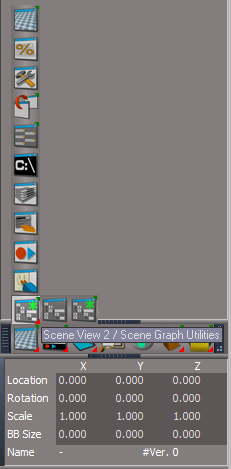

3/25/2023
Toolbars:
Main 'Add: Scene View 2 icon'
Main2 'Add: Scene View 2 icon'
ClintonToolbar 'Add: Object Statistics icon'
LENavigatorBar 'Update buttons'
CustomCommands:
LE Tools 'Update'
If the plugins do not Load, Download and Install the Microsoft Visual C++ 2008 Service Pack 1 Redistributable Package
https://www.microsoft.com/en-us/downloa ... x?id=26368
Note: When downloading the Microsoft Visual C++ 2008 Service Pack 1 Redistributable Package you are given 3 choices
Choose the 32-bit version; vcredist_x86.exe
Removed due to update
-
trueBlue
- Captain
- Posts: 5548
- Joined: 06 Jul 2009, 22:50
- Type the number ten into the box: 10
Re: Final trueSpace 7.61 Beta 8 Unofficial Update
trueSpace7.61 Beta 8 Unofficial Update Version 9
Please test this RC27 3/25/2023
New Unofficial Update Instructions:
It is Required that you completely Uninstall and Install trueSpace7.61 Beta 8 to a clean directory
You can keep your Rs Main Libraries folder, but all other folders and files should be removed
Install the PDF Manual for trueSpace (Optional but required before installing the Update)
Install the tS76_Vray1_54B8.exe (Optional but required before installing the Update)
If trueSpace is open, Close trueSpace
1.) Install the YafaRay v3.3.0 render engine
2.) Install the tS76PDF 'Manual for Caligari trueSpace' & tS76Video (Optional but required before installing the Update)
3.) Install tS76_Vray1_54B8.exe to C:\trueSpace761 (Optional but required before installing the Update)
4.) Install tS7.61B8.9.exe to C:\trueSpace761
Browse [...] to where you installed C:\trueSpace761, select its folder and then the [Extract] button
Select the [Yes to All] button
5.) Open trueSpace
6.) Select the [OK] button in the OptDetectors plugin Information dialog
7.) Reset to Default Context
When trueSpace opens, select one of the layout tabs at the top
If Vray is installed:
8.) Press your keyboard's CTRL + F8 keys to open the Package Manager
Right click in the Package Manager and select Install New...
Open C:\trueSpace761\Vray_ts.rsx
Right click in the Package Manager's Vray Package and select Load
Close the Package Manager
9.) Close trueSpace
The included Clintons3dPlugin.dll v.1638440, Clintons3dPluginExt.dll v.1638413, Clintons3dRsView.dll v.1638409 and the OptDetectors.dll Author - Vladimir Sisolak, are in: C:\trueSpace761
WARNING: The init.js file Imports the above 4 plugins and should not be Installed from the Package Manager, including any other plugins with the same name that have the rsx extension
All scripts that check for these plugins with the rsx extension have been removed!
Unofficial Update Version 9
Started on Fri Sep 02, 2022
Commands
Removed all of the discontinued xml scripts
Plugins Author - Clinton Reese
Renamed from rsx to dll:
Clintons3dPlugin.dll v1638441
Clintons3dRsView.dll
Clintons3dPluginExt.dll
Add
OptDetectors.dll Author - Vladimir Sisolak
Library
Add
OptDetectors
OptDetectors - Help objects
OptDetectors - Samples
Scripts
Update
init.js 'Loads the above 4 plugins'
Window.Shortcuts.xml
tS761 Workspace Shortcut List.rtf
Widget.Shortcuts.xml
CustomCommands Author - Clinton Reese
Add
JSON Function Set
Global Function Set
Dimensions
Hierarchy
Toolbar Manager
ShortcutRunner
Color Picker
Paint Vertex Color
Cloth Conversion
Enhanced Collada
Scene View 2
Object Statistics
3/25/2023 - Second Update
UUCommands
CustomCommands:
SceneView
Close X Cover Panels
If the plugins do not Load, Download and Install the Microsoft Visual C++ 2008 Service Pack 1 Redistributable Package
https://www.microsoft.com/en-us/downloa ... x?id=26368
Note: When downloading the Microsoft Visual C++ 2008 Service Pack 1 Redistributable Package you are given 3 choices
Choose the 32-bit version; vcredist_x86.exe
Removed due to update
Please test this RC27 3/25/2023
New Unofficial Update Instructions:
It is Required that you completely Uninstall and Install trueSpace7.61 Beta 8 to a clean directory
You can keep your Rs Main Libraries folder, but all other folders and files should be removed
Install the PDF Manual for trueSpace (Optional but required before installing the Update)
Install the tS76_Vray1_54B8.exe (Optional but required before installing the Update)
If trueSpace is open, Close trueSpace
1.) Install the YafaRay v3.3.0 render engine
2.) Install the tS76PDF 'Manual for Caligari trueSpace' & tS76Video (Optional but required before installing the Update)
3.) Install tS76_Vray1_54B8.exe to C:\trueSpace761 (Optional but required before installing the Update)
4.) Install tS7.61B8.9.exe to C:\trueSpace761
Browse [...] to where you installed C:\trueSpace761, select its folder and then the [Extract] button
Select the [Yes to All] button
5.) Open trueSpace
6.) Select the [OK] button in the OptDetectors plugin Information dialog
7.) Reset to Default Context
When trueSpace opens, select one of the layout tabs at the top
If Vray is installed:
8.) Press your keyboard's CTRL + F8 keys to open the Package Manager
Right click in the Package Manager and select Install New...
Open C:\trueSpace761\Vray_ts.rsx
Right click in the Package Manager's Vray Package and select Load
Close the Package Manager
9.) Close trueSpace
The included Clintons3dPlugin.dll v.1638440, Clintons3dPluginExt.dll v.1638413, Clintons3dRsView.dll v.1638409 and the OptDetectors.dll Author - Vladimir Sisolak, are in: C:\trueSpace761
WARNING: The init.js file Imports the above 4 plugins and should not be Installed from the Package Manager, including any other plugins with the same name that have the rsx extension
All scripts that check for these plugins with the rsx extension have been removed!
Unofficial Update Version 9
Started on Fri Sep 02, 2022
Commands
Removed all of the discontinued xml scripts
Plugins Author - Clinton Reese
Renamed from rsx to dll:
Clintons3dPlugin.dll v1638441
Clintons3dRsView.dll
Clintons3dPluginExt.dll
Add
OptDetectors.dll Author - Vladimir Sisolak
Library
Add
OptDetectors
OptDetectors - Help objects
OptDetectors - Samples
Scripts
Update
init.js 'Loads the above 4 plugins'
Window.Shortcuts.xml
tS761 Workspace Shortcut List.rtf
Widget.Shortcuts.xml
CustomCommands Author - Clinton Reese
Add
JSON Function Set
Global Function Set
Dimensions
Hierarchy
Toolbar Manager
ShortcutRunner
Color Picker
Paint Vertex Color
Cloth Conversion
Enhanced Collada
Scene View 2
Object Statistics
3/25/2023 - Second Update
UUCommands
CustomCommands:
SceneView
Close X Cover Panels
If the plugins do not Load, Download and Install the Microsoft Visual C++ 2008 Service Pack 1 Redistributable Package
https://www.microsoft.com/en-us/downloa ... x?id=26368
Note: When downloading the Microsoft Visual C++ 2008 Service Pack 1 Redistributable Package you are given 3 choices
Choose the 32-bit version; vcredist_x86.exe
Removed due to update
-
trueBlue
- Captain
- Posts: 5548
- Joined: 06 Jul 2009, 22:50
- Type the number ten into the box: 10
Re: Final trueSpace 7.61 Beta 8 Unofficial Update
trueSpace7.61 Beta 8 Unofficial Update Version 9
Please test this RC28 3/26/2023
New Unofficial Update Instructions:
It is Required that you completely Uninstall and Install trueSpace7.61 Beta 8 to a clean directory
You can keep your Rs Main Libraries folder, but all other folders and files should be removed
Install the PDF Manual for trueSpace (Optional but required before installing the Update)
Install the tS76_Vray1_54B8.exe (Optional but required before installing the Update)
If trueSpace is open, Close trueSpace
1.) Install the YafaRay v3.3.0 render engine
2.) Install the tS76PDF 'Manual for Caligari trueSpace' & tS76Video (Optional but required before installing the Update)
3.) Install tS76_Vray1_54B8.exe to C:\trueSpace761 (Optional but required before installing the Update)
4.) Install tS7.61B8.9.exe to C:\trueSpace761
Browse [...] to where you installed C:\trueSpace761, select its folder and then the [Extract] button
Select the [Yes to All] button
5.) Open trueSpace
6.) Select the [OK] button in the OptDetectors plugin Information dialog
7.) Reset to Default Context
When trueSpace opens, select one of the layout tabs at the top
If Vray is installed:
8.) Press your keyboard's CTRL + F8 keys to open the Package Manager
Right click in the Package Manager and select Install New...
Open C:\trueSpace761\Vray_ts.rsx
Right click in the Package Manager's Vray Package and select Load
Close the Package Manager
9.) Close trueSpace
The included Clintons3dPlugin.dll v.1638440, Clintons3dPluginExt.dll v.1638413, Clintons3dRsView.dll v.1638409 and the OptDetectors.dll Author - Vladimir Sisolak, are in: C:\trueSpace761
WARNING: The init.js file Imports the above 4 plugins and should not be Installed from the Package Manager, including any other plugins with the same name that have the rsx extension
All scripts that check for these plugins with the rsx extension have been removed!
Unofficial Update Version 9
Started on Fri Sep 02, 2022
Commands
Removed all of the discontinued xml scripts
Plugins Author - Clinton Reese
Renamed from rsx to dll:
Clintons3dPlugin.dll v1638441
Clintons3dRsView.dll v1638412
Clintons3dPluginExt.dll
Add
OptDetectors.dll Author - Vladimir Sisolak
Library
Add
OptDetectors
OptDetectors - Help objects
OptDetectors - Samples
Scripts
Update
init.js 'Loads the above 4 plugins'
Window.Shortcuts.xml
tS761 Workspace Shortcut List.rtf
Widget.Shortcuts.xml
CustomCommands Author - Clinton Reese
Add
JSON Function Set
Global Function Set
Dimensions
Hierarchy
Toolbar Manager
ShortcutRunner
Color Picker
Paint Vertex Color
Cloth Conversion
Enhanced Collada
Scene View 2
Object Statistics
3/26/2023
Scene View 2
Clintons3dRsView.dll
Object Statistics
.
Freeze will open the Shear panel where you can Freeze the Shear values
.
Add: Selection Change Event 'If Active, will Update upon selection'
.
Add: Selection Change Event 'If Active, will Update upon selection'
.
If the plugins do not Load, Download and Install the Microsoft Visual C++ 2008 Service Pack 1 Redistributable Package
https://www.microsoft.com/en-us/downloa ... x?id=26368
Note: When downloading the Microsoft Visual C++ 2008 Service Pack 1 Redistributable Package you are given 3 choices
Choose the 32-bit version; vcredist_x86.exe
Removed due to update
Please test this RC28 3/26/2023
New Unofficial Update Instructions:
It is Required that you completely Uninstall and Install trueSpace7.61 Beta 8 to a clean directory
You can keep your Rs Main Libraries folder, but all other folders and files should be removed
Install the PDF Manual for trueSpace (Optional but required before installing the Update)
Install the tS76_Vray1_54B8.exe (Optional but required before installing the Update)
If trueSpace is open, Close trueSpace
1.) Install the YafaRay v3.3.0 render engine
2.) Install the tS76PDF 'Manual for Caligari trueSpace' & tS76Video (Optional but required before installing the Update)
3.) Install tS76_Vray1_54B8.exe to C:\trueSpace761 (Optional but required before installing the Update)
4.) Install tS7.61B8.9.exe to C:\trueSpace761
Browse [...] to where you installed C:\trueSpace761, select its folder and then the [Extract] button
Select the [Yes to All] button
5.) Open trueSpace
6.) Select the [OK] button in the OptDetectors plugin Information dialog
7.) Reset to Default Context
When trueSpace opens, select one of the layout tabs at the top
If Vray is installed:
8.) Press your keyboard's CTRL + F8 keys to open the Package Manager
Right click in the Package Manager and select Install New...
Open C:\trueSpace761\Vray_ts.rsx
Right click in the Package Manager's Vray Package and select Load
Close the Package Manager
9.) Close trueSpace
The included Clintons3dPlugin.dll v.1638440, Clintons3dPluginExt.dll v.1638413, Clintons3dRsView.dll v.1638409 and the OptDetectors.dll Author - Vladimir Sisolak, are in: C:\trueSpace761
WARNING: The init.js file Imports the above 4 plugins and should not be Installed from the Package Manager, including any other plugins with the same name that have the rsx extension
All scripts that check for these plugins with the rsx extension have been removed!
Unofficial Update Version 9
Started on Fri Sep 02, 2022
Commands
Removed all of the discontinued xml scripts
Plugins Author - Clinton Reese
Renamed from rsx to dll:
Clintons3dPlugin.dll v1638441
Clintons3dRsView.dll v1638412
Clintons3dPluginExt.dll
Add
OptDetectors.dll Author - Vladimir Sisolak
Library
Add
OptDetectors
OptDetectors - Help objects
OptDetectors - Samples
Scripts
Update
init.js 'Loads the above 4 plugins'
Window.Shortcuts.xml
tS761 Workspace Shortcut List.rtf
Widget.Shortcuts.xml
CustomCommands Author - Clinton Reese
Add
JSON Function Set
Global Function Set
Dimensions
Hierarchy
Toolbar Manager
ShortcutRunner
Color Picker
Paint Vertex Color
Cloth Conversion
Enhanced Collada
Scene View 2
Object Statistics
3/26/2023
Scene View 2
Clintons3dRsView.dll
Object Statistics
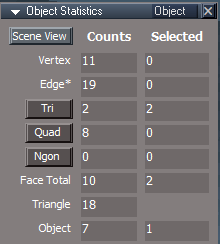
- Object Statistics.png (8.72 KiB) Viewed 1152 times
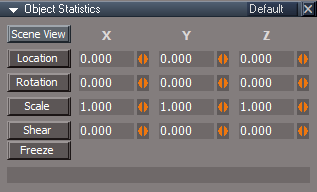
- Object Information.png (5.85 KiB) Viewed 1152 times
.

- Object Statistics Matrix.png (9.5 KiB) Viewed 1152 times
.
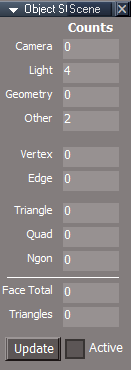
- Object Statistics Scene.png (7.58 KiB) Viewed 1152 times
.
If the plugins do not Load, Download and Install the Microsoft Visual C++ 2008 Service Pack 1 Redistributable Package
https://www.microsoft.com/en-us/downloa ... x?id=26368
Note: When downloading the Microsoft Visual C++ 2008 Service Pack 1 Redistributable Package you are given 3 choices
Choose the 32-bit version; vcredist_x86.exe
Removed due to update
-
trueBlue
- Captain
- Posts: 5548
- Joined: 06 Jul 2009, 22:50
- Type the number ten into the box: 10
Re: Final trueSpace 7.61 Beta 8 Unofficial Update
trueSpace7.61 Beta 8 Unofficial Update Version 9
Please test this RC30 3/28/2023
New Unofficial Update Instructions:
It is Required that you completely Uninstall and Install trueSpace7.61 Beta 8 to a clean directory
You can keep your Rs Main Libraries folder, but all other folders and files should be removed
Install the PDF Manual for trueSpace (Optional but required before installing the Update)
Install the tS76_Vray1_54B8.exe (Optional but required before installing the Update)
If trueSpace is open, Close trueSpace
1.) Install the YafaRay v3.3.0 render engine
2.) Install the tS76PDF 'Manual for Caligari trueSpace' & tS76Video (Optional but required before installing the Update)
3.) Install tS76_Vray1_54B8.exe to C:\trueSpace761 (Optional but required before installing the Update)
4.) Install tS7.61B8.9.exe to C:\trueSpace761
Browse [...] to where you installed C:\trueSpace761, select its folder and then the [Extract] button
Select the [Yes to All] button
5.) Open trueSpace
6.) Select the [OK] button in the OptDetectors plugin Information dialog
7.) Reset to Default Context
When trueSpace opens, select one of the layout tabs at the top
If Vray is installed:
8.) Press your keyboard's CTRL + F8 keys to open the Package Manager
Right click in the Package Manager and select Install New...
Open C:\trueSpace761\Vray_ts.rsx
Right click in the Package Manager's Vray Package and select Load
Close the Package Manager
9.) Close trueSpace
The included Clintons3dPlugin.dll v.1638440, Clintons3dPluginExt.dll v.1638413, Clintons3dRsView.dll v.1638409 and the OptDetectors.dll Author - Vladimir Sisolak, are in: C:\trueSpace761
WARNING: The init.js file Imports the above 4 plugins and should not be Installed from the Package Manager, including any other plugins with the same name that have the rsx extension
All scripts that check for these plugins with the rsx extension have been removed!
Unofficial Update Version 9
Started on Fri Sep 02, 2022
Commands
Removed all of the discontinued xml scripts
Plugins Author - Clinton Reese
Renamed from rsx to dll:
Clintons3dPlugin.dll v1638441
Clintons3dRsView.dll v1638412
Clintons3dPluginExt.dll
Add
OptDetectors.dll Author - Vladimir Sisolak
Library
Add
OptDetectors
OptDetectors - Help objects
OptDetectors - Samples
Scripts
Update
init.js 'Loads the above 4 plugins'
Window.Shortcuts.xml
tS761 Workspace Shortcut List.rtf
Widget.Shortcuts.xml
CustomCommands Author - Clinton Reese
Add
JSON Function Set
Global Function Set
Dimensions
Hierarchy
Toolbar Manager
ShortcutRunner
Color Picker
Paint Vertex Color
Cloth Conversion
Enhanced Collada
Scene View 2
Object Statistics
3/28/2023
Widgets/Booleans
Lights
Cameras
Camera1
light01
light02
light03
light04
If the plugins do not Load, Download and Install the Microsoft Visual C++ 2008 Service Pack 1 Redistributable Package
https://www.microsoft.com/en-us/downloa ... x?id=26368
Note: When downloading the Microsoft Visual C++ 2008 Service Pack 1 Redistributable Package you are given 3 choices
Choose the 32-bit version; vcredist_x86.exe
Removed due to update
Please test this RC30 3/28/2023
New Unofficial Update Instructions:
It is Required that you completely Uninstall and Install trueSpace7.61 Beta 8 to a clean directory
You can keep your Rs Main Libraries folder, but all other folders and files should be removed
Install the PDF Manual for trueSpace (Optional but required before installing the Update)
Install the tS76_Vray1_54B8.exe (Optional but required before installing the Update)
If trueSpace is open, Close trueSpace
1.) Install the YafaRay v3.3.0 render engine
2.) Install the tS76PDF 'Manual for Caligari trueSpace' & tS76Video (Optional but required before installing the Update)
3.) Install tS76_Vray1_54B8.exe to C:\trueSpace761 (Optional but required before installing the Update)
4.) Install tS7.61B8.9.exe to C:\trueSpace761
Browse [...] to where you installed C:\trueSpace761, select its folder and then the [Extract] button
Select the [Yes to All] button
5.) Open trueSpace
6.) Select the [OK] button in the OptDetectors plugin Information dialog
7.) Reset to Default Context
When trueSpace opens, select one of the layout tabs at the top
If Vray is installed:
8.) Press your keyboard's CTRL + F8 keys to open the Package Manager
Right click in the Package Manager and select Install New...
Open C:\trueSpace761\Vray_ts.rsx
Right click in the Package Manager's Vray Package and select Load
Close the Package Manager
9.) Close trueSpace
The included Clintons3dPlugin.dll v.1638440, Clintons3dPluginExt.dll v.1638413, Clintons3dRsView.dll v.1638409 and the OptDetectors.dll Author - Vladimir Sisolak, are in: C:\trueSpace761
WARNING: The init.js file Imports the above 4 plugins and should not be Installed from the Package Manager, including any other plugins with the same name that have the rsx extension
All scripts that check for these plugins with the rsx extension have been removed!
Unofficial Update Version 9
Started on Fri Sep 02, 2022
Commands
Removed all of the discontinued xml scripts
Plugins Author - Clinton Reese
Renamed from rsx to dll:
Clintons3dPlugin.dll v1638441
Clintons3dRsView.dll v1638412
Clintons3dPluginExt.dll
Add
OptDetectors.dll Author - Vladimir Sisolak
Library
Add
OptDetectors
OptDetectors - Help objects
OptDetectors - Samples
Scripts
Update
init.js 'Loads the above 4 plugins'
Window.Shortcuts.xml
tS761 Workspace Shortcut List.rtf
Widget.Shortcuts.xml
CustomCommands Author - Clinton Reese
Add
JSON Function Set
Global Function Set
Dimensions
Hierarchy
Toolbar Manager
ShortcutRunner
Color Picker
Paint Vertex Color
Cloth Conversion
Enhanced Collada
Scene View 2
Object Statistics
3/28/2023
Widgets/Booleans
Lights
Cameras
Camera1
light01
light02
light03
light04
If the plugins do not Load, Download and Install the Microsoft Visual C++ 2008 Service Pack 1 Redistributable Package
https://www.microsoft.com/en-us/downloa ... x?id=26368
Note: When downloading the Microsoft Visual C++ 2008 Service Pack 1 Redistributable Package you are given 3 choices
Choose the 32-bit version; vcredist_x86.exe
Removed due to update
-
clintonman
- Captain
- Posts: 5659
- Joined: 21 May 2009, 21:08
- Type the number ten into the box: 0
- Location: California
Re: Final trueSpace 7.61 Beta 8 Unofficial Update
Sample light layouts attached.
- Attachments
-
- Spotlight1f51e.RsObj
- (173.58 KiB) Downloaded 82 times
-
- Spotlight2.RsObj
- (175.4 KiB) Downloaded 82 times
-
trueBlue
- Captain
- Posts: 5548
- Joined: 06 Jul 2009, 22:50
- Type the number ten into the box: 10
Re: Final trueSpace 7.61 Beta 8 Unofficial Update
See if you like this Spot light.
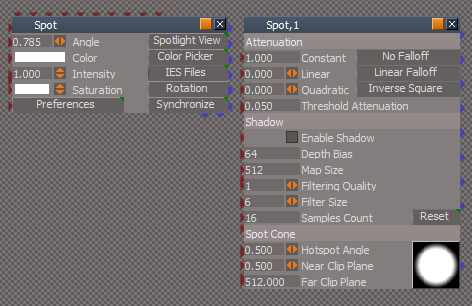
- Attachments
-
- Spot4909.RsObj
- (167.35 KiB) Downloaded 81 times
-
clintonman
- Captain
- Posts: 5659
- Joined: 21 May 2009, 21:08
- Type the number ten into the box: 0
- Location: California
Re: Final trueSpace 7.61 Beta 8 Unofficial Update
Looks good to me. Only thing is the light is deselected after pressing Spotlight View. If it's still selected you have the option of using the object movement tools to position and rotate the light while looking through it and you can change the cone angle too.trueBlue wrote: 31 Mar 2023, 21:13 See if you like this Spot light.
New Spot light.png
-
trueBlue
- Captain
- Posts: 5548
- Joined: 06 Jul 2009, 22:50
- Type the number ten into the box: 10
Re: Final trueSpace 7.61 Beta 8 Unofficial Update
Unfortunately, that is needed to hide the Spot widget.clintonman wrote: 31 Mar 2023, 21:22Looks good to me. Only thing is the light is deselected after pressing Spotlight View. If it's still selected you have the option of using the object movement tools to position and rotate the light while looking through it and you can change the cone angle too.trueBlue wrote: 31 Mar 2023, 21:13 See if you like this Spot light.
New Spot light.png
-
clintonman
- Captain
- Posts: 5659
- Joined: 21 May 2009, 21:08
- Type the number ten into the box: 0
- Location: California
Re: Final trueSpace 7.61 Beta 8 Unofficial Update
I don't see the widget in the view.trueBlue wrote: 31 Mar 2023, 21:24Unfortunately, that is needed to hide the Spot widget.clintonman wrote: 31 Mar 2023, 21:22Looks good to me. Only thing is the light is deselected after pressing Spotlight View. If it's still selected you have the option of using the object movement tools to position and rotate the light while looking through it and you can change the cone angle too.trueBlue wrote: 31 Mar 2023, 21:13 See if you like this Spot light.
New Spot light.png
-
trueBlue
- Captain
- Posts: 5548
- Joined: 06 Jul 2009, 22:50
- Type the number ten into the box: 10
Re: Final trueSpace 7.61 Beta 8 Unofficial Update
Because it gets unselected if the selection is a lightclintonman wrote: 31 Mar 2023, 21:26I don't see the widget in the view.trueBlue wrote: 31 Mar 2023, 21:24Unfortunately, that is needed to hide the Spot widget.clintonman wrote: 31 Mar 2023, 21:22
Looks good to me. Only thing is the light is deselected after pressing Spotlight View. If it's still selected you have the option of using the object movement tools to position and rotate the light while looking through it and you can change the cone angle too.
Actually, when viewing from the Spot, it's widget is a Camera.
So you use the Camera tools or View widget to transform the Spot when viewing from it
I do not know any other way to do this, so if you have a better solution, I am all for it.
Another issue is, if you do not RClick the View from Spotlight, the Camera is not disconnected
And if that is the case, you lose the Spot widget
-
clintonman
- Captain
- Posts: 5659
- Joined: 21 May 2009, 21:08
- Type the number ten into the box: 0
- Location: California
Re: Final trueSpace 7.61 Beta 8 Unofficial Update
I should have been clear, I meant to say I don't see the widget after switching to the light view and then selecting the light.trueBlue wrote: 31 Mar 2023, 21:53Because it gets unselected if the selection is a lightclintonman wrote: 31 Mar 2023, 21:26I don't see the widget in the view.trueBlue wrote: 31 Mar 2023, 21:24
Unfortunately, that is needed to hide the Spot widget.
Actually, when viewing from the Spot, it's widget is a Camera.
So you use the Camera tools or View widget to transform the Spot when viewing from it
I do not know any other way to do this, so if you have a better solution, I am all for it.
Another issue is, if you do not RClick the View from Spotlight, the Camera is not disconnected
And if that is the case, you lose the Spot widget
I'll do some tests to try to see what you're saying. I'm thinking maybe a camera should be created on the fly and parented to the spotlight and then unparent and remove the camera when complete, or even leave the relationship in place.
-
trueBlue
- Captain
- Posts: 5548
- Joined: 06 Jul 2009, 22:50
- Type the number ten into the box: 10
Re: Final trueSpace 7.61 Beta 8 Unofficial Update
Yeah, it is kind of weird to say the least
Open a floating 3D Window when viewing from a Spotlight in the main View
Main view, you use Camera tools
In the floating 3D Window, you use Object tools
Open a floating 3D Window when viewing from a Spotlight in the main View
Main view, you use Camera tools
In the floating 3D Window, you use Object tools

-
trueBlue
- Captain
- Posts: 5548
- Joined: 06 Jul 2009, 22:50
- Type the number ten into the box: 10
Re: Final trueSpace 7.61 Beta 8 Unofficial Update
Here is a new Spotlight to try.
Basically, it is a Spotlight with a LightCamera that has a Transform, all other normal camera nodes were removed.
The LightCamera's Matrix and OwnerMatrix are hooked up to the Spotlight in a unique way
Currently, when viewing from this Spotlight, the Desktop/Widgets/Spot Light is unchecked, RClick, enables it
This could be eliminated if I can find a way to offset the LightCamera so that the Spotlight's Widget does not interfere with the view.
Without disabling the Desktop/Widgets/Spot Light, previous test showed that the Spotlight's widget did not work very well when viewing from the Spotlight and it interfered with the view.
The Object widget Rotate and Scale (Angle) work for transforming the Spotlight when viewing from the LightCamera, but the Object widget Move does not work unless you use it in another 3D Window
This may be the way the LightCamera's Matrix is hooked up.
Ugh, always something!
Removed due to update
Basically, it is a Spotlight with a LightCamera that has a Transform, all other normal camera nodes were removed.
The LightCamera's Matrix and OwnerMatrix are hooked up to the Spotlight in a unique way
Currently, when viewing from this Spotlight, the Desktop/Widgets/Spot Light is unchecked, RClick, enables it
This could be eliminated if I can find a way to offset the LightCamera so that the Spotlight's Widget does not interfere with the view.
Without disabling the Desktop/Widgets/Spot Light, previous test showed that the Spotlight's widget did not work very well when viewing from the Spotlight and it interfered with the view.
The Object widget Rotate and Scale (Angle) work for transforming the Spotlight when viewing from the LightCamera, but the Object widget Move does not work unless you use it in another 3D Window
This may be the way the LightCamera's Matrix is hooked up.
Ugh, always something!
Removed due to update
-
trueBlue
- Captain
- Posts: 5548
- Joined: 06 Jul 2009, 22:50
- Type the number ten into the box: 10
Re: Final trueSpace 7.61 Beta 8 Unofficial Update
Yahoo, got it working!
Was able to offset the Camera so no need to deactivate the Desktop/Spot Widget
Spot Widget and all Object Widget tools work flawlessly in the main 3D View.
In the floating 3D Views there is an issue with the Object Widget tools when switching 3D views.
Seems you have to Deactivate the Object Widget tools, select a 3D View, then Activate the Object Widget tools
Edit: Seems the key is, make sure the 3D View as focus after switching 3D Views and or the Object Widget tools
Each time you select a Object Widget tool, select the 3D View.
Was able to offset the Camera so no need to deactivate the Desktop/Spot Widget
Spot Widget and all Object Widget tools work flawlessly in the main 3D View.
In the floating 3D Views there is an issue with the Object Widget tools when switching 3D views.
Seems you have to Deactivate the Object Widget tools, select a 3D View, then Activate the Object Widget tools
Edit: Seems the key is, make sure the 3D View as focus after switching 3D Views and or the Object Widget tools
Each time you select a Object Widget tool, select the 3D View.

- Attachments
-
- Spot3cd4.RsObj
- (178.47 KiB) Downloaded 82 times
-
clintonman
- Captain
- Posts: 5659
- Joined: 21 May 2009, 21:08
- Type the number ten into the box: 0
- Location: California
Re: Final trueSpace 7.61 Beta 8 Unofficial Update
Here is my attempt at using parenting as a basis for an object/light view. The good part is that it doesn't change the camera/object internals in any way and doesn't need to have permanent camera nodes inside to work and it works with anything, not just lights.
ctrl-drag the panel out of the stack
select an object to look through
select a 3d view
press "ViewFrom"
to clear it out, select the camera or object and press "Release"
no need to select the 3d view first
It has issues, so not really good as a tool. Maybe some of the techniques used can be used with the light view button.
The object jumps/shifts location when connected to the camera.
If the object is animated it won't work out well.
The object can't be inside a 3D group or parented to any other object.
Inside the code I found a way to match the camera to the window. The D3DSceneLayer node inside the window has the path to the camera if there is one.
ctrl-drag the panel out of the stack
select an object to look through
select a 3d view
press "ViewFrom"
to clear it out, select the camera or object and press "Release"
no need to select the 3d view first
It has issues, so not really good as a tool. Maybe some of the techniques used can be used with the light view button.
The object jumps/shifts location when connected to the camera.
If the object is animated it won't work out well.
The object can't be inside a 3D group or parented to any other object.
Inside the code I found a way to match the camera to the window. The D3DSceneLayer node inside the window has the path to the camera if there is one.
- Attachments
-
- ViewFromObject.RsObj
- (26.42 KiB) Downloaded 82 times
-
clintonman
- Captain
- Posts: 5659
- Joined: 21 May 2009, 21:08
- Type the number ten into the box: 0
- Location: California
Re: Final trueSpace 7.61 Beta 8 Unofficial Update
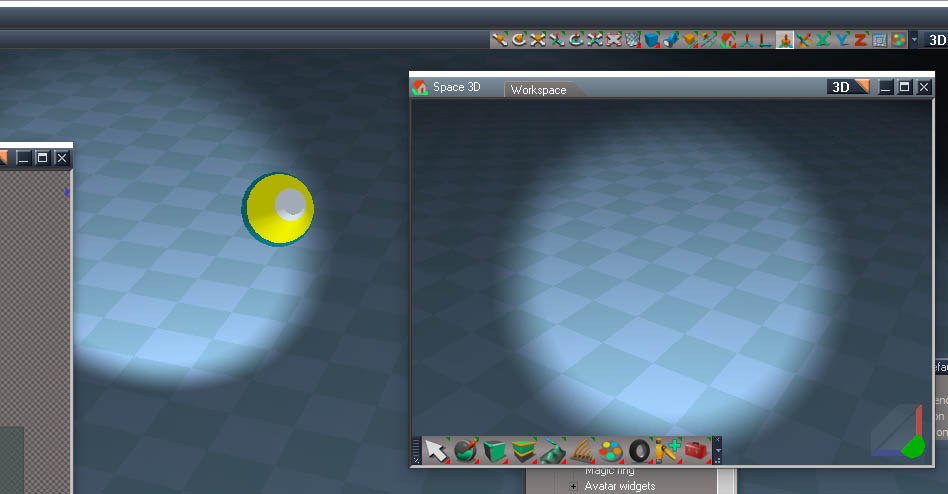
Experiment with your original spotlight.
Here the widget has been shifted back and the activation importance turned up so it overrides the camera widget.
The only real difference in the light appearance is that is appears to rotate around it's center instead of the end of the cone shape.
Edit: attached the widget
The Automatic activation node weight is set way higher than it needs to be to override the camera widget. And the only other value changed was the Euler nodes z value.
Edit: removed attachment
-
clintonman
- Captain
- Posts: 5659
- Joined: 21 May 2009, 21:08
- Type the number ten into the box: 0
- Location: California
Re: Final trueSpace 7.61 Beta 8 Unofficial Update
Yesterdays upload was flawed, so lets try again!
Current appearance when viewing from the light uses the camera widget
Spotlight widget overrides the camera widget, but gets in the way
Spotlight widget is offset so can see again
--------------------------------
Original Spotlight widget rotates around the tip of the cone
Attached spotlight widget rotates around a point closer to its center.
This has no effect on the light, only the widget appearance.
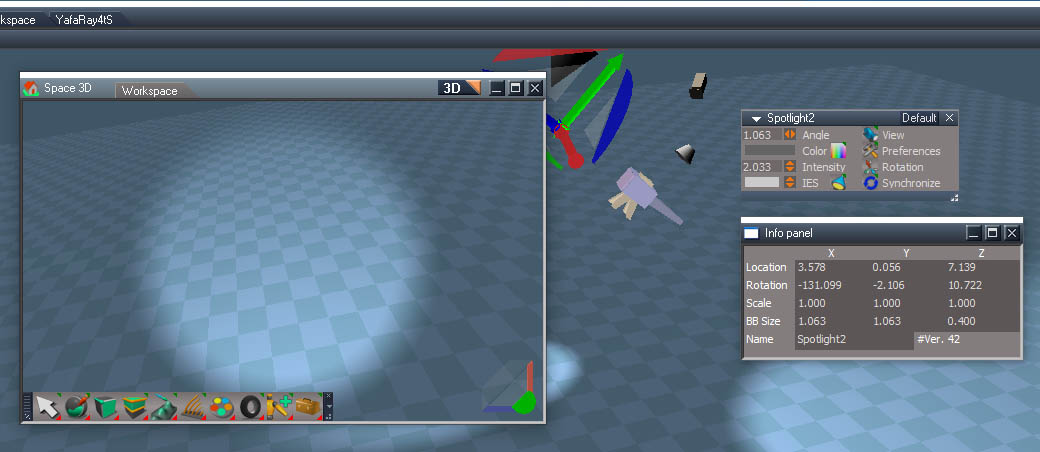
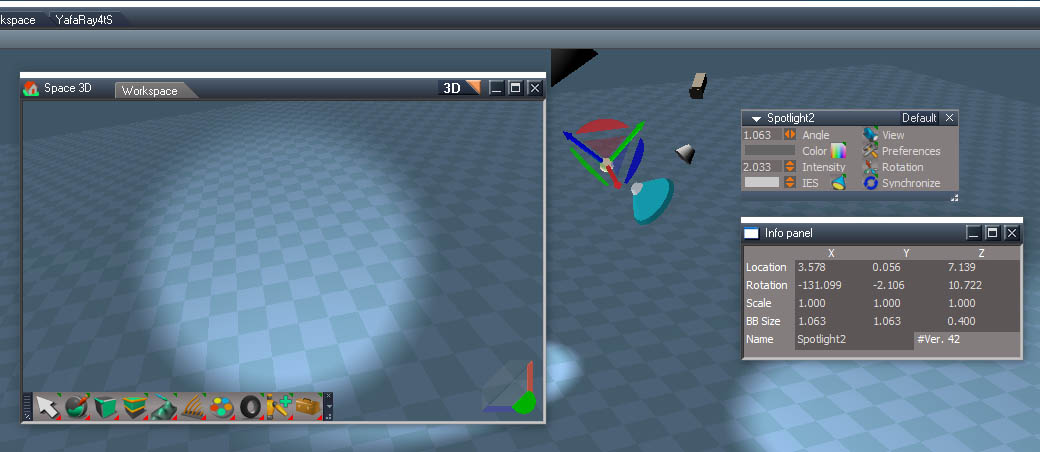
--------------------------------

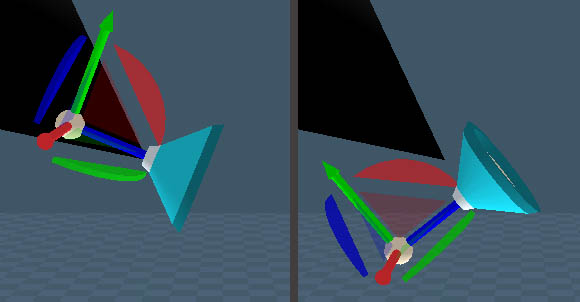
This has no effect on the light, only the widget appearance.
- Attachments
-
- Spot light widget7e08.RsObj
- (433.93 KiB) Downloaded 81 times
-
trueBlue
- Captain
- Posts: 5548
- Joined: 06 Jul 2009, 22:50
- Type the number ten into the box: 10
Re: Final trueSpace 7.61 Beta 8 Unofficial Update
This new Spotlight widget is not working for me with the current UU9 Spotlights
1) Object tools do not work and you have to use the Camera tools
2) Camera rotate moves the Spot light
3) Camera FOV moves the Spot light with the Mouse wheel and LMB and or RMB does not work
The new Spotlight with this new Spotlight widget works with the Object tools but there is a issue when switching Object tools and 3D Windows.
Edit: Shift + LClick in the view to Close the widget seems to help, then select another tool
Also the Z, X, C shortcuts work but notice the Move tool (Z) is sticky.
Using the Camera tools, only the Camera rotate seems to work
In my test, I am viewing from the Spotlight in the main view and have another 3D Window open to see the results using the Object and Camera tools
1) Object tools do not work and you have to use the Camera tools
2) Camera rotate moves the Spot light
3) Camera FOV moves the Spot light with the Mouse wheel and LMB and or RMB does not work
The new Spotlight with this new Spotlight widget works with the Object tools but there is a issue when switching Object tools and 3D Windows.
Edit: Shift + LClick in the view to Close the widget seems to help, then select another tool
Also the Z, X, C shortcuts work but notice the Move tool (Z) is sticky.
Using the Camera tools, only the Camera rotate seems to work
In my test, I am viewing from the Spotlight in the main view and have another 3D Window open to see the results using the Object and Camera tools
-
trueBlue
- Captain
- Posts: 5548
- Joined: 06 Jul 2009, 22:50
- Type the number ten into the box: 10
Re: Final trueSpace 7.61 Beta 8 Unofficial Update
I think I see why Viewing from Spotlight and using Object and or Camera widget tools is unreliable.
View from a Spotlight in the main 3D Window
Open another 3D Window so you can see the Spotlight widget.
In the main view move your mouse around and notice that the Spotlight widget's shapes Highlight
With a Highlighted shape Active, you can actually use it in the main view
View from a Spotlight in the main 3D Window
Open another 3D Window so you can see the Spotlight widget.
In the main view move your mouse around and notice that the Spotlight widget's shapes Highlight
With a Highlighted shape Active, you can actually use it in the main view
-
clintonman
- Captain
- Posts: 5659
- Joined: 21 May 2009, 21:08
- Type the number ten into the box: 0
- Location: California
Re: Final trueSpace 7.61 Beta 8 Unofficial Update
I was just about to post the same thingtrueBlue wrote: 02 Apr 2023, 21:00 I think I see why Viewing from Spotlight and using Object and or Camera widget tools is unreliable.
View from a Spotlight in the main 3D Window
Open another 3D Window so you can see the Spotlight widget.
In the main view move your mouse around and notice that the Spotlight widget's shapes Highlight
With a Highlighted shape Active, you can actually use it in the main view
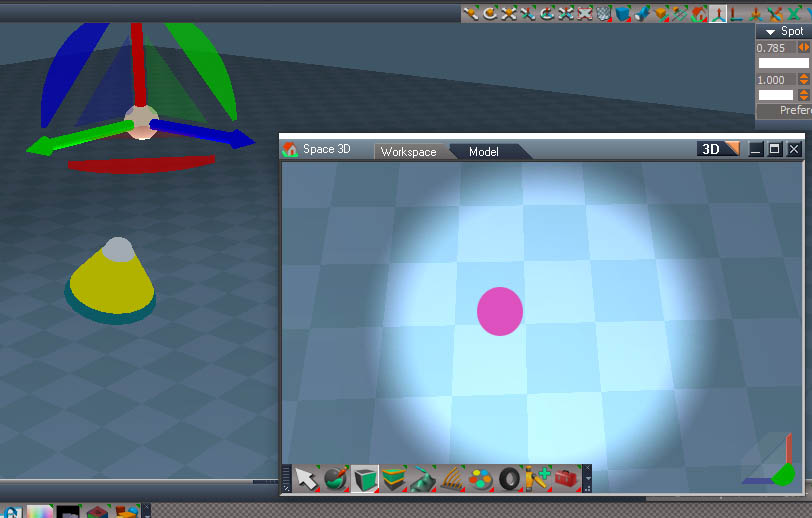
My mouse is in the purple dot and the rotation on the spotlight is highlighted
-
trueBlue
- Captain
- Posts: 5548
- Joined: 06 Jul 2009, 22:50
- Type the number ten into the box: 10
Re: Final trueSpace 7.61 Beta 8 Unofficial Update
If you RClick the Spotlight's Object NAV widget's Sphere and Hide it, the Objects tools work as expected.clintonman wrote: 02 Apr 2023, 21:05I was just about to post the same thingtrueBlue wrote: 02 Apr 2023, 21:00 I think I see why Viewing from Spotlight and using Object and or Camera widget tools is unreliable.
View from a Spotlight in the main 3D Window
Open another 3D Window so you can see the Spotlight widget.
In the main view move your mouse around and notice that the Spotlight widget's shapes Highlight
With a Highlighted shape Active, you can actually use it in the main view
SpotWidgetStillActive.jpg
My mouse is in the purple dot and the rotation on the spotlight is highlighted
-
clintonman
- Captain
- Posts: 5659
- Joined: 21 May 2009, 21:08
- Type the number ten into the box: 0
- Location: California
Re: Final trueSpace 7.61 Beta 8 Unofficial Update
The spotlight widget is probably the reason for this as well.trueBlue wrote: 01 Apr 2023, 17:37 Yahoo, got it working!
Was able to offset the Camera so no need to deactivate the Desktop/Spot Widget
Spot Widget and all Object Widget tools work flawlessly in the main 3D View.
In the floating 3D Views there is an issue with the Object Widget tools when switching 3D views.
Seems you have to Deactivate the Object Widget tools, select a 3D View, then Activate the Object Widget tools
Edit: Seems the key is, make sure the 3D View as focus after switching 3D Views and or the Object Widget tools
Each time you select a Object Widget tool, select the 3D View.
New Spot light.png
I found that the move tools can be used in the corners of the window.
-
trueBlue
- Captain
- Posts: 5548
- Joined: 06 Jul 2009, 22:50
- Type the number ten into the box: 10
Re: Final trueSpace 7.61 Beta 8 Unofficial Update
For me, that works in a floating window, but not in the main viewclintonman wrote: 02 Apr 2023, 21:11The spotlight widget is probably the reason for this as well.trueBlue wrote: 01 Apr 2023, 17:37 Yahoo, got it working!
Was able to offset the Camera so no need to deactivate the Desktop/Spot Widget
Spot Widget and all Object Widget tools work flawlessly in the main 3D View.
In the floating 3D Views there is an issue with the Object Widget tools when switching 3D views.
Seems you have to Deactivate the Object Widget tools, select a 3D View, then Activate the Object Widget tools
Edit: Seems the key is, make sure the 3D View as focus after switching 3D Views and or the Object Widget tools
Each time you select a Object Widget tool, select the 3D View.
New Spot light.png
I found that the move tools can be used in the corners of the window.
-
trueBlue
- Captain
- Posts: 5548
- Joined: 06 Jul 2009, 22:50
- Type the number ten into the box: 10
Re: Final trueSpace 7.61 Beta 8 Unofficial Update
I think I have solution.
Add a LClick Gesture to the Spotlight widget in the Rotate node.
.
Simple Script Command
Command =
Undo command =
And a Close widget
Add a LClick Gesture to the Spotlight widget in the Rotate node.

Simple Script Command
Command =
Code: Select all
if(Node.Exists(Node.FirstSelected() + '/LightCamera')) {D3DView.SetActiveCamera(Node.FirstSelected() + '/LightCamera/Camera', '')}Code: Select all
var cmd = '';cmd += 'UUCFS = Node.AccessFnSet("Scripts/UUCommands/UUCameraFunctionSet");UUCFS.EyeCam();';RsApp.RunScriptBuffer(cmd)-
trueBlue
- Captain
- Posts: 5548
- Joined: 06 Jul 2009, 22:50
- Type the number ten into the box: 10
Re: Final trueSpace 7.61 Beta 8 Unofficial Update
I think the Object Rotate is way to fast!
It is set @ 0.500
What do you think about lowering it to? 0.100
It is set @ 0.500
What do you think about lowering it to? 0.100
-
clintonman
- Captain
- Posts: 5659
- Joined: 21 May 2009, 21:08
- Type the number ten into the box: 0
- Location: California
Re: Final trueSpace 7.61 Beta 8 Unofficial Update
It seems to be about twice the speed as modelside, so I would set it to 0.250 or 0.200trueBlue wrote: 02 Apr 2023, 23:09 I think the Object Rotate is way to fast!
It is set @ 0.500
What do you think about lowering it to? 0.100
-
trueBlue
- Captain
- Posts: 5548
- Joined: 06 Jul 2009, 22:50
- Type the number ten into the box: 10
Re: Final trueSpace 7.61 Beta 8 Unofficial Update
Also, the RDrag Object rotate is awkward.
I have to move my mouse forward and reverse verses left and right which would be more natural.
Moving the mouse Left and Right does not work
Is there an alternative?
I have to move my mouse forward and reverse verses left and right which would be more natural.
Moving the mouse Left and Right does not work
Is there an alternative?
-
clintonman
- Captain
- Posts: 5659
- Joined: 21 May 2009, 21:08
- Type the number ten into the box: 0
- Location: California
Re: Final trueSpace 7.61 Beta 8 Unofficial Update
Try changing the "Linear rotate action" inside the "Rotate" node, change Z axis ID from 3 to 1trueBlue wrote: 03 Apr 2023, 00:06 Also, the RDrag Object rotate is awkward.
I have to move my mouse forward and reverse verses left and right which would be more natural.
Moving the mouse Left and Right does not work
Is there an alternative?
Seems more natural to me.
-
trueBlue
- Captain
- Posts: 5548
- Joined: 06 Jul 2009, 22:50
- Type the number ten into the box: 10
Re: Final trueSpace 7.61 Beta 8 Unofficial Update
I am testing Linear world rotate and it seems much betterclintonman wrote: 03 Apr 2023, 00:14Try changing the "Linear rotate action" inside the "Rotate" node, change Z axis ID from 3 to 1trueBlue wrote: 03 Apr 2023, 00:06 Also, the RDrag Object rotate is awkward.
I have to move my mouse forward and reverse verses left and right which would be more natural.
Moving the mouse Left and Right does not work
Is there an alternative?
Seems more natural to me.
-
clintonman
- Captain
- Posts: 5659
- Joined: 21 May 2009, 21:08
- Type the number ten into the box: 0
- Location: California
Re: Final trueSpace 7.61 Beta 8 Unofficial Update
I suspect the "3" value for Z might be a typo from Caligari. I only tested a tiny bit but "1" did seem to be a lot better.trueBlue wrote: 03 Apr 2023, 00:22I am testing Linear world rotate and it seems much betterclintonman wrote: 03 Apr 2023, 00:14Try changing the "Linear rotate action" inside the "Rotate" node, change Z axis ID from 3 to 1trueBlue wrote: 03 Apr 2023, 00:06 Also, the RDrag Object rotate is awkward.
I have to move my mouse forward and reverse verses left and right which would be more natural.
Moving the mouse Left and Right does not work
Is there an alternative?
Seems more natural to me.
-
trueBlue
- Captain
- Posts: 5548
- Joined: 06 Jul 2009, 22:50
- Type the number ten into the box: 10
Re: Final trueSpace 7.61 Beta 8 Unofficial Update
Okay, I am going with your suggestion.clintonman wrote: 03 Apr 2023, 00:37I suspect the "3" value for Z might be a typo from Caligari. I only tested a tiny bit but "1" did seem to be a lot better.trueBlue wrote: 03 Apr 2023, 00:22I am testing Linear world rotate and it seems much betterclintonman wrote: 03 Apr 2023, 00:14
Try changing the "Linear rotate action" inside the "Rotate" node, change Z axis ID from 3 to 1
Seems more natural to me.
I would also like to swap the LMB with the RMB gestures
LMB = Rotate what looks like the Yaw
RMB = Rotate in Roll, Pitch, and Yaw
-
clintonman
- Captain
- Posts: 5659
- Joined: 21 May 2009, 21:08
- Type the number ten into the box: 0
- Location: California
Re: Final trueSpace 7.61 Beta 8 Unofficial Update
If you swap them will it still match the model space object rotate tool?trueBlue wrote: 03 Apr 2023, 01:41Okay, I am going with your suggestion.clintonman wrote: 03 Apr 2023, 00:37I suspect the "3" value for Z might be a typo from Caligari. I only tested a tiny bit but "1" did seem to be a lot better.trueBlue wrote: 03 Apr 2023, 00:22
I am testing Linear world rotate and it seems much better
I would also like to swap the LMB with the RMB gestures
LMB = Rotate what looks like the Yaw
RMB = Rotate in Roll, Pitch, and Yaw
-
trueBlue
- Captain
- Posts: 5548
- Joined: 06 Jul 2009, 22:50
- Type the number ten into the box: 10
Re: Final trueSpace 7.61 Beta 8 Unofficial Update
Nope, but the Rotate in Roll, Pitch, and Yaw is useless IMHO!clintonman wrote: 03 Apr 2023, 01:45If you swap them will it still match the model space object rotate tool?trueBlue wrote: 03 Apr 2023, 01:41Okay, I am going with your suggestion.clintonman wrote: 03 Apr 2023, 00:37
I suspect the "3" value for Z might be a typo from Caligari. I only tested a tiny bit but "1" did seem to be a lot better.
I would also like to swap the LMB with the RMB gestures
LMB = Rotate what looks like the Yaw
RMB = Rotate in Roll, Pitch, and Yaw
Rotating in Yaw is more natural and useful.
-
clintonman
- Captain
- Posts: 5659
- Joined: 21 May 2009, 21:08
- Type the number ten into the box: 0
- Location: California
Re: Final trueSpace 7.61 Beta 8 Unofficial Update
It's not a good idea to just change it for your personal preferences. If you can add the change as an option then you can do whatever you want and I won't object.trueBlue wrote: 03 Apr 2023, 02:01Nope, but the Rotate in Roll, Pitch, and Yaw is useless IMHO!clintonman wrote: 03 Apr 2023, 01:45If you swap them will it still match the model space object rotate tool?trueBlue wrote: 03 Apr 2023, 01:41
Okay, I am going with your suggestion.
I would also like to swap the LMB with the RMB gestures
LMB = Rotate what looks like the Yaw
RMB = Rotate in Roll, Pitch, and Yaw
Rotating in Yaw is more natural and useful.
Edit: Your preference should be the option, not the default.
-
trueBlue
- Captain
- Posts: 5548
- Joined: 06 Jul 2009, 22:50
- Type the number ten into the box: 10
Re: Final trueSpace 7.61 Beta 8 Unofficial Update
trueSpace7.61 Beta 8 Unofficial Update Version 9
Please test this RC31 4/4/2023
New Unofficial Update Instructions:
It is Required that you completely Uninstall and Install trueSpace7.61 Beta 8 to a clean directory
You can keep your Rs Main Libraries folder, but all other folders and files should be removed
Install the PDF Manual for trueSpace (Optional but required before installing the Update)
Install the tS76_Vray1_54B8.exe (Optional but required before installing the Update)
If trueSpace is open, Close trueSpace
1.) Install the YafaRay v3.3.0 render engine
2.) Install the tS76PDF 'Manual for Caligari trueSpace' & tS76Video (Optional but required before installing the Update)
3.) Install tS76_Vray1_54B8.exe to C:\trueSpace761 (Optional but required before installing the Update)
4.) Install tS7.61B8.9.exe to C:\trueSpace761
Browse [...] to where you installed C:\trueSpace761, select its folder and then the [Extract] button
Select the [Yes to All] button
5.) Open trueSpace
6.) Select the [OK] button in the OptDetectors plugin Information dialog
7.) Reset to Default Context
When trueSpace opens, select one of the layout tabs at the top
If Vray is installed:
8.) Press your keyboard's CTRL + F8 keys to open the Package Manager
Right click in the Package Manager and select Install New...
Open C:\trueSpace761\Vray_ts.rsx
Right click in the Package Manager's Vray Package and select Load
Close the Package Manager
9.) Close trueSpace
The included Clintons3dPlugin.dll v.1638440, Clintons3dPluginExt.dll v.1638413, Clintons3dRsView.dll v.1638409 and the OptDetectors.dll Author - Vladimir Sisolak, are in: C:\trueSpace761
WARNING: The init.js file Imports the above 4 plugins and should not be Installed from the Package Manager, including any other plugins with the same name that have the rsx extension
All scripts that check for these plugins with the rsx extension have been removed!
Unofficial Update Version 9
Started on Fri Sep 02, 2022
Commands
Removed all of the discontinued xml scripts
Plugins Author - Clinton Reese
Renamed from rsx to dll:
Clintons3dPlugin.dll v1638441
Clintons3dRsView.dll v1638412
Clintons3dPluginExt.dll
Add
OptDetectors.dll Author - Vladimir Sisolak
Library
Add
OptDetectors
OptDetectors - Help objects
OptDetectors - Samples
Scripts
Update
init.js 'Loads the above 4 plugins'
Window.Shortcuts.xml
tS761 Workspace Shortcut List.rtf
Widget.Shortcuts.xml
CustomCommands Author - Clinton Reese
Add
JSON Function Set
Global Function Set
Dimensions
Hierarchy
Toolbar Manager
ShortcutRunner
Color Picker
Paint Vertex Color
Cloth Conversion
Enhanced Collada
Scene View 2
Object Statistics
4/4/2023
Widgets
Lights
Cameras
Camera1
light01
light02
light03
light04
Objects - Script objects libray
Add:
Render Region.RsObj Author - Clinton Reese
If the plugins do not Load, Download and Install the Microsoft Visual C++ 2008 Service Pack 1 Redistributable Package
https://www.microsoft.com/en-us/downloa ... x?id=26368
Note: When downloading the Microsoft Visual C++ 2008 Service Pack 1 Redistributable Package you are given 3 choices
Choose the 32-bit version; vcredist_x86.exe
Removed due to update
Please test this RC31 4/4/2023
New Unofficial Update Instructions:
It is Required that you completely Uninstall and Install trueSpace7.61 Beta 8 to a clean directory
You can keep your Rs Main Libraries folder, but all other folders and files should be removed
Install the PDF Manual for trueSpace (Optional but required before installing the Update)
Install the tS76_Vray1_54B8.exe (Optional but required before installing the Update)
If trueSpace is open, Close trueSpace
1.) Install the YafaRay v3.3.0 render engine
2.) Install the tS76PDF 'Manual for Caligari trueSpace' & tS76Video (Optional but required before installing the Update)
3.) Install tS76_Vray1_54B8.exe to C:\trueSpace761 (Optional but required before installing the Update)
4.) Install tS7.61B8.9.exe to C:\trueSpace761
Browse [...] to where you installed C:\trueSpace761, select its folder and then the [Extract] button
Select the [Yes to All] button
5.) Open trueSpace
6.) Select the [OK] button in the OptDetectors plugin Information dialog
7.) Reset to Default Context
When trueSpace opens, select one of the layout tabs at the top
If Vray is installed:
8.) Press your keyboard's CTRL + F8 keys to open the Package Manager
Right click in the Package Manager and select Install New...
Open C:\trueSpace761\Vray_ts.rsx
Right click in the Package Manager's Vray Package and select Load
Close the Package Manager
9.) Close trueSpace
The included Clintons3dPlugin.dll v.1638440, Clintons3dPluginExt.dll v.1638413, Clintons3dRsView.dll v.1638409 and the OptDetectors.dll Author - Vladimir Sisolak, are in: C:\trueSpace761
WARNING: The init.js file Imports the above 4 plugins and should not be Installed from the Package Manager, including any other plugins with the same name that have the rsx extension
All scripts that check for these plugins with the rsx extension have been removed!
Unofficial Update Version 9
Started on Fri Sep 02, 2022
Commands
Removed all of the discontinued xml scripts
Plugins Author - Clinton Reese
Renamed from rsx to dll:
Clintons3dPlugin.dll v1638441
Clintons3dRsView.dll v1638412
Clintons3dPluginExt.dll
Add
OptDetectors.dll Author - Vladimir Sisolak
Library
Add
OptDetectors
OptDetectors - Help objects
OptDetectors - Samples
Scripts
Update
init.js 'Loads the above 4 plugins'
Window.Shortcuts.xml
tS761 Workspace Shortcut List.rtf
Widget.Shortcuts.xml
CustomCommands Author - Clinton Reese
Add
JSON Function Set
Global Function Set
Dimensions
Hierarchy
Toolbar Manager
ShortcutRunner
Color Picker
Paint Vertex Color
Cloth Conversion
Enhanced Collada
Scene View 2
Object Statistics
4/4/2023
Widgets
Lights
Cameras
Camera1
light01
light02
light03
light04
Objects - Script objects libray
Add:
Render Region.RsObj Author - Clinton Reese
If the plugins do not Load, Download and Install the Microsoft Visual C++ 2008 Service Pack 1 Redistributable Package
https://www.microsoft.com/en-us/downloa ... x?id=26368
Note: When downloading the Microsoft Visual C++ 2008 Service Pack 1 Redistributable Package you are given 3 choices
Choose the 32-bit version; vcredist_x86.exe
Removed due to update
-
trueBlue
- Captain
- Posts: 5548
- Joined: 06 Jul 2009, 22:50
- Type the number ten into the box: 10
Re: Final trueSpace 7.61 Beta 8 Unofficial Update
trueSpace7.61 Beta 8 Unofficial Update Version 9
Please test this RC32 4/5/2023
New Unofficial Update Instructions:
It is Required that you completely Uninstall and Install trueSpace7.61 Beta 8 to a clean directory
You can keep your Rs Main Libraries folder, but all other folders and files should be removed
Install the PDF Manual for trueSpace (Optional but required before installing the Update)
Install the tS76_Vray1_54B8.exe (Optional but required before installing the Update)
If trueSpace is open, Close trueSpace
1.) Install the YafaRay v3.3.0 render engine
2.) Install the tS76PDF 'Manual for Caligari trueSpace' & tS76Video (Optional but required before installing the Update)
3.) Install tS76_Vray1_54B8.exe to C:\trueSpace761 (Optional but required before installing the Update)
4.) Install tS7.61B8.9.exe to C:\trueSpace761
Browse [...] to where you installed C:\trueSpace761, select its folder and then the [Extract] button
Select the [Yes to All] button
5.) Open trueSpace
6.) Select the [OK] button in the OptDetectors plugin Information dialog
7.) Reset to Default Context
When trueSpace opens, select one of the layout tabs at the top
If Vray is installed:
8.) Press your keyboard's CTRL + F8 keys to open the Package Manager
Right click in the Package Manager and select Install New...
Open C:\trueSpace761\Vray_ts.rsx
Right click in the Package Manager's Vray Package and select Load
Close the Package Manager
9.) Close trueSpace
The included Clintons3dPlugin.dll v.1638440, Clintons3dPluginExt.dll v.1638413, Clintons3dRsView.dll v.1638409 and the OptDetectors.dll Author - Vladimir Sisolak, are in: C:\trueSpace761
WARNING: The init.js file Imports the above 4 plugins and should not be Installed from the Package Manager, including any other plugins with the same name that have the rsx extension
All scripts that check for these plugins with the rsx extension have been removed!
Unofficial Update Version 9
Started on Fri Sep 02, 2022
Commands
Removed all of the discontinued xml scripts
Plugins Author - Clinton Reese
Renamed from rsx to dll:
Clintons3dPlugin.dll v1638441
Clintons3dRsView.dll v1638412
Clintons3dPluginExt.dll
Add
OptDetectors.dll Author - Vladimir Sisolak
Library
Add
OptDetectors
OptDetectors - Help objects
OptDetectors - Samples
Scripts
Update
init.js 'Loads the above 4 plugins'
Window.Shortcuts.xml
tS761 Workspace Shortcut List.rtf
Widget.Shortcuts.xml
CustomCommands Author - Clinton Reese
Add
JSON Function Set
Global Function Set
Dimensions
Hierarchy
Toolbar Manager
ShortcutRunner
Color Picker
Paint Vertex Color
Cloth Conversion
Enhanced Collada
Scene View 2
Object Statistics
4/5/2023
UUCommands
Lights
Cameras
Camera1
light01
light02
light03
light04
Spot and Projector lights
.
Widgets/Spot light view widget Author - Clinton Reese .
.
If the plugins do not Load, Download and Install the Microsoft Visual C++ 2008 Service Pack 1 Redistributable Package
https://www.microsoft.com/en-us/downloa ... x?id=26368
Note: When downloading the Microsoft Visual C++ 2008 Service Pack 1 Redistributable Package you are given 3 choices
Choose the 32-bit version; vcredist_x86.exe
Removed due to update
Please test this RC32 4/5/2023
New Unofficial Update Instructions:
It is Required that you completely Uninstall and Install trueSpace7.61 Beta 8 to a clean directory
You can keep your Rs Main Libraries folder, but all other folders and files should be removed
Install the PDF Manual for trueSpace (Optional but required before installing the Update)
Install the tS76_Vray1_54B8.exe (Optional but required before installing the Update)
If trueSpace is open, Close trueSpace
1.) Install the YafaRay v3.3.0 render engine
2.) Install the tS76PDF 'Manual for Caligari trueSpace' & tS76Video (Optional but required before installing the Update)
3.) Install tS76_Vray1_54B8.exe to C:\trueSpace761 (Optional but required before installing the Update)
4.) Install tS7.61B8.9.exe to C:\trueSpace761
Browse [...] to where you installed C:\trueSpace761, select its folder and then the [Extract] button
Select the [Yes to All] button
5.) Open trueSpace
6.) Select the [OK] button in the OptDetectors plugin Information dialog
7.) Reset to Default Context
When trueSpace opens, select one of the layout tabs at the top
If Vray is installed:
8.) Press your keyboard's CTRL + F8 keys to open the Package Manager
Right click in the Package Manager and select Install New...
Open C:\trueSpace761\Vray_ts.rsx
Right click in the Package Manager's Vray Package and select Load
Close the Package Manager
9.) Close trueSpace
The included Clintons3dPlugin.dll v.1638440, Clintons3dPluginExt.dll v.1638413, Clintons3dRsView.dll v.1638409 and the OptDetectors.dll Author - Vladimir Sisolak, are in: C:\trueSpace761
WARNING: The init.js file Imports the above 4 plugins and should not be Installed from the Package Manager, including any other plugins with the same name that have the rsx extension
All scripts that check for these plugins with the rsx extension have been removed!
Unofficial Update Version 9
Started on Fri Sep 02, 2022
Commands
Removed all of the discontinued xml scripts
Plugins Author - Clinton Reese
Renamed from rsx to dll:
Clintons3dPlugin.dll v1638441
Clintons3dRsView.dll v1638412
Clintons3dPluginExt.dll
Add
OptDetectors.dll Author - Vladimir Sisolak
Library
Add
OptDetectors
OptDetectors - Help objects
OptDetectors - Samples
Scripts
Update
init.js 'Loads the above 4 plugins'
Window.Shortcuts.xml
tS761 Workspace Shortcut List.rtf
Widget.Shortcuts.xml
CustomCommands Author - Clinton Reese
Add
JSON Function Set
Global Function Set
Dimensions
Hierarchy
Toolbar Manager
ShortcutRunner
Color Picker
Paint Vertex Color
Cloth Conversion
Enhanced Collada
Scene View 2
Object Statistics
4/5/2023
UUCommands
Lights
Cameras
Camera1
light01
light02
light03
light04
Spot and Projector lights
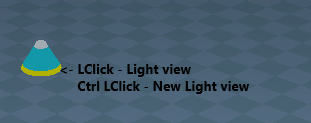
- Deprecated
- Spot and Projector light widget.png (13.9 KiB) Viewed 1914 times
Widgets/Spot light view widget Author - Clinton Reese

- Deprecated

If the plugins do not Load, Download and Install the Microsoft Visual C++ 2008 Service Pack 1 Redistributable Package
https://www.microsoft.com/en-us/downloa ... x?id=26368
Note: When downloading the Microsoft Visual C++ 2008 Service Pack 1 Redistributable Package you are given 3 choices
Choose the 32-bit version; vcredist_x86.exe
Removed due to update
-
trueBlue
- Captain
- Posts: 5548
- Joined: 06 Jul 2009, 22:50
- Type the number ten into the box: 10
Re: Final trueSpace 7.61 Beta 8 Unofficial Update
trueSpace7.61 Beta 8 Unofficial Update Version 9
Please test this RC33 4/10/2023
New Unofficial Update Instructions:
It is Required that you completely Uninstall and Install trueSpace7.61 Beta 8 to a clean directory
You can keep your Rs Main Libraries folder, but all other folders and files should be removed
Install the PDF Manual for trueSpace (Optional but required before installing the Update)
Install the tS76_Vray1_54B8.exe (Optional but required before installing the Update)
If trueSpace is open, Close trueSpace
1.) Install the YafaRay v3.3.0 render engine
2.) Install the tS76PDF 'Manual for Caligari trueSpace' & tS76Video (Optional but required before installing the Update)
3.) Install tS76_Vray1_54B8.exe to C:\trueSpace761 (Optional but required before installing the Update)
4.) Install tS7.61B8.9.exe to C:\trueSpace761
Browse [...] to where you installed C:\trueSpace761, select its folder and then the [Extract] button
Select the [Yes to All] button
5.) Open trueSpace
6.) Select the [OK] button in the OptDetectors plugin Information dialog
7.) Reset to Default Context
When trueSpace opens, select one of the layout tabs at the top
If Vray is installed:
8.) Press your keyboard's CTRL + F8 keys to open the Package Manager
Right click in the Package Manager and select Install New...
Open C:\trueSpace761\Vray_ts.rsx
Right click in the Package Manager's Vray Package and select Load
Close the Package Manager
9.) Close trueSpace
The included Clintons3dPlugin.dll v.1638440, Clintons3dPluginExt.dll v.1638413, Clintons3dRsView.dll v.1638409 and the OptDetectors.dll Author - Vladimir Sisolak, are in: C:\trueSpace761
WARNING: The init.js file Imports the above 4 plugins and should not be Installed from the Package Manager, including any other plugins with the same name that have the rsx extension
All scripts that check for these plugins with the rsx extension have been removed!
Unofficial Update Version 9
Started on Fri Sep 02, 2022
Commands
Removed all of the discontinued xml scripts
Plugins Author - Clinton Reese
Renamed from rsx to dll:
Clintons3dPlugin.dll v1638441
Clintons3dRsView.dll v1638412
Clintons3dPluginExt.dll
Add
OptDetectors.dll Author - Vladimir Sisolak
Library
Add
OptDetectors
OptDetectors - Help objects
OptDetectors - Samples
Scripts
Update
init.js 'Loads the above 4 plugins'
Window.Shortcuts.xml
tS761 Workspace Shortcut List.rtf
Widget.Shortcuts.xml
CustomCommands Author - Clinton Reese
Add
JSON Function Set
Global Function Set
Dimensions
Hierarchy
Toolbar Manager
ShortcutRunner
Color Picker
Paint Vertex Color
Cloth Conversion
Enhanced Collada
Scene View 2
Object Statistics
4/10/2023
Toolbars
Widgets
Lights
Camera1
light01
light02
light03
light04
WS - Default.RsSLgts
Camera FOV widget
RClick - Reset Camera or Eye to 0.500
Note: Camera use to be 1.000
Color Picker
Color Picker icon moved to WorkspaceNav toolbar
.
All lights panel's Color Picker button
LClick - Opens the smaller Color Picker panel
RClick - Switches the smaller Color Picker panel to Color panel, if it is open.
Add smaller (Color Picker) aspect
.
Color & Color Picker panel
[>] button
LClick - Switch Color Picker
RClick - Open in the LE 'Item in the Combo Control'
Spot light view widget Author - Clinton Reese
WidgetScripts/CamLightExtras/ViewFrom Function Set
Add
function CycleSpotLightsPlus()
If the plugins do not Load, Download and Install the Microsoft Visual C++ 2008 Service Pack 1 Redistributable Package
https://www.microsoft.com/en-us/downloa ... x?id=26368
Note: When downloading the Microsoft Visual C++ 2008 Service Pack 1 Redistributable Package you are given 3 choices
Choose the 32-bit version; vcredist_x86.exe
Removed due to update
Please test this RC33 4/10/2023
New Unofficial Update Instructions:
It is Required that you completely Uninstall and Install trueSpace7.61 Beta 8 to a clean directory
You can keep your Rs Main Libraries folder, but all other folders and files should be removed
Install the PDF Manual for trueSpace (Optional but required before installing the Update)
Install the tS76_Vray1_54B8.exe (Optional but required before installing the Update)
If trueSpace is open, Close trueSpace
1.) Install the YafaRay v3.3.0 render engine
2.) Install the tS76PDF 'Manual for Caligari trueSpace' & tS76Video (Optional but required before installing the Update)
3.) Install tS76_Vray1_54B8.exe to C:\trueSpace761 (Optional but required before installing the Update)
4.) Install tS7.61B8.9.exe to C:\trueSpace761
Browse [...] to where you installed C:\trueSpace761, select its folder and then the [Extract] button
Select the [Yes to All] button
5.) Open trueSpace
6.) Select the [OK] button in the OptDetectors plugin Information dialog
7.) Reset to Default Context
When trueSpace opens, select one of the layout tabs at the top
If Vray is installed:
8.) Press your keyboard's CTRL + F8 keys to open the Package Manager
Right click in the Package Manager and select Install New...
Open C:\trueSpace761\Vray_ts.rsx
Right click in the Package Manager's Vray Package and select Load
Close the Package Manager
9.) Close trueSpace
The included Clintons3dPlugin.dll v.1638440, Clintons3dPluginExt.dll v.1638413, Clintons3dRsView.dll v.1638409 and the OptDetectors.dll Author - Vladimir Sisolak, are in: C:\trueSpace761
WARNING: The init.js file Imports the above 4 plugins and should not be Installed from the Package Manager, including any other plugins with the same name that have the rsx extension
All scripts that check for these plugins with the rsx extension have been removed!
Unofficial Update Version 9
Started on Fri Sep 02, 2022
Commands
Removed all of the discontinued xml scripts
Plugins Author - Clinton Reese
Renamed from rsx to dll:
Clintons3dPlugin.dll v1638441
Clintons3dRsView.dll v1638412
Clintons3dPluginExt.dll
Add
OptDetectors.dll Author - Vladimir Sisolak
Library
Add
OptDetectors
OptDetectors - Help objects
OptDetectors - Samples
Scripts
Update
init.js 'Loads the above 4 plugins'
Window.Shortcuts.xml
tS761 Workspace Shortcut List.rtf
Widget.Shortcuts.xml
CustomCommands Author - Clinton Reese
Add
JSON Function Set
Global Function Set
Dimensions
Hierarchy
Toolbar Manager
ShortcutRunner
Color Picker
Paint Vertex Color
Cloth Conversion
Enhanced Collada
Scene View 2
Object Statistics
4/10/2023
Toolbars
Widgets
Lights
Camera1
light01
light02
light03
light04
WS - Default.RsSLgts
Camera FOV widget
RClick - Reset Camera or Eye to 0.500
Note: Camera use to be 1.000
Color Picker
Color Picker icon moved to WorkspaceNav toolbar

- Moved Color Picker icon.png (45.72 KiB) Viewed 1881 times
All lights panel's Color Picker button
LClick - Opens the smaller Color Picker panel
RClick - Switches the smaller Color Picker panel to Color panel, if it is open.
Add smaller (Color Picker) aspect
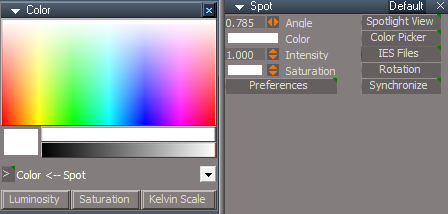
Color & Color Picker panel
[>] button
LClick - Switch Color Picker
RClick - Open in the LE 'Item in the Combo Control'
Spot light view widget Author - Clinton Reese
WidgetScripts/CamLightExtras/ViewFrom Function Set
Add
function CycleSpotLightsPlus()
If the plugins do not Load, Download and Install the Microsoft Visual C++ 2008 Service Pack 1 Redistributable Package
https://www.microsoft.com/en-us/downloa ... x?id=26368
Note: When downloading the Microsoft Visual C++ 2008 Service Pack 1 Redistributable Package you are given 3 choices
Choose the 32-bit version; vcredist_x86.exe
Removed due to update
-
trueBlue
- Captain
- Posts: 5548
- Joined: 06 Jul 2009, 22:50
- Type the number ten into the box: 10
Re: Final trueSpace 7.61 Beta 8 Unofficial Update
trueSpace7.61 Beta 8 Unofficial Update Version 9
Please test this RC34 4/10/2023
New Unofficial Update Instructions:
It is Required that you completely Uninstall and Install trueSpace7.61 Beta 8 to a clean directory
You can keep your Rs Main Libraries folder, but all other folders and files should be removed
Install the PDF Manual for trueSpace (Optional but required before installing the Update)
Install the tS76_Vray1_54B8.exe (Optional but required before installing the Update)
If trueSpace is open, Close trueSpace
1.) Install the YafaRay v3.3.0 render engine
2.) Install the tS76PDF 'Manual for Caligari trueSpace' & tS76Video (Optional but required before installing the Update)
3.) Install tS76_Vray1_54B8.exe to C:\trueSpace761 (Optional but required before installing the Update)
4.) Install tS7.61B8.9.exe to C:\trueSpace761
Browse [...] to where you installed C:\trueSpace761, select its folder and then the [Extract] button
Select the [Yes to All] button
5.) Open trueSpace
6.) Select the [OK] button in the OptDetectors plugin Information dialog
7.) Reset to Default Context
When trueSpace opens, select one of the layout tabs at the top
If Vray is installed:
8.) Press your keyboard's CTRL + F8 keys to open the Package Manager
Right click in the Package Manager and select Install New...
Open C:\trueSpace761\Vray_ts.rsx
Right click in the Package Manager's Vray Package and select Load
Close the Package Manager
9.) Close trueSpace
The included Clintons3dPlugin.dll v.1638440, Clintons3dPluginExt.dll v.1638413, Clintons3dRsView.dll v.1638409 and the OptDetectors.dll Author - Vladimir Sisolak, are in: C:\trueSpace761
WARNING: The init.js file Imports the above 4 plugins and should not be Installed from the Package Manager, including any other plugins with the same name that have the rsx extension
All scripts that check for these plugins with the rsx extension have been removed!
Unofficial Update Version 9
Started on Fri Sep 02, 2022
Commands
Removed all of the discontinued xml scripts
Plugins Author - Clinton Reese
Renamed from rsx to dll:
Clintons3dPlugin.dll v1638441
Clintons3dRsView.dll v1638412
Clintons3dPluginExt.dll
Add
OptDetectors.dll Author - Vladimir Sisolak
Library
Add
OptDetectors
OptDetectors - Help objects
OptDetectors - Samples
Scripts
Update
init.js 'Loads the above 4 plugins'
Window.Shortcuts.xml
tS761 Workspace Shortcut List.rtf
Widget.Shortcuts.xml
CustomCommands Author - Clinton Reese
Add
JSON Function Set
Global Function Set
Dimensions
Hierarchy
Toolbar Manager
ShortcutRunner
Color Picker
Paint Vertex Color
Cloth Conversion
Enhanced Collada
Scene View 2
Object Statistics
4/11/2023
Widgets
WidgetScripts/CamLightExtras
Spot light view widget Author - Clinton Reese
.
If the plugins do not Load, Download and Install the Microsoft Visual C++ 2008 Service Pack 1 Redistributable Package
https://www.microsoft.com/en-us/downloa ... x?id=26368
Note: When downloading the Microsoft Visual C++ 2008 Service Pack 1 Redistributable Package you are given 3 choices
Choose the 32-bit version; vcredist_x86.exe
Removed due to update
Please test this RC34 4/10/2023
New Unofficial Update Instructions:
It is Required that you completely Uninstall and Install trueSpace7.61 Beta 8 to a clean directory
You can keep your Rs Main Libraries folder, but all other folders and files should be removed
Install the PDF Manual for trueSpace (Optional but required before installing the Update)
Install the tS76_Vray1_54B8.exe (Optional but required before installing the Update)
If trueSpace is open, Close trueSpace
1.) Install the YafaRay v3.3.0 render engine
2.) Install the tS76PDF 'Manual for Caligari trueSpace' & tS76Video (Optional but required before installing the Update)
3.) Install tS76_Vray1_54B8.exe to C:\trueSpace761 (Optional but required before installing the Update)
4.) Install tS7.61B8.9.exe to C:\trueSpace761
Browse [...] to where you installed C:\trueSpace761, select its folder and then the [Extract] button
Select the [Yes to All] button
5.) Open trueSpace
6.) Select the [OK] button in the OptDetectors plugin Information dialog
7.) Reset to Default Context
When trueSpace opens, select one of the layout tabs at the top
If Vray is installed:
8.) Press your keyboard's CTRL + F8 keys to open the Package Manager
Right click in the Package Manager and select Install New...
Open C:\trueSpace761\Vray_ts.rsx
Right click in the Package Manager's Vray Package and select Load
Close the Package Manager
9.) Close trueSpace
The included Clintons3dPlugin.dll v.1638440, Clintons3dPluginExt.dll v.1638413, Clintons3dRsView.dll v.1638409 and the OptDetectors.dll Author - Vladimir Sisolak, are in: C:\trueSpace761
WARNING: The init.js file Imports the above 4 plugins and should not be Installed from the Package Manager, including any other plugins with the same name that have the rsx extension
All scripts that check for these plugins with the rsx extension have been removed!
Unofficial Update Version 9
Started on Fri Sep 02, 2022
Commands
Removed all of the discontinued xml scripts
Plugins Author - Clinton Reese
Renamed from rsx to dll:
Clintons3dPlugin.dll v1638441
Clintons3dRsView.dll v1638412
Clintons3dPluginExt.dll
Add
OptDetectors.dll Author - Vladimir Sisolak
Library
Add
OptDetectors
OptDetectors - Help objects
OptDetectors - Samples
Scripts
Update
init.js 'Loads the above 4 plugins'
Window.Shortcuts.xml
tS761 Workspace Shortcut List.rtf
Widget.Shortcuts.xml
CustomCommands Author - Clinton Reese
Add
JSON Function Set
Global Function Set
Dimensions
Hierarchy
Toolbar Manager
ShortcutRunner
Color Picker
Paint Vertex Color
Cloth Conversion
Enhanced Collada
Scene View 2
Object Statistics
4/11/2023
Widgets
WidgetScripts/CamLightExtras
Spot light view widget Author - Clinton Reese

If the plugins do not Load, Download and Install the Microsoft Visual C++ 2008 Service Pack 1 Redistributable Package
https://www.microsoft.com/en-us/downloa ... x?id=26368
Note: When downloading the Microsoft Visual C++ 2008 Service Pack 1 Redistributable Package you are given 3 choices
Choose the 32-bit version; vcredist_x86.exe
Removed due to update
-
trueBlue
- Captain
- Posts: 5548
- Joined: 06 Jul 2009, 22:50
- Type the number ten into the box: 10
Re: Final trueSpace 7.61 Beta 8 Unofficial Update
trueSpace7.61 Beta 8 Unofficial Update Version 9
Please test this RC35 4/12/2023
New Unofficial Update Instructions:
It is Required that you completely Uninstall and Install trueSpace7.61 Beta 8 to a clean directory
You can keep your Rs Main Libraries folder, but all other folders and files should be removed
Install the PDF Manual for trueSpace (Optional but required before installing the Update)
Install the tS76_Vray1_54B8.exe (Optional but required before installing the Update)
If trueSpace is open, Close trueSpace
1.) Install the YafaRay v3.3.0 render engine
2.) Install the tS76PDF 'Manual for Caligari trueSpace' & tS76Video (Optional but required before installing the Update)
3.) Install tS76_Vray1_54B8.exe to C:\trueSpace761 (Optional but required before installing the Update)
4.) Install tS7.61B8.9.exe to C:\trueSpace761
Browse [...] to where you installed C:\trueSpace761, select its folder and then the [Extract] button
Select the [Yes to All] button
5.) Open trueSpace
6.) Select the [OK] button in the OptDetectors plugin Information dialog
7.) Reset to Default Context
When trueSpace opens, select one of the layout tabs at the top
If Vray is installed:
8.) Press your keyboard's CTRL + F8 keys to open the Package Manager
Right click in the Package Manager and select Install New...
Open C:\trueSpace761\Vray_ts.rsx
Right click in the Package Manager's Vray Package and select Load
Close the Package Manager
9.) Close trueSpace
The included Clintons3dPlugin.dll v.1638440, Clintons3dPluginExt.dll v.1638413, Clintons3dRsView.dll v.1638409 and the OptDetectors.dll Author - Vladimir Sisolak, are in: C:\trueSpace761
WARNING: The init.js file Imports the above 4 plugins and should not be Installed from the Package Manager, including any other plugins with the same name that have the rsx extension
All scripts that check for these plugins with the rsx extension have been removed!
Unofficial Update Version 9
Started on Fri Sep 02, 2022
Commands
Removed all of the discontinued xml scripts
Plugins Author - Clinton Reese
Renamed from rsx to dll:
Clintons3dPlugin.dll v1638441
Clintons3dRsView.dll v1638412
Clintons3dPluginExt.dll
Add
OptDetectors.dll Author - Vladimir Sisolak
Library
Add
OptDetectors
OptDetectors - Help objects
OptDetectors - Samples
Scripts
Update
init.js 'Loads the above 4 plugins'
Window.Shortcuts.xml
tS761 Workspace Shortcut List.rtf
Widget.Shortcuts.xml
CustomCommands Author - Clinton Reese
Add
JSON Function Set
Global Function Set
Dimensions
Hierarchy
Toolbar Manager
ShortcutRunner
Color Picker
Paint Vertex Color
Cloth Conversion
Enhanced Collada
Scene View 2
Object Statistics
4/12/2023
Widgets
Lights
light01
light02
light03
light04
WS - Default
animpref
CustomCommands: Author - Clinton Reese
latheScript
gridArray2Script
radialArray2Script
pointCloneScript
KeyInterp
Bake Keyframes
AutoKey
AutokeyWidgets
Animation Panel - Add Cycle Select Buttons
.
Projector Rotate - Automatic Keyframing
.
If the plugins do not Load, Download and Install the Microsoft Visual C++ 2008 Service Pack 1 Redistributable Package
Note: When downloading the Microsoft Visual C++ 2008 Service Pack 1 Redistributable Package you are given 3 choices
Choose the 32-bit version; vcredist_x86.exe
Removed due to update
Please test this RC35 4/12/2023
New Unofficial Update Instructions:
It is Required that you completely Uninstall and Install trueSpace7.61 Beta 8 to a clean directory
You can keep your Rs Main Libraries folder, but all other folders and files should be removed
Install the PDF Manual for trueSpace (Optional but required before installing the Update)
Install the tS76_Vray1_54B8.exe (Optional but required before installing the Update)
If trueSpace is open, Close trueSpace
1.) Install the YafaRay v3.3.0 render engine
2.) Install the tS76PDF 'Manual for Caligari trueSpace' & tS76Video (Optional but required before installing the Update)
3.) Install tS76_Vray1_54B8.exe to C:\trueSpace761 (Optional but required before installing the Update)
4.) Install tS7.61B8.9.exe to C:\trueSpace761
Browse [...] to where you installed C:\trueSpace761, select its folder and then the [Extract] button
Select the [Yes to All] button
5.) Open trueSpace
6.) Select the [OK] button in the OptDetectors plugin Information dialog
7.) Reset to Default Context
When trueSpace opens, select one of the layout tabs at the top
If Vray is installed:
8.) Press your keyboard's CTRL + F8 keys to open the Package Manager
Right click in the Package Manager and select Install New...
Open C:\trueSpace761\Vray_ts.rsx
Right click in the Package Manager's Vray Package and select Load
Close the Package Manager
9.) Close trueSpace
The included Clintons3dPlugin.dll v.1638440, Clintons3dPluginExt.dll v.1638413, Clintons3dRsView.dll v.1638409 and the OptDetectors.dll Author - Vladimir Sisolak, are in: C:\trueSpace761
WARNING: The init.js file Imports the above 4 plugins and should not be Installed from the Package Manager, including any other plugins with the same name that have the rsx extension
All scripts that check for these plugins with the rsx extension have been removed!
Unofficial Update Version 9
Started on Fri Sep 02, 2022
Commands
Removed all of the discontinued xml scripts
Plugins Author - Clinton Reese
Renamed from rsx to dll:
Clintons3dPlugin.dll v1638441
Clintons3dRsView.dll v1638412
Clintons3dPluginExt.dll
Add
OptDetectors.dll Author - Vladimir Sisolak
Library
Add
OptDetectors
OptDetectors - Help objects
OptDetectors - Samples
Scripts
Update
init.js 'Loads the above 4 plugins'
Window.Shortcuts.xml
tS761 Workspace Shortcut List.rtf
Widget.Shortcuts.xml
CustomCommands Author - Clinton Reese
Add
JSON Function Set
Global Function Set
Dimensions
Hierarchy
Toolbar Manager
ShortcutRunner
Color Picker
Paint Vertex Color
Cloth Conversion
Enhanced Collada
Scene View 2
Object Statistics
4/12/2023
Widgets
Lights
light01
light02
light03
light04
WS - Default
animpref
CustomCommands: Author - Clinton Reese
latheScript
gridArray2Script
radialArray2Script
pointCloneScript
KeyInterp
Bake Keyframes
AutoKey
AutokeyWidgets
Animation Panel - Add Cycle Select Buttons
Projector Rotate - Automatic Keyframing

If the plugins do not Load, Download and Install the Microsoft Visual C++ 2008 Service Pack 1 Redistributable Package
Note: When downloading the Microsoft Visual C++ 2008 Service Pack 1 Redistributable Package you are given 3 choices
Choose the 32-bit version; vcredist_x86.exe
Removed due to update
-
trueBlue
- Captain
- Posts: 5548
- Joined: 06 Jul 2009, 22:50
- Type the number ten into the box: 10
Re: Final trueSpace 7.61 Beta 8 Unofficial Update
trueSpace7.61 Beta 8 Unofficial Update Version 9
Please test this RC36 4/16/2023
New Unofficial Update Instructions:
It is Required that you completely Uninstall and Install trueSpace7.61 Beta 8 to a clean directory
You can keep your Rs Main Libraries folder, but all other folders and files should be removed
Install the PDF Manual for trueSpace (Optional but required before installing the Update)
Install the tS76_Vray1_54B8.exe (Optional but required before installing the Update)
Close trueSpace
1.) Install the YafaRay v3.3.0 render engine
2.) Install the tS76PDF 'Manual for Caligari trueSpace' & tS76Video (Optional but required before installing the Update)
3.) Install tS76_Vray1_54B8.exe to C:\trueSpace761 (Optional but required before installing the Update)
4.) Install tS7.61B8.9.exe to C:\trueSpace761
Browse [...] to where you installed C:\trueSpace761, select its folder and then the [Extract] button
Select the [Yes to All] button
5.) Open trueSpace
6.) Select the [OK] button in the OptDetectors plugin Information dialog
7.) Reset to Default Context
When trueSpace opens, select one of the layout tabs at the top
If Vray is installed:
8.) Press your keyboard's CTRL F8 keys to open the Package Manager
Right click in the Package Manager and select Install New...
Open C:\trueSpace761\Vray_ts.rsx
Right click in the Package Manager's Vray Package and select Load
Close the Package Manager
9.) Close trueSpace
The included Clintons3dPlugin.dll v.1638440, Clintons3dPluginExt.dll v.1638413, Clintons3dRsView.dll v.1638409 and the OptDetectors.dll Author - Vladimir Sisolak, are in: C:\trueSpace761
WARNING: The init.js file Imports the above 4 plugins and should not be Installed from the Package Manager, including any other plugins with the same name that have the rsx extension
All scripts that check for these plugins with the rsx extension have been removed!
Unofficial Update Version 9
Started on Fri Sep 02, 2022
Commands
Removed all of the discontinued xml scripts
Plugins Author - Clinton Reese
Renamed from rsx to dll:
Clintons3dPlugin.dll v1638441
Clintons3dRsView.dll v1638414
Clintons3dPluginExt.dll
Add
OptDetectors.dll Author - Vladimir Sisolak
Library
Add
OptDetectors
OptDetectors - Help objects
OptDetectors - Samples
Scripts
Update
init.js 'Loads the above 4 plugins'
Window.Shortcuts.xml
tS761 Workspace Shortcut List.rtf
Widget.Shortcuts.xml
CustomCommands Author - Clinton Reese
Add
JSON Function Set
Global Function Set
Dimensions
Hierarchy
Toolbar Manager
ShortcutRunner
Color Picker
Paint Vertex Color
Cloth Conversion
Enhanced Collada
Scene View 2
Object Statistics
4/16/2023
Widgets
Camera and Camera 1 widgets
(Stand) Ctrl LClick - Navigation Widget
.
Spotlight widget
(Move) Ctrl LClick - Navigation Widget
.
If the plugins do not Load, Download and Install the Microsoft Visual C++ 2008 Service Pack 1 Redistributable Package
Note: When downloading the Microsoft Visual C++ 2008 Service Pack 1 Redistributable Package you are given 3 choices
Choose the 32-bit version; vcredist_x86.exe
Removed due to update
Please test this RC36 4/16/2023
New Unofficial Update Instructions:
It is Required that you completely Uninstall and Install trueSpace7.61 Beta 8 to a clean directory
You can keep your Rs Main Libraries folder, but all other folders and files should be removed
Install the PDF Manual for trueSpace (Optional but required before installing the Update)
Install the tS76_Vray1_54B8.exe (Optional but required before installing the Update)
Close trueSpace
1.) Install the YafaRay v3.3.0 render engine
2.) Install the tS76PDF 'Manual for Caligari trueSpace' & tS76Video (Optional but required before installing the Update)
3.) Install tS76_Vray1_54B8.exe to C:\trueSpace761 (Optional but required before installing the Update)
4.) Install tS7.61B8.9.exe to C:\trueSpace761
Browse [...] to where you installed C:\trueSpace761, select its folder and then the [Extract] button
Select the [Yes to All] button
5.) Open trueSpace
6.) Select the [OK] button in the OptDetectors plugin Information dialog
7.) Reset to Default Context
When trueSpace opens, select one of the layout tabs at the top
If Vray is installed:
8.) Press your keyboard's CTRL F8 keys to open the Package Manager
Right click in the Package Manager and select Install New...
Open C:\trueSpace761\Vray_ts.rsx
Right click in the Package Manager's Vray Package and select Load
Close the Package Manager
9.) Close trueSpace
The included Clintons3dPlugin.dll v.1638440, Clintons3dPluginExt.dll v.1638413, Clintons3dRsView.dll v.1638409 and the OptDetectors.dll Author - Vladimir Sisolak, are in: C:\trueSpace761
WARNING: The init.js file Imports the above 4 plugins and should not be Installed from the Package Manager, including any other plugins with the same name that have the rsx extension
All scripts that check for these plugins with the rsx extension have been removed!
Unofficial Update Version 9
Started on Fri Sep 02, 2022
Commands
Removed all of the discontinued xml scripts
Plugins Author - Clinton Reese
Renamed from rsx to dll:
Clintons3dPlugin.dll v1638441
Clintons3dRsView.dll v1638414
Clintons3dPluginExt.dll
Add
OptDetectors.dll Author - Vladimir Sisolak
Library
Add
OptDetectors
OptDetectors - Help objects
OptDetectors - Samples
Scripts
Update
init.js 'Loads the above 4 plugins'
Window.Shortcuts.xml
tS761 Workspace Shortcut List.rtf
Widget.Shortcuts.xml
CustomCommands Author - Clinton Reese
Add
JSON Function Set
Global Function Set
Dimensions
Hierarchy
Toolbar Manager
ShortcutRunner
Color Picker
Paint Vertex Color
Cloth Conversion
Enhanced Collada
Scene View 2
Object Statistics
4/16/2023
Widgets
Camera and Camera 1 widgets
(Stand) Ctrl LClick - Navigation Widget
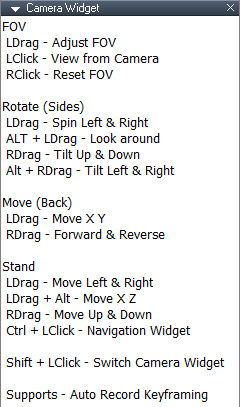
- Camera Navigation Widget panel.png (1.84 KiB) Viewed 1708 times

- Camera Navigation Widget.png (12.43 KiB) Viewed 1708 times
Spotlight widget
(Move) Ctrl LClick - Navigation Widget

- Spot and Projecctor Navigation Widget panel.png (2.02 KiB) Viewed 1705 times
- Spot and Projecctor Navigation Widget.png (7.71 KiB) Viewed 1708 times
If the plugins do not Load, Download and Install the Microsoft Visual C++ 2008 Service Pack 1 Redistributable Package
Note: When downloading the Microsoft Visual C++ 2008 Service Pack 1 Redistributable Package you are given 3 choices
Choose the 32-bit version; vcredist_x86.exe
Removed due to update
-
trueBlue
- Captain
- Posts: 5548
- Joined: 06 Jul 2009, 22:50
- Type the number ten into the box: 10
Re: Final trueSpace 7.61 Beta 8 Unofficial Update
trueSpace7.61 Beta 8 Unofficial Update Version 9
Please test this RC37 4/17/2023
New Unofficial Update Instructions:
It is Required that you completely Uninstall and Install trueSpace7.61 Beta 8 to a clean directory
You can keep your Rs Main Libraries folder, but all other folders and files should be removed
Install the PDF Manual for trueSpace (Optional but required before installing the Update)
Install the tS76_Vray1_54B8.exe (Optional but required before installing the Update)
Close trueSpace
1.) Install the YafaRay v3.3.0 render engine
2.) Install the tS76PDF 'Manual for Caligari trueSpace' & tS76Video (Optional but required before installing the Update)
3.) Install tS76_Vray1_54B8.exe to C:\trueSpace761 (Optional but required before installing the Update)
4.) Install tS7.61B8.9.exe to C:\trueSpace761
Browse [...] to where you installed C:\trueSpace761, select its folder and then the [Extract] button
Select the [Yes to All] button
5.) Open trueSpace
6.) Select the [OK] button in the OptDetectors plugin Information dialog
7.) Reset to Default Context
When trueSpace opens, select one of the layout tabs at the top
If Vray is installed:
8.) Press your keyboard's CTRL F8 keys to open the Package Manager
Right click in the Package Manager and select Install New...
Open C:\trueSpace761\Vray_ts.rsx
Right click in the Package Manager's Vray Package and select Load
Close the Package Manager
9.) Close trueSpace
The included Clintons3dPlugin.dll v.1638440, Clintons3dPluginExt.dll v.1638413, Clintons3dRsView.dll v.1638409 and the OptDetectors.dll Author - Vladimir Sisolak, are in: C:\trueSpace761
WARNING: The init.js file Imports the above 4 plugins and should not be Installed from the Package Manager, including any other plugins with the same name that have the rsx extension
All scripts that check for these plugins with the rsx extension have been removed!
Unofficial Update Version 9
Started on Fri Sep 02, 2022
Commands
Removed all of the discontinued xml scripts
Plugins Author - Clinton Reese
Renamed from rsx to dll:
Clintons3dPlugin.dll v1638441
Clintons3dRsView.dll v1638414
Clintons3dPluginExt.dll
Add
OptDetectors.dll Author - Vladimir Sisolak
Library
Add
OptDetectors
OptDetectors - Help objects
OptDetectors - Samples
Scripts
Update
init.js 'Loads the above 4 plugins'
Window.Shortcuts.xml
tS761 Workspace Shortcut List.rtf
Widget.Shortcuts.xml
CustomCommands Author - Clinton Reese
Add
JSON Function Set
Global Function Set
Dimensions
Hierarchy
Toolbar Manager
ShortcutRunner
Color Picker
Paint Vertex Color
Cloth Conversion
Enhanced Collada
Scene View 2
Object Statistics
4/17/2023
Widgets
View Widget 'Add: Cycle Light Triangle'
Light View Widget ' Add: Help panel'
.
Spot and Projector Widget 'Preferences'
.
Camera Widget(s) 'Preferences'
.
If the plugins do not Load, Download and Install the Microsoft Visual C++ 2008 Service Pack 1 Redistributable Package
Note: When downloading the Microsoft Visual C++ 2008 Service Pack 1 Redistributable Package you are given 3 choices
Choose the 32-bit version; vcredist_x86.exe
Removed due to update
Please test this RC37 4/17/2023
New Unofficial Update Instructions:
It is Required that you completely Uninstall and Install trueSpace7.61 Beta 8 to a clean directory
You can keep your Rs Main Libraries folder, but all other folders and files should be removed
Install the PDF Manual for trueSpace (Optional but required before installing the Update)
Install the tS76_Vray1_54B8.exe (Optional but required before installing the Update)
Close trueSpace
1.) Install the YafaRay v3.3.0 render engine
2.) Install the tS76PDF 'Manual for Caligari trueSpace' & tS76Video (Optional but required before installing the Update)
3.) Install tS76_Vray1_54B8.exe to C:\trueSpace761 (Optional but required before installing the Update)
4.) Install tS7.61B8.9.exe to C:\trueSpace761
Browse [...] to where you installed C:\trueSpace761, select its folder and then the [Extract] button
Select the [Yes to All] button
5.) Open trueSpace
6.) Select the [OK] button in the OptDetectors plugin Information dialog
7.) Reset to Default Context
When trueSpace opens, select one of the layout tabs at the top
If Vray is installed:
8.) Press your keyboard's CTRL F8 keys to open the Package Manager
Right click in the Package Manager and select Install New...
Open C:\trueSpace761\Vray_ts.rsx
Right click in the Package Manager's Vray Package and select Load
Close the Package Manager
9.) Close trueSpace
The included Clintons3dPlugin.dll v.1638440, Clintons3dPluginExt.dll v.1638413, Clintons3dRsView.dll v.1638409 and the OptDetectors.dll Author - Vladimir Sisolak, are in: C:\trueSpace761
WARNING: The init.js file Imports the above 4 plugins and should not be Installed from the Package Manager, including any other plugins with the same name that have the rsx extension
All scripts that check for these plugins with the rsx extension have been removed!
Unofficial Update Version 9
Started on Fri Sep 02, 2022
Commands
Removed all of the discontinued xml scripts
Plugins Author - Clinton Reese
Renamed from rsx to dll:
Clintons3dPlugin.dll v1638441
Clintons3dRsView.dll v1638414
Clintons3dPluginExt.dll
Add
OptDetectors.dll Author - Vladimir Sisolak
Library
Add
OptDetectors
OptDetectors - Help objects
OptDetectors - Samples
Scripts
Update
init.js 'Loads the above 4 plugins'
Window.Shortcuts.xml
tS761 Workspace Shortcut List.rtf
Widget.Shortcuts.xml
CustomCommands Author - Clinton Reese
Add
JSON Function Set
Global Function Set
Dimensions
Hierarchy
Toolbar Manager
ShortcutRunner
Color Picker
Paint Vertex Color
Cloth Conversion
Enhanced Collada
Scene View 2
Object Statistics
4/17/2023
Widgets
View Widget 'Add: Cycle Light Triangle'
Light View Widget ' Add: Help panel'
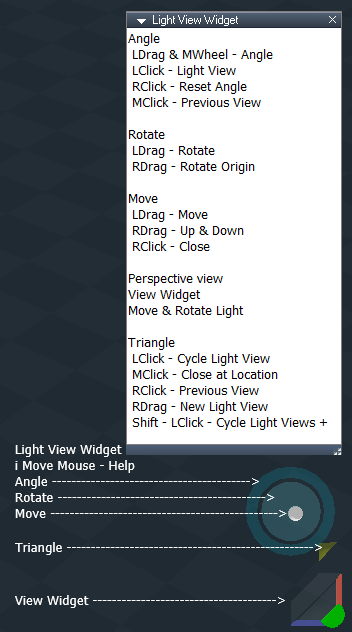
Spot and Projector Widget 'Preferences'

- Spot and Projector Navigation Widget.png (34.67 KiB) Viewed 1684 times
Camera Widget(s) 'Preferences'

If the plugins do not Load, Download and Install the Microsoft Visual C++ 2008 Service Pack 1 Redistributable Package
Note: When downloading the Microsoft Visual C++ 2008 Service Pack 1 Redistributable Package you are given 3 choices
Choose the 32-bit version; vcredist_x86.exe
Removed due to update
-
trueBlue
- Captain
- Posts: 5548
- Joined: 06 Jul 2009, 22:50
- Type the number ten into the box: 10
Re: Final trueSpace 7.61 Beta 8 Unofficial Update
trueSpace7.61 Beta 8 Unofficial Update Version 9
Please test this RC38 4/18/2023
New Unofficial Update Instructions:
It is Required that you completely Uninstall and Install trueSpace7.61 Beta 8 to a clean directory
You can keep your Rs Main Libraries folder, but all other folders and files should be removed
Install the PDF Manual for trueSpace (Optional but required before installing the Update)
Install the tS76_Vray1_54B8.exe (Optional but required before installing the Update)
Close trueSpace
1.) Install the YafaRay v3.3.0 render engine
2.) Install the tS76PDF 'Manual for Caligari trueSpace' & tS76Video (Optional but required before installing the Update)
3.) Install tS76_Vray1_54B8.exe to C:\trueSpace761 (Optional but required before installing the Update)
4.) Install tS7.61B8.9.exe to C:\trueSpace761
Browse [...] to where you installed C:\trueSpace761, select its folder and then the [Extract] button
Select the [Yes to All] button
5.) Open trueSpace
6.) Select the [OK] button in the OptDetectors plugin Information dialog
7.) Reset to Default Context
When trueSpace opens, select one of the layout tabs at the top
If Vray is installed:
8.) Press your keyboard's CTRL F8 keys to open the Package Manager
Right click in the Package Manager and select Install New...
Open C:\trueSpace761\Vray_ts.rsx
Right click in the Package Manager's Vray Package and select Load
Close the Package Manager
9.) Close trueSpace
The included Clintons3dPlugin.dll v.1638440, Clintons3dPluginExt.dll v.1638413, Clintons3dRsView.dll v.1638414 and the OptDetectors.dll Author - Vladimir Sisolak, are in: C:\trueSpace761
WARNING: The init.js file Imports the above 4 plugins and should not be Installed from the Package Manager, including any other plugins with the same name that have the rsx extension
All scripts that check for these plugins with the rsx extension have been removed!
Unofficial Update Version 9
Started on Fri Sep 02, 2022
Commands
Removed all of the discontinued xml scripts
Plugins Author - Clinton Reese
Renamed from rsx to dll:
Clintons3dPlugin.dll v1638441
Clintons3dRsView.dll v1638414
Clintons3dPluginExt.dll
Add
OptDetectors.dll Author - Vladimir Sisolak
Library
Add
OptDetectors
OptDetectors - Help objects
OptDetectors - Samples
Scripts
Update
init.js 'Loads the above 4 plugins'
Window.Shortcuts.xml
tS761 Workspace Shortcut List.rtf
Widget.Shortcuts.xml
CustomCommands Author - Clinton Reese
Add
JSON Function Set
Global Function Set
Dimensions
Hierarchy
Toolbar Manager
ShortcutRunner
Color Picker
Paint Vertex Color
Cloth Conversion
Enhanced Collada
Scene View 2
Object Statistics
4/18/2023
Color Picker 'Removed Camera restriction'
Widgets
View Widget
Cycle View 'Triangle'
Add: Widget Help panel
.
Spot and Projector Widget 'Angle'
.
Add: RDrag - New Light View gesture
Moved NAV widget to the bottom
.
Camera Widget(s) 'FOV'
.
Add: RDrag - New Camera View gesture
If the plugins do not Load, Download and Install the Microsoft Visual C++ 2008 Service Pack 1 Redistributable Package
Note: When downloading the Microsoft Visual C++ 2008 Service Pack 1 Redistributable Package you are given 3 choices
Choose the 32-bit version; vcredist_x86.exe
Remove due to update
Please test this RC38 4/18/2023
New Unofficial Update Instructions:
It is Required that you completely Uninstall and Install trueSpace7.61 Beta 8 to a clean directory
You can keep your Rs Main Libraries folder, but all other folders and files should be removed
Install the PDF Manual for trueSpace (Optional but required before installing the Update)
Install the tS76_Vray1_54B8.exe (Optional but required before installing the Update)
Close trueSpace
1.) Install the YafaRay v3.3.0 render engine
2.) Install the tS76PDF 'Manual for Caligari trueSpace' & tS76Video (Optional but required before installing the Update)
3.) Install tS76_Vray1_54B8.exe to C:\trueSpace761 (Optional but required before installing the Update)
4.) Install tS7.61B8.9.exe to C:\trueSpace761
Browse [...] to where you installed C:\trueSpace761, select its folder and then the [Extract] button
Select the [Yes to All] button
5.) Open trueSpace
6.) Select the [OK] button in the OptDetectors plugin Information dialog
7.) Reset to Default Context
When trueSpace opens, select one of the layout tabs at the top
If Vray is installed:
8.) Press your keyboard's CTRL F8 keys to open the Package Manager
Right click in the Package Manager and select Install New...
Open C:\trueSpace761\Vray_ts.rsx
Right click in the Package Manager's Vray Package and select Load
Close the Package Manager
9.) Close trueSpace
The included Clintons3dPlugin.dll v.1638440, Clintons3dPluginExt.dll v.1638413, Clintons3dRsView.dll v.1638414 and the OptDetectors.dll Author - Vladimir Sisolak, are in: C:\trueSpace761
WARNING: The init.js file Imports the above 4 plugins and should not be Installed from the Package Manager, including any other plugins with the same name that have the rsx extension
All scripts that check for these plugins with the rsx extension have been removed!
Unofficial Update Version 9
Started on Fri Sep 02, 2022
Commands
Removed all of the discontinued xml scripts
Plugins Author - Clinton Reese
Renamed from rsx to dll:
Clintons3dPlugin.dll v1638441
Clintons3dRsView.dll v1638414
Clintons3dPluginExt.dll
Add
OptDetectors.dll Author - Vladimir Sisolak
Library
Add
OptDetectors
OptDetectors - Help objects
OptDetectors - Samples
Scripts
Update
init.js 'Loads the above 4 plugins'
Window.Shortcuts.xml
tS761 Workspace Shortcut List.rtf
Widget.Shortcuts.xml
CustomCommands Author - Clinton Reese
Add
JSON Function Set
Global Function Set
Dimensions
Hierarchy
Toolbar Manager
ShortcutRunner
Color Picker
Paint Vertex Color
Cloth Conversion
Enhanced Collada
Scene View 2
Object Statistics
4/18/2023
Color Picker 'Removed Camera restriction'
Widgets
View Widget
Cycle View 'Triangle'
Add: Widget Help panel

- Cycle View Triangle.png (15.4 KiB) Viewed 2191 times
Spot and Projector Widget 'Angle'
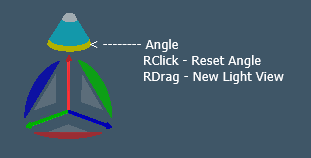
- Spot and Projector light widget.png (4.44 KiB) Viewed 2191 times
Add: RDrag - New Light View gesture
Moved NAV widget to the bottom
.
Camera Widget(s) 'FOV'

- Camera widget.png (5.79 KiB) Viewed 2191 times
Add: RDrag - New Camera View gesture
If the plugins do not Load, Download and Install the Microsoft Visual C++ 2008 Service Pack 1 Redistributable Package
Note: When downloading the Microsoft Visual C++ 2008 Service Pack 1 Redistributable Package you are given 3 choices
Choose the 32-bit version; vcredist_x86.exe
Remove due to update
-
trueBlue
- Captain
- Posts: 5548
- Joined: 06 Jul 2009, 22:50
- Type the number ten into the box: 10
Re: Final trueSpace 7.61 Beta 8 Unofficial Update
trueSpace7.61 Beta 8 Unofficial Update Version 9
Please test this RC40 4/19/2023
New Unofficial Update Instructions:
It is Required that you completely Uninstall and Install trueSpace7.61 Beta 8 to a clean directory
You can keep your Rs Main Libraries folder, but all other folders and files should be removed
Install the PDF Manual for trueSpace (Optional but required before installing the Update)
Install the tS76_Vray1_54B8.exe (Optional but required before installing the Update)
Close trueSpace
1.) Install the YafaRay v3.3.0 render engine
2.) Install the tS76PDF 'Manual for Caligari trueSpace' & tS76Video (Optional but required before installing the Update)
3.) Install tS76_Vray1_54B8.exe to C:\trueSpace761 (Optional but required before installing the Update)
4.) Install tS7.61B8.9.exe to C:\trueSpace761
Browse [...] to where you installed C:\trueSpace761, select its folder and then the [Extract] button
Select the [Yes to All] button
5.) Open trueSpace
6.) Select the [OK] button in the OptDetectors plugin Information dialog
7.) Reset to Default Context
When trueSpace opens, select one of the layout tabs at the top
If Vray is installed:
8.) Press your keyboard's CTRL F8 keys to open the Package Manager
Right click in the Package Manager and select Install New...
Open C:\trueSpace761\Vray_ts.rsx
Right click in the Package Manager's Vray Package and select Load
Close the Package Manager
9.) Close trueSpace
The included Clintons3dPlugin.dll v.1638440, Clintons3dPluginExt.dll v.1638413, Clintons3dRsView.dll v.1638414 and the OptDetectors.dll Author - Vladimir Sisolak, are in: C:\trueSpace761
WARNING: The init.js file Imports the above 4 plugins and should not be Installed from the Package Manager, including any other plugins with the same name that have the rsx extension
All scripts that check for these plugins with the rsx extension have been removed!
Unofficial Update Version 9
Started on Fri Sep 02, 2022
Commands
Removed all of the discontinued xml scripts
Plugins Author - Clinton Reese
Renamed from rsx to dll:
Clintons3dPlugin.dll v1638441
Clintons3dRsView.dll v1638414
Clintons3dPluginExt.dll
Add
OptDetectors.dll Author - Vladimir Sisolak
Library
Add
OptDetectors
OptDetectors - Help objects
OptDetectors - Samples
Scripts
Update
init.js 'Loads the above 4 plugins'
Window.Shortcuts.xml
tS761 Workspace Shortcut List.rtf
Widget.Shortcuts.xml
CustomCommands Author - Clinton Reese
Add
JSON Function Set
Global Function Set
Dimensions
Hierarchy
Toolbar Manager
ShortcutRunner
Color Picker
Paint Vertex Color
Cloth Conversion
Enhanced Collada
Scene View 2
Object Statistics
4/19/2023
Toolbars
New Scene
LMB - Original Command 'If the Workspace Layers and Server is open, you will have to Refresh Workspace Layers'
RMB - New Scene plus pre close Workspace Layers and Server
3D Window
RMB - New 3D Window Offset
Flatten History
LMB - Flatten UU 'UUCommand'
RMB - Flatten History 'Original Command'
Warning! RMB has no protection for Cameras, Lights, PE Selection, Uneditable, NURBS or Measure objects!
Custom Preferences
Copy
Select Copies 'Checked'
Note: To Undo, press Undo twice
Visibility preferences
Use - Intensive Visibility Mode 'Unchecked'
UUCommands
Add: Offset 3D Window script Author - Clinton Reese
Widgets
Camera
FOV
RDrag - New Camera View '3D Window Offset'
Spotlight
Angle
RDrag - New Light View '3D Window Offset'
View Widget
Cycle View 'Triangle'
RDrag - New Camera View '3D Window Offset'
Object & Point Edit widgets
Removed all Object Move, Scale, and Rotate gestures
Removed all X, Y, and Z Axis Lock gestures
Point Edit widgets
Add: MClick toggle Visible Geometry gesture to all of the shapes
Rectangle Zoom
Removed Reset FOV
If the plugins do not Load, Download and Install the Microsoft Visual C++ 2008 Service Pack 1 Redistributable Package
Note: When downloading the Microsoft Visual C++ 2008 Service Pack 1 Redistributable Package you are given 3 choices
Choose the 32-bit version; vcredist_x86.exe
Remove due to update
Please test this RC40 4/19/2023
New Unofficial Update Instructions:
It is Required that you completely Uninstall and Install trueSpace7.61 Beta 8 to a clean directory
You can keep your Rs Main Libraries folder, but all other folders and files should be removed
Install the PDF Manual for trueSpace (Optional but required before installing the Update)
Install the tS76_Vray1_54B8.exe (Optional but required before installing the Update)
Close trueSpace
1.) Install the YafaRay v3.3.0 render engine
2.) Install the tS76PDF 'Manual for Caligari trueSpace' & tS76Video (Optional but required before installing the Update)
3.) Install tS76_Vray1_54B8.exe to C:\trueSpace761 (Optional but required before installing the Update)
4.) Install tS7.61B8.9.exe to C:\trueSpace761
Browse [...] to where you installed C:\trueSpace761, select its folder and then the [Extract] button
Select the [Yes to All] button
5.) Open trueSpace
6.) Select the [OK] button in the OptDetectors plugin Information dialog
7.) Reset to Default Context
When trueSpace opens, select one of the layout tabs at the top
If Vray is installed:
8.) Press your keyboard's CTRL F8 keys to open the Package Manager
Right click in the Package Manager and select Install New...
Open C:\trueSpace761\Vray_ts.rsx
Right click in the Package Manager's Vray Package and select Load
Close the Package Manager
9.) Close trueSpace
The included Clintons3dPlugin.dll v.1638440, Clintons3dPluginExt.dll v.1638413, Clintons3dRsView.dll v.1638414 and the OptDetectors.dll Author - Vladimir Sisolak, are in: C:\trueSpace761
WARNING: The init.js file Imports the above 4 plugins and should not be Installed from the Package Manager, including any other plugins with the same name that have the rsx extension
All scripts that check for these plugins with the rsx extension have been removed!
Unofficial Update Version 9
Started on Fri Sep 02, 2022
Commands
Removed all of the discontinued xml scripts
Plugins Author - Clinton Reese
Renamed from rsx to dll:
Clintons3dPlugin.dll v1638441
Clintons3dRsView.dll v1638414
Clintons3dPluginExt.dll
Add
OptDetectors.dll Author - Vladimir Sisolak
Library
Add
OptDetectors
OptDetectors - Help objects
OptDetectors - Samples
Scripts
Update
init.js 'Loads the above 4 plugins'
Window.Shortcuts.xml
tS761 Workspace Shortcut List.rtf
Widget.Shortcuts.xml
CustomCommands Author - Clinton Reese
Add
JSON Function Set
Global Function Set
Dimensions
Hierarchy
Toolbar Manager
ShortcutRunner
Color Picker
Paint Vertex Color
Cloth Conversion
Enhanced Collada
Scene View 2
Object Statistics
4/19/2023
Toolbars
New Scene
LMB - Original Command 'If the Workspace Layers and Server is open, you will have to Refresh Workspace Layers'
RMB - New Scene plus pre close Workspace Layers and Server
3D Window
RMB - New 3D Window Offset
Flatten History
LMB - Flatten UU 'UUCommand'
RMB - Flatten History 'Original Command'
Warning! RMB has no protection for Cameras, Lights, PE Selection, Uneditable, NURBS or Measure objects!
Custom Preferences
Copy
Select Copies 'Checked'
Note: To Undo, press Undo twice
Visibility preferences
Use - Intensive Visibility Mode 'Unchecked'
UUCommands
Add: Offset 3D Window script Author - Clinton Reese
Widgets
Camera
FOV
RDrag - New Camera View '3D Window Offset'
Spotlight
Angle
RDrag - New Light View '3D Window Offset'
View Widget
Cycle View 'Triangle'
RDrag - New Camera View '3D Window Offset'
Object & Point Edit widgets
Removed all Object Move, Scale, and Rotate gestures
Removed all X, Y, and Z Axis Lock gestures
Point Edit widgets
Add: MClick toggle Visible Geometry gesture to all of the shapes
Rectangle Zoom
Removed Reset FOV
If the plugins do not Load, Download and Install the Microsoft Visual C++ 2008 Service Pack 1 Redistributable Package
Note: When downloading the Microsoft Visual C++ 2008 Service Pack 1 Redistributable Package you are given 3 choices
Choose the 32-bit version; vcredist_x86.exe
Remove due to update
-
trueBlue
- Captain
- Posts: 5548
- Joined: 06 Jul 2009, 22:50
- Type the number ten into the box: 10
Re: Final trueSpace 7.61 Beta 8 Unofficial Update
trueSpace7.61 Beta 8 Unofficial Update Version 9
Please test this RC41 4/21/2023
New Unofficial Update Instructions:
It is Required that you completely Uninstall and Install trueSpace7.61 Beta 8 to a clean directory
You can keep your Rs Main Libraries folder, but all other folders and files should be removed
Install the PDF Manual for trueSpace (Optional but required before installing the Update)
Install the tS76_Vray1_54B8.exe (Optional but required before installing the Update)
Close trueSpace
1.) Install the YafaRay v3.3.0 render engine
2.) Install the tS76PDF 'Manual for Caligari trueSpace' & tS76Video (Optional but required before installing the Update)
3.) Install tS76_Vray1_54B8.exe to C:\trueSpace761 (Optional but required before installing the Update)
4.) Install tS7.61B8.9.exe to C:\trueSpace761
Browse [...] to where you installed C:\trueSpace761, select its folder and then the [Extract] button
Select the [Yes to All] button
5.) Open trueSpace
6.) Select the [OK] button in the OptDetectors plugin Information dialog
7.) Reset to Default Context
When trueSpace opens, select one of the layout tabs at the top
If Vray is installed:
8.) Press your keyboard's CTRL F8 keys to open the Package Manager
Right click in the Package Manager and select Install New...
Open C:\trueSpace761\Vray_ts.rsx
Right click in the Package Manager's Vray Package and select Load
Close the Package Manager
9.) Close trueSpace
The included Clintons3dPlugin.dll v.1638440, Clintons3dPluginExt.dll v.1638413, Clintons3dRsView.dll v.1638414 and the OptDetectors.dll Author - Vladimir Sisolak, are in: C:\trueSpace761
WARNING: The init.js file Imports the above 4 plugins and should not be Installed from the Package Manager, including any other plugins with the same name that have the rsx extension
All scripts that check for these plugins with the rsx extension have been removed!
Unofficial Update Version 9
Started on Fri Sep 02, 2022
Commands
Removed all of the discontinued xml scripts
Plugins Author - Clinton Reese
Renamed from rsx to dll:
Clintons3dPlugin.dll v1638441
Clintons3dRsView.dll v1638414
Clintons3dPluginExt.dll
Add
OptDetectors.dll Author - Vladimir Sisolak
Library
Add
OptDetectors
OptDetectors - Help objects
OptDetectors - Samples
Scripts
Update
init.js 'Loads the above 4 plugins'
Window.Shortcuts.xml
tS761 Workspace Shortcut List.rtf
Widget.Shortcuts.xml
CustomCommands Author - Clinton Reese
Add
JSON Function Set
Global Function Set
Dimensions
Hierarchy
Toolbar Manager
ShortcutRunner
Color Picker
Paint Vertex Color
Cloth Conversion
Enhanced Collada
Scene View 2
Object Statistics
4/21/2023
Object Statistics 'Add Camera, Spot, and Projectot lights restriction in the Rotation, Shear, and Freeze buttons'
Toolbars 'Iconize a few prototypes'
Toolbar Manager
Add Save and Restore buttons
.
Toolbar Prototypes
Fix for Open as Unique that was creating infinite copies of toolbar prototypes with the Open buttons
Option to Cancel - Author Clinton Reese
Edit Toolbar
Add Remove button
Example Use:
Toolbar Manager
1) Load from Prototype
Toolbar Prototypes
2) Open - Toolbar -> 'Name'
Toolbar Manager
3) Save Toolbar
Status Message: "Double click a toolbar's Handle to Save Toolbar (Esc) to Cancel"
4) Double click the toolbar's Handle
Status Message "Toolbar -> 'Name' saved"
Toolbar Manager
5) Load from Library
User Toolbar Library
6) L 'Load' Toolbar -> 'Name'
Open in Link Editor
1) Double click the toolbar's Handle
Status Message: "Double click a toolbar's Handle or change a window size to open (Esc) to Cancel"
Use: Add and or Change Buttons
Edit Toolbar
1) Double click the toolbar's Handle
Status Message: "Double click a toolbar's Handle to Edit Toolbar (Esc) to Cancel"
Use: Remove or Save with additional params
Recommended Use: Limit the toolbar protoypes Saved to System/Toolbars
Use the Objects - UserToolbars libray
If the plugins do not Load, Download and Install the Microsoft Visual C++ 2008 Service Pack 1 Redistributable Package
Note: When downloading the Microsoft Visual C++ 2008 Service Pack 1 Redistributable Package you are given 3 choices
Choose the 32-bit version; vcredist_x86.exe
Removed due to update
Please test this RC41 4/21/2023
New Unofficial Update Instructions:
It is Required that you completely Uninstall and Install trueSpace7.61 Beta 8 to a clean directory
You can keep your Rs Main Libraries folder, but all other folders and files should be removed
Install the PDF Manual for trueSpace (Optional but required before installing the Update)
Install the tS76_Vray1_54B8.exe (Optional but required before installing the Update)
Close trueSpace
1.) Install the YafaRay v3.3.0 render engine
2.) Install the tS76PDF 'Manual for Caligari trueSpace' & tS76Video (Optional but required before installing the Update)
3.) Install tS76_Vray1_54B8.exe to C:\trueSpace761 (Optional but required before installing the Update)
4.) Install tS7.61B8.9.exe to C:\trueSpace761
Browse [...] to where you installed C:\trueSpace761, select its folder and then the [Extract] button
Select the [Yes to All] button
5.) Open trueSpace
6.) Select the [OK] button in the OptDetectors plugin Information dialog
7.) Reset to Default Context
When trueSpace opens, select one of the layout tabs at the top
If Vray is installed:
8.) Press your keyboard's CTRL F8 keys to open the Package Manager
Right click in the Package Manager and select Install New...
Open C:\trueSpace761\Vray_ts.rsx
Right click in the Package Manager's Vray Package and select Load
Close the Package Manager
9.) Close trueSpace
The included Clintons3dPlugin.dll v.1638440, Clintons3dPluginExt.dll v.1638413, Clintons3dRsView.dll v.1638414 and the OptDetectors.dll Author - Vladimir Sisolak, are in: C:\trueSpace761
WARNING: The init.js file Imports the above 4 plugins and should not be Installed from the Package Manager, including any other plugins with the same name that have the rsx extension
All scripts that check for these plugins with the rsx extension have been removed!
Unofficial Update Version 9
Started on Fri Sep 02, 2022
Commands
Removed all of the discontinued xml scripts
Plugins Author - Clinton Reese
Renamed from rsx to dll:
Clintons3dPlugin.dll v1638441
Clintons3dRsView.dll v1638414
Clintons3dPluginExt.dll
Add
OptDetectors.dll Author - Vladimir Sisolak
Library
Add
OptDetectors
OptDetectors - Help objects
OptDetectors - Samples
Scripts
Update
init.js 'Loads the above 4 plugins'
Window.Shortcuts.xml
tS761 Workspace Shortcut List.rtf
Widget.Shortcuts.xml
CustomCommands Author - Clinton Reese
Add
JSON Function Set
Global Function Set
Dimensions
Hierarchy
Toolbar Manager
ShortcutRunner
Color Picker
Paint Vertex Color
Cloth Conversion
Enhanced Collada
Scene View 2
Object Statistics
4/21/2023
Object Statistics 'Add Camera, Spot, and Projectot lights restriction in the Rotation, Shear, and Freeze buttons'
Toolbars 'Iconize a few prototypes'
Toolbar Manager
Add Save and Restore buttons

Toolbar Prototypes
Fix for Open as Unique that was creating infinite copies of toolbar prototypes with the Open buttons
Option to Cancel - Author Clinton Reese
Edit Toolbar
Add Remove button
Example Use:
Toolbar Manager
1) Load from Prototype
Toolbar Prototypes
2) Open - Toolbar -> 'Name'
Toolbar Manager
3) Save Toolbar
Status Message: "Double click a toolbar's Handle to Save Toolbar (Esc) to Cancel"
4) Double click the toolbar's Handle
Status Message "Toolbar -> 'Name' saved"
Toolbar Manager
5) Load from Library
User Toolbar Library
6) L 'Load' Toolbar -> 'Name'
Open in Link Editor
1) Double click the toolbar's Handle
Status Message: "Double click a toolbar's Handle or change a window size to open (Esc) to Cancel"
Use: Add and or Change Buttons
Edit Toolbar
1) Double click the toolbar's Handle
Status Message: "Double click a toolbar's Handle to Edit Toolbar (Esc) to Cancel"
Use: Remove or Save with additional params
Recommended Use: Limit the toolbar protoypes Saved to System/Toolbars
Use the Objects - UserToolbars libray
If the plugins do not Load, Download and Install the Microsoft Visual C++ 2008 Service Pack 1 Redistributable Package
Note: When downloading the Microsoft Visual C++ 2008 Service Pack 1 Redistributable Package you are given 3 choices
Choose the 32-bit version; vcredist_x86.exe
Removed due to update
-
trueBlue
- Captain
- Posts: 5548
- Joined: 06 Jul 2009, 22:50
- Type the number ten into the box: 10
Re: Final trueSpace 7.61 Beta 8 Unofficial Update
trueSpace7.61 Beta 8 Unofficial Update Version 9
Please test this RC42 4/23/2023
New Unofficial Update Instructions:
It is Required that you completely Uninstall and Install trueSpace7.61 Beta 8 to a clean directory
You can keep your Rs Main Libraries folder, but all other folders and files should be removed
Install the PDF Manual for trueSpace (Optional but required before installing the Update)
Install the tS76_Vray1_54B8.exe (Optional but required before installing the Update)
Close trueSpace
1.) Install the YafaRay v3.3.0 render engine
2.) Install the tS76PDF 'Manual for Caligari trueSpace' & tS76Video (Optional but required before installing the Update)
3.) Install tS76_Vray1_54B8.exe to C:\trueSpace761 (Optional but required before installing the Update)
4.) Install tS7.61B8.9.exe to C:\trueSpace761
Browse [...] to where you installed C:\trueSpace761, select its folder and then the [Extract] button
Select the [Yes to All] button
5.) Open trueSpace
6.) Select the [OK] button in the OptDetectors plugin Information dialog
7.) Reset to Default Context
When trueSpace opens, select one of the layout tabs at the top
If Vray is installed:
8.) Press your keyboard's CTRL F8 keys to open the Package Manager
Right click in the Package Manager and select Install New...
Open C:\trueSpace761\Vray_ts.rsx
Right click in the Package Manager's Vray Package and select Load
Close the Package Manager
9.) Close trueSpace
The included Clintons3dPlugin.dll v.1638440, Clintons3dPluginExt.dll v.1638413, Clintons3dRsView.dll v.1638414 and the OptDetectors.dll Author - Vladimir Sisolak, are in: C:\trueSpace761
WARNING: The init.js file Imports the above 4 plugins and should not be Installed from the Package Manager, including any other plugins with the same name that have the rsx extension
All scripts that check for these plugins with the rsx extension have been removed!
Unofficial Update Version 9
Started on Fri Sep 02, 2022
Commands
Removed all of the discontinued xml scripts
Plugins Author - Clinton Reese
Renamed from rsx to dll:
Clintons3dPlugin.dll v1638441
Clintons3dRsView.dll v1638414
Clintons3dPluginExt.dll
Add
OptDetectors.dll Author - Vladimir Sisolak
Library
Add
OptDetectors
OptDetectors - Help objects
OptDetectors - Samples
Scripts
Update
init.js 'Loads the above 4 plugins'
Window.Shortcuts.xml
tS761 Workspace Shortcut List.rtf
Widget.Shortcuts.xml
CustomCommands Author - Clinton Reese
Add
JSON Function Set
Global Function Set
Dimensions
Hierarchy
Toolbar Manager
ShortcutRunner
Color Picker
Paint Vertex Color
Cloth Conversion
Enhanced Collada
Scene View 2
Object Statistics
4/23/2023
UUCommands
Toolbar Manager
Shortcut Runner
Toolbars 'New toolbar layout that uses the Toolbar Manager to load toolbars'
.
Widgets 'Add Look At widget'
.
View and Light View widgets
View Widget
Encircle - i + Move Mouse - Widget Help and Preferences
Add: Move - Up | Down
Use: Add space for toolbar
.
If the plugins do not Load, Download and Install the Microsoft Visual C++ 2008 Service Pack 1 Redistributable Package
Note: When downloading the Microsoft Visual C++ 2008 Service Pack 1 Redistributable Package you are given 3 choices
Choose the 32-bit version; vcredist_x86.exe
Removed due to update
Please test this RC42 4/23/2023
New Unofficial Update Instructions:
It is Required that you completely Uninstall and Install trueSpace7.61 Beta 8 to a clean directory
You can keep your Rs Main Libraries folder, but all other folders and files should be removed
Install the PDF Manual for trueSpace (Optional but required before installing the Update)
Install the tS76_Vray1_54B8.exe (Optional but required before installing the Update)
Close trueSpace
1.) Install the YafaRay v3.3.0 render engine
2.) Install the tS76PDF 'Manual for Caligari trueSpace' & tS76Video (Optional but required before installing the Update)
3.) Install tS76_Vray1_54B8.exe to C:\trueSpace761 (Optional but required before installing the Update)
4.) Install tS7.61B8.9.exe to C:\trueSpace761
Browse [...] to where you installed C:\trueSpace761, select its folder and then the [Extract] button
Select the [Yes to All] button
5.) Open trueSpace
6.) Select the [OK] button in the OptDetectors plugin Information dialog
7.) Reset to Default Context
When trueSpace opens, select one of the layout tabs at the top
If Vray is installed:
8.) Press your keyboard's CTRL F8 keys to open the Package Manager
Right click in the Package Manager and select Install New...
Open C:\trueSpace761\Vray_ts.rsx
Right click in the Package Manager's Vray Package and select Load
Close the Package Manager
9.) Close trueSpace
The included Clintons3dPlugin.dll v.1638440, Clintons3dPluginExt.dll v.1638413, Clintons3dRsView.dll v.1638414 and the OptDetectors.dll Author - Vladimir Sisolak, are in: C:\trueSpace761
WARNING: The init.js file Imports the above 4 plugins and should not be Installed from the Package Manager, including any other plugins with the same name that have the rsx extension
All scripts that check for these plugins with the rsx extension have been removed!
Unofficial Update Version 9
Started on Fri Sep 02, 2022
Commands
Removed all of the discontinued xml scripts
Plugins Author - Clinton Reese
Renamed from rsx to dll:
Clintons3dPlugin.dll v1638441
Clintons3dRsView.dll v1638414
Clintons3dPluginExt.dll
Add
OptDetectors.dll Author - Vladimir Sisolak
Library
Add
OptDetectors
OptDetectors - Help objects
OptDetectors - Samples
Scripts
Update
init.js 'Loads the above 4 plugins'
Window.Shortcuts.xml
tS761 Workspace Shortcut List.rtf
Widget.Shortcuts.xml
CustomCommands Author - Clinton Reese
Add
JSON Function Set
Global Function Set
Dimensions
Hierarchy
Toolbar Manager
ShortcutRunner
Color Picker
Paint Vertex Color
Cloth Conversion
Enhanced Collada
Scene View 2
Object Statistics
4/23/2023
UUCommands
Toolbar Manager
Shortcut Runner
Toolbars 'New toolbar layout that uses the Toolbar Manager to load toolbars'
.
Widgets 'Add Look At widget'
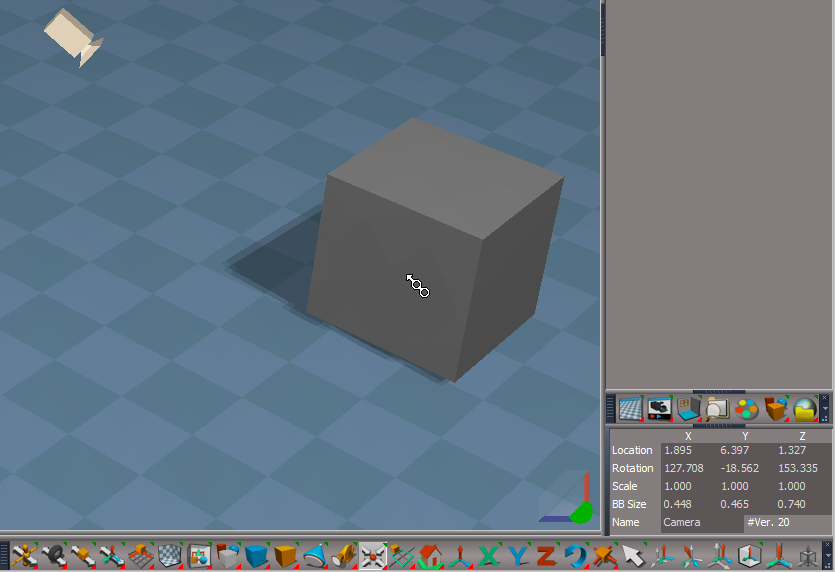
View and Light View widgets
View Widget
Encircle - i + Move Mouse - Widget Help and Preferences
Add: Move - Up | Down
Use: Add space for toolbar

If the plugins do not Load, Download and Install the Microsoft Visual C++ 2008 Service Pack 1 Redistributable Package
Note: When downloading the Microsoft Visual C++ 2008 Service Pack 1 Redistributable Package you are given 3 choices
Choose the 32-bit version; vcredist_x86.exe
Removed due to update
-
clintonman
- Captain
- Posts: 5659
- Joined: 21 May 2009, 21:08
- Type the number ten into the box: 0
- Location: California
Re: Final trueSpace 7.61 Beta 8 Unofficial Update
Synchronize node from March 25
- Attachments
-
- Synchronize_march25.RsObj
- (81.96 KiB) Downloaded 108 times
-
trueBlue
- Captain
- Posts: 5548
- Joined: 06 Jul 2009, 22:50
- Type the number ten into the box: 10
Re: Final trueSpace 7.61 Beta 8 Unofficial Update
Bless you!clintonman wrote: 25 Apr 2023, 03:07 Synchronize node from March 25
-
trueBlue
- Captain
- Posts: 5548
- Joined: 06 Jul 2009, 22:50
- Type the number ten into the box: 10
Re: Final trueSpace 7.61 Beta 8 Unofficial Update
trueSpace7.61 Beta 8 Unofficial Update Version 9
Please test this RC43 4/25/2023
New Unofficial Update Instructions:
It is Required that you completely Uninstall and Install trueSpace7.61 Beta 8 to a clean directory
You can keep your Rs Main Libraries folder, but all other folders and files should be removed
Install the PDF Manual for trueSpace (Optional but required before installing the Update)
Install the tS76_Vray1_54B8.exe (Optional but required before installing the Update)
Close trueSpace
1.) Install the YafaRay v3.3.0 render engine
2.) Install the tS76PDF 'Manual for Caligari trueSpace' & tS76Video (Optional but required before installing the Update)
3.) Install tS76_Vray1_54B8.exe to C:\trueSpace761 (Optional but required before installing the Update)
4.) Install tS7.61B8.9.exe to C:\trueSpace761
Browse [...] to where you installed C:\trueSpace761, select its folder and then the [Extract] button
Select the [Yes to All] button
5.) Open trueSpace
6.) Select the [OK] button in the OptDetectors plugin Information dialog
7.) Reset to Default Context
When trueSpace opens, select one of the layout tabs at the top
If Vray is installed:
8.) Press your keyboard's CTRL F8 keys to open the Package Manager
Right click in the Package Manager and select Install New...
Open C:\trueSpace761\Vray_ts.rsx
Right click in the Package Manager's Vray Package and select Load
Close the Package Manager
9.) Close trueSpace
The included Clintons3dPlugin.dll v.1638440, Clintons3dPluginExt.dll v.1638413, Clintons3dRsView.dll v.1638414 and the OptDetectors.dll Author - Vladimir Sisolak, are in: C:\trueSpace761
WARNING: The init.js file Imports the above 4 plugins and should not be Installed from the Package Manager, including any other plugins with the same name that have the rsx extension
All scripts that check for these plugins with the rsx extension have been removed!
Unofficial Update Version 9
Started on Fri Sep 02, 2022
Commands
Removed all of the discontinued xml scripts
Plugins Author - Clinton Reese
Renamed from rsx to dll:
Clintons3dPlugin.dll v1638441
Clintons3dRsView.dll v1638414
Clintons3dPluginExt.dll
Add
OptDetectors.dll Author - Vladimir Sisolak
Library
Add
OptDetectors
OptDetectors - Help objects
OptDetectors - Samples
Scripts
Update
init.js 'Loads the above 4 plugins'
Window.Shortcuts.xml
tS761 Workspace Shortcut List.rtf
Widget.Shortcuts.xml
CustomCommands Author - Clinton Reese
Add
JSON Function Set
Global Function Set
Dimensions
Hierarchy
Toolbar Manager
ShortcutRunner
Color Picker
Paint Vertex Color
Cloth Conversion
Enhanced Collada
Scene View 2
Object Statistics
4/25/2023
Toolbars
Toolbar Manager - Add question to Toolbar - [Remove]
.
Widgets - View widget's Left & Top Right triangles (RDrag 'Create Camera View') Selects the Camera
UUCommands - Encapsulate - Single selected Encapsulation [X] and 2D Encapsulate Warning [ ]
Snapping - Axis Snap panel [Exit] 'No longer exits PE mode & changed the labels'
.
If the plugins do not Load, Download and Install the Microsoft Visual C++ 2008 Service Pack 1 Redistributable Package
Note: When downloading the Microsoft Visual C++ 2008 Service Pack 1 Redistributable Package you are given 3 choices
Choose the 32-bit version; vcredist_x86.exe
Remove due to update
Please test this RC43 4/25/2023
New Unofficial Update Instructions:
It is Required that you completely Uninstall and Install trueSpace7.61 Beta 8 to a clean directory
You can keep your Rs Main Libraries folder, but all other folders and files should be removed
Install the PDF Manual for trueSpace (Optional but required before installing the Update)
Install the tS76_Vray1_54B8.exe (Optional but required before installing the Update)
Close trueSpace
1.) Install the YafaRay v3.3.0 render engine
2.) Install the tS76PDF 'Manual for Caligari trueSpace' & tS76Video (Optional but required before installing the Update)
3.) Install tS76_Vray1_54B8.exe to C:\trueSpace761 (Optional but required before installing the Update)
4.) Install tS7.61B8.9.exe to C:\trueSpace761
Browse [...] to where you installed C:\trueSpace761, select its folder and then the [Extract] button
Select the [Yes to All] button
5.) Open trueSpace
6.) Select the [OK] button in the OptDetectors plugin Information dialog
7.) Reset to Default Context
When trueSpace opens, select one of the layout tabs at the top
If Vray is installed:
8.) Press your keyboard's CTRL F8 keys to open the Package Manager
Right click in the Package Manager and select Install New...
Open C:\trueSpace761\Vray_ts.rsx
Right click in the Package Manager's Vray Package and select Load
Close the Package Manager
9.) Close trueSpace
The included Clintons3dPlugin.dll v.1638440, Clintons3dPluginExt.dll v.1638413, Clintons3dRsView.dll v.1638414 and the OptDetectors.dll Author - Vladimir Sisolak, are in: C:\trueSpace761
WARNING: The init.js file Imports the above 4 plugins and should not be Installed from the Package Manager, including any other plugins with the same name that have the rsx extension
All scripts that check for these plugins with the rsx extension have been removed!
Unofficial Update Version 9
Started on Fri Sep 02, 2022
Commands
Removed all of the discontinued xml scripts
Plugins Author - Clinton Reese
Renamed from rsx to dll:
Clintons3dPlugin.dll v1638441
Clintons3dRsView.dll v1638414
Clintons3dPluginExt.dll
Add
OptDetectors.dll Author - Vladimir Sisolak
Library
Add
OptDetectors
OptDetectors - Help objects
OptDetectors - Samples
Scripts
Update
init.js 'Loads the above 4 plugins'
Window.Shortcuts.xml
tS761 Workspace Shortcut List.rtf
Widget.Shortcuts.xml
CustomCommands Author - Clinton Reese
Add
JSON Function Set
Global Function Set
Dimensions
Hierarchy
Toolbar Manager
ShortcutRunner
Color Picker
Paint Vertex Color
Cloth Conversion
Enhanced Collada
Scene View 2
Object Statistics
4/25/2023
Toolbars
Toolbar Manager - Add question to Toolbar - [Remove]
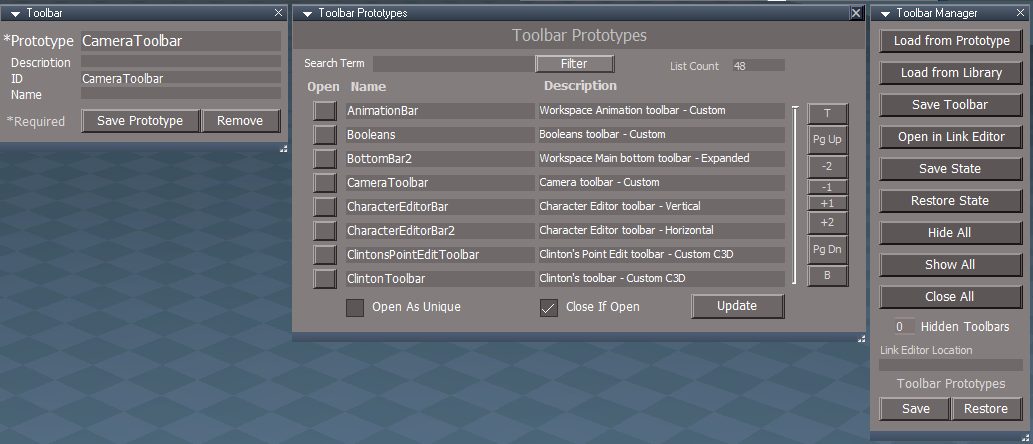
Widgets - View widget's Left & Top Right triangles (RDrag 'Create Camera View') Selects the Camera
UUCommands - Encapsulate - Single selected Encapsulation [X] and 2D Encapsulate Warning [ ]
Snapping - Axis Snap panel [Exit] 'No longer exits PE mode & changed the labels'
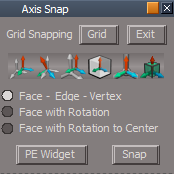
- Axis Snap panel.png (11.66 KiB) Viewed 2161 times
If the plugins do not Load, Download and Install the Microsoft Visual C++ 2008 Service Pack 1 Redistributable Package
Note: When downloading the Microsoft Visual C++ 2008 Service Pack 1 Redistributable Package you are given 3 choices
Choose the 32-bit version; vcredist_x86.exe
Remove due to update
-
Saul
- Senior Chief Petty Officer
- Posts: 308
- Joined: 22 May 2009, 16:50
Re: Final trueSpace 7.61 Beta 8 Unofficial Update
Problem with this file?
'The archive is either in unknown format or damaged'
'The archive is either in unknown format or damaged'
Last edited by Saul on 25 Apr 2023, 20:54, edited 2 times in total.
-
Saul
- Senior Chief Petty Officer
- Posts: 308
- Joined: 22 May 2009, 16:50
Re: Final trueSpace 7.61 Beta 8 Unofficial Update
'Widgets 'Add Look At widget' '
How to activate Look At Widget?
How to activate Look At Widget?
-
trueBlue
- Captain
- Posts: 5548
- Joined: 06 Jul 2009, 22:50
- Type the number ten into the box: 10
Re: Final trueSpace 7.61 Beta 8 Unofficial Update
Select the Look At toolbar icon and use the cursor to select the targetSaul wrote: 25 Apr 2023, 20:51 'Widgets 'Add Look At widget' '
How to activate Look At Widget?

- Untitled.png (285 Bytes) Viewed 2193 times
Uploaded a new fileProblem with this file?
'The archive is either in unknown format or damaged'