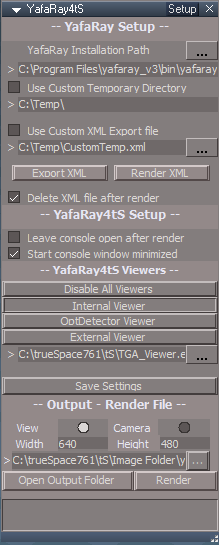
Started putting together some notes for model view processing and converting lightworks scenes.
http://clintons3d.com/plugins/truespace ... faray.html
YafaRay for trueSpace 2019
-
clintonman

- Captain
- Posts: 5659
- Joined: 21 May 2009, 21:08
- Type the number ten into the box: 0
- Location: California
Re: YafaRay for trueSpace 2019
-
trueBlue

- Captain
- Posts: 5548
- Joined: 06 Jul 2009, 22:50
- Type the number ten into the box: 10
Re: YafaRay for trueSpace 2019
Might want to change this a little bit.
There is no mention of the Restore button.
Add another step?
Switch the main view to Workspace, select the Restore button, and close Protect Workspace before closing tS?
Maybe mention that Workspace's synchronization with Model does not work in trueSpace7.61 Beta 8
This could be why Model Mesh Processing makes tS unstable?
You do not mention that Model Processing needs to be checked when using Model Mesh Processing, if that is true.
Backup does not really prevent the above changes.Use the Backup button before opening a Model view to prevent item name changes, movement, material changes and camera and light attribute changes caused by Model view processes.
There is no mention of the Restore button.
Add another step?
Switch the main view to Workspace, select the Restore button, and close Protect Workspace before closing tS?
Maybe mention that Workspace's synchronization with Model does not work in trueSpace7.61 Beta 8
This could be why Model Mesh Processing makes tS unstable?
You do not mention that Model Processing needs to be checked when using Model Mesh Processing, if that is true.
-
clintonman
- Captain
- Posts: 5659
- Joined: 21 May 2009, 21:08
- Type the number ten into the box: 0
- Location: California
Re: YafaRay for trueSpace 2019
Can you give more details about this?trueBlue wrote: 28 Oct 2019, 01:49 ...
Maybe mention that Workspace's synchronization with Model does not work in trueSpace7.61 Beta 8
This could be why Model Mesh Processing makes tS unstable?
...
Workspace's synchronization does not work?
Makes Model Mesh Processing tS unstable?
changed wording a bit and mentioned Restore button and model processing in the special mesh section
-
trueBlue
- Captain
- Posts: 5548
- Joined: 06 Jul 2009, 22:50
- Type the number ten into the box: 10
Re: YafaRay for trueSpace 2019
Just my theory, that the lack of synchronization may be the cause of the instability. I posted about an error I received previously with your Hello World scene.
-
clintonman
- Captain
- Posts: 5659
- Joined: 21 May 2009, 21:08
- Type the number ten into the box: 0
- Location: California
Re: YafaRay for trueSpace 2019
Started translating the help file to the web.
http://clintons3d.com/plugins/truespace ... /About.htm
currently requires javascript to see the side bar navigation
Edit:
added links to the official yafaray docs and some render theory tutorial links
http://clintons3d.com/plugins/truespace ... /About.htm
currently requires javascript to see the side bar navigation
Edit:
added links to the official yafaray docs and some render theory tutorial links
-
clintonman
- Captain
- Posts: 5659
- Joined: 21 May 2009, 21:08
- Type the number ten into the box: 0
- Location: California
Re: YafaRay for trueSpace 2019
Changes to the animation help
Model Processing - remove step 7
Don't get crashes when only using Model processing so no need to exit trueSpace
Model Mesh Processing - rearrange steps to exit trueSpace sooner
5.) When the render has completed, Exit trueSpace
6.) Open trueSpace
7.) Switch the main view to Workspace
8.) Select the Restore button
from yafaray page on my site fixed/changed
"exit trueSpace if Model Processing was active" to "exit trueSpace if Model Mesh Processing was active"
added link from yafaray page to the online help manual
Model Processing - remove step 7
Don't get crashes when only using Model processing so no need to exit trueSpace
Model Mesh Processing - rearrange steps to exit trueSpace sooner
5.) When the render has completed, Exit trueSpace
6.) Open trueSpace
7.) Switch the main view to Workspace
8.) Select the Restore button
from yafaray page on my site fixed/changed
"exit trueSpace if Model Processing was active" to "exit trueSpace if Model Mesh Processing was active"
added link from yafaray page to the online help manual
-
trueBlue
- Captain
- Posts: 5548
- Joined: 06 Jul 2009, 22:50
- Type the number ten into the box: 10
Re: YafaRay for trueSpace 2019
I will correct this info.
Are you okay with the additon of the YafaRay4tS Scene Utilities icon in the YafaRay4tS toolbar?
If so I was going to add info to the complied help file's YafaRay4tS User Interface including info on it's use.
The reason I added it is because I downloaded the YafaRay4tS scene from this link:
https://web.archive.org/web/20160319000 ... nstall.zip
Warning, if you do and load this scene it will overwrite the toolbar (maybe other things too) and you will have to reinstall!!!
Since removing the YafaRay4tS Scene Utilities from the setup library there was no way you could update the scene.
There was one issue with the YafaRay Light Material(s) not updating to the new version.
Are you okay with the additon of the YafaRay4tS Scene Utilities icon in the YafaRay4tS toolbar?
If so I was going to add info to the complied help file's YafaRay4tS User Interface including info on it's use.
The reason I added it is because I downloaded the YafaRay4tS scene from this link:
https://web.archive.org/web/20160319000 ... nstall.zip
Warning, if you do and load this scene it will overwrite the toolbar (maybe other things too) and you will have to reinstall!!!
Since removing the YafaRay4tS Scene Utilities from the setup library there was no way you could update the scene.
There was one issue with the YafaRay Light Material(s) not updating to the new version.
-
clintonman
- Captain
- Posts: 5659
- Joined: 21 May 2009, 21:08
- Type the number ten into the box: 0
- Location: California
Re: YafaRay for trueSpace 2019
Sounds good to me.trueBlue wrote: 03 Nov 2019, 17:41 I will correct this info.
Are you okay with the additon of the YafaRay4tS Scene Utilities icon in the YafaRay4tS toolbar?
If so I was going to add info to the complied help file's YafaRay4tS User Interface including info on it's use.
The reason I added it is because I downloaded the YafaRay4tS scene from this link:
https://web.archive.org/web/20160319000 ... nstall.zip
Warning, if you do and load this scene it will overwrite the toolbar (maybe other things too) and you will have to reinstall!!!
Since removing the YafaRay4tS Scene Utilities from the setup library there was no way you could update the scene.
There was one issue with the YafaRay Light Material(s) not updating to the new version.
-
trueBlue
- Captain
- Posts: 5548
- Joined: 06 Jul 2009, 22:50
- Type the number ten into the box: 10
Re: YafaRay for trueSpace 2019
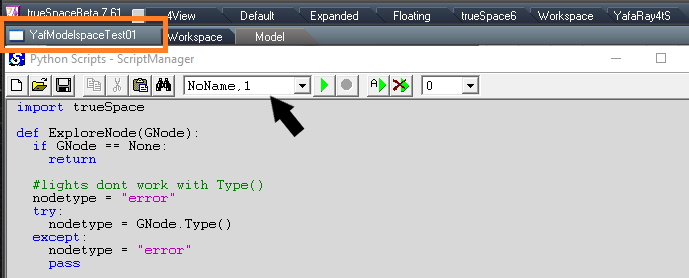
Been looking at a bunch of Model scn python scripts today.
Discovered you can open a Camera view from script, create objects, among several other interesting things.
Think I may have found a promising solution to the Model Mesh Processing without crashing trueSpace.
Instead of Assigning your script to the Scene, I Assigned it to the object that has the model animation.
In all my test including rendering in all 4 views in the 4View layout, I have had no crashes.
This is without removing the python script, switching back and forth from Workspace to Model, closing and reopening the same scene. Granted this is a small animation but just maybe it may be worth testing.
Discovered you can open a Camera view from script, create objects, among several other interesting things.
Think I may have found a promising solution to the Model Mesh Processing without crashing trueSpace.
Instead of Assigning your script to the Scene, I Assigned it to the object that has the model animation.
In all my test including rendering in all 4 views in the 4View layout, I have had no crashes.
This is without removing the python script, switching back and forth from Workspace to Model, closing and reopening the same scene. Granted this is a small animation but just maybe it may be worth testing.
-
clintonman
- Captain
- Posts: 5659
- Joined: 21 May 2009, 21:08
- Type the number ten into the box: 0
- Location: California
Re: YafaRay for trueSpace 2019
Niiiiccce!trueBlue wrote: 03 Nov 2019, 22:03 Been looking at a bunch of Model scn python scripts today.
Discovered you can open a Camera view from script, create objects, among several other interesting things.
Think I may have found a promising solution to the Model Mesh Processing without crashing trueSpace.
Instead of Assigning your script to the Scene, I Assigned it to the object that has the model animation.
In all my test including rendering in all 4 views in the 4View layout, I have had no crashes.
This is without removing the python script, switching back and forth from Workspace to Model, closing and reopening the same scene. Granted this is a small animation but just maybe it may be worth testing.
tempsnip.png
 Verified, no crash if the python script is assigned to a scene item instead of the scene. Just have to update the instructions and warning popups.
-
trueBlue
- Captain
- Posts: 5548
- Joined: 06 Jul 2009, 22:50
- Type the number ten into the box: 10
Re: YafaRay for trueSpace 2019
If it is not to much work maybe you could create the ms_flags_object from the python script and then the user assigns the script to it.
That way when it is deleted at the end of the animation, the assigned script goes with it.
Edit: On second thought instead of creating the ms_flags_objectt from script, just copy it to the scene from inside the YafaRay4tS panel.
That way when it is deleted at the end of the animation, the assigned script goes with it.
Edit: On second thought instead of creating the ms_flags_objectt from script, just copy it to the scene from inside the YafaRay4tS panel.
-
clintonman
- Captain
- Posts: 5659
- Joined: 21 May 2009, 21:08
- Type the number ten into the box: 0
- Location: California
Re: YafaRay for trueSpace 2019
No, but can get the same result by saving the ms_flag_object with the script already assigned, then load if from disk instead of creating it at the start of the animation. This would also eliminate the need for the user to assign the script and no need to have the create python button.trueBlue wrote: 03 Nov 2019, 22:30 If it is not to much work maybe you could create the ms_flags_object from the python script and then the user assigns the script to it.
That way when it is deleted at the end of the animation, the assigned script goes with it.
edit: cross post, yeah you get the idea
-
trueBlue
- Captain
- Posts: 5548
- Joined: 06 Jul 2009, 22:50
- Type the number ten into the box: 10
Re: YafaRay for trueSpace 2019
I have been testing this and it is not working without crashing. It could be because of the way I copied the object though. Still needs to be tested!!!
Okay I think I know why it was crashing. It crashes if the ms_flags_object is in the scene before a Backup.
Still needs more testing!
Not working for me in 4View layout at all. UGH
Okay I think I know why it was crashing. It crashes if the ms_flags_object is in the scene before a Backup.
Still needs more testing!
Not working for me in 4View layout at all. UGH
-
clintonman
- Captain
- Posts: 5659
- Joined: 21 May 2009, 21:08
- Type the number ten into the box: 0
- Location: California
Re: YafaRay for trueSpace 2019
Made the change and did some tests and saw no crashes.
Switch to 4view layout and quickly got a crash.
Started in 4view several tests and with no crashes.
Switch to default layout and quickly got a crash.
Looks like switching layouts after a model mesh processing render will lead to a crash.
Edit:
If you switch layouts after a render and then immediately exit tS you can avoid the crash. Other than that it's crash free for me. I was going to start removing the python button and change the messaging, but I'll wait for your test results.
Switch to 4view layout and quickly got a crash.
Started in 4view several tests and with no crashes.
Switch to default layout and quickly got a crash.
Looks like switching layouts after a model mesh processing render will lead to a crash.
Edit:
If you switch layouts after a render and then immediately exit tS you can avoid the crash. Other than that it's crash free for me. I was going to start removing the python button and change the messaging, but I'll wait for your test results.
-
trueBlue
- Captain
- Posts: 5548
- Joined: 06 Jul 2009, 22:50
- Type the number ten into the box: 10
Re: YafaRay for trueSpace 2019
I tried creating a ms_flags_object from a model object, model nurbs, workspace object, and even using your object.
In 4view layout as soon as I assigned the python script to them and closed the Script Editor, trueSpace crashed.
This was without rendering too!
Hope it works out!
It is nice being able to save and assign to the model animation object.
I think that might be an issue with Import and Export though.
Would be nice if you could create the python file during the start of the Model Mesh Processing and remove that portion from the UI.
In 4view layout as soon as I assigned the python script to them and closed the Script Editor, trueSpace crashed.
This was without rendering too!
Hope it works out!
It is nice being able to save and assign to the model animation object.
I think that might be an issue with Import and Export though.
Would be nice if you could create the python file during the start of the Model Mesh Processing and remove that portion from the UI.
-
clintonman
- Captain
- Posts: 5659
- Joined: 21 May 2009, 21:08
- Type the number ten into the box: 0
- Location: California
Re: YafaRay for trueSpace 2019
I don't understand.trueBlue wrote: 04 Nov 2019, 04:22 ...
It is nice being able to save and assign to the model animation object.
I think that might be an issue with Import and Export though.
...
Attached is a modified YafaRay4tS containing the ms_flags_object with the python script assigned to it. Also altered the messaging at the start and end of the render. Not all the changes I was planning but good enough for testing. Probably the first step would be to make sure the python isn't assigned to the scene object, your crashes could have bought it back.
- Attachments
-
- YafaRay4tS03.RsObj
- (1.08 MiB) Downloaded 179 times
-
trueBlue
- Captain
- Posts: 5548
- Joined: 06 Jul 2009, 22:50
- Type the number ten into the box: 10
Re: YafaRay for trueSpace 2019
Test using your YafModelspaceTest06.RsScn with the new YafaRay4tS03.RsObj in the YafaRay4tS layout.
Even though this scene has 20 frames in Model and Workspace, the render stops at frame 10
Set from Keyframes set the End Frame to 20
In Model after the render is complete, the time line did not return to 0 like it use to.
Switched to 4View layout, switched one view to Model and trueSpace crashed.
Reset the Default Context
Switched to 4View layout, and it rendered as above with no crash.
In Model after the render is complete, the time line returned to 0
Was thinking that switching to 4View after rendering from another layout was the only reason for the crashing but that is not the case.
Switching to any layout will crash.
I installed the Unofficial Update and tested assigning the python script to the Model animation object and got simular crashes as above when switching layouts. So no differences there with the ms_flags_object verses assigning the python script to the Model animation object. So I will test with the YafaRay4tS03.RsObj going forward.
Even though this scene has 20 frames in Model and Workspace, the render stops at frame 10
Set from Keyframes set the End Frame to 20
In Model after the render is complete, the time line did not return to 0 like it use to.
Switched to 4View layout, switched one view to Model and trueSpace crashed.
Reset the Default Context
Switched to 4View layout, and it rendered as above with no crash.
In Model after the render is complete, the time line returned to 0
Was thinking that switching to 4View after rendering from another layout was the only reason for the crashing but that is not the case.
Switching to any layout will crash.
I installed the Unofficial Update and tested assigning the python script to the Model animation object and got simular crashes as above when switching layouts. So no differences there with the ms_flags_object verses assigning the python script to the Model animation object. So I will test with the YafaRay4tS03.RsObj going forward.
-
trueBlue
- Captain
- Posts: 5548
- Joined: 06 Jul 2009, 22:50
- Type the number ten into the box: 10
Re: YafaRay for trueSpace 2019
DoFrameRender
Errors.Add("Render has been canceled... Custom Viewer only works with TGA format files. Change the Output - Render File image file format to tga ", "abort");
This was my mistake. Change 'Custom Viewer' to 'TGA Viewer' in the above
Remove openModelScriptForScene and keysExternalClearScript
Change Alert in CreatePythonSync
SaveSettings script does not replace the YafaRay4tS panel in the /System/YafaRay Folder
Errors.Add("Render has been canceled... Custom Viewer only works with TGA format files. Change the Output - Render File image file format to tga ", "abort");
This was my mistake. Change 'Custom Viewer' to 'TGA Viewer' in the above
Remove openModelScriptForScene and keysExternalClearScript
Change Alert in CreatePythonSync
SaveSettings script does not replace the YafaRay4tS panel in the /System/YafaRay Folder
-
clintonman
- Captain
- Posts: 5659
- Joined: 21 May 2009, 21:08
- Type the number ten into the box: 0
- Location: California
Re: YafaRay for trueSpace 2019
CreatePython script will be going away, python exists on the ms_flags_objecttrueBlue wrote: 04 Nov 2019, 16:31 ...
Change Alert in CreatePythonSync
SaveSettings script does not replace the YafaRay4tS panel in the /System/YafaRay Folder
FYI, This code says it only copies if the YafaRay4tS does not exist, so if that's the case and it doesn't get copied then the Yafaray Folder.RsObj file will be an empty node.
Code: Select all
	if(!Node.Exists(Destination)) {
		Node.Copy(Space.CurrentScene() + "/YafaRay4tS", "/Yafaray Folder")
}-
trueBlue
- Captain
- Posts: 5548
- Joined: 06 Jul 2009, 22:50
- Type the number ten into the box: 10
Re: YafaRay for trueSpace 2019
All I know is, it does not work as expected.
Change your settings in the scene YafaRay4tS panel and select the Save Settings button.
Through me for a loop this morning.
It should delete the YafaRay4tS panel in the System/YafaRay Folder before copying the scene YafaRay4tS panel to System/YafaRay Folder, and then save the YafaRay Folder to disk
Change your settings in the scene YafaRay4tS panel and select the Save Settings button.
Through me for a loop this morning.
It should delete the YafaRay4tS panel in the System/YafaRay Folder before copying the scene YafaRay4tS panel to System/YafaRay Folder, and then save the YafaRay Folder to disk
-
clintonman
- Captain
- Posts: 5659
- Joined: 21 May 2009, 21:08
- Type the number ten into the box: 0
- Location: California
Re: YafaRay for trueSpace 2019
I disagree, if you have an old scene with an old version of YafaRay then saving settings will replace the current version on disk with an old yafaray version.
-
trueBlue
- Captain
- Posts: 5548
- Joined: 06 Jul 2009, 22:50
- Type the number ten into the box: 10
Re: YafaRay for trueSpace 2019
Good point!
I guess you can not use the Save Settings button to update the YafaRay4tS panel in System then. Just attributes and not nodes.
I guess you can not use the Save Settings button to update the YafaRay4tS panel in System then. Just attributes and not nodes.
-
trueBlue
- Captain
- Posts: 5548
- Joined: 06 Jul 2009, 22:50
- Type the number ten into the box: 10
Re: YafaRay for trueSpace 2019
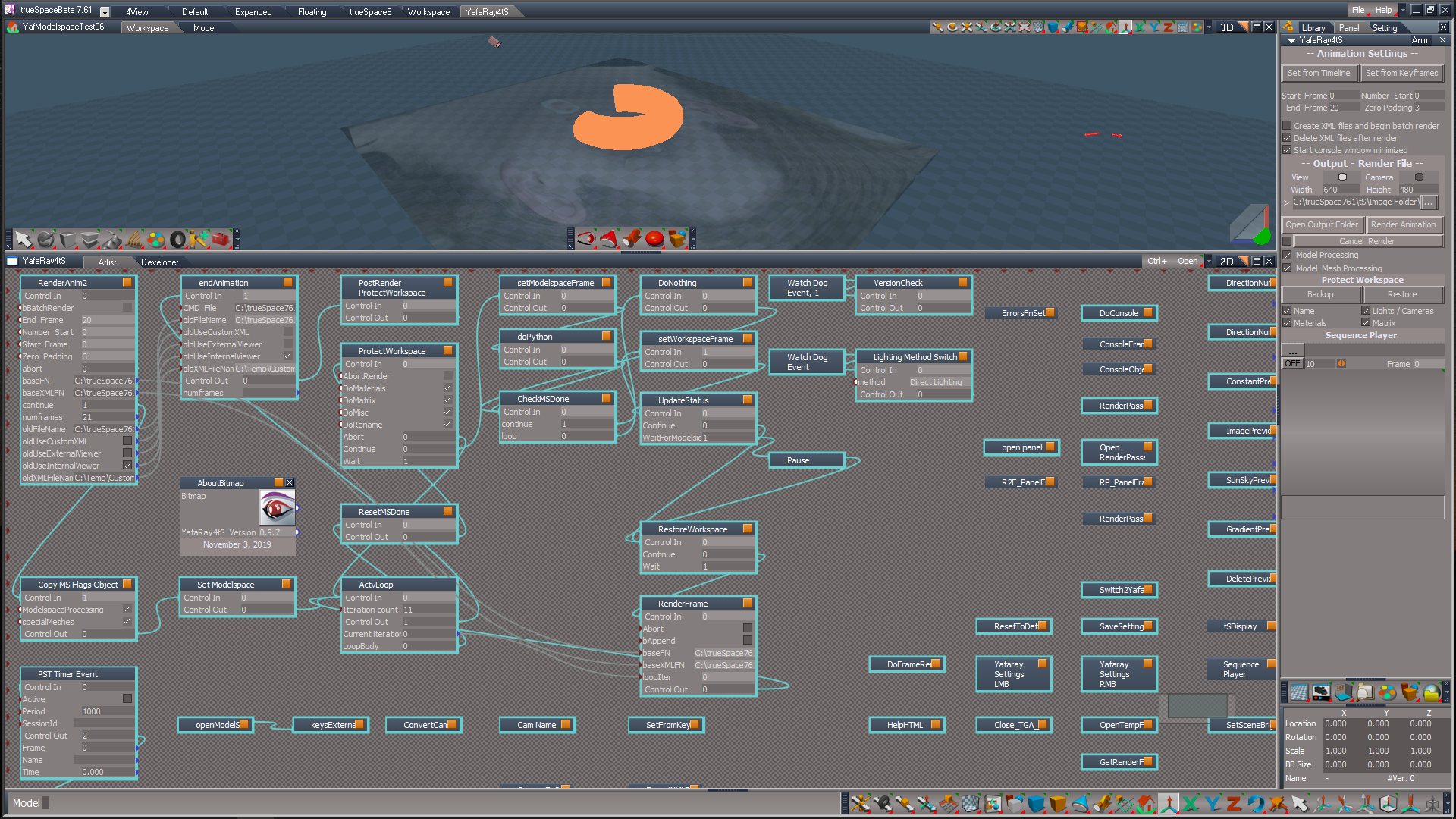
Is there something I can fix on my end to get past the 10 frame limit?
Other then that, it is working except for the crashes when switching layouts.
Other then that, it is working except for the crashes when switching layouts.
-
clintonman
- Captain
- Posts: 5659
- Joined: 21 May 2009, 21:08
- Type the number ten into the box: 0
- Location: California
Re: YafaRay for trueSpace 2019
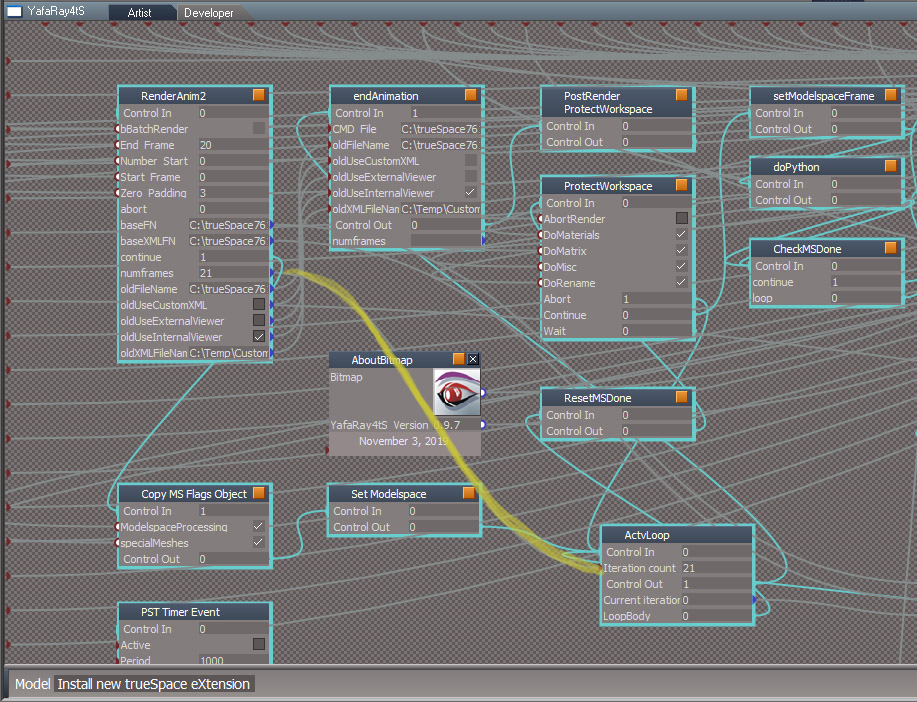
I don't know of any 10 frame limit, is there something you can share to show it?
-
trueBlue
- Captain
- Posts: 5548
- Joined: 06 Jul 2009, 22:50
- Type the number ten into the box: 10
Re: YafaRay for trueSpace 2019
I reported that previously.
I am using your YafModelspaceTest06.RsScn from your web site with the updated YafaRay4tS panel.
I am using your YafModelspaceTest06.RsScn from your web site with the updated YafaRay4tS panel.
- Attachments
-
- YafModelspaceTest06.RsRcd
- (895.26 KiB) Downloaded 180 times
-
clintonman
- Captain
- Posts: 5659
- Joined: 21 May 2009, 21:08
- Type the number ten into the box: 0
- Location: California
-
trueBlue
- Captain
- Posts: 5548
- Joined: 06 Jul 2009, 22:50
- Type the number ten into the box: 10
Re: YafaRay for trueSpace 2019
Thanks.
Animation
Model Processing
Steps to process Model animations from the Anim aspect, with the main view in Workspace and no Model view opened
1.) Select the Backup button and Save your scene
2.) Check Model Processing
3.) Switch the main view to Model and open new Workspace 3D view
4.) Select the Render Animation button
5.) When the render has completed, switch the main view to Workspace
6.) Select the Restore button
Model Mesh Processing
Steps to process Model mesh animations, NURBS. Metaballs, or Deformations from the Anim aspect, with the main view in Workspace and no Model view opened
1.) Select the Backup button and Save your scene
2.) Check Model Processing and Model Mesh Processing
3.) Switch the main view to Model and open new Workspace 3D view
4.) Select the Render Animation button
5.) When the render has completed, switch the main view to Workspace
6.) Select the Restore button
WARNING!
Switching layouts will crash trueSpace if you do not Exit trueSpace first.
Rendering with the main view in Workspace and new Model will crash trueSpace.
YafaRay4tS User Interface
YafaRay4tS Scene Utilities
Import and Export
For importing and exporting YafaRay4tS scene files
Process Imported Scene
Replaces the YafaRay4tS panel in the scene with all of the existing settings, excluding the YafaRay Installation Path. If the Output Render File path does not exist, a default path will be assigned. Updates the texture paths based on the path in the Texture Source Folder.
Gather Textures for Sharing
Copies all of textures in the scene to the Texture Source Folder.
Update YafaRay4tS
For updating previous versions of YafaRay4tS scenes to the current version.
YafaRay4tS Panel
Replaces the YafaRay4tS panel in the scene with all of the existing settings, excluding the YafaRay Installation Path. It does not update the Output Render File path.
YafaRay Materials
Replaces all of the YafaRay Materials in the scene with the current YafaRay Materials.
YafaRay Lights
Replaces all of the YafaRay Lights in the scene with the current YafaRay Lights.
YafaRay Cameras
Replaces all of the YafaRay Cameras in the scene with the current YafaRay Cameras.
D3D Materials
Opens the D3D Material Converter
In order to render in YafaRay4tS, all existing materials in the scene must be converted to a D3D Shader.
From the Default aspect in the D3D Material Converter, uncheck Selected Only, and select the Convert button.
After all of the scene materials are converted to D3D Shaders, you can convert all of the scene materials to YafaRay Materials.
From the YafaRay4tS aspect in the D3D Material Converter, uncheck Selected Only, and select the Convert button.
Animation
Model Processing
Steps to process Model animations from the Anim aspect, with the main view in Workspace and no Model view opened
1.) Select the Backup button and Save your scene
2.) Check Model Processing
3.) Switch the main view to Model and open new Workspace 3D view
4.) Select the Render Animation button
5.) When the render has completed, switch the main view to Workspace
6.) Select the Restore button
Model Mesh Processing
Steps to process Model mesh animations, NURBS. Metaballs, or Deformations from the Anim aspect, with the main view in Workspace and no Model view opened
1.) Select the Backup button and Save your scene
2.) Check Model Processing and Model Mesh Processing
3.) Switch the main view to Model and open new Workspace 3D view
4.) Select the Render Animation button
5.) When the render has completed, switch the main view to Workspace
6.) Select the Restore button
WARNING!
Switching layouts will crash trueSpace if you do not Exit trueSpace first.
Rendering with the main view in Workspace and new Model will crash trueSpace.
YafaRay4tS User Interface
YafaRay4tS Scene Utilities
Import and Export
For importing and exporting YafaRay4tS scene files
Process Imported Scene
Replaces the YafaRay4tS panel in the scene with all of the existing settings, excluding the YafaRay Installation Path. If the Output Render File path does not exist, a default path will be assigned. Updates the texture paths based on the path in the Texture Source Folder.
Gather Textures for Sharing
Copies all of textures in the scene to the Texture Source Folder.
Update YafaRay4tS
For updating previous versions of YafaRay4tS scenes to the current version.
YafaRay4tS Panel
Replaces the YafaRay4tS panel in the scene with all of the existing settings, excluding the YafaRay Installation Path. It does not update the Output Render File path.
YafaRay Materials
Replaces all of the YafaRay Materials in the scene with the current YafaRay Materials.
YafaRay Lights
Replaces all of the YafaRay Lights in the scene with the current YafaRay Lights.
YafaRay Cameras
Replaces all of the YafaRay Cameras in the scene with the current YafaRay Cameras.
D3D Materials
Opens the D3D Material Converter
In order to render in YafaRay4tS, all existing materials in the scene must be converted to a D3D Shader.
From the Default aspect in the D3D Material Converter, uncheck Selected Only, and select the Convert button.
After all of the scene materials are converted to D3D Shaders, you can convert all of the scene materials to YafaRay Materials.
From the YafaRay4tS aspect in the D3D Material Converter, uncheck Selected Only, and select the Convert button.
-
trueBlue
- Captain
- Posts: 5548
- Joined: 06 Jul 2009, 22:50
- Type the number ten into the box: 10
Re: YafaRay for trueSpace 2019
I notice that the python script can still exist in Model.
Can you silently remove it at the end of the animation?
I tested this manually removing it and rendering the same animation several times and works without any issues.
Can you silently remove it at the end of the animation?
I tested this manually removing it and rendering the same animation several times and works without any issues.
-
clintonman
- Captain
- Posts: 5659
- Joined: 21 May 2009, 21:08
- Type the number ten into the box: 0
- Location: California
Re: YafaRay for trueSpace 2019
The script should be removed from model view scene, it's not needed anymore and the create python button will be removed. It will only exist on the ms_flags_object
-
trueBlue
- Captain
- Posts: 5548
- Joined: 06 Jul 2009, 22:50
- Type the number ten into the box: 10
Re: YafaRay for trueSpace 2019
Confirmed, must have been a now deleted older scene.
-
trueBlue
- Captain
- Posts: 5548
- Joined: 06 Jul 2009, 22:50
- Type the number ten into the box: 10
Re: YafaRay for trueSpace 2019
Some notes:
hellowWorld.RsScn
1.) Open Output Folder 'incorrect'
Use Custom XML File 'checked'
Output Folder = 'c:\temp' <- Not Correct
Output Render File = 'C:\trueSpace761\tS\Image Folder\text_anim.png' <- Correct
2.) Cancel Render @ Frame 19 - 'canceled after frame rendered'
2.30 min per frame
Add System.SetBusyCursor(true)?
From the Snd Tutorial 5
// Due to fact next loop is not so lucky idea as it take
// all control of the application, set at least busy cursor
System.SetBusyCursor(true);
// Give back the cursor
System.SetBusyCursor(false);
3.) Switch main view from Model to Workspace
05:14:42.230 ERR Failed Modeler->Workspace synchronization on object LODMesh
Run - Sync from Workspace script at the end of animation stops this error.
4.) Reset Play Range at the end of animation?
Node.Value("/AnimMng", "AnimEnd") = 300
Node.Value("/AnimMng", "AnimTime") = 0
Notes:
Model Processing
Switching layouts does not crash trueSpace
Rendering with the main view in Workspace and new Model view does not crash trueSpace
Model Mesh Processing
Switching layouts will crash trueSpace
Rendering with the main view in Workspace and new Model view will crash trueSpace
Remove Alert and put in Model Mesh Processing instructions?
WARNING!
Switching layouts will crash trueSpace if you do not Exit trueSpace first.
Rendering with the main view in Workspace and new Model will crash trueSpace.
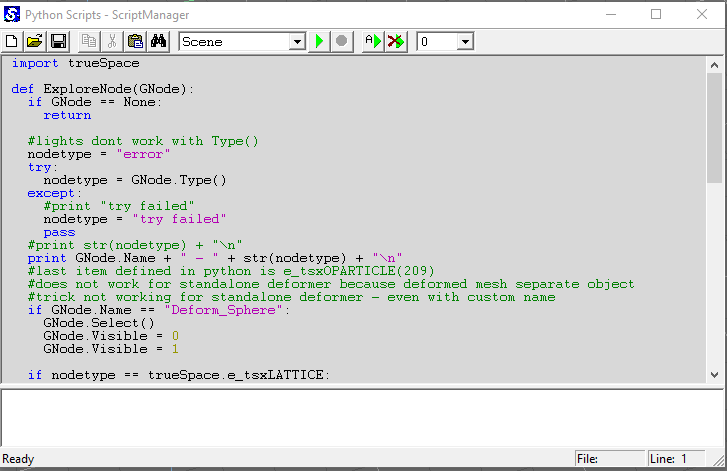
Notice again that the python script is still assigned to the Scene. Note this is a new workspace scene.
Not sure how, when, or why. Thinking it may be that Model saves it state. Even though this is a new Workspace scene, Model's view is in the same state it was when rendering the above scene.
hellowWorld.RsScn
1.) Open Output Folder 'incorrect'
Use Custom XML File 'checked'
Output Folder = 'c:\temp' <- Not Correct
Output Render File = 'C:\trueSpace761\tS\Image Folder\text_anim.png' <- Correct
2.) Cancel Render @ Frame 19 - 'canceled after frame rendered'
2.30 min per frame
Add System.SetBusyCursor(true)?
From the Snd Tutorial 5
// Due to fact next loop is not so lucky idea as it take
// all control of the application, set at least busy cursor
System.SetBusyCursor(true);
// Give back the cursor
System.SetBusyCursor(false);
3.) Switch main view from Model to Workspace
05:14:42.230 ERR Failed Modeler->Workspace synchronization on object LODMesh
Run - Sync from Workspace script at the end of animation stops this error.

- Capture2.PNG (10.02 KiB) Viewed 3674 times
Node.Value("/AnimMng", "AnimEnd") = 300
Node.Value("/AnimMng", "AnimTime") = 0
Notes:
Model Processing
Switching layouts does not crash trueSpace
Rendering with the main view in Workspace and new Model view does not crash trueSpace
Model Mesh Processing
Switching layouts will crash trueSpace
Rendering with the main view in Workspace and new Model view will crash trueSpace
Remove Alert and put in Model Mesh Processing instructions?
WARNING!
Switching layouts will crash trueSpace if you do not Exit trueSpace first.
Rendering with the main view in Workspace and new Model will crash trueSpace.
Notice again that the python script is still assigned to the Scene. Note this is a new workspace scene.
Not sure how, when, or why. Thinking it may be that Model saves it state. Even though this is a new Workspace scene, Model's view is in the same state it was when rendering the above scene.
-
clintonman
- Captain
- Posts: 5659
- Joined: 21 May 2009, 21:08
- Type the number ten into the box: 0
- Location: California
Re: YafaRay for trueSpace 2019
Confirmed, I see it.trueBlue wrote: 05 Nov 2019, 14:49 Some notes:
hellowWorld.RsScn
1.) Open Output Folder 'incorrect'
Use Custom XML File 'checked'
Output Folder = 'c:\temp' <- Not Correct
Output Render File = 'C:\trueSpace761\tS\Image Folder\text_anim.png' <- Correct
...
If you see a busy cursor in your tests then go ahead. I've never seen the busy cursor from script. If you don't see it don't put it in.trueBlue wrote: 05 Nov 2019, 14:49 ...
2.) Cancel Render @ Frame 19 - 'canceled after frame rendered'
2.30 min per frame
Add System.SetBusyCursor(true)?
From the Snd Tutorial 5
// Due to fact next loop is not so lucky idea as it take
// all control of the application, set at least busy cursor
System.SetBusyCursor(true);
// Give back the cursor
System.SetBusyCursor(false);
...
No, changing the users timeline for no reason. If they set their play range they probably did it for a reason.trueBlue wrote: 05 Nov 2019, 14:49
4.) Reset Play Range at the end of animation?
Node.Value("/AnimMng", "AnimEnd") = 300
Node.Value("/AnimMng", "AnimTime") = 0
...
If you're testing with the python assigned to the scene then your tests are invalid. Workspace has no connection to model view python, so resetting the workspace will not clear the python from the scene item. You have to clear the model view scene to clear out the python.trueBlue wrote: 05 Nov 2019, 14:49 ...
Notes:
Model Processing
Switching layouts does not crash trueSpace
Rendering with the main view in Workspace and new Model view does not crash trueSpace
Model Mesh Processing
Switching layouts will crash trueSpace
Rendering with the main view in Workspace and new Model view will crash trueSpace
Remove Alert and put in Model Mesh Processing instructions?
WARNING!
Switching layouts will crash trueSpace if you do not Exit trueSpace first.
Rendering with the main view in Workspace and new Model will crash trueSpace.
Notice again that the python script is still assigned to the Scene. Note this is a new workspace scene.
Not sure how, when, or why. Thinking it may be that Model saves it state. Even though this is a new Workspace scene, Model's view is in the same state it was when rendering the above scene.
Capture.PNG
-
trueBlue
- Captain
- Posts: 5548
- Joined: 06 Jul 2009, 22:50
- Type the number ten into the box: 10
Re: YafaRay for trueSpace 2019
Actually the play range gets changed from the YafaRay4tS scripts.No, changing the users timeline for no reason. If they set their play range they probably did it for a reason.
Not sure what you are suggesting here. Just noticed that Render Cancel does not happen until after the frame is rendered. In this case it was 2.30 mins. Never did see the status message.If you see a busy cursor in your tests then go ahead. I've never seen the busy cursor from script. If you don't see it don't put it in.
This morning, I only used two scenes, the YafModelspaceTest06.RsScn and the helloWorld.RsScn with the new YafaRay4tS panel.If you're testing with the python assigned to the scene then your tests are invalid. Workspace has no connection to model view python, so resetting the workspace will not clear the python from the scene item. You have to clear the model view scene to clear out the python.
It was after testing these scenes, that I noticed the python script in Model. I have not been assigning any scripts.
I'll keep a watch out as I am not sure when it happened.
Never the less these are just observations.
-
clintonman
- Captain
- Posts: 5659
- Joined: 21 May 2009, 21:08
- Type the number ten into the box: 0
- Location: California
Re: YafaRay for trueSpace 2019
I'm not seeing the YafaRay changing the play range. Can you give steps so I can see it?trueBlue wrote: 05 Nov 2019, 16:32Actually the play range gets changed from the YafaRay4tS scripts.No, changing the users timeline for no reason. If they set their play range they probably did it for a reason.Not sure what you are suggesting here. Just noticed that Render Cancel does not happen until after the frame is rendered. In this case it was 2.30 mins. Never did see the status message.If you see a busy cursor in your tests then go ahead. I've never seen the busy cursor from script. If you don't see it don't put it in.
...
I'm saying I have tried this command and never seen any difference in the cursor. If you got it to work then do it. That's what I'm saying.
Code: Select all
System.SetBusyCursor(true);-
clintonman
- Captain
- Posts: 5659
- Joined: 21 May 2009, 21:08
- Type the number ten into the box: 0
- Location: California
Re: YafaRay for trueSpace 2019
Just saying you may need to re-observe with a good scene, since a bad scene may mess up your tests.trueBlue wrote: 05 Nov 2019, 16:32 ...
Never the less these are just observations.
-
trueBlue
- Captain
- Posts: 5548
- Joined: 06 Jul 2009, 22:50
- Type the number ten into the box: 10
Re: YafaRay for trueSpace 2019
With the Animation view open, Set the play range to 0 - 300
Load the YafModelspaceTest06.RsScn
Same with the helloWorld.RsScn
Load the YafModelspaceTest06.RsScn
Same with the helloWorld.RsScn
-
trueBlue
- Captain
- Posts: 5548
- Joined: 06 Jul 2009, 22:50
- Type the number ten into the box: 10
Re: YafaRay for trueSpace 2019
Here is a new Yafaray Camera I am adding to the setup library.
Y4tSv.0.9.7
Yafaray EntryPoint Camera
When the scene loads the view will switch
to this Camera's view.
In the YafaRay4tS/Camera aspect,
with this camera selected,
select the Set Camera button when
rendering from a Camera View.
Y4tSv.0.9.7
Yafaray EntryPoint Camera
When the scene loads the view will switch
to this Camera's view.
In the YafaRay4tS/Camera aspect,
with this camera selected,
select the Set Camera button when
rendering from a Camera View.
- Attachments
-
- EntryPoint.RsObj
- (71.4 KiB) Downloaded 255 times
-
clintonman
- Captain
- Posts: 5659
- Joined: 21 May 2009, 21:08
- Type the number ten into the box: 0
- Location: California
Re: YafaRay for trueSpace 2019
Thanks, test shows it's not coming from YafaRay4tS. I removed the Yaf node and it still happens. Also tested with fresh scene with animated torus. Clear scene, set range 0 to 300 and when reload the scene it changed the play range to the animation keys on the torus.trueBlue wrote: 05 Nov 2019, 16:52 With the Animation view open, Set the play range to 0 - 300
Load the YafModelspaceTest06.RsScn
Same with the helloWorld.RsScn
-
clintonman
- Captain
- Posts: 5659
- Joined: 21 May 2009, 21:08
- Type the number ten into the box: 0
- Location: California
Re: YafaRay for trueSpace 2019
Fine with me, as long as still have access to a camera that does not automatically switch the view.trueBlue wrote: 05 Nov 2019, 16:57 Here is a new Yafaray Camera I am adding to the setup library.
Y4tSv.0.9.7
Yafaray EntryPoint Camera
When the scene loads the view will switch
to this Camera's view.
In the YafaRay4tS/Camera aspect,
with this camera selected,
select the Set Camera button when
rendering from a Camera View.
-
trueBlue
- Captain
- Posts: 5548
- Joined: 06 Jul 2009, 22:50
- Type the number ten into the box: 10
Re: YafaRay for trueSpace 2019
Just confirmed that those scenes also assign the python script in Model.
-
clintonman
- Captain
- Posts: 5659
- Joined: 21 May 2009, 21:08
- Type the number ten into the box: 0
- Location: California
Re: YafaRay for trueSpace 2019
Right, none of the scenes have been updated since your discovery of placing the python on a scene item instead of the scene.trueBlue wrote: 05 Nov 2019, 17:15 Just confirmed that those scenes also assign the python script in Model.
Edit: I don't plan to update them or the help/webpage until you're done with testing and changes.
-
trueBlue
- Captain
- Posts: 5548
- Joined: 06 Jul 2009, 22:50
- Type the number ten into the box: 10
Re: YafaRay for trueSpace 2019
Were you planning any changes to YafaRay4rS?
If so can you share the latest?
If so can you share the latest?
-
clintonman
- Captain
- Posts: 5659
- Joined: 21 May 2009, 21:08
- Type the number ten into the box: 0
- Location: California
Re: YafaRay for trueSpace 2019
I haven't made any changes cause I thought you were making changes.
trueBlue wrote: 04 Nov 2019, 16:31 DoFrameRender
Errors.Add("Render has been canceled... Custom Viewer only works with TGA format files. Change the Output - Render File image file format to tga ", "abort");
This was my mistake. Change 'Custom Viewer' to 'TGA Viewer' in the above
Remove openModelScriptForScene and keysExternalClearScript
Change Alert in CreatePythonSync
SaveSettings script does not replace the YafaRay4tS panel in the /System/YafaRay Folder
-
trueBlue
- Captain
- Posts: 5548
- Joined: 06 Jul 2009, 22:50
- Type the number ten into the box: 10
Re: YafaRay for trueSpace 2019
I am not making any changes to your code. Only suggestions. The biggest one being the Sync from Workspace, if it is doable.
Edit: I am hopeful that this may help with crashes too!
Edit: I am hopeful that this may help with crashes too!
-
clintonman
- Captain
- Posts: 5659
- Joined: 21 May 2009, 21:08
- Type the number ten into the box: 0
- Location: California
-
clintonman
- Captain
- Posts: 5659
- Joined: 21 May 2009, 21:08
- Type the number ten into the box: 0
- Location: California
Re: YafaRay for trueSpace 2019
fix animation end on frame 10
doframerender changed message as requested
remove all model view scene based python scripts, button and time stamp
tried running sync after model view render but didn't work, sendkeys did not - command node still in place in case you want to make a go of it
2 sample scenes did not need to be updated for the new python method since the python was not loaded into the scene. uploading a fixed helloWorld scene now
TODO: update documentation and make official release
doframerender changed message as requested
remove all model view scene based python scripts, button and time stamp
tried running sync after model view render but didn't work, sendkeys did not - command node still in place in case you want to make a go of it
2 sample scenes did not need to be updated for the new python method since the python was not loaded into the scene. uploading a fixed helloWorld scene now
TODO: update documentation and make official release
- Attachments
-
- YafaRay4tS08.RsObj
- (1.06 MiB) Downloaded 202 times
-
trueBlue
- Captain
- Posts: 5548
- Joined: 06 Jul 2009, 22:50
- Type the number ten into the box: 10
Re: YafaRay for trueSpace 2019
I tried to in a different way and was able to get the send key to work, but the error still persisted.tried running sync after model view render but didn't work, sendkeys did not - command node still in place in case you want to make a go of it
I removed the command node, fixed the UI, and changed the date to November 05, 2019
Uploaded the changes to the Update(s)
The YafaRay4tS Help is updated too
Let me know if you need help with the changes and or images.
-
clintonman
- Captain
- Posts: 5659
- Joined: 21 May 2009, 21:08
- Type the number ten into the box: 0
- Location: California
Re: YafaRay for trueSpace 2019
Great, it'll be nice to wrap this up.
-
trueBlue
- Captain
- Posts: 5548
- Joined: 06 Jul 2009, 22:50
- Type the number ten into the box: 10
Re: YafaRay for trueSpace 2019
Amen! To THAT!!!clintonman wrote: 06 Nov 2019, 02:16 Great, it'll be nice to wrap this up.

Thanks for everything!

-
clintonman
- Captain
- Posts: 5659
- Joined: 21 May 2009, 21:08
- Type the number ten into the box: 0
- Location: California
Re: YafaRay for trueSpace 2019
I altered some of the wording in the D3D Material conversion. A complex scene with a lot of objects will fail to convert to a YafaRay materials only scene.
"After all of the scene materials are converted to D3D Shaders, you can convert some or all of the scene materials to YafaRay Materials.
From the YafaRay4tS aspect in the D3D Material Converter, choose to check or uncheck Selected Only, and select the Convert button.
The complex nature of YafaRay materials limits the number of scene items with YafaRay materials applied to about 800 objects."
Edit: animation page chm file has "Rendering with the main view in Workspace and new Model will crash trueSpace" I don't think that's true anymore.
edit: online help file updated now.
"After all of the scene materials are converted to D3D Shaders, you can convert some or all of the scene materials to YafaRay Materials.
From the YafaRay4tS aspect in the D3D Material Converter, choose to check or uncheck Selected Only, and select the Convert button.
The complex nature of YafaRay materials limits the number of scene items with YafaRay materials applied to about 800 objects."
Edit: animation page chm file has "Rendering with the main view in Workspace and new Model will crash trueSpace" I don't think that's true anymore.
edit: online help file updated now.
-
trueBlue
- Captain
- Posts: 5548
- Joined: 06 Jul 2009, 22:50
- Type the number ten into the box: 10
Re: YafaRay for trueSpace 2019
Want to make sure that any changes to the compiled help file are correct before I make the final update.
Quote from your last update to the Material Converter
First test after rendering, closing the new Model view, tS crashed.
If I switched the new Model view to Workspace first before closing it, no crash.
It is difficult to get tS in a un crash state. Simply resetting the default context does not work.
Fairly sure it has to due with Model's save state and also Workspace's lack of synchronization with Model.
Hence when switching the new Model view to Workspace first before closing it.
You have dead links in your online help file
YafaRay4tS installer
YafaRay Lights
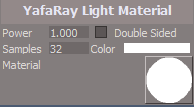
YafaRay Light Material
new pic
New pic and info
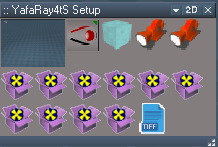
YafaRay4tS Setup
Included with YafaRay4tS is a YafaRay Setup library that includes:
YafaRay4tS.RsScn with YafaRay Light setup and a Yafaray Camera.
YafaRay4tS toolbar.RsObj script that reloads the toolbar.
YafarayVolume.RsObj Volume Region object for Uniform and Height Fog.
Yafaray Camera.RsObj includes a script to select DOF distance and additonal settings.
EntryPoint.RsObj A Yafaray EntryPoint Camera. When the
scene loads the view will switch to this Camera's view.
In the YafaRay4tS/Camera aspect, with this camera selected,
select the Set Camera button. when rendering from a Camera View.
Several objects that are used to create a D3D Preview of the Background.
Tiff Loader.RsObj for loading and displaying Tiff images in trueSpace.
In the History, I am going to change the date to:
YafaRay4tS version: 0.9.7
November 05, 2019
Last but not least, I made a significant discovery when rendering an 2 min image this morning.
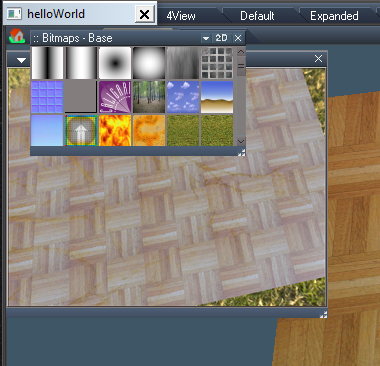
While it was rendering, I clicked on the Display, it disappeared, and when it finished rendering, the Bitmaps Base library was opened.
This has always been an issue, but I have discovered a solution by changing it to a Clickable Bitmap.
Also added a WinId to the OwnedBy attribute to it's panel frame.
Changed the TIFF loader in the tSDisplay and YafaRay4tS Setup library too.
Here is a scene you can try with the changes.
Quote from your last update to the Material Converter
Do you want to redefine your correction?added limits warning for the convert d3d to yafaray materials to help prevent crashes - limits to processing 200 materials at a time, 3 runs for a total of 600 is somewhat safe and 4 runs for a total of 800 may or may not crash, anything over 800 guaranteed crash
BTW...the D3D Material Converter has a link to your website.After all of the scene materials are converted to D3D Shaders, you can convert some or all of the scene materials to YafaRay Materials.
From the YafaRay4tS aspect in the D3D Material Converter, choose to check or uncheck Selected Only, and select the Convert button.
The complex nature of YafaRay materials limits the number of scene items with YafaRay materials applied to about 800 objects.
I am getting mixed results with the Mesh Model Processing scene when testing the above workflow.Edit: animation page chm file has "Rendering with the main view in Workspace and new Model will crash trueSpace" I don't think that's true anymore.
First test after rendering, closing the new Model view, tS crashed.
If I switched the new Model view to Workspace first before closing it, no crash.
It is difficult to get tS in a un crash state. Simply resetting the default context does not work.
Fairly sure it has to due with Model's save state and also Workspace's lack of synchronization with Model.
Hence when switching the new Model view to Workspace first before closing it.
You have dead links in your online help file
YafaRay4tS installer
YafaRay Lights
YafaRay Light Material
new pic
- image001.png (3 KiB) Viewed 3850 times
YafaRay4tS Setup
- image008.png (13.8 KiB) Viewed 3850 times
YafaRay4tS.RsScn with YafaRay Light setup and a Yafaray Camera.
YafaRay4tS toolbar.RsObj script that reloads the toolbar.
YafarayVolume.RsObj Volume Region object for Uniform and Height Fog.
Yafaray Camera.RsObj includes a script to select DOF distance and additonal settings.
EntryPoint.RsObj A Yafaray EntryPoint Camera. When the
scene loads the view will switch to this Camera's view.
In the YafaRay4tS/Camera aspect, with this camera selected,
select the Set Camera button. when rendering from a Camera View.
Several objects that are used to create a D3D Preview of the Background.
Tiff Loader.RsObj for loading and displaying Tiff images in trueSpace.
In the History, I am going to change the date to:
YafaRay4tS version: 0.9.7
November 05, 2019
Last but not least, I made a significant discovery when rendering an 2 min image this morning.
While it was rendering, I clicked on the Display, it disappeared, and when it finished rendering, the Bitmaps Base library was opened.
- Capture3.PNG (242.36 KiB) Viewed 3838 times
Also added a WinId to the OwnedBy attribute to it's panel frame.
Changed the TIFF loader in the tSDisplay and YafaRay4tS Setup library too.
Here is a scene you can try with the changes.
- Attachments
-
- YafaRay4tS.RsRcd
- (732.64 KiB) Downloaded 246 times
-
clintonman
- Captain
- Posts: 5659
- Joined: 21 May 2009, 21:08
- Type the number ten into the box: 0
- Location: California
Re: YafaRay for trueSpace 2019
"First test after rendering, closing the new Model view, tS crashed.
If I switched the new Model view to Workspace first before closing it, no crash.
It is difficult to get tS in a un crash state. Simply resetting the default context does not work.
"
Confirmed for special mesh processing crash when exit floating model view
Don't see getting stuck in crashed/unstable state.
You have dead links in your online help file
YafaRay4tS installer
YafaRay Lights
YafaRay Light Material "
I see the broken Light Material link, don't know where the other 2 links are.
Will update online help to match the chm file changes.
If I switched the new Model view to Workspace first before closing it, no crash.
It is difficult to get tS in a un crash state. Simply resetting the default context does not work.
"
Confirmed for special mesh processing crash when exit floating model view
Don't see getting stuck in crashed/unstable state.
You have dead links in your online help file
YafaRay4tS installer
YafaRay Lights
YafaRay Light Material "
I see the broken Light Material link, don't know where the other 2 links are.
Will update online help to match the chm file changes.
-
trueBlue
- Captain
- Posts: 5548
- Joined: 06 Jul 2009, 22:50
- Type the number ten into the box: 10
Re: YafaRay for trueSpace 2019
Another issue with the Save to File on the iOptiViewer when rendering to the TIFF format.
There is no option to save as a TIFF format for one, and even if there was I am not sure if it would work.
Saving to an available format does not work either. IE.. png, bmp, etc...
Most likely, the only way for this to work, would be with your plugins?
There is no option to save as a TIFF format for one, and even if there was I am not sure if it would work.
Saving to an available format does not work either. IE.. png, bmp, etc...
Most likely, the only way for this to work, would be with your plugins?
-
clintonman
- Captain
- Posts: 5659
- Joined: 21 May 2009, 21:08
- Type the number ten into the box: 0
- Location: California
Re: YafaRay for trueSpace 2019
"Changed the TIFF loader in the tSDisplay and YafaRay4tS Setup library too."
Don't see any problems with your test scene.
Do not remove the button from the TIFF loader in the library. Just makes it less useful.
Removing buttons in general makes things more difficult to troubleshoot. When removed from a command node you can't run it in isolation anymore unless you add the button back in or load the run activity node from the library and hook it up.
Don't see any problems with your test scene.
Do not remove the button from the TIFF loader in the library. Just makes it less useful.
Removing buttons in general makes things more difficult to troubleshoot. When removed from a command node you can't run it in isolation anymore unless you add the button back in or load the run activity node from the library and hook it up.
-
clintonman
- Captain
- Posts: 5659
- Joined: 21 May 2009, 21:08
- Type the number ten into the box: 0
- Location: California
Re: YafaRay for trueSpace 2019
I see it. It needs to change to save from the Tiff loader instead of the image.trueBlue wrote: 06 Nov 2019, 18:54 Another issue with the Save to File on the iOptiViewer when rendering to the TIFF format.
There is no option to save as a TIFF format for one, and even if there was I am not sure if it would work.
Saving to an available format does not work either. IE.. png, bmp, etc...
Most likely, the only way for this to work, would be with your plugins?
-
trueBlue
- Captain
- Posts: 5548
- Joined: 06 Jul 2009, 22:50
- Type the number ten into the box: 10
Re: YafaRay for trueSpace 2019
LOL, that is because I made the modifications!clintonman wrote: 06 Nov 2019, 18:58 "Changed the TIFF loader in the tSDisplay and YafaRay4tS Setup library too."
Don't see any problems with your test scene.
Do not remove the button from the TIFF loader in the library. Just makes it less useful.
Removing buttons in general makes things more difficult to troubleshoot. When removed from a command node you can't run it in isolation anymore unless you add the button back in or load the run activity node from the library and hook it up.
 Buttons???
I changed the Bitmap attribute to a Clickable Bitmap.
This stops the Bitmap Base library from showing.

-
trueBlue
- Captain
- Posts: 5548
- Joined: 06 Jul 2009, 22:50
- Type the number ten into the box: 10
Re: YafaRay for trueSpace 2019
Long as it does not break saving as another format. Right?clintonman wrote: 06 Nov 2019, 19:05I see it. It needs to change to save from the Tiff loader instead of the image.trueBlue wrote: 06 Nov 2019, 18:54 Another issue with the Save to File on the iOptiViewer when rendering to the TIFF format.
There is no option to save as a TIFF format for one, and even if there was I am not sure if it would work.
Saving to an available format does not work either. IE.. png, bmp, etc...
Most likely, the only way for this to work, would be with your plugins?
-
clintonman
- Captain
- Posts: 5659
- Joined: 21 May 2009, 21:08
- Type the number ten into the box: 0
- Location: California
Re: YafaRay for trueSpace 2019
fixed to save tiff format render image
- Attachments
-
- YafaRay4tS09.RsObj
- (1.09 MiB) Downloaded 191 times
-
clintonman
- Captain
- Posts: 5659
- Joined: 21 May 2009, 21:08
- Type the number ten into the box: 0
- Location: California
Re: YafaRay for trueSpace 2019
Just talking buttons in general. Removing the button from the Tiff Loader in the library makes it so you can't press a button and load the image via a dialog. Without the button you have to manually type the full path to the tif image. Doesn't matter as much that you removed it from the tiff loader inside the yafaray node.trueBlue wrote: 06 Nov 2019, 19:06LOL, that is because I made the modifications!clintonman wrote: 06 Nov 2019, 18:58 "Changed the TIFF loader in the tSDisplay and YafaRay4tS Setup library too."
Don't see any problems with your test scene.
Do not remove the button from the TIFF loader in the library. Just makes it less useful.
Removing buttons in general makes things more difficult to troubleshoot. When removed from a command node you can't run it in isolation anymore unless you add the button back in or load the run activity node from the library and hook it up.
I changed the Bitmap attribute to a Clickable Bitmap.
This stops the Bitmap Base library from showing.
-
trueBlue
- Captain
- Posts: 5548
- Joined: 06 Jul 2009, 22:50
- Type the number ten into the box: 10
Re: YafaRay for trueSpace 2019
Okay I guess you are totally misunderstanding me.
I did not remove any buttons.
Here is the modified TIFF loader.
Click on the Bitmap attribute. Nothing happens, correct?
Now try it with your TIFF loader. Shows the Bitmap Base library, correct?
May have to coax it to show at first. Click, Double Click, and or Ctrl + Click it.
Does not eliminate Ctrl + Click though!
Also with the Display, the issue with showing the Bitmap Base library does not show unless you are in the middle of a long render and after it is completed. Or maybe when you Cancel the render.
Can you give instructions on how to save an Image.tif to disk?
I did not remove any buttons.
Here is the modified TIFF loader.
Click on the Bitmap attribute. Nothing happens, correct?
Now try it with your TIFF loader. Shows the Bitmap Base library, correct?
May have to coax it to show at first. Click, Double Click, and or Ctrl + Click it.
Does not eliminate Ctrl + Click though!
Also with the Display, the issue with showing the Bitmap Base library does not show unless you are in the middle of a long render and after it is completed. Or maybe when you Cancel the render.
Can you give instructions on how to save an Image.tif to disk?

- Attachments
-
- Tiff Loader.RsObj
- (3.67 KiB) Downloaded 210 times
-
clintonman
- Captain
- Posts: 5659
- Joined: 21 May 2009, 21:08
- Type the number ten into the box: 0
- Location: California
Re: YafaRay for trueSpace 2019
Yep, only know what you show me and you only showed me the stripped down tif loader inside the Yafaray node. Nothing removed so I''m happy.trueBlue wrote: 06 Nov 2019, 19:34 Okay I guess you are totally misunderstanding me.
I did not remove any buttons.
Here is the modified TIFF loader.
Click on the Bitmap attribute. Nothing happens, correct?
Now try it with your TIFF loader. Shows the Bitmap Base library, correct?
May have to coax it to show at first. Click, Double Click, and or Ctrl + Click it.
Does not eliminate Ctrl + Click though!
Also with the Display, the issue with showing the Bitmap Base library does not show unless you are in the middle of a long render and after it is completed. Or maybe when you Cancel the render.
Can you give instructions on how to save an Image.tif to disk?
Screenshot.png
So is the Display fixed? or is it still broken somehow?
Don't see tif in the list, so guess it can't be done.
-
trueBlue
- Captain
- Posts: 5548
- Joined: 06 Jul 2009, 22:50
- Type the number ten into the box: 10
Re: YafaRay for trueSpace 2019
Yes you included it in your update.
Maybe you could use your GetRenderFile script?
Edit: Tried to insert the code here, but I am getting the 403 Forbidden Error
Maybe you could use your GetRenderFile script?
Edit: Tried to insert the code here, but I am getting the 403 Forbidden Error
-
trueBlue
- Captain
- Posts: 5548
- Joined: 06 Jul 2009, 22:50
- Type the number ten into the box: 10
Re: YafaRay for trueSpace 2019
Reported this before, the Scene Utilities/YafaRay4tS Panel script unchecks all viewers.
When you select Render, you get an error.
Then the TGA Viewer opens.
Load the helloWorld scene
Select the Yafaray4tS Script Node button
Select the Open Scene Utilities button
In the Stack, change the YafaRay4tS panel to Setup
The panel in the Stack is deleted except the title bar.
YafaRay4tS panel in the scene is still present, If I add
to the bottom of that script, problem solved.
The Stack is soooo strange!
I like the way you are using the Esc keyboard key to cancel a render!
Why can't the Cancel Render button work the same way?
Why can't the Render Animation button script and the Render animation toolbar LMB command work the same way?
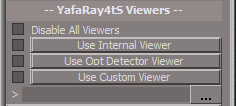
- Capture2.PNG (3.6 KiB) Viewed 4132 times
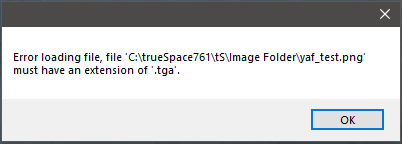
- Capture.PNG (5.5 KiB) Viewed 4135 times
Load the helloWorld scene
Select the Yafaray4tS Script Node button
Select the Open Scene Utilities button
In the Stack, change the YafaRay4tS panel to Setup
The panel in the Stack is deleted except the title bar.
YafaRay4tS panel in the scene is still present, If I add
Code: Select all
UserInterface.OpenToolPanelViewEx2("", "", Space.CurrentScene() + "/YafaRay4tS", 3, 1, 0);The Stack is soooo strange!
I like the way you are using the Esc keyboard key to cancel a render!
Why can't the Cancel Render button work the same way?
Why can't the Render Animation button script and the Render animation toolbar LMB command work the same way?
-
clintonman
- Captain
- Posts: 5659
- Joined: 21 May 2009, 21:08
- Type the number ten into the box: 0
- Location: California
Re: YafaRay for trueSpace 2019
I'm not seeing that at all. Maybe you're missing a step? When I open the helloWorld scene the Scene Utilites in the scene pops up a panel. I use it and don't get viewers unchecked. If I remove it and run the scene utilites from the button also no unchecking of viewers.trueBlue wrote: 06 Nov 2019, 22:07 Reported this before, the Scene Utilities/YafaRay4tS Panel script unchecks all viewers.
Capture2.PNG
When you select Render, you get an error.
Capture.PNG
Then the TGA Viewer opens.
Load the helloWorld scene
Select the Yafaray4tS Script Node button
Select the Open Scene Utilities button
In the Stack, change the YafaRay4tS panel to Setup
The panel in the Stack is deleted except the title bar.
...
If you don't get the popup when loading the helloWorld scene then your scene maybe different from mine. If so you can post and I can take a look at it.
-
trueBlue
- Captain
- Posts: 5548
- Joined: 06 Jul 2009, 22:50
- Type the number ten into the box: 10
Re: YafaRay for trueSpace 2019
Okay, I narrowed it down, if you save a scene with Disable All Viewers 'checked'.
Load the scene.
Run Scene Utilities/YafaRay4tS Panel button.
Open up the Setup aspect.
All viewers are unchecked.
Load the scene.
Run Scene Utilities/YafaRay4tS Panel button.
Open up the Setup aspect.
All viewers are unchecked.
-
clintonman
- Captain
- Posts: 5659
- Joined: 21 May 2009, 21:08
- Type the number ten into the box: 0
- Location: California
Re: YafaRay for trueSpace 2019
How are they different?trueBlue wrote: 06 Nov 2019, 22:07 ...
I like the way you are using the Esc keyboard key to cancel a render!
Why can't the Cancel Render button work the same way?
...
-
clintonman
- Captain
- Posts: 5659
- Joined: 21 May 2009, 21:08
- Type the number ten into the box: 0
- Location: California
Re: YafaRay for trueSpace 2019
loaded helloWorld scenetrueBlue wrote: 07 Nov 2019, 00:36 Okay, I narrowed it down, if you save a scene with Disable All Viewers 'checked'.
Load the scene.
Run Scene Utilities/YafaRay4tS Panel button.
Open up the Setup aspect.
All viewers are unchecked.
I have made some mods to the YafaRay4tS.RssObj
checked disable all viewers
saved scene
new scene and load scene back in
close the scene utilities popup
open scene utilties from button
press yafaRay4tS Panel button
viewers are still checked, disable all viewers is unchecked which is expected because of some problem with reading/writing that value
so still not seeing it.
-
trueBlue
- Captain
- Posts: 5548
- Joined: 06 Jul 2009, 22:50
- Type the number ten into the box: 10
Re: YafaRay for trueSpace 2019
Esc shows a Console Alertclintonman wrote: 07 Nov 2019, 00:39How are they different?trueBlue wrote: 06 Nov 2019, 22:07 ...
I like the way you are using the Esc keyboard key to cancel a render!
Why can't the Cancel Render button work the same way?
...
Sometimes the Cancel Render does not show the status message and if it does, it quickly disappears.
What I am seeing is several inconsistencies with the Render buttons, toolbar Render commands, some alerts use the Console Alerts, some use tS Alerts, and status messages.
As an example
Render animation toolbar command
Code: Select all
OfflineRender.OpenView('',0,0);if (Node.Exists('/Scripts/Commands/RenderAnimation')){Activity.Run('/Scripts/Commands/RenderAnimation');}if (!Node.Exists('/Scripts/Commands/RenderAnimation')){OfflineRender.RenderAnimation('')}Code: Select all
Activity.Run("%THIS_NAME%" + "/RenderAnim2");-
clintonman
- Captain
- Posts: 5659
- Joined: 21 May 2009, 21:08
- Type the number ten into the box: 0
- Location: California
Re: YafaRay for trueSpace 2019
How are they different and how do you want it to be and why?trueBlue wrote: 06 Nov 2019, 22:07 ...
Why can't the Render Animation button script and the Render animation toolbar LMB command work the same way?
virgin ts animation button
OfflineRender.OpenView('',0,0);OfflineRender.RenderAnimation('')
OfflineRender.OpenPreferencesPanel()
unofficial update animation button
OfflineRender.OpenView('',0,0);Activity.Run('/Scripts/Commands/RenderAnimation');
yafaray toolbar animation button
OfflineRender.OpenView('',0,0);
if (Node.Exists('/Scripts/Commands/RenderAnimation')){Activity.Run('/Scripts/Commands/RenderAnimation');}
if (!Node.Exists('/Scripts/Commands/RenderAnimation')){OfflineRender.RenderAnimation('')}
-
clintonman
- Captain
- Posts: 5659
- Joined: 21 May 2009, 21:08
- Type the number ten into the box: 0
- Location: California
Re: YafaRay for trueSpace 2019
The cancel messaging can be adjusted by copying some code from RenderFrame into ProtectWorkspace.trueBlue wrote: 07 Nov 2019, 00:56Esc shows a Console Alertclintonman wrote: 07 Nov 2019, 00:39How are they different?trueBlue wrote: 06 Nov 2019, 22:07 ...
I like the way you are using the Esc keyboard key to cancel a render!
Why can't the Cancel Render button work the same way?
...
Sometimes the Cancel Render does not show the status message and if it does, it quickly disappears.
...
Can't do anything about render animation without clear direction.
-
trueBlue
- Captain
- Posts: 5548
- Joined: 06 Jul 2009, 22:50
- Type the number ten into the box: 10
Re: YafaRay for trueSpace 2019
clintonman wrote: 07 Nov 2019, 00:57How are they different and how do you want it to be and why?trueBlue wrote: 06 Nov 2019, 22:07 ...
Why can't the Render Animation button script and the Render animation toolbar LMB command work the same way?
virgin ts animation button
OfflineRender.OpenView('',0,0);OfflineRender.RenderAnimation('')
OfflineRender.OpenPreferencesPanel()
unofficial update animation button
OfflineRender.OpenView('',0,0);Activity.Run('/Scripts/Commands/RenderAnimation');
yafaray toolbar animation button
OfflineRender.OpenView('',0,0);
if (Node.Exists('/Scripts/Commands/RenderAnimation')){Activity.Run('/Scripts/Commands/RenderAnimation');}
if (!Node.Exists('/Scripts/Commands/RenderAnimation')){OfflineRender.RenderAnimation('')}

Next render the same scene with the Render Animation button.
This is all related to using Disable all Viewers and all viewers being unchecked.
Also using Disable all Viewers gets turned off after a render.
Do not know why the Scene Utilities/Yafaray4ts Panel button is giving you and I different results, but I can duplicate over and over again with the steps I provided.
Bingo!viewers are still checked, disable all viewers is unchecked which is expected because of some problem with reading/writing
Could this be the reason?
From the incorporated Scene Utilities/YafaRay4tS Panel button script.
Code: Select all
		if(connector[3] & CONFLG_IN && !(connector[3] & CONFLG_HIDDEN)) {
			if(Node.ConExists(Destination, connector[0])) {
				if(connector[0] == "Yaf_Path" || connector[0] == "useRenderToFile") {
continue;-
clintonman
- Captain
- Posts: 5659
- Joined: 21 May 2009, 21:08
- Type the number ten into the box: 0
- Location: California
Re: YafaRay for trueSpace 2019
Cancel Render button and esc key have the same behavior with error message added to the errors object.
- Attachments
-
- YafaRay4tS12.RsObj
- (1.09 MiB) Downloaded 186 times
-
trueBlue
- Captain
- Posts: 5548
- Joined: 06 Jul 2009, 22:50
- Type the number ten into the box: 10
Re: YafaRay for trueSpace 2019
Sorry Clinton, but the problems with the YafaRayBar render scripts in the YafarayScripts are a show stopper!
I was able to get the Render Animation icon working by adding Activity.Run(Space.CurrentScene() + "YafaRay4tS/RenderAnim2"); in the YafarayScripts/AnimationRender script, but I was not able to overcome the TGA errors.
There seems to be alot going on with the Render to File, Output Render File image formats, and your beloved TGA Viewer!
Do not know how complicated this could be to incorporate into all of your scripts, but maybe you could read the Output Render File's image format, and if it is tga, spawn the TGA Viewer. If it is not tga, use the internal viewers?
Here are my notes:
YafaRayBar
Render Animation script
If Disable All Viewers (useRenderToFile) is checked and the Output Render Render File image format is anything other then the TGA format you get an error.
If you change it to the TGA format and LMB select Render animation, nothing is rendered.
Same for all other image formats, nothing is rendered.
The only thing this script does is open the YafaRay4tS Anim aspect
Render Scene script
If Disable All Viewers is checked and the Output Render Render File image format is anything other then the TGA format you get an error.
If you change it to the TGA format and LMB select Render animation, nothing is rendered.
Render Object script
If Disable All Viewers is checked and the Output Render Render File image format is anything other then the TGA format you get an error.
If you change it to the TGA format and LMB select Render animation, nothing is rendered.
Render Area script
If Disable All Viewers is checked and the Output Render Render File image format is anything other then the TGA format, you get a Alert with no message.
TGA format does render.
Note: Add RMB select in 3D Space to deactivate in help file
All of the above Render scripts (sometimes) give an alert with no titlbar text with a message Error loading file, file 'path' must have an extention of 'tga' See post Re: YafaRay for trueSpace 2019 Post by trueBlue » Wed Nov 06, 2019 2:07 pm
YafaRay4tS panel
Setup
Disable All Viewers does not stay active.
YafaRay4tS Scene Utlities
YafaRay4tS Panel script and Process Imported Scene script
Add
UserInterface.OpenToolPanelViewEx2("", "", Space.CurrentScene() + "/YafaRay4tS", 3, 1, 0);
If Disable All Viewers is checked, all viewers get unchecked
YafaRay Lights script
Spot/Angle changes to 2.00
YafaRay Materials
D3D Preview button(s) in an Activated state are not honored. Workaround - Deactivate/Activate
I was able to get the Render Animation icon working by adding Activity.Run(Space.CurrentScene() + "YafaRay4tS/RenderAnim2"); in the YafarayScripts/AnimationRender script, but I was not able to overcome the TGA errors.
There seems to be alot going on with the Render to File, Output Render File image formats, and your beloved TGA Viewer!
Do not know how complicated this could be to incorporate into all of your scripts, but maybe you could read the Output Render File's image format, and if it is tga, spawn the TGA Viewer. If it is not tga, use the internal viewers?
Here are my notes:
YafaRayBar
Render Animation script
If Disable All Viewers (useRenderToFile) is checked and the Output Render Render File image format is anything other then the TGA format you get an error.
If you change it to the TGA format and LMB select Render animation, nothing is rendered.
Same for all other image formats, nothing is rendered.
The only thing this script does is open the YafaRay4tS Anim aspect
Render Scene script
If Disable All Viewers is checked and the Output Render Render File image format is anything other then the TGA format you get an error.
If you change it to the TGA format and LMB select Render animation, nothing is rendered.
Render Object script
If Disable All Viewers is checked and the Output Render Render File image format is anything other then the TGA format you get an error.
If you change it to the TGA format and LMB select Render animation, nothing is rendered.
Render Area script
If Disable All Viewers is checked and the Output Render Render File image format is anything other then the TGA format, you get a Alert with no message.
TGA format does render.
Note: Add RMB select in 3D Space to deactivate in help file
All of the above Render scripts (sometimes) give an alert with no titlbar text with a message Error loading file, file 'path' must have an extention of 'tga' See post Re: YafaRay for trueSpace 2019 Post by trueBlue » Wed Nov 06, 2019 2:07 pm
YafaRay4tS panel
Setup
Disable All Viewers does not stay active.
YafaRay4tS Scene Utlities
YafaRay4tS Panel script and Process Imported Scene script
Add
UserInterface.OpenToolPanelViewEx2("", "", Space.CurrentScene() + "/YafaRay4tS", 3, 1, 0);
If Disable All Viewers is checked, all viewers get unchecked
YafaRay Lights script
Spot/Angle changes to 2.00
YafaRay Materials
D3D Preview button(s) in an Activated state are not honored. Workaround - Deactivate/Activate
-
clintonman
- Captain
- Posts: 5659
- Joined: 21 May 2009, 21:08
- Type the number ten into the box: 0
- Location: California
Re: YafaRay for trueSpace 2019
Hope you see the pattern there. I give you 2 choices 1) keep it the way it is or 2) we remove the tga viewer.trueBlue wrote: 07 Nov 2019, 20:07 ... TGA errors.
...beloved TGA Viewer!
... if it is tga, spawn the TGA Viewer. If it is not tga, use the internal viewers?
...
other then the TGA format you get an error.
... the TGA format ...
... the TGA format you get an error.
... TGA format ...
... TGA format and LMB ...
... the TGA format, you get a Alert with no message.
TGA format does render.
... must have an extention of 'tga'...
...
I've mentioned before that the tga viewer is a pain. The amount of work needed to make it run smoothly with all other changes is not worth the effort.
-
trueBlue
- Captain
- Posts: 5548
- Joined: 06 Jul 2009, 22:50
- Type the number ten into the box: 10
Re: YafaRay for trueSpace 2019
I do, been looking at your scripts. I vote to get rid of it. As said the way it is now is a show stopper! There is online converters to convert to a tga.clintonman wrote: 07 Nov 2019, 20:48Hope you see the pattern there. I give you 2 choices 1) keep it the way it is or 2) we remove the tga viewer.trueBlue wrote: 07 Nov 2019, 20:07 ... TGA errors.
...beloved TGA Viewer!
... if it is tga, spawn the TGA Viewer. If it is not tga, use the internal viewers?
...
other then the TGA format you get an error.
... the TGA format ...
... the TGA format you get an error.
... TGA format ...
... TGA format and LMB ...
... the TGA format, you get a Alert with no message.
TGA format does render.
... must have an extention of 'tga'...
...
I've mentioned before that the tga viewer is a pain. The amount of work needed to make it run smoothly with all other changes is not worth the effort.
I am also on the fence with your newest addition (I have not tried it) with the Cancel Render. I know I said I liked it. It was more about them being different. But the truth is (my personal opinion) I do not like Alerts that you have to click to dismiss. The only problem with the status message was it was dismissed to fast. If you could make it like the Status Message.RsObj in the Update(s) where you could set the amount of time before it is removed, that would be awesome!
Including this one:
System.Alert("WARNING! Switching layouts will crash trueSpace if you do not Exit trueSpace first.")
-
clintonman
- Captain
- Posts: 5659
- Joined: 21 May 2009, 21:08
- Type the number ten into the box: 0
- Location: California
Re: YafaRay for trueSpace 2019
Ok then, away with it. And there's no need for a tga converter, you can render and display tga without it.trueBlue wrote: 07 Nov 2019, 21:50 ...
I do, been looking at your scripts. I vote to get rid of it. As said the way it is now is a show stopper! There is online converters to convert to a tga.
I am also on the fence with your newest addition (I have not tried it) with the Cancel Render. I know I said I liked it. It was more about them being different. But the truth is (my personal opinion) I do not like Alerts that you have to click to dismiss. The only problem with the status message was it was dismissed to fast. If you could make it like the Status Message.RsObj in the Update(s) where you could set the amount of time before it is removed, that would be awesome!
Including this one:
System.Alert("WARNING! Switching layouts will crash trueSpace if you do not Exit trueSpace first.")
-
FHembree

- Master Chief Petty Officer
- Posts: 337
- Joined: 21 Feb 2011, 17:43
- Type the number ten into the box: 9
Re: YafaRay for trueSpace 2019
Must admit I have not been following this thread much as I would like, but instead just quickly glancing over it. I have tried some of the Yafaray updates but one problem I find is that they
can not render my older files created under previous versions such as 7.6 n 8 etc, so I deleted the newer versions such as 9 and later because of material incompatibilities. I see there is
a script "D3D Material Converter" to convert d3d materials to YafaRay but is there a script to convert older YafaRay materials to the current versions of Yafaray materials?
So for compatibility reasons, I prefer versions 7.6 and 8 even though I may be missing some or a lot of newer features.
I also like the Material interface of these versions better.
can not render my older files created under previous versions such as 7.6 n 8 etc, so I deleted the newer versions such as 9 and later because of material incompatibilities. I see there is
a script "D3D Material Converter" to convert d3d materials to YafaRay but is there a script to convert older YafaRay materials to the current versions of Yafaray materials?
So for compatibility reasons, I prefer versions 7.6 and 8 even though I may be missing some or a lot of newer features.
I also like the Material interface of these versions better.
-
trueBlue
- Captain
- Posts: 5548
- Joined: 06 Jul 2009, 22:50
- Type the number ten into the box: 10
Re: YafaRay for trueSpace 2019
Can hear that?!clintonman wrote: 07 Nov 2019, 23:39Ok then, away with it. And there's no need for a tga converter, you can render and display tga without it.trueBlue wrote: 07 Nov 2019, 21:50 ...
I do, been looking at your scripts. I vote to get rid of it. As said the way it is now is a show stopper! There is online converters to convert to a tga.
I am also on the fence with your newest addition (I have not tried it) with the Cancel Render. I know I said I liked it. It was more about them being different. But the truth is (my personal opinion) I do not like Alerts that you have to click to dismiss. The only problem with the status message was it was dismissed to fast. If you could make it like the Status Message.RsObj in the Update(s) where you could set the amount of time before it is removed, that would be awesome!
Including this one:
System.Alert("WARNING! Switching layouts will crash trueSpace if you do not Exit trueSpace first.")

Several thousands lines of code being reworked and removed from several different nodes!
Huge undertaking.
Hope it goes smoothly.

No doubt, this update is going to make it much easier to use!

-
clintonman
- Captain
- Posts: 5659
- Joined: 21 May 2009, 21:08
- Type the number ten into the box: 0
- Location: California
Re: YafaRay for trueSpace 2019
First draft of "no tgaviwer version"
The TGA_Viewer is the default external viewer and not a special stand alone viewer.
The render viewer toggle buttons have been replaced by push buttons.
Disable All Views changed from checkbox to a push button.
"Custom Viewer" changed to "External Viewer" to show that it is the opposite of the "Internal Viewer".
Invalid viewer options will be adjusted at render time to the most sensible values. The visible values do not change. An altered copy of the options is used at render time. If the External Viewer is not valid then an error message.
TODO: add question dialogs for some of the adjustments
Scene Utilities "update yafaray node" updated for the new "no tga"/"disable all views" logic.
There was a lot of changes so there may be some bad behavior here and there or we may be lucky and it works almost perfectly.
The TGA_Viewer is the default external viewer and not a special stand alone viewer.
The render viewer toggle buttons have been replaced by push buttons.
Disable All Views changed from checkbox to a push button.
"Custom Viewer" changed to "External Viewer" to show that it is the opposite of the "Internal Viewer".
Invalid viewer options will be adjusted at render time to the most sensible values. The visible values do not change. An altered copy of the options is used at render time. If the External Viewer is not valid then an error message.
TODO: add question dialogs for some of the adjustments
Scene Utilities "update yafaray node" updated for the new "no tga"/"disable all views" logic.
There was a lot of changes so there may be some bad behavior here and there or we may be lucky and it works almost perfectly.
- Attachments
-
- YafarayScripts107.RsObj
- (52.87 KiB) Downloaded 185 times
-
- YafaRay4tS123.RsObj
- (1.11 MiB) Downloaded 186 times
-
trueBlue
- Captain
- Posts: 5548
- Joined: 06 Jul 2009, 22:50
- Type the number ten into the box: 10
Re: YafaRay for trueSpace 2019
Awesome update Clinton!!!
You did great!
Tested using all of the viewer options using the Render buttons and icons, except for Animation.
Including launching Gimp in the External Viewer's path
All is working without errors, except for handled TGA error, which is expected.
The only thing I notice is when NOT using the Viewer buttons, but using the check boxes, the viewers do not spawn in some cases. Never the less everything still renders without errors!
As an example, uncheck all of the viewer options except the OptDetector Viewer.
Help file does mention that the Internal Viewer must be checked when using the OptDetector Viewer, so all is good!
Thought about suggesting that the check boxes be removed, but then there would not be any indication which viewer is enabled.
Actually, changing the check boxes Type to On/Off buttons works better IMHO.
Next test animation...
You did great!
Tested using all of the viewer options using the Render buttons and icons, except for Animation.
Including launching Gimp in the External Viewer's path
All is working without errors, except for handled TGA error, which is expected.
The only thing I notice is when NOT using the Viewer buttons, but using the check boxes, the viewers do not spawn in some cases. Never the less everything still renders without errors!
As an example, uncheck all of the viewer options except the OptDetector Viewer.
Help file does mention that the Internal Viewer must be checked when using the OptDetector Viewer, so all is good!
Thought about suggesting that the check boxes be removed, but then there would not be any indication which viewer is enabled.
Actually, changing the check boxes Type to On/Off buttons works better IMHO.