This will be my new home for the next Animation Challenge.
I'll be working on "Grunt" *
utilizing trueSpace workSpace morphing plus animation keyframe generation,
Argile (for more morphing), Magix Movie Edit 14 Pro or Premiere,
ACDSee for preview, Photoshop (to make my crap look like nice crap) and Youtube.
* Grunt
Verb: A sound often heard from a gym, a lumberjack, or a bathroom.
Noun: Steinie's Caveman
Animation Contest 2010 02---------Grunt!
-
Steinie

- Captain
- Posts: 2958
- Joined: 21 May 2009, 17:38
- Type the number ten into the box: 10
Animation Contest 2010 02---------Grunt!
-
jamesmc
- Captain
- Posts: 1776
- Joined: 08 Jul 2009, 15:35
Re: Animation Contest 2010 02---------Grunt!
I vote for the bathroom version.
My ButtCam is available for close ups and widescreen shots.
My ButtCam is available for close ups and widescreen shots.
Walk by faith, not by sight.
-
Steinie
- Captain
- Posts: 2958
- Joined: 21 May 2009, 17:38
- Type the number ten into the box: 10
Re: Animation Contest 2010 02---------Grunt!
<object width="425" height="344"><param name="movie" value="http://www.youtube.com/v/jGdTDivMXL8&hl ... ram><param name="allowFullScreen" value="true"></param><param name="allowscriptaccess" value="always"></param><embed src="http://www.youtube.com/v/jGdTDivMXL8&hl=en_US&fs=1&" type="application/x-shockwave-flash" allowscriptaccess="always" allowfullscreen="true" width="425" height="344"></embed></object>[/youtube]
-
LeonRegis

- Captain
- Posts: 1946
- Joined: 18 Aug 2009, 17:36
- Type the number ten into the box: 0
- Location: Brazil/Earth/Orion Arm/Milky Way/4th Dimension/This Universe/Multiverse???/Singularity???
Re: Animation Contest 2010 02---------Grunt!
The sound was pretty scary. 
In the final version move the eyes a bit while talking and also the head...
In the final version move the eyes a bit while talking and also the head...
Be the change you want to see in the world. - Mohandas Gandhi
-
jeffroig
- Chief Warrant Officer
- Posts: 662
- Joined: 22 May 2009, 10:49
- Type the number ten into the box: 0
Re: Animation Contest 2010 02---------Grunt!
Hey Steinie,
Is that what happened to Rocky...
Too many steriods..
Good work, I see Argile is working out for you.
Is that what happened to Rocky...
Too many steriods..
Good work, I see Argile is working out for you.
..
-
Steinie
- Captain
- Posts: 2958
- Joined: 21 May 2009, 17:38
- Type the number ten into the box: 10
Re: Animation Contest 2010 02---------Grunt!
Grunt work so far is experimental.
I haven't used Argile yet because I do not know how to use the morphs in workSpace.
I'm waiting for Noko's instructions over at the Caligari site. The facial morphs you see
were done using workSpace. Any help in using the Argile Morphs in workSpace would be appreciated.
I also cannot figure out the best way to animate the hair. Any ideas?
The sound was added after the animation so nothing is synced. NOT how you do it!
(Beginner Animator Manual 101)
Grunt was intended to be a caveman but for this animation I may turn him into a disgruntled
postal worker, someone's Boss or a trueSpace user after the MicroSoft acquisition...
Thanks for the comments everyone, you are tooooo kind!
I haven't used Argile yet because I do not know how to use the morphs in workSpace.
I'm waiting for Noko's instructions over at the Caligari site. The facial morphs you see
were done using workSpace. Any help in using the Argile Morphs in workSpace would be appreciated.
I also cannot figure out the best way to animate the hair. Any ideas?
The sound was added after the animation so nothing is synced. NOT how you do it!
(Beginner Animator Manual 101)
Grunt was intended to be a caveman but for this animation I may turn him into a disgruntled
postal worker, someone's Boss or a trueSpace user after the MicroSoft acquisition...
Thanks for the comments everyone, you are tooooo kind!
-
jeffroig
- Chief Warrant Officer
- Posts: 662
- Joined: 22 May 2009, 10:49
- Type the number ten into the box: 0
Re: Animation Contest 2010 02---------Grunt!
Steinie,
I dont use trueSpace 7 or higher so I cant help with the workspace question.
The best way I have found to animate the hair is by creating a morph target and then you are able to control the sway (back & forth, Side to Side) the only software that I can suggest for doing a morph target in is Poser, it handles the morphs very good.
If you decide to purchase Poser, you can still buy Poser 6 and it will do what you want. Also if you want to learn Poser I will be happy to be your mentor and guide you through it step by step.
Poser isnt hard to learn and while the interface may seem confusing its very easy once you learn the basics.
Let me know what you want to do and I will do what I can to help.
I dont use trueSpace 7 or higher so I cant help with the workspace question.
The best way I have found to animate the hair is by creating a morph target and then you are able to control the sway (back & forth, Side to Side) the only software that I can suggest for doing a morph target in is Poser, it handles the morphs very good.
If you decide to purchase Poser, you can still buy Poser 6 and it will do what you want. Also if you want to learn Poser I will be happy to be your mentor and guide you through it step by step.
Poser isnt hard to learn and while the interface may seem confusing its very easy once you learn the basics.
Let me know what you want to do and I will do what I can to help.
..
-
trueBlue

- Captain
- Posts: 5548
- Joined: 06 Jul 2009, 22:50
- Type the number ten into the box: 10
Re: Animation Contest 2010 02---------Grunt!
Animating trueSpace's Hair would be really time consuming but I think very possible.
Using Augusto's trick with converting trueSpace's Hair to a Mesh first.
Then you could add Bones to each Hair individually.
Using Augusto's trick with converting trueSpace's Hair to a Mesh first.
Then you could add Bones to each Hair individually.
-
RAYMAN

- Captain
- Posts: 2547
- Joined: 21 May 2009, 18:56
Re: Animation Contest 2010 02---------Grunt!
yes it is possible to convert hair to a mesh but adding bones isnt that easy and so many...... and then rigging the whole stuff .... arrrgggghhh !trueBlue wrote:Animating trueSpace's Hair would be really time consuming but I think very possible.
Using Augusto's trick with converting trueSpace's Hair to a Mesh first.
Then you could add Bones to each Hair individually.
the only way to do it efficiently is with morph targets and for those you would want to use soft selection but unfortunatly i wasnt able to keep the selection highlighted...
i would go a different way and Jeffroig is right getting an old version of Poser (ebay)would be a way for you.
you have your base mesh... now make your strands in real geometry or convert the ones you have in truespace to real geometry and import it into Poser.
Export it from there as a morph mesh and make morphtargets in argile reimport that into Poser and assign those morphtargets to the mesh and export it as a poser file
import it into free daz studio and there you can use the morphpanel for all your actions including automated lypsynching. you can also make hand and feetmovments as morphs you dont have to rig that character in Poser or daz.
From there you can import the whole thing as a Collada file into the vue (that you got last year)or just render it out in free daz3d ....
(Silo that you have got also works well for making morphs.....)
If you have questions about exactly how to I can guide you its very easy much easier then it sounds
You dont have to learn the whole programs....
Its much easier to animate with the pupeteer panel and lypsynching is done by the program....
Peter
- Attachments
-
- Gru.zip
- (81.71 KiB) Downloaded 327 times
-
jeffroig
- Chief Warrant Officer
- Posts: 662
- Joined: 22 May 2009, 10:49
- Type the number ten into the box: 0
Re: Animation Contest 2010 02---------Grunt!
Here is the process that I use to create the characters with the various morphs including mouth movements.
1) Create the character in TS (Base model)
2) Export it out as an OBJ file.
3) Import it into Argile to do any fine work or touch up.
4) Export it out of Argile as a OBJ file.
5) Import the OBJ file create in Argile into Poser.
6) Using the grouping tool I delete all the groups created.
7) I then go into the setup room turning it into a character.
8) Perform grouping and name all the groups correctly.
9) Import bones or create bones and attach them to the character.
10) Go back to the Pose room and verify that all the joints move correctly and adjust as needed.
11) Export the head as a morph target and I name it base_head.
12) Import the base_head morph target into argile and then using the move tool I open the mouth.
13) I then export that as for example (MouthOpen.obj)
14) Import the MouthOpen.obj into Poser as a morph target for the head and a Dial is created called MouthOpen.
Note: For each mouth movement you want to create you must create a new morph target and import it into Poser.
The same applies for hair movement or eyes blink or twinkle nose or any other morph you want to perform.
You can animate the character in Poser (Key Frame it) and then save the scene as a PZ3.
VUE gives you the ability to bring the animated character in VUE and you can then make your character walk through the dessert or anything else.
1) Create the character in TS (Base model)
2) Export it out as an OBJ file.
3) Import it into Argile to do any fine work or touch up.
4) Export it out of Argile as a OBJ file.
5) Import the OBJ file create in Argile into Poser.
6) Using the grouping tool I delete all the groups created.
7) I then go into the setup room turning it into a character.
8) Perform grouping and name all the groups correctly.
9) Import bones or create bones and attach them to the character.
10) Go back to the Pose room and verify that all the joints move correctly and adjust as needed.
11) Export the head as a morph target and I name it base_head.
12) Import the base_head morph target into argile and then using the move tool I open the mouth.
13) I then export that as for example (MouthOpen.obj)
14) Import the MouthOpen.obj into Poser as a morph target for the head and a Dial is created called MouthOpen.
Note: For each mouth movement you want to create you must create a new morph target and import it into Poser.
The same applies for hair movement or eyes blink or twinkle nose or any other morph you want to perform.
You can animate the character in Poser (Key Frame it) and then save the scene as a PZ3.
VUE gives you the ability to bring the animated character in VUE and you can then make your character walk through the dessert or anything else.
..
-
jamesmc
- Captain
- Posts: 1776
- Joined: 08 Jul 2009, 15:35
Re: Animation Contest 2010 02---------Grunt!
One of the best explanations of work flow I've seen.
outstanding!
and thanks!
outstanding!
and thanks!
Walk by faith, not by sight.
-
Steinie
- Captain
- Posts: 2958
- Joined: 21 May 2009, 17:38
- Type the number ten into the box: 10
Re: Animation Contest 2010 02---------Grunt!
Yes this is really great! I have been reading and studying all your feedback.
I placed an order for Poser 7 today. (It was shipped today also)
I'll be back in the game soon. If you think you can add to this post please do so.
All your guys help so far has been appreciated!
I placed an order for Poser 7 today. (It was shipped today also)
I'll be back in the game soon. If you think you can add to this post please do so.
All your guys help so far has been appreciated!
-
jeffroig
- Chief Warrant Officer
- Posts: 662
- Joined: 22 May 2009, 10:49
- Type the number ten into the box: 0
Re: Animation Contest 2010 02---------Grunt!
Lets see, well I have been given the project today from work to design a pirate for use on the website.
So that being said, I will try to do my best in doing some screen captures and notes on documenting the whole process.
I have alot on my plate right now so I can only say I will try.
So that being said, I will try to do my best in doing some screen captures and notes on documenting the whole process.
I have alot on my plate right now so I can only say I will try.
..
-
Steinie
- Captain
- Posts: 2958
- Joined: 21 May 2009, 17:38
- Type the number ten into the box: 10
Re: Animation Contest 2010 02---------Grunt!
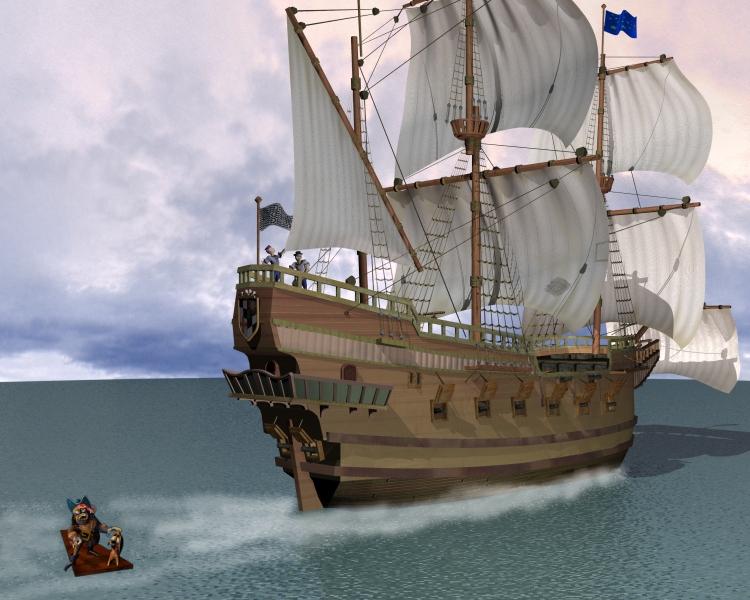
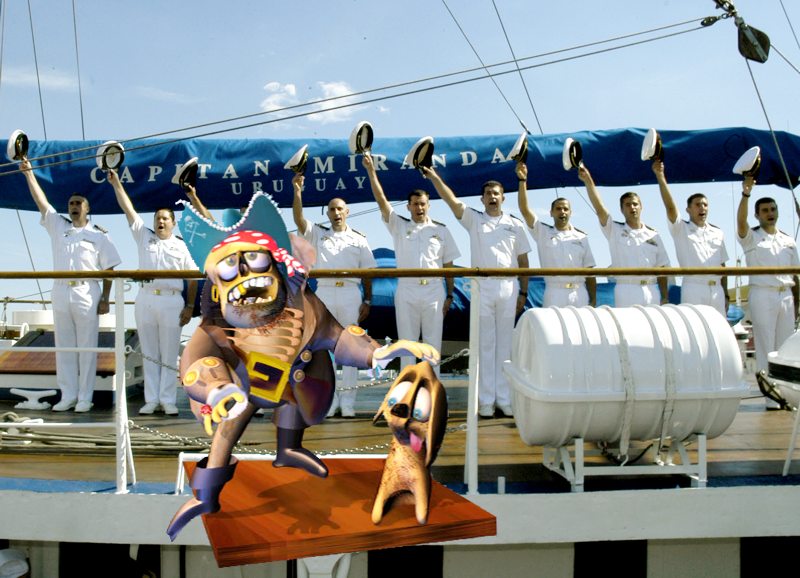
I've been abandoned arghhhh me matie!
A little Prodigy and Wizard Pirate humor from the past.
A little inside humor question...pssst is the next project a "Space Pirate" theme?...
A little Prodigy and Wizard Pirate humor from the past.
A little inside humor question...pssst is the next project a "Space Pirate" theme?...
- Attachments
-
-
-
jeffroig
- Chief Warrant Officer
- Posts: 662
- Joined: 22 May 2009, 10:49
- Type the number ten into the box: 0
Re: Animation Contest 2010 02---------Grunt!
Would make an interesting theme. I guess it will have too wait....
Dont get me started on another project..
Dont get me started on another project..
..
-
jeffroig
- Chief Warrant Officer
- Posts: 662
- Joined: 22 May 2009, 10:49
- Type the number ten into the box: 0
Re: Animation Contest 2010 02---------Grunt!
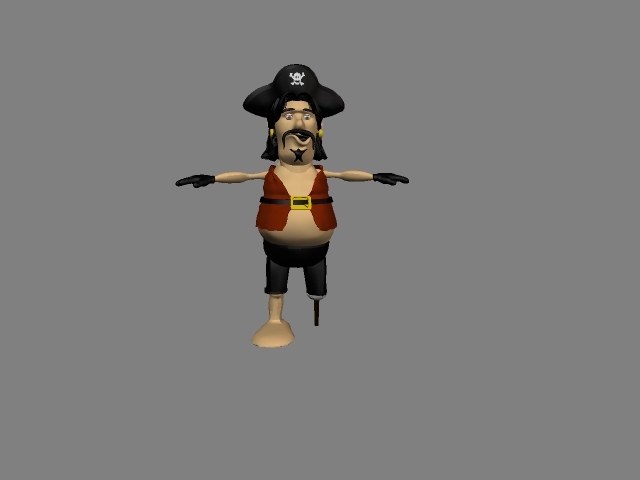
Here is the pirate so far. I still have a eye patch to add and teeth and a bulky boot and I need to adjust his vest around the neck area.
- Attachments
-
..
-
Steinie
- Captain
- Posts: 2958
- Joined: 21 May 2009, 17:38
- Type the number ten into the box: 10
Re: Animation Contest 2010 02---------Grunt!
Good start on the Pirate. Is he suppose to be overweight?
Poser 7 arrived today so I have some learning to do.
Watch out Poser babes a Steinie Caveman is comin'
Wait until they get a load of my Caveman in a slinky bikini over at
Renderosity!!! 
Poser 7 arrived today so I have some learning to do.
Watch out Poser babes a Steinie Caveman is comin'
Wait until they get a load of my Caveman in a slinky bikini over at
Renderosity!!!
-
jeffroig
- Chief Warrant Officer
- Posts: 662
- Joined: 22 May 2009, 10:49
- Type the number ten into the box: 0
Re: Animation Contest 2010 02---------Grunt!
Steinie,
Yep the overweight look is what I was going for.
COngrads on getting Poser.
Let me know when you are ready for some lessons.
I will using my pirate in Poser so I can step you through the process of how it is done.
Yep the overweight look is what I was going for.
COngrads on getting Poser.
Let me know when you are ready for some lessons.
I will using my pirate in Poser so I can step you through the process of how it is done.
..
-
RAYMAN
- Captain
- Posts: 2547
- Joined: 21 May 2009, 18:56
Re: Animation Contest 2010 02---------Grunt!
Would be cool if we could share some technic especialy with the setup of bones and lmits in the setup room..jeffroig wrote:Steinie,
Yep the overweight look is what I was going for.
COngrads on getting Poser.
Let me know when you are ready for some lessons.
I will using my pirate in Poser so I can step you through the process of how it is done.
Peter
-
Steinie
- Captain
- Posts: 2958
- Joined: 21 May 2009, 17:38
- Type the number ten into the box: 10
Re: Animation Contest 2010 02---------Grunt!
Rayman if you look under "Tutorials" you will notice I created a "Poser" category.
I would like any tutorials placed there to benefit others. I am hoping JeffRoig's
Pirate tutorial will be placed there so that we can all benefit from his work flow.
What I value most is that trueSpace is also part of the tutorial even if it is just
the modeling tools. trueSpace doesn't have to die when we use it with other software.
My Caveman Challenge will be using the tutorials you all provide.
See this is a group effort!
If anyone else would like to post tutorials to benefit this Forum please do so.
I for one will appreciate your efforts!
I would like any tutorials placed there to benefit others. I am hoping JeffRoig's
Pirate tutorial will be placed there so that we can all benefit from his work flow.
What I value most is that trueSpace is also part of the tutorial even if it is just
the modeling tools. trueSpace doesn't have to die when we use it with other software.
My Caveman Challenge will be using the tutorials you all provide.
See this is a group effort!
If anyone else would like to post tutorials to benefit this Forum please do so.
I for one will appreciate your efforts!
-
jeffroig
- Chief Warrant Officer
- Posts: 662
- Joined: 22 May 2009, 10:49
- Type the number ten into the box: 0
Re: Animation Contest 2010 02---------Grunt!
Hey to all reading this.
I will be posting a complete and I mean COMPLETE tutorial on how to create a character using truespace as a modeler from start to finish.
Due to alot of projects I have going I wont be able to post anything until Saturday.
I am right now trying to push as much work as I can to my render farm so that Saturday mornings schedule will be open.
I am an early riser so be ready for some early morning postings.
There will be images for each step and while parts of it might seem confusing you are all welcome to ask me questions only after you have tried the whole tutorial.
Till then happy animating and Steinie I am looking to see great things from you.
YO Adrian......
I will be posting a complete and I mean COMPLETE tutorial on how to create a character using truespace as a modeler from start to finish.
Due to alot of projects I have going I wont be able to post anything until Saturday.
I am right now trying to push as much work as I can to my render farm so that Saturday mornings schedule will be open.
I am an early riser so be ready for some early morning postings.
There will be images for each step and while parts of it might seem confusing you are all welcome to ask me questions only after you have tried the whole tutorial.
Till then happy animating and Steinie I am looking to see great things from you.
YO Adrian......
..
-
tahnoak

- Master Chief Petty Officer
- Posts: 339
- Joined: 02 Sep 2009, 01:31
Re: Animation Contest 2010 02---------Grunt!
I can add absolutely NOTHING technical to this as I don't do any animation for a number of reasons. But what I can add is the appreciation from a Steinie fan! Enjoy your work and will try to keep on top of this, family and work permitting!
-
jeffroig
- Chief Warrant Officer
- Posts: 662
- Joined: 22 May 2009, 10:49
- Type the number ten into the box: 0
Re: Animation Contest 2010 02---------Grunt!
I would like to display a finished image of the Pirate in Poser.
I decided that I didnt want to create a boot for the one foot that he looks better like he is.
This render is done using the Poser render engine and only one light has the shadow applied.
I decided that I didnt want to create a boot for the one foot that he looks better like he is.
This render is done using the Poser render engine and only one light has the shadow applied.
- Attachments
-

..
-
Breech Block

- Master Chief Petty Officer
- Posts: 482
- Joined: 13 Jun 2009, 20:31
Re: Animation Contest 2010 02---------Grunt!
I have owned a copy of Poser for years now but never really got to grips with it. I found the size of the manual, the alien interface and the fact you needed a powerful computer to get it to run smoothly extremely off-putting. However, time has moved on and I must admit the software looks a lot less daunting thesedays; for both me and my CPU. So, I will be following this thread with great interest as I'm now very keen to dust it off and get to grips with it.
So, I will be following this thread with great interest as I'm now very keen to dust it off and get to grips with it.
-
RAYMAN
- Captain
- Posts: 2547
- Joined: 21 May 2009, 18:56
Re: Animation Contest 2010 02---------Grunt!
Same as I .... I had Poser 5 sitting around for years in a shelf because i didnt like how I could make and render scenes and setup the whole thing inside Poser untilBreech Block wrote:I have owned a copy of Poser for years now but never really got to grips with it. I found the size of the manual, the alien interface and the fact you needed a powerful computer to get it to run smoothly extremely off-putting. However, time has moved on and I must admit the software looks a lot less daunting thesedays; for both me and my CPU.
I came to use vue and realised how well that used and imported character animations from Poser. I no longer had to setup the whole scene in Poser with
all the lighting and alwas the strange interface.I realised I could make morph targets even for cars and non character objects with it and use it together with daz studio even with lip synch......
I learned that you could set up objects like primitves...... put bones inside and store them ... and once for a new project I need a new model with a different shape
i just make a morph of the old object. Same for using the free Daz Michael and Victoria models dont see them as final human characters. You can take them to new
shapes by using and making morphs ... you can even use Zbrush to make morphs.....
Here is an example from a Poser morph.....
Peter
vi ... 4805#p4805"
- Attachments
-
![Bentleycrash[1].gif](download/filea331.gif)
- Bentleycrash[1].gif (122.93 KiB) Viewed 5959 times
-
![f16-crashsim[1].gif](download/filede0d.gif)
- f16-crashsim[1].gif (205.8 KiB) Viewed 5960 times
-
jeffroig
- Chief Warrant Officer
- Posts: 662
- Joined: 22 May 2009, 10:49
- Type the number ten into the box: 0
Re: Animation Contest 2010 02---------Grunt!
Yes this is true that Poser can handle creating morph targets very well and has a well developed bone creation system, once you get used to the way Poser works and creating bones it is very easy, to adjust a joint is even easier. In no way am I trying to trash or put down TS it is my favorite 3D app, I just found that while TS is good for certain things that there are other apps out there that can handle morphing, bones, BVH etc... much better and can take your animations to new heights.
I use TS as my primary modeler, I will on occasion do small animations in it but nothing very complicated, I use Poser to do my character animating in and some rendering, my favorite render horse is VUE 7, it makes creating any type of scene from cartoon to serious very dooable and the final product is so much better looking.
If you have never been real serious about using Poser and creating your characters in it then you might want to view the tutorial and try the steps I go through, you will most likely come out with more than you started with and find a new use for an old tool.
I use TS as my primary modeler, I will on occasion do small animations in it but nothing very complicated, I use Poser to do my character animating in and some rendering, my favorite render horse is VUE 7, it makes creating any type of scene from cartoon to serious very dooable and the final product is so much better looking.
If you have never been real serious about using Poser and creating your characters in it then you might want to view the tutorial and try the steps I go through, you will most likely come out with more than you started with and find a new use for an old tool.
..
-
jeffroig
- Chief Warrant Officer
- Posts: 662
- Joined: 22 May 2009, 10:49
- Type the number ten into the box: 0
Re: Animation Contest 2010 02---------Grunt!
I have posted the first and largest part of the Poser tutorial.
Please click here to view it. vi ... =56&t=1603
Please click here to view it. vi ... =56&t=1603
..
-
RAYMAN
- Captain
- Posts: 2547
- Joined: 21 May 2009, 18:56
Re: Animation Contest 2010 02---------Grunt!
The tutorial is great ! I would just ad to the end that you can make vowels and consonants morphs..... there is a special naming to these.
When you import a spoken text like into your Poser figure in Daz studio it moves the lips automatically you dont have to keyframe....
Thanks
Peter
When you import a spoken text like into your Poser figure in Daz studio it moves the lips automatically you dont have to keyframe....
Thanks
Peter
-
Steinie
- Captain
- Posts: 2958
- Joined: 21 May 2009, 17:38
- Type the number ten into the box: 10
Re: Animation Contest 2010 02---------Grunt!
Of course for a custom character like "Grunt"
you would keyframe right?
I haven't forgotten about this challenge! I just have
some personal projects I need to do first. I'll continue
soon and utilize JeffRoig's tutorial, my new Poser software,
and my 6 pack of Dogfish Head Raison D'Etre Beer...
you would keyframe right?
I haven't forgotten about this challenge! I just have
some personal projects I need to do first. I'll continue
soon and utilize JeffRoig's tutorial, my new Poser software,
and my 6 pack of Dogfish Head Raison D'Etre Beer...
-
jeffroig
- Chief Warrant Officer
- Posts: 662
- Joined: 22 May 2009, 10:49
- Type the number ten into the box: 0
Re: Animation Contest 2010 02---------Grunt!
Be careful when Keyframing, as you can end up with undesired results.
Example: Frame 0 to 30 arms move up and down (flapping) then you add another 30 frames 31 to 60 with the arms going front to back.
When you play back the full 60 frames in most cases you will end up with the arms twisting and bending very oddly.
You then have to go back and fix the animation and it can be a real pain.
I try not to use many keyframes, with some practice you will find this out also.
Example: Frame 0 to 30 arms move up and down (flapping) then you add another 30 frames 31 to 60 with the arms going front to back.
When you play back the full 60 frames in most cases you will end up with the arms twisting and bending very oddly.
You then have to go back and fix the animation and it can be a real pain.
I try not to use many keyframes, with some practice you will find this out also.
..