Trueserve set up prop
-
pugman 1
- Captain
- Posts: 1555
- Joined: 21 May 2009, 19:26
- Type the number ten into the box: 0
- Location: Germany
Trueserve set up prop
Hi all trying to set up true serve, i need to see if someone can log into this , sorry wrong ip addy
Last edited by pugman 1 on 19 Oct 2009, 10:49, edited 1 time in total.
-
DesignDevil

- Master Chief Petty Officer
- Posts: 500
- Joined: 22 May 2009, 08:52
- Type the number ten into the box: 0
- Location: Neuruppin, Germany, Earth.
Re: Trueserve set up prop
Hi, i don't use trueServe but this IP Adress is your local adress. You have to find out your "outside" IP adress.
I still use TrueSpace 6.6
Link: My Youtube Channel
Link: www.DesignDevil.de - Plugins, Tutorials and more about TrueSpace 6.6
Link: My Youtube Channel
Link: www.DesignDevil.de - Plugins, Tutorials and more about TrueSpace 6.6
-
pugman 1
- Captain
- Posts: 1555
- Joined: 21 May 2009, 19:26
- Type the number ten into the box: 0
- Location: Germany
Re: Trueserve set up prop
ok thanks 
-
pugman 1
- Captain
- Posts: 1555
- Joined: 21 May 2009, 19:26
- Type the number ten into the box: 0
- Location: Germany
Re: Trueserve set up prop
I have tryed all ip adresses still no joy 

-
DesignDevil
- Master Chief Petty Officer
- Posts: 500
- Joined: 22 May 2009, 08:52
- Type the number ten into the box: 0
- Location: Neuruppin, Germany, Earth.
Re: Trueserve set up prop
What do you mean with "all ip adresses" ???
I still use TrueSpace 6.6
Link: My Youtube Channel
Link: www.DesignDevil.de - Plugins, Tutorials and more about TrueSpace 6.6
Link: My Youtube Channel
Link: www.DesignDevil.de - Plugins, Tutorials and more about TrueSpace 6.6
-
pugman 1
- Captain
- Posts: 1555
- Joined: 21 May 2009, 19:26
- Type the number ten into the box: 0
- Location: Germany
Re: Trueserve set up prop
I looked in my router there were primary ,secondry ,start ,end and lan
-
froo
- Captain
- Posts: 2554
- Joined: 22 May 2009, 12:13
Re: Trueserve set up prop
what is the brand and model pugman?
if you can google that, there should be some info for getting the public ip address.
you probably have to login to the router to get it. If you know the local address, say,
198.198.1.1
you can put that into your web browser, and you will be taken your your router's 'home page'.
You may need the default username and password. You may find that online too; or by contacting the
manufacturer / ISP.
HTH!
Froo
if you can google that, there should be some info for getting the public ip address.
you probably have to login to the router to get it. If you know the local address, say,
198.198.1.1
you can put that into your web browser, and you will be taken your your router's 'home page'.
You may need the default username and password. You may find that online too; or by contacting the
manufacturer / ISP.
HTH!
Froo
-
pugman 1
- Captain
- Posts: 1555
- Joined: 21 May 2009, 19:26
- Type the number ten into the box: 0
- Location: Germany
Re: Trueserve set up prop
Hi froo i got the ip from my router ,but can not set up true serve with it
-
pugman 1
- Captain
- Posts: 1555
- Joined: 21 May 2009, 19:26
- Type the number ten into the box: 0
- Location: Germany
Re: Trueserve set up prop
I can get in the setup only with my local ip . what i would like to do is set up a shared space for
everyone ,could do with some help here
thanks
everyone ,could do with some help here
thanks
-
froo
- Captain
- Posts: 2554
- Joined: 22 May 2009, 12:13
Re: Trueserve set up prop
Which setup are you referring to pugman? Your router setup page?
Or trueServe port 1109?
Could you specify your router brand and model? We could look it up online to figure out
how to access your router's setup page, to get the ip address.
Or trueServe port 1109?
Could you specify your router brand and model? We could look it up online to figure out
how to access your router's setup page, to get the ip address.
-
pugman 1
- Captain
- Posts: 1555
- Joined: 21 May 2009, 19:26
- Type the number ten into the box: 0
- Location: Germany
Re: Trueserve set up prop
HI Froo trueserve port 1109. my ip 91.18.251.79. My router u.s.robotics 192.168.1.1
-
froo
- Captain
- Posts: 2554
- Joined: 22 May 2009, 12:13
Re: Trueserve set up prop
Hi pugman.
Ok; so, this ip is your router's public IP address, the one the internet sees?
91.18.251.79
Or is that your computer's IP address?
You need to specify the router's public ip address, in order for everyone to access your trueServe instance
on your computer.
What is the model number of your US Robotics router?
Ok; so, this ip is your router's public IP address, the one the internet sees?
91.18.251.79
Or is that your computer's IP address?
You need to specify the router's public ip address, in order for everyone to access your trueServe instance
on your computer.
What is the model number of your US Robotics router?
-
pugman 1
- Captain
- Posts: 1555
- Joined: 21 May 2009, 19:26
- Type the number ten into the box: 0
- Location: Germany
Re: Trueserve set up prop
910BA i think
-
pugman 1
- Captain
- Posts: 1555
- Joined: 21 May 2009, 19:26
- Type the number ten into the box: 0
- Location: Germany
Re: Trueserve set up prop
i looked in my router under DSL
-
froo
- Captain
- Posts: 2554
- Joined: 22 May 2009, 12:13
Re: Trueserve set up prop
ok that did not show anything on google.
Do you know if either of those ip addresses are the router's public ip address?
I picked a us robotics router manual at random, and got this; may be worth a shot:
type this to access configuration utility, in your web browser:
http://192.168.123.254"
link:
http://www.usr.com/support/8011/8011-files/8011-rg.pdf"
Do you know if either of those ip addresses are the router's public ip address?
I picked a us robotics router manual at random, and got this; may be worth a shot:
type this to access configuration utility, in your web browser:
http://192.168.123.254"
link:
http://www.usr.com/support/8011/8011-files/8011-rg.pdf"
-
froo
- Captain
- Posts: 2554
- Joined: 22 May 2009, 12:13
Re: Trueserve set up prop
I could not find USR910AB, but I did find USR9108.
I checked the user guide; to access the config page, go to:
http://192.168.1.1"
default username/password:
admin
admin
if those instructions work for your model, I believe you can then get to a page which shows the public ip address
of your DSL router.
I checked the user guide; to access the config page, go to:
http://192.168.1.1"
default username/password:
admin
admin
if those instructions work for your model, I believe you can then get to a page which shows the public ip address
of your DSL router.
-
pugman 1
- Captain
- Posts: 1555
- Joined: 21 May 2009, 19:26
- Type the number ten into the box: 0
- Location: Germany
Re: Trueserve set up prop
Thanks ,ok i look again
-
trueBlue

- Captain
- Posts: 5548
- Joined: 06 Jul 2009, 22:50
- Type the number ten into the box: 10
Re: Trueserve set up prop
Does this work for you?
http://checkip.dyndns.org/"
http://checkip.dyndns.org/"
-
3dvisuals dude

- Chief Warrant Officer
- Posts: 643
- Joined: 03 Jun 2009, 02:53
- Type the number ten into the box: 0
Re: Trueserve set up prop
Thanks trueBlue, that link found my router perfectly : )trueBlue wrote:Does this work for you?
http://checkip.dyndns.org/"

-
3dvisuals dude
- Chief Warrant Officer
- Posts: 643
- Joined: 03 Jun 2009, 02:53
- Type the number ten into the box: 0
Re: Trueserve set up prop
This is great pugman! Your new trueServer will be the first on many in Germany! Welcome to the fun!pugman 1 wrote:Hi all trying to set up true serve, i need to see if someone can log into this , sorry wrong ip addy
-
pugman 1
- Captain
- Posts: 1555
- Joined: 21 May 2009, 19:26
- Type the number ten into the box: 0
- Location: Germany
Re: Trueserve set up prop
Hi 3dvisuals dude, sorry to disapoint all but still no joy, i am running out of idears
-
3dvisuals dude
- Chief Warrant Officer
- Posts: 643
- Joined: 03 Jun 2009, 02:53
- Type the number ten into the box: 0
Re: Trueserve set up prop
when you use the link provided by trueBlue what do you see on that page?pugman 1 wrote:Hi 3dvisuals dude, sorry to disapoint all but still no joy, i am running out of idears
-
pugman 1
- Captain
- Posts: 1555
- Joined: 21 May 2009, 19:26
- Type the number ten into the box: 0
- Location: Germany
Re: Trueserve set up prop
OK i explain what i do..
open the server panel in true serve, give my ip in like it shows on page 6 of the manuel .
evey thing matches with the netwerk in le ,hit the go butten but nothing hapens,am i doing somthing wrong?
open the server panel in true serve, give my ip in like it shows on page 6 of the manuel .
evey thing matches with the netwerk in le ,hit the go butten but nothing hapens,am i doing somthing wrong?
-
pugman 1
- Captain
- Posts: 1555
- Joined: 21 May 2009, 19:26
- Type the number ten into the box: 0
- Location: Germany
Re: Trueserve set up prop
Hi my current ip addy
-
froo
- Captain
- Posts: 2554
- Joined: 22 May 2009, 12:13
Re: Trueserve set up prop
when you attempt to login , what is the last status shown in the chat/login window?
When you have made a connection, it will say:
Waiting for authorization
in the bottom status section.
Also, be sure to prefix the ip address with the double forward slash: //
as in:
//56.123.547.11/1109
When you have made a connection, it will say:
Waiting for authorization
in the bottom status section.
Also, be sure to prefix the ip address with the double forward slash: //
as in:
//56.123.547.11/1109
-
pugman 1
- Captain
- Posts: 1555
- Joined: 21 May 2009, 19:26
- Type the number ten into the box: 0
- Location: Germany
Re: Trueserve set up prop
i get waiting for authorization, how long do wait, i left it for half a hour, nothing
-
froo
- Captain
- Posts: 2554
- Joined: 22 May 2009, 12:13
Re: Trueserve set up prop
Well, if you get that far, then you are doing it correctly, it seems.
Delete the port, then recreate it.
You do this using the server dialog, as described in the manual.
Also, for starters, deselect the 'Authorize' checkbox.
That way, you don't have to worry about correct login name/password for now.
Delete the port, then recreate it.
You do this using the server dialog, as described in the manual.
Also, for starters, deselect the 'Authorize' checkbox.
That way, you don't have to worry about correct login name/password for now.
-
3dvisuals dude
- Chief Warrant Officer
- Posts: 643
- Joined: 03 Jun 2009, 02:53
- Type the number ten into the box: 0
Re: Trueserve set up prop
I suspect you simply need to install or locate your original utilities software provided with your router, and that may be freely downloadable at the manufacturer's support area of their website online.
Using my Linksys tools, I can access my router locally and do whatever I wish with it, that appears to be what you need now, but follow the advice of these guys here first, they know more on it all and I will stop my own advice here where I should, lol, I don't have a lot of experience with all this at all.
Using my Linksys tools, I can access my router locally and do whatever I wish with it, that appears to be what you need now, but follow the advice of these guys here first, they know more on it all and I will stop my own advice here where I should, lol, I don't have a lot of experience with all this at all.
-
pugman 1
- Captain
- Posts: 1555
- Joined: 21 May 2009, 19:26
- Type the number ten into the box: 0
- Location: Germany
Re: Trueserve set up prop
thank you all for your help so far. Iwill keep at it
-
Cayenne
- Chief Petty Officer
- Posts: 119
- Joined: 03 Jun 2009, 20:05
- Type the number ten into the box: 0
- Location: U.K.
Re: Trueserve set up prop
you should try to login to it with truespace rather than try to login through the server panel.
with the server panel if you use that then its intention is to log into the management port for the space eg: default is 2001 .
with the server panel if you use that then its intention is to log into the management port for the space eg: default is 2001 .
-
pugman 1
- Captain
- Posts: 1555
- Joined: 21 May 2009, 19:26
- Type the number ten into the box: 0
- Location: Germany
Re: Trueserve set up prop
hi Cayenne i tryed with truespace no luck there either. things only light up when i give my router ip in the server panel with main ip nothing. iam still cool ,not mad yet... 
-
froo
- Captain
- Posts: 2554
- Joined: 22 May 2009, 12:13
Re: Trueserve set up prop
I cannot recall where I read this; I thought it was in the trueServe doc but apparently not.
You need to ensure the router / firewall allows UDP / TCP-IP connections on your desired ports.
So when you login to your router, you'll have to check those settings. There should be a range
of ports.
You need to ensure the router / firewall allows UDP / TCP-IP connections on your desired ports.
So when you login to your router, you'll have to check those settings. There should be a range
of ports.
-
pugman 1
- Captain
- Posts: 1555
- Joined: 21 May 2009, 19:26
- Type the number ten into the box: 0
- Location: Germany
Re: Trueserve set up prop
Some applications such as games, video conferencing, remote access applications and others require that specific ports in the router’s firewall have been opened for access by the applications. You can configure the port settings from this screen by selecting an existing application or creating your own (Custom application) and press Apply to add it.
Remaining number of entries which can be added: 32
Application Name:
Select an application: (select an application) Aim Talk Asheron's Call Calista IP Phone Delta Force (Client/Server) ICQ Napster Net2Phone QuickTime 4 Client Rainbow Six/Rogue Spea
Custom application:
Trigger Port Start Trigger Port End Trigger Protocol Open Port Start Open Port End Open Protocol
TCP/UDP TCP UDP TCP/UDP TCP UDP
TCP/UDP TCP UDP TCP/UDP TCP UDP
TCP/UDP TCP UDP TCP/UDP TCP UDP
TCP/UDP TCP UDP TCP/UDP TCP UDP
TCP/UDP TCP UDP TCP/UDP TCP UDP
TCP/UDP TCP UDP TCP/UDP TCP UDP
TCP/UDP TCP UDP TCP/UDP TCP UDP
TCP/UDP TCP UDP TCP/UDP TCP UDP
Hi Froo do you mean this?? .if so what do i do with it
© 2004-2006 U.S. Robotics Corporation.
Remaining number of entries which can be added: 32
Application Name:
Select an application: (select an application) Aim Talk Asheron's Call Calista IP Phone Delta Force (Client/Server) ICQ Napster Net2Phone QuickTime 4 Client Rainbow Six/Rogue Spea
Custom application:
Trigger Port Start Trigger Port End Trigger Protocol Open Port Start Open Port End Open Protocol
TCP/UDP TCP UDP TCP/UDP TCP UDP
TCP/UDP TCP UDP TCP/UDP TCP UDP
TCP/UDP TCP UDP TCP/UDP TCP UDP
TCP/UDP TCP UDP TCP/UDP TCP UDP
TCP/UDP TCP UDP TCP/UDP TCP UDP
TCP/UDP TCP UDP TCP/UDP TCP UDP
TCP/UDP TCP UDP TCP/UDP TCP UDP
TCP/UDP TCP UDP TCP/UDP TCP UDP
Hi Froo do you mean this?? .if so what do i do with it
© 2004-2006 U.S. Robotics Corporation.
-
froo
- Captain
- Posts: 2554
- Joined: 22 May 2009, 12:13
Re: Trueserve set up prop
yes, that's it.
Since you can login to FrooServe using either trueSpace or truePlay,
chances are, those apps are in that list somewhere.
You will need to check whether trueServe is listed. If not, you may need to add it.
Or, use the Custom app choice.
You need to ensure the trueServe app has ports available; I will have to check my setup,
once I get it reconfigured again. Since we're using ports 1109, and 2001 (for admin by default),
I would say, try a range of 1100 - 2100.
But I need to check my own setup once I get it going again, hopefully late tonight.
But the thing is, you got that 'Waiting for authorization' message, indicating you got through.
Since you can login to FrooServe using either trueSpace or truePlay,
chances are, those apps are in that list somewhere.
You will need to check whether trueServe is listed. If not, you may need to add it.
Or, use the Custom app choice.
You need to ensure the trueServe app has ports available; I will have to check my setup,
once I get it reconfigured again. Since we're using ports 1109, and 2001 (for admin by default),
I would say, try a range of 1100 - 2100.
But I need to check my own setup once I get it going again, hopefully late tonight.
But the thing is, you got that 'Waiting for authorization' message, indicating you got through.
-
pugman 1
- Captain
- Posts: 1555
- Joined: 21 May 2009, 19:26
- Type the number ten into the box: 0
- Location: Germany
Re: Trueserve set up prop
HI Froo with my ip and 2001 it will not log in, only local ip
-
froo
- Captain
- Posts: 2554
- Joined: 22 May 2009, 12:13
Re: Trueserve set up prop
Ok;
so you can successfully login to a space, Locally?
And you cannot login using the public router address?
so you can successfully login to a space, Locally?
And you cannot login using the public router address?
-
pugman 1
- Captain
- Posts: 1555
- Joined: 21 May 2009, 19:26
- Type the number ten into the box: 0
- Location: Germany
Re: Trueserve set up prop
I must go now, my dog needs a run and then i sleep.
I will try again in the morning, thanks for the help all
I will try again in the morning, thanks for the help all
-
pugman 1
- Captain
- Posts: 1555
- Joined: 21 May 2009, 19:26
- Type the number ten into the box: 0
- Location: Germany
Re: Trueserve set up prop
yes
-
BooxieMalone
- Chief Petty Officer
- Posts: 127
- Joined: 14 Jul 2009, 22:34
Re: Trueserve set up prop
Hi, let me put in some points in general, which should be kept in mind & might help in this case.
Usually and categorally
a) you should be very cautious with opening your doors through UDP, 'cause the first coming along could change your configuration from outside,
b) I don't think that 'UDP allowed' is really nescessary (even though I didn't set up a trueServer on my own yet). Before you allow UDP, try other things! A must do, is checking the firewall/s. You should look at your router and second at the servermachine.
In the routerfirewall there should be a setting for security or similar. If security set to high everything will be blocked. Set this to midlevel, so others can reach your machine. Additionally the special ports used by trueServer have to be allowed for incoming connections, i.e. /1109. Or allow a range from port xxxx to port yyyy (see froo's suggestion or trueServer manual). Also allowing the special application only, is a good security-mechanism, because everything else will be blocked.
Next have a look at the server. Is there any firewall extra, except that from windows? Sometimes antivirus programs have an inbuild firewall, those should be deactivated, or at least also be set to mid-security. Last not least setup the windows firewall to allow incoming connections (ports, applications & lan allowed areas are setable - set also 'allow exceptions' in the first level).
Make the hd/logical drive/or folder available for the network (sorry, I'm not sure about the word for enabling public traffic? Hope you understand)
And remember, if you use a conventional dsl line: Everytime your connection gets disrupted, usually you're router gets a new ip address from your ISP while being reconnected. That means, you'll have to post your new address everytime the connection was broken (remember trueBlues link above - use it as a bookmark for fast checkup of your public ip). Registering a dynamical domain with 'dyndns.org' services, can avoid this and turns your machine to longlive availability.
Keep in mind, that all advice at the end of trueServer manual, are said in reference to outgoing connections!
HTH - good luck
-BM.
Usually and categorally
a) you should be very cautious with opening your doors through UDP, 'cause the first coming along could change your configuration from outside,
b) I don't think that 'UDP allowed' is really nescessary (even though I didn't set up a trueServer on my own yet). Before you allow UDP, try other things! A must do, is checking the firewall/s. You should look at your router and second at the servermachine.
In the routerfirewall there should be a setting for security or similar. If security set to high everything will be blocked. Set this to midlevel, so others can reach your machine. Additionally the special ports used by trueServer have to be allowed for incoming connections, i.e. /1109. Or allow a range from port xxxx to port yyyy (see froo's suggestion or trueServer manual). Also allowing the special application only, is a good security-mechanism, because everything else will be blocked.
Next have a look at the server. Is there any firewall extra, except that from windows? Sometimes antivirus programs have an inbuild firewall, those should be deactivated, or at least also be set to mid-security. Last not least setup the windows firewall to allow incoming connections (ports, applications & lan allowed areas are setable - set also 'allow exceptions' in the first level).
Make the hd/logical drive/or folder available for the network (sorry, I'm not sure about the word for enabling public traffic? Hope you understand)
And remember, if you use a conventional dsl line: Everytime your connection gets disrupted, usually you're router gets a new ip address from your ISP while being reconnected. That means, you'll have to post your new address everytime the connection was broken (remember trueBlues link above - use it as a bookmark for fast checkup of your public ip). Registering a dynamical domain with 'dyndns.org' services, can avoid this and turns your machine to longlive availability.
Keep in mind, that all advice at the end of trueServer manual, are said in reference to outgoing connections!
HTH - good luck
-BM.
-
BooxieMalone
- Chief Petty Officer
- Posts: 127
- Joined: 14 Jul 2009, 22:34
Re: Trueserve set up prop
Hi folks, me again.
After rereading some parts of this thread, I guess I've exposed where the problem is.
I found this, upon pugman1 posting his ip addresses (his router 192.168.1.1):
1. problem network - how does it work? Because this is a private network (192.168.xxx.xxx are private ip's, disregarded by the internet), the computer is accessed through the routers network address translation (NAT) from outside. The router is the Gateway with 192.168.1.1. Thus following the computer must be something 192.168.1.xxx (xxx= between 2-254, 255 is reserved). Precondition is, all computers have to be in the same one network (xxx), to get access to each other, otherwise you would need a router in between two networks to get the same access.
2. problem: It seems, that pugman1 is trying to get access using the public ip at the server console itself (but the server has another ip, see above - inner part of the network). Comparable would be a situation, where you enter your flat and try to ring the bell in pushing the bellknob outside of the frontdoor ... impossible. If I'm wrong, please correct me.
If trying to verify the server configuration, I think it's nescessary to try this from another machine with truespace, which is addressing the internet for that ip (i.e. 91.18.251.79, which is supposed not to be the actual one). But I'm not quite sure, if this can work, because the signal is sent to the same router, which is doing already the NAT? Better would be 'to go outside of the network'. That means using another network/-router, or trying to get access over a simple modem (this is another network) ... perhaps pinging could do, so you don't need the bandwidth of dsl. Or just let the other's try ...
Regards ...
-BM.
Edit: corrected a mistake - Gateway address
After rereading some parts of this thread, I guess I've exposed where the problem is.
I found this, upon pugman1 posting his ip addresses (his router 192.168.1.1):
First part is right, but this ip, never can be the computers ip.Hi pugman.
Ok; so, this ip is your router's public IP address, the one the internet sees?
91.18.251.79
Or is that your computer's IP address?
1. problem network - how does it work? Because this is a private network (192.168.xxx.xxx are private ip's, disregarded by the internet), the computer is accessed through the routers network address translation (NAT) from outside. The router is the Gateway with 192.168.1.1. Thus following the computer must be something 192.168.1.xxx (xxx= between 2-254, 255 is reserved). Precondition is, all computers have to be in the same one network (xxx), to get access to each other, otherwise you would need a router in between two networks to get the same access.
2. problem: It seems, that pugman1 is trying to get access using the public ip at the server console itself (but the server has another ip, see above - inner part of the network). Comparable would be a situation, where you enter your flat and try to ring the bell in pushing the bellknob outside of the frontdoor ... impossible. If I'm wrong, please correct me.
If trying to verify the server configuration, I think it's nescessary to try this from another machine with truespace, which is addressing the internet for that ip (i.e. 91.18.251.79, which is supposed not to be the actual one). But I'm not quite sure, if this can work, because the signal is sent to the same router, which is doing already the NAT? Better would be 'to go outside of the network'. That means using another network/-router, or trying to get access over a simple modem (this is another network) ... perhaps pinging could do, so you don't need the bandwidth of dsl. Or just let the other's try ...
Regards ...
-BM.
Edit: corrected a mistake - Gateway address
Last edited by BooxieMalone on 20 Oct 2009, 10:20, edited 1 time in total.
-
froo
- Captain
- Posts: 2554
- Joined: 22 May 2009, 12:13
Re: Trueserve set up prop
Thanks for the info and help BooxieMalone. 
In my configuration, the 'trueServe' PC is connected directly to the router via network cable.
I can start trueServe, and trueSpace, on this machine, and connect to the trueServe server,
from either trueSpace or truePlay, using either the router's 'Internet' address, or the router's
'local' address.
So I am not quite sure what's going on, outside of the suggestions you've made.
Firewall settings, etc.
In my configuration, the 'trueServe' PC is connected directly to the router via network cable.
I can start trueServe, and trueSpace, on this machine, and connect to the trueServe server,
from either trueSpace or truePlay, using either the router's 'Internet' address, or the router's
'local' address.
So I am not quite sure what's going on, outside of the suggestions you've made.
Firewall settings, etc.
-
pugman 1
- Captain
- Posts: 1555
- Joined: 21 May 2009, 19:26
- Type the number ten into the box: 0
- Location: Germany
Re: Trueserve set up prop
Hi BooxieMalone, thanks for the info iwill check everything and try again
-
BooxieMalone
- Chief Petty Officer
- Posts: 127
- Joined: 14 Jul 2009, 22:34
Re: Trueserve set up prop
You're welcome ...
Well froo if understand it right, you've got access to the server from trueSpace or truePlay. Did you also try to establish a connection directly in the servercontrol using the public address? Or does configuration of the server generally happen over trueSpace or truePlay? If there is no seperate servercontrolpanel as I was assuming, then its my misunderstanding. Really should setup one myself, but a pitty have'nt got the time up to now ...
@pugman1: If you can access the server like described by froo from inside your network & if it is not available from outside, then I think there is still a firewall lock. BTW I corrected a mistake in the Gateway address - see my last post.
Regards
-BM.
Well froo if understand it right, you've got access to the server from trueSpace or truePlay. Did you also try to establish a connection directly in the servercontrol using the public address? Or does configuration of the server generally happen over trueSpace or truePlay? If there is no seperate servercontrolpanel as I was assuming, then its my misunderstanding. Really should setup one myself, but a pitty have'nt got the time up to now ...
@pugman1: If you can access the server like described by froo from inside your network & if it is not available from outside, then I think there is still a firewall lock. BTW I corrected a mistake in the Gateway address - see my last post.
Regards
-BM.
-
pugman 1
- Captain
- Posts: 1555
- Joined: 21 May 2009, 19:26
- Type the number ten into the box: 0
- Location: Germany
Re: Trueserve set up prop
Hi BooxieMalone, you were right with the ip addys i have a new one now, dont know how.
Also when i checked my firewall there i found anouther one. is this vista shit or german tellicom?
thanks again for the help...
Also when i checked my firewall there i found anouther one. is this vista shit or german tellicom?
thanks again for the help...
-
pugman 1
- Captain
- Posts: 1555
- Joined: 21 May 2009, 19:26
- Type the number ten into the box: 0
- Location: Germany
Re: Trueserve set up prop
Hi all i think this topic is good , allot of questions are being anwsed here
-
froo
- Captain
- Posts: 2554
- Joined: 22 May 2009, 12:13
Re: Trueserve set up prop
hi booxie.
trueServe ports are configured using the trueserve interface:
setting ports Active/Inactive, enabling authorization, etc.
This can be also done using truespace, by logging into the admin port of trueServe
(2001 by default).
I use trueSpace/truePlay to connect to the trueServe portal, say, 1109,
through the router, so the port address looks like this:
//192.168.1.1/1109 (using router local address)
//68.205.110.110/1109 (using router 'public' ip address)
you cannot connect to trueServe using trueServe, by typing in an ip / port address.
I agree; this sounds like a firewall block issue.
trueServe ports are configured using the trueserve interface:
setting ports Active/Inactive, enabling authorization, etc.
This can be also done using truespace, by logging into the admin port of trueServe
(2001 by default).
I use trueSpace/truePlay to connect to the trueServe portal, say, 1109,
through the router, so the port address looks like this:
//192.168.1.1/1109 (using router local address)
//68.205.110.110/1109 (using router 'public' ip address)
you cannot connect to trueServe using trueServe, by typing in an ip / port address.
I agree; this sounds like a firewall block issue.
-
pugman 1
- Captain
- Posts: 1555
- Joined: 21 May 2009, 19:26
- Type the number ten into the box: 0
- Location: Germany
Re: Trueserve set up prop
Hi froo windows firewall is off so is my virus firewall still no conect
-
BooxieMalone
- Chief Petty Officer
- Posts: 127
- Joined: 14 Jul 2009, 22:34
Re: Trueserve set up prop
You're welcome - hope I can help a little in understanding networking? I' m learning too: english & networking!pugman 1 wrote:Hi BooxieMalone, you were right with the ip addys i have a new one now, dont know how.
Also when i checked my firewall there i found anouther one. is this vista shit or german tellicom?
thanks again for the help...
With allocating new addresses dynamically the providers trying to bypass the system intrinsic ipv4 lack of having not enough ip addresses available. Assuming that not all computers trying to access the internet at the same time and the fact that with this technique there are no standby reserved addresses temporarily lost for the community, the quantum is still sufficient. This lack is the reason why ipv6 was created.
In your firewall there might be saved an old address or a default address. But to make sure what we're talking about, we should know which firewall you mean. The router has usually a default address, so you can access it anyway, also if you made mistakes in the configuration. (The address range used for this, is 169.254.0.0/16. That means 65.536 addresses starting with 169.254.x.x) This differs from the dsl connection address, which is usually changing at least once every 24 hours - ISP forced disruption "Zwangstrennung durch Anbieter" (get back reserved addresses to the provider).
I think the probs aren't owed to tellicom or vista.
So I suppose, you have your routerfirewall still working? Try to turn it off for a short time for trial purpose, but know this is very dangerous without any.pugman 1 wrote:Hi froo windows firewall is off so is my virus firewall still no conect
Try also to find out, if network address translation (NAT) is working automatically, or does it have to be set to 'on'? (Router manual - when I remember right, this is sometimes called 'hide network' - don't mix up with wlan ssid)
Also, don't forget the "Laufwerksfreigabe" for making the server available to others.
If this doesn't work, I think I don't have any further spare knowledge
- Best idea would be, to load up a screenshot here, if you find things you cannot associate with your machinery.
Regards ... good luck pugman1
-BM.
-
froo
- Captain
- Posts: 2554
- Joined: 22 May 2009, 12:13
Re: Trueserve set up prop
Pugman,
can you also, post your current IP address?
I want to ping it again, and take a snapshot, posting it here, for reasons explained below.
Booxie:
I tried pinging pugman's ip address yesterday. While it said, successful, it did so with a note which I did not understand.
It referenced something about "No TTL", or something to that effect.
I want to try pinging pugman's address, take a snapshot, and post it here.
That may tell us something as well.
The fact that pugman can connect to trueServe, using trueSpace, locally, using his local network,
indicates he has trueServe setup correctly, and is accessing it correctly from trueSpace.
So we can definitely rule that out as an issue. There is no issue with that.
can you also, post your current IP address?
I want to ping it again, and take a snapshot, posting it here, for reasons explained below.
Booxie:
I tried pinging pugman's ip address yesterday. While it said, successful, it did so with a note which I did not understand.
It referenced something about "No TTL", or something to that effect.
I want to try pinging pugman's address, take a snapshot, and post it here.
That may tell us something as well.
The fact that pugman can connect to trueServe, using trueSpace, locally, using his local network,
indicates he has trueServe setup correctly, and is accessing it correctly from trueSpace.
So we can definitely rule that out as an issue. There is no issue with that.
-
froo
- Captain
- Posts: 2554
- Joined: 22 May 2009, 12:13
Re: Trueserve set up prop
Here it is.
I used the same ip address from yesterday, even though it sounds like it is now invalid,
since pugman has a different ip address now.
The message is:
TTL expired in transit
I used the same ip address from yesterday, even though it sounds like it is now invalid,
since pugman has a different ip address now.
The message is:
TTL expired in transit
- Attachments
-

-
pugman 1
- Captain
- Posts: 1555
- Joined: 21 May 2009, 19:26
- Type the number ten into the box: 0
- Location: Germany
Re: Trueserve set up prop
Hi just checked again with true blue s link , here is the new one 91.18.224.93.
this one from firewall 169.254.87.193
this one from firewall 169.254.87.193
-
froo
- Captain
- Posts: 2554
- Joined: 22 May 2009, 12:13
Re: Trueserve set up prop
ok;
I get the same message as before: TTL expired in transit.
I will look up what that means.
2nd one, I get 4: "Request timed out" messages.
Which firewall are you referring to pugman?
EDIT:
Can someone else please confirm? Open a DOS window and type the word: ping
followed by the first ip address.
I get the same message as before: TTL expired in transit.
I will look up what that means.
2nd one, I get 4: "Request timed out" messages.
Which firewall are you referring to pugman?
EDIT:
Can someone else please confirm? Open a DOS window and type the word: ping
followed by the first ip address.
-
pugman 1
- Captain
- Posts: 1555
- Joined: 21 May 2009, 19:26
- Type the number ten into the box: 0
- Location: Germany
Re: Trueserve set up prop
the firewall is my antivirus programm
-
Cayenne
- Chief Petty Officer
- Posts: 119
- Joined: 03 Jun 2009, 20:05
- Type the number ten into the box: 0
- Location: U.K.
Re: Trueserve set up prop
on this 91.18.224.93 I get request timed out
on the other 169.254.87.193 i get host unreachable
on the other 169.254.87.193 i get host unreachable
-
LeonRegis

- Captain
- Posts: 1946
- Joined: 18 Aug 2009, 17:36
- Type the number ten into the box: 0
- Location: Brazil/Earth/Orion Arm/Milky Way/4th Dimension/This Universe/Multiverse???/Singularity???
Re: Trueserve set up prop
I confirm that.... 4 timeout
EDIT: Timeout in both...
EDIT: Timeout in both...
Be the change you want to see in the world. - Mohandas Gandhi
-
pugman 1
- Captain
- Posts: 1555
- Joined: 21 May 2009, 19:26
- Type the number ten into the box: 0
- Location: Germany
Re: Trueserve set up prop
I can set up a lokal shared space no prop .this is all very strange
-
BooxieMalone
- Chief Petty Officer
- Posts: 127
- Joined: 14 Jul 2009, 22:34
Re: Trueserve set up prop
Tried it too ---
result
Pinging 91.18.224.93....
REQUEST TIMED OUT
REQUEST TIMED OUT
REQUEST TIMED OUT
PING UNSUCCESSFULL
0 packets received out of 3 packets transmitted : 100% PACKET LOSS
@froo
TTL is not important for us, because those are network specifics, which are usually not adjustable. Every packet is given a certain Time To Live (TTL) and is running around in the network, till it finds its receiver or till TTL is expired - means, it is discarded.
Adjustable is Request Time Out, but this doesn't help in a working environment. It makes sense, if you suppose a lot of traffic, or a DOS attack at the server, to give the server a chance to respond. But this is not the case.
@pugman
>>> 169.254.87.193 <<< --- THIS is your default (or fallback) of your router, relevant only for you!
Try to open your antvirus firewall (securitylevel or allow the router ip 192.168.1.1 if I remember right for a short time)
Did you make the drive available where TrueServer is on? (LW-Freigabe)
-BM.
result
Pinging 91.18.224.93....
REQUEST TIMED OUT
REQUEST TIMED OUT
REQUEST TIMED OUT
PING UNSUCCESSFULL
0 packets received out of 3 packets transmitted : 100% PACKET LOSS
@froo
TTL is not important for us, because those are network specifics, which are usually not adjustable. Every packet is given a certain Time To Live (TTL) and is running around in the network, till it finds its receiver or till TTL is expired - means, it is discarded.
Adjustable is Request Time Out, but this doesn't help in a working environment. It makes sense, if you suppose a lot of traffic, or a DOS attack at the server, to give the server a chance to respond. But this is not the case.
@pugman
>>> 169.254.87.193 <<< --- THIS is your default (or fallback) of your router, relevant only for you!
Try to open your antvirus firewall (securitylevel or allow the router ip 192.168.1.1 if I remember right for a short time)
Did you make the drive available where TrueServer is on? (LW-Freigabe)
-BM.
Last edited by BooxieMalone on 20 Oct 2009, 16:07, edited 1 time in total.
-
Steinie

- Captain
- Posts: 2958
- Joined: 21 May 2009, 17:38
- Type the number ten into the box: 10
Re: Trueserve set up prop
You could very easily have 3 firewalls, one by Windows, one by a Virus software, and one on the Router. I believe one of them is still on.
Do you actually see four settings on the screen for your router? High, Medium, Low, Off?
Do you actually see four settings on the screen for your router? High, Medium, Low, Off?
-
pugman 1
- Captain
- Posts: 1555
- Joined: 21 May 2009, 19:26
- Type the number ten into the box: 0
- Location: Germany
Re: Trueserve set up prop
windows firewall off virus set to low no router firewall
-
BooxieMalone
- Chief Petty Officer
- Posts: 127
- Joined: 14 Jul 2009, 22:34
Re: Trueserve set up prop
... nothing changed.
Sorry folks, my next question in mangeling of the english expression in german:
Hi pugman, leider hast du noch kein einziges Mal drauf reagiert:
Ist das TrueServer Laufwerk nun freigegeben mit read/write access, oder nicht? Ist wichtig! Weiß dann auch nicht mehr weiter.
(I was asking several times for access release of his drive - no answer yet)
Regards
-BM.
Sorry folks, my next question in mangeling of the english expression in german:
Hi pugman, leider hast du noch kein einziges Mal drauf reagiert:
Ist das TrueServer Laufwerk nun freigegeben mit read/write access, oder nicht? Ist wichtig! Weiß dann auch nicht mehr weiter.
(I was asking several times for access release of his drive - no answer yet)
Regards
-BM.
-
pugman 1
- Captain
- Posts: 1555
- Joined: 21 May 2009, 19:26
- Type the number ten into the box: 0
- Location: Germany
Re: Trueserve set up prop
sorry BooxieMalone, iwas looking into that, canot find how to give it free
-
Steinie
- Captain
- Posts: 2958
- Joined: 21 May 2009, 17:38
- Type the number ten into the box: 10
Re: Trueserve set up prop
...BUT drive access is AFTER IP access so it wouldn't matter in this case. We cannot ping the IP address given. It is either the wrong IP address, the firewall is still set but we believe it is not, some other outside force.
p.s.
"Shared" access not free access, right?
p.s.
"Shared" access not free access, right?
-
froo
- Captain
- Posts: 2554
- Joined: 22 May 2009, 12:13
Re: Trueserve set up prop
It would be worth contacting your ISP pugman; talk to their tech support
group if possible, see what can be done.
group if possible, see what can be done.
-
pugman 1
- Captain
- Posts: 1555
- Joined: 21 May 2009, 19:26
- Type the number ten into the box: 0
- Location: Germany
Re: Trueserve set up prop
OK ,thanks i did not want to annoy any one if so very sorry .
-
froo
- Captain
- Posts: 2554
- Joined: 22 May 2009, 12:13
Re: Trueserve set up prop
oh no; you're not annoying anyone pugman.
I'm suggesting that because we may be running out of ideas.
BooxieMalone also mentioned something about NAT (Network Address Translation).
I don't know anything about that; but I found another post which references that,
in another forum. I was thinking maybe your ISP could help you/us understand that,
and get it working on your system:
http://www.mywiseguys.net/forum/network ... ansit.html"
I'm suggesting that because we may be running out of ideas.
BooxieMalone also mentioned something about NAT (Network Address Translation).
I don't know anything about that; but I found another post which references that,
in another forum. I was thinking maybe your ISP could help you/us understand that,
and get it working on your system:
http://www.mywiseguys.net/forum/network ... ansit.html"
-
pugman 1
- Captain
- Posts: 1555
- Joined: 21 May 2009, 19:26
- Type the number ten into the box: 0
- Location: Germany
Re: Trueserve set up prop
Thanks i read the coments,thiwas good.
- Attachments
-
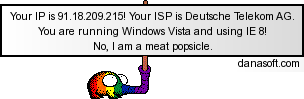
- vipersig.png (4.07 KiB) Viewed 382 times
-
pugman 1
- Captain
- Posts: 1555
- Joined: 21 May 2009, 19:26
- Type the number ten into the box: 0
- Location: Germany
Re: Trueserve set up prop
hey Froo you aint the only one whos having a bad week my dog killed 2 bonsais this week and justnow she
chewed through my tv cable, all power went off Ithink i kill my dog then my computer
chewed through my tv cable, all power went off
Ithink i kill my dog then my computer -
froo
- Captain
- Posts: 2554
- Joined: 22 May 2009, 12:13
Re: Trueserve set up prop
Oh man.
Lucky she didn't get shocked! How old is she?
Hope you get the cable back on soon!
Hm. Maybe she's a hacker and compromised your router too!
Lucky she didn't get shocked! How old is she?
Hope you get the cable back on soon!
Hm. Maybe she's a hacker and compromised your router too!
-
pugman 1
- Captain
- Posts: 1555
- Joined: 21 May 2009, 19:26
- Type the number ten into the box: 0
- Location: Germany
Re: Trueserve set up prop
no,5 monhts , and im not that lucky
-
BooxieMalone
- Chief Petty Officer
- Posts: 127
- Joined: 14 Jul 2009, 22:34
Re: Trueserve set up prop
Yeah folks, I was so fixed on that access release, 'cause there came no info ...
but certainly Steinie is right!
As long as you can't get response from the router, the server is of no interest. Perhaps there is some router setting for Ping Rejection?
I think I've got to repeat some network lessons ...
Regards ...
-BM.
but certainly Steinie is right!
As long as you can't get response from the router, the server is of no interest. Perhaps there is some router setting for Ping Rejection?
I think I've got to repeat some network lessons ...
Regards ...
-BM.
-
BooxieMalone
- Chief Petty Officer
- Posts: 127
- Joined: 14 Jul 2009, 22:34
Re: Trueserve set up prop
@pugman1 - have a look into your pm inbox, you'll find a "how to".
-
pugman 1
- Captain
- Posts: 1555
- Joined: 21 May 2009, 19:26
- Type the number ten into the box: 0
- Location: Germany
Re: Trueserve set up prop
Hi BM i read the pm ,true serve is free to the netwerk.
i also pinged myself i think TTL 4 -6 dont no if this is good. but if ican connect
to FRoospace and set up a shared space localy with my router ip +2001 . 2001 is the default
for ts. or not. in the manuel it states server ip+2001 , server ip is the router or am i wrong
Thanks again to everyone for the help ,ithink we will crack this
PS. Iam English just live in germany , can read and speek german 100% , but if i write german
i think you would all cry for laughing
i also pinged myself i think TTL 4 -6 dont no if this is good. but if ican connect
to FRoospace and set up a shared space localy with my router ip +2001 . 2001 is the default
for ts. or not. in the manuel it states server ip+2001 , server ip is the router or am i wrong
Thanks again to everyone for the help ,ithink we will crack this
PS. Iam English just live in germany , can read and speek german 100% , but if i write german
i think you would all cry for laughing
-
BooxieMalone
- Chief Petty Officer
- Posts: 127
- Joined: 14 Jul 2009, 22:34
Re: Trueserve set up prop
Hi pugman, that's funny, 'cause I noticed your Location and was really unburdened that I can write this in my mothertongue
Nice to hear that you getting along. I wouldn't look at the TTL in first, more important is the 'ping successful 0% packets lost'.
Pinging my own router looks like this below, so you can compare. But I have a very bad connection out in the country and my IP is changing in the middle every hour. If you are fast enough, you can try to ping my address. To comparision here are my results
Pinging 91.12.139.44.... (at my time 12:27)
64 bytes received from 91.12.139.44 RTT: 4ms TTL: 63
64 bytes received from 91.12.139.44 RTT: 4ms TTL: 63
64 bytes received from 91.12.139.44 RTT: 4ms TTL: 63
Pinged Successfully!
3 packets received out of 3 packets transmitted : 0% PACKET LOSS
Round Trip Time (in milliseconds) Max/Min/Av: 4/4/4
Seen to the internet is only your router getting a temporary public Address by your ISP. This is the outside (internet) IP and the Gateway IP is the inner IP (private network). Your router is "speaking" to all your network devices in your private net - i.e. the server - over broadcasts, so it can translate the incoming requests from internet to your private serveraddress (that is NAT)
Whats your actual ip?
Regards
-BM.
EDIT: --- already changed: >>> 91.12.138.224 <<<
Nice to hear that you getting along. I wouldn't look at the TTL in first, more important is the 'ping successful 0% packets lost'.
Pinging my own router looks like this below, so you can compare. But I have a very bad connection out in the country and my IP is changing in the middle every hour. If you are fast enough, you can try to ping my address. To comparision here are my results
Pinging 91.12.139.44.... (at my time 12:27)
64 bytes received from 91.12.139.44 RTT: 4ms TTL: 63
64 bytes received from 91.12.139.44 RTT: 4ms TTL: 63
64 bytes received from 91.12.139.44 RTT: 4ms TTL: 63
Pinged Successfully!
3 packets received out of 3 packets transmitted : 0% PACKET LOSS
Round Trip Time (in milliseconds) Max/Min/Av: 4/4/4
Seen to the internet is only your router getting a temporary public Address by your ISP. This is the outside (internet) IP and the Gateway IP is the inner IP (private network). Your router is "speaking" to all your network devices in your private net - i.e. the server - over broadcasts, so it can translate the incoming requests from internet to your private serveraddress (that is NAT)
Whats your actual ip?
Regards
-BM.
EDIT: --- already changed: >>> 91.12.138.224 <<<
-
pugman 1
- Captain
- Posts: 1555
- Joined: 21 May 2009, 19:26
- Type the number ten into the box: 0
- Location: Germany
Re: Trueserve set up prop
Hi BM i just ping you and get the same as when i ping myself
-
pugman 1
- Captain
- Posts: 1555
- Joined: 21 May 2009, 19:26
- Type the number ten into the box: 0
- Location: Germany
Re: Trueserve set up prop
ip at the moment 91.18.204.13
-
BooxieMalone
- Chief Petty Officer
- Posts: 127
- Joined: 14 Jul 2009, 22:34
Re: Trueserve set up prop
 the results
Pinging 91.18.204.13....
REQUEST TIMED OUT
REQUEST TIMED OUT
REQUEST TIMED OUT
PING UNSUCCESSFULL
0 packets received out of 3 packets transmitted : 100% PACKET LOSS
I have'nt a clue - pings must be rejected anywhere? Sorry.
Did you get better results with my address?
Edit: sorry, didn't notice that you are posting in minutes - overseen the last but one ...
Last edited by BooxieMalone on 21 Oct 2009, 11:01, edited 1 time in total.
-
pugman 1
- Captain
- Posts: 1555
- Joined: 21 May 2009, 19:26
- Type the number ten into the box: 0
- Location: Germany
Re: Trueserve set up prop
sorry no
-
BooxieMalone
- Chief Petty Officer
- Posts: 127
- Joined: 14 Jul 2009, 22:34
Re: Trueserve set up prop
to understand it right - did you receive the packets with 0% loss?
-
pugman 1
- Captain
- Posts: 1555
- Joined: 21 May 2009, 19:26
- Type the number ten into the box: 0
- Location: Germany
Re: Trueserve set up prop
no
-
pugman 1
- Captain
- Posts: 1555
- Joined: 21 May 2009, 19:26
- Type the number ten into the box: 0
- Location: Germany
Re: Trueserve set up prop
Microsoft Windows [Version 6.0.6002]
Copyright (c) 2006 Microsoft Corporation. Alle Rechte vorbehalten.
C:\Users\RALPH>ping//91.12.139.44/
Ungültige Option //91.12.139.44/.
Syntax: ping [-t] [-a] [-n Anzahl] [-l Größe] [-f] [-i TTL] [-v TOS]
[-r Anzahl] [-s Anzahl] [[-j Hostliste] | [-k Hostliste]]
[-w Zeitlimit] [-R] [-S Quelladresse] [-4] [-6] Zielname
Optionen:
-t Sendet fortlaufend Ping-Signale zum angegebenen Host.
Geben Sie STRG-UNTRBR ein, um die Statistik anzuzeigen.
Geben Sie STRG-C ein, um den Vorgang abzubrechen.
-a Löst Adressen in Hostnamen auf.
-n Anzahl Anzahl der zu sendenden Echoaufforderungen.
-l Größe Sendet Pufferlänge.
-f Setzt Flag für "Nicht fragmentieren" im Paket (nur IPv4).
-i TTL Gültigkeitsdauer (TTL).
-v TOS Diensttyp (nur IPv4).
-r Anzahl Route für Anzahl der Abschnitte (nur IPv4).
-s Anzahl Zeiteintrag für Anzahl der Abschnitte (nur IPv4).
-j Hostliste "Loose Source Route" gemäß Hostliste (nur IPv4).
-k Hostliste "Strict Source Route" gemäß Hostliste (nur IPv4).
-w Zeitlimit Zeitlimit in Millisekunden für eine Rückmeldung.
-R Verwendet den Routingheader, um die rückwärtige Route
ebenfalls zu testen (nur IPv6).
-S Quelladr. Zu verwendende Quelladresse.
-4 Erzwingt Verwendung von IPv4.
-6 Erzwingt Verwendung von IPv6.
C:\Users\RALPH> I got this
Copyright (c) 2006 Microsoft Corporation. Alle Rechte vorbehalten.
C:\Users\RALPH>ping//91.12.139.44/
Ungültige Option //91.12.139.44/.
Syntax: ping [-t] [-a] [-n Anzahl] [-l Größe] [-f] [-i TTL] [-v TOS]
[-r Anzahl] [-s Anzahl] [[-j Hostliste] | [-k Hostliste]]
[-w Zeitlimit] [-R] [-S Quelladresse] [-4] [-6] Zielname
Optionen:
-t Sendet fortlaufend Ping-Signale zum angegebenen Host.
Geben Sie STRG-UNTRBR ein, um die Statistik anzuzeigen.
Geben Sie STRG-C ein, um den Vorgang abzubrechen.
-a Löst Adressen in Hostnamen auf.
-n Anzahl Anzahl der zu sendenden Echoaufforderungen.
-l Größe Sendet Pufferlänge.
-f Setzt Flag für "Nicht fragmentieren" im Paket (nur IPv4).
-i TTL Gültigkeitsdauer (TTL).
-v TOS Diensttyp (nur IPv4).
-r Anzahl Route für Anzahl der Abschnitte (nur IPv4).
-s Anzahl Zeiteintrag für Anzahl der Abschnitte (nur IPv4).
-j Hostliste "Loose Source Route" gemäß Hostliste (nur IPv4).
-k Hostliste "Strict Source Route" gemäß Hostliste (nur IPv4).
-w Zeitlimit Zeitlimit in Millisekunden für eine Rückmeldung.
-R Verwendet den Routingheader, um die rückwärtige Route
ebenfalls zu testen (nur IPv6).
-S Quelladr. Zu verwendende Quelladresse.
-4 Erzwingt Verwendung von IPv4.
-6 Erzwingt Verwendung von IPv6.
C:\Users\RALPH> I got this