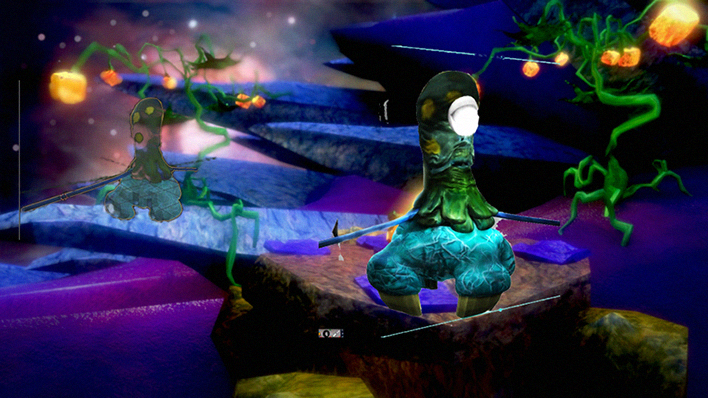
Yeah I'd love to! But I'm still figuring it out.
Process:
1. Make Low Poly mesh in trueSpace or any other program. Later Unwrap the UV of the Low Poly mesh.
2. Subdivide and triangulate mesh to export to Sculptris.
3. Import with no scale and subdivide again within Sculptris
4. Make new sculpt detail.
5. Switch to paint mode and allow some time for Sculptris to regenerate the UV's.
6. Paint textures.
7. Export normals, diffuse and bump layers and the high poly sculpted mesh.
8. Import low poly and high poly mesh into SMAK
9. Make sure each model is the same size, and that the high poly mesh is contained within the low poly mesh.
10. Add the low poly to the low poly and the high poly to the high poly side of the map generators. You can optionally load textures onto the high poly (necessary for diffuse and cavity from normal map)
11. Generate each map accordingly: diffuse, normal, AO, and cavity (optional). Do each one seperately because it's safer.
12. Now SMAK will generate the textures from your highpoly mesh from sculptris to your low poly mesh.
I'm having a little trouble making the Normal Map Generator to work well. It's a little tricky because you need to make sure the normals of the high poly mesh are more or less contained within the low poly mesh.
I got the following anomalies due to exactly that. But otherwise, all the textures, bump, even AO were generated onto the low poly mesh, as planned.
Later I will reimport the UV's mesh from blender into truespace again, as OBJ's and then invert the UV (as truespace seems to do that) and paint the textures generated from SMAK and made in Sculptris.
All free software! But I think I'm going to clean up some of the textures either in sculptris or blender.. as you can see their are errors.

Also need to figure out a way as to fix those errors. they are ugly.


 ... are you gonna entry it in the challenge?

 Strange disease, whatever was growing out of his ear!