Yes, I forgot it existed.trueBlue wrote: 26 Jul 2018, 07:43 ...
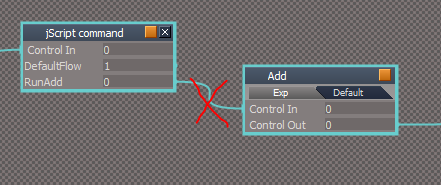
Isn't this the same as the Update YafaRay Render Node.RsObj in the Yafaray4tS Setup library?
...
Yafaray4tS v0.9.0
-
clintonman

- Captain
- Posts: 5659
- Joined: 21 May 2009, 21:08
- Type the number ten into the box: 0
- Location: California
Re: Yafaray4tS v0.9.0
-
trueBlue

- Captain
- Posts: 5548
- Joined: 06 Jul 2009, 22:50
- Type the number ten into the box: 10
Re: Yafaray4tS v0.9.0
Thanks! Getting closer to understanding your Blend material.clintonman wrote: 26 Jul 2018, 15:43YestrueBlue wrote: 26 Jul 2018, 07:46Thanks Clinton!clintonman wrote: 26 Jul 2018, 03:38 Some Blend Material notes:
Blend Material Collection - repository of stand alone materials used inside of a Blend Material. It comes pre-populated with 2 materials since you need 2 materials to make a blend. 3 or more materials cannot be blended together. Use the Add Material button to add more selections for blending. There is no way to remove a material slot once it has been added. The Reset button clears out the collection and reverts back to the 2 blank materials. The Blend Material must have a Blend Material Collection in the scene, otherwise it has no materials to blend between.
YafaRay Blend Material usage:
1. first add a Blend Material Collection to the scene
2. edit 2 of the materials inside the Blend Material Collection
3. if more materials are needed press the Add Material button
4. assign the YafaRay Blend Material to the geometry
5. press the Update Material Lists button to refresh the 2 lists below it
6. choose 2 materials for blending from the 2 drop down lists
7. press the Make Preview button to see a D3D viewport preview for the Blend Material
8. control the amount of blend between the 2 materials using the Blend slider
9. to control the blend with a texture press the T button - this will override the Blend slider
In step 4, do you mean Paint the object from the D3D Material Editor?
Following your steps I did run into an error.
Also had a couple of instances where only one of the two materials was created.
I did not document it be will try again today.
Enclosed is a modified Blend Material Collection and Blend material, that I think is easier to use.
Blend Material Collection
Modifications:
1. Add
Node.Select(copySphere)
MeshModifiers.OpenMaterialEditor()
to the Run script.
2. Add Select Material 1 Button Control
Node.Select('%THIS_NAME%/BlendMaterial1')
MeshModifiers.OpenMaterialEditor()
3. Add Select Material 2 Button Control
Node.Select('%THIS_NAME%/BlendMaterial2')
MeshModifiers.OpenMaterialEditor()
4. All the primitives have their Render Attributes and Mesh nodes set to not show in the panel.
Blend material
Modifications:
Add script that automatically runs on load
Code: Select all
if(!Node.Exists(Space.CurrentScene() + "/Blend Material Collection")) {
RsFileIO.LoadObject(System.GetMainDir() + '\\Rs Main Libraries\\YafaRay Materials\\Blend Material Collection.RsObj', Space.CurrentScene());
}To use the only requirement is to have the new Blend Material Collection.RsObj in the YafaRa4tS Materials library.
Let me know what you think?
Removed due to update
-
clintonman
- Captain
- Posts: 5659
- Joined: 21 May 2009, 21:08
- Type the number ten into the box: 0
- Location: California
Re: Yafaray4tS v0.9.0
This doesn't make sense for the case where a scene has more than 1 blend material and you need to select BlendMaterial5 or BlendMaterial6 etc.trueBlue wrote: 26 Jul 2018, 17:00 ...
2. Add Select Material 1 Button Control
Node.Select('%THIS_NAME%/BlendMaterial1')
MeshModifiers.OpenMaterialEditor()
3. Add Select Material 2 Button Control
Node.Select('%THIS_NAME%/BlendMaterial2')
MeshModifiers.OpenMaterialEditor()
...
-
trueBlue
- Captain
- Posts: 5548
- Joined: 06 Jul 2009, 22:50
- Type the number ten into the box: 10
Re: Yafaray4tS v0.9.0
This is true but at least it is a start in blending two materials.
You could add an instruction after selecting the Select Material 1 button, to use your keyboard arrow keys to navigate to the BlendMaterial # wanted.
If you created a Combo Ctrl that gets populated after each addition and a button that selects it would be much better.
Even better a Watch Dog that selects automatically.
You could add an instruction after selecting the Select Material 1 button, to use your keyboard arrow keys to navigate to the BlendMaterial # wanted.
If you created a Combo Ctrl that gets populated after each addition and a button that selects it would be much better.
Even better a Watch Dog that selects automatically.
-
trueBlue
- Captain
- Posts: 5548
- Joined: 06 Jul 2009, 22:50
- Type the number ten into the box: 10
Re: Yafaray4tS v0.9.0
I signed up at the YafaRay user’s forum and asked about Input Color Space and Background Color Space. Here is the reply:
Quote - David Bluecame:
“Keep in mind I'm actively working on a significantly modified upcoming yafaray v4 that will have a more clearly defined API to be more compatible with 3rd party software, using either XML files, Python3 or directly interfacing with YafaRay interface C++ API.
The reason of those differences in the Color Space are historical. The Background was developed by other developers and the Color Space settings they included in the Background were only used for it but not for the rest of the software.
Around 2-3 years ago I introduced Color Spaces in the rest of the software but, to be honest, did not dare to mess around the Background color spaces code so I kept it "separate" with its own Color Space code and parameters.
I agree it would be ideal to have a single Color Space model for the entire renderer, including Backgrounds. I will have to study how the background code works and I will try to unify this in the upcoming v4 if I can...”
Quote - David Bluecame:
“About the color spaces in the general renderer, there are actually 4 options:
* Linear RGB: in this mode, the colors are taken "as is" without any processing. For example color R=0.5, G=0.5, B=0.5 would be written in a "low dynamic range" such as PNG the following way: R=127, G=127, B=127 and vice-versa
* RAW / Manual Gamma: in this mode a Gamma value can be specified and the color values are transformed using the specified gamma value.
* sRGB: this mode is somewhat similar (but not the same) as a RAW Manual Gamma with gamma 2.2. However the sRGB standard is not exactly a gamma curve and has two segments (one linear and one exponencial). The difference is subtle but for color accuracy this is normally necessary when using PNG, JPG, etc.
* XYZ: this is experimental (and possibly not correctly implemented?)”
End Quotes
Changes to Input Color Space implemented last year:
https://github.com/YafaRay/Core/commit/ ... 4ec3864a98
Input Color Space
You can read the code here:
C:\Program Files\yafaray_v3\include\yafaray\core_api\color.h
Background - Color Space
You can read the code here:
C:\Program Files\yafaray_v3\include\yafaray\utilities\ColorConv.h
Within the code follow the link:
http://www.brucelindbloom.com
Everything you ever wanted to know about color from a color scientist.
So this is what I purpose:
Default
Input Color Space - Color processing options for all textures.
LinearRGB - Linear with no color processing. [Legacy]
sRGB - Color processing with Gamma 2.2. [Recommended]
XYZ - Matrix color processing. [Experimental]
Background
Color Space - Color processing options for the Background.
CIE (D50) - ?
CIE (E) - ?
sRGB (D50) - ?
sRGB (D65) - ?
Exposure - Lighting multiplier.
Matrix color processing was a total guess, actually all were.
……………………………………………
Procedurals
Image Cloud
Color - Enable Color Noise.
Depth - Amount of Noise detail.
Hard - Enable Hard Noise strength / Not Enabled - Soft Noise strength.
Size - Amount of Noise size.
X Size - ?
Y Size - ?
Useful for soft bump mapping of irregular surfaces.
Image Marble
Depth - Amount of Noise detail.
Hard - Enable Hard Noise strength / Not Enabled - Soft Noise strength.
Shape - Band types:
Sin - ?
Saw - ?
Triangle - ?
Sharpness - Noise definition types:
Soft - ?
Sharp - ?
Sharper - ?
Size - Amount of Noise size.
Turbulence - Amount of turbulence for bands.
X Size - ?
Y Size - ?
Image Wood
Hard - Enable Hard Noise strength / Not Enabled - Soft Noise strength.
Shape - Band types:
Sin - ?
Saw - ?
Triangle - ?
Size - Amount of Noise size.
Turbulence - Amount of turbulence for bands or rings.
Wood Type - Band types:
Band Noise - Use Bands with Noise.
Band - Use Bands.
Ring Noise - Use Rings with Noise.
Ring - Use Rings.
X Size - ?
Y Size - ?
Useful for basic bands and noise with a structure.
Image Voronoi
Color Type - ?
Intensity - ?
Position - ?
Position and Outline - ?
Position, Outline, and Intensity - ?
Distance Metric - Shape of the cells:
ActualDistance - ?
Chebychev - ?
Distance Squared - ?
Manhattan - ?
Minovsky 1/2 - ?
Minovsky 4 - ?
Intensity - Amount of intensity applied to the image.
Size - Amount of Cell size.
Weight 1 - Amount of distance between each cell.
Weight 2 - Amount of distance between each cell.
Weight 3 - Amount of distance between each cell.
Weight 4 - Amount of distance between each cell.
X Size - ?
Y Size - ?
Quote - David Bluecame:
“Keep in mind I'm actively working on a significantly modified upcoming yafaray v4 that will have a more clearly defined API to be more compatible with 3rd party software, using either XML files, Python3 or directly interfacing with YafaRay interface C++ API.
The reason of those differences in the Color Space are historical. The Background was developed by other developers and the Color Space settings they included in the Background were only used for it but not for the rest of the software.
Around 2-3 years ago I introduced Color Spaces in the rest of the software but, to be honest, did not dare to mess around the Background color spaces code so I kept it "separate" with its own Color Space code and parameters.
I agree it would be ideal to have a single Color Space model for the entire renderer, including Backgrounds. I will have to study how the background code works and I will try to unify this in the upcoming v4 if I can...”
Quote - David Bluecame:
“About the color spaces in the general renderer, there are actually 4 options:
* Linear RGB: in this mode, the colors are taken "as is" without any processing. For example color R=0.5, G=0.5, B=0.5 would be written in a "low dynamic range" such as PNG the following way: R=127, G=127, B=127 and vice-versa
* RAW / Manual Gamma: in this mode a Gamma value can be specified and the color values are transformed using the specified gamma value.
* sRGB: this mode is somewhat similar (but not the same) as a RAW Manual Gamma with gamma 2.2. However the sRGB standard is not exactly a gamma curve and has two segments (one linear and one exponencial). The difference is subtle but for color accuracy this is normally necessary when using PNG, JPG, etc.
* XYZ: this is experimental (and possibly not correctly implemented?)”
End Quotes
Changes to Input Color Space implemented last year:
https://github.com/YafaRay/Core/commit/ ... 4ec3864a98
Input Color Space
You can read the code here:
C:\Program Files\yafaray_v3\include\yafaray\core_api\color.h
Background - Color Space
You can read the code here:
C:\Program Files\yafaray_v3\include\yafaray\utilities\ColorConv.h
Within the code follow the link:
http://www.brucelindbloom.com
Everything you ever wanted to know about color from a color scientist.
So this is what I purpose:
Default
Input Color Space - Color processing options for all textures.
LinearRGB - Linear with no color processing. [Legacy]
sRGB - Color processing with Gamma 2.2. [Recommended]
XYZ - Matrix color processing. [Experimental]
Background
Color Space - Color processing options for the Background.
CIE (D50) - ?
CIE (E) - ?
sRGB (D50) - ?
sRGB (D65) - ?
Exposure - Lighting multiplier.
Matrix color processing was a total guess, actually all were.
……………………………………………
Procedurals
Image Cloud
Color - Enable Color Noise.
Depth - Amount of Noise detail.
Hard - Enable Hard Noise strength / Not Enabled - Soft Noise strength.
Size - Amount of Noise size.
X Size - ?
Y Size - ?
Useful for soft bump mapping of irregular surfaces.
Image Marble
Depth - Amount of Noise detail.
Hard - Enable Hard Noise strength / Not Enabled - Soft Noise strength.
Shape - Band types:
Sin - ?
Saw - ?
Triangle - ?
Sharpness - Noise definition types:
Soft - ?
Sharp - ?
Sharper - ?
Size - Amount of Noise size.
Turbulence - Amount of turbulence for bands.
X Size - ?
Y Size - ?
Image Wood
Hard - Enable Hard Noise strength / Not Enabled - Soft Noise strength.
Shape - Band types:
Sin - ?
Saw - ?
Triangle - ?
Size - Amount of Noise size.
Turbulence - Amount of turbulence for bands or rings.
Wood Type - Band types:
Band Noise - Use Bands with Noise.
Band - Use Bands.
Ring Noise - Use Rings with Noise.
Ring - Use Rings.
X Size - ?
Y Size - ?
Useful for basic bands and noise with a structure.
Image Voronoi
Color Type - ?
Intensity - ?
Position - ?
Position and Outline - ?
Position, Outline, and Intensity - ?
Distance Metric - Shape of the cells:
ActualDistance - ?
Chebychev - ?
Distance Squared - ?
Manhattan - ?
Minovsky 1/2 - ?
Minovsky 4 - ?
Intensity - Amount of intensity applied to the image.
Size - Amount of Cell size.
Weight 1 - Amount of distance between each cell.
Weight 2 - Amount of distance between each cell.
Weight 3 - Amount of distance between each cell.
Weight 4 - Amount of distance between each cell.
X Size - ?
Y Size - ?
-
clintonman
- Captain
- Posts: 5659
- Joined: 21 May 2009, 21:08
- Type the number ten into the box: 0
- Location: California
Re: Yafaray4tS v0.9.0
I agree but I would like to see if another option is feasible first.trueBlue wrote: 26 Jul 2018, 18:34 This is true but at least it is a start in blending two materials.
You could add an instruction after selecting the Select Material 1 button, to use your keyboard arrow keys to navigate to the BlendMaterial # wanted.
If you created a Combo Ctrl that gets populated after each addition and a button that selects it would be much better.
Even better a Watch Dog that selects automatically.
-
clintonman
- Captain
- Posts: 5659
- Joined: 21 May 2009, 21:08
- Type the number ten into the box: 0
- Location: California
Re: Yafaray4tS v0.9.0
X Size and Y Size control resolution in pixels for the generated textures used in the 3d viewport preview
https://docs.blender.org/manual/en/dev/ ... index.html
Image Marble
Depth - Amount of Noise detail.
Hard - Enable Hard Noise strength / Not Enabled - Soft Noise strength.
Shape - Band types:
"Shape of wave to produce bands.
Sine, Saw, Triangle"
Sharpness - Noise definition types:
"Three settings for soft to more clearly defined Marble.
Soft, Sharp, Sharper"
Size - Amount of Noise size.
Turbulence - Amount of turbulence for bands.
X Size - ?
Y Size - ?
Image Wood
Hard - Enable Hard Noise strength / Not Enabled - Soft Noise strength.
Shape - Band types:
"Shape of wave to produce bands.
Sine, Saw, Triangle"
Size - Amount of Noise size.
Turbulence - Amount of turbulence for bands or rings.
Wood Type - Band types:
Band Noise - Use Bands with Noise.
Band - Use Bands.
Ring Noise - Use Rings with Noise.
Ring - Use Rings.
X Size - ?
Y Size - ?
Useful for basic bands and noise with a structure.
Image Voronoi
"Four settings (Intensity, Position, Position and Outline, and Position, Outline, and Intensity) that can use four different noise basis as methods to calculate color and intensity of the texture output. This gives the Voronoi texture you create with the “Worley Sliders” a completely different appearance and is the equivalent of the noise basis setting found on the other textures."
Color Type - ?
Intensity - ?
Position - ?
Position and Outline - ?
Position, Outline, and Intensity - ?
Distance Metric - Shape of the cells:
"This procedural texture has seven Distance Metric options. These determine the algorithm to find the distance between cells of the texture. These options are:
Minkowsky
Minkowsky 4
Minkowsky 1/2
Chebychev
Manhattan
Distance Squared
Actual Distance
"
Intensity - Amount of intensity applied to the image.
Size - Amount of Cell size.
"These four sliders at the bottom of the Voronoi panel represent the values of the four Worley constants, which are used to calculate the distances between each cell in the texture based on the distance metric. Adjusting these values can have some interesting effects on the end result"
Weight 1 - Amount of distance between each cell.
Weight 2 - Amount of distance between each cell.
Weight 3 - Amount of distance between each cell.
Weight 4 - Amount of distance between each cell.
X Size - ?
Y Size - ?
https://docs.blender.org/manual/en/dev/ ... index.html
Image Marble
Depth - Amount of Noise detail.
Hard - Enable Hard Noise strength / Not Enabled - Soft Noise strength.
Shape - Band types:
"Shape of wave to produce bands.
Sine, Saw, Triangle"
Sharpness - Noise definition types:
"Three settings for soft to more clearly defined Marble.
Soft, Sharp, Sharper"
Size - Amount of Noise size.
Turbulence - Amount of turbulence for bands.
X Size - ?
Y Size - ?
Image Wood
Hard - Enable Hard Noise strength / Not Enabled - Soft Noise strength.
Shape - Band types:
"Shape of wave to produce bands.
Sine, Saw, Triangle"
Size - Amount of Noise size.
Turbulence - Amount of turbulence for bands or rings.
Wood Type - Band types:
Band Noise - Use Bands with Noise.
Band - Use Bands.
Ring Noise - Use Rings with Noise.
Ring - Use Rings.
X Size - ?
Y Size - ?
Useful for basic bands and noise with a structure.
Image Voronoi
"Four settings (Intensity, Position, Position and Outline, and Position, Outline, and Intensity) that can use four different noise basis as methods to calculate color and intensity of the texture output. This gives the Voronoi texture you create with the “Worley Sliders” a completely different appearance and is the equivalent of the noise basis setting found on the other textures."
Color Type - ?
Intensity - ?
Position - ?
Position and Outline - ?
Position, Outline, and Intensity - ?
Distance Metric - Shape of the cells:
"This procedural texture has seven Distance Metric options. These determine the algorithm to find the distance between cells of the texture. These options are:
Minkowsky
Minkowsky 4
Minkowsky 1/2
Chebychev
Manhattan
Distance Squared
Actual Distance
"
Intensity - Amount of intensity applied to the image.
Size - Amount of Cell size.
"These four sliders at the bottom of the Voronoi panel represent the values of the four Worley constants, which are used to calculate the distances between each cell in the texture based on the distance metric. Adjusting these values can have some interesting effects on the end result"
Weight 1 - Amount of distance between each cell.
Weight 2 - Amount of distance between each cell.
Weight 3 - Amount of distance between each cell.
Weight 4 - Amount of distance between each cell.
X Size - ?
Y Size - ?
-
clintonman
- Captain
- Posts: 5659
- Joined: 21 May 2009, 21:08
- Type the number ten into the box: 0
- Location: California
Re: Yafaray4tS v0.9.0
To answer your now invisible post:
tested mappingCSPGlossy scene, no problems here.
Don't forget the standard IT response. "Try turning your computer off and on" - if you've ever seen the the TV show, IT Crowd.
tested mappingCSPGlossy scene, no problems here.
Don't forget the standard IT response. "Try turning your computer off and on" - if you've ever seen the the TV show, IT Crowd.
-
trueBlue
- Captain
- Posts: 5548
- Joined: 06 Jul 2009, 22:50
- Type the number ten into the box: 10
Re: Yafaray4tS v0.9.0
Busted
I redownloaded the scene and it worked.
Must have fiddled with the scene in question that disappeared, while watching IT Crowd.
Testing Input Color Space and logging the results.
sRGB
ImageTexture: The image is a HDR/EXR file: forcing linear RGB and ignoring selected color space 'Raw_Manual_Gamma' and the gamma setting.
LinearRGB
ImageTexture: The image is a HDR/EXR file: forcing linear RGB and ignoring selected color space 'Raw_Manual_Gamma' and the gamma setting.
XYZ
ImageTexture: The image is a HDR/EXR file: forcing linear RGB and ignoring selected color space 'Raw_Manual_Gamma' and the gamma setting.
All three of them are being logged has being used on another line.
XYZ gives a yellow hue to the image.
YafaRay4tS materials do not have a texture property to set diiferent flavors.
Is that even possible on per texture basis?
I redownloaded the scene and it worked.
Must have fiddled with the scene in question that disappeared, while watching IT Crowd.
Testing Input Color Space and logging the results.
sRGB
ImageTexture: The image is a HDR/EXR file: forcing linear RGB and ignoring selected color space 'Raw_Manual_Gamma' and the gamma setting.
LinearRGB
ImageTexture: The image is a HDR/EXR file: forcing linear RGB and ignoring selected color space 'Raw_Manual_Gamma' and the gamma setting.
XYZ
ImageTexture: The image is a HDR/EXR file: forcing linear RGB and ignoring selected color space 'Raw_Manual_Gamma' and the gamma setting.
All three of them are being logged has being used on another line.
XYZ gives a yellow hue to the image.
YafaRay4tS materials do not have a texture property to set diiferent flavors.
Is that even possible on per texture basis?
-
clintonman
- Captain
- Posts: 5659
- Joined: 21 May 2009, 21:08
- Type the number ten into the box: 0
- Location: California
Re: Yafaray4tS v0.9.0
In Blender those 3 values are set on the scene not on the individual textures, unless you mean something else by "flavors".trueBlue wrote: 27 Jul 2018, 02:28 Busted
I redownloaded the scene and it worked.
Must have fiddled with the scene in question that disappeared, while watching IT Crowd.
Testing Input Color Space and logging the results.
sRGB
ImageTexture: The image is a HDR/EXR file: forcing linear RGB and ignoring selected color space 'Raw_Manual_Gamma' and the gamma setting.
LinearRGB
ImageTexture: The image is a HDR/EXR file: forcing linear RGB and ignoring selected color space 'Raw_Manual_Gamma' and the gamma setting.
XYZ
ImageTexture: The image is a HDR/EXR file: forcing linear RGB and ignoring selected color space 'Raw_Manual_Gamma' and the gamma setting.
All three of them are being logged has being used on another line.
XYZ gives a yellow hue to the image.
YafaRay4tS materials do not have a texture property to set diiferent flavors.
Is that even possible on per texture basis?
-
clintonman
- Captain
- Posts: 5659
- Joined: 21 May 2009, 21:08
- Type the number ten into the box: 0
- Location: California
Re: Yafaray4tS v0.9.0

replaced the YafaRay Blend Material in the Collection - Blend materials can't be blended in trueSpace. only simple materials can be blended together
locked the transforms of all the elements except for the main flat surface. it can be used to move and size the collection in the 3d view
added an active checkbox - turns on selection processing
select the "plus button" in the 3d view to add a new material to the collection
to edit a material:
select a material sphere or it's label in the 3d view then use the eyedropper tool that appears to load it into the material editor
- Attachments
-
- Blend Material Collection.RsObj
- (1.17 MiB) Downloaded 202 times
-
trueBlue
- Captain
- Posts: 5548
- Joined: 06 Jul 2009, 22:50
- Type the number ten into the box: 10
Re: Yafaray4tS v0.9.0
Not sure what is meant by this?clintonman wrote: 27 Jul 2018, 07:03 Blend materials can't be blended in trueSpace. only simple materials can be blended together
Is there a reason why this has a YafaRay Blend material?clintonman wrote: 27 Jul 2018, 07:03 select the "plus button" in the 3d view to add a new material to the collection
1.) If you have this Active and you select you keyboard Right -> arrow key, it adds more materials to the collection.
2.) Also when it is Active and you inspect material 1 & 2, the Shinny Diffuse material that they have does not show in the Material Editor. The material 1 & or 2t is being selected then the Blend Material Collection gets selected.
If I select material 1 & 2 without it being Active, the material does show in the Material Editor.
- Capture.PNG (8.36 KiB) Viewed 4875 times
The Inspect tool is kind of weird in the way it works.
Open up the Command History and use the Inspect tool, to see what happens, using different objects with different material. Watch for the last selected object getting selected after exiting the Inspect tool.
I think what is happening with your project (Active or not Active) is the Blend Material Collection's material is being inspected and not the Sphere's material and or material 1 & 2.
-
clintonman
- Captain
- Posts: 5659
- Joined: 21 May 2009, 21:08
- Type the number ten into the box: 0
- Location: California
Re: Yafaray4tS v0.9.0
You cant assign the YafaRay Blend material to the items inside the Blend material collection.trueBlue wrote: 27 Jul 2018, 15:27Not sure what is meant by this?clintonman wrote: 27 Jul 2018, 07:03 Blend materials can't be blended in trueSpace. only simple materials can be blended together
...
-
clintonman
- Captain
- Posts: 5659
- Joined: 21 May 2009, 21:08
- Type the number ten into the box: 0
- Location: California
Re: Yafaray4tS v0.9.0
Nope, must have been an accidenttrueBlue wrote: 27 Jul 2018, 15:27 ...
Is there a reason why this has a YafaRay Blend material?
...
-
trueBlue
- Captain
- Posts: 5548
- Joined: 06 Jul 2009, 22:50
- Type the number ten into the box: 10
Re: Yafaray4tS v0.9.0
Clinton,
Hope you are having a great weekend!
Would you mind sharing your latest and greatest YafaRay4tS.RsObj?
Hope you are having a great weekend!
Would you mind sharing your latest and greatest YafaRay4tS.RsObj?
-
clintonman
- Captain
- Posts: 5659
- Joined: 21 May 2009, 21:08
- Type the number ten into the box: 0
- Location: California
Re: Yafaray4tS v0.9.0
I'll have to get back to you on that. I noted one change but it was to RC19 which was released twice. Don't know if I have the new RC19 or the old, so need to re-download.trueBlue wrote: 28 Jul 2018, 22:35 Clinton,
Hope you are having a great weekend!
Would you mind sharing your latest and greatest YafaRay4tS.RsObj?
-
trueBlue
- Captain
- Posts: 5548
- Joined: 06 Jul 2009, 22:50
- Type the number ten into the box: 10
Re: Yafaray4tS v0.9.0
Okay thanks!
I never applied that update.
With regards to YafaRay materials:
Is the 'Alpha preview is inactive' button just for Transparency?
At the bottom of the YafaRay materials there is a 'D3D Preview' button.
Is that just for the Bump?
Also there is Receive Shadows.
Is that have anything to do with the Render Pass or is it for the material, or both?
Never have used Render Pass.
Do the attributes at the bottom of the materials that are for the Render Pass, need to be shown on the material interface?
Or are they per material settings for Render Pass?
I never applied that update.
With regards to YafaRay materials:
Is the 'Alpha preview is inactive' button just for Transparency?
At the bottom of the YafaRay materials there is a 'D3D Preview' button.
Is that just for the Bump?
Also there is Receive Shadows.
Is that have anything to do with the Render Pass or is it for the material, or both?
Never have used Render Pass.
Do the attributes at the bottom of the materials that are for the Render Pass, need to be shown on the material interface?
Or are they per material settings for Render Pass?
-
trueBlue
- Captain
- Posts: 5548
- Joined: 06 Jul 2009, 22:50
- Type the number ten into the box: 10
Re: Yafaray4tS v0.9.0
Blend Material Collection
Add Material button
Adds a new material Egg, selects it, opens the ME, and Inspect tool to inspect and paint.
I have the Blend material set to automatically load the Blend Material Collection into the scene, if it does not exist, open it's floating panel, reset the D3D Material Editor's default material.
Note: Reset ME material is for removing the Blend material from the ME.
Select Material button
Selects the BlendMaterial# in the Material combo control, opens the ME, and Inspect tool to inspect and paint.
Cube, Plane, and Text are locked down.
All objects have their inner panels set to not export. Show in the Stack.
Sphere, BlendMaterial1, and BlendMaterial2 have Edit controls for setting notes. IE material descriptions.
Workflow
With your object selected, Load the Blend material. The Blend Material Collection loads into the scene, selects the BlendMaterial1, and opens the Inspect tool.
Inspect and Paint that Blend material.
Select BlendMateral2 from the combo cntrl and press the Select Material buton.
Inspect and Paint the Blend material.
Inspect your object and press the Make Preview button.
Adjust the Blend amount and your done.
You can now delete or save your collection.
If you add another material to the collection, press the Update Material List button.
Removed due to update

- Capture.PNG (3.43 KiB) Viewed 4839 times
Adds a new material Egg, selects it, opens the ME, and Inspect tool to inspect and paint.
I have the Blend material set to automatically load the Blend Material Collection into the scene, if it does not exist, open it's floating panel, reset the D3D Material Editor's default material.
Note: Reset ME material is for removing the Blend material from the ME.
Select Material button
Selects the BlendMaterial# in the Material combo control, opens the ME, and Inspect tool to inspect and paint.
Cube, Plane, and Text are locked down.
All objects have their inner panels set to not export. Show in the Stack.
Sphere, BlendMaterial1, and BlendMaterial2 have Edit controls for setting notes. IE material descriptions.

With your object selected, Load the Blend material. The Blend Material Collection loads into the scene, selects the BlendMaterial1, and opens the Inspect tool.
Inspect and Paint that Blend material.
Select BlendMateral2 from the combo cntrl and press the Select Material buton.
Inspect and Paint the Blend material.
Inspect your object and press the Make Preview button.
Adjust the Blend amount and your done.
You can now delete or save your collection.
If you add another material to the collection, press the Update Material List button.
Removed due to update
-
trueBlue
- Captain
- Posts: 5548
- Joined: 06 Jul 2009, 22:50
- Type the number ten into the box: 10
Re: Yafaray4tS v0.9.0
Paint object with Blend material and render.clintonman wrote: 25 Jul 2018, 21:46Fix - update system trace error message to the new error handling systemtrueBlue wrote: 25 Jul 2018, 20:36 Fixed the typo in the Render Object button.
Re uploaded RC -19 in the previous post.
Here is a scene that shows that YafaRay does not recognize the Blend material when there is no materials applied.
Check the console.
YafaRay4tS/MaterialsFnSet around line 1382Code: Select all
function ExportBlendMaterial(MaterialNode) {
	var Errors = Node.AccessFnSet(System.ThisOwner() + '/ErrorsFnSet');
	if(!Node.Exists(Space.CurrentScene() + "/Blend Material Collection")) {
		//System.Trace("Error: Blend Material Collection not found. Skipping material export.");
		Errors.Add("Blend Material Collection not found. Skipping material export.");
		return;
	}
Error Found

- Blend Error.PNG (4.16 KiB) Viewed 4761 times
Error Found
- Blend Error.PNG (4.16 KiB) Viewed 4761 times
Replace YafaRay4tS.RsObj in the scene with a new one.
Is there a way to clear Errors Found in your new errors handling system after they are created?
I notice that in ErrorsFnSet you have:
Code: Select all
function Clear()
{
	message = '';
	IndexOfPolyFill();
}If not maybe you can give instructions in the error message on how to rectify the above issue.
-
clintonman
- Captain
- Posts: 5659
- Joined: 21 May 2009, 21:08
- Type the number ten into the box: 0
- Location: California
Re: Yafaray4tS v0.9.0
Yes.trueBlue wrote: 29 Jul 2018, 00:22 ...
With regards to YafaRay materials:
Is the 'Alpha preview is inactive' button just for Transparency?
...
Yes.trueBlue wrote: 29 Jul 2018, 00:22 ...
At the bottom of the YafaRay materials there is a 'D3D Preview' button.
Is that just for the Bump?
...
Only PassID is used for render passes and it's per material. The other attributes are for render control, but do not use the render pass system. If you make a simple scene and look at the xml file you can see those attributes belong in the material.trueBlue wrote: 29 Jul 2018, 00:22 ...
Do the attributes at the bottom of the materials that are for the Render Pass, need to be shown on the material interface?
Or are they per material settings for Render Pass?
-
clintonman
- Captain
- Posts: 5659
- Joined: 21 May 2009, 21:08
- Type the number ten into the box: 0
- Location: California
Re: Yafaray4tS v0.9.0
Did you have a Blend Material Collection in the scene?trueBlue wrote: 01 Aug 2018, 13:59Paint object with Blend material and render.clintonman wrote: 25 Jul 2018, 21:46Fix - update system trace error message to the new error handling systemtrueBlue wrote: 25 Jul 2018, 20:36 Fixed the typo in the Render Object button.
Re uploaded RC -19 in the previous post.
Here is a scene that shows that YafaRay does not recognize the Blend material when there is no materials applied.
Check the console.
YafaRay4tS/MaterialsFnSet around line 1382Code: Select all
function ExportBlendMaterial(MaterialNode) {
	var Errors = Node.AccessFnSet(System.ThisOwner() + '/ErrorsFnSet');
	if(!Node.Exists(Space.CurrentScene() + "/Blend Material Collection")) {
		//System.Trace("Error: Blend Material Collection not found. Skipping material export.");
		Errors.Add("Blend Material Collection not found. Skipping material export.");
		return;
	}
Error Found
Blend Error.PNG
Repaint object with other YafaRay material and render.
Error Found
Blend Error.PNG
Work around
Replace YafaRay4tS.RsObj in the scene with a new one.
Is there a way to clear Errors Found in your new errors handling system after they are created?
I notice that in ErrorsFnSet you have:Maybe run that after an error is found?Code: Select all
function Clear()
{
	message = '';
	IndexOfPolyFill();
}
If not maybe you can give instructions in the error message on how to rectify the above issue.
You made a change to the Material Collection, does the old material collection in scene give error?
Doesn't make sense to find an error then clear it.
-
trueBlue
- Captain
- Posts: 5548
- Joined: 06 Jul 2009, 22:50
- Type the number ten into the box: 10
Re: Yafaray4tS v0.9.0
Thanks!
I was just testing your fix.
Ah, I see now.
The error is not that the object was painted with the Blend material, but that the Blend Material Collection did not exist.
Does not matter which version the Blend Material Collection is.
Thinking ahead when a user saves a Blended material, there has to be a way for a Blended material to work without having the Blend Material Collection in scene after it has been setup properly.
Wonder what happens if a user has several different blended materials in a scene that was setup with different Blend Material Collections?
It seems to me that the materials in the collection need to be transfered the the Blend material.
I was just testing your fix.
Ah, I see now.
The error is not that the object was painted with the Blend material, but that the Blend Material Collection did not exist.
Does not matter which version the Blend Material Collection is.
Thinking ahead when a user saves a Blended material, there has to be a way for a Blended material to work without having the Blend Material Collection in scene after it has been setup properly.
Wonder what happens if a user has several different blended materials in a scene that was setup with different Blend Material Collections?
It seems to me that the materials in the collection need to be transfered the the Blend material.
-
clintonman
- Captain
- Posts: 5659
- Joined: 21 May 2009, 21:08
- Type the number ten into the box: 0
- Location: California
Re: Yafaray4tS v0.9.0
Yep, don't see any easy way around it. One reason for the awkwardness is that YafaRay4tS uses object materials instead of scene materials. If it used scene materials both the blend material and it's 2 component materials would just be plain materials. Also tS scene materials has the limitation in that you can't save objects properly since their materials exist in the scene and not the object. It is more difficult to code for scene materials because it's not fully exposed to scripting so it needs rsx c++ code to get to them. Not impossible, just a lot of work. It's times like this were it would be nice to have the source code for truespace to fix minor problems that otherwise require big workarounds.trueBlue wrote: 01 Aug 2018, 15:28 Thanks!
I was just testing your fix.
Ah, I see now.
The error is not that the object was painted with the Blend material, but that the Blend Material Collection did not exist.
Does not matter which version the Blend Material Collection is.
Thinking ahead when a user saves a Blended material, there has to be a way for a Blended material to work without having the Blend Material Collection in scene after it has been setup properly.
Wonder what happens if a user has several different blended materials in a scene that was setup with different Blend Material Collections?
It seems to me that the materials in the collection need to be transfered the the Blend material.
-
trueBlue
- Captain
- Posts: 5548
- Joined: 06 Jul 2009, 22:50
- Type the number ten into the box: 10
Re: Yafaray4tS v0.9.0
Okay noted in the help file.
Note: Ensure that any sphere in the collection is not painted with a YafaRay Blend material.
Limitations: In order to use Blend materials, the Blend Material Collection must be included with your scene.
Only one Blend Material Collection is supported per scene.
You cannot rename Blend Material Collection.
Using different Blend materials for different objects, must be included in the Blend Material Collection.
The Blend Material Collection supports up to 25 materials.
The Blend Material Collection does not render, it is complete transparent to the YafaRay render engine.
Note: Ensure that any sphere in the collection is not painted with a YafaRay Blend material.
Limitations: In order to use Blend materials, the Blend Material Collection must be included with your scene.
Only one Blend Material Collection is supported per scene.
You cannot rename Blend Material Collection.
Using different Blend materials for different objects, must be included in the Blend Material Collection.
The Blend Material Collection supports up to 25 materials.
The Blend Material Collection does not render, it is complete transparent to the YafaRay render engine.
-
trueBlue
- Captain
- Posts: 5548
- Joined: 06 Jul 2009, 22:50
- Type the number ten into the box: 10
Re: Yafaray4tS v0.9.0
YafaRay4tSv090-RC-20
Includes all of the changes in RC-19
Added the fix to MaterialsFnSet
Line 1382
Installer
Added beginning and end status message just for fun. tS2 users might remember it's installer.
Added a Textures folder that includes the demo scenes images.
Moved YafaRay4tS.RsSLgts from the setup library to the YafaRay Lights library.
Changed loading the above light setup to loading the YafaRay4tS.RsScn
YafaRay4tS Setup library
New icons for the Background D3D Preview objects.
New - The Update to YafaRay4tSv0.9.0.RsObj includes the script to load textures for the demo and or older scenes.
YafaRay Materials library
All materials panels were divided into aspects. IE Default, Transparency, Specular, Bump, and Expanded.
New Blend and Blend Materials Collection noted here:
YafaRay4tS.RsObj
Renamed the Open Temp Folder button to Open Output Folder and included it to all of the panels in the Output - Render File.
Changed the Open Render Pass button to a On / Off button.
Renamed the Draw Parameters check box to Log Draw Parameters.
Added a status message to the Save Settings script.
New complete YafaRay4tS Help.chm
@ Clinton
I hope you like the changes because the help file reflects these changes.
The goal was to make it a little more intuitive.
I did not include the OptDetectorsPreferences.RsObj
This will be included in the Unofficial Update 4
The Per - Material attributes are on the Default and Expanded aspects.
Removed due to update
Includes all of the changes in RC-19
Added the fix to MaterialsFnSet
Line 1382
Code: Select all
function ExportBlendMaterial(MaterialNode) {
	var Errors = Node.AccessFnSet(System.ThisOwner() + '/ErrorsFnSet');
	if(!Node.Exists(Space.CurrentScene() + "/Blend Material Collection")) {
		//System.Trace("Error: Blend Material Collection not found. Skipping material export.");
		Errors.Add("Blend Material Collection not found. Skipping material export.");
		return;
}Added beginning and end status message just for fun. tS2 users might remember it's installer.
Added a Textures folder that includes the demo scenes images.
Moved YafaRay4tS.RsSLgts from the setup library to the YafaRay Lights library.
Changed loading the above light setup to loading the YafaRay4tS.RsScn
YafaRay4tS Setup library
New icons for the Background D3D Preview objects.
New - The Update to YafaRay4tSv0.9.0.RsObj includes the script to load textures for the demo and or older scenes.
YafaRay Materials library
All materials panels were divided into aspects. IE Default, Transparency, Specular, Bump, and Expanded.
New Blend and Blend Materials Collection noted here:
YafaRay4tS.RsObj
Renamed the Open Temp Folder button to Open Output Folder and included it to all of the panels in the Output - Render File.
Changed the Open Render Pass button to a On / Off button.
Renamed the Draw Parameters check box to Log Draw Parameters.
Added a status message to the Save Settings script.
New complete YafaRay4tS Help.chm
@ Clinton
I hope you like the changes because the help file reflects these changes.
The goal was to make it a little more intuitive.
I did not include the OptDetectorsPreferences.RsObj
This will be included in the Unofficial Update 4
The Per - Material attributes are on the Default and Expanded aspects.

-
clintonman
- Captain
- Posts: 5659
- Joined: 21 May 2009, 21:08
- Type the number ten into the box: 0
- Location: California
Re: Yafaray4tS v0.9.0
Installed to non-patched tS full.
The Offline Renderer was missing.
Reset to default context and it appeared.
will test on unpatch tS std to see if same.
Edit: Yep, same for unpatch std tS. Must reset context before offline renderer is available
The Offline Renderer was missing.
Reset to default context and it appeared.
will test on unpatch tS std to see if same.
Edit: Yep, same for unpatch std tS. Must reset context before offline renderer is available
-
trueBlue
- Captain
- Posts: 5548
- Joined: 06 Jul 2009, 22:50
- Type the number ten into the box: 10
Re: Yafaray4tS v0.9.0
Nothing was changed in the installer with regards to the Renderer.
Do you have an idea what it could be?
Do you have an idea what it could be?
-
clintonman
- Captain
- Posts: 5659
- Joined: 21 May 2009, 21:08
- Type the number ten into the box: 0
- Location: California
Re: Yafaray4tS v0.9.0

-
trueBlue
- Captain
- Posts: 5548
- Joined: 06 Jul 2009, 22:50
- Type the number ten into the box: 10
Re: Yafaray4tS v0.9.0
Its for adding notes about the selected BlendMaterial# in the collection.
It does not change to the selected BlendMaterial# when using the Inspect tool.
The Inspect tool does not select the object, only the material.
It does change when you select the Add Material button and also when using the Select Material button.
It does not change to the selected BlendMaterial# when using the Inspect tool.
The Inspect tool does not select the object, only the material.
It does change when you select the Add Material button and also when using the Select Material button.
-
clintonman
- Captain
- Posts: 5659
- Joined: 21 May 2009, 21:08
- Type the number ten into the box: 0
- Location: California
Re: Yafaray4tS v0.9.0
Most have got lost in the changes.trueBlue wrote: 02 Aug 2018, 02:51 Nothing was changed in the installer with regards to the Renderer.
Do you have an idea what it could be?
-
clintonman
- Captain
- Posts: 5659
- Joined: 21 May 2009, 21:08
- Type the number ten into the box: 0
- Location: California
Re: Yafaray4tS v0.9.0
RC-22 changes
fixed offline renderer not added during installation
updated Blend Material Collection -
activate the d3d material option to edit picked materials directly - needed for unpatched tS
locked all items from mesh editing
can only transform(translate, rotate, scale) via the flat surface
replaced selection change with 3d button behavior - generally right click to edit
left or right click the plus button will add a new material
right click on sphere will edit material
right click the number labels will edit material
left or right click the flat mesh to select it
cannot process as a button and override left click so,
left click the number labels selects the sphere - hmm maybe this one should do the edit instead of select...
left click the sphere selects the sphere
fixed offline renderer not added during installation
updated Blend Material Collection -
activate the d3d material option to edit picked materials directly - needed for unpatched tS
locked all items from mesh editing
can only transform(translate, rotate, scale) via the flat surface
replaced selection change with 3d button behavior - generally right click to edit
left or right click the plus button will add a new material
right click on sphere will edit material
right click the number labels will edit material
left or right click the flat mesh to select it
cannot process as a button and override left click so,
left click the number labels selects the sphere - hmm maybe this one should do the edit instead of select...
left click the sphere selects the sphere
- Attachments
-
- YafaRay4tSv090-RC-22.zip
- (14.7 MiB) Downloaded 200 times
-
clintonman
- Captain
- Posts: 5659
- Joined: 21 May 2009, 21:08
- Type the number ten into the box: 0
- Location: California
Re: Yafaray4tS v0.9.0
I see it now. Must have been stuck earlier.trueBlue wrote: 02 Aug 2018, 04:24 Its for adding notes about the selected BlendMaterial# in the collection.
It does not change to the selected BlendMaterial# when using the Inspect tool.
The Inspect tool does not select the object, only the material.
It does change when you select the Add Material button and also when using the Select Material button.
-
clintonman
- Captain
- Posts: 5659
- Joined: 21 May 2009, 21:08
- Type the number ten into the box: 0
- Location: California
Re: Yafaray4tS v0.9.0
RC-22
bug in Blend Material Collection 3d add button - getting double rotations
line 42 MatrixOffset add lines to fix
note: just found that right click in open space does not prevent mesh edit of Blend Material Collection meshes, so mesh edit is not completely blocked
bug in Blend Material Collection 3d add button - getting double rotations
line 42 MatrixOffset add lines to fix
Code: Select all
	MatrixIn.SetYaw(0);
	MatrixIn.SetRoll(0);
MatrixIn.SetPitch(0);-
trueBlue
- Captain
- Posts: 5548
- Joined: 06 Jul 2009, 22:50
- Type the number ten into the box: 10
Re: Yafaray4tS v0.9.0
Nice! Looks like you got the selecting of the BlendMaterial# dialed.
I changed a few things as the workflow has changed and updated the help file to reflect these changes.
Blend Material Collection
Removed MeshModifiers.ToggleTool('/Widgets/Tools/Material editor/Inspect'); from the Popup panel script.
Added your fix for the MatrixOffset.
Added a Space.Unselect() script to the Reset script. Disables the Inspect tool after resetting.
Added an Exit button to the panel. Removes the Blend Material Collection from the scene.
Renamed the Cube to Blend Material Collection and changed the Highlight script from RMB to LMB.
Changed the BlendMaterial# panels to "Add description of the material" "Shinny Diffuse - Default settings".
YafaRay4tS Help
Blend Material Collection
Reset - Removes all of the spheres in the collection except for the first two original spheres.
Add Material - Adds a new sphere to the collection, selects it, activates the Inspect tool, and adds a BlendMaterial# to the Material combo control.
Select Material - Selects the BlendMaterial# in the present Material combo control and activates the Inspect tool.
BlendMaterial - Each material in the collection has a panel where you can enter a description of the material for further references.
Note: Upon loading, it automatically resets the D3D Material Editor’s default material. This is to ensure that a YafaRay Blend material is not added to the collection.
Steps to apply a YafaRay Blend material
1. The easiest way to apply a YafaRay Blend material is to select your Object first.
2. Load the YafaRay Blend material from the library into the D3D Material Editor.
This automatically loads the required Blend Material Collection into the scene and selects BlendMaterial1.
3. Load a YafaRay material from the library into the D3D Material Editor.
BlendMaterial1 will be painted with your selected material or if needed use the Paint tool.
4. Right click any of the spheres in the collection and then left click with the Inspect tool.
5. Load a YafaRay material from the library and Paint the sphere if needed.
6. Select the Update D3D Preview button.
7. With the Inspect tool, inspect your Object and adjust the amount of Blend between the two blended materials.
8. Right click in 3D Space to exit the Inspect tool.
You can also manually select a BlendMaterial# with the Select Material button.
Note: Ensure that any sphere in the collection is not painted with a YafaRay Blend material.
Limitations: In order to use Blend materials, the Blend Material Collection must be included with your scene.
Only one Blend Material Collection is supported per scene.
You cannot rename the Blend Material Collection.
Using different YafaRay Blend materials for different objects, must be included in the Blend Material Collection.
The Blend Material Collection supports up to 25 materials.
The Blend Material Collection does not render and is completely transparent to the YafaRay render engine.
Tried to upload the zip file.
I get an error.
I changed a few things as the workflow has changed and updated the help file to reflect these changes.
Blend Material Collection
Removed MeshModifiers.ToggleTool('/Widgets/Tools/Material editor/Inspect'); from the Popup panel script.
Added your fix for the MatrixOffset.
Added a Space.Unselect() script to the Reset script. Disables the Inspect tool after resetting.
Added an Exit button to the panel. Removes the Blend Material Collection from the scene.
Renamed the Cube to Blend Material Collection and changed the Highlight script from RMB to LMB.
Changed the BlendMaterial# panels to "Add description of the material" "Shinny Diffuse - Default settings".
YafaRay4tS Help
Blend Material Collection
Reset - Removes all of the spheres in the collection except for the first two original spheres.
Add Material - Adds a new sphere to the collection, selects it, activates the Inspect tool, and adds a BlendMaterial# to the Material combo control.
Select Material - Selects the BlendMaterial# in the present Material combo control and activates the Inspect tool.
BlendMaterial - Each material in the collection has a panel where you can enter a description of the material for further references.
Note: Upon loading, it automatically resets the D3D Material Editor’s default material. This is to ensure that a YafaRay Blend material is not added to the collection.
Steps to apply a YafaRay Blend material
1. The easiest way to apply a YafaRay Blend material is to select your Object first.
2. Load the YafaRay Blend material from the library into the D3D Material Editor.
This automatically loads the required Blend Material Collection into the scene and selects BlendMaterial1.
3. Load a YafaRay material from the library into the D3D Material Editor.
BlendMaterial1 will be painted with your selected material or if needed use the Paint tool.
4. Right click any of the spheres in the collection and then left click with the Inspect tool.
5. Load a YafaRay material from the library and Paint the sphere if needed.
6. Select the Update D3D Preview button.
7. With the Inspect tool, inspect your Object and adjust the amount of Blend between the two blended materials.
8. Right click in 3D Space to exit the Inspect tool.
You can also manually select a BlendMaterial# with the Select Material button.
Note: Ensure that any sphere in the collection is not painted with a YafaRay Blend material.
Limitations: In order to use Blend materials, the Blend Material Collection must be included with your scene.
Only one Blend Material Collection is supported per scene.
You cannot rename the Blend Material Collection.
Using different YafaRay Blend materials for different objects, must be included in the Blend Material Collection.
The Blend Material Collection supports up to 25 materials.
The Blend Material Collection does not render and is completely transparent to the YafaRay render engine.
Tried to upload the zip file.
I get an error.
-
trueBlue
- Captain
- Posts: 5548
- Joined: 06 Jul 2009, 22:50
- Type the number ten into the box: 10
Re: Yafaray4tS v0.9.0
YafaRay4tSv0.9.0-RC-23
Updates:
Blend Materials Collection
YafaRay4tS Help
Updates:
Blend Materials Collection
YafaRay4tS Help
-
clintonman
- Captain
- Posts: 5659
- Joined: 21 May 2009, 21:08
- Type the number ten into the box: 0
- Location: California
Re: Yafaray4tS v0.9.0

Image shows what happens if it is accidentally edited. This can't be stopped but at least can have a little prevention.
-
trueBlue
- Captain
- Posts: 5548
- Joined: 06 Jul 2009, 22:50
- Type the number ten into the box: 10
Re: Yafaray4tS v0.9.0
Gotcha!
Hopefully you can include that with your next release.
I do not know if you know this or not.
When you save it to the library, right click it.
Choose Change Thumbnail to Icon.
Hoping that your next (Very Soon!) release is Gold.
I am going to release the Unofficial Update 4 on August 4, 2018
I will just grab a copy of the Blend Material Collection from that and include it with the update.
Thanks again for everything!
Hopefully you can include that with your next release.
I do not know if you know this or not.
When you save it to the library, right click it.
Choose Change Thumbnail to Icon.
Hoping that your next (Very Soon!) release is Gold.
I am going to release the Unofficial Update 4 on August 4, 2018
I will just grab a copy of the Blend Material Collection from that and include it with the update.
Thanks again for everything!
-
clintonman
- Captain
- Posts: 5659
- Joined: 21 May 2009, 21:08
- Type the number ten into the box: 0
- Location: California
Re: Yafaray4tS v0.9.0
Sounds good to me. I will review the previous posts and check my paper notes to see if I missed anything and do some last bit of testing. The forums are way overdue for an update and I hope to get that done this weekend as well.trueBlue wrote: 03 Aug 2018, 02:59 Gotcha!
Hopefully you can include that with your next release.
I do not know if you know this or not.
When you save it to the library, right click it.
Choose Change Thumbnail to Icon.
Hoping that your next (Very Soon!) release is Gold.
I am going to release the Unofficial Update 4 on August 4, 2018
I will just grab a copy of the Blend Material Collection from that and include it with the update.
Thanks again for everything!
-
trueBlue
- Captain
- Posts: 5548
- Joined: 06 Jul 2009, 22:50
- Type the number ten into the box: 10
Re: Yafaray4tS v0.9.0
Forgot to mention that in the Blend Material Collection, the Sphere and Text are setup differently in their Highlight LMB and RMB scripts. Shouldn't they be the same?
In testing the Blend Material Collection, I am thinking about adding Space.Unselect() to the Inspect widget's Cancel command. This eliminates the last selected object getting Painted and or other unwanted things like initiating Point Editing . Whatcha think? Good idea or Bad idea?
In testing the Blend Material Collection, I am thinking about adding Space.Unselect() to the Inspect widget's Cancel command. This eliminates the last selected object getting Painted and or other unwanted things like initiating Point Editing . Whatcha think? Good idea or Bad idea?
-
clintonman
- Captain
- Posts: 5659
- Joined: 21 May 2009, 21:08
- Type the number ten into the box: 0
- Location: California
Re: Yafaray4tS v0.9.0
The sphere materials change with user selection shiny diffuse, glossy, glass etc. So you would have to modify all the yafaray materials to have some common input for highlighting.trueBlue wrote: 03 Aug 2018, 13:09 Forgot to mention that in the Blend Material Collection, the Sphere and Text are setup differently in their Highlight LMB and RMB scripts. Shouldn't they be the same?
In testing the Blend Material Collection, I am thinking about adding Space.Unselect() to the Inspect widget's Cancel command. This eliminates the last selected object getting Painted and or other unwanted things like initiating Point Editing . Whatcha think? Good idea or Bad idea?
Don't know about the Space.Unselect idea. Only way to tell is try it and see.
-
trueBlue
- Captain
- Posts: 5548
- Joined: 06 Jul 2009, 22:50
- Type the number ten into the box: 10
Re: Yafaray4tS v0.9.0
You are missunderstanding me. I was reffering to the Blend Material Collection's Sphere and Text object's Highlight scripts.clintonman wrote: 03 Aug 2018, 13:50The sphere materials change with user selection shiny diffuse, glossy, glass etc. So you would have to modify all the yafaray materials to have some common input for highlighting.trueBlue wrote: 03 Aug 2018, 13:09 Forgot to mention that in the Blend Material Collection, the Sphere and Text are setup differently in their Highlight LMB and RMB scripts. Shouldn't they be the same?
In testing the Blend Material Collection, I am thinking about adding Space.Unselect() to the Inspect widget's Cancel command. This eliminates the last selected object getting Painted and or other unwanted things like initiating Point Editing . Whatcha think? Good idea or Bad idea?
Don't know about the Space.Unselect idea. Only way to tell is try it and see.
-
clintonman
- Captain
- Posts: 5659
- Joined: 21 May 2009, 21:08
- Type the number ten into the box: 0
- Location: California
Re: Yafaray4tS v0.9.0
Thought I was referring to the same thing, so whatever you're thinking try it and see if it works.trueBlue wrote: 03 Aug 2018, 14:38You are missunderstanding me. I was reffering to the Blend Material Collection's Sphere and Text object's Highlight scripts.clintonman wrote: 03 Aug 2018, 13:50The sphere materials change with user selection shiny diffuse, glossy, glass etc. So you would have to modify all the yafaray materials to have some common input for highlighting.trueBlue wrote: 03 Aug 2018, 13:09 Forgot to mention that in the Blend Material Collection, the Sphere and Text are setup differently in their Highlight LMB and RMB scripts. Shouldn't they be the same?
In testing the Blend Material Collection, I am thinking about adding Space.Unselect() to the Inspect widget's Cancel command. This eliminates the last selected object getting Painted and or other unwanted things like initiating Point Editing . Whatcha think? Good idea or Bad idea?
Don't know about the Space.Unselect idea. Only way to tell is try it and see.
-
trueBlue
- Captain
- Posts: 5548
- Joined: 06 Jul 2009, 22:50
- Type the number ten into the box: 10
Re: Yafaray4tS v0.9.0
I went through your YafaRay Scenes and replaced all of the lights, cameras, and materials with current YafaRay lights, cameras, and materials.
I did not have any problems rendering before or after, except the max3dKuchnia.RsScn
I get errorrs and the Status message is stuck with Exporting XML file...
After replacing the materials, I have not had any problems with it.
There is also a caustics scene, the one with the drinking glass and straw. There is still an issue with the reflection of the bottom inside of the glass.
I did not have any problems rendering before or after, except the max3dKuchnia.RsScn
I get errorrs and the Status message is stuck with Exporting XML file...
After replacing the materials, I have not had any problems with it.
There is also a caustics scene, the one with the drinking glass and straw. There is still an issue with the reflection of the bottom inside of the glass.
- Attachments
-
- YafaRay Scenes.zip
- (15.34 MiB) Downloaded 219 times
-
clintonman
- Captain
- Posts: 5659
- Joined: 21 May 2009, 21:08
- Type the number ten into the box: 0
- Location: California
Re: Yafaray4tS v0.9.0
progress on changes to rc23
Blend Material Collection
re-established the right click select for the box
removed old selection change based scripts - not used anymore
renamed internal block from Blend Material Collection to Blend Material Grid
Background preview spheres
removed the show backface - should only be visible from the inside of the sphere
image sphere - re-established sphere primitive uv map and reversed u coordinate to match renders, yaw value lock changed from 90 to 180
changed scale default from 10 to 50 and increased scrubber scale max value to 100
Re-established previous defaults in YafaRay4tS node
useRenderToFile - true
useOptDetector - true
tileOrder - centre
Render To File panel - added useRenderToFile button for easy opt out
Edit:
YafaRay Camera - fixed DOF script and added check for valid selection
Todo and what not:
Update to YafaRay4tSv0.9.0
doesn't do what the name implies - it copies old yafaray values to the new node then sets up texture file references. it does not update materials to the new version
also improperly updates the node used for setting up new scenes - should update a copy
if updating old scene should not need to update texture references
note: partial solution post in this thread page 11, 9 June 21:39
possible material update to show reflections in the d3d viewport
Blend Material Collection
re-established the right click select for the box
removed old selection change based scripts - not used anymore
renamed internal block from Blend Material Collection to Blend Material Grid
Background preview spheres
removed the show backface - should only be visible from the inside of the sphere
image sphere - re-established sphere primitive uv map and reversed u coordinate to match renders, yaw value lock changed from 90 to 180
changed scale default from 10 to 50 and increased scrubber scale max value to 100
Re-established previous defaults in YafaRay4tS node
useRenderToFile - true
useOptDetector - true
tileOrder - centre
Render To File panel - added useRenderToFile button for easy opt out
Edit:
YafaRay Camera - fixed DOF script and added check for valid selection
Todo and what not:
Update to YafaRay4tSv0.9.0
doesn't do what the name implies - it copies old yafaray values to the new node then sets up texture file references. it does not update materials to the new version
also improperly updates the node used for setting up new scenes - should update a copy
if updating old scene should not need to update texture references
note: partial solution post in this thread page 11, 9 June 21:39
possible material update to show reflections in the d3d viewport
-
trueBlue
- Captain
- Posts: 5548
- Joined: 06 Jul 2009, 22:50
- Type the number ten into the box: 10
Re: Yafaray4tS v0.9.0
Update to YafaRay4tSv0.9.0 included the Update YafaRay Render Node script from the previous setup library and your recent Prep YafaRay Scene script.clintonman wrote: 04 Aug 2018, 23:29 progress on changes to rc23
Todo and what not:
Update to YafaRay4tSv0.9.0
doesn't do what the name implies - it copies old yafaray values to the new node then sets up texture file references. it does not update materials to the new version
also improperly updates the node used for setting up new scenes - should update a copy
if updating old scene should not need to update texture references
note: partial solution post in this thread page 11, 9 June 21:39
possible material update to show reflections in the d3d viewport
Maybe its because I use the creamy theme but for me it is:
Page 59 Sat Jun 09, 2018 2:39 pm
Thats is the one that is using ShaderNames instead of Material Names.
I do not know if this matters or not but the current YafaRay Glass & YafaRay Rough Glass have the same ShaderName = "Yaf_Glass"
-
clintonman
- Captain
- Posts: 5659
- Joined: 21 May 2009, 21:08
- Type the number ten into the box: 0
- Location: California
Re: Yafaray4tS v0.9.0
Nope, it's your link.trueBlue wrote: 05 Aug 2018, 01:09 ...
Maybe its because I use the creamy theme but for me it is:
Page 59 Sat Jun 09, 2018 2:39 pm
...
I tried xcreamy, a different browser and my cell phone with combinations of being logged in and not logged in and they all come up as page 11.
We could solve it if you said how you create the link and supplied a screen shot showing page 59 with the address bar visible. The only reason I found it was because I was going through all the pages in the thread looking for things I missed or forgot and it was one of them.
-
trueBlue
- Captain
- Posts: 5548
- Joined: 06 Jul 2009, 22:50
- Type the number ten into the box: 10
Re: Yafaray4tS v0.9.0
viewt ... 580#p52448
The above link was copied and pasted inside the Insert URL from the icon above.
Screen shot
Here is a screen shot and your quote:
The above link was copied and pasted inside the Insert URL from the icon above.
Screen shot


Maybe it is because I use Display topic order direction: Descendingclintonman wrote: 09 Jun 2018, 21:39 Attached new material converter can be used with the new yafaray4ts
notes for previous version are here:
http://clintons3d.com/plugins/truespace ... erter.html
-
clintonman
- Captain
- Posts: 5659
- Joined: 21 May 2009, 21:08
- Type the number ten into the box: 0
- Location: California
Re: Yafaray4tS v0.9.0
Bingo! Good call. If I change order to descending it matches. Now just need a more reliable way to do the link so it works all the time.trueBlue wrote: 05 Aug 2018, 01:51 ...
Maybe it is because I use Display topic order direction: Descending
Looks like some kind of bug in the forum software. If you change your preferences for posts to descending copied links only work for users with descending posts option. Probably opposite is true as well.
These are the links that worked for me
viewt ... 100#p52448
viewt ... 580#p52448
This is a link with descending set - it's missing the "sd=d" portion which I assume stands for descending
viewt ... 580#p52448
will need to do more tests with different combinations of user control panel ascending/descending and bottom of page option for ascending/descending
-
clintonman
- Captain
- Posts: 5659
- Joined: 21 May 2009, 21:08
- Type the number ten into the box: 0
- Location: California
Re: Yafaray4tS v0.9.0
That's where some confusion came from. It seems to be a combination of 2 different things, updating old YafaRay4tS node and processing a new YafaRay4tS scene that's been downloaded from the internet. As I see it this is what is needed - 3 different processes:trueBlue wrote: 05 Aug 2018, 01:09Update to YafaRay4tSv0.9.0 included the Update YafaRay Render Node script from the previous setup library and your recent Prep YafaRay Scene script.clintonman wrote: 04 Aug 2018, 23:29 progress on changes to rc23
Todo and what not:
Update to YafaRay4tSv0.9.0
doesn't do what the name implies - it copies old yafaray values to the new node then sets up texture file references. it does not update materials to the new version
also improperly updates the node used for setting up new scenes - should update a copy
if updating old scene should not need to update texture references
note: partial solution post in this thread page 11, 9 June 21:39
possible material update to show reflections in the d3d viewport
...
a. Update old YafaRay4tS scene to the new format
b. Process a YafaRay4tS scene from the internet so it will render and find needed textures
c. process to gather textures together for sharing yafaray scenes that use texture maps
a has 4 parts - replace the YafaRay4tS node, update the yafaray path and replace the materials with the new materials, replace lights with new lights
b has 3 parts - fix texture references, fix the render path and fix the yafaray path
-
trueBlue
- Captain
- Posts: 5548
- Joined: 06 Jul 2009, 22:50
- Type the number ten into the box: 10
Re: Yafaray4tS v0.9.0
Also all of the previous links do not work like they use to since going to HTTPS.clintonman wrote: 05 Aug 2018, 03:34Bingo! Good call. If I change order to descending it matches. Now just need a more reliable way to do the link so it works all the time.trueBlue wrote: 05 Aug 2018, 01:51 ...
Maybe it is because I use Display topic order direction: Descending
Looks like some kind of bug in the forum software. If you change your preferences for posts to descending copied links only work for users with descending posts option. Probably opposite is true as well.
These are the links that worked for me
viewt ... 100#p52448
viewt ... 580#p52448
This is a link with descending set - it's missing the "sd=d" portion which I assume stands for descending
viewt ... 580#p52448
will need to do more tests with different combinations of user control panel ascending/descending and bottom of page option for ascending/descending
Click on my signature and test those links. For me when I click on those links, my theme changes and I am logged out.
Back to the original point in the post. I was trying to give you a heads up that there may be a problem with the D3DmaterialConverter.RsObj in that post.

-
trueBlue
- Captain
- Posts: 5548
- Joined: 06 Jul 2009, 22:50
- Type the number ten into the box: 10
Re: Yafaray4tS v0.9.0
Would be nice if all three processes were in one DRY package, even if each script was called from a separate button.clintonman wrote: 05 Aug 2018, 05:44That's where some confusion came from. It seems to be a combination of 2 different things, updating old YafaRay4tS node and processing a new YafaRay4tS scene that's been downloaded from the internet. As I see it this is what is needed - 3 different processes:trueBlue wrote: 05 Aug 2018, 01:09Update to YafaRay4tSv0.9.0 included the Update YafaRay Render Node script from the previous setup library and your recent Prep YafaRay Scene script.clintonman wrote: 04 Aug 2018, 23:29 progress on changes to rc23
Todo and what not:
Update to YafaRay4tSv0.9.0
doesn't do what the name implies - it copies old yafaray values to the new node then sets up texture file references. it does not update materials to the new version
also improperly updates the node used for setting up new scenes - should update a copy
if updating old scene should not need to update texture references
note: partial solution post in this thread page 11, 9 June 21:39
possible material update to show reflections in the d3d viewport
...
a. Update old YafaRay4tS scene to the new format
b. Process a YafaRay4tS scene from the internet so it will render and find needed textures
c. process to gather textures together for sharing yafaray scenes that use texture maps
a has 4 parts - replace the YafaRay4tS node, update the yafaray path and replace the materials with the new materials, replace lights with new lights
b has 3 parts - fix texture references, fix the render path and fix the yafaray path
I do not know if this matters or not but the current YafaRay Glass & YafaRay Rough Glass have the same ShaderName = "Yaf_Glass"
-
clintonman
- Captain
- Posts: 5659
- Joined: 21 May 2009, 21:08
- Type the number ten into the box: 0
- Location: California
Re: Yafaray4tS v0.9.0
Maybe cause I didn't use the insert url thing, was trying to just past just text to show the differences but came in as links.trueBlue wrote: 05 Aug 2018, 14:25Also all of the previous links do not work like they use to since going to HTTPS.clintonman wrote: 05 Aug 2018, 03:34Bingo! Good call. If I change order to descending it matches. Now just need a more reliable way to do the link so it works all the time.trueBlue wrote: 05 Aug 2018, 01:51 ...
Maybe it is because I use Display topic order direction: Descending
Looks like some kind of bug in the forum software. If you change your preferences for posts to descending copied links only work for users with descending posts option. Probably opposite is true as well.
These are the links that worked for me
viewt ... 100#p52448
viewt ... 580#p52448
This is a link with descending set - it's missing the "sd=d" portion which I assume stands for descending
viewt ... 580#p52448
will need to do more tests with different combinations of user control panel ascending/descending and bottom of page option for ascending/descending
Click on my signature and test those links. For me when I click on those links, my theme changes and I am logged out.
Back to the original point in the post. I was trying to give you a heads up that there may be a problem with the D3DmaterialConverter.RsObj in that post.
D3DmaterialConverter problem - roger that
-
clintonman
- Captain
- Posts: 5659
- Joined: 21 May 2009, 21:08
- Type the number ten into the box: 0
- Location: California
Re: Yafaray4tS v0.9.0
Right, that was going to be my question to you, thanks for the input.trueBlue wrote: 05 Aug 2018, 14:31 ...
Would be nice if all three processes were in one DRY package, even if each script was called from a separate button.
...
-
trueBlue
- Captain
- Posts: 5548
- Joined: 06 Jul 2009, 22:50
- Type the number ten into the box: 10
Re: Yafaray4tS v0.9.0
When I painly went through your sample scenes changing the materials, lights, and cameras.clintonman wrote: 05 Aug 2018, 14:44Right, that was going to be my question to you, thanks for the input.trueBlue wrote: 05 Aug 2018, 14:31 ...
Would be nice if all three processes were in one DRY package, even if each script was called from a separate button.
...
I navigated to the object's D3D material, loaded a new material and used your CopyAttributes.RsObj on them, reconnected the Material to the Material Flavor Manager, deleted the old, and renamed the new to D3D material.
I had to also fix the link to textures, and restore any D3D Previews if they had any.
I have been fooling around with your D3DmaterialConverter.RsObj trying to use that for updating old Yaf materials to new Yaf materials.
If possible the workflow could be like this.
Read the ShaderName (not possible with Glass and Rough Glass because they have the same ShaderName)
Change the yafarayType to the new Material Name
Load the new material
Use your CopyAttributes.RsObj
Clean up
Process the links to images and D3D Preview and or whatever is needed.
-
trueBlue
- Captain
- Posts: 5548
- Joined: 06 Jul 2009, 22:50
- Type the number ten into the box: 10
Re: Yafaray4tS v0.9.0
Created a Save as RsObj that is called from the File Menu.
Uses the standard File Browse Dialog which has a quirk in that the object (My_Object.RsObj) needs to exist.
Also does not pick up the Node.FirstSelected's name.
Can not figure out how to use a Folder dialog and use the object's name separately to save.
You can find the unmodified script in the Objects - Tutorial Objects library - Save RsObj

- Save as RsObj.PNG (5.28 KiB) Viewed 4288 times
Code: Select all
function Execute(params)
{
	// CreateRsFileHandle flags
	RSFHNDO_READ = 1;
	RSFHNDO_WRITE = 2;
	RSFHNDO_NO_CHNK_LIST = 4;

	// RdBitmap flags
	BFILEFMT_BMP = 0 // Save as bitmap file
	BFILEFMT_JPG = 1 // Save as jpeg
	BFILEFMT_TGA = 2 // TGA is not supported
	BFILEFMT_PNG = 3 // Save as PNG
	BFILEFMT_DDS = 4 // Save as DirectX DDS file
	BFILEFMT_PPM = 5 // PPM is not supported
	BFILEFMT_DIB = 6 // Save as Windows DIB
	BFILEFMT_HDR = 7 // Save in HDR format
	BFILEFMT_PFM = 8 // Save in Portable Pixmap format


	Thumbnail = params.conValue('Thumbnail');
	FileName =  params.conValue('FileName');
	Author =  params.conValue('Author');
	Description =  params.conValue('Description');
	var Obj = Node.FirstSelected();

	if (FileName == "") {
		return;
	}
	if (Obj == "") {
		return;
	}

	hFile = RsFileIO.CreateRsFileHandle(FileName, RSFHNDO_WRITE);

	// Create header chunk and add it
	chHeader = System.CreateDO('FileIO Package/RdChunk Header');
	chHeader.Author = Author;
	chHeader.Description = Description;
	chHeader.Producer = 'tS7.61B8.4';
	chHeader.Type = '.RsObj';

	hFile.AddChunk(chHeader, false);

	// Create Thumbnail chunk and add it
	objBitmap = System.CreateDO('Common Data Package/Bitmap Data');
  try
	{
		objBitmap.LoadFromFile(Thumbnail);
		chThumbnail = System.CreateDO('FileIO Package/RdChunk Thumbnail');
		chThumbnail.PutBitmap(objBitmap, BFILEFMT_PNG)
		hFile.AddChunk(chThumbnail, false);
	}
	catch (e)
	{
	}

	// Create Thumbnail chunk and add it
	chRsObj = System.CreateDO('FileIO Package/RdChunk RsObj');
	chRsObj.AddNode(Obj, '', '');
	hFile.AddChunk(chRsObj, false);

Node.Value(System.ThisOwner(), "Description") = "";

	// Close the file
	hFile.Close(false)

}
Also does not pick up the Node.FirstSelected's name.
Can not figure out how to use a Folder dialog and use the object's name separately to save.
You can find the unmodified script in the Objects - Tutorial Objects library - Save RsObj
-
clintonman
- Captain
- Posts: 5659
- Joined: 21 May 2009, 21:08
- Type the number ten into the box: 0
- Location: California
Re: Yafaray4tS v0.9.0
It doesn't matter, but if you change the name it has to be"Yaf_Rough_Glass".trueBlue wrote: 05 Aug 2018, 14:31 ...
I do not know if this matters or not but the current YafaRay Glass & YafaRay Rough Glass have the same ShaderName = "Yaf_Glass"
-
trueBlue
- Captain
- Posts: 5548
- Joined: 06 Jul 2009, 22:50
- Type the number ten into the box: 10
Re: Yafaray4tS v0.9.0
Seems like it would be a good time to do it before you officialy release v0.9.0clintonman wrote: 05 Aug 2018, 15:28It doesn't matter, but if you change the name it has to be"Yaf_Rough_Glass".trueBlue wrote: 05 Aug 2018, 14:31 ...
I do not know if this matters or not but the current YafaRay Glass & YafaRay Rough Glass have the same ShaderName = "Yaf_Glass"
Here is a new YafaRay4tS.RsScn that loads the following script:
Code: Select all
//Start script
	//current lighting render panel
	if (Node.Exists(Space.CurrentScene()+"/YafaRay4tS")){
	} else {
		if(Node.Exists("/Yafaray Folder")){
			Node.Copy("/Yafaray Folder/YafaRay4tS", Space.CurrentScene());
		}
	};
	Activity.Run(Space.CurrentScene() + "/YafaRay4tS/Lighting Method Switch")
Node.Delete(System.ThisOwner())
//End script-
clintonman
- Captain
- Posts: 5659
- Joined: 21 May 2009, 21:08
- Type the number ten into the box: 0
- Location: California
Re: Yafaray4tS v0.9.0
what does it do?trueBlue wrote: 05 Aug 2018, 18:09 ...
Here is a new YafaRay4tS.RsScn that loads the following script:Code: Select all
//Start script
	//current lighting render panel
	if (Node.Exists(Space.CurrentScene()+"/YafaRay4tS")){
	} else {
		if(Node.Exists("/Yafaray Folder")){
			Node.Copy("/Yafaray Folder/YafaRay4tS", Space.CurrentScene());
		}
	};
	Activity.Run(Space.CurrentScene() + "/YafaRay4tS/Lighting Method Switch")
Node.Delete(System.ThisOwner())
//End script
-
trueBlue
- Captain
- Posts: 5548
- Joined: 06 Jul 2009, 22:50
- Type the number ten into the box: 10
Re: Yafaray4tS v0.9.0
Loads the YafaRay4tS.RsObj from the Yafaray Folder into the scene.
-
clintonman
- Captain
- Posts: 5659
- Joined: 21 May 2009, 21:08
- Type the number ten into the box: 0
- Location: California
Re: Yafaray4tS v0.9.0
Bottom line, what is it for? Why would I load a scene so it would load the YafaRay4tS when I could just right click a button and get the same thing?trueBlue wrote: 05 Aug 2018, 19:49 Loads the YafaRay4tS.RsObj from the Yafaray Folder into the scene.
-
trueBlue
- Captain
- Posts: 5548
- Joined: 06 Jul 2009, 22:50
- Type the number ten into the box: 10
Re: Yafaray4tS v0.9.0
Well when you load a new scene with Vray installed and loaded it loads the Vray node automatically into the scene. Ready to render.
No user interaction needed.
No user interaction needed.
-
clintonman
- Captain
- Posts: 5659
- Joined: 21 May 2009, 21:08
- Type the number ten into the box: 0
- Location: California
Re: Yafaray4tS v0.9.0
So it's a replacement for the YafaRay4tS scene found inside the "YafaRay4tS Setup" library?trueBlue wrote: 05 Aug 2018, 20:57 Well when you load a new scene with Vray installed and loaded it loads the Vray node automatically into the scene. Ready to render.
No user interaction needed.
-
trueBlue
- Captain
- Posts: 5548
- Joined: 06 Jul 2009, 22:50
- Type the number ten into the box: 10
Re: Yafaray4tS v0.9.0
Yes
Making a small gain on converting old yaf materials to new yaf materials
Making a small gain on converting old yaf materials to new yaf materials
Code: Select all
function Search(CurrentNode)
{

    if(Node.Exists(CurrentNode + "/D3D material"))
    {
        	//YafaRay Glass has No unique con name so start off by naming the yafarayType = "YafaRay Glass"
		Node.Select(CurrentNode + "/D3D material")
		Node.Value(System.ThisOwner() + "/CopyAttributes", "Source") = Node.FirstSelected();
		Node.Value(System.ThisOwner() + "/Convert", "yafarayType") = "YafaRay Glass"
    }
    if(Node.ConExists(CurrentNode + "/D3D material", "Exponent"))
    {
		Node.Value(System.ThisOwner() + "/Convert", "yafarayType") = "YafaRay Rough Glass"
    }
    if(Node.ConExists(CurrentNode + "/D3D material", "UseTranslucencyMap"))
    {
		Node.Value(System.ThisOwner() + "/Convert", "yafarayType") = "YafaRay Shiny_Diffuse"
    }
    if(Node.ConExists(CurrentNode + "/D3D material", "glossy_reflect_imgOUT"))
    {
		Node.Value(System.ThisOwner() + "/Convert", "yafarayType") = "YafaRay Glossy"
    }
    if(Node.ConExists(CurrentNode + "/D3D material", "GlossyBitMap"))
    {
		Node.Value(System.ThisOwner() + "/Convert", "yafarayType") = "YafaRay Coated_Glossy"
    }
    if(Node.ConExists(CurrentNode + "/D3D material", "double_sided"))
    {
		Node.Value(System.ThisOwner() + "/Convert", "yafarayType") = "YafaRay Light_Material"
        return false
}-
clintonman
- Captain
- Posts: 5659
- Joined: 21 May 2009, 21:08
- Type the number ten into the box: 0
- Location: California
Re: Yafaray4tS v0.9.0
Most scenes are good.trueBlue wrote: 04 Aug 2018, 00:27 I went through your YafaRay Scenes and replaced all of the lights, cameras, and materials with current YafaRay lights, cameras, and materials.
I did not have any problems rendering before or after, except the max3dKuchnia.RsScn
I get errorrs and the Status message is stuck with Exporting XML file...
After replacing the materials, I have not had any problems with it.
There is also a caustics scene, the one with the drinking glass and straw. There is still an issue with the reflection of the bottom inside of the glass.
max3dKuchnia does not render like before, scene is dark.
mappingCmir, mappingRAYmir, translucency and transparency have incorrect texture on walls or floor
-
trueBlue
- Captain
- Posts: 5548
- Joined: 06 Jul 2009, 22:50
- Type the number ten into the box: 10
Re: Yafaray4tS v0.9.0
With the max3dKuchnia scene I noticed the old Shinny Diffuse was darker then the new Shinny Diffuse.clintonman wrote: 06 Aug 2018, 00:39Most scenes are good.trueBlue wrote: 04 Aug 2018, 00:27 I went through your YafaRay Scenes and replaced all of the lights, cameras, and materials with current YafaRay lights, cameras, and materials.
I did not have any problems rendering before or after, except the max3dKuchnia.RsScn
I get errorrs and the Status message is stuck with Exporting XML file...
After replacing the materials, I have not had any problems with it.
There is also a caustics scene, the one with the drinking glass and straw. There is still an issue with the reflection of the bottom inside of the glass.
max3dKuchnia does not render like before, scene is dark.
mappingCmir, mappingRAYmir, translucency and transparency have incorrect texture on walls or floor
That and the YafaRay Glass was the only thing that I noticed that was different.
Not sure what happened with the textures. I first ran the Update to YafaRay4tSv0.9.0 script and then copied the path from the old to the new.
With the lights and cameras I used the CopyAttributes.RsObj script.
-
clintonman
- Captain
- Posts: 5659
- Joined: 21 May 2009, 21:08
- Type the number ten into the box: 0
- Location: California
Re: Yafaray4tS v0.9.0

- YafaRaySceneUtilities.jpg (36.64 KiB) Viewed 4573 times
Process Imported Scene - make demo scenes renderable
Gather Textures for Sharing - copies a scenes textures to the selected folder
Update YafaRay4tS node - convert old version Yafaray node to the v0.9.0 version
Update Materials - converts old version materials to v0.9.0 version materials
- if get "Image file does not exist" error then need to press the Process Imported Scene button later
Update Lights - converts old lights to new format
note: if the old version scene has bad texture paths the Map node in the material will give an error, "Image file does not exist" . running the "Process Imported Scene" will fix it given the correct texture path is provided
- Attachments
-
- YafaRay4tS Scene Utilities208b.RsObj
- (123.14 KiB) Downloaded 218 times
-
clintonman
- Captain
- Posts: 5659
- Joined: 21 May 2009, 21:08
- Type the number ten into the box: 0
- Location: California
Re: Yafaray4tS v0.9.0
The glass scene rendered without any problems. Most of the texture problems are because all the boxes have 2 textures in the original scenes and only 1 in the updated scenes.trueBlue wrote: 06 Aug 2018, 01:04With the max3dKuchnia scene I noticed the old Shinny Diffuse was darker then the new Shinny Diffuse.clintonman wrote: 06 Aug 2018, 00:39Most scenes are good.trueBlue wrote: 04 Aug 2018, 00:27 I went through your YafaRay Scenes and replaced all of the lights, cameras, and materials with current YafaRay lights, cameras, and materials.
I did not have any problems rendering before or after, except the max3dKuchnia.RsScn
I get errorrs and the Status message is stuck with Exporting XML file...
After replacing the materials, I have not had any problems with it.
There is also a caustics scene, the one with the drinking glass and straw. There is still an issue with the reflection of the bottom inside of the glass.
max3dKuchnia does not render like before, scene is dark.
mappingCmir, mappingRAYmir, translucency and transparency have incorrect texture on walls or floor
That and the YafaRay Glass was the only thing that I noticed that was different.
Not sure what happened with the textures. I first ran the Update to YafaRay4tSv0.9.0 script and then copied the path from the old to the new.
With the lights and cameras I used the CopyAttributes.RsObj script.
-
clintonman
- Captain
- Posts: 5659
- Joined: 21 May 2009, 21:08
- Type the number ten into the box: 0
- Location: California
Re: Yafaray4tS v0.9.0
Rough Glass shader name has been set to Yaf_Rough_Glass
Replaced YafaRay4tS scene file in the setup library
Replaced YafaRay4tS scene file in the setup library
-
trueBlue
- Captain
- Posts: 5548
- Joined: 06 Jul 2009, 22:50
- Type the number ten into the box: 10
Re: Yafaray4tS v0.9.0
It was the max3dKuchnia scene that I notice a change with the glass.clintonman wrote: 06 Aug 2018, 01:32The glass scene rendered without any problems. Most of the texture problems are because all the boxes have 2 textures in the original scenes and only 1 in the updated scenes.trueBlue wrote: 06 Aug 2018, 01:04With the max3dKuchnia scene I noticed the old Shinny Diffuse was darker then the new Shinny Diffuse.clintonman wrote: 06 Aug 2018, 00:39
Most scenes are good.
max3dKuchnia does not render like before, scene is dark.
mappingCmir, mappingRAYmir, translucency and transparency have incorrect texture on walls or floor
That and the YafaRay Glass was the only thing that I noticed that was different.
Not sure what happened with the textures. I first ran the Update to YafaRay4tSv0.9.0 script and then copied the path from the old to the new.
With the lights and cameras I used the CopyAttributes.RsObj script.
I remember the boxes, they had a FBX node with two materials.
I replaced both materials.
Edit: The boxes have two materials but the floors has a wall texture
Amazing work on the YafaRay4tS Scene Utilities.

Have not used yet, just read it. Very easy to read too!
You write 4 pages of code to my 10 lines.

The only thing missing is an update to Yafaray Cameras and Yaf(a)Ray Light Material.

- Capture.PNG (3.51 KiB) Viewed 4555 times
Node.Delete(Space.CurrentScene() + "/YafaRay4tS Scene Utilities, 1")
Rename the Cancel button to Close.
Just out of curiosity, I notice that you are using ScriptObject verses Activity.Run
I thought you mentioned that there was a problem using ScriptObject
Or was that just with the reset.js file?
-
trueBlue
- Captain
- Posts: 5548
- Joined: 06 Jul 2009, 22:50
- Type the number ten into the box: 10
Re: Yafaray4tS v0.9.0
Copying your ConvertLights script, I made a ConvertCameras script, just as a learning experience to see if I could do it.
NOT...
Problem:
I get an error in the 'function CopyAttributes(Source, Destination)' when original trueSpace Cameras are present in the scene.
Notes: Original trueSpace Cameras do not have an OwnerName node.
Not sure how the CameraTypes, old, new, etc... works.
FYI: Found a better command to activate trueSpace's window frame from the Window.Shortcuts.xml file.
WindowsManager.ActivateFrame(1);
Before you release the next installer, I need to update the YafaRay4tS Help file.
ToDo:
About.htm - YafaRay4tS Setup library : Add - YafaRay4tS Scene Utilities.RsObj
History.htm - Any new additions, R2F changes, Bucket Rendering (OptDisplay), toolbar buttons...
NOT...
Problem:
I get an error in the 'function CopyAttributes(Source, Destination)' when original trueSpace Cameras are present in the scene.
Notes: Original trueSpace Cameras do not have an OwnerName node.
Not sure how the CameraTypes, old, new, etc... works.
FYI: Found a better command to activate trueSpace's window frame from the Window.Shortcuts.xml file.
WindowsManager.ActivateFrame(1);
Before you release the next installer, I need to update the YafaRay4tS Help file.
ToDo:
About.htm - YafaRay4tS Setup library : Add - YafaRay4tS Scene Utilities.RsObj
History.htm - Any new additions, R2F changes, Bucket Rendering (OptDisplay), toolbar buttons...
-
trueBlue
- Captain
- Posts: 5548
- Joined: 06 Jul 2009, 22:50
- Type the number ten into the box: 10
Re: Yafaray4tS v0.9.0
Wanted to test the max3dKuchnia.RsScn that I uploaded previously.
I got this error again with the stuck status message Exporting YafaRay XML …
Reloaded the scene again, this time used your YafaRay4tS Scene Utilities script
Process Imported Scene found 1 image
Used all other buttons.
Next error
Whatever this problem is it corrupts the backup YafaRay Folder because resetting the Default Context does not fix this problem.
Running the Update 4 restores YafaRay4tS and I am able to render again.
I got this error again with the stuck status message Exporting YafaRay XML …

Process Imported Scene found 1 image
Used all other buttons.
Next error

Running the Update 4 restores YafaRay4tS and I am able to render again.
-
clintonman
- Captain
- Posts: 5659
- Joined: 21 May 2009, 21:08
- Type the number ten into the box: 0
- Location: California
Re: Yafaray4tS v0.9.0
next time try close tS, delete the xml file, start tS and try render againtrueBlue wrote: 06 Aug 2018, 18:41 ...
Running the Update 4 restores YafaRay4tS and I am able to render again.
-
trueBlue
- Captain
- Posts: 5548
- Joined: 06 Jul 2009, 22:50
- Type the number ten into the box: 10
Re: Yafaray4tS v0.9.0
Will do.clintonman wrote: 06 Aug 2018, 19:28next time try close tS, delete the xml file, start tS and try render againtrueBlue wrote: 06 Aug 2018, 18:41 ...
Running the Update 4 restores YafaRay4tS and I am able to render again.
After updating with the Update 4
Reloaded the scene again, this time used your YafaRay4tS Scene Utilities script
Process Imported Scene found 1 image
Used all other buttons.
It renders without errors.
The only thing I did differently was uncheck Delete xml file after render.
Next I installed and loaded the OptDetector's plugin and rebooted tS
Rendered and I get this error:

Next I close tS , delete the xml file, render, and I get the same error as above.
Next I uncheck Use OptDetector Viewer and render.
It renders fine!
Next I enable Use OptDetector Viewer and render.
It renders fine!
Here is the bottom portion of the saved xml file that caused the error.
Code: Select all
<mesh id="9" vertices="4" faces="2" has_orco="false" has_uv="true" type="0" obj_pass_index="9">
            <p x="24.92363739013672" y="5.128124237060547" z="-10.51930046081543"/>
            <p x="24.92363739013672" y="15.387716293334961" z="-10.51930046081543"/>
            <p x="24.92363739013672" y="15.387716293334961" z="6.5801100730896"/>
            <p x="24.92363739013672" y="5.128124237060547" z="6.5801100730896"/>
            <uv u="0" v="0"/>
            <uv u="0" v="0"/>
            <uv u="0" v="0"/>
            <uv u="0" v="0"/>
            <uv u="0" v="0"/>
            <uv u="0" v="0"/>
            <set_material sval="Mesh_012Material 0"/>
            <f a="1" b="0" c="3" uv_a="0" uv_b="1" uv_c="2"/>
            <f a="3" b="2" c="1" uv_a="3" uv_b="4" uv_c="5"/>
</mesh>

<texture name="Tex0">
Reading the good xml file there is thousands entries of the below line:
uv u="0" v="0"/>
I am going to save the scene at this point and keep testing.
-
clintonman
- Captain
- Posts: 5659
- Joined: 21 May 2009, 21:08
- Type the number ten into the box: 0
- Location: California
Re: Yafaray4tS v0.9.0
Don't forget to occasionally restart your computer especially if you're making code changes. It seems sometimes things get stuck in memory and only restart removes them.trueBlue wrote: 06 Aug 2018, 19:55
...
I am going to save the scene at this point and keep testing.
-
trueBlue
- Captain
- Posts: 5548
- Joined: 06 Jul 2009, 22:50
- Type the number ten into the box: 10
Re: Yafaray4tS v0.9.0
Yes I know but seems kind of strange that it works then does not work without rebooting tS and or my computer.
Not sure how or what to look for in finding the problem here but it has happened several times. Fresh installs etc...etc...
I thought I had a Ah Ha! moment there with enabling/disabling the OptDetector Viewer in finding the problem.
One thing that I just figured out though.
I saved a backup yaf_temp.xml -> yaf_tempBAK.xml
Repalcing the bad xml file with the backup was the easiest way to recoup.
Maybe you could create a button script on the YafaRay4tS.RsObj that restores the yaf_temp.xml
The problem with that though is with tS open Win10 will not let you delete the bad xml file because it is in use.
Edit: I was wondering what it was in the Update 4 that restored YafaRay4tS.
The only thing it could be is the new untouched YafaRay4tS.RsObj
So that tells me that the YafaRay4tS.RsObj in trueSpace is getting corrupted with this XML file problem.
If this is true then it seems to me that this should be corrected.
For the life of me though I can not figure out how the XML problem is corrupting the YafaRay4tS.RsObj in the YafaRay Folder in the preobjects folder. Resetting the Default Context does not fix this problem. The only thing that should be saved to this backup folder is when a user sets the Save Settings button.
Not sure how or what to look for in finding the problem here but it has happened several times. Fresh installs etc...etc...
I thought I had a Ah Ha! moment there with enabling/disabling the OptDetector Viewer in finding the problem.
One thing that I just figured out though.
I saved a backup yaf_temp.xml -> yaf_tempBAK.xml
Repalcing the bad xml file with the backup was the easiest way to recoup.
Maybe you could create a button script on the YafaRay4tS.RsObj that restores the yaf_temp.xml
The problem with that though is with tS open Win10 will not let you delete the bad xml file because it is in use.
Edit: I was wondering what it was in the Update 4 that restored YafaRay4tS.
The only thing it could be is the new untouched YafaRay4tS.RsObj
So that tells me that the YafaRay4tS.RsObj in trueSpace is getting corrupted with this XML file problem.
If this is true then it seems to me that this should be corrected.
For the life of me though I can not figure out how the XML problem is corrupting the YafaRay4tS.RsObj in the YafaRay Folder in the preobjects folder. Resetting the Default Context does not fix this problem. The only thing that should be saved to this backup folder is when a user sets the Save Settings button.
-
clintonman
- Captain
- Posts: 5659
- Joined: 21 May 2009, 21:08
- Type the number ten into the box: 0
- Location: California
Re: Yafaray4tS v0.9.0
I found the problem. It's coming from the new error reporting system. The first step is clearing errors and some setup and it's not happening. I think it has to do with the render to file vs no render to file code.
-
clintonman
- Captain
- Posts: 5659
- Joined: 21 May 2009, 21:08
- Type the number ten into the box: 0
- Location: California
Re: Yafaray4tS v0.9.0
Fix for native render button used without the render to file dialog:
BTW the only reason I was able to find it was because of the maxkuchnia scene file that you posted. I mostly use the render to file dialog and since the problem is in a setup process I wouldn't even see it if I switched to no render to file option cause the setup would have already been set once.
Scripts/CustomCommands/YafarayScripts/OpenView
BTW the only reason I was able to find it was because of the maxkuchnia scene file that you posted. I mostly use the render to file dialog and since the problem is in a setup process I wouldn't even see it if I switched to no render to file option cause the setup would have already been set once.
Scripts/CustomCommands/YafarayScripts/OpenView
Code: Select all
// Execute
// Called to execute the command
function Execute(params)
{
	var szViewName = params.ConValue('szViewName');
	var dwWidth = params.ConValue('dwWidth');
	var dwHeight = params.ConValue('dwHeight');

	System.Trace("open view");

	var yafNode = Space.CurrentScene() + "/YafaRay4tS";

	if(!Node.Exists(yafNode))
		return;

	var Errors = Node.AccessFnSet(yafNode + '/ErrorsFnSet');
	Errors.Clear();

	var useExternal = Node.Value(yafNode, "Yaf_UseExternalViewer");
	var Yaf_RenderFilename = Node.Value(yafNode, "Yaf_RenderFilename");

	var fso = new ActiveXObject("Scripting.FileSystemObject");
	var fileExt = fso.GetExtensionName(Yaf_RenderFilename);

	if(useExternal && fileExt.toLowerCase() != "tga") {
		Errors.Add("External viewer only works with TGA files. Render will abort.");
	}

	var useInternal = Node.Value(yafNode, "Yaf_UseInternalViewer");
	if(useInternal && fileExt.toLowerCase() == "tif") {
	    Errors.Add("Warning: TIF files will not display inside trueSpace" )
	}

}
-
clintonman
- Captain
- Posts: 5659
- Joined: 21 May 2009, 21:08
- Type the number ten into the box: 0
- Location: California
Re: Yafaray4tS v0.9.0
Renamed the Cancel button to ClosetrueBlue wrote: 06 Aug 2018, 02:18 ...
Edit: In the Popup Panel - Script, you will need to change the delete lines to:
Node.Delete(Space.CurrentScene() + "/YafaRay4tS Scene Utilities, 1")
Rename the Cancel button to Close.
Just out of curiosity, I notice that you are using ScriptObject verses Activity.Run
I thought you mentioned that there was a problem using ScriptObject
Or was that just with the reset.js file?
Delete set node as YafaRay4tS Scene Utilities...
It was just the external js file. My understanding is that the Activity.Run runs after the script that contains it is done and ScriptObject stops the containing script while it runs.
-
clintonman
- Captain
- Posts: 5659
- Joined: 21 May 2009, 21:08
- Type the number ten into the box: 0
- Location: California
Re: Yafaray4tS v0.9.0
If you share a problem scene along with the script I'll take a look at it.trueBlue wrote: 06 Aug 2018, 17:04 Copying your ConvertLights script, I made a ConvertCameras script, just as a learning experience to see if I could do it.
NOT...
Problem:
I get an error ...
-
trueBlue
- Captain
- Posts: 5548
- Joined: 06 Jul 2009, 22:50
- Type the number ten into the box: 10
Re: Yafaray4tS v0.9.0
Yahoooooo!
Sure glad you found it!
Here is Jack's Test Scene.
Camera1 is an original tS Camera.
All materials are old unconverted materials
Added new YafaRay4tS panel
Added an Unofficial Update 4 Camera
Added an Yafaray Camera
Added your YafaRay4tS Scene Utilities with a Update Cameras button and script
Also added the YafaaRay Light Material to you materialtoload list but it does not work.
Sure glad you found it!
Here is Jack's Test Scene.
Camera1 is an original tS Camera.
All materials are old unconverted materials
Added new YafaRay4tS panel
Added an Unofficial Update 4 Camera
Added an Yafaray Camera
Added your YafaRay4tS Scene Utilities with a Update Cameras button and script
Also added the YafaaRay Light Material to you materialtoload list but it does not work.