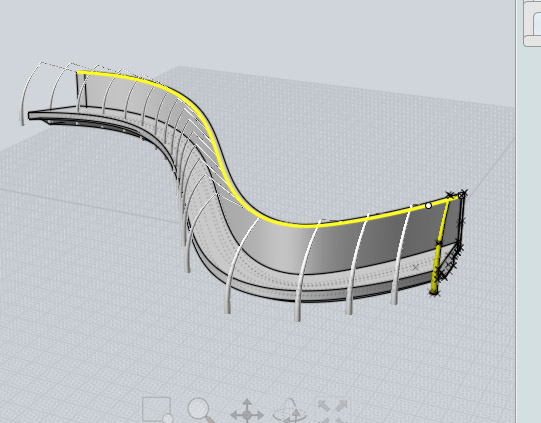
Elegant Bridge

User avatar
Finis
Captain
Posts: 5410
Joined: 21 May 2009, 18:26
Type the number ten into the box: 0
Location: America!

Elegant Bridge

Post by Finis »

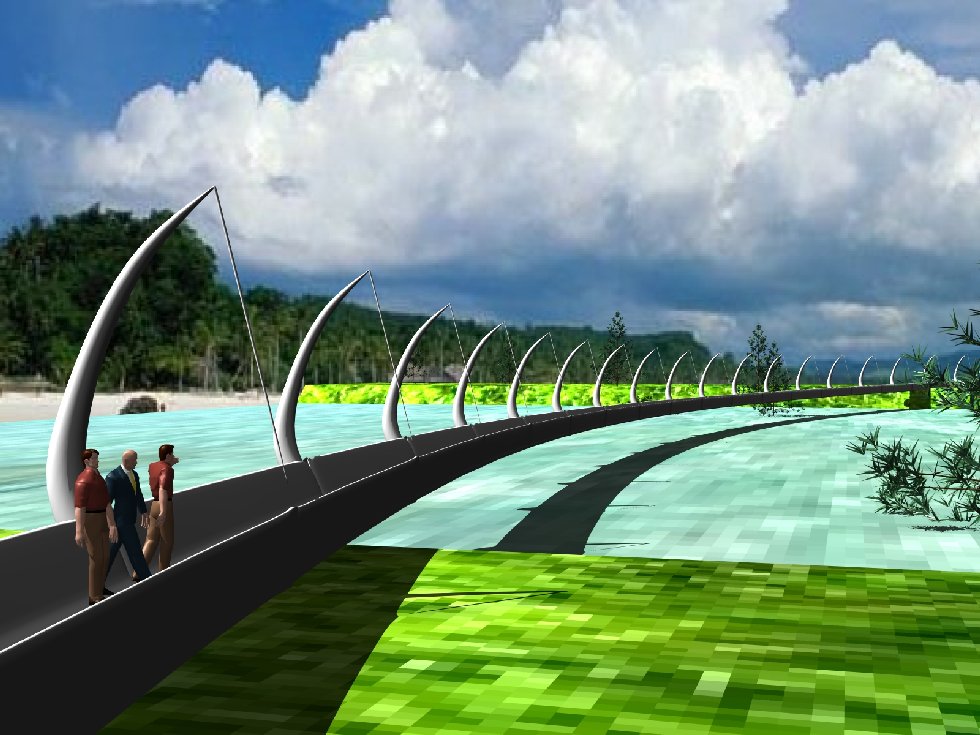
The goal is to make a new bridge model and a beauty scene based on my December 2010 SMC entry. This is about the visual appeal of the bridge. It does not matter if it could really be built.

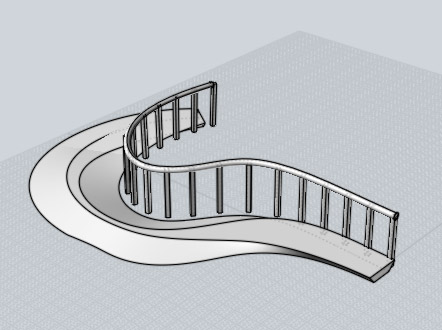
Here is the SMC picture which shows the style of the bridge.
Image

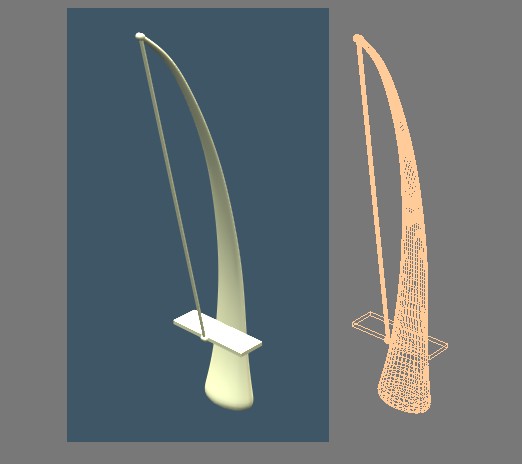
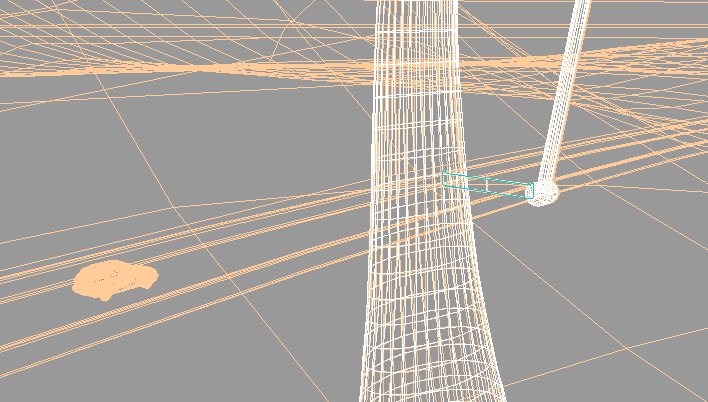
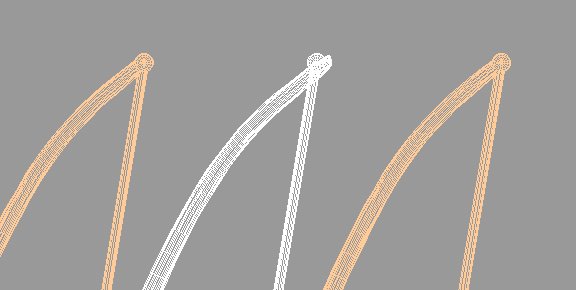
Here is a new tower. The main part is a sweep. The cable is a cylinder and two rounded cylinders. The cable parts are grouped and the axis is at the top rounded cylinder so it can be rotated to fit the road. The rectangle is a place holder for a road.
Attachments
FB_TowerDemo.jpg
I prefer dangerous freedom over peaceful servitude. -- Thomas Jefferson/Jean Jacques Rousseau
User avatar
Finis
Captain
Posts: 5410
Joined: 21 May 2009, 18:26
Type the number ten into the box: 0
Location: America!

Re: Elegant Bridge

Post by Finis »

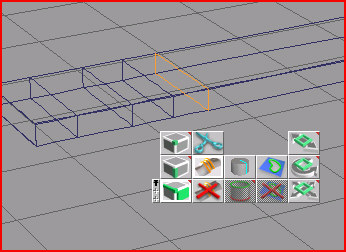
I am trying to make a curved road using macro sweep. It probably won't have guard rails but I'm going to make a version with them to check if I want them. I need help from those of you who know macro sweep and spline arrays well.

What I want to do is make a path to use for sweeping the road and guard rail and for a spline array to place the towers and guard rail posts along it. They need to fit to each other well.

I'm having a lot of trouble making a path and adding it to the library. How is that done?

How can I macro sweep the guard rail so that it follows the edge of the road using the same path? Does the location of the axis of a 2D polygon (for sweeping) matter? If so I could move the axes together after arranging the polygons and they would follow the path with an offset?

I can't get anything reasonable to happen with the spline array tool unless I draw the path. Using one from the library seems impossible. How do I do that?

Any advice, especially about spline arrays and paths and the path library, appreciated.
I prefer dangerous freedom over peaceful servitude. -- Thomas Jefferson/Jean Jacques Rousseau
User avatar
tahnoak
Master Chief Petty Officer
Posts: 339
Joined: 02 Sep 2009, 01:31

Re: Elegant Bridge

Post by tahnoak »

Finis...
Forgive me if I missed what you are truly asking.

In regards to making a path and saving it.. I use the drawpanel tool to create the curve that I want. When you have made it you can just click on the "path library" and then right click within it and save the path that you created in the drawpanel in the library.

Using the path is relatively straight forward. Select the face that you want to sweep along the path and then go to the library and select the path. Then select the "macro/sweep" button and it will sweep that face along that path.

Is that what you were asking?
User avatar
RAYMAN
Captain
Posts: 2547
Joined: 21 May 2009, 18:56

Re: Elegant Bridge

Post by RAYMAN »

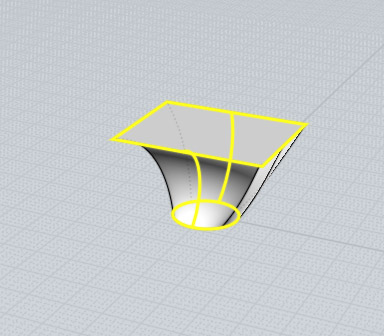
remember that when you do a normal extrude the tool remembers both the path and scaling so when you choose a different shape and use the path exttrusion
it uses the same path that you used for extusion you can even save the path you used the normal extrusion for into the library......for further use in the path extrusion tool.....
Nurbs programs even go further as you can choose many profiles and 2 path extrusion curves....
Attachments
path extrusion 3.jpg
path extrusion 2.jpg
path extrusion.jpg
path extrusion.jpg (33.38 KiB) Viewed 6216 times
User avatar
RAYMAN
Captain
Posts: 2547
Joined: 21 May 2009, 18:56

Re: Elegant Bridge

Post by RAYMAN »

thats a very extreme case that you can make in a nurbs tool but you can make it in Truespace too if you use the normal extrude tool and change the basic profile whie you are extruding..... Truespace keeps every change including path and size inside its memory and you can save that into your path library...
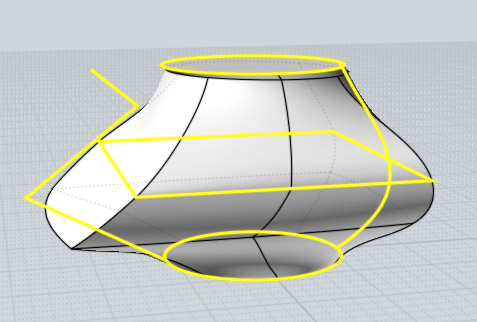
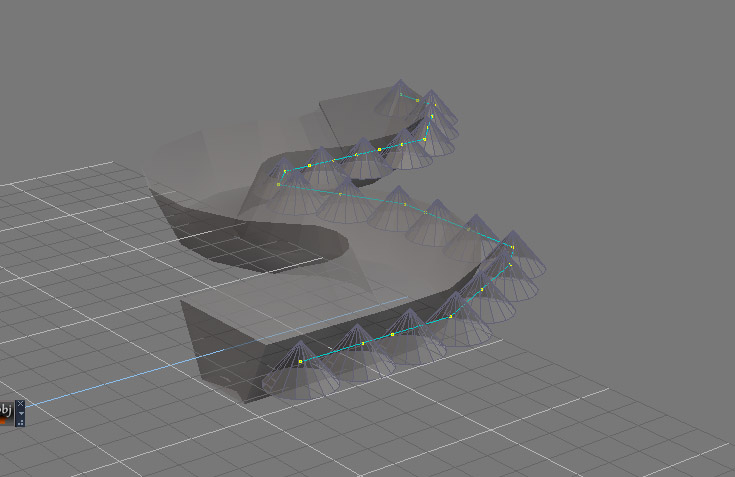
The spline tool works this way in truespace you import your object or make it and select it then you go to the spline array tool and the3 object changes to an object wit a sphere inside and then you tap in topview point for point where you want your objects to follow.. its as simple as that....
Attachments
splinerray.jpg
pathextrusion4.jpg
compPanda
Senior Chief Petty Officer
Posts: 275
Joined: 21 May 2009, 21:15
Type the number ten into the box: 0

Re: Elegant Bridge

Post by compPanda »

I love bridges - looking forward to see this! :bananathumb:
User avatar
Finis
Captain
Posts: 5410
Joined: 21 May 2009, 18:26
Type the number ten into the box: 0
Location: America!

Re: Elegant Bridge

Post by Finis »

Thanks Tahnoak and Rayman and Comppanda.

My post about the path and array troubles wasn't clear. Sorry about that. However, you did help me to understand the basic functions that I was not understanding and that was part of my trouble. Thanks.

This is all TS 7.6 model side. If I have too much trouble then I might do some things in TS 5.

What I really wanted, I see now, was to make something close to a Road Tool where I could make a path and then have a road, complete with guard rails and posts, follow the path. I could almost do that if macro sweeps and spline arrays would follow a path with an offset applied.

I have been experimenting with the spline array, curves, paths, and macro sweep. (Instead of doing real world things I need to do.) I think I will be able to do the road by combining the abilities of those tools. Particularly the curve making abilities of the spline array.

I have found that:
- Macro sweeps can use paths from the library.
- Macro sweeps start with the beginning of the path in the center of the selected face or 2D shape and can't be offset.
- Spline arrays can be used to create a variety of useful curves.
- Spline array curve tools can create parallel curves.
- Curves are not paths.
- I can replace the curve followed by a spline array.
- I cannot use paths from the library for spline arrays.
- Alignment of the first spline array object and a replacement curve may be important.
- Curves can be stored in the path library but they become paths and will not work with spline arrays.

I will try to use the spline array on an object that is a cross section of the road to make the base road curve. Then I will use a spline array ability to create a parallel curve for posts and the guard rail. I'll save the curves in the path library. That will give me curves for arrays and matching paths for sweeps. Then I will sweep 2D cross sections for road and rails and make an array of posts.

Another parallel curve could place the bridge towers.

With the posts and towers as arrays I could adjust the number of them for best aesthetic appeal.

Question: Can a path from the library be converted to a curve?

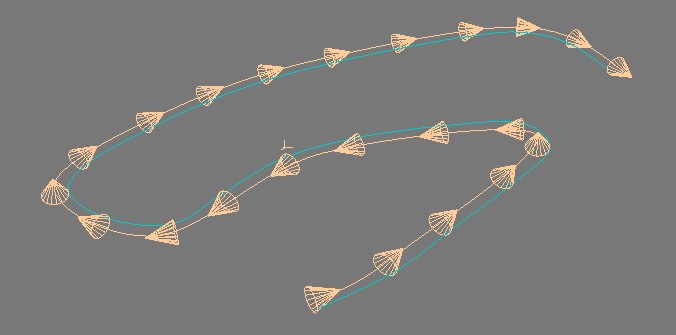
Here is a picture of a test with spline array curve abilities. The blue curve is parallel to the central curve. The central curve is a copy of the array curve and the blue one runs along the edge of the array. The blue one would be for posts and a path version of it for sweeping the rail. A path version of the central curve would sweep the road.
Attachments
FB_ParallelPaths.jpg
I prefer dangerous freedom over peaceful servitude. -- Thomas Jefferson/Jean Jacques Rousseau
User avatar
RAYMAN
Captain
Posts: 2547
Joined: 21 May 2009, 18:56

Re: Elegant Bridge

Post by RAYMAN »

Finis wrote:
Question: Can a path from the library be converted to a curve?

.
Not that I can remember a way to do it! ;)
The problem is the above that Truespace is a poly modeler mainly and it only mimics the properties of a nurb- spline ..... modeler !
But it isnt ....so its not as easy as you might think it is.
But you can use a trick for that you can make your path inside Photoshop and export it from there and import it into Truespace you can then
ad it also to the library thats a way how you can do it.
Marcel even uses Moi 3d for making paths and curves for Truespace.....
of corse you can also use something like illustrator... basically anything that can store and make ai files.
Peter
User avatar
Finis
Captain
Posts: 5410
Joined: 21 May 2009, 18:26
Type the number ten into the box: 0
Location: America!

Re: Elegant Bridge

Post by Finis »

I don't need to turn paths into curves, just wondered. Since curves become paths when put in the library I thought there might be a reverse.

More tests indicate this might work but since paths and curves aren't the same there might be difficulty making path based sweeps fit well with curve based arrays. Matching or fitting things is one purpose of trying this method.

I probably won't use guard rails on this project but I think this method could be useful for roads and similar things if it works.
I prefer dangerous freedom over peaceful servitude. -- Thomas Jefferson/Jean Jacques Rousseau
User avatar
RAYMAN
Captain
Posts: 2547
Joined: 21 May 2009, 18:56

Re: Elegant Bridge

Post by RAYMAN »

Finis wrote:I don't need to turn paths into curves, just wondered. Since curves become paths when put in the library I thought there might be a reverse.

More tests indicate this might work but since paths and curves aren't the same there might be difficulty making path based sweeps fit well with curve based arrays. Matching or fitting things is one purpose of trying this method.

I probably won't use guard rails on this project but I think this method could be useful for roads and similar things if it works.
It doesnt work with the simple method. what you want to do is called reverse engeneering ......
I covered that in my Tspline thread a few days ago. its basically the way to go from outlines of a polygonal surface to splines.....
some programs like Maya can do that or the T spline plugin for both maya and Rhino but not Truespace. What one can do is always the other way round from a spline to a poly....
Yes like you said this can be usefull for lots of tasks including roads.....thats why i´m always talking about that technology.
A reason also why I´m using nurbs as my main modeling technology....
Peter
User avatar
Finis
Captain
Posts: 5410
Joined: 21 May 2009, 18:26
Type the number ten into the box: 0
Location: America!

Re: Elegant Bridge

Post by Finis »

Reporting from Ice Station TrueSpace. (Poor folks save money by avoiding using the heater.)

Even more testing shows that the method I described probably would work but it is difficult to set up the prototype and guide objects and to use all the different tools together to achieve the desired effect and abilities. Making it easier to make roads was the point and this isn't easier. I'll remember this idea in case I ever have software that can do arrays and sweeps with offsets from the same curve/spline.

I probably could do this using the nurbs tools in TS but I would want it as polygons and nurbs convert to messy meshes.

So now I will get back to making the bridge and scene with more ordinary methods.
I prefer dangerous freedom over peaceful servitude. -- Thomas Jefferson/Jean Jacques Rousseau
User avatar
RAYMAN
Captain
Posts: 2547
Joined: 21 May 2009, 18:56

Re: Elegant Bridge

Post by RAYMAN »

Finis wrote:
I probably could do this using the nurbs tools in TS but I would want it as polygons and nurbs convert to messy meshes.
No you cant do it with Truespaces nurbs tools because they arent set up that kind of modeling inside it.
Also many people hated nurbs because of the fact that truespces mesher wasnt the best.
Nurbs surfaces in very good application can convert into class A surfaces and are not meessy meshes .. on the contrary.
They can be pretty well controled. That messy mesh thing as a generalisation is a myth.
Some nurbs derived meshes even render faster then the most beatifull lookin quads based poly mesh.
all the big studios for years made props with proprietary nurbs soft....
Poly tools only caught up the last few years and are definitly< better for character work.

http://www.classasurfacing.com/nurbs/nu ... surfacing/"

There is a lot of talking around other forums too like modo forum about that too
http://forums.luxology.com/discussion/t ... x?id=34922"

and here at cg society lots of different opinions..
http://forums.cgsociety.org/archive/ind ... 73324.html"

and this : ) especially..
http://wiki.mcneel.com/rhino/featurefilms"
Peter
User avatar
Finis
Captain
Posts: 5410
Joined: 21 May 2009, 18:26
Type the number ten into the box: 0
Location: America!

Re: Elegant Bridge

Post by Finis »

I meant the nurbs in TS make messy meshes not as a generalization.

TS nurbs tools do support what I want to do except for not being polygonal. I would avoid the problem of matching curves and paths by only using curves. I'd make the curves with the spline array tool which makes parallel curves really well. Then I'd use lofts with those curves instead of sweeps. So nurb lofts for "sweeps" and arrays for guard rail posts etc. and no paths at all. Here is a picture done that way. I made the spline array (blue). Then I made a curve that runs through a vertex on the array cubes using the array's curve tools. Then I lofted a circle along the curve for a nurb shape (red). The red nurb shape fitsvery well along side of the blue array objects except at the first one.

I'm tempted to do this with nurb lofts instead of sweeps but it is still trouble to construct and place the prototype objects to make the right curves. I think a bridge with no guard rails is best here anyway. It is visually more what I want. More of a sculpture that a realistic road or bridge. Fantasy world people don't need rails.

Now to make a world for the bridge to cross. Then the bridge made the old fashioned way.
Attachments
FB_ArrayAndNurbLoft.jpg
I prefer dangerous freedom over peaceful servitude. -- Thomas Jefferson/Jean Jacques Rousseau
User avatar
Finis
Captain
Posts: 5410
Joined: 21 May 2009, 18:26
Type the number ten into the box: 0
Location: America!

Re: Elegant Bridge

Post by Finis »

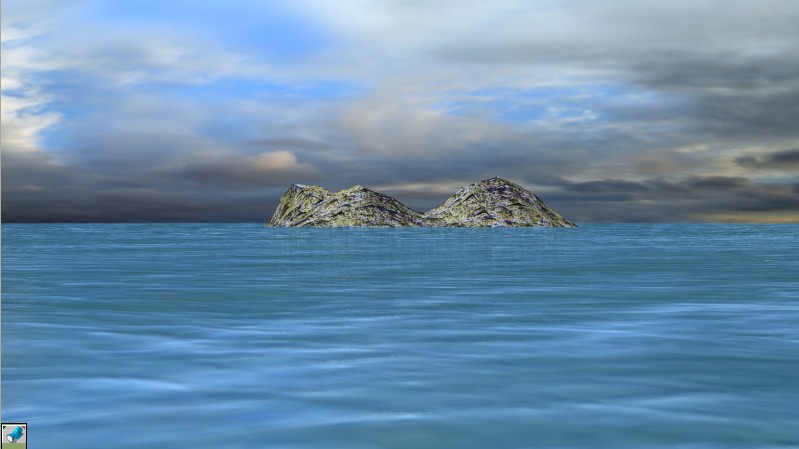
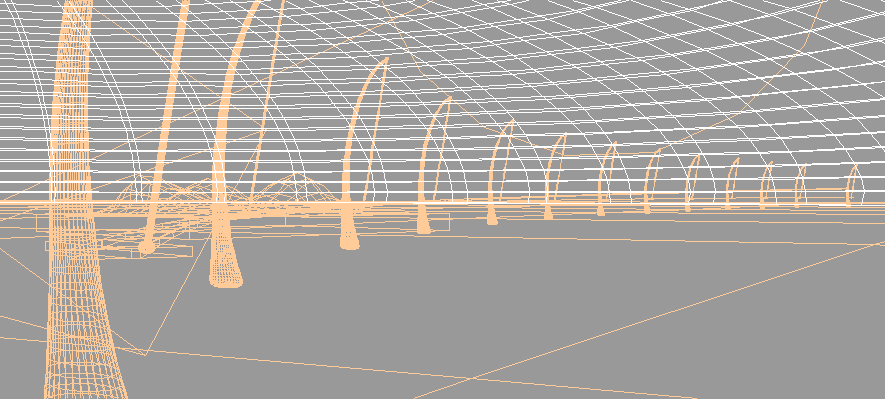
Here is a sky dome and ocean. Preliminary work. Textures, lighting, etc. to be improved later. The sky dome is a sphere hollowed with booleans and flattened. The reason it is flattened is that puts more clouds in the view and gives a greater sense of depth than a hemisphere. The dome is 4 miles in diameter and 0.5 miles tall.

Real world stuff now. It will be a while before I do more on this.
Attachments
FB_OceanView.jpg
FB_DomeWire.gif
FB_DomeWire.gif (11.34 KiB) Viewed 4807 times
I prefer dangerous freedom over peaceful servitude. -- Thomas Jefferson/Jean Jacques Rousseau
User avatar
Finis
Captain
Posts: 5410
Joined: 21 May 2009, 18:26
Type the number ten into the box: 0
Location: America!

Re: Elegant Bridge

Post by Finis »

Here is some more. A test of matching the road and the towers. I used some of the array/sweep method above. The towers are a spline array and the road is a sweep made with a path that was made from the spline array with a curve making tool that is part of spline arrays. The road is not aligned correctly and rises in the distance but the method should work when applied with more attention to detail. The curve made from the spline array runs through a vertex on each array object (a corner of the road). It aligns properly. When I save it to the path library and then apply the resulting path to a 2D shape for macro sweep the path is not oriented the same as the curve was. I'll see if I can find how the path differs from the curve so I can precisely align it with the curve by using the numerical panel. I must also remember that the macro sweep will use the center of the swept object and plan for that when making the curve.

Lighting is from one skylight. The shadows are raytraced. Mapped shadows look better and adjusting the min. and max. subdivision of the light can make good fuzzy shadows. I don't understand the min. and max. subdivision yet to produce the desired shadows other than from random settings changes. The sky and water textures have luminance so I can adjust their brightness. I like to do scenes with no luminance on textures but that does not always work.

The render maxed both processors but used less than half of my 2GB of memory.

I'll have two landmasses connected by the bridge, an island, and a tall rock. There will be fewer towers for a nice ratio of height to spacing.

I can't seem to apply depth of field to make the horizon blurred. No settings cause any change in the image. The ocean and sky should blend a little.

I got Vue Pioneer. No time to learn it but I might in the future. I didn't find a way to import a model into it or export land from it except in its own format. Well, it is a free demo so that's ok. It can still make backgrounds. You have to sign up for Cornucopia to activate all of the Vue Pioneer abilities.
Attachments
ElegantBridge.jpg
BridgeWire.gif
I prefer dangerous freedom over peaceful servitude. -- Thomas Jefferson/Jean Jacques Rousseau
User avatar
Finis
Captain
Posts: 5410
Joined: 21 May 2009, 18:26
Type the number ten into the box: 0
Location: America!

Re: Elegant Bridge

Post by Finis »

Well, the usual frustrating TS bugs have appeared. I'm not sure I even want to continue the project. TS is just too full of bugs. Sure all programs will have them but few are infested like TS 7.6. Maybe I'll try to work in TS 5 and only use TS 7.6 if I want HDRI lights or something that TS 5 doesn't have.

I'm trying to make a test road that is just an extrusion (sweep or nurb loft) of a rectangle. You'd think that would not be a problem. I can get a curve from the spline array method noted previously that is precisely the curve that the profile should follow. Then I can sweep or make a nurb loft.

Macro Sweep:
I insert the curve into the path library which stores a path version of it. That is done because macro sweeps will follow paths but not curves. Bugs and inadequacies:
a) The path does not appear with the same orientation as the curve.
b) It can't be rotated using the numerical panel of the object tool for precision.
c) It can only be rotated by using the mouse and will only rotate in increments that are not accurate enough to align it with the original curve.
d) If I sweep it anyway and try to adjust it manually with point edit the selected portion of the shape becomes distorted when I move it.

Nurb Loft:
I can make a road with a nurb loft using the rectangle profile and the curve as a rail. This fits the other bridge parts precisely. Bugs and inadequacies:
a) Unfortunately the nurb road won't show its texture properly. See the image. It is as if the road is inside out with the inner part of the sides showing.
b) You can't flip normals on a nurb.

Other Wickedness:
When I load a saved scene some objects rotate or move slightly.

I might just wait to do any 3D until I can get other software and have time to learn it. Beyond a certain point with bugs and problems it is only worth the effort if you are being paid. It is not worth it for a hobby.
Attachments
NurbRoad.jpg
NurbRoad.jpg (12.78 KiB) Viewed 4720 times
Last edited by Finis on 08 Jan 2011, 04:37, edited 1 time in total.
I prefer dangerous freedom over peaceful servitude. -- Thomas Jefferson/Jean Jacques Rousseau
User avatar
spacekdet
Captain
Posts: 1810
Joined: 27 May 2009, 15:00
Type the number ten into the box: 10
Location: On the day shift at the Utility Muffin Research Kitchen

Re: Elegant Bridge

Post by spacekdet »

Is the road shape that you are lofting a closed curve?
If it's an open curve it only has one surface, which can cause the texture anomalies.
User avatar
Finis
Captain
Posts: 5410
Joined: 21 May 2009, 18:26
Type the number ten into the box: 0
Location: America!

Re: Elegant Bridge

Post by Finis »

spacekdet wrote:Is the road shape that you are lofting a closed curve?
If it's an open curve it only has one surface, which can cause the texture anomalies.
Well that makes nurb lofts useless. No, the rail curve is open. Maybe there is a way to loft a closed curve and then cut part the wanted part out.

One of the nurb tools makes a shape using a series of profiles, right? Maybe that would work using road profiles placed with the spline tool and de-arrayed.

Maybe there is a way to work around some of those bugs and do this but it just isn't fun anymore. Too many work arounds. Too many simple things that don't work.
I prefer dangerous freedom over peaceful servitude. -- Thomas Jefferson/Jean Jacques Rousseau
User avatar
RAYMAN
Captain
Posts: 2547
Joined: 21 May 2009, 18:56

Re: Elegant Bridge

Post by RAYMAN »

why dont you convert the nurbs to polygons ? and then texture it..... ?
User avatar
spacekdet
Captain
Posts: 1810
Joined: 27 May 2009, 15:00
Type the number ten into the box: 10
Location: On the day shift at the Utility Muffin Research Kitchen

Re: Elegant Bridge

Post by spacekdet »

The cross-section should be the closed curve.
The length/rail curve can be open.
User avatar
Finis
Captain
Posts: 5410
Joined: 21 May 2009, 18:26
Type the number ten into the box: 0
Location: America!

Re: Elegant Bridge

Post by Finis »

Rayman: If I decide to continue with this I will probably do that as a last resort. First, again IF I decide to continue this with TS, I'll try to overcome the rotation precision problem and/or the movement distortion problem so I can adjust the macro sweep road. It makes a better mesh but I'll take the nurb conversion mesh if I have to. Since I'm trapped at home this weekend due to truck trouble I might work on this.

Spacekdet: The cross section is a closed curve. It is a 4 sided shape from the Add Regular Polygon tool. If that isn't a closed shaped then I'm done with TS right now.

I'm disgusted with TS 7.X and have been since the elf movie disaster when I first got, paid for, TS 7.6. It looks like TS 5 and Blender for me. Silo if I ever have money again. It will take time to learn Blender. If won a lottery my dream team would be Modo/Vue/Messiah.

I'm not starting any new 3D projects until I have other software. TS is to be used only for things it does well and are missing or horrible in Blender or whatever.
Last edited by Finis on 09 Jan 2011, 05:01, edited 1 time in total.
I prefer dangerous freedom over peaceful servitude. -- Thomas Jefferson/Jean Jacques Rousseau
User avatar
RAYMAN
Captain
Posts: 2547
Joined: 21 May 2009, 18:56

Re: Elegant Bridge

Post by RAYMAN »

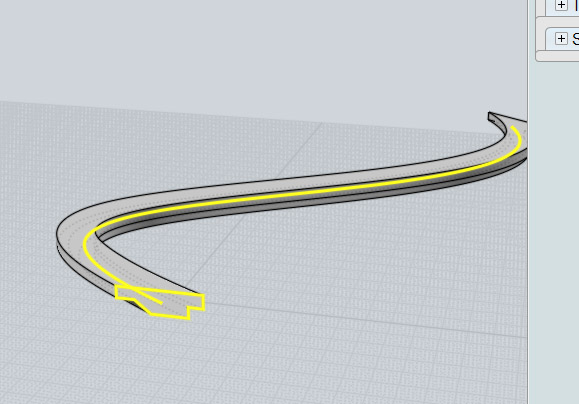
You got some time on your hand ! Download the free non saving trial of Moi 3d. Make a curve the same way do do inside Truespace. Then you make a path the same way you do inside Truespace. You take the line tool for that the polyline to be exact for the profile. and the curve tool(called freeform) for the path.
its easy realy easy. you then pick the sweep tool and you pick the profile first then you hit done like requested in the upper box you then select the rail and hit done and it makes it for you.
Moving objects is done with the move tool and rotating with the rotatingtool and scaling with the scaling tool all much more precise then in truespace and with snapping
If your good enough in that and have played long enough around with that trial your ready for downloading the 30 day save trial that lets youi export to all
necessary file formats ! its realy simple and you will be running in a few minutes.
Array with objects and paths is done the same way sweeping is done ! ;)
Peter
Attachments
1.jpg
1.jpg (31.56 KiB) Viewed 4464 times
2.jpg
3.jpg
User avatar
RAYMAN
Captain
Posts: 2547
Joined: 21 May 2009, 18:56

Re: Elegant Bridge

Post by RAYMAN »

part 2
Attachments
4.jpg
5.jpg
6.jpg
User avatar
RAYMAN
Captain
Posts: 2547
Joined: 21 May 2009, 18:56

Re: Elegant Bridge

Post by RAYMAN »

part 3
Attachments
7.jpg
8.jpg
9.jpg
User avatar
RAYMAN
Captain
Posts: 2547
Joined: 21 May 2009, 18:56

Re: Elegant Bridge

Post by RAYMAN »

here is how to align and array objects.......
you just select the right part of your object the right edge you want as the one to array onto
Attachments
10.jpg
11.jpg
12.jpg
User avatar
RAYMAN
Captain
Posts: 2547
Joined: 21 May 2009, 18:56

Re: Elegant Bridge

Post by RAYMAN »

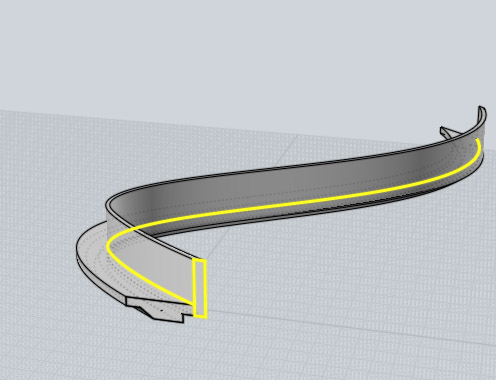
sweep done with one profile and 2 rails.....
Attachments
13.jpg
s.jpg
User avatar
Finis
Captain
Posts: 5410
Joined: 21 May 2009, 18:26
Type the number ten into the box: 0
Location: America!

Re: Elegant Bridge

Post by Finis »

I'm not going to learn about Moi just to use a 30 day trial for one project. Moi is great. I know that from your posts about it. If I ever have money to buy a full version it could be an option. Especially if it can convert a nurb into a decent poly mesh.

It would be easy, not Moi easy but easy, to do in TS if the tools worked.
I prefer dangerous freedom over peaceful servitude. -- Thomas Jefferson/Jean Jacques Rousseau
User avatar
RAYMAN
Captain
Posts: 2547
Joined: 21 May 2009, 18:56

Re: Elegant Bridge

Post by RAYMAN »

Finis wrote:I'm not going to learn about Moi just to use a 30 day trial for one project. Moi is great. I know that from your posts about it. If I ever have money to buy a full version it could be an option. Especially if it can convert a nurb into a decent poly mesh.

It would be easy, not Moi easy but easy, to do in TS if the tools worked.
but they dont work properly most of the time.... why do you think I´ve been so critical about it !
Plain things work well everything a bit more detailed is a nightmare...It doesnt support work with different curves like I showed in this example....
By the way this kind of modeling isnt a strong point for most other polygon modelers either....
If you use Maya you start in the nurbs side of the application and then switch to poly and that works well in there too.
Any dedicated nurbs modeler can do it they are made for it. Some so called parametric modelers are even as good as that you can change the curves
at the end and everything on top of that curve gets updated on the fly..... ie if your working for design.... Solid thinking is an app that can do such a thing
but its way far awy of reach for mortals...
Its the limit of Truespace..... ;)
Peter
P.s:: If you start to learn with a trial your learning something that works the same way in all nurbs applications so you are learning something for your life it does not depend on the application you are using... its like learning to use a lawn mower....
Rhino works that way and Maya nurbs work that way...even the 10000 $ special edition application they all do it the same way....
Its like learning polygon modeling...
http://www.solidthinking.com/demos/demos.aspx"
fahembree
Chief Petty Officer
Posts: 108
Joined: 22 May 2009, 02:28

Re: Elegant Bridge

Post by fahembree »

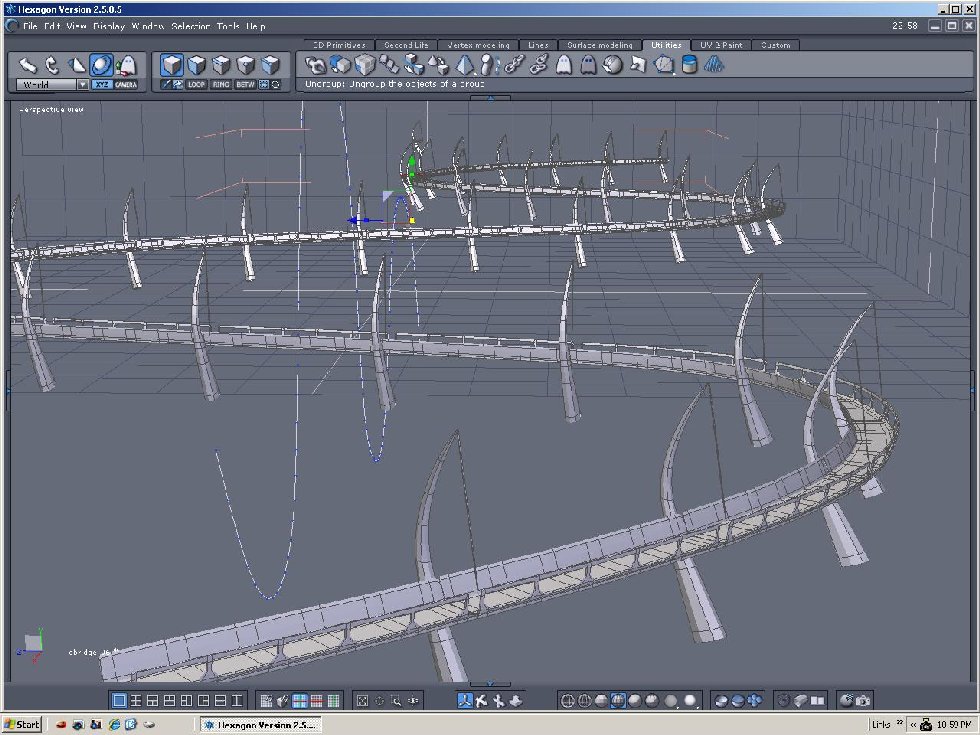
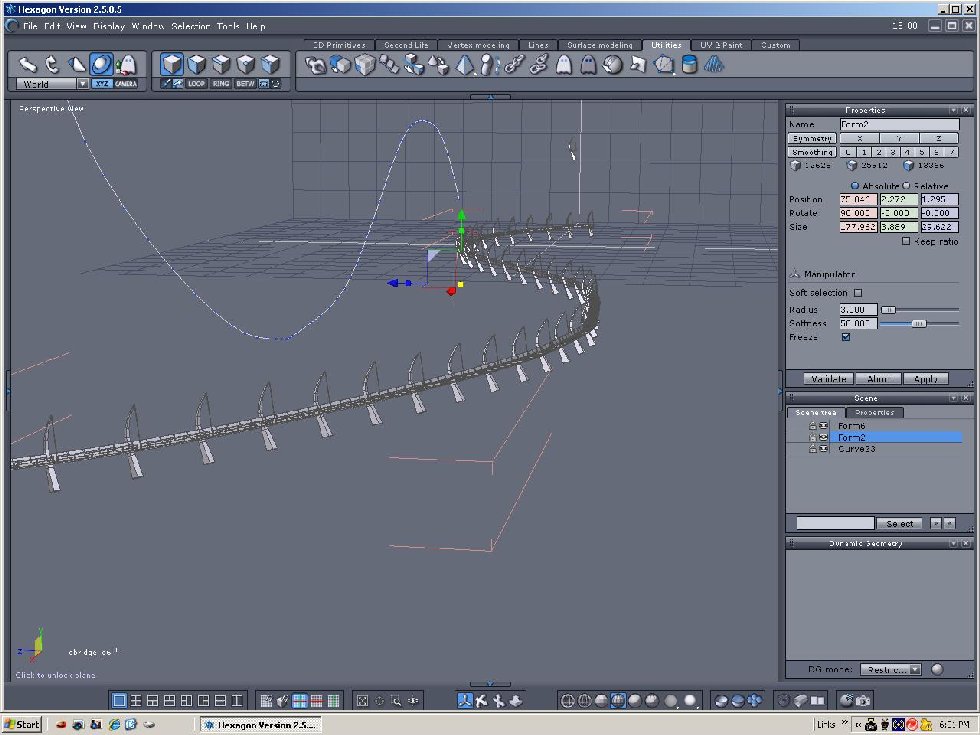
While I wouldn't call this example an elegant bridge, one thing I liked about hexagon is its line
commands and its bend command. This was constructed by making one segment and then coping
about 20 times, then I welded the vertices to make one object, and then I used the bend command to bend the object to an arc. Can't you do the same thing in Truespace. Just construct the entire bridge and then use the bend icon to give it a curved shape??
Attachments
BridgeF10.jpg
User avatar
Finis
Captain
Posts: 5410
Joined: 21 May 2009, 18:26
Type the number ten into the box: 0
Location: America!

Re: Elegant Bridge

Post by Finis »

Yeah, I could probably make it in segments like that. Although I want a simple curve for this I was also thinking of a technique for making roads which might be complex such as winding roads through mountains. Multiple bends could work for that though.

I experimented with cubes and paths for marco sweep. I found part of how the path will be oriented when applied from the library. The path will be rotated so that what was the x-y world plane when it was made will be aligned along the Z axis of the sweep object. This is so if you rotate the axis of the object too. Otherwise it is still unpredictable to me.

So for my road which is level with the world x-y plane I rotated the profile object's Z axis so that it was in the world x-y plane. Then the sweep produced a flat, or level, shape. That still needed to be rotated some. While slightly more accurate for unknown reasons, the shape matched the towers well enough. I will move the towers and adjust the cables to fit the road.

The road now has a slight lip along the edges. There will be no guard rails.
Attachments
EB_RoadInPlace.jpg
I prefer dangerous freedom over peaceful servitude. -- Thomas Jefferson/Jean Jacques Rousseau
User avatar
Finis
Captain
Posts: 5410
Joined: 21 May 2009, 18:26
Type the number ten into the box: 0
Location: America!

Re: Elegant Bridge

Post by Finis »

RAYMAN wrote:Plain things work well everything a bit more detailed is a nightmare
That's why I plan to get other software. I think I have outgrown TS since I want to do larger more complicated scenes that require more of the tools to work. Also, I want to start doing some animation including character animation. (Elf movie.)

Speaking of animation, there could be a movie of driving along this bridge ... maybe ... ;)

SOLUTION TO A TEXTURE BUG: The island in this scene is about 1/2 mile across. When I try to apply the cubic or planar UV map the texture is just speckles and is just a smooth color rendered HQ with 2X AA. I discovered that the UV plane was small (1 x 1 foot) and the texture was repeating zillions of times over the island. Resizing the UV plane to fit the island fixed that.

The bug where things rotated slightly when loading a saved scene happens to the spline array objects. I save a copy of the array and converted to group for the working scene. The grouped towers don't rotate when reloaded.

Now I'm making two more landmasses and a rock for the ends of the bridge.
I prefer dangerous freedom over peaceful servitude. -- Thomas Jefferson/Jean Jacques Rousseau
fahembree
Chief Petty Officer
Posts: 108
Joined: 22 May 2009, 02:28

Re: Elegant Bridge

Post by fahembree »

I didn't know if hexagon bend command would work on a complex curve since I haven't been using it
very long, but yes the bend command does work on apparently any curve shape so long as it was
created in one command. It took somne experment to know which plane the shape and the curve had
to be located in, but once I figured that out it work consistently. :)
Attachments
CURVE-H12W.jpg
Mutli-Curve-WF.jpg
User avatar
Finis
Captain
Posts: 5410
Joined: 21 May 2009, 18:26
Type the number ten into the box: 0
Location: America!

Re: Elegant Bridge

Post by Finis »

Thanks Fahembree. Looks like Hexagon has a path orientation problem too but I have read good things about it. Is it still supported with continuing development or is it like TS? You've got a good guard rail on that bridge.
I prefer dangerous freedom over peaceful servitude. -- Thomas Jefferson/Jean Jacques Rousseau
User avatar
Finis
Captain
Posts: 5410
Joined: 21 May 2009, 18:26
Type the number ten into the box: 0
Location: America!

Re: Elegant Bridge

Post by Finis »

Render artifact.

The black lines on the towers are the problem. I think they are on polygon edges. The main tower body has two levels of SDS. The artifacts appear with more, less, or even no subdivision. They appear if I extract the final mesh. They look different but they are always there. Non-SDS objects don't have them. Rendering with triangulation (left image) makes less noticeable artifacts but they are still unacceptable.

This render has an infinite light and GE light. My earlier renders had just one skylight and showed no artifacts. A test with a skylight after seeing them had none but after changing to raytraced shadows they appeared and continued to appear even if I changed the shadow setting back.

The skylight takes 10 to 15 minutes render time for a quality image so I want the infinite light plus GE for the animation I might do.

I saw this with my flower vase for a past SMC too. The metaballs had it. I think my dueling pistol with SDS had them. Hmm, I should work on the pistol again.

I have the free Vue Pioneer. Can it import anything?

Any ideas for model side lightworks?
Attachments
RenderArtifact.jpg
I prefer dangerous freedom over peaceful servitude. -- Thomas Jefferson/Jean Jacques Rousseau
User avatar
RAYMAN
Captain
Posts: 2547
Joined: 21 May 2009, 18:56

Re: Elegant Bridge

Post by RAYMAN »

Finis wrote:Render artifact.

The black lines on the towers are the problem. I think they are on polygon edges. The main tower body has two levels of SDS. The artifacts appear with more, less, or even no subdivision. They appear if I extract the final mesh. They look different but they are always there. Non-SDS objects don't have them. Rendering with triangulation (left image) makes less noticeable artifacts but they are still unacceptable.

This render has an infinite light and GE light. My earlier renders had just one skylight and showed no artifacts. A test with a skylight after seeing them had none but after changing to raytraced shadows they appeared and continued to appear even if I changed the shadow setting back.

The skylight takes 10 to 15 minutes render time for a quality image so I want the infinite light plus GE for the animation I might do.

I saw this with my flower vase for a past SMC too. The metaballs had it. I think my dueling pistol with SDS had them. Hmm, I should work on the pistol again.

I have the free Vue Pioneer. Can it import anything?

Any ideas for model side lightworks?
Vue pioneer itself cant import but esprit version that allows you to import....it should even allow you to import poser files and it should work with the Sketchup
exporter script so you can use the free version of sketchup too !But there is a plugin that is part of esprit that allows you to import and you can have that for pioneer too I think but am not sure there is nothing on that that says so...
Peter
User avatar
Finis
Captain
Posts: 5410
Joined: 21 May 2009, 18:26
Type the number ten into the box: 0
Location: America!

Re: Elegant Bridge

Post by Finis »

Render Artifact Workaround: It does not happen with raycast rendering at HQ and 2X AA. There are some black pixels at lower quality settings.

That'll will allow me to continue this project and I like raycast anyway but it is not good that scanline doesn't work correctly.
I prefer dangerous freedom over peaceful servitude. -- Thomas Jefferson/Jean Jacques Rousseau
User avatar
Finis
Captain
Posts: 5410
Joined: 21 May 2009, 18:26
Type the number ten into the box: 0
Location: America!

Re: Elegant Bridge

Post by Finis »

Trying nurbs (TS 7.6 model side) for the road. I'm not sure why but the texture renders correctly now. The cap tool can close the ends of the road if needed.

I like the ability to edit the road's curve and change the road after it is made.

Texturing is both good and bad. The grid shown here follows the road well so the asphalt road texture should too.

Problem: How can I apply different textures to different parts of the nurb? Yes, I can convert to a highly triangulated mesh but I'm checking for ways to use nurbs as nurbs. Then I could have the textured road and the ability to alter the curve.
Attachments
nurbroadwire.jpg
nurbroadtex.jpg
I prefer dangerous freedom over peaceful servitude. -- Thomas Jefferson/Jean Jacques Rousseau
User avatar
rjeff
Master Chief Petty Officer
Posts: 462
Joined: 21 May 2009, 18:26

Re: Elegant Bridge

Post by rjeff »

I had an idea here, but it did not work, so I deleted it.
User avatar
Finis
Captain
Posts: 5410
Joined: 21 May 2009, 18:26
Type the number ten into the box: 0
Location: America!

Re: Elegant Bridge

Post by Finis »

Thanks anyway RJeff! Attempted help is appreciated too.
I prefer dangerous freedom over peaceful servitude. -- Thomas Jefferson/Jean Jacques Rousseau
User avatar
spacekdet
Captain
Posts: 1810
Joined: 27 May 2009, 15:00
Type the number ten into the box: 10
Location: On the day shift at the Utility Muffin Research Kitchen

Re: Elegant Bridge

Post by spacekdet »

To apply different textures you'll need to use the scissor tool to 'cut' it into pieces.
This should create a hierarchical object -use the up/down/over arrow keys to select the sub-objects.

If I'm remembering right you'll have to convert it to a 'plain patch' before the scissor tool can be used on it.
You'll lose the ability to easily adjust the whole structure via control points, so make sure you have the shape finalized and saved into a library before you start a-cuttin'.
User avatar
Finis
Captain
Posts: 5410
Joined: 21 May 2009, 18:26
Type the number ten into the box: 0
Location: America!

Re: Elegant Bridge

Post by Finis »

Thanks. Well, the advantage of the nurb road is the adjustability. So I think I'll use a nurb loft for the road and adjust parts to fit the terrain. Then I'll polygonize and texture it. The scissoring method is good though. I'll do that with point edit to the polygonized road to separate the pavement part for easier texturing. Texturing the whole pavement part is probably better than multi-face painting.

When you right click some of the nurbs icons a panel appears that has a control to show the patch, mesh, or both. Too bad the the nice quad mesh it shows isn't the one it converts into.
I prefer dangerous freedom over peaceful servitude. -- Thomas Jefferson/Jean Jacques Rousseau
User avatar
Finis
Captain
Posts: 5410
Joined: 21 May 2009, 18:26
Type the number ten into the box: 0
Location: America!

Re: Elegant Bridge

Post by Finis »

Here are the landmasses. I made them with the sculpt tool on the top of a cube. Now to remake the road and bridge using what I have learned so far.

When the modeling is complete I'll give everything a light grey simple color and set up the lighting. Then texturing. Then large HQ still picture. Then try an animation.

NOT MY SMC ENTRY! Please use the image already submitted to the SMC for that.
Attachments
IslandsWire.jpg
Islands.jpg
I prefer dangerous freedom over peaceful servitude. -- Thomas Jefferson/Jean Jacques Rousseau
User avatar
tahnoak
Master Chief Petty Officer
Posts: 339
Joined: 02 Sep 2009, 01:31

Re: Elegant Bridge

Post by tahnoak »

Really digging this thread, thanks for posting and sharing Finis. Looking good.
User avatar
Finis
Captain
Posts: 5410
Joined: 21 May 2009, 18:26
Type the number ten into the box: 0
Location: America!

Re: Elegant Bridge

Post by Finis »

Thanks Tahnoak.

Edit: Removed outline of procedure using a nurb road to avoid confusion with a new polygon road method. The nurb road produced the render problem noted in following posts.
Last edited by Finis on 29 Jan 2011, 16:22, edited 1 time in total.
I prefer dangerous freedom over peaceful servitude. -- Thomas Jefferson/Jean Jacques Rousseau
User avatar
Finis
Captain
Posts: 5410
Joined: 21 May 2009, 18:26
Type the number ten into the box: 0
Location: America!

Re: Elegant Bridge

Post by Finis »

Edit: Removed details of a nurb road method to avoid confusion with a new polygon road method.
Last edited by Finis on 29 Jan 2011, 16:24, edited 1 time in total.
I prefer dangerous freedom over peaceful servitude. -- Thomas Jefferson/Jean Jacques Rousseau
User avatar
Finis
Captain
Posts: 5410
Joined: 21 May 2009, 18:26
Type the number ten into the box: 0
Location: America!

Re: Elegant Bridge

Post by Finis »

Render Problem.

These pictures show, top to bottom, the wire frame, medium quality render, low quality render, hidden line render.

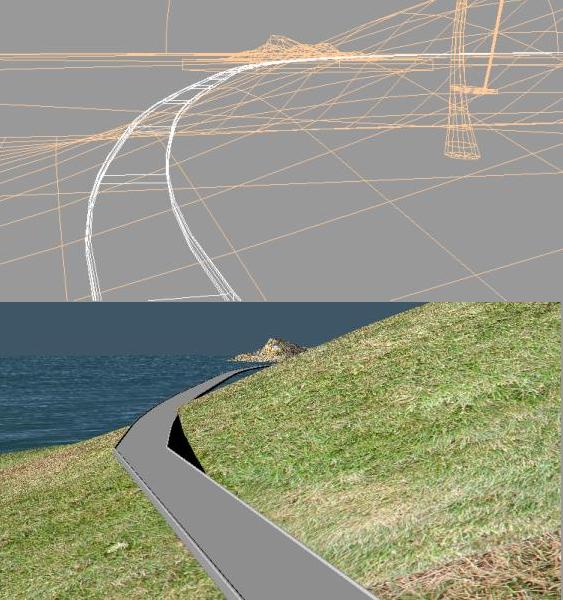
Hidden line produces a road as I would expect: the smooth shape of a nurb closely matching the wireframe. The medium and low quality show segmented roads. Medium and high quality renders both have the displaced portion near the camera that is far from the modeled shape.

This happens to the portions of the road that are near the camera. So no driver, on the road, view is possible unless this can be fixed.

Converting the nurb road to polygons produces the same results when rendered. That is strange since other polygon objects don't do this.

TS5 did the same on one medium or high quality render.

Any ideas? This is a show stopper. If I can't make images then there is no point in continuing. Of course I'll finish this and still do 3D when I can get other software and have time to learn it. I'd like to finish this one with TS as sort of farwell (mostly) to TS.
Attachments
RenderProb_1.jpg
RenderProb_2.jpg
I prefer dangerous freedom over peaceful servitude. -- Thomas Jefferson/Jean Jacques Rousseau
User avatar
Finis
Captain
Posts: 5410
Joined: 21 May 2009, 18:26
Type the number ten into the box: 0
Location: America!

Re: Elegant Bridge

Post by Finis »

Any suggestions on how to get this to render correctly?
I prefer dangerous freedom over peaceful servitude. -- Thomas Jefferson/Jean Jacques Rousseau
User avatar
Steinie
Captain
Posts: 2958
Joined: 21 May 2009, 17:38
Type the number ten into the box: 10

Re: Elegant Bridge

Post by Steinie »

Can you post just the road and I'll play with the settings?
I would think the Modeler nurb specialist SpaceKdet would have ideas.
User avatar
Finis
Captain
Posts: 5410
Joined: 21 May 2009, 18:26
Type the number ten into the box: 0
Location: America!

Re: Elegant Bridge

Post by Finis »

Thanks Steinie and anyone who wants to investigate this.

Here is the road. It is abut two miles long so you will need a camera since the large units/size make the regular scene navigation useless. (Yes, I'll change that so it is smaller but to scale when I'm not too lazy.) The problem happens when the camera is near the surface looking along a portion of the road. It still happens if I shrink the road to just 400 feet long.

If there is no solution for the nurb road then I could wait on the animation, requiring the camera close to the road, for other software and just do a still picture. Maybe I'll try a ploygon swept road and change the scene to work around its less adjustable nature.
Attachments
EB_NurbRoad.zip
(74.72 KiB) Downloaded 236 times
I prefer dangerous freedom over peaceful servitude. -- Thomas Jefferson/Jean Jacques Rousseau
User avatar
spacekdet
Captain
Posts: 1810
Joined: 27 May 2009, 15:00
Type the number ten into the box: 10
Location: On the day shift at the Utility Muffin Research Kitchen

Re: Elegant Bridge

Post by spacekdet »

This *could be the dreaded 'clipping' display issue, but I thought they'd squashed that bug.

There are a couple other things to try.

Prior to or during the loft operation, right click on Loft.

Turn up 'density' parameter.

If the object has been converted into a plain patch, open the 'Patch Options' panel via right click on any surface creation tool and turn the 'Static Res.' parameter up to 1.

You could also try toggling single-sided rendering on or off to see if it makes a difference.
User avatar
Finis
Captain
Posts: 5410
Joined: 21 May 2009, 18:26
Type the number ten into the box: 0
Location: America!

Re: Elegant Bridge

Post by Finis »

I did turn up the density to 3 which was as high as it would go. Typing in a higher number had no effect. I guess I could make the road in pieces and then the pieces might have smaller "density" segments.

Single sided render on/off: Will try it.

Plain patch static res.: Will try it. I fooled with that panel before but nothing ever happened except that the polygon conversion produced a thicker or thinner mesh ... which might help. Hmm, the convert to plain patch tool referred to in the manual does not exist or is cleverly hidden but there was some other tool that gave the option to convert as a side effect.

Edit:
- Single sided or not made no difference.
- It already is a plain patch. Maybe I'll try a test nurb and convert to plain patch with res = 1.
- The poly object created by convert to poly has the shape of the incorrect render so it might be that an on-the-fly conversion is used for rendering and that the conversion is the problem.
- Scanline or raycast made no difference.
- Triangulation made no difference for the nurb road shape.
- Vritualight also rendered the road incorrectly but it was a little better.
- Correction: the static res. changed the resulting poly shape on conversion to poly but did not produce a denser or less dense mesh.

Suggestions to fix the render problem using TS welcome. (Other software in the future. TS for now.)
I prefer dangerous freedom over peaceful servitude. -- Thomas Jefferson/Jean Jacques Rousseau
User avatar
Finis
Captain
Posts: 5410
Joined: 21 May 2009, 18:26
Type the number ten into the box: 0
Location: America!

Re: Elegant Bridge

Post by Finis »

A test with a new nurb still with history produces the same render artifact. I'll try the high res. plain patch conversion as Spacekdet suggested. I expect no improvement but it is worth a try.

How do I convert a nurb with history to a plain patch? The convert to plain patch tool referred to in the manual does not exist or is cleverly hidden but there was some other tool that gave the option to convert as a side effect. What is that tool? I stumbled on to it before but now I can do it again.

Suggestions to fix the render problem using TS model side or TS 5 or TS 3 welcome. (Other software in the future. TS for now.)
I prefer dangerous freedom over peaceful servitude. -- Thomas Jefferson/Jean Jacques Rousseau
v3rd3
Lieutenant Commander
Posts: 1191
Joined: 21 May 2009, 20:04

Re: Elegant Bridge

Post by v3rd3 »

Finis to my old eyes it looks like the ground mesh is running through the road surface... would a tweak to flatten the ground mesh a tad help?
User avatar
Finis
Captain
Posts: 5410
Joined: 21 May 2009, 18:26
Type the number ten into the box: 0
Location: America!

Re: Elegant Bridge

Post by Finis »

V3rd3: The road-land interface needs to be done. It does stick through the road now. That doesn't cause the render problem though.

I will try this with a polygon road. A test macro sweep road renders correctly with the camera near the road. I'll use a nurb curve and fit it to the desired shape and land. Then that will be the basis for the road sweep and tower array.

If I hit any more difficult show stoppers then this will wait until I have, and learn, new software.

("Show stopper" in the theatrical sense. Locally, at least, "show stopper" is slang for a shotgun slug.)
I prefer dangerous freedom over peaceful servitude. -- Thomas Jefferson/Jean Jacques Rousseau
User avatar
Finis
Captain
Posts: 5410
Joined: 21 May 2009, 18:26
Type the number ten into the box: 0
Location: America!

Re: Elegant Bridge

Post by Finis »

All the methods I've thought of to work around the problems to make the bridge and road suitable for a driving animation in TS require a curve and a path to match with some precision. They would be two versions of the same shape used for two different systems: curve for spline array and path for macro sweep. I found no way to precisely align them or to keep the path version from being reoriented.

I will do a version with a nurb road for a still picture with TS. The camera won't be close to the road for that. The animation I wanted to do will have to wait for other software.
I prefer dangerous freedom over peaceful servitude. -- Thomas Jefferson/Jean Jacques Rousseau
User avatar
trueBlue
Captain
Posts: 5548
Joined: 06 Jul 2009, 22:50
Type the number ten into the box: 10

Re: Elegant Bridge

Post by trueBlue »

Blind guess: Use same path and Offset the Axis on one of your objects?
User avatar
Finis
Captain
Posts: 5410
Joined: 21 May 2009, 18:26
Type the number ten into the box: 0
Location: America!

Re: Elegant Bridge

Post by Finis »

Trueblue: Thanks. That is the way spline arrays work. The objects' axes are on the curve. Paths ought to work that way but they don't in TS. The path starts in the center of the selected face so poly sweeps can't have offsets. The spline array tool set has some abilities that can make parallel curves.

Using one curve/path with an offset is what I intended at first. The follow-with-offset ability would make the whole bridge/road/guard rail/rail posts construction much closer to a parametric "road tool' that adjusts as you change the single base curve. Changing the base curve and regenerating the road/bridge with a few procedures would have been close enough.

Various other software mentioned can do this kind of thing well as demonstrated by people's examples (thanks) in this thread. It is time to graduate from TS anyway.
I prefer dangerous freedom over peaceful servitude. -- Thomas Jefferson/Jean Jacques Rousseau
User avatar
marcel
Captain
Posts: 2247
Joined: 21 May 2009, 19:52
Type the number ten into the box: 0
Location: paris - France

Re: Elegant Bridge

Post by marcel »

Unfortunately I think people who have experienced the NURBS for the first time with TS, were disgusted with this kind of tool until they discover real nurbs tools with other software that works properly. I forgot this dark side of TS. I understand why caligari had abandoned the NURBS in the workspace. They were obviously not enough competent for that. :|
Design - illustration - Animation
http://www.crea-vision.fr
User avatar
Finis
Captain
Posts: 5410
Joined: 21 May 2009, 18:26
Type the number ten into the box: 0
Location: America!

Re: Elegant Bridge

Post by Finis »

Well, I tried it with a polygon sweep road and it still doesn't render correctly with the camera close to the road.

A beauty render, a good still picture, is the goal now. Since render time won't be an issue without an animation I'll use the skylight again. I shrunk the scene so it is about 60 yards wide. Now the depth of field and ground fog work but I still haven't produced a good effect to conceal the sharp line between water and sky.
Attachments
PolygonRoad.jpg
I prefer dangerous freedom over peaceful servitude. -- Thomas Jefferson/Jean Jacques Rousseau
User avatar
marcel
Captain
Posts: 2247
Joined: 21 May 2009, 19:52
Type the number ten into the box: 0
Location: paris - France

Re: Elegant Bridge

Post by marcel »

You can use an alpha mask on the water that pass through the sky to simulate the fog at the horizon.
Design - illustration - Animation
http://www.crea-vision.fr
User avatar
Finis
Captain
Posts: 5410
Joined: 21 May 2009, 18:26
Type the number ten into the box: 0
Location: America!

Re: Elegant Bridge

Post by Finis »

Thanks Marcel! I was thinking of putting a ring object with appropriate transparency around the edge but your solution is better and easier.
I prefer dangerous freedom over peaceful servitude. -- Thomas Jefferson/Jean Jacques Rousseau
User avatar
Finis
Captain
Posts: 5410
Joined: 21 May 2009, 18:26
Type the number ten into the box: 0
Location: America!

Re: Elegant Bridge

Post by Finis »

Artistic and ocean advice? Technical advice welcome too of course.

The transparency thing for the water didn't work. Maybe I didn't do it right. I used a transparency map that faded from opaque to clear at the edges with a little extra clear before reaching the sky. That had some effect but not suitable.

I did get the depth cue to work well enough. The color for the depth cue is the background color (same area as the fractal clouds icon). This picture has a little depth cue to blend the horizon but leave most things clear.

The nurb road will be added later since its curve will come from a vertex on the towers.

I like this one so far but there are some possible problems:
- The view looking down the first part of the road may be too "strong" when the road is there. I might move the first tower to the left.
- Does the open expanse of ocean to the right of the bridge give the impression of "vastness" or does it need something in it?
- I'd like the towers to be closer to the viewer, larger, but that doesn't give the perspective effect as well.
- What about the color of the ocean compared to the sky? How do they look for art? I like these colors for that. Does a real ocean have the same color as the sky from reflection? Photos show different things.
- Is the shadow of one tower's cable on its tower good or bad?
- The land needs something where is goes into the water. A beach would need UV skills I don't have now so I'll try rocks.

I've only seen an ocean once or twice. The 10 or 20 feet that wasn't in fog from the boardwalk in Atlantic City and maybe from the top of the pedestal of the Statue of Liberty. Is the water in the distance there the Atlantic?
Attachments
EB_OceanSkyEdge.jpg
I prefer dangerous freedom over peaceful servitude. -- Thomas Jefferson/Jean Jacques Rousseau
User avatar
Steinie
Captain
Posts: 2958
Joined: 21 May 2009, 17:38
Type the number ten into the box: 10

Re: Elegant Bridge

Post by Steinie »

Random thoughts.
The shadows are too harsh. The shadow in the water isn't broken by the waves.
My sky blue would be a lighter baby blue.
I would try moving the left land mass closer to the viewer. By doing that we would be able
to see the horizon all the way across your scene. Letting the viewer realize the vastness of the ocean
in the scene. Also it would show that the bridge starts on a landmass.
You need something in this work to show scale.
I love the fact you are taking your time and learning from this. Great job so far!

P.S. I live 45 minutes from Atlantic City. When where you there?
We can talk about that one privately.
User avatar
marcel
Captain
Posts: 2247
Joined: 21 May 2009, 19:52
Type the number ten into the box: 0
Location: paris - France

Re: Elegant Bridge

Post by marcel »

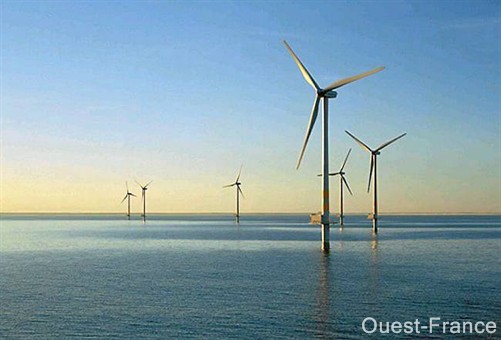
the shadow of the islands could be more contrasted compared to the shadow on the bridge or you need to reduce the shadow on the bridge. The color of the sea is uniform. it destroys the Perspective. Here is an example that gives depth (the wind can change of direction then the refflect on the water change):
Attachments
ouest.jpg
Design - illustration - Animation
http://www.crea-vision.fr
User avatar
Finis
Captain
Posts: 5410
Joined: 21 May 2009, 18:26
Type the number ten into the box: 0
Location: America!

Re: Elegant Bridge

Post by Finis »

Moved left landmass, moved towers so they are a little closer to the viewer, moved center island for aesthetic placement, changed ocean so it isn't uniform.

Good points on shadows. I'll change the lighting later and fix the shadows then. I want softer shadows, a tower shadow on land, and to avoid cable shadows on towers.

I'll try a lighter sky. I guess the sea level sky would probably be lighter than the sky here at 4500' or the up in the mountains. More air means more blue scattering and more stuff between the viewer and space. I just want it to look nice with colors that work well for visual appeal.

I'll work on the left landmass more. All towers are in water and I want the land to give the impression that the road starts on land but not that the first tower is on land. Also need to do something where land meets water. I'll put in some rocks and maybe sculpt a short cliff into the land masses.

The water is now a two layer texture. The bottom layer is a solid blue color, the lighter blue, with a map of Jupiter for a bump map. The second layer is the same photo of water used before and has one of the standard gray squiggle textures that come with TS for a transparency map.

Scale: The road stripes might do that. If not then maybe I'll put cars on the bridge.
Attachments
EB_Example.jpg
I prefer dangerous freedom over peaceful servitude. -- Thomas Jefferson/Jean Jacques Rousseau
User avatar
Finis
Captain
Posts: 5410
Joined: 21 May 2009, 18:26
Type the number ten into the box: 0
Location: America!

Re: Elegant Bridge

Post by Finis »

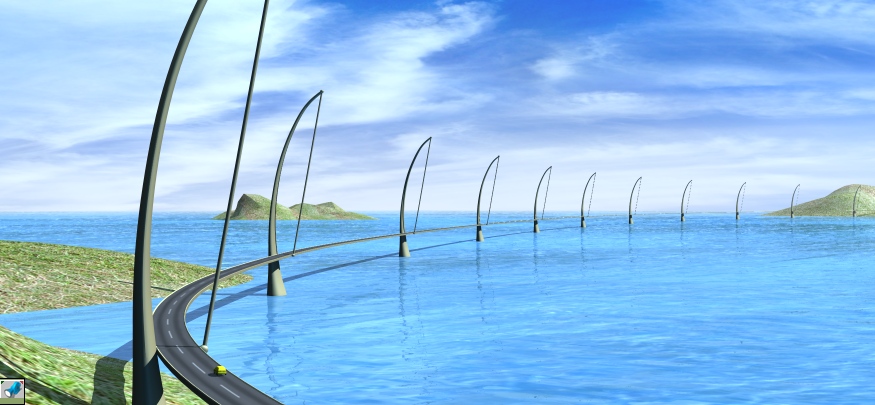
Added the road and a yellow car.

What about the road? Should it curve like this, toward the viewer, or go off of the left part of the image, or what? Where should the near part of the road reach the edge of the image? Or should it intersect something other than the edge of the image like some land or a cliff in the foreground that blocks the view of the closest part of the road?
Attachments
EB_Example.jpg
I prefer dangerous freedom over peaceful servitude. -- Thomas Jefferson/Jean Jacques Rousseau
Wigand
Senior Chief Petty Officer
Posts: 204
Joined: 21 May 2009, 17:38

Re: Elegant Bridge

Post by Wigand »

I would like to see more of the bridge in the foreground.

Because:
To start driving or walking on a bridge is always a matter of faith.
I have to trust in the construction. So I would like to see more of the road
still on stable ground. Then my faith could grow and later comes the moment
when the street leaves the ground and it hangs only at small ropes.
User avatar
spacekdet
Captain
Posts: 1810
Joined: 27 May 2009, 15:00
Type the number ten into the box: 10
Location: On the day shift at the Utility Muffin Research Kitchen

Re: Elegant Bridge

Post by spacekdet »

That water is Tidy Bowl fresh...maybe a little too baby blue.
It can look like that, but it's usually over shallow, sandy bottoms.

Fresnel can be good for water.

Are lighting, railings, navigation beacons in the works?

Here's a nice bridge to study the water from.
User avatar
marcel
Captain
Posts: 2247
Joined: 21 May 2009, 19:52
Type the number ten into the box: 0
Location: paris - France

Re: Elegant Bridge

Post by marcel »

when I think of a big picture I see there is a problem of scale. the road should have 4 lanes instead of 2 and the bump of the water is much too big as a little river not a big ocean. i think these errors will be obvious on a higth definition image.
Design - illustration - Animation
http://www.crea-vision.fr
User avatar
Tommy
Master Chief Petty Officer
Posts: 403
Joined: 28 Jun 2009, 14:05
Type the number ten into the box: 0
Location: Sweden, Göteborg

Re: Elegant Bridge

Post by Tommy »

About the lanes I have another opinion. We have been into Norway and there everything is possible in two lanes. Deep tunnels bellow the fjords and 45km tunnels thrugh the mountains in two lanes. We have been there with a caravan with bad brakes in 2 lanes tunnels which goes in a deep spiral down the mountains. We manage to survive.

We need a new bridge over the river which devides our town in two. The one built by the Germans before World war two is falling apart. I think we have to suggest your design for the new one.

About the water I agree. It seems not natural in scale.
"Carpe diem"
User avatar
Finis
Captain
Posts: 5410
Joined: 21 May 2009, 18:26
Type the number ten into the box: 0
Location: America!

Re: Elegant Bridge

Post by Finis »

Spacekdet:
Yeah, water is too blue. This is Lightworks rendered. Is Fresnel a VRay thing? No railings or nav. beacons. I might do a night version which might have lights. The world of the bridge is like the bridge. It is to be beautiful, spacious, uncrowded, clean, (it is like here before there were 2 million people in the state). There is no need for railings or nav. beacons in bridgeworld. With 800 foot spans between towers it must be made of scrith (see Ringworld).

Wigand:
Good point. For this image that trust is assumed. It is bridgeworld where everything is wonderful. I hope to do an animation of driving along the road someday. That will have the road on land before going onto the bridge.

Marcel, Tommy:
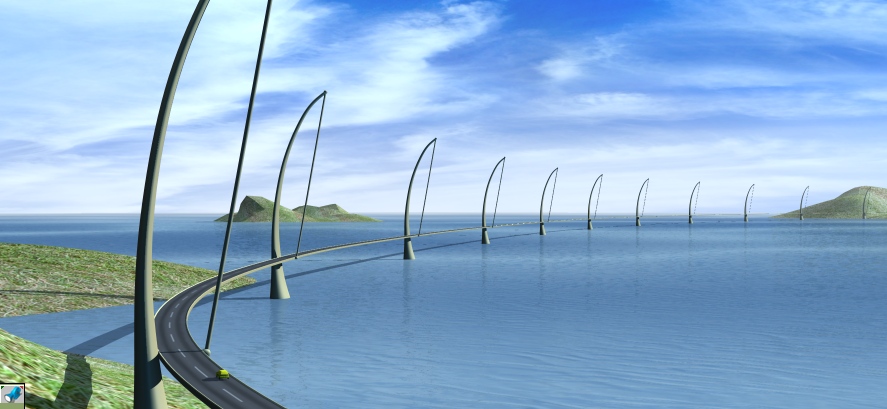
I changed the water to have smaller waves. It is a two layer texture but now each layer is a different solid color with different water textures for bump maps. The upper layer has a graysale squiggle image for transparency to mix them and give an effect like Marcel's example photo.

I like the two lane road. Multi-lane roads make me think of densly populated cities, ugh, with lots of traffic. However, I want to understand what you mean about why there should be 4 lanes. I think that part didn't translate well. Try saying it another way.

I'll work on the shadows when I do the final lighting. I'm going to move the left part of the road so it doesn't curve so much toward the viewer.

Here is an image with the new water.
Attachments
EB_Example.jpg
I prefer dangerous freedom over peaceful servitude. -- Thomas Jefferson/Jean Jacques Rousseau
User avatar
tahnoak
Master Chief Petty Officer
Posts: 339
Joined: 02 Sep 2009, 01:31

Re: Elegant Bridge

Post by tahnoak »

Finis.. great piece. Hopefully you will have some close ups. Seems a shame to not show off all the hard work you put into this.

A night scene would be fantastic. As would a dark rainy scene which makes a peaceful drive along a beautiful bridge more of a daunting task with an impending storm and driving rain :D
User avatar
Math Path
Chief Petty Officer
Posts: 92
Joined: 22 May 2009, 18:06
Type the number ten into the box: 0
Location: Germany

Re: Elegant Bridge

Post by Math Path »

Great! The image looks pretty much enhanced now. Good work Finis :)
User avatar
marcel
Captain
Posts: 2247
Joined: 21 May 2009, 19:52
Type the number ten into the box: 0
Location: paris - France

Re: Elegant Bridge

Post by marcel »

Yes the shader of the water is better now. The water look more an ocean than a river.
About the lanes i meant an enormous bridge with only 2 lanes is not secure. And is more evident since the scale of the scene look better and the car seem too big now.
Design - illustration - Animation
http://www.crea-vision.fr
User avatar
Finis
Captain
Posts: 5410
Joined: 21 May 2009, 18:26
Type the number ten into the box: 0
Location: America!

Re: Elegant Bridge

Post by Finis »

Thanks everyone.

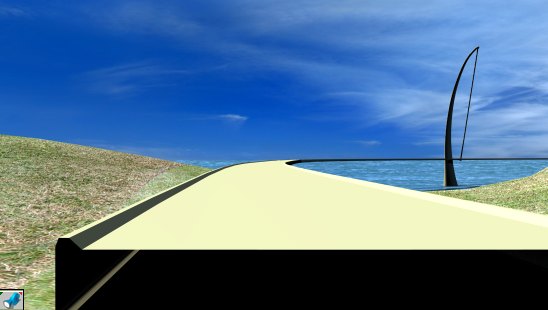
There could be close ups and animation in the future when I get and learn non-TS software (maybe Messiah! vi ... f=4&t=2489" ). For now the render bugs noted previously prevent that. The road, nurb or poly, won't render correctly when the camera is near. There is little detail to see in a close up. These pictures show a close up with little detail, the (blue outline) road profile object that is still in each tower group, and how the rendered nurb road is displaced from the wire geometry. The car is from the objects that come with TS.

Night scenes etc.: I'll probably do them later with other software. I want to explore different moods and art. Night, storms, more realistic engineering/structure, and hellworld ... where everything is in ruins, limitless throngs of people live in shanty towns around and on the bridge and on rafts and float dead in the water, but the bridge's ruins show that there used to be wonderful things.

Marcel, I still don't understand about the lanes. The car and bridge and surroundings are numerically to scale (10 yards = 1 mile). After shrinking the scene I think the road might be a little wider than the 30 feet I intended. I'll check real measurements and adjust that later. If 'secure' is about structural integrity, well, it's form is for visual appeal regardless of real engineering. If 'secure' is safety for drivers then bridgeworld drivers don't even need guard rails but I might put safety items/design in another version.
Attachments
EB_Example.jpg
EB_Example_2.jpg
I prefer dangerous freedom over peaceful servitude. -- Thomas Jefferson/Jean Jacques Rousseau
User avatar
marcel
Captain
Posts: 2247
Joined: 21 May 2009, 19:52
Type the number ten into the box: 0
Location: paris - France

Re: Elegant Bridge

Post by marcel »

i said about safety for drivers. but it is not important for an artistic point of view. ;)
when the cam is near the island (the last image) the texture of the ground (grass?) need to be improved. i know it is difficult to have a good texture when the cam is near and far with the same scene. it is why an animation need a lot of work.
Design - illustration - Animation
http://www.crea-vision.fr
User avatar
Tommy
Master Chief Petty Officer
Posts: 403
Joined: 28 Jun 2009, 14:05
Type the number ten into the box: 0
Location: Sweden, Göteborg

Re: Elegant Bridge

Post by Tommy »

Great job Finis!!!! Great design!! The only thing I think about is more vegetations on the land.
"Carpe diem"
User avatar
marcel
Captain
Posts: 2247
Joined: 21 May 2009, 19:52
Type the number ten into the box: 0
Location: paris - France

Re: Elegant Bridge

Post by marcel »

About the bug of the road:
For very big object and when the cam is near, try to use the wireframe display (not the wire of direct x) instead the directx. it is possible the video card don't work with precision in this case. it is why the render can be different than the display.
If it don't work:
I think you don't need to change the curve of the road now also you can try to use the refine patch tool. edit the nurbs then select the section of the road (if your model can do that, it depend on how you did it) ). add many section (about 2 or 3 between each Bridge pier).
Attachments
refine patch.jpg
refine patch.jpg (32.21 KiB) Viewed 5336 times
Design - illustration - Animation
http://www.crea-vision.fr
User avatar
Finis
Captain
Posts: 5410
Joined: 21 May 2009, 18:26
Type the number ten into the box: 0
Location: America!

Re: Elegant Bridge

Post by Finis »

Textures do need work. These are just place holders but I do like the color this grass texture gives the islands. It looks good along with the blue.

Plants in a future version if I ever get Vue or have time to use some plant making program.

Refining the road nurb might fix the close up render problem but for this image I'm just doing what TS can do which is a farther view. The render problem is not visible in this view. I was using the regular wire frame but you are right that the DX wire is worse.

The save/load problem is back. If I save the group object that is a tower and then reload it then its parts move. I simplified the tower by extracting the final SDS surface and unioning all the parts together. That single mesh object saved and loaded correctly. (Left: object as modeled, Middle: after group save/load, Right: after single mesh save/load.)

I resized everything so 1 inch equals 1 foot. The 10 yards equal 1 mile was too hard to work with.

Next: Change the road curve so it does not curve so much toward the viewer and add more curve on the right portion to keep it from being too straight. I think it will look better that way. Then work on the shore to add small cliffs and rocks.
Attachments
TowerTopReload.jpg
I prefer dangerous freedom over peaceful servitude. -- Thomas Jefferson/Jean Jacques Rousseau
User avatar
Finis
Captain
Posts: 5410
Joined: 21 May 2009, 18:26
Type the number ten into the box: 0
Location: America!

Re: Elegant Bridge

Post by Finis »

Here are the water plane, sky dome, water textures, and texture settings for the ocean. Use a hemispherical sky on the dome. vi ... 008#p25008"
I prefer dangerous freedom over peaceful servitude. -- Thomas Jefferson/Jean Jacques Rousseau

Return to “Work in Progress”