The code is based in part on the nanosvg library for c++.
SVG import
-
clintonman

- Captain
- Posts: 5659
- Joined: 21 May 2009, 21:08
- Type the number ten into the box: 0
- Location: California
SVG import
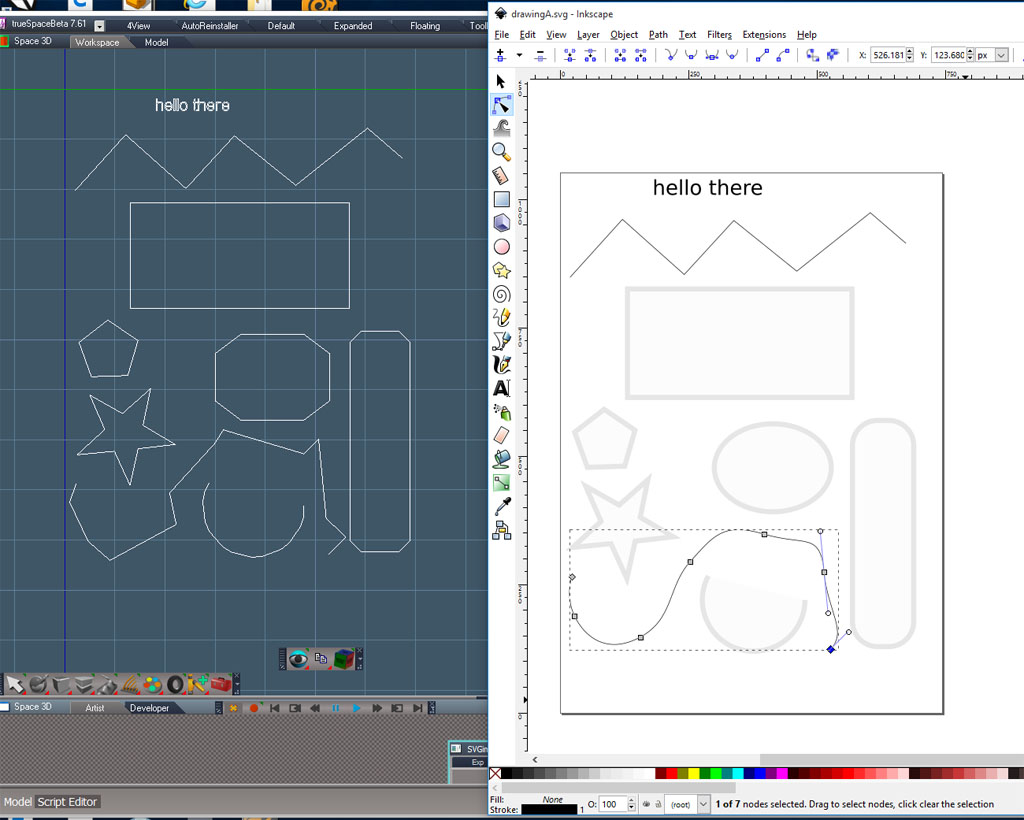
I've been learning web development and the svg standard caught my eye. Image shows inkscape and truespace. The curve objects are not smooth because the shape represents the control points for curve instead of the visual curve. Transforms, some curve types and "use" for instancing aren't implemented yet. Also the text size and font is not there yet. It's just dumb luck that the text in the sample image is close to the correct size. I attach what I have so far in case someone wants to play with it before it's finished.
The code is based in part on the nanosvg library for c++.
The code is based in part on the nanosvg library for c++.
- Attachments
-
- SVGimport.zip
- (10.03 KiB) Downloaded 376 times
-
v3rd3
- Lieutenant Commander
- Posts: 1191
- Joined: 21 May 2009, 20:04
Re: SVG import
Clinton your contributions continue to astound me... thank you so much.
-
Emmanuel

- Chief Warrant Officer
- Posts: 670
- Joined: 14 Jun 2009, 06:47
Re: SVG import
Thank you Clinton,
I am using Fenerit's SVG exporter tsX quite often. Your tool will be a very good addition. I hope it will load shapes with its curves and control points into tS !
I am using Fenerit's SVG exporter tsX quite often. Your tool will be a very good addition. I hope it will load shapes with its curves and control points into tS !
-
Fenerit

- Senior Chief Petty Officer
- Posts: 173
- Joined: 21 Nov 2011, 19:19
- Type the number ten into the box: 9
Re: SVG import
Thank you, Clinton.
-
Cellulo

- Lieutenant
- Posts: 927
- Joined: 27 Sep 2012, 07:48
- Type the number ten into the box: 9
- Location: France
Re: SVG import
Thanks you Clinton, it is possible to make the same plugin but for the modelside ? if it's not complicated.
-
clintonman
- Captain
- Posts: 5659
- Joined: 21 May 2009, 21:08
- Type the number ten into the box: 0
- Location: California
Re: SVG import
Update that does transform, and translate, groups and "use" instancing.
Still no text size or true curves.
Modelside(ts66) is on my mind. We'll see how it goes.
Still no text size or true curves.
Modelside(ts66) is on my mind. We'll see how it goes.
- Attachments
-
- SVGimport_alpha2.zip
- (11.75 KiB) Downloaded 346 times
-
clintonman
- Captain
- Posts: 5659
- Joined: 21 May 2009, 21:08
- Type the number ten into the box: 0
- Location: California
Re: SVG import

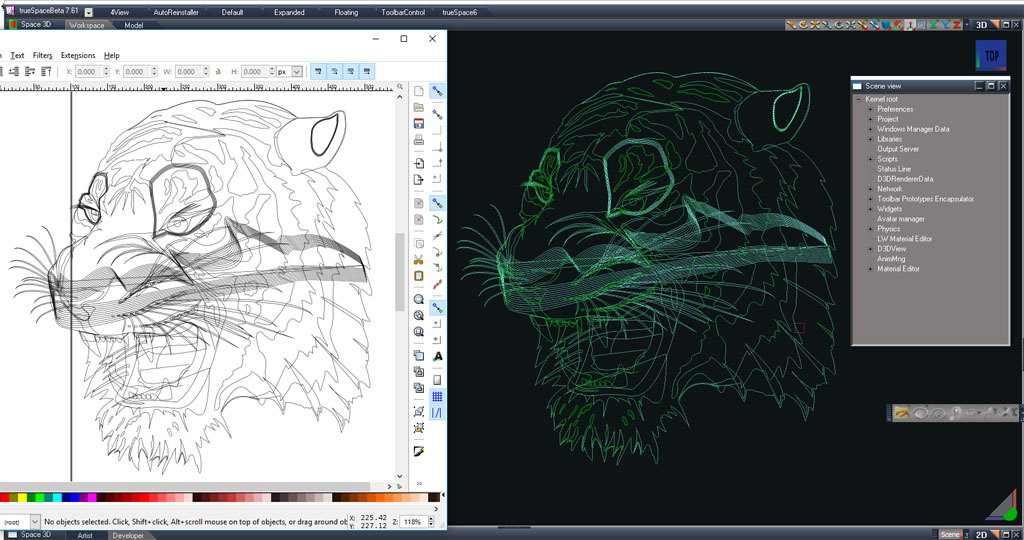
Has options to import as polygons or curves.
Does not support quadratic curves or reflection type cubic curves.
No polygon or polylines and no proper text support.
I tried importing text as paths and found that letters with holes had to be broken up and that the paths had to be simplified to convert to truespace type curves.
The shape for sharp curves can get out of wack, but I think that's just a workspace preview bug in my code.
Next step will be to update the curve exporter script to get the curves into modelspace/ts66.
Another preview version of the script is attached.
- Attachments
-
- svg import v02.zip
- (44.93 KiB) Downloaded 336 times
-
clintonman
- Captain
- Posts: 5659
- Joined: 21 May 2009, 21:08
- Type the number ten into the box: 0
- Location: California
-
clintonman
- Captain
- Posts: 5659
- Joined: 21 May 2009, 21:08
- Type the number ten into the box: 0
- Location: California
Re: SVG import
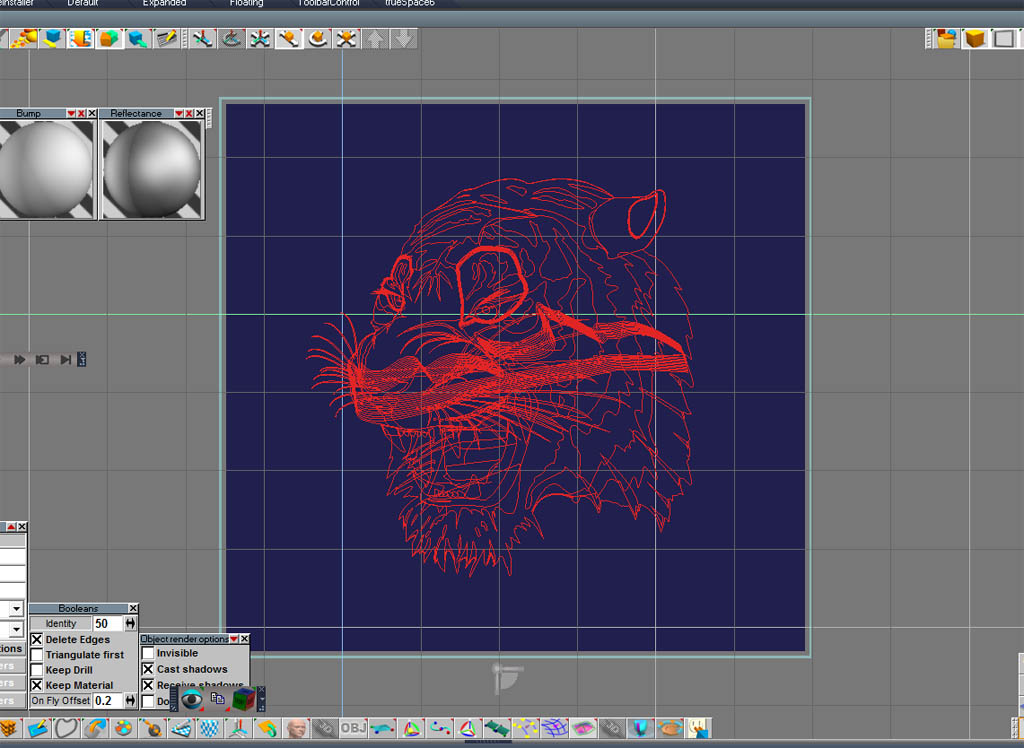

This shows the export of the curves from workspace imported as a cob file. I also fixed a bug in the svg curve import. Open and closed curves are both supported now.
Workspace curves are also a bit easier to use now.
-
Draise

- Captain
- Posts: 3200
- Joined: 21 Sep 2009, 19:33
- Type the number ten into the box: 0
- Location: Bogota, Colombia
Re: SVG import
Wow, that's epic!
-
Fenerit
- Senior Chief Petty Officer
- Posts: 173
- Joined: 21 Nov 2011, 19:19
- Type the number ten into the box: 9
Re: SVG import
True!
-
clintonman
- Captain
- Posts: 5659
- Joined: 21 May 2009, 21:08
- Type the number ten into the box: 0
- Location: California
Re: SVG import
It's done!!  or so I thought.
  I forgot a few things.
Attached is the most up to date.
I forgot about the text and there's some message logging I wanted to remove and I think I'll import unsupported curve types as lines.
One thing to note is it doesn't work well with hollow objects.
Documentation will follow after it's really done.
or so I thought. I forgot a few things.Attached is the most up to date.
I forgot about the text and there's some message logging I wanted to remove and I think I'll import unsupported curve types as lines.
One thing to note is it doesn't work well with hollow objects.
Documentation will follow after it's really done.
- Attachments
-
- SVG Import Autoload.zip
- (84.66 KiB) Downloaded 308 times