Plugin: 2D curve(s) to SVG
-
Fenerit
- Senior Chief Petty Officer
- Posts: 173
- Joined: 21 Nov 2011, 19:19
- Type the number ten into the box: 9
Plugin: 2D curve(s) to SVG
Originally part of the vertex exporter, because it concerns lines, I've split it from thats.
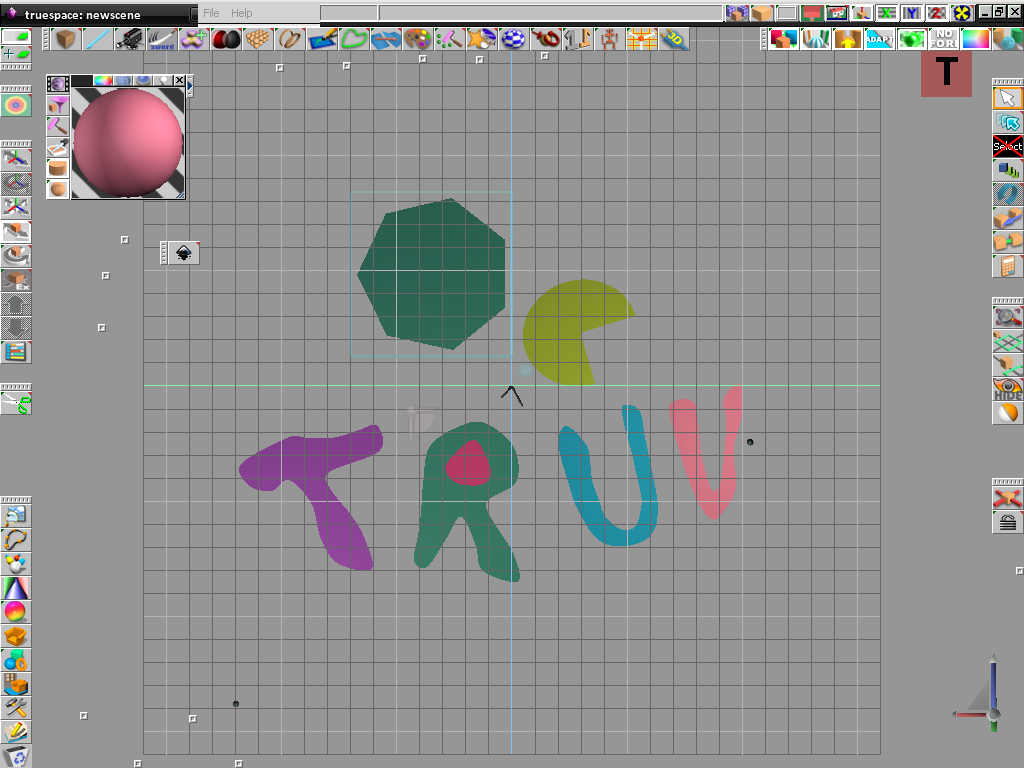
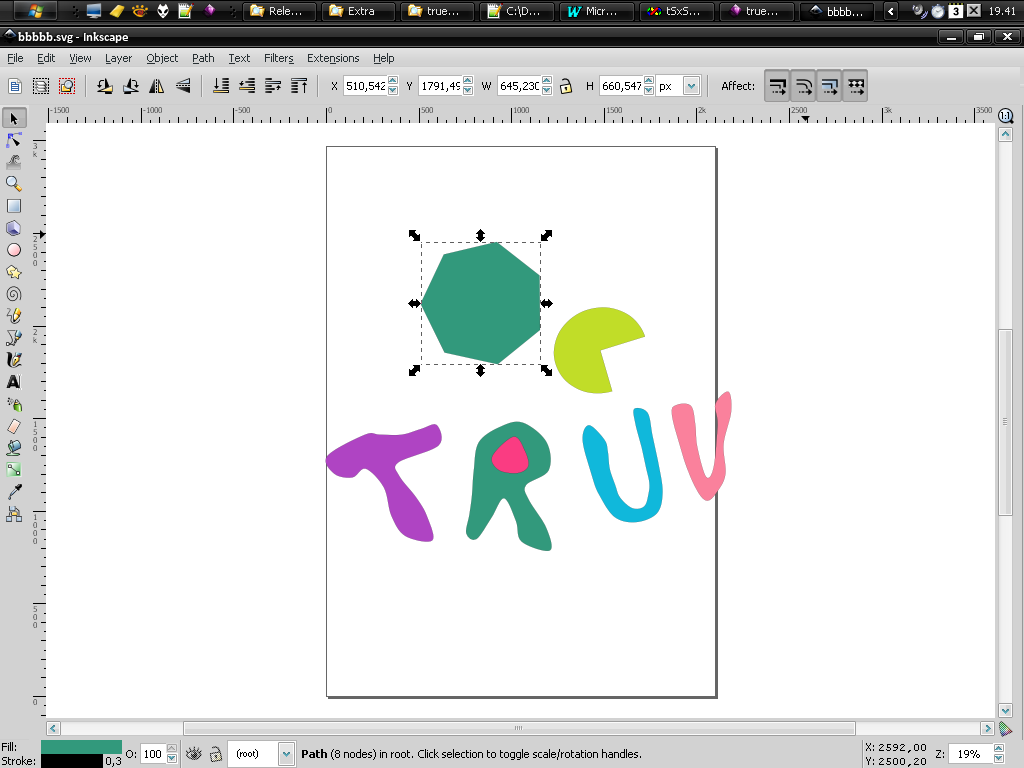
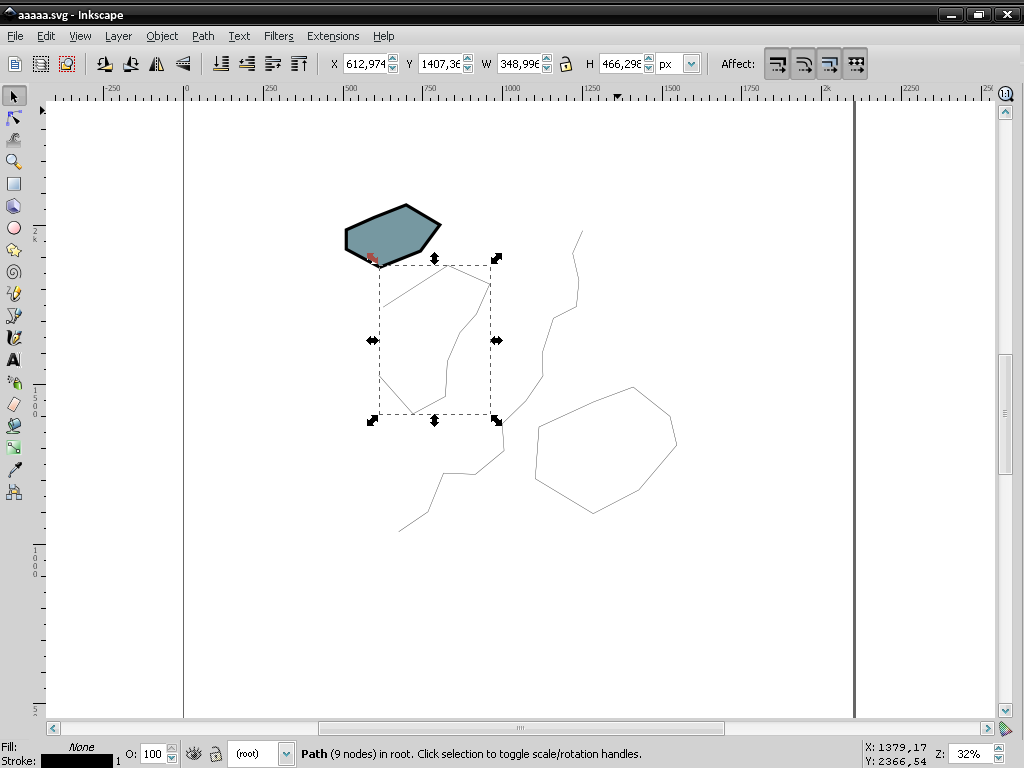
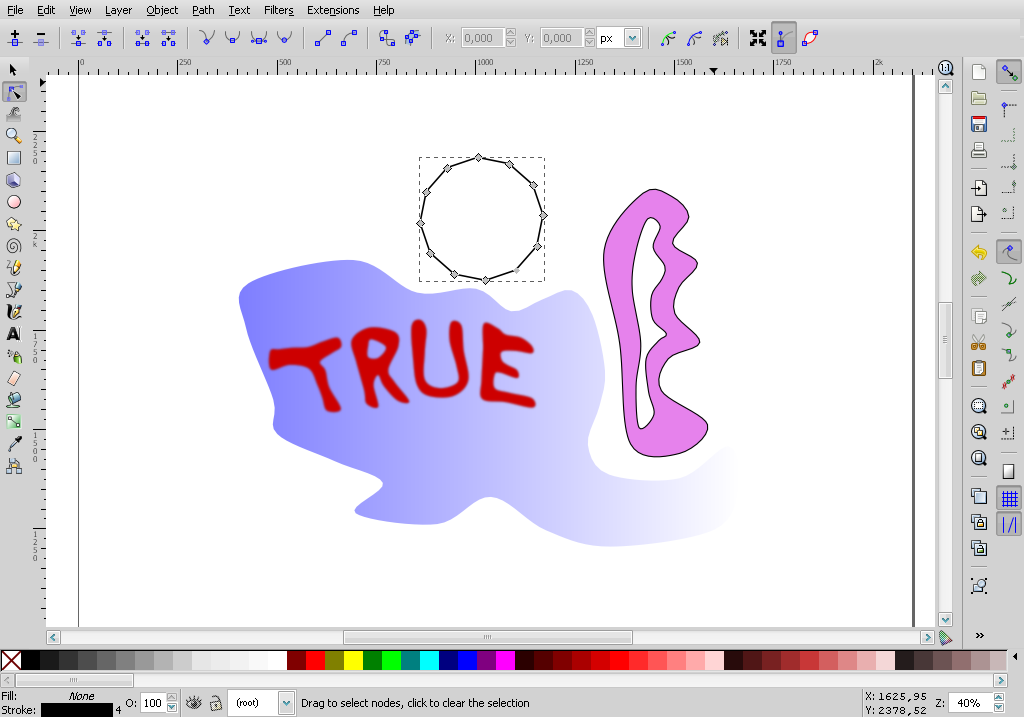
Below some naive NURBS-to-polyhedrons curves traced in tS have been converted in SVG and imported in Inkscape. Further - yet more naivest - elaborations have been made with it.
The plug-in get the outline profile of the curves (no fill in it) both the curve is got from context's nurbs extrusion and then converted to poly or converted to poly through the appropriate button or sweeped with "size z" > 0 as long as it isn't rotated along xy axis (top view is assumed). To make the "shape within the shape" is enough to set the "location z" freely up or down. The curve are exported grouped and locked; hence the relevant operations to work on each curve point or on every single shape is left to the client SVG program. I've tested OK the SVGs both on Inkscape and on GIMP. I don't know how they behaves on Illustrator; but the SVG is very basic, without any further reference or comment; so it would work. As always feedbacks are appreciated on this matters. The zip
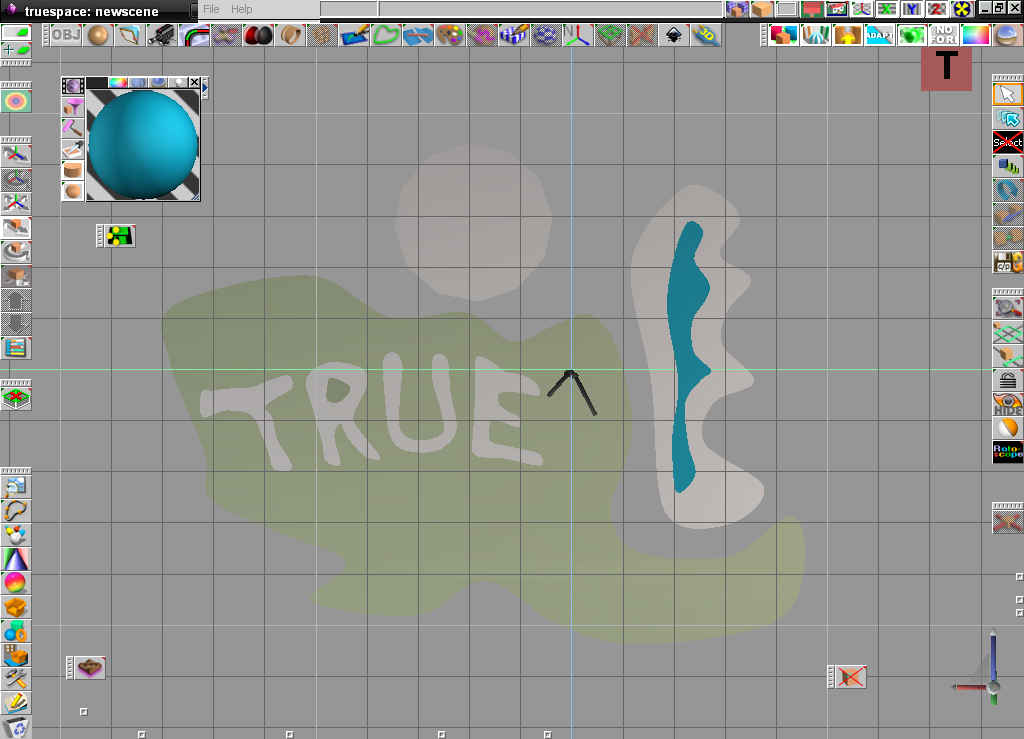
Below some naive NURBS-to-polyhedrons curves traced in tS have been converted in SVG and imported in Inkscape. Further - yet more naivest - elaborations have been made with it.
The plug-in get the outline profile of the curves (no fill in it) both the curve is got from context's nurbs extrusion and then converted to poly or converted to poly through the appropriate button or sweeped with "size z" > 0 as long as it isn't rotated along xy axis (top view is assumed). To make the "shape within the shape" is enough to set the "location z" freely up or down. The curve are exported grouped and locked; hence the relevant operations to work on each curve point or on every single shape is left to the client SVG program. I've tested OK the SVGs both on Inkscape and on GIMP. I don't know how they behaves on Illustrator; but the SVG is very basic, without any further reference or comment; so it would work. As always feedbacks are appreciated on this matters. The zip
-
bitkar
- Captain
- Posts: 2089
- Joined: 16 Mar 2010, 07:14
- Type the number ten into the box: 0
- Location: Czech Republic
Re: Plugin: 2D curve(s) to SVG
cool.... love those things. What about import of SVG?
Michal aka bitkar
tS freak since tS2 (1998) and forever (tS7.61 modeler)
-
Draise
- Captain
- Posts: 3200
- Joined: 21 Sep 2009, 19:33
- Type the number ten into the box: 0
- Location: Bogota, Colombia
Re: Plugin: 2D curve(s) to SVG
This is great! Is there a way to import SVG's? I do use Inkscape sometimes!
-
Fenerit
- Senior Chief Petty Officer
- Posts: 173
- Joined: 21 Nov 2011, 19:19
- Type the number ten into the box: 9
Re: Plugin: 2D curve(s) to SVG
I made this plug-in because the way in which curves a got from tS is far more easy respect to whatelse 2D program of its kind. I'm unable to get with the same easyness of tS the curve's control in whatelse 2d program which does the same thing; thus I never thought to do the converse, because was a no-sense from my part. Just an example: do try to get an ISO conformed gears, an HE an IPE in a 2D graphic program; apart AutoCAD, you will find some trouble even with Illustrator. Nobody uses this programs to do so, while from 3D programs you can go in thats. Nonetheless, I will take a look.
-
Draise
- Captain
- Posts: 3200
- Joined: 21 Sep 2009, 19:33
- Type the number ten into the box: 0
- Location: Bogota, Colombia
Re: Plugin: 2D curve(s) to SVG
Yeah, that makes sense. I did always love the curves of TS6.6 over 2d programs for sure. I guess you have a good point there! 
-
Fenerit
- Senior Chief Petty Officer
- Posts: 173
- Joined: 21 Nov 2011, 19:19
- Type the number ten into the box: 9
Re: Plugin: 2D curve(s) to SVG
Exporting from pagemakers to 3d program is puzzling; what hell one does export in 3D?
At least one does make an heightfield of the page and then extrude all. 
-
BNG
- Chief Warrant Officer
- Posts: 684
- Joined: 16 Oct 2009, 03:26
- Type the number ten into the box: 0
- Location: Texas
Re: Plugin: 2D curve(s) to SVG
Awesome bro, thanks for posting it for all. 
Casual Truespace 3D modeling hobbyist. My Truespace blog and simple 3d Modeling Tutorials for Casual Model Makers.
-
Fenerit
- Senior Chief Petty Officer
- Posts: 173
- Joined: 21 Nov 2011, 19:19
- Type the number ten into the box: 9
Re: Plugin: 2D curve(s) to SVG
Inspired by the discussion here about the outstanding clinton' work upon SVG importer, I've decided to enhance the exporter.
The new features allows the export of the material colors and of the filled shapes, either glued/unglued together. Currently, I'm working on settings, pretty easy to do with check-boxes and such, concerning also stroke-color and stroke-width, for this I should like to hear some suggestions about it (Emmanuel?) before to release the new version.
Last edited by Fenerit on 03 Nov 2015, 19:11, edited 1 time in total.
-
Cellulo
- Lieutenant
- Posts: 927
- Joined: 27 Sep 2012, 07:48
- Type the number ten into the box: 9
- Location: France
Re: Plugin: 2D curve(s) to SVG
-
clintonman
- Captain
- Posts: 5659
- Joined: 21 May 2009, 21:08
- Type the number ten into the box: 0
- Location: California
Re: Plugin: 2D curve(s) to SVG
Maybe you can use the layer color for the stroke color.
-
Fenerit
- Senior Chief Petty Officer
- Posts: 173
- Joined: 21 Nov 2011, 19:19
- Type the number ten into the box: 9
Re: Plugin: 2D curve(s) to SVG
Thanks for the suggestion.clintonman wrote:Maybe you can use the layer color for the stroke color.
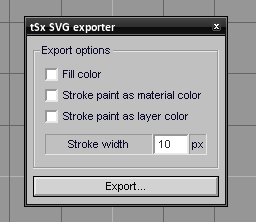
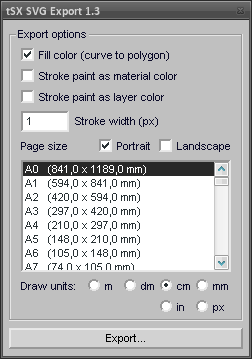
Currently the options are these, no matter how many layers are on the scene: - uncheched all = black outlines;
- fill color checked = fill the material color but the stroke, which remains black;
- stroke paint as material color = self-explanatory, both checked alone or along with the fill color check-box: outlined stroke color like the material or fill and stroke of the same color, respectively.
- stroke paint as layer color = your suggestion, just the outline, otherwise those wire color could be mixed up with the filled color. To check on this will deactivate the others.
- stroke width = self-explanatory.
TODO (if I'm able):
- to port the tS layers as layers within the SVG. It seem to work, but I'm not sure whether the SVG layer directive is the standard one or it is valid just for Inkscape. I may explore more on this, since I've just it as SVG client...
- to assest the obj/scene units.
EDIT LATER:
Tested up to 10 layers, each one with its color and its curve-to-poly, I got 10 outlined shapes each one with its proper layer's color strokes.
-
clintonman
- Captain
- Posts: 5659
- Joined: 21 May 2009, 21:08
- Type the number ten into the box: 0
- Location: California
Re: Plugin: 2D curve(s) to SVG
Looking good.
As far as layers I think that's an Inkscape thing. I don't believe svg format has layers, it only seems to have groups.
-
Fenerit
- Senior Chief Petty Officer
- Posts: 173
- Joined: 21 Nov 2011, 19:19
- Type the number ten into the box: 9
Re: Plugin: 2D curve(s) to SVG
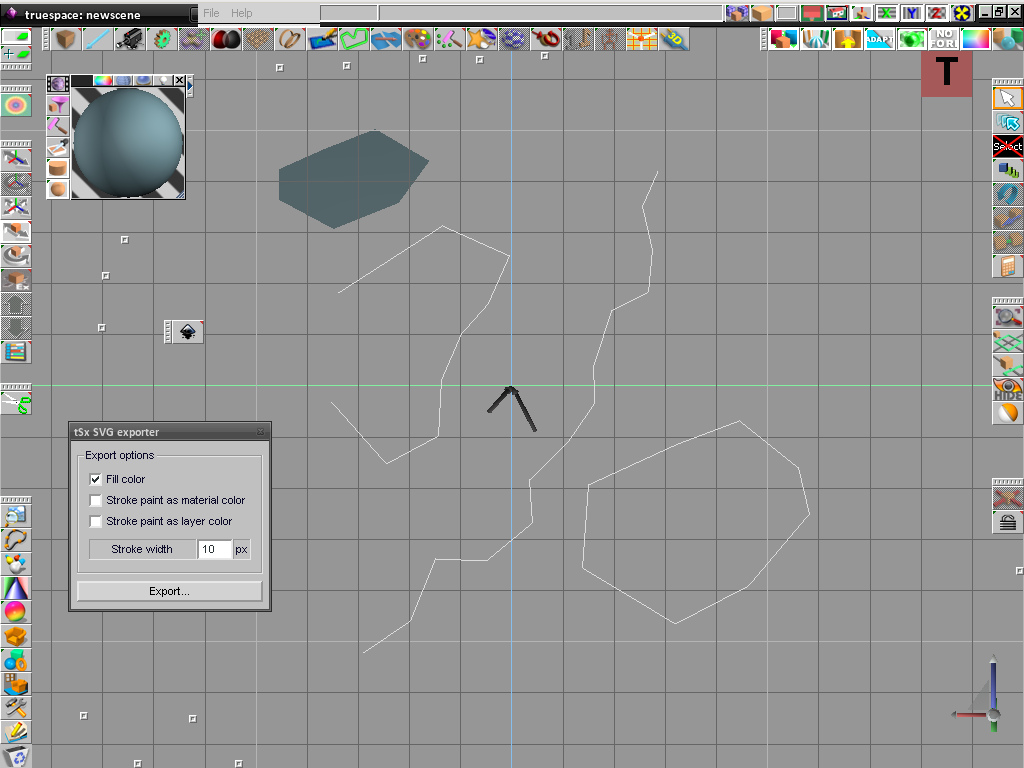
Finally, I can get both open/closed curves along with curve-to-polyh.
A further option, then.clintonman wrote:Looking good.
As far as layers I think that's an Inkscape thing. I don't believe svg format has layers, it only seems to have groups.
-
Fenerit
- Senior Chief Petty Officer
- Posts: 173
- Joined: 21 Nov 2011, 19:19
- Type the number ten into the box: 9
Re: Plugin: 2D curve(s) to SVG
Here the new 1.1 version. Feedbacks are appreciated. Remove the previous version and extract with path under the tsx folder.
-
Emmanuel
- Chief Warrant Officer
- Posts: 670
- Joined: 14 Jun 2009, 06:47
Re: Plugin: 2D curve(s) to SVG
Hum, couldn't test yet : trueSpace is crashing when it start to write the file (I mean after I set a file name in the dialog box).
This occurs even if I restart tS after loading the tsx. I also tried in tS6.6. Same behavior.
I like the stroke and color options. This is a nice improvement
This occurs even if I restart tS after loading the tsx. I also tried in tS6.6. Same behavior.
I like the stroke and color options. This is a nice improvement
-
Fenerit
- Senior Chief Petty Officer
- Posts: 173
- Joined: 21 Nov 2011, 19:19
- Type the number ten into the box: 9
Re: Plugin: 2D curve(s) to SVG
Try this:
maybe your system is sensitive to pure 6.6 version. Otherwise you nust have missed some DLLs such as:
- msvcrt.dll
- msvcp60.dll
- mfc42.dll
- msvcrt.dll
- msvcp60.dll
- mfc42.dll
-
Fenerit
- Senior Chief Petty Officer
- Posts: 173
- Joined: 21 Nov 2011, 19:19
- Type the number ten into the box: 9
Re: Plugin: 2D curve(s) to SVG
tSx SVG Exporter 1.2
FIXES:
- fix a bug with the stroke-width setting;
- fix a fill color issue when the curve(s)-to-polygon and open curve(s) are both on the scene;
- minor fixes.
INSTALLATION:
1) Extract the zip folder within the "..\tsx\" directory.
2) Search for "tSxSVGExport.tsx" through the usual "Install new trueSpace eXtension" icon. tS 6.6 version included.
FIXES:
- fix a bug with the stroke-width setting;
- fix a fill color issue when the curve(s)-to-polygon and open curve(s) are both on the scene;
- minor fixes.
INSTALLATION:
1) Extract the zip folder within the "..\tsx\" directory.
2) Search for "tSxSVGExport.tsx" through the usual "Install new trueSpace eXtension" icon. tS 6.6 version included.
-
Cellulo
- Lieutenant
- Posts: 927
- Joined: 27 Sep 2012, 07:48
- Type the number ten into the box: 9
- Location: France
Re: Plugin: 2D curve(s) to SVG
Thanks Fenerit, cool plugin 
-
Fenerit
- Senior Chief Petty Officer
- Posts: 173
- Joined: 21 Nov 2011, 19:19
- Type the number ten into the box: 9
Re: Plugin: 2D curve(s) to SVG
-
Fenerit
- Senior Chief Petty Officer
- Posts: 173
- Joined: 21 Nov 2011, 19:19
- Type the number ten into the box: 9
Re: Plugin: 2D curve(s) to SVG
tSx SVG Export 1.3
FIXES:
- svg xml: added mm units to the width/height, this causes Inkscape to highlight
the exported page size within the "Document Properties" menu. Also non-metric units are accounted for;
- svg output: fit the draw as more as possible at the center of the page; its precise vertical/horizontal center alignment is left to the SVG client, being the tS bounding box dependent upon the rationale of the curves,
which enclosed manipulator elements coordinates that could not match those belongings to the SVG client. All this doesn't change the fidelity of the tS draw output.
CHANGES:
- interface;
ADDS:
- page size and orientation;
- draw units output;
KNOWN LIMITATIONS:
- radio buttons "Draw units" doesn't holds the settings on disc. default draw units = cm (A0 fit).
INSTALLATION:
1) Extract the zip folder within the "..\tsx\" directory.
2) Search for "tSxSVGExport.tsx" through the usual "Install new trueSpace eXtension" icon. tS 6.6 version included.
Note: this version fixes also some upper/lower case in the names of the files. Please, remove the previous version if any before to install this. For the tS icon it is unimportant to be removed fro the interface, because it is case insensitive.
FIXES:
- svg xml: added mm units to the width/height, this causes Inkscape to highlight
the exported page size within the "Document Properties" menu. Also non-metric units are accounted for;
- svg output: fit the draw as more as possible at the center of the page; its precise vertical/horizontal center alignment is left to the SVG client, being the tS bounding box dependent upon the rationale of the curves,
which enclosed manipulator elements coordinates that could not match those belongings to the SVG client. All this doesn't change the fidelity of the tS draw output.
CHANGES:
- interface;
ADDS:
- page size and orientation;
- draw units output;
KNOWN LIMITATIONS:
- radio buttons "Draw units" doesn't holds the settings on disc. default draw units = cm (A0 fit).
INSTALLATION:
1) Extract the zip folder within the "..\tsx\" directory.
2) Search for "tSxSVGExport.tsx" through the usual "Install new trueSpace eXtension" icon. tS 6.6 version included.
Note: this version fixes also some upper/lower case in the names of the files. Please, remove the previous version if any before to install this. For the tS icon it is unimportant to be removed fro the interface, because it is case insensitive.
Last edited by Fenerit on 08 Apr 2016, 19:58, edited 1 time in total.
-
Emmanuel
- Chief Warrant Officer
- Posts: 670
- Joined: 14 Jun 2009, 06:47
Re: Plugin: 2D curve(s) to SVG
Sounds great. Thank you Fenerit. The page option is a nice feature.
I coulnd't test though : still crashing when I clic the export button. I've placed the dlls in tS directory but it doesn't help.
-
Cellulo
- Lieutenant
- Posts: 927
- Joined: 27 Sep 2012, 07:48
- Type the number ten into the box: 9
- Location: France
Re: Plugin: 2D curve(s) to SVG
Thanks Fenerit
-
Fenerit
- Senior Chief Petty Officer
- Posts: 173
- Joined: 21 Nov 2011, 19:19
- Type the number ten into the box: 9
Re: Plugin: 2D curve(s) to SVG
Do take a look whether also comdlg32.dll is on your system. If the crash is related to the file dialog, that's is the relevant dll. There are several way to call for the file dialog; I follow the basic one for the early time in which tS6.6 was released, say, no extended controls (aka, the comctl32.dll).