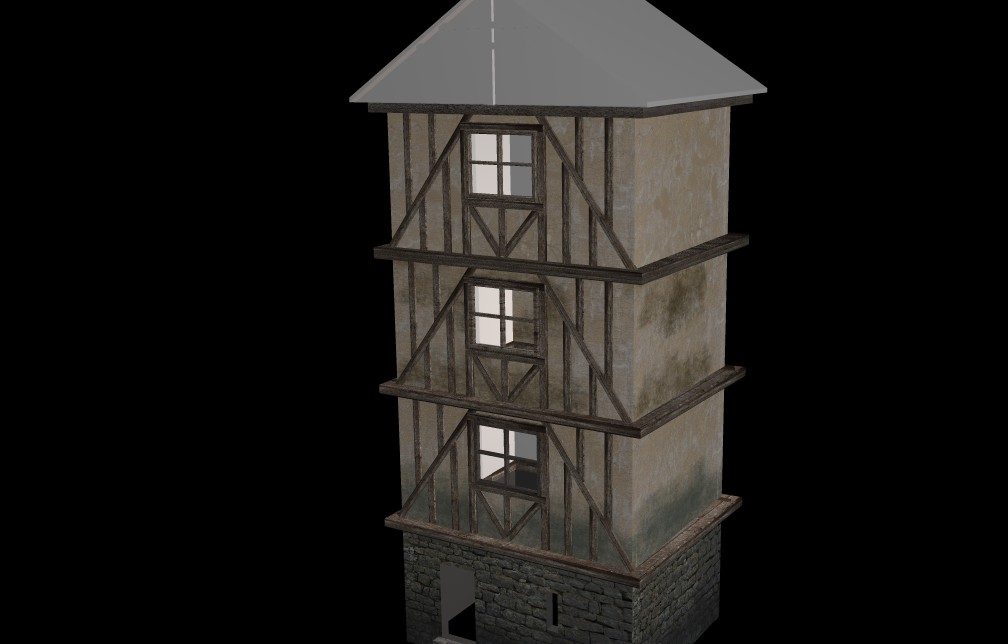
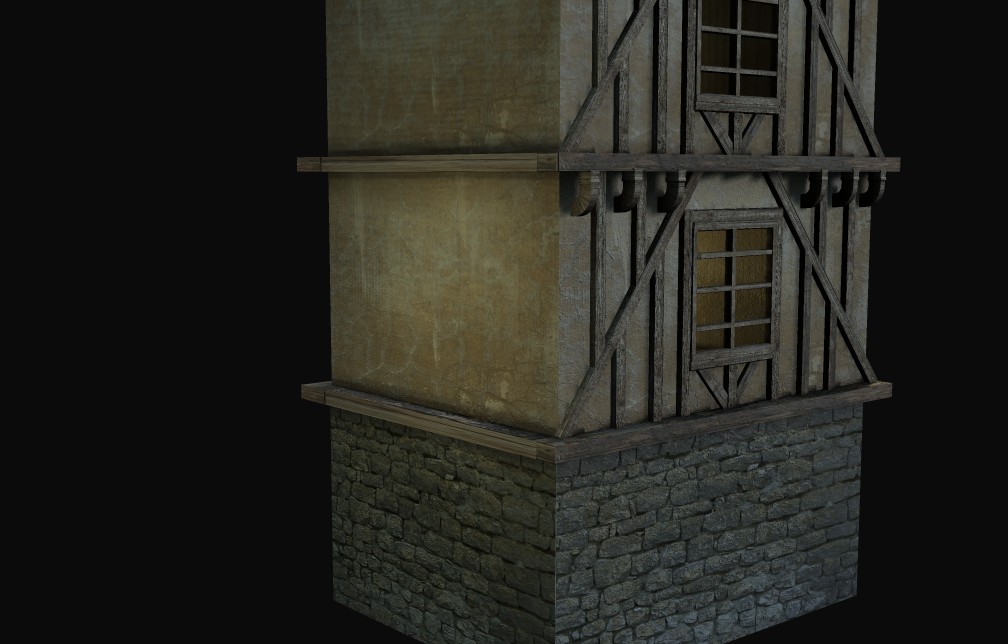
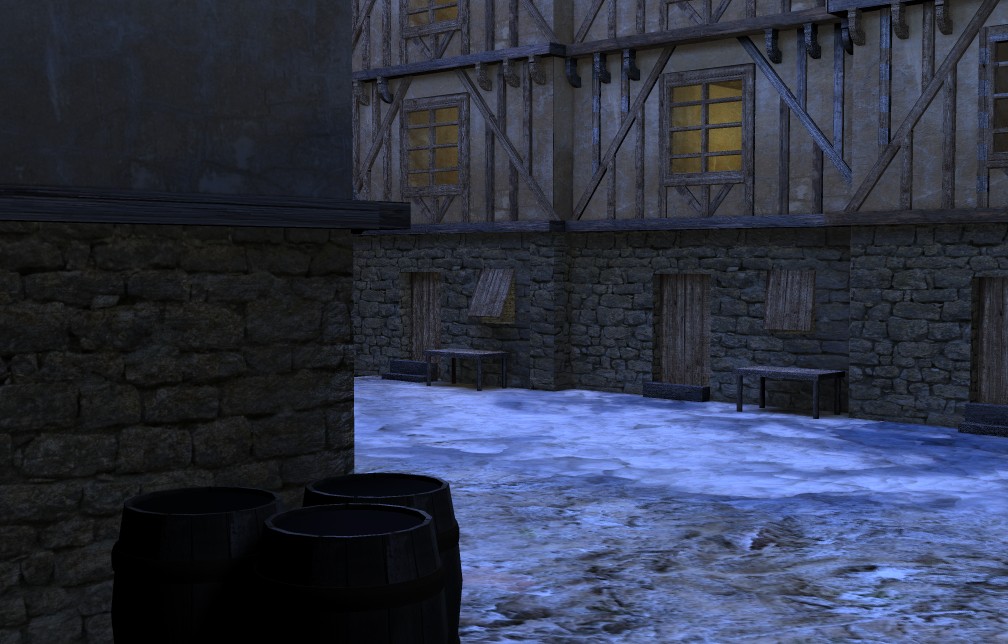
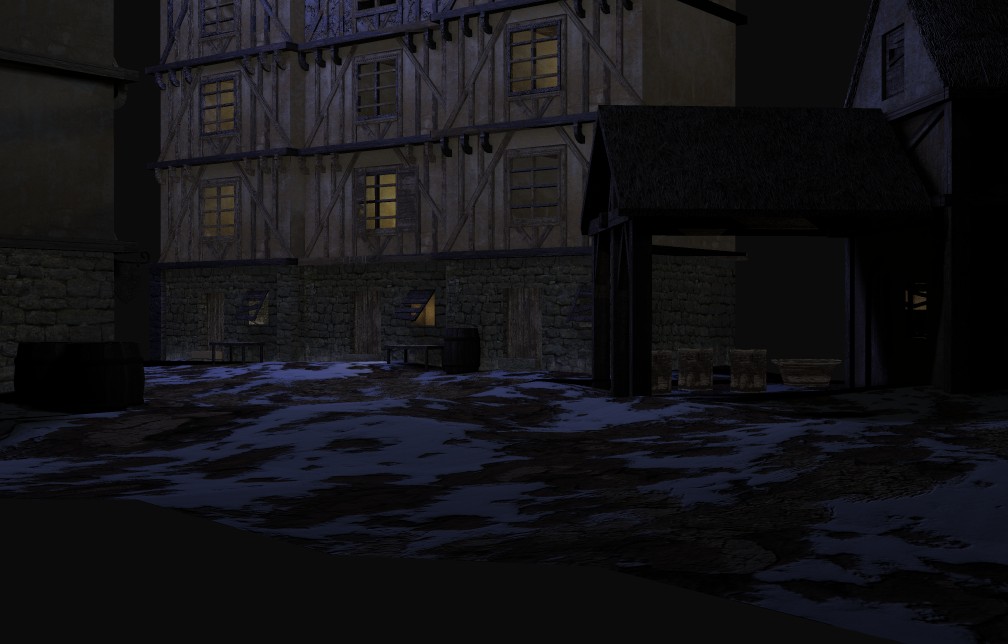
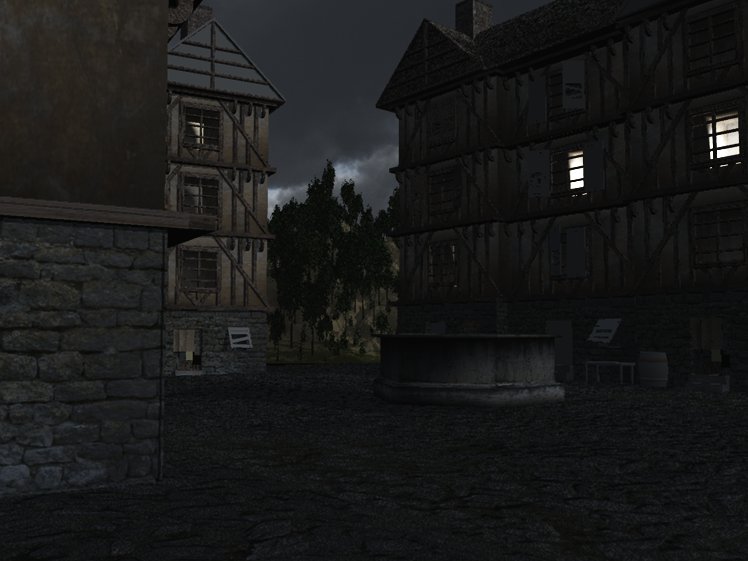
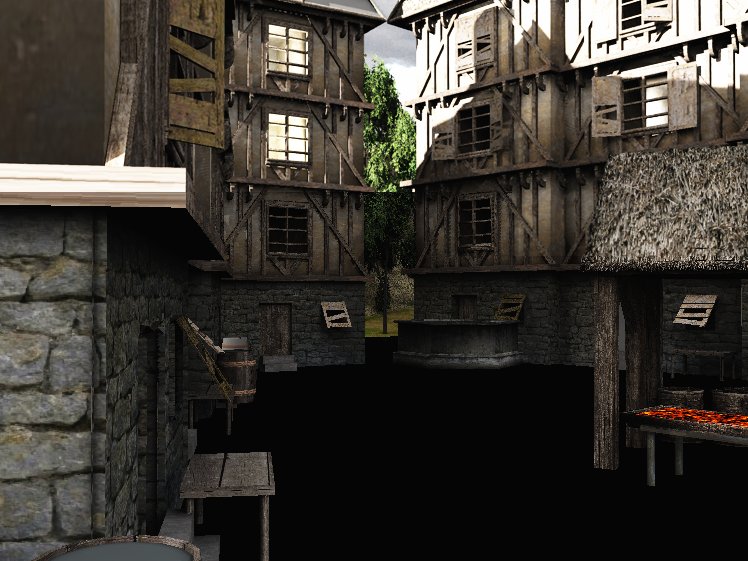
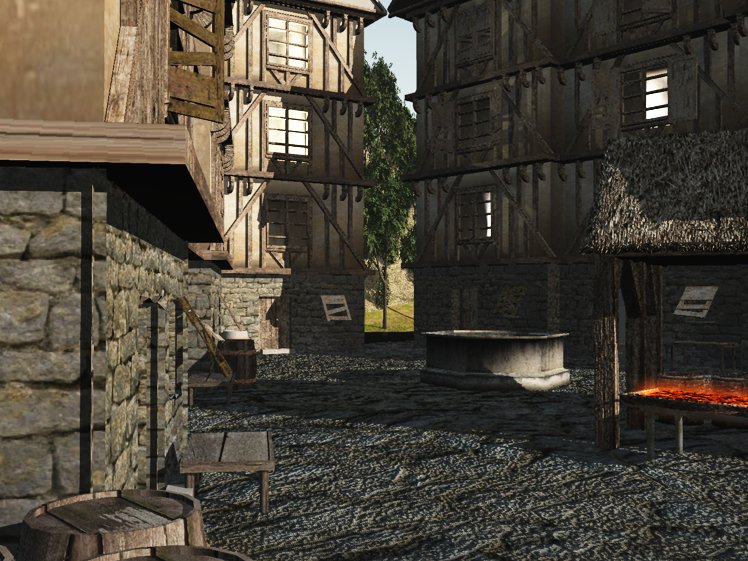
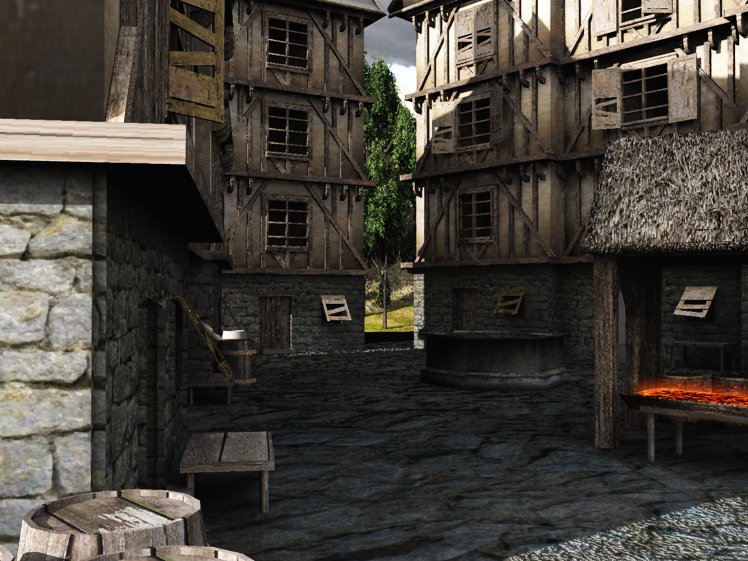
Here is a screenie. It is not great but I can see how easy it is to work on dirtying up my textures now!!!
Tinkering with Alpha Masks
-
tahnoak
- Master Chief Petty Officer
- Posts: 339
- Joined: 02 Sep 2009, 01:31
Tinkering with Alpha Masks
I know everybody else on here knows how to use these things but I am just learning, yeah that's right, just learning how to create these and use them. I know....I know... that is learned right before Modeling 101
Told ya I was a noobie
Here is a screenie. It is not great but I can see how easy it is to work on dirtying up my textures now!!!
-
Finis
- Captain
- Posts: 5410
- Joined: 21 May 2009, 18:26
- Type the number ten into the box: 0
- Location: America!
Re: Tinkering with Alpha Masks
How about a mini-tutorial here (a few how to pics and brief explanation)?
I prefer dangerous freedom over peaceful servitude. -- Thomas Jefferson/Jean Jacques Rousseau
-
tahnoak
- Master Chief Petty Officer
- Posts: 339
- Joined: 02 Sep 2009, 01:31
Re: Tinkering with Alpha Masks
I can do that. I never thought I would be doing a tutorial..ha! Let me get the kids fed and off to bed then tonight I should be able to put something coherent together for those who may be interested or can point out different ways of doing what I was doing.Finis wrote:How about a mini-tutorial here (a few how to pics and brief explanation)?
-
tahnoak
- Master Chief Petty Officer
- Posts: 339
- Joined: 02 Sep 2009, 01:31
Re: Tinkering with Alpha Masks
Finis wrote:How about a mini-tutorial here (a few how to pics and brief explanation)?
Put something together last night and this morning. Take a look.
vi ... =13&t=1092
-
tahnoak
- Master Chief Petty Officer
- Posts: 339
- Joined: 02 Sep 2009, 01:31
-
Breech Block
- Master Chief Petty Officer
- Posts: 482
- Joined: 13 Jun 2009, 20:31
Re: Tinkering with Alpha Masks
This is great work, tahnoak.
The textures look really well done. Are they all together on one texture map or have you applied them individually?
You should make an entire village and place it on Turbosquid.
The textures look really well done. Are they all together on one texture map or have you applied them individually?
You should make an entire village and place it on Turbosquid.
-
tahnoak
- Master Chief Petty Officer
- Posts: 339
- Joined: 02 Sep 2009, 01:31
Re: Tinkering with Alpha Masks
Thanks Breech, while I am still learning all the lingo, they are individual textural layers (2) on each object based on the tutorial that I made. That may answer your question better than I canBreech Block wrote:This is great work, tahnoak.![]()
The textures look really well done. Are they all together on one texture map or have you applied them individually?
You should make an entire village and place it on Turbosquid.
-
Breech Block
- Master Chief Petty Officer
- Posts: 482
- Joined: 13 Jun 2009, 20:31
Re: Tinkering with Alpha Masks
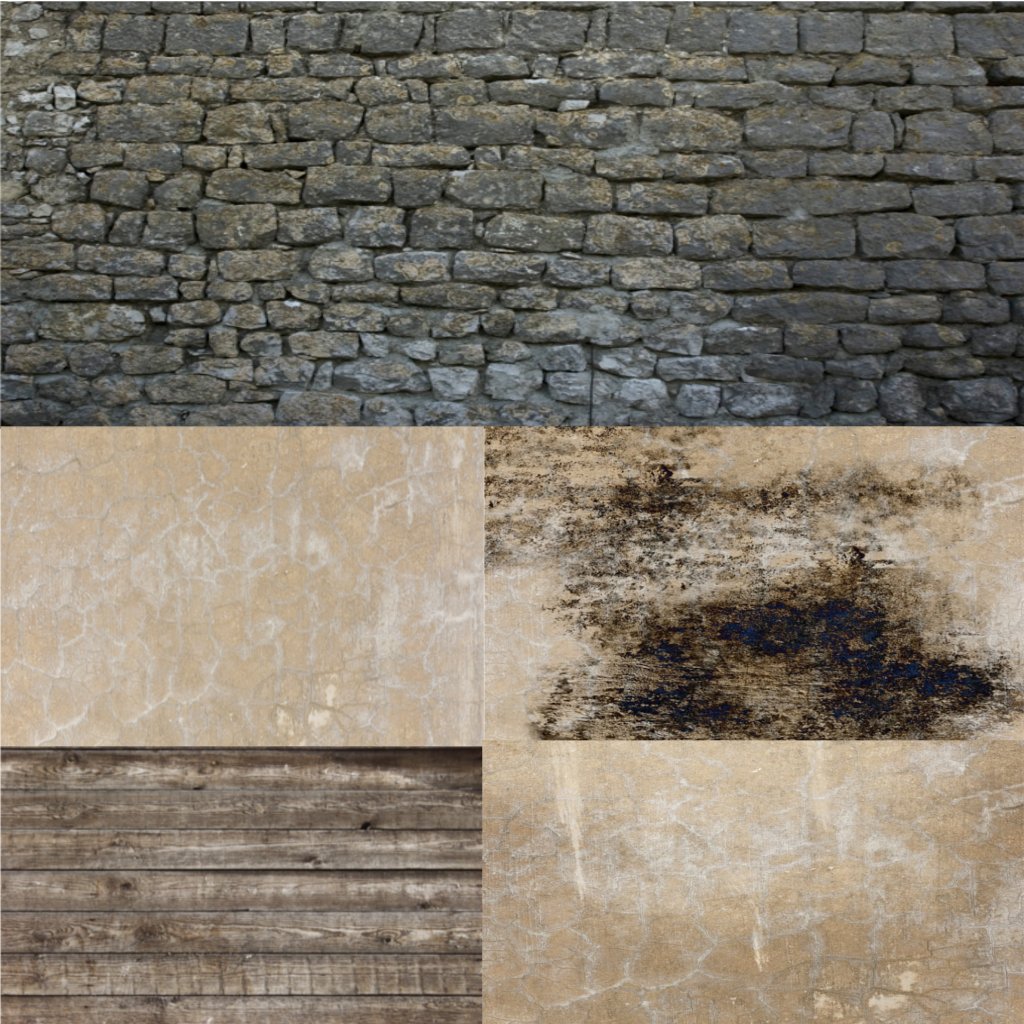
No worries, perhaps I could have phrased the question better. What I meant to ask was have you fully UV mapped the object and thus are placing all these differnt textures (stone, wood, roof, windows) onto a single image (Texture Map). Or are you creating a load of individual textures and applying them all to the various faces of your model? If that makes more sense.tahnoak wrote:Thanks Breech, while I am still learning all the lingo, they are individual textural layers (2) on each object based on the tutorial that I made. That may answer your question better than I can
-
tahnoak
- Master Chief Petty Officer
- Posts: 339
- Joined: 02 Sep 2009, 01:31
Re: Tinkering with Alpha Masks
Hey, I thought that is what you meant and I had never thought to do that before but I am doing that now. This UVMapper on trueSpace is not the best but it is working pretty well. I was loading a bunch of individual textures but now I can see how this is much better.Breech Block wrote:No worries, perhaps I could have phrased the question better. What I meant to ask was have you fully UV mapped the object and thus are placing all these differnt textures (stone, wood, roof, windows) onto a single image (Texture Map). Or are you creating a load of individual textures and applying them all to the various faces of your model? If that makes more sense.tahnoak wrote:Thanks Breech, while I am still learning all the lingo, they are individual textural layers (2) on each object based on the tutorial that I made. That may answer your question better than I can
-
tahnoak
- Master Chief Petty Officer
- Posts: 339
- Joined: 02 Sep 2009, 01:31
-
Breech Block
- Master Chief Petty Officer
- Posts: 482
- Joined: 13 Jun 2009, 20:31
Re: Tinkering with Alpha Masks
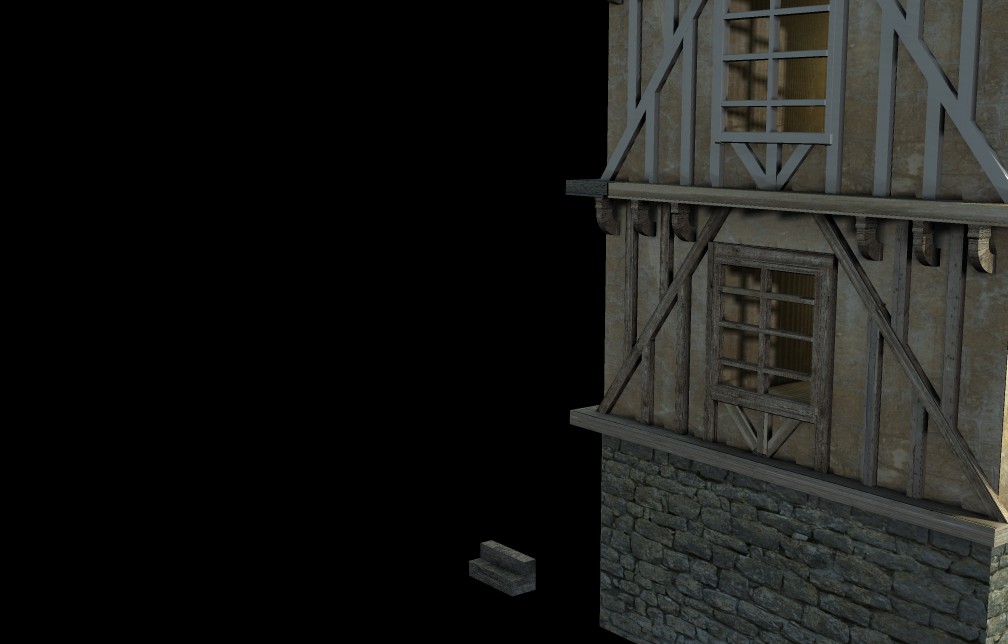
Looking good already, got a nice wintry feel to it already. Add some snow flurrys in Post and you'll have yourself a winner here.
-
tahnoak
- Master Chief Petty Officer
- Posts: 339
- Joined: 02 Sep 2009, 01:31
Re: Tinkering with Alpha Masks
Breech Block wrote:Looking good already, got a nice wintry feel to it already. Add some snow flurrys in Post and you'll have yourself a winner here.
Hmmm, lost my original reply. Anyways, thanks. I had not even realized that it had that wintry feel. I will make a couple versions to include some falling snow since I just learned how to do that in GIMP the other day.
Here is an updated screenie of a variation on this thread. I have been UVMapping like a mad man and it is paying off I think. I have also been trying to minimize the number of polygons which has effectively had me starting over from scratch but that's cool. That is how we learn.
There are still some things left to do on this before I continue on but wanted to show some more progress. Thanks for all the feedback!!!
-
LeonRegis
- Captain
- Posts: 1946
- Joined: 18 Aug 2009, 17:36
- Type the number ten into the box: 0
- Location: Brazil/Earth/Orion Arm/Milky Way/4th Dimension/This Universe/Multiverse???/Singularity???
Re: Tinkering with Alpha Masks
Hey Man! This is just amazing! The last pic is too realistic.
Movin' on to do the whole city?
Cya
Cya
Be the change you want to see in the world. - Mohandas Gandhi
-
tahnoak
- Master Chief Petty Officer
- Posts: 339
- Joined: 02 Sep 2009, 01:31
Re: Tinkering with Alpha Masks
leonregis wrote:Hey Man! This is just amazing! The last pic is too realistic.Movin' on to do the whole city?
![]()
Cya
Thank you for the complement.
You know what leonregis, I think I am going to. I am getting pretty excited about how this is looking. i will need to do some more research on other buildings and textures. I am also excited about the prospect of making this a wintery scene and a daytime one as well. So many possibilities.
-
tahnoak
- Master Chief Petty Officer
- Posts: 339
- Joined: 02 Sep 2009, 01:31
Re: Tinkering with Alpha Masks
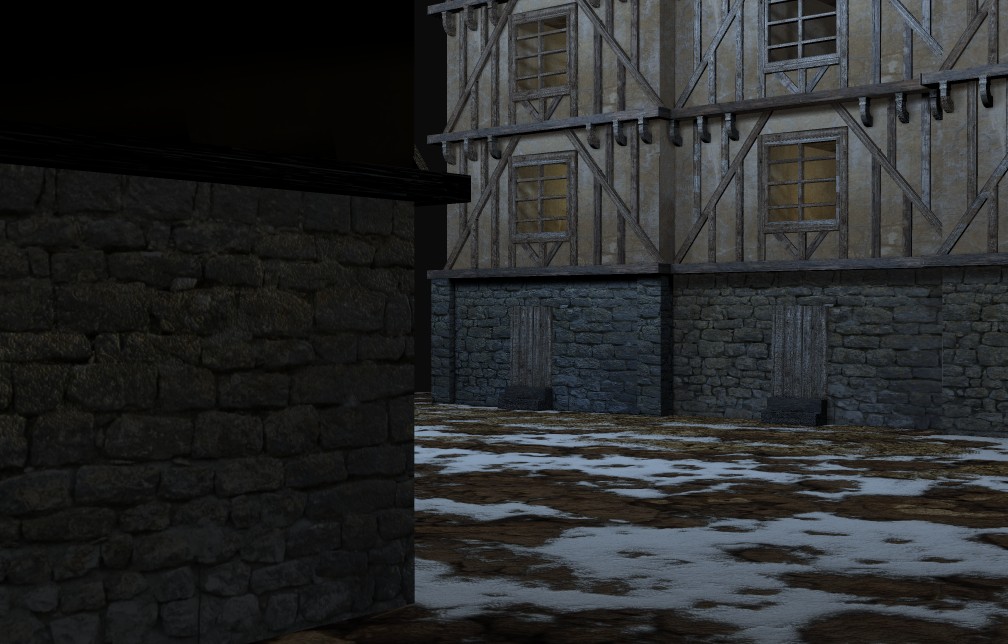
Okay another updated screenie. This time I have a bump map applied to the texture map.
Things I need to work on:
1) rounding off the brick corners...way too sharp
2) UVMapping the brick a little better to align the stones
3) dirty up the brick texture some
and everything else I have no thought of yet.
I will admit that so far I am pretty darn happy with the way this is coming out. More importantly I am not bored because I am learning new stuff, which always helps! Thanks again for all the encouragement.
Things I need to work on:
1) rounding off the brick corners...way too sharp
2) UVMapping the brick a little better to align the stones
3) dirty up the brick texture some
and everything else I have no thought of yet.
I will admit that so far I am pretty darn happy with the way this is coming out. More importantly I am not bored because I am learning new stuff, which always helps! Thanks again for all the encouragement.
-
LeonRegis
- Captain
- Posts: 1946
- Joined: 18 Aug 2009, 17:36
- Type the number ten into the box: 0
- Location: Brazil/Earth/Orion Arm/Milky Way/4th Dimension/This Universe/Multiverse???/Singularity???
Re: Tinkering with Alpha Masks
Cool, I'm sure that you'll do wonderful scenes! About the sharp corners you can use fillet tool, just a bit... almost nothing, it makes huge differences!
HTH
HTH
Be the change you want to see in the world. - Mohandas Gandhi
-
tahnoak
- Master Chief Petty Officer
- Posts: 339
- Joined: 02 Sep 2009, 01:31
Re: Tinkering with Alpha Masks
hey, thanks. Yeah, I have used that and it works great but it plays havoc with my UVMapping. If I have to do that then I will but I will continue to look for alternatives in the meantime.leonregis wrote:Cool, I'm sure that you'll do wonderful scenes! About the sharp corners you can use fillet tool, just a bit... almost nothing, it makes huge differences!
HTH
-
tahnoak
- Master Chief Petty Officer
- Posts: 339
- Joined: 02 Sep 2009, 01:31
-
Tommy
- Master Chief Petty Officer
- Posts: 403
- Joined: 28 Jun 2009, 14:05
- Type the number ten into the box: 0
- Location: Sweden, Göteborg
Re: Tinkering with Alpha Masks
It looks very nice. The only thing I can se is that the stone corner are to sharp. But otherwise it's very impressive. I learn a lot looking at your pictures and how you have done them. Alpha masks seems a very interesting thing to deal with.
"Carpe diem"
-
LeonRegis
- Captain
- Posts: 1946
- Joined: 18 Aug 2009, 17:36
- Type the number ten into the box: 0
- Location: Brazil/Earth/Orion Arm/Milky Way/4th Dimension/This Universe/Multiverse???/Singularity???
Re: Tinkering with Alpha Masks
Looks Great! But as Tommy said the stone is too sharp.
I usually use alpha masks for add dirt in several layers or material rectangles.
Keep the good work!
I usually use alpha masks for add dirt in several layers or material rectangles.
Keep the good work!
Be the change you want to see in the world. - Mohandas Gandhi
-
Finis
- Captain
- Posts: 5410
- Joined: 21 May 2009, 18:26
- Type the number ten into the box: 0
- Location: America!
Re: Tinkering with Alpha Masks
I'm with Tommy and Leon about the stone wall's sharp edge. How to fix it? Modeling some details there would break up the hard edge but coordinating the texture with that would be hard.
Is the snow alpha mapped?
I prefer dangerous freedom over peaceful servitude. -- Thomas Jefferson/Jean Jacques Rousseau
-
tahnoak
- Master Chief Petty Officer
- Posts: 339
- Joined: 02 Sep 2009, 01:31
Re: Tinkering with Alpha Masks
Yeah, I know the stone corners are too straight. Working on either hiding that
or fixing it. Right now I am leaning towards hiding it as best I can.
Finis: The ground cover is alpha mapped but not the snow part. That is a snow texture with a dirt path mapped into it using GIMP. I am trying to give the appearance of a lot of foot traffic from the doorways though admittedly it is hard to see from that viewpoint so I may not even mess with it.
I added a barrel to hide the sharp corner but the barrel model stinks (my own) and I know there are plenty of free ones out there but that would defeat the purpose for me
but now that I see this on the screen in an image, the barrels look too big so I will scale them down a bit.
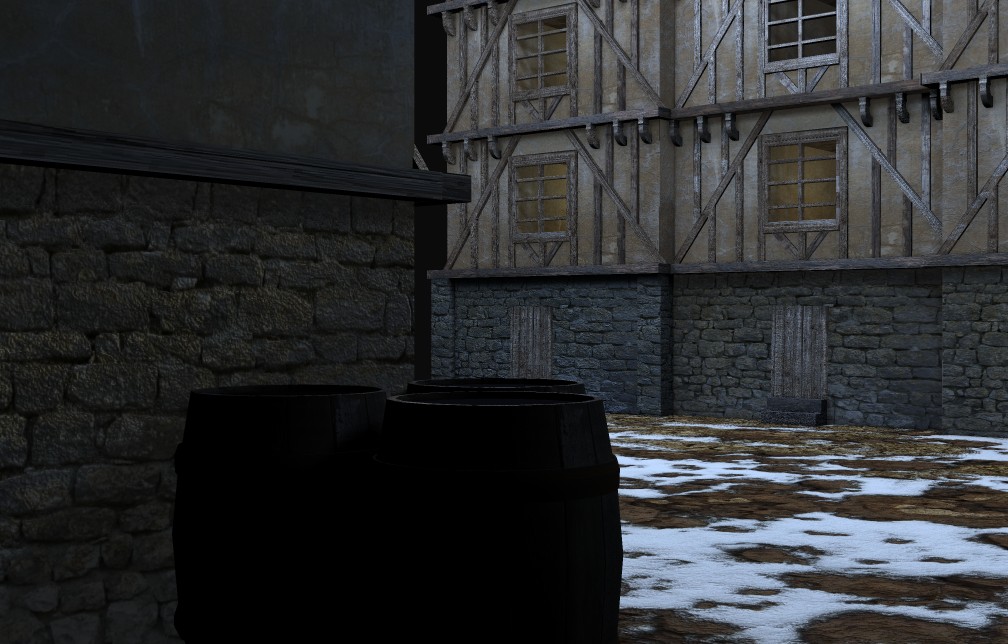
Finis: The ground cover is alpha mapped but not the snow part. That is a snow texture with a dirt path mapped into it using GIMP. I am trying to give the appearance of a lot of foot traffic from the doorways though admittedly it is hard to see from that viewpoint so I may not even mess with it.
I added a barrel to hide the sharp corner but the barrel model stinks (my own) and I know there are plenty of free ones out there but that would defeat the purpose for me
-
Finis
- Captain
- Posts: 5410
- Joined: 21 May 2009, 18:26
- Type the number ten into the box: 0
- Location: America!
Re: Tinkering with Alpha Masks
Pre-made stuff is for professionals who have deadlines to meet. Us hobbyists are learning and having fun so do-it-yourself is best for us.
This scene is looking good. I'm impressed with how you apply a new skill, like alpha maps, with good results so quickly.
Close up rock walls: You could use a tool that makes geometry, sort of a relief sculpture, from an image file. Give it the bump map you use for the wall. Then use that "terrain" panel where there a walls near the camera. Apply the rock texture to it and you could match the geometry to the texture. It might not need to be high poly.
Maybe there is a displacement map tool. Like a bump map but it creates geometry.
Example soon.
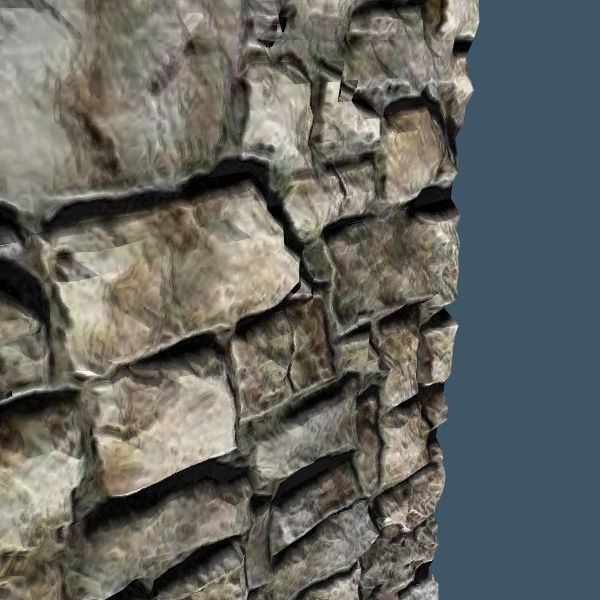
This scene is looking good. I'm impressed with how you apply a new skill, like alpha maps, with good results so quickly.
Close up rock walls: You could use a tool that makes geometry, sort of a relief sculpture, from an image file. Give it the bump map you use for the wall. Then use that "terrain" panel where there a walls near the camera. Apply the rock texture to it and you could match the geometry to the texture. It might not need to be high poly.
Maybe there is a displacement map tool. Like a bump map but it creates geometry.
Example soon.
I prefer dangerous freedom over peaceful servitude. -- Thomas Jefferson/Jean Jacques Rousseau
-
tahnoak
- Master Chief Petty Officer
- Posts: 339
- Joined: 02 Sep 2009, 01:31
Re: Tinkering with Alpha Masks
Thanks Finis. I am very interested in what you have in mind. Admittedly I thought I had done all that I could, short of modeling each stone individually on the corner to add geometry.Finis wrote:Pre-made stuff is for professionals who have deadlines to meet. Us hobbyists are learning and having fun so do-it-yourself is best for us.
This scene is looking good. I'm impressed with how you apply a new skill, like alpha maps, with good results so quickly.
Close up rock walls: You could use a tool that makes geometry, sort of a relief sculpture, from an image file. Give it the bump map you use for the wall. Then use that "terrain" panel where there a walls near the camera. Apply the rock texture to it and you could match the geometry to the texture. It might not need to be high poly.
Maybe there is a displacement map tool. Like a bump map but it creates geometry.
Example soon.
-
Finis
- Captain
- Posts: 5410
- Joined: 21 May 2009, 18:26
- Type the number ten into the box: 0
- Location: America!
Re: Tinkering with Alpha Masks
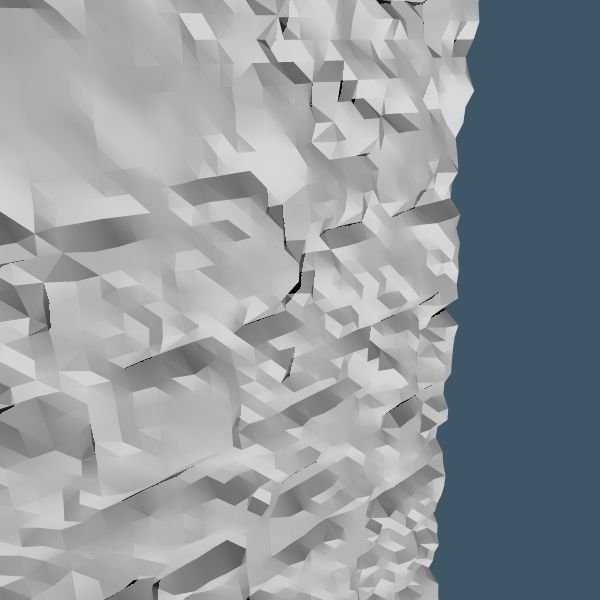
Example. I used Simon's Displacedatplace plug-in, from Cool Powers 2, on 7.6 model side to make this "terrain" from a rock wall bump map. The white untextured picture shows the geometry. Note that it is not highly detailed (16K polys). There are artifacts that would need to be fixed for a close up like this. Then I applied the rock texture and bump map. Since the geometry is based on the image the image(s) fit the geometry when used as a texture.
There are several plug-ins that do displacements and I think workspace has a tool for this. They are usually used to make landmasses.
You could make a "relief sculpture" like this and just use it for visible parts of close up walls.
I think my picture is upside down for the shadows. Be sure to apply the texture so that its shadows (bump and color) go same direction as the shadows from the geometry. Usually, of course, below the details.
There are several plug-ins that do displacements and I think workspace has a tool for this. They are usually used to make landmasses.
You could make a "relief sculpture" like this and just use it for visible parts of close up walls.
I think my picture is upside down for the shadows. Be sure to apply the texture so that its shadows (bump and color) go same direction as the shadows from the geometry. Usually, of course, below the details.
I prefer dangerous freedom over peaceful servitude. -- Thomas Jefferson/Jean Jacques Rousseau
-
Tommy
- Master Chief Petty Officer
- Posts: 403
- Joined: 28 Jun 2009, 14:05
- Type the number ten into the box: 0
- Location: Sweden, Göteborg
Re: Tinkering with Alpha Masks
It's very interesting to see your work progress tahnoak. You present your work how it's developing and it's very interesting to see. I have to learn more about alpha masks and your posts are great to look at with your excellent work and also showing the problems you have. I learn a lot.
Thank you!
Thank you!
"Carpe diem"
-
tahnoak
- Master Chief Petty Officer
- Posts: 339
- Joined: 02 Sep 2009, 01:31
Re: Tinkering with Alpha Masks
Thanks Finis...I downloaded CP2 and will start messing with that.
Tommy..Thank you. I appreciate it. I am learning a lot by sheer trial and error and the great folks on here. If there are any specific things you want to know about let me know. I probably want to know the same things
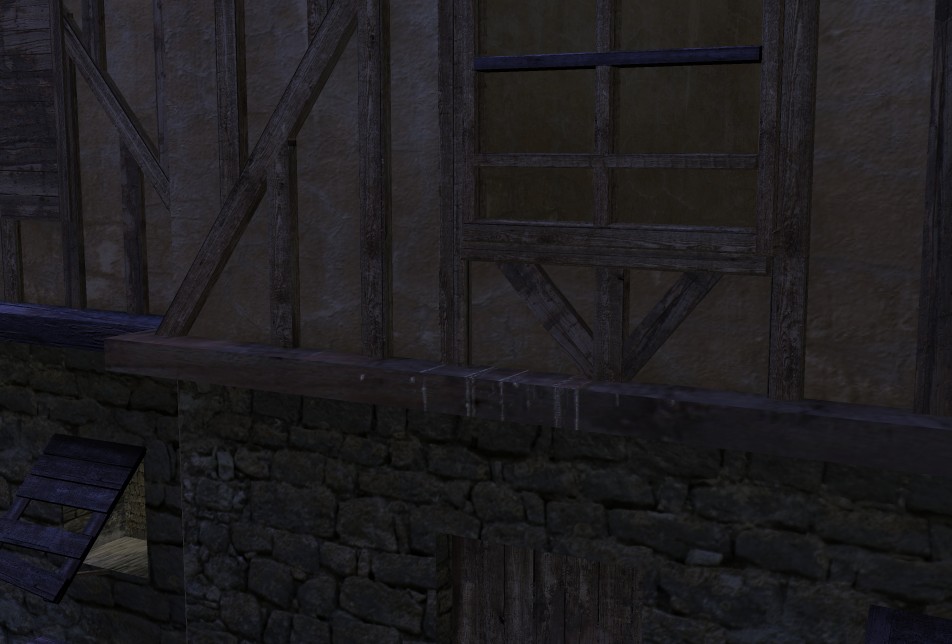
Speaking of which....anybody have any thoughts as to the cause of the banding I see in this image? (see the door and the discoloration across some of the wood).
Let me know what specs you need.
It is model side (everything is model side for me) and there are a few local lights and a gnomiometric light for the atmostphere. I am not sure if it is a textural issue or an environmental thing.
Tommy..Thank you. I appreciate it. I am learning a lot by sheer trial and error and the great folks on here. If there are any specific things you want to know about let me know. I probably want to know the same things
Speaking of which....anybody have any thoughts as to the cause of the banding I see in this image? (see the door and the discoloration across some of the wood).
Let me know what specs you need.
It is model side (everything is model side for me) and there are a few local lights and a gnomiometric light for the atmostphere. I am not sure if it is a textural issue or an environmental thing.
-
Finis
- Captain
- Posts: 5410
- Joined: 21 May 2009, 18:26
- Type the number ten into the box: 0
- Location: America!
Re: Tinkering with Alpha Masks
CP2: Wiggledy is good. You can add imperfections that make things look more convincing. Good for making rocks too.
CP2: With Displacedatplace don't make the Z scale too big. Instead use the TS scale tool to stretch the object in the Z direction if you want it taller. You can edit a copy of your input image so it works better with the plug-in. Blur or smoothing it often helps. The object it makes might not have the same rotation as the texture picture so be sure you match them by turning the texture map.
Banding: What did you change since the earlier picture without banding? I see that the doors in the previous picture where lighter. Now one is banded and the left one is dark.
The bands are aligned with the door and have precise edges so it is almost certainly a texture problem. A likely suspect is the repeat factor on the texture or some layer of it. Maybe you used a banded image for alpha map transparency by mistake.
CP2: With Displacedatplace don't make the Z scale too big. Instead use the TS scale tool to stretch the object in the Z direction if you want it taller. You can edit a copy of your input image so it works better with the plug-in. Blur or smoothing it often helps. The object it makes might not have the same rotation as the texture picture so be sure you match them by turning the texture map.
Banding: What did you change since the earlier picture without banding? I see that the doors in the previous picture where lighter. Now one is banded and the left one is dark.
The bands are aligned with the door and have precise edges so it is almost certainly a texture problem. A likely suspect is the repeat factor on the texture or some layer of it. Maybe you used a banded image for alpha map transparency by mistake.
I prefer dangerous freedom over peaceful servitude. -- Thomas Jefferson/Jean Jacques Rousseau
-
tahnoak
- Master Chief Petty Officer
- Posts: 339
- Joined: 02 Sep 2009, 01:31
Re: Tinkering with Alpha Masks
Hey Finis, thanks for the rundown on CP2. Looks like a useful tool. I also downloaded CP3 for the heck of it.
I found the problem shortly after I posted that. There was an extra textured object aligned with that door. Somehow it was causing problems. I deleted it and voila` problem solved.
-
spacekdet
- Captain
- Posts: 1810
- Joined: 27 May 2009, 15:00
- Type the number ten into the box: 10
- Location: On the day shift at the Utility Muffin Research Kitchen
Re: Tinkering with Alpha Masks
While I'm a big coolpowers fan,
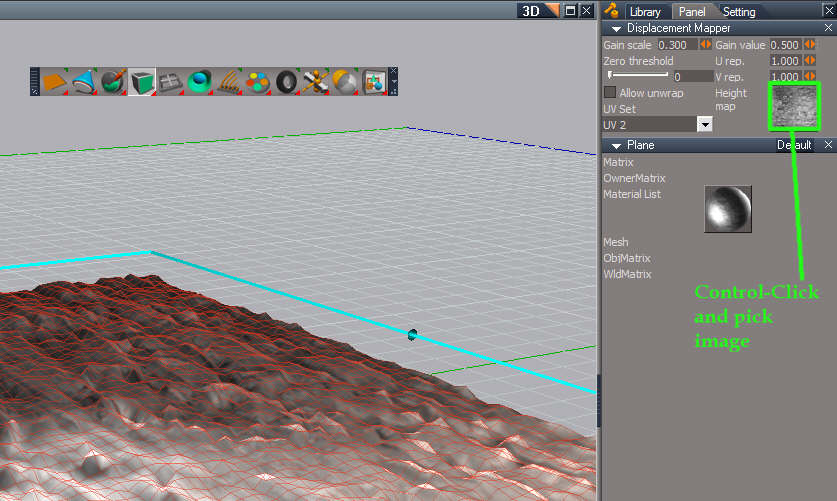
Workspace Map Displacement is a snap to use and can be more stable.
Switch to Workspace.
Create a plane, enter Point Edit by right clicking it.
Select the top face and Quad Divide it a few times.
Right and left click the Map Displacement icon. Open Stack if it is not visible, and then Control Click the area indicated.
Select an image and immediately the mesh is deformed using the image's light and dark values.
Lighter areas are elevated, darker areas are depressed.
Adjust parameters to your liking.
Workspace Map Displacement is a snap to use and can be more stable.
Switch to Workspace.
Create a plane, enter Point Edit by right clicking it.
Select the top face and Quad Divide it a few times.
Right and left click the Map Displacement icon. Open Stack if it is not visible, and then Control Click the area indicated.
Select an image and immediately the mesh is deformed using the image's light and dark values.
Lighter areas are elevated, darker areas are depressed.
Adjust parameters to your liking.
-
tahnoak
- Master Chief Petty Officer
- Posts: 339
- Joined: 02 Sep 2009, 01:31
Re: Tinkering with Alpha Masks
Thanks spacekdet. I'm not a workspace side user (only because I never really used it that much) but maybe it's time I expanded my horizons and took off the training wheels
I will give it a look=see.
-
tahnoak
- Master Chief Petty Officer
- Posts: 339
- Joined: 02 Sep 2009, 01:31
Re: Tinkering with Alpha Masks
Throwin an updated Screenie for your viewing pleasure (or displeasure)
I know some things I need to work on:
1) Step on middle building is too low
2) Corners still too sharp (I have not addressed that yet)
3) try and add some blowing snow
4) dirty up the stairs and bottoms of the stone walls with some splashed snow
5) Put some more little detailed stuff.
I know some things I need to work on:
1) Step on middle building is too low
2) Corners still too sharp (I have not addressed that yet)
3) try and add some blowing snow
4) dirty up the stairs and bottoms of the stone walls with some splashed snow
5) Put some more little detailed stuff.
-
Dragneye
- Lieutenant
- Posts: 906
- Joined: 02 Sep 2009, 22:09
Re: Tinkering with Alpha Masks
Thank you guys for posting detailed pics. Helps all levels in learning the new/old buttons in tS.

-
tahnoak
- Master Chief Petty Officer
- Posts: 339
- Joined: 02 Sep 2009, 01:31
Re: Tinkering with Alpha Masks
Finis wrote:CP2: Wiggledy is good. You can add imperfections that make things look more convincing. Good for making rocks too.
CP2: With Displacedatplace don't make the Z scale too big. Instead use the TS scale tool to stretch the object in the Z direction if you want it taller. You can edit a copy of your input image so it works better with the plug-in. Blur or smoothing it often helps. The object it makes might not have the same rotation as the texture picture so be sure you match them by turning the texture map.
Banding: What did you change since the earlier picture without banding? I see that the doors in the previous picture where lighter. Now one is banded and the left one is dark.
The bands are aligned with the door and have precise edges so it is almost certainly a texture problem. A likely suspect is the repeat factor on the texture or some layer of it. Maybe you used a banded image for alpha map transparency by mistake.
Well tS did it's normal trick on me when I tried to do an undo it changed the textures on half of my objects so I had to back and fix the textures on the doors. Maybe I missed something on going back.
-
Finis
- Captain
- Posts: 5410
- Joined: 21 May 2009, 18:26
- Type the number ten into the box: 0
- Location: America!
Re: Tinkering with Alpha Masks
I save my scenes to two files. The main one and a _bak one. Then I save the main scene before major work or use of known buggy tools or procedures. _bak gets an occasional save and at landmark events. I'll also make separate, sometimes temporary, working scenes to work on certain objects or do experiments.
For a big or complicated project I'll eventually make a _prod scene (production) which starts new and has only the finished objects in it. Its purpose is to set up a scene to produce the final render. Object and camera positions, lighting, and minor texture adjustments would be changed here.
I'll also save major objects to .obj files for disaster reload and use in other projects.
For a big or complicated project I'll eventually make a _prod scene (production) which starts new and has only the finished objects in it. Its purpose is to set up a scene to produce the final render. Object and camera positions, lighting, and minor texture adjustments would be changed here.
I'll also save major objects to .obj files for disaster reload and use in other projects.
I prefer dangerous freedom over peaceful servitude. -- Thomas Jefferson/Jean Jacques Rousseau
-
Tommy
- Master Chief Petty Officer
- Posts: 403
- Joined: 28 Jun 2009, 14:05
- Type the number ten into the box: 0
- Location: Sweden, Göteborg
Re: Tinkering with Alpha Masks
Thank you tahnoak for posting your problems with alpha masks.
I'am learning a lot. I'm not so far in working with alpha masks as you but I will get into it someday. In the last picture with the snow on the ground it's for me the snow looks as clouds above the ground. I like the snow more from the picture you posted sat. dec. 05 2009 11.52. For me it's snow which has fallen and has melted for a time.
"Carpe diem"
-
tahnoak
- Master Chief Petty Officer
- Posts: 339
- Joined: 02 Sep 2009, 01:31
Re: Tinkering with Alpha Masks
Finis wrote:I save my scenes to two files. The main one and a _bak one. Then I save the main scene before major work or use of known buggy tools or procedures. _bak gets an occasional save and at landmark events. I'll also make separate, sometimes temporary, working scenes to work on certain objects or do experiments.
For a big or complicated project I'll eventually make a _prod scene (production) which starts new and has only the finished objects in it. Its purpose is to set up a scene to produce the final render. Object and camera positions, lighting, and minor texture adjustments would be changed here.
I'll also save major objects to .obj files for disaster reload and use in other projects.
Finis...great idea. I will have to start implementing some of that. I try to make backups before any major work or even save the scene as a revision of the main one (Scene1a, etc..).
-
tahnoak
- Master Chief Petty Officer
- Posts: 339
- Joined: 02 Sep 2009, 01:31
Re: Tinkering with Alpha Masks
Tommy...no problem. Thanks for the support. I am torn on the snow on the ground. I really liked the first one with some dirt showing through but I am pretty fond of this one as well. I need to tweak it some. I like the depth that it provides. I felt the first one wa a bit too flat. I am also going to try and make a mask using GIMP to simulate wagon tracks through the snow, that should be interesting. Wish me luck!Tommy wrote:Thank you tahnoak for posting your problems with alpha masks.
I'am learning a lot. I'm not so far in working with alpha masks as you but I will get into it someday. In the last picture with the snow on the ground it's for me the snow looks as clouds above the ground. I like the snow more from the picture you posted sat. dec. 05 2009 11.52. For me it's snow which has fallen and has melted for a time.
-
Finis
- Captain
- Posts: 5410
- Joined: 21 May 2009, 18:26
- Type the number ten into the box: 0
- Location: America!
Re: Tinkering with Alpha Masks
You could use CP2 or the workspace tool Spacekdet told about to make your choice of snow not flat with a slightly sculpted ground.
I prefer dangerous freedom over peaceful servitude. -- Thomas Jefferson/Jean Jacques Rousseau
-
tahnoak
- Master Chief Petty Officer
- Posts: 339
- Joined: 02 Sep 2009, 01:31
Re: Tinkering with Alpha Masks
Finis...yep, I will probably do that. i am going to try and tackle some "low hanging fruit" first and then the harder stuff later.Finis wrote:You could use CP2 or the workspace tool Spacekdet told about to make your choice of snow not flat with a slightly sculpted ground.
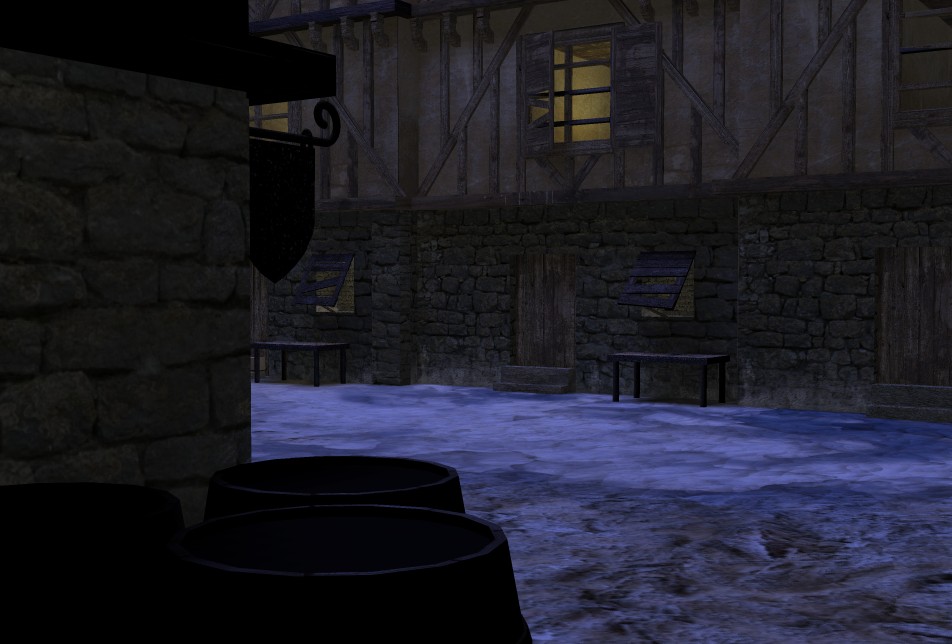
Here are a couple of updated Screenies.
Things to do:
1) fix the sharpness of the walls
2) work on the ground cover (wheel tracks)
3) Add some more little details.
What I have added in this version is the following;
1) Shudders on the main window in the scene
2) Small shudders on the smaller windows
3) Some snow splash on the stone face near the ground
4) dirt/bird mess on the wood of the building
-
Tommy
- Master Chief Petty Officer
- Posts: 403
- Joined: 28 Jun 2009, 14:05
- Type the number ten into the box: 0
- Location: Sweden, Göteborg
Re: Tinkering with Alpha Masks
The snow at the last picture looks very nice. I believe the Eskimos have a lots of words for how snow are. For me, living in the northern part of the earth looking at the picture. The history for the snow are :
It has been snowing for a while. When some warm weather followed with cold weather with a crust on the snow and then hard winds which blows the snow under the crust away and bring some dirt to the snow. Again little warm weather and at last a little cold for the ice in the front.
That's a very good picture which can bring out so much from my experience and imiganation.
It has been snowing for a while. When some warm weather followed with cold weather with a crust on the snow and then hard winds which blows the snow under the crust away and bring some dirt to the snow. Again little warm weather and at last a little cold for the ice in the front.
That's a very good picture which can bring out so much from my experience and imiganation.
"Carpe diem"
-
tahnoak
- Master Chief Petty Officer
- Posts: 339
- Joined: 02 Sep 2009, 01:31
Re: Tinkering with Alpha Masks
Tommy wrote:The snow at the last picture looks very nice. I believe the Eskimos have a lots of words for how snow are. For me, living in the northern part of the earth looking at the picture. The history for the snow are :
It has been snowing for a while. When some warm weather followed with cold weather with a crust on the snow and then hard winds which blows the snow under the crust away and bring some dirt to the snow. Again little warm weather and at last a little cold for the ice in the front.
That's a very good picture which can bring out so much from my experience and imiganation.
Tommy...thanks for the feedback. I tried to draw from what little experience I have here in Virginia when it comes to snow
-
tahnoak
- Master Chief Petty Officer
- Posts: 339
- Joined: 02 Sep 2009, 01:31
Re: Tinkering with Alpha Masks
Just when you think you've seen the last of this thread... BAM, here it is again.
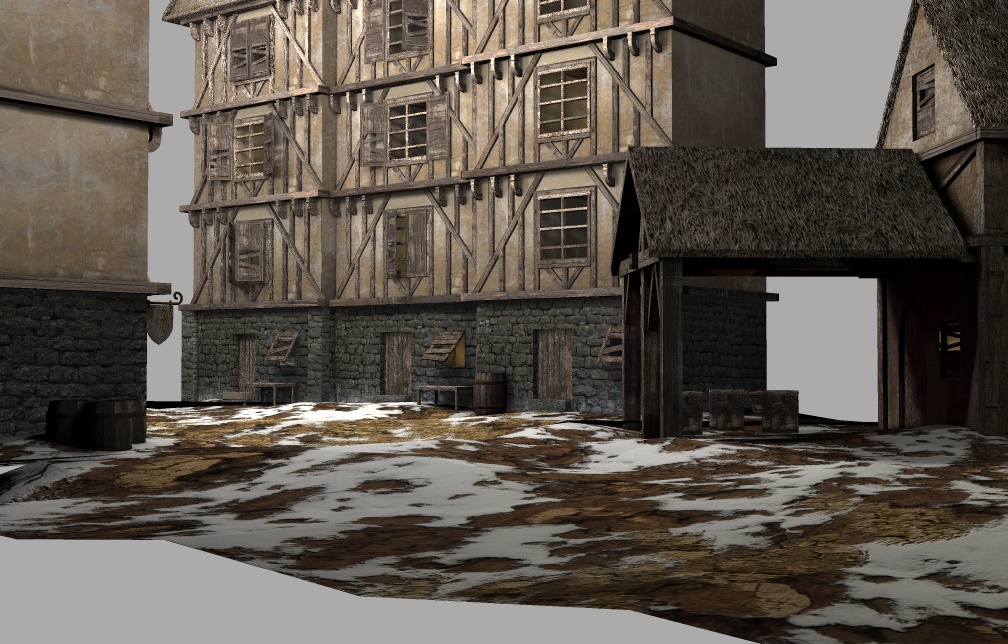
Updated screenie. Changed the terrain and added another building (smithy).
Things to do:
1) I have been able to re-create the displacement map in Vue but not really to my satisfaction in trueSpace but it is a b*tch exporting to Vue and then having Vue handle boolean objects gracefully unless I am just doing something wrong.
2) Add more shutters
3) Add falling snow (still...but this is post production)
4) Add landscape (Vue)
5) Model some of the smithy tools, to include the forge
6) Fix the horked up texture on the top floor of the building
7) Tweak the lighting for a bit more blue hue
8) Make a daytime version
Updated screenie. Changed the terrain and added another building (smithy).
Things to do:
1) I have been able to re-create the displacement map in Vue but not really to my satisfaction in trueSpace but it is a b*tch exporting to Vue and then having Vue handle boolean objects gracefully unless I am just doing something wrong.
2) Add more shutters
3) Add falling snow (still...but this is post production)
4) Add landscape (Vue)
5) Model some of the smithy tools, to include the forge
6) Fix the horked up texture on the top floor of the building
7) Tweak the lighting for a bit more blue hue
8) Make a daytime version
-
Tommy
- Master Chief Petty Officer
- Posts: 403
- Joined: 28 Jun 2009, 14:05
- Type the number ten into the box: 0
- Location: Sweden, Göteborg
Re: Tinkering with Alpha Masks
It's looking great. Rather dark so I am looking forward to se the daytime version. Keep on posting your progress. A have also began to explore textures and alfamasks.
"Carpe diem"
-
trueBlue
- Captain
- Posts: 5548
- Joined: 06 Jul 2009, 22:50
- Type the number ten into the box: 10
Re: Tinkering with Alpha Masks
This should help:tahnoak wrote: 1) I have been able to re-create the displacement map in Vue but not really to my satisfaction in trueSpace but it is a b*tch exporting to Vue and then having Vue handle boolean objects gracefully unless I am just doing something wrong.
viewtopic.php?t=237"
-
Steinie
- Captain
- Posts: 2958
- Joined: 21 May 2009, 17:38
- Type the number ten into the box: 10
Re: Tinkering with Alpha Masks
I notice this on most of your recent work that your work is too dark.
I've checked this on two different monitors so far.
Have you adjusted your monitor lately? I can barely make out your scenes.
Check out your own stuff on another computer monitor
to see if you see what I don't see...

I've checked this on two different monitors so far.
Have you adjusted your monitor lately? I can barely make out your scenes.
Check out your own stuff on another computer monitor
to see if you see what I don't see...
-
tahnoak
- Master Chief Petty Officer
- Posts: 339
- Joined: 02 Sep 2009, 01:31
Re: Tinkering with Alpha Masks
Steinie wrote:I notice this on most of your recent work that your work is too dark.
I've checked this on two different monitors so far.
Have you adjusted your monitor lately? I can barely make out your scenes.
Check out your own stuff on another computer monitor
to see if you see what I don't see...![]()
I think you may be right. I have no checked my monitor lately but i do find myself sitting up in my seat a little higher to see things. Let me play around with the monitor and see. I am looking at it on my laptop right now and while it looks a little dark (maybe too dark for night time) it is not overly dark on here.
-
tahnoak
- Master Chief Petty Officer
- Posts: 339
- Joined: 02 Sep 2009, 01:31
Re: Tinkering with Alpha Masks
Tommy...Thanks. I am seeing a pattern in the comments about the darknessTommy wrote:It's looking great. Rather dark so I am looking forward to se the daytime version. Keep on posting your progress. A have also began to explore textures and alfamasks.
-
Finis
- Captain
- Posts: 5410
- Joined: 21 May 2009, 18:26
- Type the number ten into the box: 0
- Location: America!
Re: Tinkering with Alpha Masks
Style and art: Great.
Darkness: Like your bar-in-the-alley, with more contrast a dark scene looks better. That is have some bright objects or areas. That way the dark parts can look dark while not really being near-black. You get the emotional/visual effects of darkness but can still see things in all but the darkest areas and, being brighter than it seems, the image will look good on more people's screens. On my monitor the barrels are just a silhouette.
Ground: Looks better. Less flat.
Buildings: There should be things inside the rooms. The lit rooms should not all have the same brightness. The building with the lit windows looks thin. The side facing the smithy is either cut off by some object I can't see (dark) or the building is like a cereal box turned on its side.
Foreground: It needs objects in the foreground. They would be lit by lights behind the camera since there are buildings there too or the viewer might have a lamp.
Darkness: Like your bar-in-the-alley, with more contrast a dark scene looks better. That is have some bright objects or areas. That way the dark parts can look dark while not really being near-black. You get the emotional/visual effects of darkness but can still see things in all but the darkest areas and, being brighter than it seems, the image will look good on more people's screens. On my monitor the barrels are just a silhouette.
Ground: Looks better. Less flat.
Buildings: There should be things inside the rooms. The lit rooms should not all have the same brightness. The building with the lit windows looks thin. The side facing the smithy is either cut off by some object I can't see (dark) or the building is like a cereal box turned on its side.
Foreground: It needs objects in the foreground. They would be lit by lights behind the camera since there are buildings there too or the viewer might have a lamp.
I prefer dangerous freedom over peaceful servitude. -- Thomas Jefferson/Jean Jacques Rousseau
-
tahnoak
- Master Chief Petty Officer
- Posts: 339
- Joined: 02 Sep 2009, 01:31
Re: Tinkering with Alpha Masks
There will be some trees and probably something else prominent in the foreground if and when I get this ported over to Vue and can take advantage of the Eco-systems capability.Finis wrote:Style and art: Great.
Thank you..
Darkness: Like your bar-in-the-alley, with more contrast a dark scene looks better. That is have some bright objects or areas. That way the dark parts can look dark while not really being near-black. You get the emotional/visual effects of darkness but can still see things in all but the darkest areas and, being brighter than it seems, the image will look good on more people's screens. On my monitor the barrels are just a silhouette.
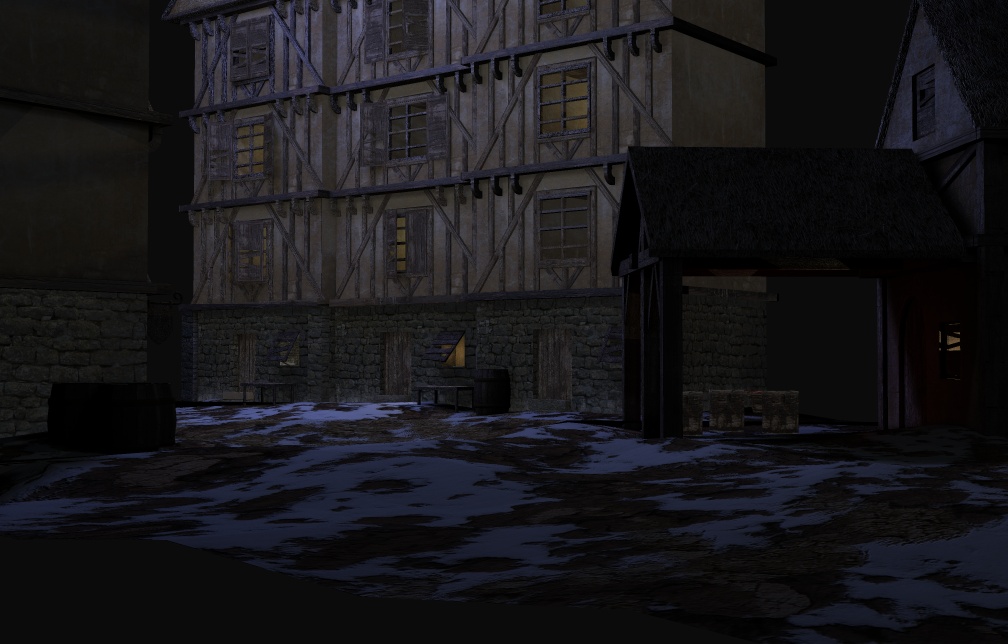
I brightened this one up a bit, but maybe not enough yet.
Ground: Looks better. Less flat.
Buildings: There should be things inside the rooms. The lit rooms should not all have the same brightness. The building with the lit windows looks thin. The side facing the smithy is either cut off by some object I can't see (dark) or the building is like a cereal box turned on its side.
Yeah, I need to personalize the rooms a little bit. Right now it is supposed to give a feeling of comfort and safety inside the warm glow of the room from the cold outside. The smithy is not very bright (no pun intended)yet..
Foreground: It needs objects in the foreground. They would be lit by lights behind the camera since there are buildings there too or the viewer might have a lamp.
Thanks again for the comments. I always appreciate them.
-
tahnoak
- Master Chief Petty Officer
- Posts: 339
- Joined: 02 Sep 2009, 01:31
Re: Tinkering with Alpha Masks
Thank you! This will take some time to digest as I don't use the workspace side at all but maybe the principle is the same.trueBlue wrote:This should help:tahnoak wrote: 1) I have been able to re-create the displacement map in Vue but not really to my satisfaction in trueSpace but it is a b*tch exporting to Vue and then having Vue handle boolean objects gracefully unless I am just doing something wrong.
viewtopic.php?t=237"
-
LeonRegis
- Captain
- Posts: 1946
- Joined: 18 Aug 2009, 17:36
- Type the number ten into the box: 0
- Location: Brazil/Earth/Orion Arm/Milky Way/4th Dimension/This Universe/Multiverse???/Singularity???
Re: Tinkering with Alpha Masks
Impressive Tahnoak! There is missing some ground but you should already know it. And the central area seems to empty, do you plan to put something there? Also you should look for some sky texture to put in the background.
Keep the good work!
Keep the good work!
Be the change you want to see in the world. - Mohandas Gandhi
-
tahnoak
- Master Chief Petty Officer
- Posts: 339
- Joined: 02 Sep 2009, 01:31
Re: Tinkering with Alpha Masks
thanks a lot leonregis..
Yeah, I know about the missing terrain. Ultimately I want to port this to Vue and add some vegetation if I can. I am also considering adding an old fountain in that big open space. Maybe I can throw some old ivy vines on it as well.
The plan is to put a gray ominous sky with the scene for the daylight to show the impending storm.
Yeah, I know about the missing terrain. Ultimately I want to port this to Vue and add some vegetation if I can. I am also considering adding an old fountain in that big open space. Maybe I can throw some old ivy vines on it as well.
The plan is to put a gray ominous sky with the scene for the daylight to show the impending storm.
-
Finis
- Captain
- Posts: 5410
- Joined: 21 May 2009, 18:26
- Type the number ten into the box: 0
- Location: America!
Re: Tinkering with Alpha Masks
Looking good.
Picky things:
The "apartment building" looks too thin to me. It is one room thick. Making it thicker would hide some of the sky though and you have plans that need enough sky showing.
Some of the ground looks like floating sheets of dirt.
Picky things:
The "apartment building" looks too thin to me. It is one room thick. Making it thicker would hide some of the sky though and you have plans that need enough sky showing.
Some of the ground looks like floating sheets of dirt.
I prefer dangerous freedom over peaceful servitude. -- Thomas Jefferson/Jean Jacques Rousseau
-
Tommy
- Master Chief Petty Officer
- Posts: 403
- Joined: 28 Jun 2009, 14:05
- Type the number ten into the box: 0
- Location: Sweden, Göteborg
Re: Tinkering with Alpha Masks
For me the buildnings don't look to thin. I belive these houses seems very old. Old city buildings here in Europe often are thin and built uppwards. I think this is a cultural thing. Maybee we in Europe are more used with thin houses.
We stayed one holyday at a little village in France. The old thin house we lived in had 4 floors and only one room at each floor. Good excercise to run up and down from the bedrooms at the top , bathroom in the middle and the kitchen in the bottom
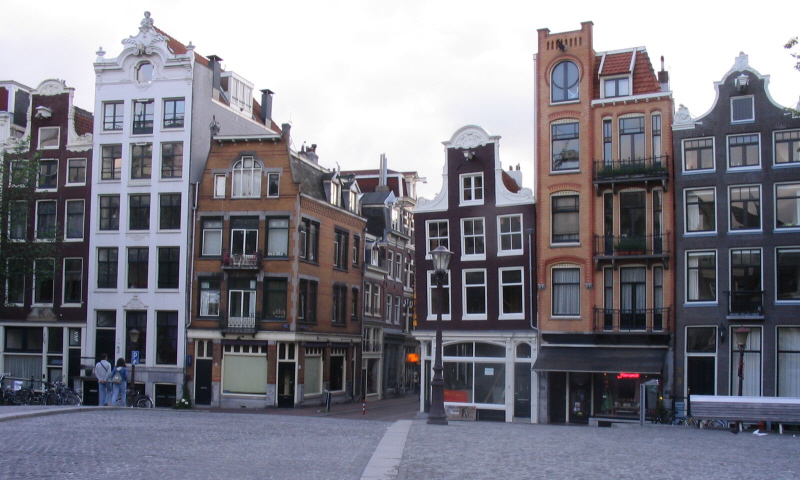
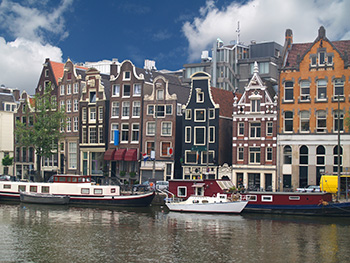
These pictures are from the Nederlands village Amsterdam.
We stayed one holyday at a little village in France. The old thin house we lived in had 4 floors and only one room at each floor. Good excercise to run up and down from the bedrooms at the top , bathroom in the middle and the kitchen in the bottom
These pictures are from the Nederlands village Amsterdam.
Last edited by Tommy on 14 Dec 2009, 16:34, edited 1 time in total.
"Carpe diem"
-
Tommy
- Master Chief Petty Officer
- Posts: 403
- Joined: 28 Jun 2009, 14:05
- Type the number ten into the box: 0
- Location: Sweden, Göteborg
Re: Tinkering with Alpha Masks
When I look at your pictures I think of a very old town with narrow alleys and streets. I don't think you need any sky at all.
I would like to see a alley in the right space were you now can see the sky. In the end of the aley there are a building. You can use the building you already have done. I think it would work well.
Some sort of building maybee a gable to the left which hides the sky.
This is just my thoughts and suggestions from my point of wiew.
I would like to see a alley in the right space were you now can see the sky. In the end of the aley there are a building. You can use the building you already have done. I think it would work well.
Some sort of building maybee a gable to the left which hides the sky.
This is just my thoughts and suggestions from my point of wiew.
"Carpe diem"
-
tahnoak
- Master Chief Petty Officer
- Posts: 339
- Joined: 02 Sep 2009, 01:31
Re: Tinkering with Alpha Masks
Tommy...thanks for the suggestions. You got it exactly. It is supposed to be a very old town, maybe in the shadow of a large mountain back in the medieval times. I plan on having a little bit of sky visible along with another building (or two).
The scene is coming along nicely, so far, which has kept my interest. I find that if I go too long and can't capture what i am trying to do that I tend to move on to something else. The fact that I am still working on this one is pretty significant (for me anyways)
and Finis Thanks.. I know what you mean about the buildings being too thin. You meant from a depth perspective. They can be narrow buildings but they were not very deep. I have increased the depth of them which also removes some visible sky area.
The scene is coming along nicely, so far, which has kept my interest. I find that if I go too long and can't capture what i am trying to do that I tend to move on to something else. The fact that I am still working on this one is pretty significant (for me anyways)
and Finis Thanks.. I know what you mean about the buildings being too thin. You meant from a depth perspective. They can be narrow buildings but they were not very deep. I have increased the depth of them which also removes some visible sky area.
-
Finis
- Captain
- Posts: 5410
- Joined: 21 May 2009, 18:26
- Type the number ten into the box: 0
- Location: America!
Re: Tinkering with Alpha Masks
From Tommy's photo's thin buildings are ok. However, the photos show them with windows on the end, the thin side, and grouped close to each other. Maybe the thin building looks odd because it has no windows on the end and is not near other buildings.
I prefer dangerous freedom over peaceful servitude. -- Thomas Jefferson/Jean Jacques Rousseau
-
Breech Block
- Master Chief Petty Officer
- Posts: 482
- Joined: 13 Jun 2009, 20:31
Re: Tinkering with Alpha Masks
Looking good tahnoak! What may help nail this image down is something in it that really defines the time period. Perhaps you could turn the building on the extreme right into a blacksmiths or cooper. A blazing fire/brazier in that area of the image would also look good with the right lighting. HTH and keep up the good work.
-
tahnoak
- Master Chief Petty Officer
- Posts: 339
- Joined: 02 Sep 2009, 01:31
Re: Tinkering with Alpha Masks
Thanks Breech...been kind of quiet lately. We had a hell of a snowstorm (about 2 feet worth) and we just don't get that in these parts of Virginia so I've been busy digging out and playing with the kids
Anywho, started porting over to Vue. Here is an initial screenie. I know there are lots of texture and alignment problems but I like the ambience of the image. I will probably go through several variations before I find the right look and feel.
-
tahnoak
- Master Chief Petty Officer
- Posts: 339
- Joined: 02 Sep 2009, 01:31
Re: Tinkering with Alpha Masks
Added a day shot after making some corrections and clean up. The top one is the Global Illum lighting but I did not let the render complete and I did not have the ground in place yet. That came after I did that partial render. I saw texture errors and did not want to wait another hour. The second one is with the default atmosphere in Vue.
-
LeonRegis
- Captain
- Posts: 1946
- Joined: 18 Aug 2009, 17:36
- Type the number ten into the box: 0
- Location: Brazil/Earth/Orion Arm/Milky Way/4th Dimension/This Universe/Multiverse???/Singularity???
Re: Tinkering with Alpha Masks
You beat yourself! Best work I ever see from you (I didn't saw much). 
Be the change you want to see in the world. - Mohandas Gandhi
-
Steinie
- Captain
- Posts: 2958
- Joined: 21 May 2009, 17:38
- Type the number ten into the box: 10
Re: Tinkering with Alpha Masks
Your scene is turning out great!
When you start playing with the lighting for the scene
add some color to the lights. The shadows in the foreground
will need to be softened too.
I agree that this is one of your better projects.
When you start playing with the lighting for the scene
add some color to the lights. The shadows in the foreground
will need to be softened too.
I agree that this is one of your better projects.
-
Finis
- Captain
- Posts: 5410
- Joined: 21 May 2009, 18:26
- Type the number ten into the box: 0
- Location: America!
Re: Tinkering with Alpha Masks
Outstanding.
I prefer dangerous freedom over peaceful servitude. -- Thomas Jefferson/Jean Jacques Rousseau
-
tahnoak
- Master Chief Petty Officer
- Posts: 339
- Joined: 02 Sep 2009, 01:31
-
weedhunter
- Chief Petty Officer
- Posts: 105
- Joined: 03 Dec 2009, 14:06
- Type the number ten into the box: 0
- Location: Russian Hell
Re: Tinkering with Alpha Masks
very nice. it reminds me of Elder Scroll IV.
are you going to make a cool game wtih this?
a nice RPG?
My future project is to have tS work on Mac!!
Learning C and Cocoa rite now!!
-
tahnoak
- Master Chief Petty Officer
- Posts: 339
- Joined: 02 Sep 2009, 01:31
Re: Tinkering with Alpha Masks
weedhunter...thanks. I have always been a huge fan of the fantasy RPG (Baldur's Gate) and wish I had the skills to make an RPG. I think for the time being I will just work on creating as realistic scenery as my rudimentary skill level permitsweedhunter wrote:nice job man.
very nice. it reminds me of Elder Scroll IV.
are you going to make a cool game wtih this?
a nice RPG?
Maybe this would be a good stepping off point. Try my hand at a simple level using just this little village...hmmmmm, the possibilities are endless I guess.
-
tahnoak
- Master Chief Petty Officer
- Posts: 339
- Joined: 02 Sep 2009, 01:31
Re: Tinkering with Alpha Masks
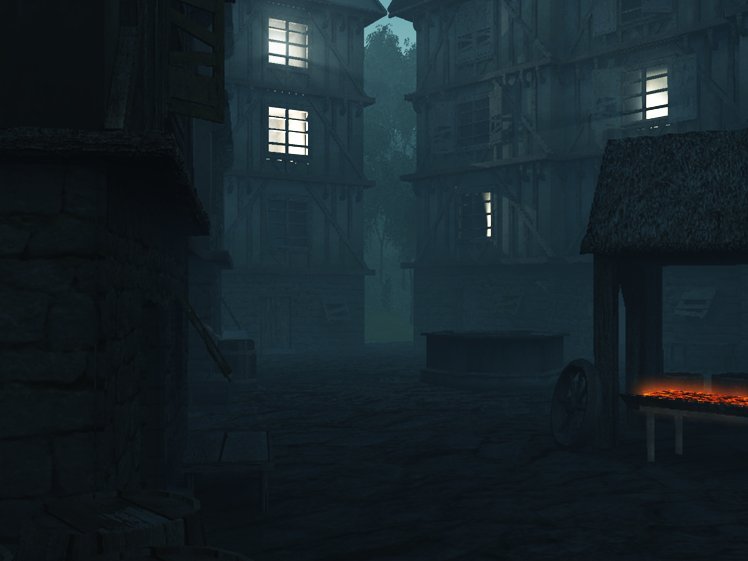
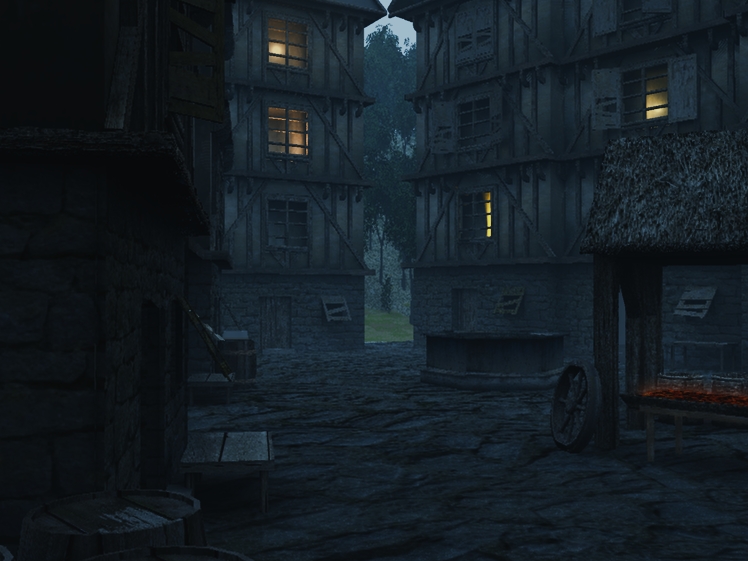
Here is the village just before the dawn breaks. I know I need to tone down the Blacksmith's forge because even the Blacksmith needs to sleep sometime
I think I need to make the lighting from the windows more orange/yellow to simulate the firelight that would have been predominant back in those days. I like the volumetric lighting as it adds to the morning fog.
Maybe there are dogs barking and other forest life just awakening just outside the village square. Soon the sun will be up and another day will begin.
I think I need to make the lighting from the windows more orange/yellow to simulate the firelight that would have been predominant back in those days. I like the volumetric lighting as it adds to the morning fog.
Maybe there are dogs barking and other forest life just awakening just outside the village square. Soon the sun will be up and another day will begin.
-
LeonRegis
- Captain
- Posts: 1946
- Joined: 18 Aug 2009, 17:36
- Type the number ten into the box: 0
- Location: Brazil/Earth/Orion Arm/Milky Way/4th Dimension/This Universe/Multiverse???/Singularity???
Re: Tinkering with Alpha Masks
Dude this is amazing, how can I explain without say bad words?
Outstanding. Which render did you use, and how you did the smoke, master?
Hope you had a Merry Christmas!
Outstanding. Which render did you use, and how you did the smoke, master?
Hope you had a Merry Christmas!
Be the change you want to see in the world. - Mohandas Gandhi
-
tahnoak
- Master Chief Petty Officer
- Posts: 339
- Joined: 02 Sep 2009, 01:31
Re: Tinkering with Alpha Masks
leonregis wrote:Dude this is amazing, how can I explain without say bad words?![]()
Outstanding. Which render did you use, and how you did the smoke, master?
Hope you had a Merry Christmas!
leonregis...Christmas was fantastic..how about yours?
THANK YOU for the kind words..
The render is in Vue Pro Studio using Global Illumination. The smoke is the ambient lighting in the Atmospheric setting as well as the volumetric lighting from the windows.
I am going to try and simulate the same type of render with trueSpace either tonight or tomorrow and then will let you know what settings I used. Also, keep in mind that everything I do in trueSpace is on the Model side so you may have to translate what I give you into Workspace settings.
Thanks again...
-
Breech Block
- Master Chief Petty Officer
- Posts: 482
- Joined: 13 Jun 2009, 20:31
Re: Tinkering with Alpha Masks
Look very good tahnoak. With the modifications you have already suggested, I think this is going to be your best work to date.
If your looking for more improvements, I would hang some tools on hooks around the blacksmith's area for a more authentic look.
If your intending the early morning version as your final image, you could get away with using alpha planes for the tools instead of actually modeling them.
HTH.
If your looking for more improvements, I would hang some tools on hooks around the blacksmith's area for a more authentic look.
If your intending the early morning version as your final image, you could get away with using alpha planes for the tools instead of actually modeling them.
HTH.
-
tahnoak
- Master Chief Petty Officer
- Posts: 339
- Joined: 02 Sep 2009, 01:31
Re: Tinkering with Alpha Masks
Breech..thank you and thanks for the suggestions. I honestly think this is my best stuff to date. It helps to have various tools to work with to enhance the scenes.
I finally have the lighting exactly how I want it. I toned down the hot coals in the blacksmith area but apparently not enough. I would like just a faint hint of orange/red and then in post production I will add some waffs of smoke rising.
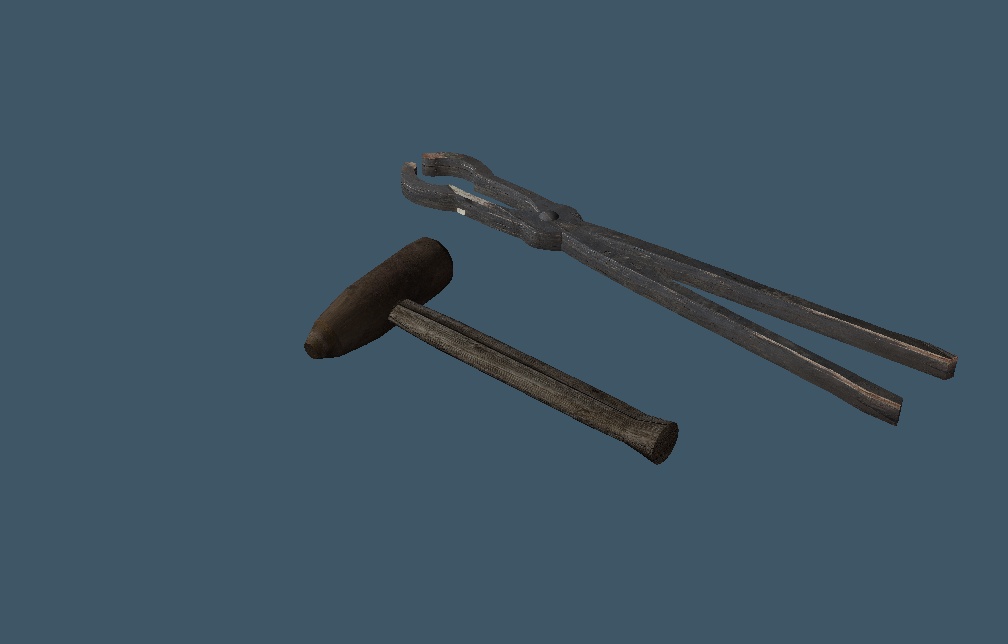
I am working on the alpha planes for the tools. It's hard to find good tool images. I started modeling a hammer, which was easy enough but the tongs are pretty tricky as is the anvil. But I'll keep plugging away. I am almost at the homestretch for this one. I am looking forward to taking what I learned on this project and enhancing some of my older work to see what I can do.
I finally have the lighting exactly how I want it. I toned down the hot coals in the blacksmith area but apparently not enough. I would like just a faint hint of orange/red and then in post production I will add some waffs of smoke rising.
I am working on the alpha planes for the tools. It's hard to find good tool images. I started modeling a hammer, which was easy enough but the tongs are pretty tricky as is the anvil. But I'll keep plugging away. I am almost at the homestretch for this one. I am looking forward to taking what I learned on this project and enhancing some of my older work to see what I can do.
-
LeonRegis
- Captain
- Posts: 1946
- Joined: 18 Aug 2009, 17:36
- Type the number ten into the box: 0
- Location: Brazil/Earth/Orion Arm/Milky Way/4th Dimension/This Universe/Multiverse???/Singularity???
Re: Tinkering with Alpha Masks
We had a really cool Christmas here!
Seems that Vue is a great tool, when I have the money I would buy. No problems I use both sides, workspace to basic model, modelside for the rest (Post modeling, lightning, texturing and rendering).
Would be great if you do the tS version. I need to know more about that volumetric light, I know that tS also has it. And I'm looking for someway to do a fog in one of my scenes (I just stopped doing it because I'm stuck ate the fog creation).
Thank you
Seems that Vue is a great tool, when I have the money I would buy. No problems I use both sides, workspace to basic model, modelside for the rest (Post modeling, lightning, texturing and rendering).
Would be great if you do the tS version. I need to know more about that volumetric light, I know that tS also has it. And I'm looking for someway to do a fog in one of my scenes (I just stopped doing it because I'm stuck ate the fog creation).
Thank you
Be the change you want to see in the world. - Mohandas Gandhi
-
Finis
- Captain
- Posts: 5410
- Joined: 21 May 2009, 18:26
- Type the number ten into the box: 0
- Location: America!
Re: Tinkering with Alpha Masks
Outstanding-er.
I prefer dangerous freedom over peaceful servitude. -- Thomas Jefferson/Jean Jacques Rousseau
-
tahnoak
- Master Chief Petty Officer
- Posts: 339
- Joined: 02 Sep 2009, 01:31
Re: Tinkering with Alpha Masks
Okay folks, I could tinker with this until the cows come home but I think I am ready to put this one to bed.
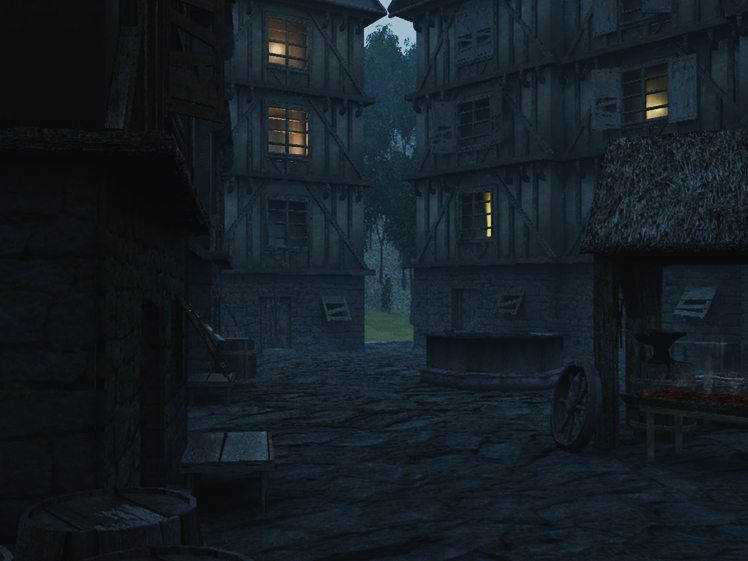
I added some blacksmith tools (need to look close...models shown above) as well as an Anvil and some gentle smoke rising from the smoldering forge.
I appreciate everyone's suggestions and support. It helps a lot.
I may come back and revisit this again in the future but for now, unless somebody comes back and points something out that is extremely obvious and incorrect, I am calling this scene complete.
I added some blacksmith tools (need to look close...models shown above) as well as an Anvil and some gentle smoke rising from the smoldering forge.
I appreciate everyone's suggestions and support. It helps a lot.
I may come back and revisit this again in the future but for now, unless somebody comes back and points something out that is extremely obvious and incorrect, I am calling this scene complete.
-
Breech Block
- Master Chief Petty Officer
- Posts: 482
- Joined: 13 Jun 2009, 20:31
Re: Tinkering with Alpha Masks
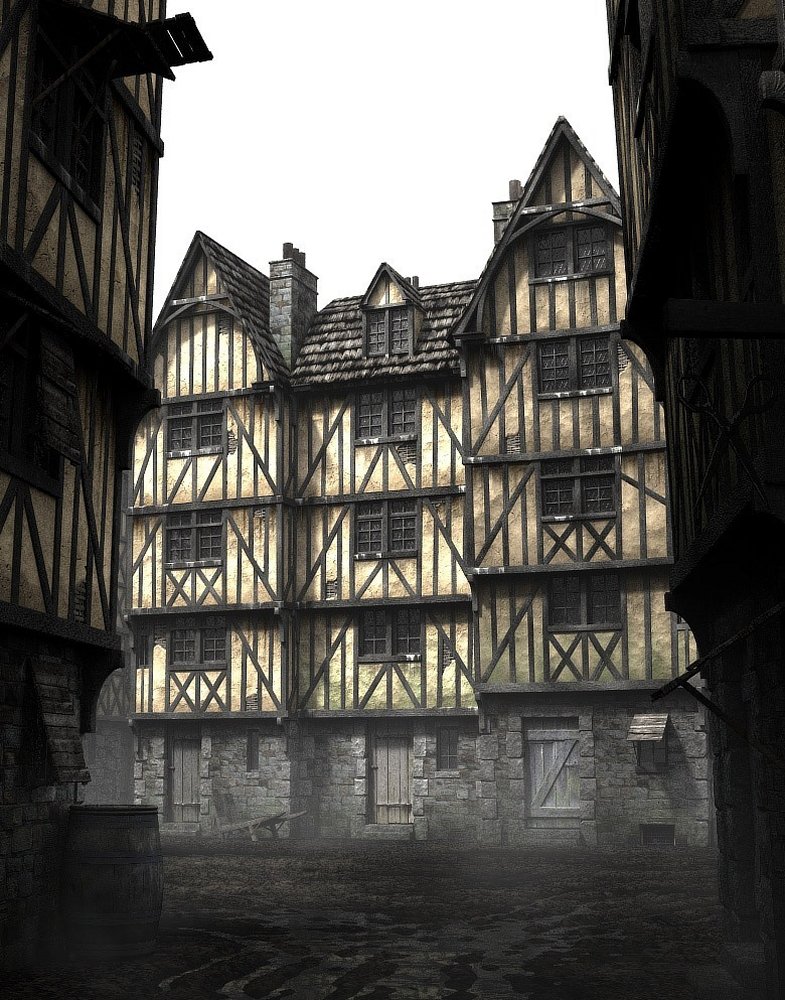
That's a great image tahnoak. Very impressive. I stumbled across this image whilst browsing the net the other day and thought you might be able to make use of it as a referece for texture work if you ever decided to revisit this image or perhaps help out with your inn scene.
-
tahnoak
- Master Chief Petty Officer
- Posts: 339
- Joined: 02 Sep 2009, 01:31
Re: Tinkering with Alpha Masks
Hey Breech...thanks. I am definitely going to try and infuse some of this detail into the Inn. Thanks for the assist.Breech Block wrote:That's a great image tahnoak. Very impressive. I stumbled across this image whilst browsing the net the other day and thought you might be able to make use of it as a referece for texture work if you ever decided to revisit this image or perhaps help out with your inn scene.