How to scale only the circumference?

Technical questions, etc..
User avatar
ranger0101
Master Chief Petty Officer
Posts: 363
Joined: 22 May 2009, 13:15
Type the number ten into the box: 0
Location: Orrville Ohio U.S.A.

Re: How to scale only the circumference?

Post by ranger0101 »

Hi LeonRegis... :)

I believe all you need to do is turn off the
Z axis as shown in the attached pic..

Cheers!!!
-TIM-
Attachments
resize with Z axis turned off.jpg
In order to Create Art... You must first learn to See...
My Website http://www.theartoftimkoons.yolasite.com
User avatar
ranger0101
Master Chief Petty Officer
Posts: 363
Joined: 22 May 2009, 13:15
Type the number ten into the box: 0
Location: Orrville Ohio U.S.A.

Re: How to scale only the circumference?

Post by ranger0101 »

Ooops...


Just reread your first post.. :oops:

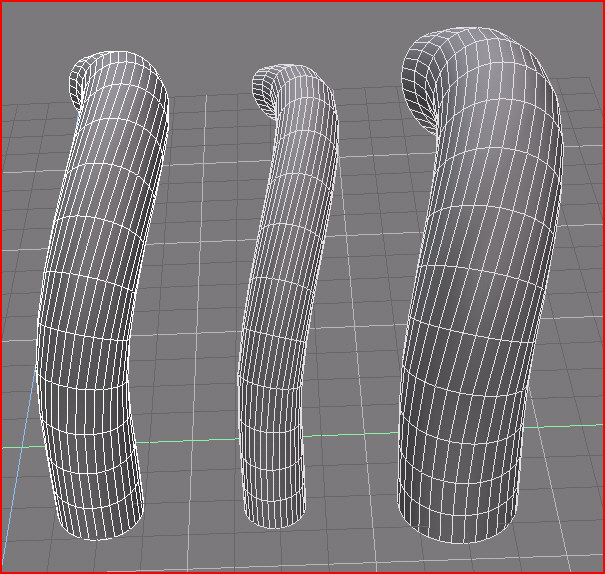
It seems the restricting the Z Axis amplifies the
circular face angle... This may just be an optical illusion..

Hmmm.. Working on it...

Cheers!!!
-TIM-
In order to Create Art... You must first learn to See...
My Website http://www.theartoftimkoons.yolasite.com
User avatar
trueBlue
Captain
Posts: 5548
Joined: 06 Jul 2009, 22:50
Type the number ten into the box: 10

Re: How to scale only the circumference?

Post by trueBlue »

Right click + drag on the Widget's cube with the Z axis off
User avatar
ranger0101
Master Chief Petty Officer
Posts: 363
Joined: 22 May 2009, 13:15
Type the number ten into the box: 0
Location: Orrville Ohio U.S.A.

Re: How to scale only the circumference?

Post by ranger0101 »

OK... After a little testing and messing around...

Turning off the Z Axis is the way to go...

Except for its circumference all along its
length (which was your desire) the shape is exactly the same...
The shape is not lost.. Made more apparent yes but not changed.


Cheers!!!
-TIM-
In order to Create Art... You must first learn to See...
My Website http://www.theartoftimkoons.yolasite.com
User avatar
marcel
Captain
Posts: 2247
Joined: 21 May 2009, 19:52
Type the number ten into the box: 0
Location: paris - France

Re: How to scale only the circumference?

Post by marcel »

Apply shell tool with "keep shelled volume" enabled. Positive value to reduce the diameter and negative value to enlarge the diameter.
Attachments
shell tool.jpg
Design - illustration - Animation
http://www.crea-vision.fr
User avatar
marcel
Captain
Posts: 2247
Joined: 21 May 2009, 19:52
Type the number ten into the box: 0
Location: paris - France

Re: How to scale only the circumference?

Post by marcel »

you can use that tool to change the diameter of a rope positioned around an object in one clic, or change the section of a wrought iron gate, etc...
Attachments
shell example.jpg
Design - illustration - Animation
http://www.crea-vision.fr
User avatar
LeonRegis
Captain
Posts: 1946
Joined: 18 Aug 2009, 17:36
Type the number ten into the box: 0
Location: Brazil/Earth/Orion Arm/Milky Way/4th Dimension/This Universe/Multiverse???/Singularity???

Re: How to scale only the circumference?

Post by LeonRegis »

Ow, I had forgot how is the helper spirit on the forum :mrgreen:

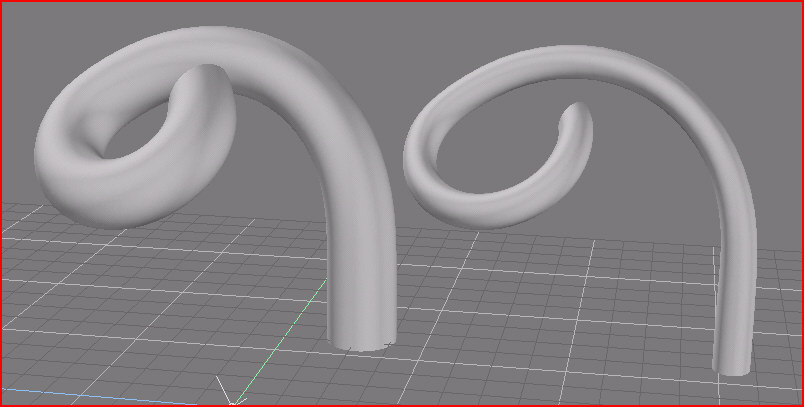
Ranger, yea that was the closer I could get from what I wanted but the changing on the shape (even if small or just changing the intensity or the shape) breaks what I want to do because the cables are connected in each edges so that change makes it lost the connection.

Marcel I think that your method will again be the one that works! From what you've shown it works perfectly but I can't do that, how it's your shell configuration (to make it thinner) because my always gives something strange and not what I want, also it loses a little of height.

Math Path your method also changes a little of shape =(
Be the change you want to see in the world. - Mohandas Gandhi
User avatar
LeonRegis
Captain
Posts: 1946
Joined: 18 Aug 2009, 17:36
Type the number ten into the box: 0
Location: Brazil/Earth/Orion Arm/Milky Way/4th Dimension/This Universe/Multiverse???/Singularity???

Re: How to scale only the circumference?

Post by LeonRegis »

Just remembering that it isn't solved yet :(

Marcel Method seems to work but I can't do it work, I need more details on how do you configure Shell tool, mine just creates shells and not thinner strings =(

Help me please, it's the last thing I need to finish my caravel.
Be the change you want to see in the world. - Mohandas Gandhi
User avatar
Math Path
Chief Petty Officer
Posts: 92
Joined: 22 May 2009, 18:06
Type the number ten into the box: 0
Location: Germany

Re: How to scale only the circumference?

Post by Math Path »

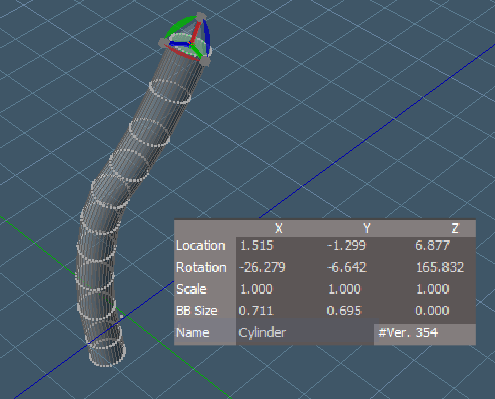
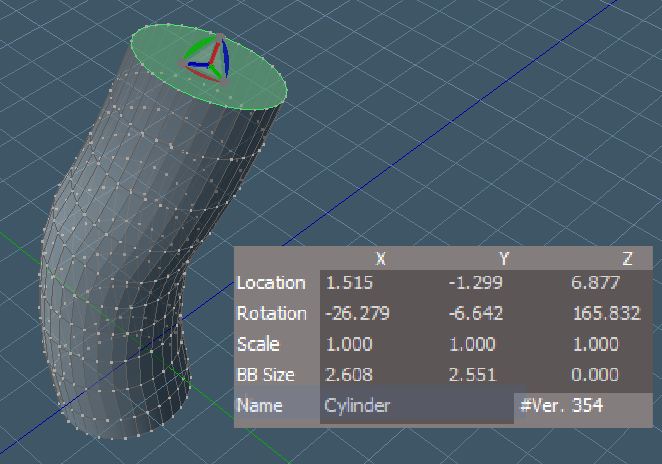
LeonRegis wrote:Math Path your method also changes a little of shape =(
Sorry, but I dont get, what you mean with "changes a little of shape". I can hardly see any change to it :? Here is before and after:
Attachments
1.png
2.png
User avatar
LeonRegis
Captain
Posts: 1946
Joined: 18 Aug 2009, 17:36
Type the number ten into the box: 0
Location: Brazil/Earth/Orion Arm/Milky Way/4th Dimension/This Universe/Multiverse???/Singularity???

Re: How to scale only the circumference?

Post by LeonRegis »

Sorry Math Path actually I tried again it now worked (I don't know why in the last time it didnt)!

Thanks Math and all others for the help!
Be the change you want to see in the world. - Mohandas Gandhi
User avatar
clintonman
Captain
Posts: 5659
Joined: 21 May 2009, 21:08
Type the number ten into the box: 0
Location: California

Re: How to scale only the circumference?

Post by clintonman »

That's a neat trick, Math Path. :bananathumb:
Clinton Reese

http://clintons3d.com
User avatar
marcel
Captain
Posts: 2247
Joined: 21 May 2009, 19:52
Type the number ten into the box: 0
Location: paris - France

Re: How to scale only the circumference?

Post by marcel »

@clintonman: your "normal move tool" can be a good solution for the problem of Leon regis.
Design - illustration - Animation
http://www.crea-vision.fr
User avatar
clintonman
Captain
Posts: 5659
Joined: 21 May 2009, 21:08
Type the number ten into the box: 0
Location: California

Re: How to scale only the circumference?

Post by clintonman »

marcel wrote:@clintonman: your "normal move tool" can be a good solution for the problem of Leon regis.
That's part of the reason I did it. I ran into that problem before, but never did anything about it until now.
Check out the normal move tool thread:
vi ... =31&t=2443"
Clinton Reese

http://clintons3d.com

Return to “TechForum”