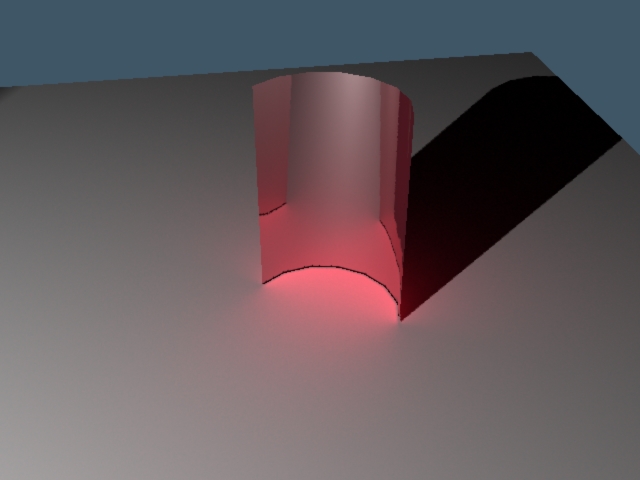
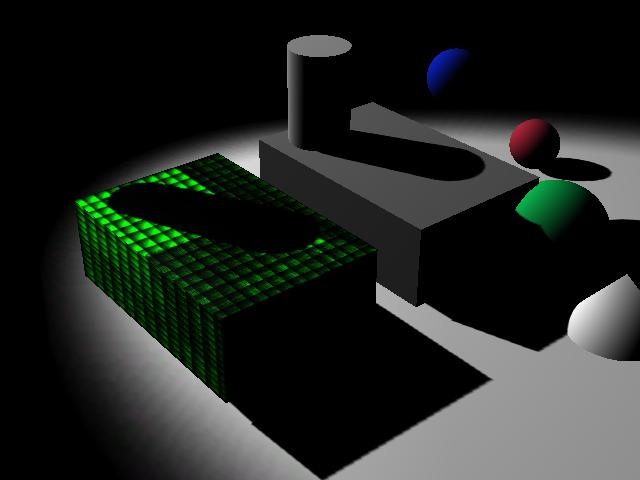
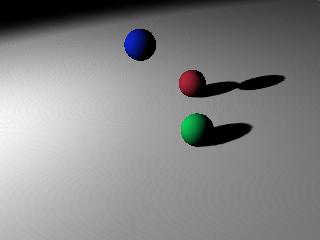
I just downloaded the latest 3delight version, 3Delight Studio Pro. I think it's version 11. Anyway, I noticed this one supports 4 cores instead of 1 or 2 like the older versions and it's supposed to be faster. I was never able to figure out the caustics problem with Dribble, so I will try something different. I took time of from the Apollo project this weekend to make a very simple Renderman exporter for workspace. The first image is from trueSpace D3D render and the second is a 3Delight render. The camera looks a little off, but it's basically working. It reads the light and camera and it will read spheres and give them random colors, that's why the colors don't match between 3Delight and D3D render. It doesn't read geometry, just the location and radius of the sphere. The next step is to manually edit the resulting file to try to figure out caustics, baking and other renderman mysteries without the overhead of an entire plugin.
The scene file is attached. One note the light has a transform connected to it. It's used to get the orientation of the light. Renderman lights have a location and a lookat location instead of transform values.
3Delight Research
-
clintonman
- Captain
- Posts: 5659
- Joined: 21 May 2009, 21:08
- Type the number ten into the box: 0
- Location: California
3Delight Research
- Attachments
-
- RendermanTests.zip
- (127.38 KiB) Downloaded 377 times
-
bitkar
- Captain
- Posts: 2089
- Joined: 16 Mar 2010, 07:14
- Type the number ten into the box: 0
- Location: Czech Republic
Re: 3Delight Research
very nice that you keep doing those things... but... iam sad its workspace again. We need a renderer for model space and "normal" material editor. :-/
gl with it anyway ofc
Michal aka bitkar
tS freak since tS2 (1998) and forever (tS7.61 modeler)
-
clintonman
- Captain
- Posts: 5659
- Joined: 21 May 2009, 21:08
- Type the number ten into the box: 0
- Location: California
Re: 3Delight Research
Anything I learn with this will get applied to dribble. By doing the research in workspace I can figure out the renderman separately from the dribble plugin making the process much easier.bitkar wrote:very nice that you keep doing those things... but... iam sad its workspace again. We need a renderer for model space and "normal" material editor. :-/
gl with it anyway ofc
-
v3rd3
- Lieutenant Commander
- Posts: 1191
- Joined: 21 May 2009, 20:04
Re: 3Delight Research
"I took time of from the Apollo project"
Whais "Apollo"?
Whais "Apollo"?
-
Steinie
- Captain
- Posts: 2958
- Joined: 21 May 2009, 17:38
- Type the number ten into the box: 10
Re: 3Delight Research
Here is Clintonman's Apollo Project WIP:
vi ... f=5&t=4022"
vi ... f=5&t=4022"
-
clintonman
- Captain
- Posts: 5659
- Joined: 21 May 2009, 21:08
- Type the number ten into the box: 0
- Location: California
Re: 3Delight Research
More tests, this time using dribble with tS6.6. It keeps crashing on tS7.61
The type of light is important when using caustics.
Quote from the docs, ""Real" lights must be in the scene for this to work, with spotlights being especially effective."
I don't know which lights qualify as real, but I did find that the spotlight will work with caustics. Maybe this is the reason no one could get caustics to work. They didn't have the correct light type. I haven't tried the other light types yet. Also had some luck baking textures with my workspace tests. The gray cube was rendered in 3delight procedural colors based on uv value. After the render the box was copied and the baked texture applied to it. It shows the new texture with the shadows baked in. The image is from the 3dview in tS.
The type of light is important when using caustics.
Quote from the docs, ""Real" lights must be in the scene for this to work, with spotlights being especially effective."
I don't know which lights qualify as real, but I did find that the spotlight will work with caustics. Maybe this is the reason no one could get caustics to work. They didn't have the correct light type. I haven't tried the other light types yet. Also had some luck baking textures with my workspace tests. The gray cube was rendered in 3delight procedural colors based on uv value. After the render the box was copied and the baked texture applied to it. It shows the new texture with the shadows baked in. The image is from the 3dview in tS.
-
clintonman
- Captain
- Posts: 5659
- Joined: 21 May 2009, 21:08
- Type the number ten into the box: 0
- Location: California
Re: 3Delight Research
Tried some more lights with caustics. infinite, spot and area lights all work so my idea that the type of light was limited was just wrong. it looks like it works with most light types.
-
Steinie
- Captain
- Posts: 2958
- Joined: 21 May 2009, 17:38
- Type the number ten into the box: 10
Re: 3Delight Research
Cintonman, does Dribble still work with the latest 3delight and did you have to upgrade anything else?
-
clintonman
- Captain
- Posts: 5659
- Joined: 21 May 2009, 21:08
- Type the number ten into the box: 0
- Location: California
Re: 3Delight Research
Yep, it works with the latest, version 11 of 3delight. I believe dribble only works with the 32 bit version of 3Delight. The shaders have to be recompiled for each new 3Delight version. I'll attach them here for convenience.Steinie wrote:Cintonman, does Dribble still work with the latest 3delight and did you have to upgrade anything else?
- Attachments
-
- dribbleShadersFor3delightVer11.zip
- (43.95 KiB) Downloaded 335 times
-
clintonman
- Captain
- Posts: 5659
- Joined: 21 May 2009, 21:08
- Type the number ten into the box: 0
- Location: California
Re: 3Delight Research
I think I need to take back what I said before. I don't think dribble works with tS7.61 It just crashes all the time. I think the crashes have something to do with the way tS handles multithreading.
Now for the good news. I found a way around the crashes by using the 3delight viewer instead of rendering to the 3d viewport. There's a checkbox for selecting the older ts6 compatible style and the new non-crashy 7.61 mode. I got the infinite light shadow maps working properly with a shadow scale input box and I tried the hdri environment light and it seems to match the lightworks render.
I think I'll be able to publish an updated installer in a week or so.
Now for the good news. I found a way around the crashes by using the 3delight viewer instead of rendering to the 3d viewport. There's a checkbox for selecting the older ts6 compatible style and the new non-crashy 7.61 mode. I got the infinite light shadow maps working properly with a shadow scale input box and I tried the hdri environment light and it seems to match the lightworks render.
I think I'll be able to publish an updated installer in a week or so.
-
clintonman
- Captain
- Posts: 5659
- Joined: 21 May 2009, 21:08
- Type the number ten into the box: 0
- Location: California
Re: 3Delight Research
As usual, starting with the bad news. Caustics are not working in dribble. The tests had irradiance active and that's what I was seeing. Caustics gives an error message.
The export of bumpmaps has been fixed. The code was multiplying amplitude by 10 instead of dividing by 10. Now renders match lightworks for the same amplitude values.
-
clintonman
- Captain
- Posts: 5659
- Joined: 21 May 2009, 21:08
- Type the number ten into the box: 0
- Location: California
Re: 3Delight Research
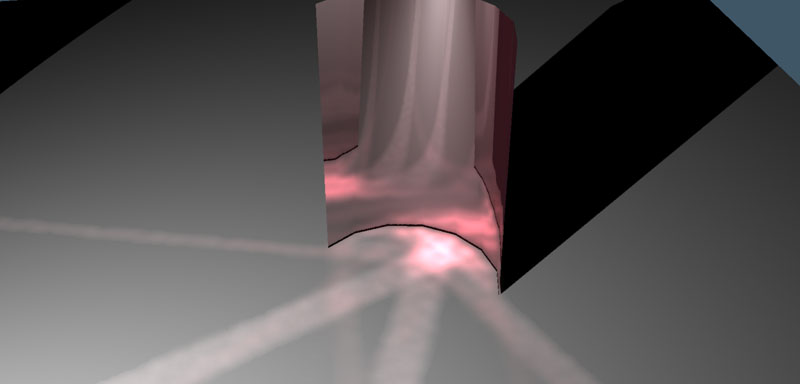
I found the problem with the caustics. Something is wrong with the trueSpace light shaders. I manually replaced them with stock renderman shaders, turned up the intensity and got this:
I was concerned I might have to rewrite a bunch of code. This should be much easier to fix than I thought.
Edit: Nope, I was wrong. The test was using a previously generated caustic file, so I will need to write some code to fix it.