3dbuzz Mech project in trueSpace
-
clintonman
- Captain
- Posts: 5659
- Joined: 21 May 2009, 21:08
- Type the number ten into the box: 0
- Location: California
3dbuzz Mech project in trueSpace
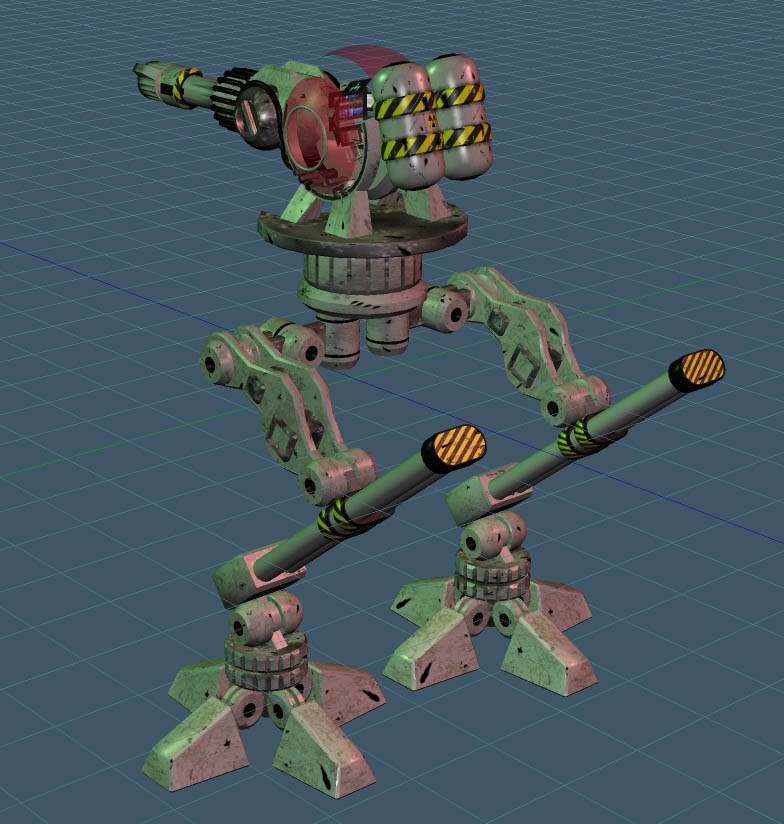
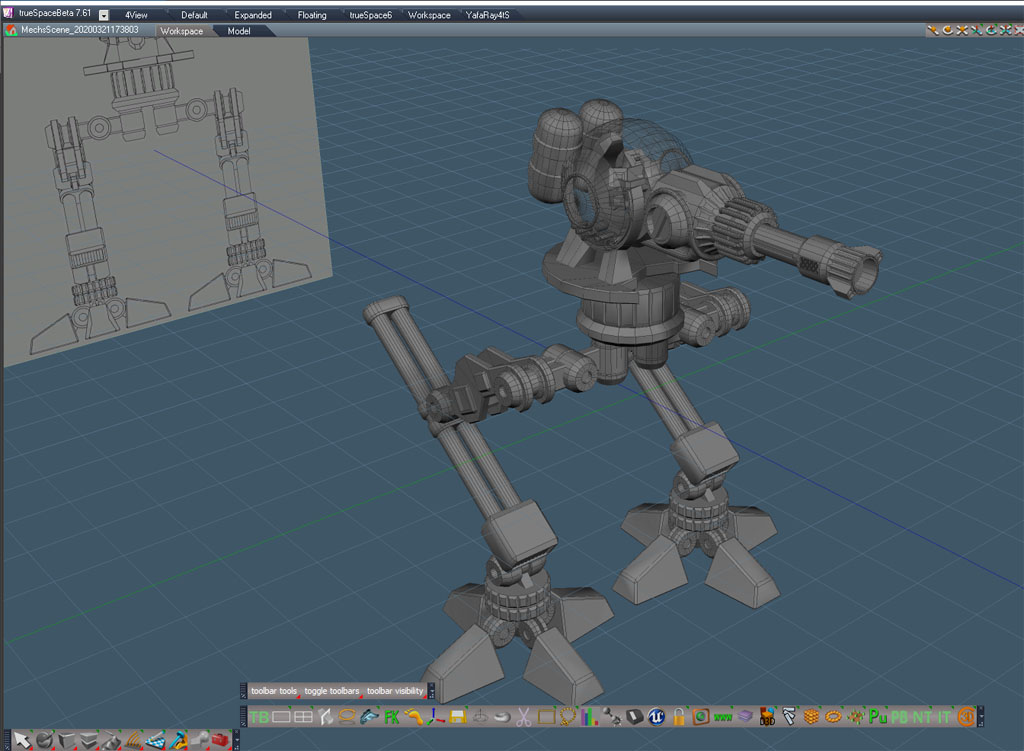
I started the 3rd and final Maya Fundamentals course in trueSpace. I've been using these projects to develop new tools and test pre-existing tools and scripts.
First up is modeling the mech model.
While working on this I found a bug with the Quad Toolbar scripts from my website.
Also found out that the model object coordinate widget script effects the tangent space widget as well as the object coordinate widgets. Ideally, it should only effect the object space widget. I found that problem when the dynamic sweep tool started misbehaving when using tangent space.
A bug was discovered and fixed in the align scripts for the case of aligning objects with the first or last selected item.
Next up is materials and one more model.
First up is modeling the mech model.
While working on this I found a bug with the Quad Toolbar scripts from my website.
Also found out that the model object coordinate widget script effects the tangent space widget as well as the object coordinate widgets. Ideally, it should only effect the object space widget. I found that problem when the dynamic sweep tool started misbehaving when using tangent space.
A bug was discovered and fixed in the align scripts for the case of aligning objects with the first or last selected item.
Next up is materials and one more model.
-
clintonman
- Captain
- Posts: 5659
- Joined: 21 May 2009, 21:08
- Type the number ten into the box: 0
- Location: California
Re: 3dbuzz Mech project in trueSpace
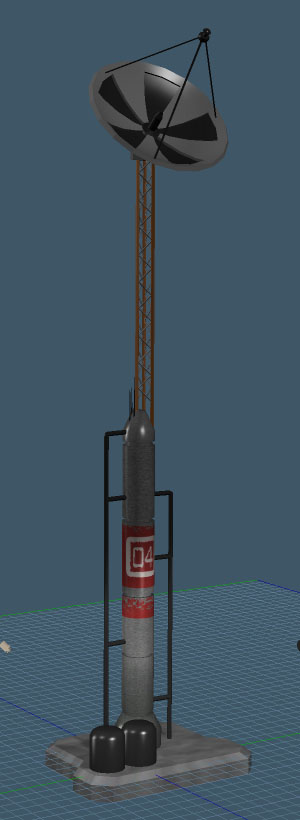
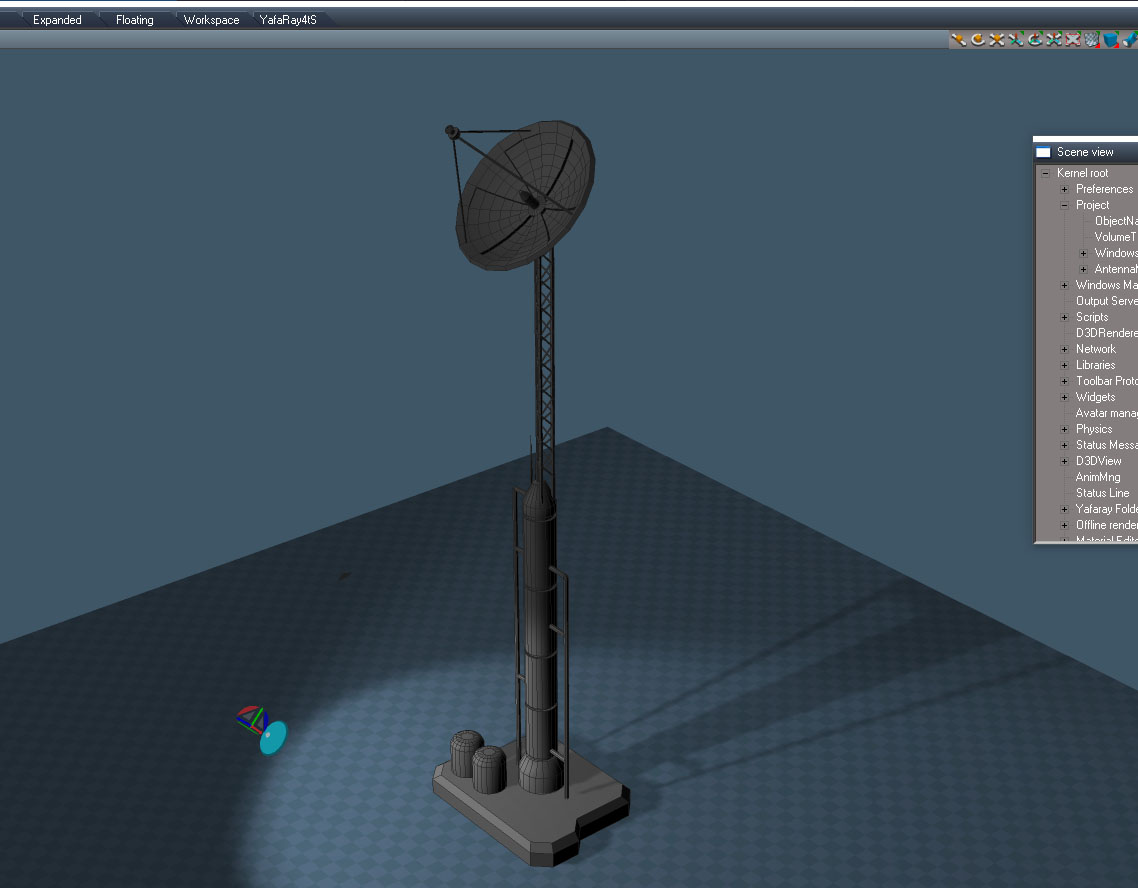
The antenna array.
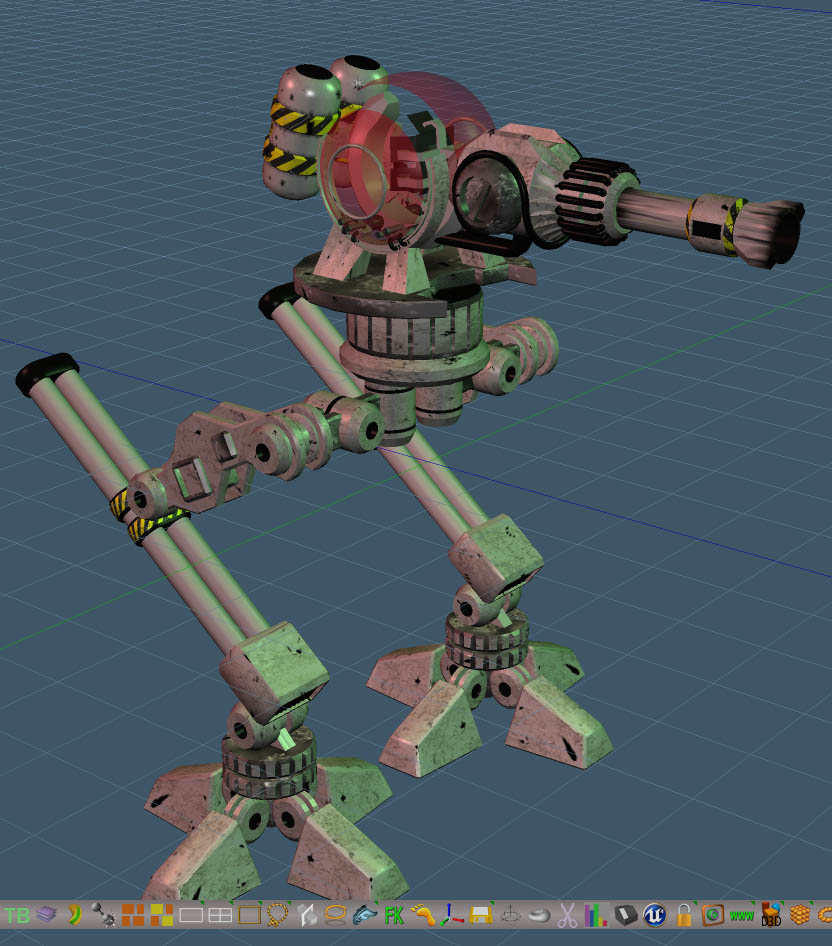
Materials assigned to the mech.
Found/Realized that the mirror tool is a modeling tool and doesn't change the location, rotation or scale. Made a yet to be published mirror tool that mostly acts on the matrix of the object so it works with lights and cameras as well. It also works with the pivot and will adjust the vertices of the mesh like the modeling mirror tool. The mech has some messed up stuff that will need to be re-mirrored with the new tool.
There was a bump map assigned to the feet/toe models but I kept getting hard crashes. Will need to check the bump2normal compositing code to see if there's a problem there.
The next lessons add materials to the antenna and break it apart in preparation for blowing it up.
Materials assigned to the mech.
Found/Realized that the mirror tool is a modeling tool and doesn't change the location, rotation or scale. Made a yet to be published mirror tool that mostly acts on the matrix of the object so it works with lights and cameras as well. It also works with the pivot and will adjust the vertices of the mesh like the modeling mirror tool. The mech has some messed up stuff that will need to be re-mirrored with the new tool.
There was a bump map assigned to the feet/toe models but I kept getting hard crashes. Will need to check the bump2normal compositing code to see if there's a problem there.
The next lessons add materials to the antenna and break it apart in preparation for blowing it up.
-
clintonman
- Captain
- Posts: 5659
- Joined: 21 May 2009, 21:08
- Type the number ten into the box: 0
- Location: California
Re: 3dbuzz Mech project in trueSpace
Materials applied to the antenna array
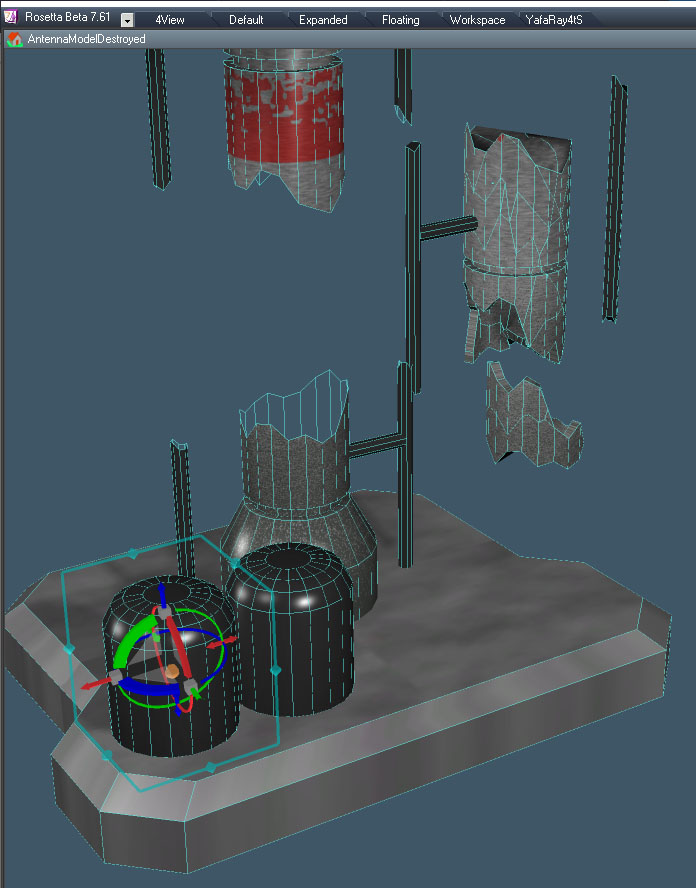
Pre-destruction modeling using the boolean slice tool to cut it up and dynamic sweep shell to add thickness to the pieces.
-
clintonman
- Captain
- Posts: 5659
- Joined: 21 May 2009, 21:08
- Type the number ten into the box: 0
- Location: California
Re: 3dbuzz Mech project in trueSpace
Mech rigging is done.
The meshes are attached directly to the bones, no skinning is used.
The bottom half is controlled by a skeleton with IK motion for the legs and FK controls setup for the toes.
The top is parented to the bottom and controlled by a script/ui combination to simulate Mayas set driven key controls.
Found and fixed a bug in the new MirrorMatrix script. Lesson is must remember to run the flatten axes tool when using pivots. Used the FK scripts to setup the toe controls. Object vertex snap was used to precisely position the joints of the skeleton inside the meshes.
-
trueBlue
- Captain
- Posts: 5548
- Joined: 06 Jul 2009, 22:50
- Type the number ten into the box: 10
Re: 3dbuzz Mech project in trueSpace
Great job on the Mech!
What is the scale?
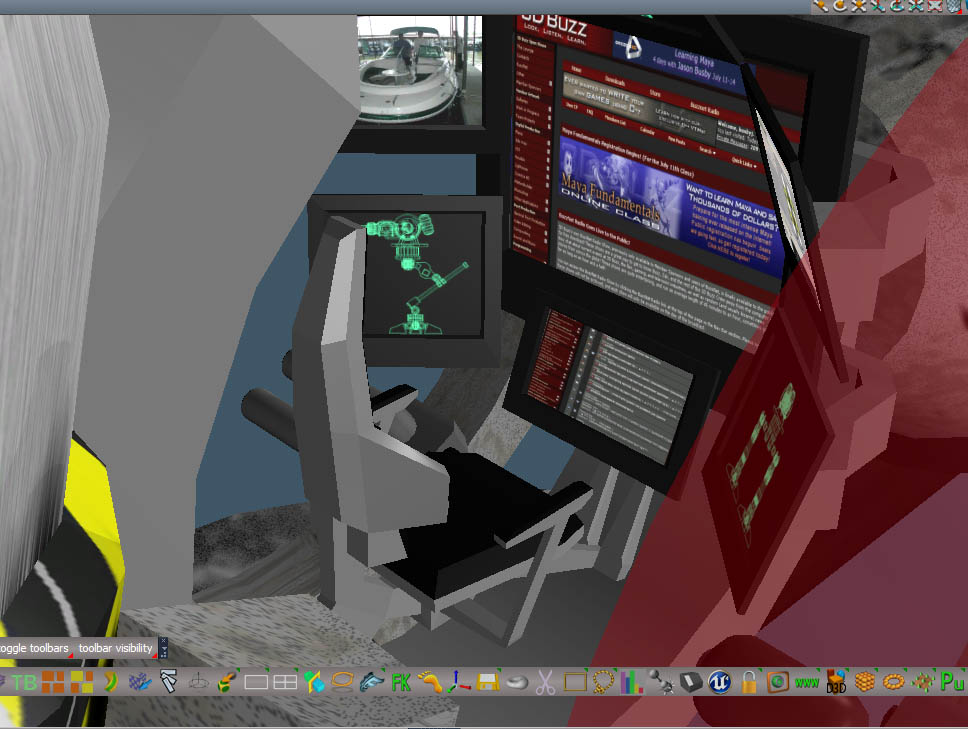
Is that a cockpit for occupants?
What is the scale?
Is that a cockpit for occupants?
Curious... Are tS Morphs similar to Maya's set driven key controls?bottom controlled by a script/ui combination to simulate Mayas set driven key controls
-
clintonman
- Captain
- Posts: 5659
- Joined: 21 May 2009, 21:08
- Type the number ten into the box: 0
- Location: California
Re: 3dbuzz Mech project in trueSpace
No scale, it will be sized to fit the scene.trueBlue wrote: 27 Mar 2020, 18:42 Great job on the Mech!
What is the scale?
Is that a cockpit for occupants?Curious... Are tS Morphs similar to Maya's set driven key controls?bottom controlled by a script/ui combination to simulate Mayas set driven key controls
Yep, no driver though. The script/ui controls are for the top, it's difficult to add any external control to the trueSpace skeleton system.
No, tS morphs are like Maya blend shapes. Set driven keys are kind of like a combination of constraints and animation. Instead of time as the driver for animation it is driven by the value of another object. The process is similar.
Animation: 1. set time 2. set object value for that time 3. set key,
Set driven key: 1. set value of controller 2. set corresponding object value for that controller value 3. set key.
-
clintonman
- Captain
- Posts: 5659
- Joined: 21 May 2009, 21:08
- Type the number ten into the box: 0
- Location: California
Re: 3dbuzz Mech project in trueSpace
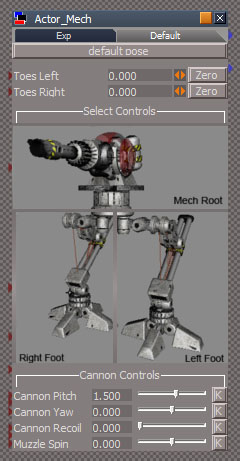
Finished the UI lesson.
The "Toes Left" and "Toes Right" are FK controls to rotate the toes. The "K" buttons in the Cannon Controls section are for setting keyframes for those values.
Next is setting up the scene and starting the animation
The "Toes Left" and "Toes Right" are FK controls to rotate the toes. The "K" buttons in the Cannon Controls section are for setting keyframes for those values.
Next is setting up the scene and starting the animation
-
clintonman
- Captain
- Posts: 5659
- Joined: 21 May 2009, 21:08
- Type the number ten into the box: 0
- Location: California
Re: 3dbuzz Mech project in trueSpace
Started the animation. At this point the feet slide along the ground as he moves forward and an animatic has been setup for the rough timing and layout.
The first problem I found was trying to use the null object scripts. The null is a marker object that does not render and behind the scenes is a modified camera. The unofficial updates has a camera background widget for opening a panel and exiting a camera view. This prevents selecting a camera and then ctrl selecting anything else in the 3d view. The second problem was from the way trueSpace works. If you have 2 cameras selected (or a camera and a null) the fov for both will be set to the same value. So when I had a camera and null selected the camera's fov got messed up by the null fov. I ended up converting the nulls to ordinary meshes and will manually make them invisible before the render is run. I deactivated the Exit Camera View portion of the camera widget.
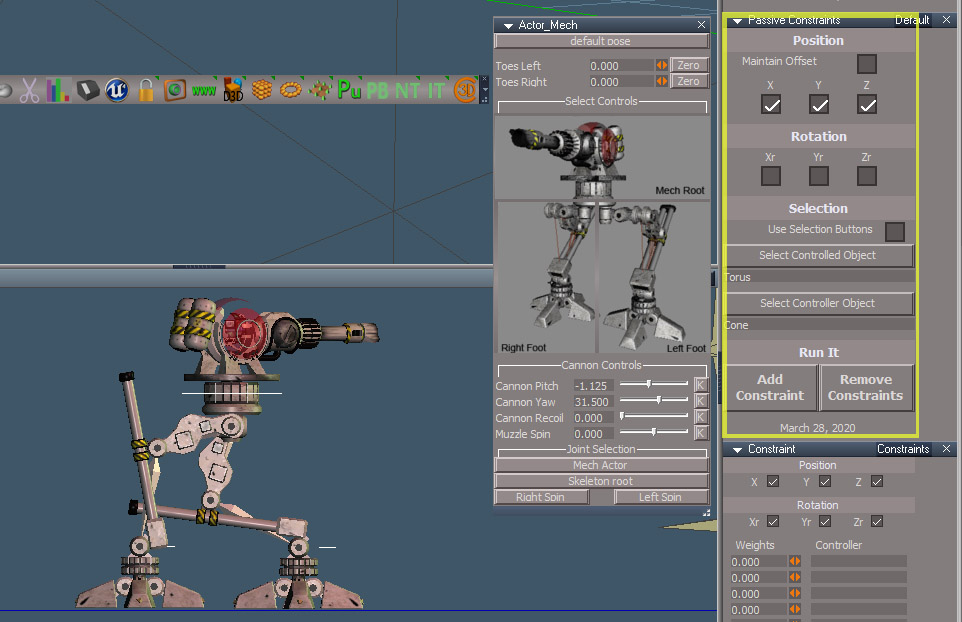
The reason for the nulls in the first place is to use constraints to make the camera switch locations via the null locations. This process uses a new version of the constraints script that allows the unconstrained values to be animated. The new script is highlighted in yellow in the image. The camera position is constrained to each of the "null" positions in turn with the rotations available for animation.
One more problem when I started the animation. The meshes got keyframed and that made the whole thing kindof blow up after a couple of keys were set. The solution was to expand the Matrix connection for each of the meshes attached to skeleton bones.
On a side note I needed to use the ctrl script for link editor selections in a floating le window, but the button only exists on the main le window, so I plan to install the ctrl script to get the button and use the opportunity to check for a potential problem with the persistent installers found by trueBlue.
The first problem I found was trying to use the null object scripts. The null is a marker object that does not render and behind the scenes is a modified camera. The unofficial updates has a camera background widget for opening a panel and exiting a camera view. This prevents selecting a camera and then ctrl selecting anything else in the 3d view. The second problem was from the way trueSpace works. If you have 2 cameras selected (or a camera and a null) the fov for both will be set to the same value. So when I had a camera and null selected the camera's fov got messed up by the null fov. I ended up converting the nulls to ordinary meshes and will manually make them invisible before the render is run. I deactivated the Exit Camera View portion of the camera widget.
The reason for the nulls in the first place is to use constraints to make the camera switch locations via the null locations. This process uses a new version of the constraints script that allows the unconstrained values to be animated. The new script is highlighted in yellow in the image. The camera position is constrained to each of the "null" positions in turn with the rotations available for animation.
One more problem when I started the animation. The meshes got keyframed and that made the whole thing kindof blow up after a couple of keys were set. The solution was to expand the Matrix connection for each of the meshes attached to skeleton bones.
On a side note I needed to use the ctrl script for link editor selections in a floating le window, but the button only exists on the main le window, so I plan to install the ctrl script to get the button and use the opportunity to check for a potential problem with the persistent installers found by trueBlue.
-
trueBlue
- Captain
- Posts: 5548
- Joined: 06 Jul 2009, 22:50
- Type the number ten into the box: 10
Re: 3dbuzz Mech project in trueSpace
I assigned a trueSpace shortcut to my keyboard's APPS key (the key in-between the right Alt and Ctrl keys) to the Link Editor's Ctrl button. That seems to work with a floating Link Editor window.
I tired the Make Copy of Window but the Link Editor Navigator aspect toolbar's buttons do not copy over.
-
clintonman
- Captain
- Posts: 5659
- Joined: 21 May 2009, 21:08
- Type the number ten into the box: 0
- Location: California
Re: 3dbuzz Mech project in trueSpace
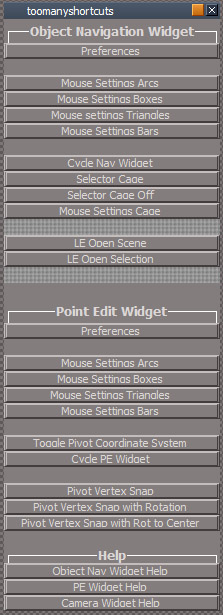
I don't use shortcut keys unless necessary. That's to say if it's something I do all the time all day long. The widgets have way more shortcuts than I can remember so I made a panel for most of them. I plan to add the text of the shortcuts to the buttons so if I do use something constantly I'll be able to learn it quicker.trueBlue wrote: 30 Mar 2020, 17:39 I assigned a trueSpace shortcut to my keyboard's APPS key (the key in-between the right Alt and Ctrl keys) to the Link Editor's Ctrl button. That seems to work with a floating Link Editor window.
-
trueBlue
- Captain
- Posts: 5548
- Joined: 06 Jul 2009, 22:50
- Type the number ten into the box: 10
Re: 3dbuzz Mech project in trueSpace
I hear you on the shortcuts and remembering part!
Not sure on your Star Null object use.
Also not sure on trueSpace's Desktop - Hide Camera Widgets. If you uncheck Camera the camera's mesh still renders unless it is selected.
Anyway I compared your Star Null to a Camera and noticed you are not using the Object Hider node.
I deleted the FOV attribute on the Camera node. That should stop the FOV from changing using the Camera FOV widget.
Added an Alpha Shader to make it invisible by way of a scrubber.
Not sure on your Star Null object use.
Also not sure on trueSpace's Desktop - Hide Camera Widgets. If you uncheck Camera the camera's mesh still renders unless it is selected.
Anyway I compared your Star Null to a Camera and noticed you are not using the Object Hider node.
I deleted the FOV attribute on the Camera node. That should stop the FOV from changing using the Camera FOV widget.
Added an Alpha Shader to make it invisible by way of a scrubber.
- Attachments
-
- starNull.RsObj
- (73.82 KiB) Downloaded 326 times
-
clintonman
- Captain
- Posts: 5659
- Joined: 21 May 2009, 21:08
- Type the number ten into the box: 0
- Location: California
Re: 3dbuzz Mech project in trueSpace
The purpose of a null is to basically have a matrix for position/rotation/scale and to not render.trueBlue wrote: 30 Mar 2020, 19:14 I hear you on the shortcuts and remembering part!![]()
Not sure on your Star Null object use.
Also not sure on trueSpace's Desktop - Hide Camera Widgets. If you uncheck Camera the camera's mesh still renders unless it is selected.
Anyway I compared your Star Null to a Camera and noticed you are not using the Object Hider node.
I deleted the FOV attribute on the Camera node. That should stop the FOV from changing using the Camera FOV widget.
Added an Alpha Shader to make it invisible by way of a scrubber.
StarNull.png
Removing the FOV connector was a clever idea but still a no go. You can see by select the null then ctrl select a camera. Deselect and see the camera FOV changed.
-
trueBlue
- Captain
- Posts: 5548
- Joined: 06 Jul 2009, 22:50
- Type the number ten into the box: 10
Re: 3dbuzz Mech project in trueSpace
Oh bummer!
I was selecting the opposite way and the FOV did not change.
-
clintonman
- Captain
- Posts: 5659
- Joined: 21 May 2009, 21:08
- Type the number ten into the box: 0
- Location: California
Re: 3dbuzz Mech project in trueSpace
Finished the walk animation lesson.
The whole process went more smoothly than I expected. I had to make one change to the skeleton rig to get hip rotation control. My only complaint is the overly mechanical nature of the walk. I used the keyframe interpolation scripts to keep the feet from sliding and that made the overall motion very stop/go ish. I used the linear interpolation tool after the render and the walk looks better than in this render.
The camera cuts were made with animated constraints on the position of the camera.
Next up is trying to create footprints in the ground and make it snow.
-
Draise
- Captain
- Posts: 3200
- Joined: 21 Sep 2009, 19:33
- Type the number ten into the box: 0
- Location: Bogota, Colombia
Re: 3dbuzz Mech project in trueSpace
The camera angles really add in a sense of scale to the mech. 
-
bitkar
- Captain
- Posts: 2089
- Joined: 16 Mar 2010, 07:14
- Type the number ten into the box: 0
- Location: Czech Republic
Re: 3dbuzz Mech project in trueSpace
you have some powerful skills... very impresive. Making trueSpace to become Maya :D gj!
Michal aka bitkar
tS freak since tS2 (1998) and forever (tS7.61 modeler)
-
clintonman
- Captain
- Posts: 5659
- Joined: 21 May 2009, 21:08
- Type the number ten into the box: 0
- Location: California
Re: 3dbuzz Mech project in trueSpace
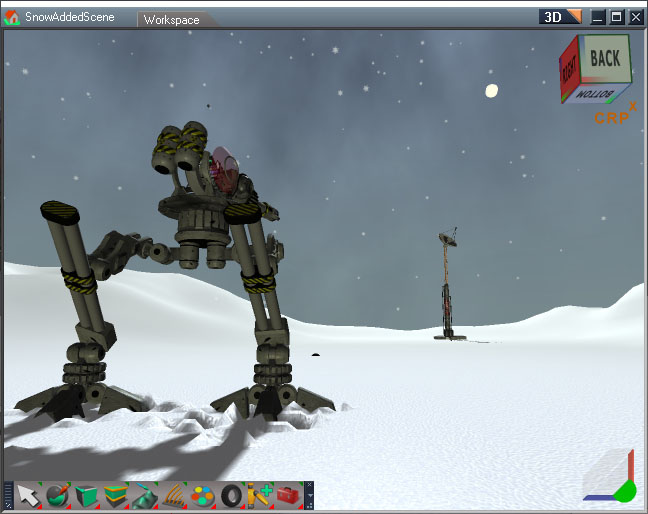
Morph based footprints and sky dome.
The original lesson for footprints had 2 techniques, morphs and physics based. I tried using cloth sim but it didn't work out. The mesh has to be dense and the cloth sim was crashing with the 300,000 vertices on my walk plane. Reduced down to 20,000 and no crash but physics was basically frozen.
While doing the morphs I discovered that the mesh editor auto triangulation needed to be set to "None" or I ended up with some random mesh noise. The sky dome material is a mixture of a ramp and a tiff sky image, so the tiff loader script was needed.
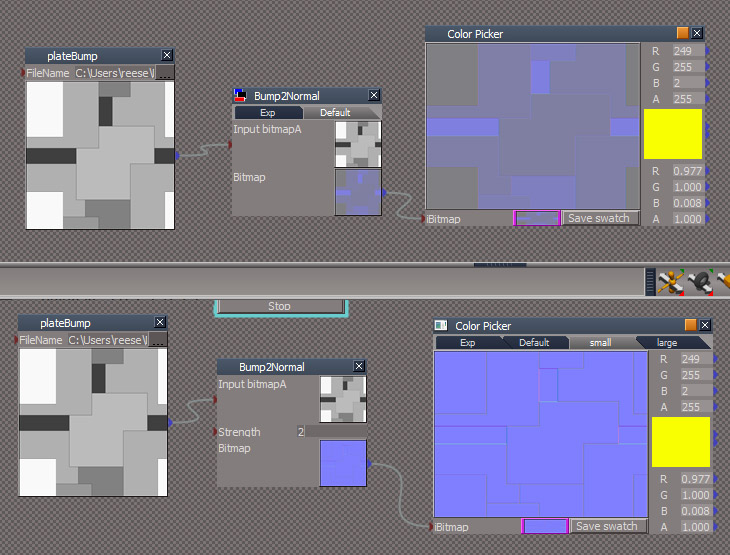
The snow material lesson uses a normalmap and I was getting crashes when trying to use the bump to normalmap node. I rewrote the node to use better math. Image above shows before and after the change. It looks better, has a new strength control and hopefully fixes the crashing.
The original lesson for footprints had 2 techniques, morphs and physics based. I tried using cloth sim but it didn't work out. The mesh has to be dense and the cloth sim was crashing with the 300,000 vertices on my walk plane. Reduced down to 20,000 and no crash but physics was basically frozen.
While doing the morphs I discovered that the mesh editor auto triangulation needed to be set to "None" or I ended up with some random mesh noise. The sky dome material is a mixture of a ramp and a tiff sky image, so the tiff loader script was needed.
The snow material lesson uses a normalmap and I was getting crashes when trying to use the bump to normalmap node. I rewrote the node to use better math. Image above shows before and after the change. It looks better, has a new strength control and hopefully fixes the crashing.
-
clintonman
- Captain
- Posts: 5659
- Joined: 21 May 2009, 21:08
- Type the number ten into the box: 0
- Location: California
Re: 3dbuzz Mech project in trueSpace
The new normal mapper didn't fix the crashing.
Scene file size was 35Mb.
Converted materials to scene instancing file size 27Mb - still crash
There was 2 copies of the mech in the scene, removed the animatic version and file size 26Mb
Finally was able to apply the bump map without crashing.
Scene file size was 35Mb.
Converted materials to scene instancing file size 27Mb - still crash
There was 2 copies of the mech in the scene, removed the animatic version and file size 26Mb
Finally was able to apply the bump map without crashing.
-
clintonman
- Captain
- Posts: 5659
- Joined: 21 May 2009, 21:08
- Type the number ten into the box: 0
- Location: California
Re: 3dbuzz Mech project in trueSpace
Lighting and snow material are done.
Still get some crashing and materials seeming to lose their proper color.
Next up is snowflakes falling from the sky.
Still get some crashing and materials seeming to lose their proper color.
Next up is snowflakes falling from the sky.
-
trueBlue
- Captain
- Posts: 5548
- Joined: 06 Jul 2009, 22:50
- Type the number ten into the box: 10
Re: 3dbuzz Mech project in trueSpace
Sad to hear about the crashing.
Looking forward to seeing your successful ending.
Snow tracks look very convincing.
Looking forward to seeing your successful ending.
Snow tracks look very convincing.
-
clintonman
- Captain
- Posts: 5659
- Joined: 21 May 2009, 21:08
- Type the number ten into the box: 0
- Location: California
Re: 3dbuzz Mech project in trueSpace
Snowing!
Been hard at work on the particle system.
New inputs and controls:
time - value animated to drive the particle simulation
Emitter Mesh - particles can emit from the vertices or from the surface of the mesh, in this case it's a large plane up in the air
FadeIn/FadeOut - control opacity of the particles at the start and end of their lives
ScaleIn/ScaleOut - grow to full size at start and shrink down to zero at the end
SpinRate - each particle spins on it's face
Vortex - simple tornado like effect
WindXYZ - push particles with the wind
Been hard at work on the particle system.
New inputs and controls:
time - value animated to drive the particle simulation
Emitter Mesh - particles can emit from the vertices or from the surface of the mesh, in this case it's a large plane up in the air
FadeIn/FadeOut - control opacity of the particles at the start and end of their lives
ScaleIn/ScaleOut - grow to full size at start and shrink down to zero at the end
SpinRate - each particle spins on it's face
Vortex - simple tornado like effect
WindXYZ - push particles with the wind
-
clintonman
- Captain
- Posts: 5659
- Joined: 21 May 2009, 21:08
- Type the number ten into the box: 0
- Location: California
Re: 3dbuzz Mech project in trueSpace
Explosion physics simulation
This was a lot more difficult than expected. If you push it you can really see the physics limitations in trueSpace.
Final sim for the fragments used a charge force to propel them apart and upward.
The antenna tower was a grouped object with the break option checked. The sim was run on low res geometry and the higher quality meshes were parented to the low res sim geometry.
Both simulations were run independently and keyframes were baked from the simulations. The fragments were re-timed to fit the falling tower.
Some of the problems encountered:
adding pivots to meshes can mess up the sim
the object navigation widget may mess up the sim
if sim totally messed up may need to manually delete the PhysicsEngine node
sim seems to override values set for mass and electrostatic values - had to write a script to force the start values
a script command for impulse function is the "natural" way to add an explosion but its effect was very weak
fragment pieces touching prevented good behavior - stopped impulse and initial velocity scripts from working
setup ground physics for collision made the sim choke
charge force reduces with each collision even when the checkbox that says don't do that is checked
many crashes
Next and final task explosion particles
-
Finis
- Captain
- Posts: 5410
- Joined: 21 May 2009, 18:26
- Type the number ten into the box: 0
- Location: America!
Re: 3dbuzz Mech project in trueSpace
Good work. Makes me nostalgic for the good old days with trueSpace. I did the Splododyne Explodiatory Explodolator back then. It shoved objects around as if effected by an explosion by using physics to fire many small but massive objects from a central form. https://www.youtube.com/watch?v=-ap7-Y4tbmI
Looking forward to seeing the finished animation.
I prefer dangerous freedom over peaceful servitude. -- Thomas Jefferson/Jean Jacques Rousseau
-
clintonman
- Captain
- Posts: 5659
- Joined: 21 May 2009, 21:08
- Type the number ten into the box: 0
- Location: California
Re: 3dbuzz Mech project in trueSpace
That's a good idea. If I ever do another tS sim I'll give that a try. The only thing that could stop it from working is the tS tendency to assign it's own mass values
-
Finis
- Captain
- Posts: 5410
- Joined: 21 May 2009, 18:26
- Type the number ten into the box: 0
- Location: America!
Re: 3dbuzz Mech project in trueSpace
Maybe the mass assignment is a workspace thing. true Space, "model side" and its ancestors, let me change the mass. It was not easy to change for all the projectiles though. So I would change one and use the "find and replace" tool to do it. You could make a script for that. The physics took forever to run but that was on slower machines back then.
I prefer dangerous freedom over peaceful servitude. -- Thomas Jefferson/Jean Jacques Rousseau
-
clintonman
- Captain
- Posts: 5659
- Joined: 21 May 2009, 21:08
- Type the number ten into the box: 0
- Location: California
Re: 3dbuzz Mech project in trueSpace
Yep, workspace and that's the approach I took. After a sim is run any values you assign to mass are overwritten, but I think if you assign with a script set to run at the start of the sim it will use that script assigned value. Not 100% sure though, it's hard to keep track when things are changing automatically behind the scenes.
-
clintonman
- Captain
- Posts: 5659
- Joined: 21 May 2009, 21:08
- Type the number ten into the box: 0
- Location: California
Re: 3dbuzz Mech project in trueSpace
Final particle simulations.
Various additions and fixes for the particle sim code with fewer and less severe crashes. No more tS suddenly crashing out. At one point any change to the script cased tS to completely crash. I got around it before the final fix by exporting the script then importing it into a fresh jscript object.
Added initial spin range so each card can have a random rotation at birth.
Ramp for opacity control of the smoke.
Math for fading and scaling was wrong and normalized the values entered to match the life of each particle.
Particles always had speed even when it was set to 0.
Fixed the particle recycler. It was failing and extra faces were gathering around the emitter center.
Scaled input values so they make sense with each other. So for example if emitting at a rate of 1 will give 1 particle per second.
Added controls for bounciness, die on collision (with ground) checkbox, frame rate, initial size so particle doesn't have to grow from a size of 0.
Next step is to add the smoke to all the other flying fragments
Various additions and fixes for the particle sim code with fewer and less severe crashes. No more tS suddenly crashing out. At one point any change to the script cased tS to completely crash. I got around it before the final fix by exporting the script then importing it into a fresh jscript object.
Added initial spin range so each card can have a random rotation at birth.
Ramp for opacity control of the smoke.
Math for fading and scaling was wrong and normalized the values entered to match the life of each particle.
Particles always had speed even when it was set to 0.
Fixed the particle recycler. It was failing and extra faces were gathering around the emitter center.
Scaled input values so they make sense with each other. So for example if emitting at a rate of 1 will give 1 particle per second.
Added controls for bounciness, die on collision (with ground) checkbox, frame rate, initial size so particle doesn't have to grow from a size of 0.
Next step is to add the smoke to all the other flying fragments
-
clintonman
- Captain
- Posts: 5659
- Joined: 21 May 2009, 21:08
- Type the number ten into the box: 0
- Location: California
Re: 3dbuzz Mech project in trueSpace
It's done!
The final render includes particle systems for the snow flakes, explosion fireball and smoke trails.
The final render was cut short when tS started giving errors at frame 863. I disabled bloom and got another 32 frames out of it to end at frame 895. The goal was frame 1000 so almost made it. Additionally there were 250 frames of snow simulation before frame 0, so it was snowing already when the animation started.
The render took about 4 hours including the 250 frame "pre-roll" for an average frame time of about 15 secs at the end. The particles are script based so they can take a long time to calculate.
Notes:
The snow flakes are too big. I had a mistake in the material for the snow flakes that made them dim. After fixing they were much brighter and could have been half the size and still be easily visible.
The sequence was rendered in 2 parts because the laser and fireball glows couldn't be done at the same time. First scene was setup with the laser glow rendered to that point then the glow was changed for the fireball and the render continued from that point onward.
Todo: fix that last major particle system bug. It doesn't crash tS anymore while tS is open, but it did prevent tS from starting with the render file saved into the default context. It gives a predictable error then fails to open tS. After the major bug is fixed there are just a couple of other things I want to add to the particle system.
-
trueBlue
- Captain
- Posts: 5548
- Joined: 06 Jul 2009, 22:50
- Type the number ten into the box: 10
Re: 3dbuzz Mech project in trueSpace
Fantastic!
Well done Clinton, looks very good!
I have been following along watching the "when-mechs-attack" videos.
Well done Clinton, looks very good!
I have been following along watching the "when-mechs-attack" videos.