Workspace render's export box supports PNG, JPG, TGA, BMP, HDR.
There is no dialog and not thus options for these formats though ; PNG and TGA, that supports 32 bits information (transparency of the background), are both left to 24 bits mode by default.
Is there any trick to force 32 bit export ?
Workspace Save_render_to_file in PNG 32 bits
-
Emmanuel

- Chief Warrant Officer
- Posts: 670
- Joined: 14 Jun 2009, 06:47
Workspace Save_render_to_file in PNG 32 bits
-
trueBlue

- Captain
- Posts: 5548
- Joined: 06 Jul 2009, 22:50
- Type the number ten into the box: 10
Re: Workspace Save_render_to_file in PNG 32 bits
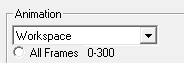
You can render Workspace PNG 24 & 32 bit image(s) from Model
.
Workspace's Render to FIle and Vray's Save to File does render BMP 32 bit image(s) only
PNG 24 bit only
- Render Workspace from Model.png (1.1 KiB) Viewed 4916 times
Workspace's Render to FIle and Vray's Save to File does render BMP 32 bit image(s) only
PNG 24 bit only
-
Emmanuel
- Chief Warrant Officer
- Posts: 670
- Joined: 14 Jun 2009, 06:47
Re: Workspace Save_render_to_file in PNG 32 bits
Using Modeler's dialog box is a solution but it takes more ressources.
On my computer, there is a noticable speed difference when you render a VRay scene from the Modeler versus Workspace. Workspace is 2x faster (at least) !
Did you ever tried to compare ? What is your speed difference ?
Regarding the 32 bits issue, I just found that TGA actually exports its alpha channel ! although it is not obvious at first because the background is rendered (it is not transparent).
- In Photoshop or any other edition software, you can grab the alpha channel and delete the unwanted background.
- It also works in Vegas, the video editing software.
So, yes, it is possible to render_to_file in 32 bits from Workspace, but in TGA file format only, and it requires some additional work in a picture edition software to remove the background.
On my computer, there is a noticable speed difference when you render a VRay scene from the Modeler versus Workspace. Workspace is 2x faster (at least) !
Did you ever tried to compare ? What is your speed difference ?
Regarding the 32 bits issue, I just found that TGA actually exports its alpha channel ! although it is not obvious at first because the background is rendered (it is not transparent).
- In Photoshop or any other edition software, you can grab the alpha channel and delete the unwanted background.
- It also works in Vegas, the video editing software.
So, yes, it is possible to render_to_file in 32 bits from Workspace, but in TGA file format only, and it requires some additional work in a picture edition software to remove the background.
-
trueBlue
- Captain
- Posts: 5548
- Joined: 06 Jul 2009, 22:50
- Type the number ten into the box: 10
Re: Workspace Save_render_to_file in PNG 32 bits
I do not see TGA as a supported image format in Workspace's Render to FileEmmanuel wrote: 16 Dec 2022, 11:35 Regarding the 32 bits issue, I just found that TGA actually exports its alpha channel ! although it is not obvious at first because the background is rendered (it is not transparent).
- In Photoshop or any other edition software, you can grab the alpha channel and delete the unwanted background.
- It also works in Vegas, the video editing software.
So, yes, it is possible to render_to_file in 32 bits from Workspace, but in TGA file format only, and it requires some additional work in a picture edition software to remove the background.
If you have YafaRay4tS and or Vray, then you can render to the TGA format
-
clintonman

- Captain
- Posts: 5659
- Joined: 21 May 2009, 21:08
- Type the number ten into the box: 0
- Location: California
Re: Workspace Save_render_to_file in PNG 32 bits
@Emmanuel
Are you talking about workspace d3d render to file or workspace vray render?
Are you talking about workspace d3d render to file or workspace vray render?
-
Emmanuel
- Chief Warrant Officer
- Posts: 670
- Joined: 14 Jun 2009, 06:47
Re: Workspace Save_render_to_file in PNG 32 bits
I was talking about Workspace VRay render_to_file.clintonman wrote: 16 Dec 2022, 18:51 @Emmanuel
Are you talking about workspace d3d render to file or workspace vray render?
The D3D render to file never handled transparency.
-
trueBlue
- Captain
- Posts: 5548
- Joined: 06 Jul 2009, 22:50
- Type the number ten into the box: 10
Re: Workspace Save_render_to_file in PNG 32 bits
@Emmanuel
Hope I did not offend you!
I did take the time to render each supported image format using Workspace's Render to File to verify my reply
I suspected that the BMP format also supported Alpha since it is 32 bits, but still not sure
I also did not catch that you were referring to Vray
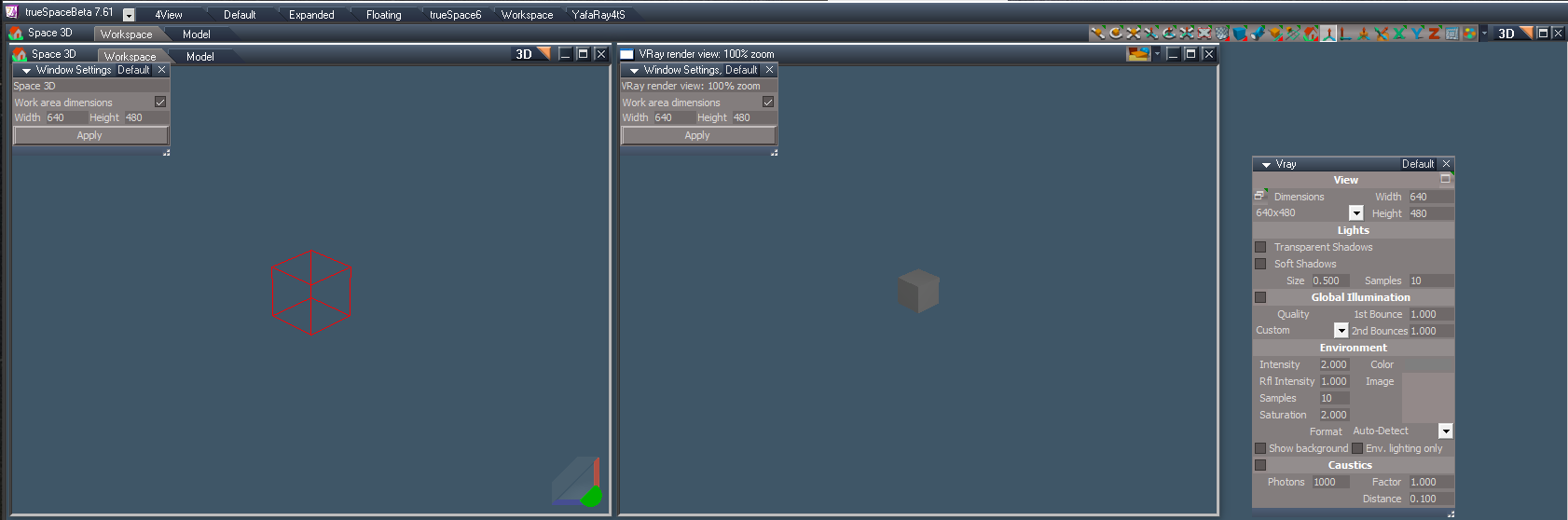
What I find odd is Vray's rendered results is different from what you see in the 3D View and or from a Camera View
Do you have any tips with this regard?
Is there some kind of Vray setting for the Zoom level?
Hope I did not offend you!
I did take the time to render each supported image format using Workspace's Render to File to verify my reply
I suspected that the BMP format also supported Alpha since it is 32 bits, but still not sure
I also did not catch that you were referring to Vray
What I find odd is Vray's rendered results is different from what you see in the 3D View and or from a Camera View
Do you have any tips with this regard?
Is there some kind of Vray setting for the Zoom level?
-
Emmanuel
- Chief Warrant Officer
- Posts: 670
- Joined: 14 Jun 2009, 06:47
Re: Workspace Save_render_to_file in PNG 32 bits
There is a very little difference between WS view and the rendered file but never as much as what you are showing.trueBlue wrote: 17 Dec 2022, 19:36 What I find odd is Vray's rendered results is different from what you see in the 3D View and or from a Camera View
Do you have any tips with this regard?
On my computer, it is almost identical, in tS7.6 and 7.61 as well.
Can you share that scene ?
-
trueBlue
- Captain
- Posts: 5548
- Joined: 06 Jul 2009, 22:50
- Type the number ten into the box: 10
Re: Workspace Save_render_to_file in PNG 32 bits
Camera location is the same as the Perspective View, exactly including FOV = 0.500Emmanuel wrote: 19 Dec 2022, 20:18There is a very little difference between WS view and the rendered file but never as much as what you are showing.trueBlue wrote: 17 Dec 2022, 19:36 What I find odd is Vray's rendered results is different from what you see in the 3D View and or from a Camera View
Do you have any tips with this regard?
On my computer, it is almost identical, in tS7.6 and 7.61 as well.
Can you share that scene ?
Camera View renders almost identical @ 640x480 in Workspace's Render to File and Vray's Render to File
3D View renders are off
This is especially noticeable in close up renders
tS7.61 Beta 8
- Attachments
-
- Vray.RsScn
- (1.21 MiB) Downloaded 145 times
-
Emmanuel
- Chief Warrant Officer
- Posts: 670
- Joined: 14 Jun 2009, 06:47
Re: Workspace Save_render_to_file in PNG 32 bits
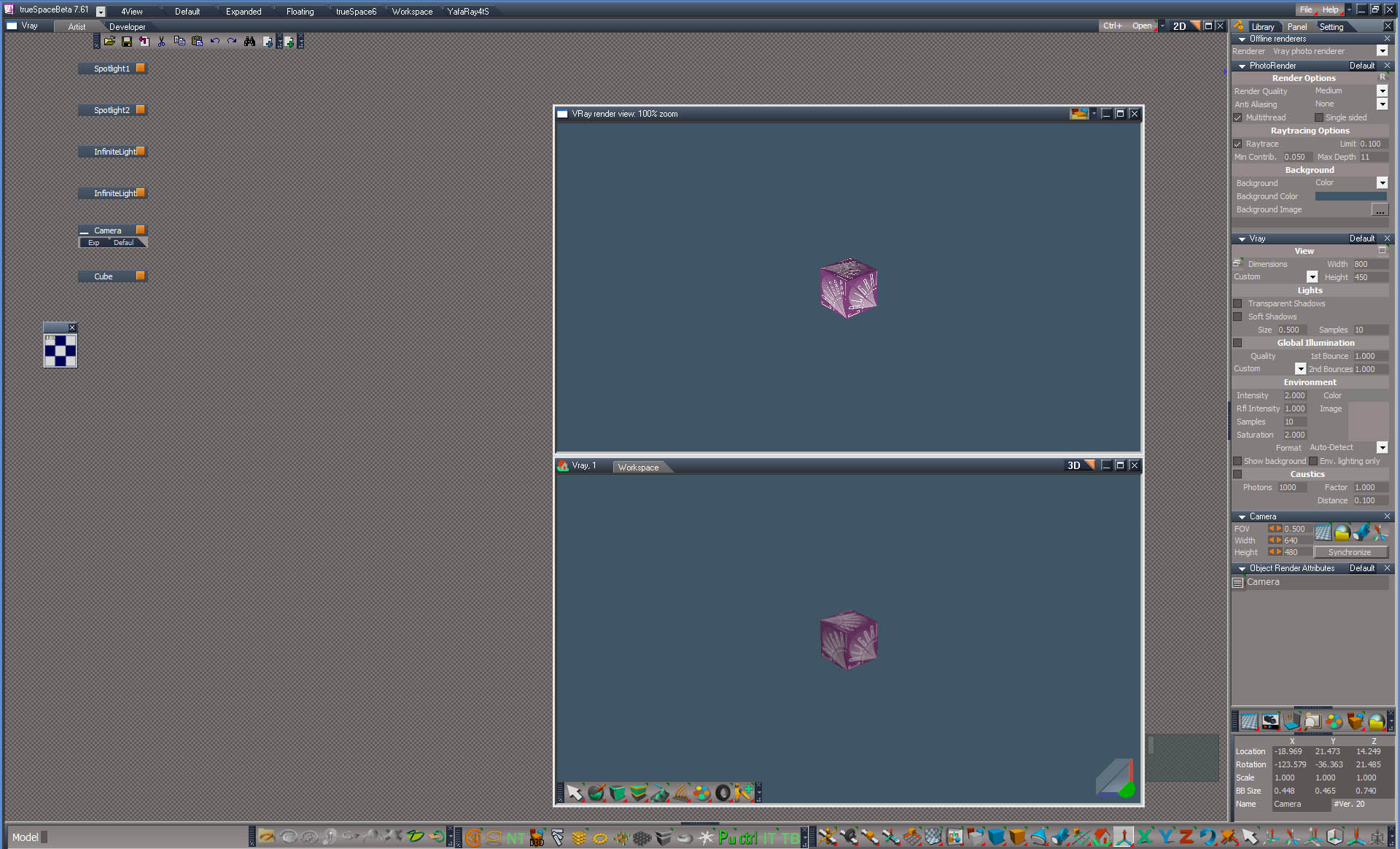
I see no différence here.
Tried to move the camera, add an other one, etc... All is fine.
There is probably a bug in your trueSpace settings.
Tried to move the camera, add an other one, etc... All is fine.
There is probably a bug in your trueSpace settings.
-
trueBlue
- Captain
- Posts: 5548
- Joined: 06 Jul 2009, 22:50
- Type the number ten into the box: 10
Re: Workspace Save_render_to_file in PNG 32 bits
Looks like you are showing views from the CameraEmmanuel wrote: 20 Dec 2022, 08:22 I see no différence here.
Tried to move the camera, add an other one, etc... All is fine.
There is probably a bug in your trueSpace settings.
render scene.jpg
As said, "Camera View renders almost identical @ 640x480 in Workspace's Render to File and Vray's Render to File
3D View renders are off
This is especially noticeable in close up renders"
Just to be clear, I am referring to rendered images
Workspace's Render to File 3D View

Vray's Render to File 3D View

- untitled.png (4.74 KiB) Viewed 3004 times
Looking at your screen grab, it looks like you got some funky installation going on
2 Sctipt Editor toolbars showing
The lower 3D View has Vray, 1 and no Model tab
Looks like you have some version of the Unofficial Update, but the Nav toolbar does not have any of the red, blue, or gold toolbox icons
-
Emmanuel
- Chief Warrant Officer
- Posts: 670
- Joined: 14 Jun 2009, 06:47
Re: Workspace Save_render_to_file in PNG 32 bits
Same thing on perspective view, isometric, side/top, etc.trueBlue wrote: 20 Dec 2022, 11:28 Looks like you are showing views from the Camera
I can't reproduce the difference you experience on your side. Here, all looks good.
Perhaps you have an other 3D view window somehow opened, and trueSpace is saving to file that unwanted view.
Do you experience the same issue on an other installation of trueSpace ? Like 7.6 ?
-
Emmanuel
- Chief Warrant Officer
- Posts: 670
- Joined: 14 Jun 2009, 06:47
Re: Workspace Save_render_to_file in PNG 32 bits
I am using that tS7.61 installation for testing/tryout purposes mostly, so it is a mess.trueBlue wrote: 20 Dec 2022, 11:28 Looks like you have some version of the Unofficial Update, but the Nav toolbar does not have any of the red, blue, or gold toolbox icons
For professional work, tS7.6 is more reliable to me.
-
trueBlue
- Captain
- Posts: 5548
- Joined: 06 Jul 2009, 22:50
- Type the number ten into the box: 10
Re: Workspace Save_render_to_file in PNG 32 bits
Nope, no other 3D WindowsEmmanuel wrote: 20 Dec 2022, 20:50Same thing on perspective view, isometric, side/top, etc.trueBlue wrote: 20 Dec 2022, 11:28 Looks like you are showing views from the Camera
I can't reproduce the difference you experience on your side. Here, all looks good.
Perhaps you have an other 3D view window somehow opened, and trueSpace is saving to file that unwanted view.
Do you experience the same issue on an other installation of trueSpace ? Like 7.6 ?
Yep, tS7.6 too!
I gave up a long time ago rendering images from the 3D View
I strictly render from a Camera View
Maybe our differences are the Display Resolution being used
NVIDIA GeForce GTX 970 @ 1920x1080
Edit: Just did a test and my Display Resolution is relevant
I set a floating 3D View to half of my Display Resolution and rendered using Workspace R2F and Vray R2F set @ 960x540
Now the images are exact

- Resolution.png (4.73 KiB) Viewed 2980 times
Off subject, I recently discovered Clinton's 3D Plugin works in tS7.6
I only have a few things ported over from tS7.61

- Clintons3DPlugin.png (3.29 KiB) Viewed 2978 times
-
trueBlue
- Captain
- Posts: 5548
- Joined: 06 Jul 2009, 22:50
- Type the number ten into the box: 10
Re: Workspace Save_render_to_file in PNG 32 bits
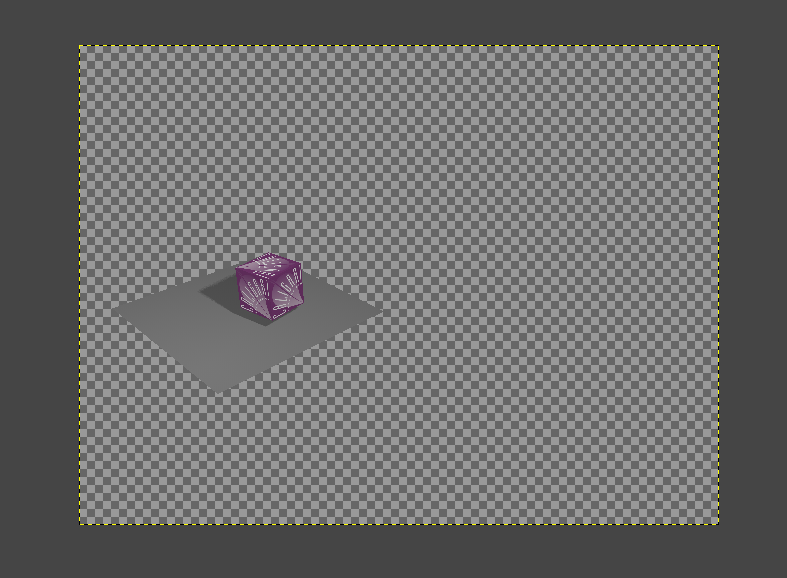
Revisited this and discovered that is possible to Render Vray's Background with Alpha using a 32 Bit Black TGA imageEmmanuel wrote: 16 Dec 2022, 11:35 Using Modeler's dialog box is a solution but it takes more ressources.
On my computer, there is a noticable speed difference when you render a VRay scene from the Modeler versus Workspace. Workspace is 2x faster (at least) !
Did you ever tried to compare ? What is your speed difference ?
Regarding the 32 bits issue, I just found that TGA actually exports its alpha channel ! although it is not obvious at first because the background is rendered (it is not transparent).
- In Photoshop or any other edition software, you can grab the alpha channel and delete the unwanted background.
- It also works in Vegas, the video editing software.
So, yes, it is possible to render_to_file in 32 bits from Workspace, but in TGA file format only, and it requires some additional work in a picture edition software to remove the background.
Offline Render Animation using the TGA format
Note: The Background.tga image being used in the PhotoRender - Background Image

Snapshot from GIMP
- Attachments
-
- 32 Black TGA.zip
- (1.33 KiB) Downloaded 125 times
-
Emmanuel
- Chief Warrant Officer
- Posts: 670
- Joined: 14 Jun 2009, 06:47
Re: Workspace Save_render_to_file in PNG 32 bits
Workspace's Save_render_to_file always supports the 32 bits alpha chanel when saved in TGA format, even without a transparent background image.
In PNG though, no way. Even with a transparent background. Workspace's PNG export is 24 bits only.
In PNG though, no way. Even with a transparent background. Workspace's PNG export is 24 bits only.