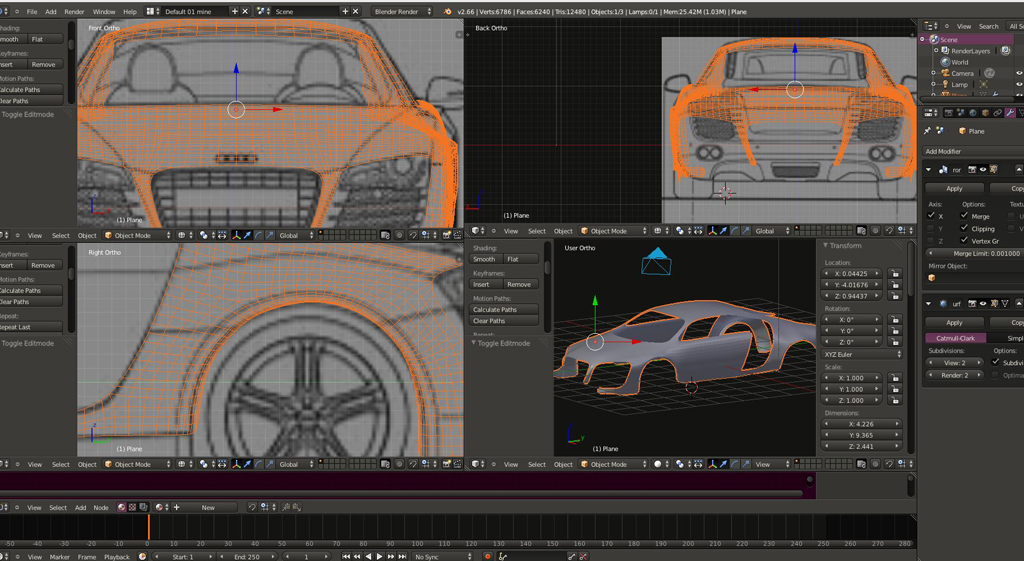
Started modling this beast im going to try and get it perfect .its hard because
the blue print are not 100% but here it is so far
Audi R8
-
pugman 1
- Captain
- Posts: 1555
- Joined: 21 May 2009, 19:26
- Type the number ten into the box: 0
- Location: Germany
Audi R8
- Attachments
-
-
Draise

- Captain
- Posts: 3200
- Joined: 21 Sep 2009, 19:33
- Type the number ten into the box: 0
- Location: Bogota, Colombia
Re: Audi R8
Awesome! And in blender! Looks good so far, I know how easy it might look to model a car, but in reality it's quite difficult. I will follow your updates. 
And... btw way, i'm jealous of your screen resolution! NICE!
And... btw way, i'm jealous of your screen resolution! NICE!
-
pugman 1
- Captain
- Posts: 1555
- Joined: 21 May 2009, 19:26
- Type the number ten into the box: 0
- Location: Germany
Re: Audi R8
THanks this is hard to model corectly i got a load of reference pics from the net
and noticed the bodywork is not correct ,game on .
my moniter display is 1920 1080 all tree of them ,Its cool
and noticed the bodywork is not correct ,game on .
my moniter display is 1920 1080 all tree of them ,Its cool
-
Dragneye

- Lieutenant
- Posts: 906
- Joined: 02 Sep 2009, 22:09
Re: Audi R8
Nice job pugman.
You might find it easier to model parts separately (doors, panels, hood, etc) if you're going for real detail.
You might find it easier to model parts separately (doors, panels, hood, etc) if you're going for real detail.
-
pugman 1
- Captain
- Posts: 1555
- Joined: 21 May 2009, 19:26
- Type the number ten into the box: 0
- Location: Germany
Re: Audi R8
Thanks , yes i just found that out . started new modling how you said .
hope this time it looks better
hope this time it looks better
-
jamesmc
- Captain
- Posts: 1776
- Joined: 08 Jul 2009, 15:35
Re: Audi R8
Sweet!
Can I drive it when you are done?
Can I drive it when you are done?
Walk by faith, not by sight.
-
pugman 1
- Captain
- Posts: 1555
- Joined: 21 May 2009, 19:26
- Type the number ten into the box: 0
- Location: Germany
Re: Audi R8
No prob if you can jump into the cyber world
-
pugman 1
- Captain
- Posts: 1555
- Joined: 21 May 2009, 19:26
- Type the number ten into the box: 0
- Location: Germany
Re: Audi R8
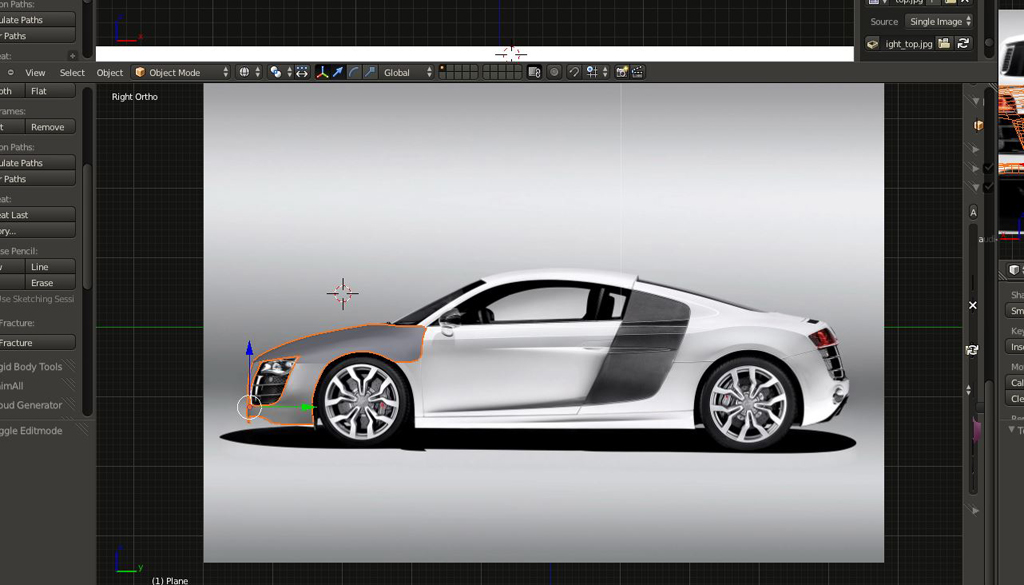
This is harder than i thought it would be .iv tryed so many diferent blue prints none line
up how they should , now iv settled for real pics and try it this way with a lot of poly pushing
correcting the flow .whe i get the body done the i must sort out the creases in it and get
the right lines somehow .Fun time .here it is so far
up how they should , now iv settled for real pics and try it this way with a lot of poly pushing
correcting the flow .whe i get the body done the i must sort out the creases in it and get
the right lines somehow .Fun time .here it is so far
- Attachments
-
-
pugman 1
- Captain
- Posts: 1555
- Joined: 21 May 2009, 19:26
- Type the number ten into the box: 0
- Location: Germany
Re: Audi R8
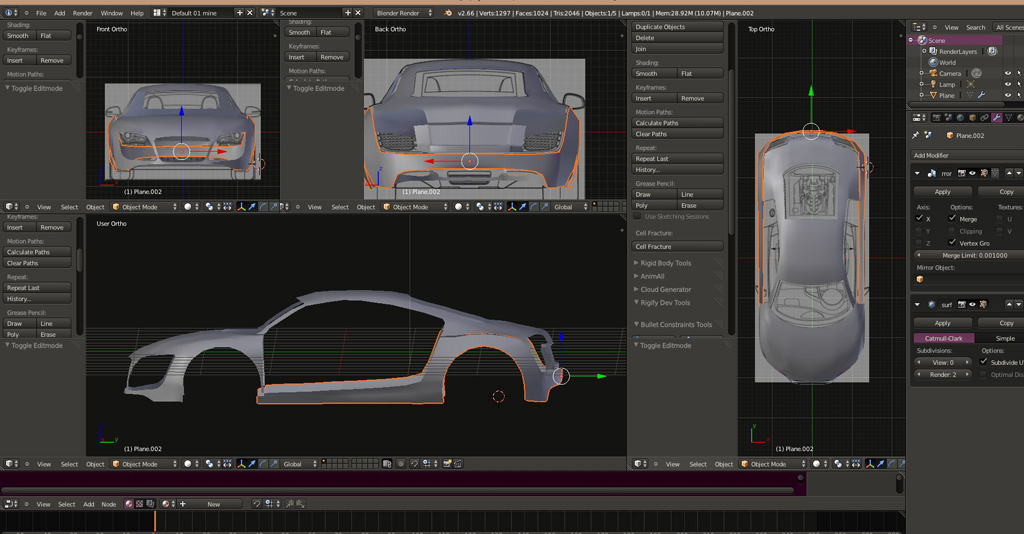
After many restarts i have got this far.major probs with the blueprint size .
i watched this vid and finaly got them ok. http://youtu.be/bqjaWGVfRj8"
Still a long way to go
i watched this vid and finaly got them ok. http://youtu.be/bqjaWGVfRj8"
Still a long way to go
- Attachments
-
-
Prodigy

- Site Admin
- Posts: 957
- Joined: 21 May 2009, 14:46
- Type the number ten into the box: 0
- Location: Uruguay
Re: Audi R8
Nice work Pug, seems you catch how use blender
You have my attention, waiting for more
You have my attention, waiting for more
๑۩۞۩๑ prodigy ๑۩۞۩๑
-
Dragneye
- Lieutenant
- Posts: 906
- Joined: 02 Sep 2009, 22:09
Re: Audi R8
Lookin good pugman.
-
pugman 1
- Captain
- Posts: 1555
- Joined: 21 May 2009, 19:26
- Type the number ten into the box: 0
- Location: Germany
Re: Audi R8
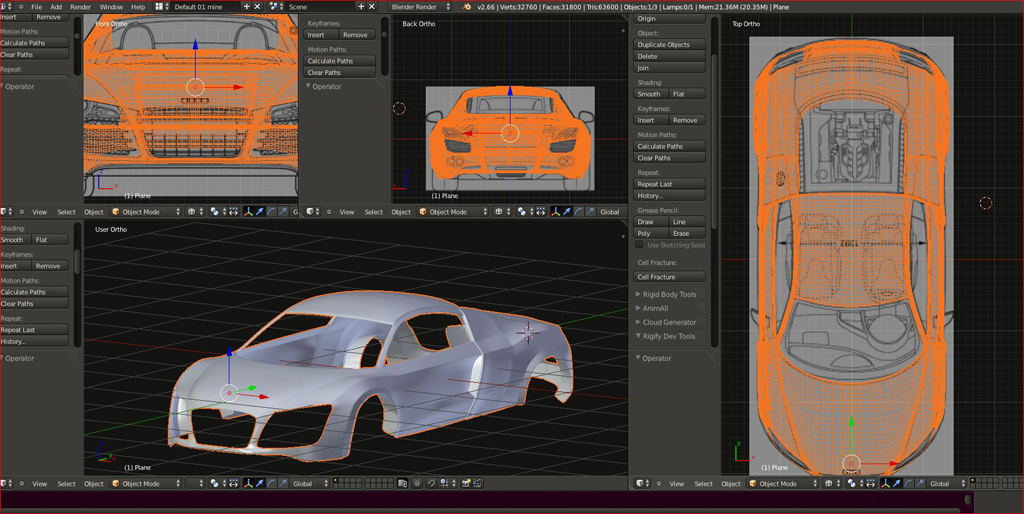
Small updat. i think im getting somewhere with it now
- Attachments
-
-
RAYMAN

- Captain
- Posts: 2547
- Joined: 21 May 2009, 18:56
Re: Audi R8
looks great so far ! 
car bodyparts are realy hard !
Peter
car bodyparts are realy hard !
Peter
-
Steve

- Master Chief Petty Officer
- Posts: 394
- Joined: 29 Jun 2009, 10:20
- Type the number ten into the box: 0
- Location: Hiding (Like a ninja)
Re: Audi R8
duuuuuuuuude
Coooooool. It's nice to see more cars
Coooooool. It's nice to see more cars
-
pugman 1
- Captain
- Posts: 1555
- Joined: 21 May 2009, 19:26
- Type the number ten into the box: 0
- Location: Germany
Re: Audi R8
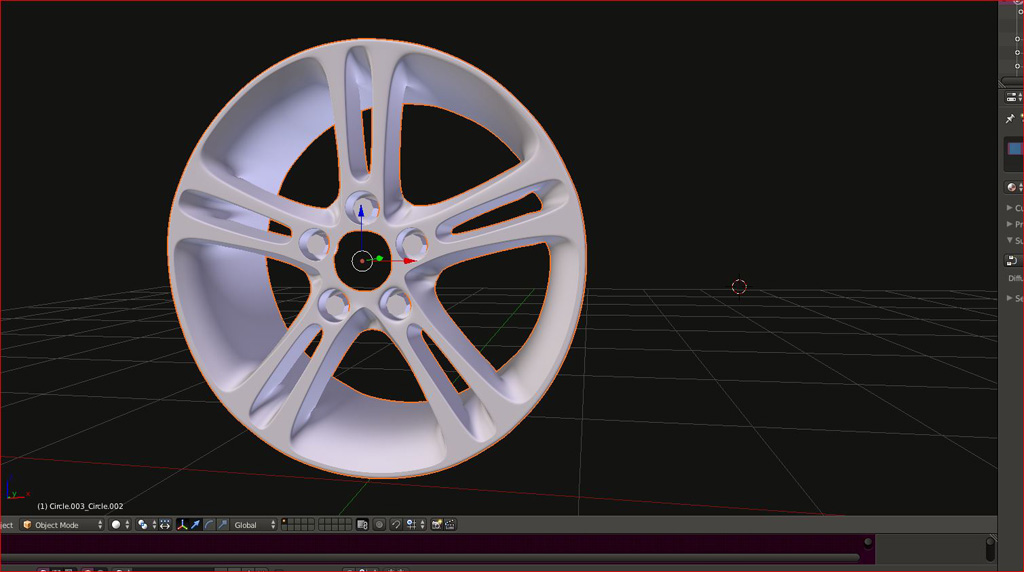
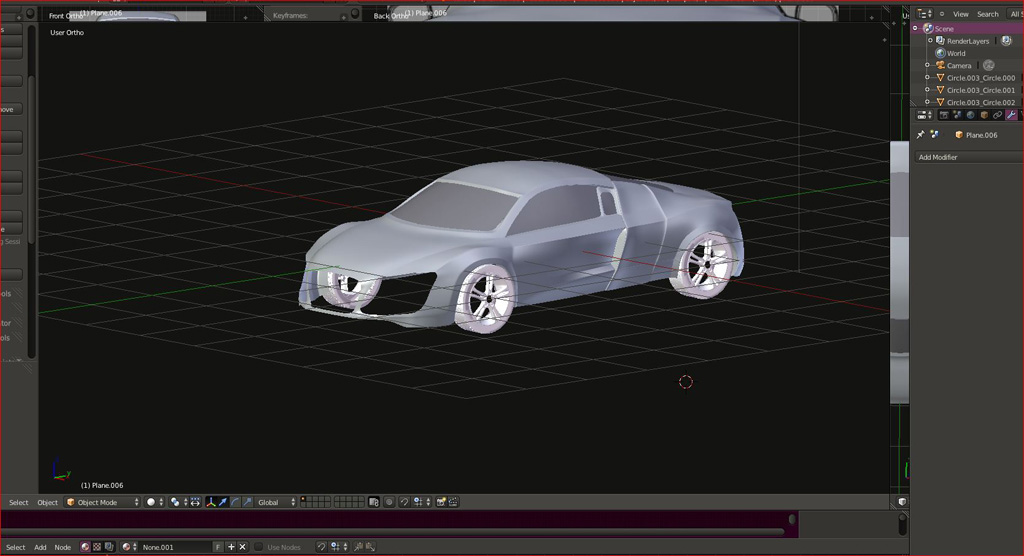
Thanks All, Got the windows in made the wheels and tyres they were hard still
not sure if the tyre is ok maybe i make a low prophile one.
Cheers Ralph
not sure if the tyre is ok maybe i make a low prophile one.
Cheers Ralph
- Attachments
-
-
-

-
pugman 1
- Captain
- Posts: 1555
- Joined: 21 May 2009, 19:26
- Type the number ten into the box: 0
- Location: Germany
Re: Audi R8
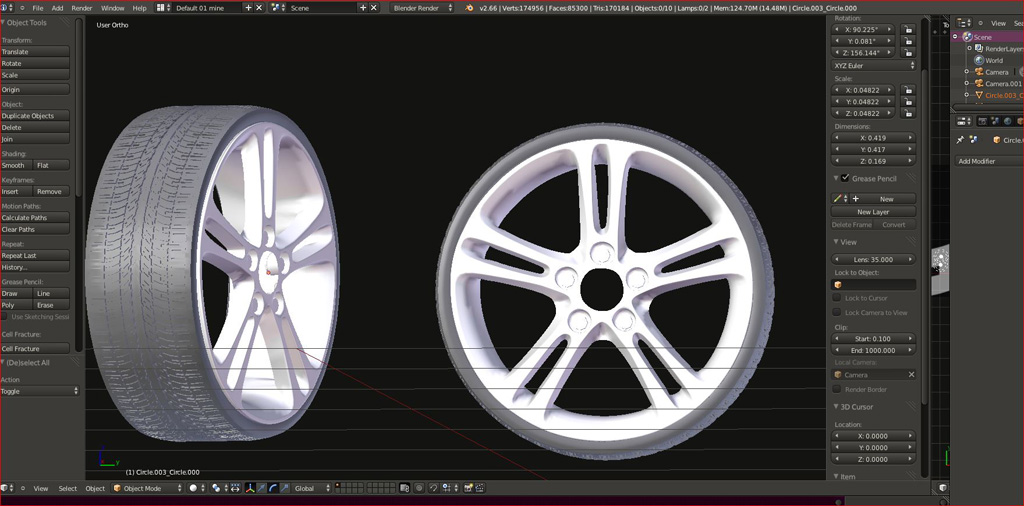
Here a new set up .
Just for info they build this car 5 kilometers from where i live In Neckarsulm
Just for info they build this car 5 kilometers from where i live In Neckarsulm
- Attachments
-
-
Unavailableartist
- Petty Officer First Class
- Posts: 58
- Joined: 31 Mar 2013, 19:50
- Type the number ten into the box: 10
Re: Audi R8
There should be a like button here.... Good jobpugman 1 wrote:Here a new set up .
Just for info they build this car 5 kilometers from where i live In Neckarsulm
-
Draise
- Captain
- Posts: 3200
- Joined: 21 Sep 2009, 19:33
- Type the number ten into the box: 0
- Location: Bogota, Colombia
Re: Audi R8
Looking good! You did the rims well! I thought they might be hard to do, but you got them smack on. How did you get all the nice radial curves like that?
-
pugman 1
- Captain
- Posts: 1555
- Joined: 21 May 2009, 19:26
- Type the number ten into the box: 0
- Location: Germany
Re: Audi R8
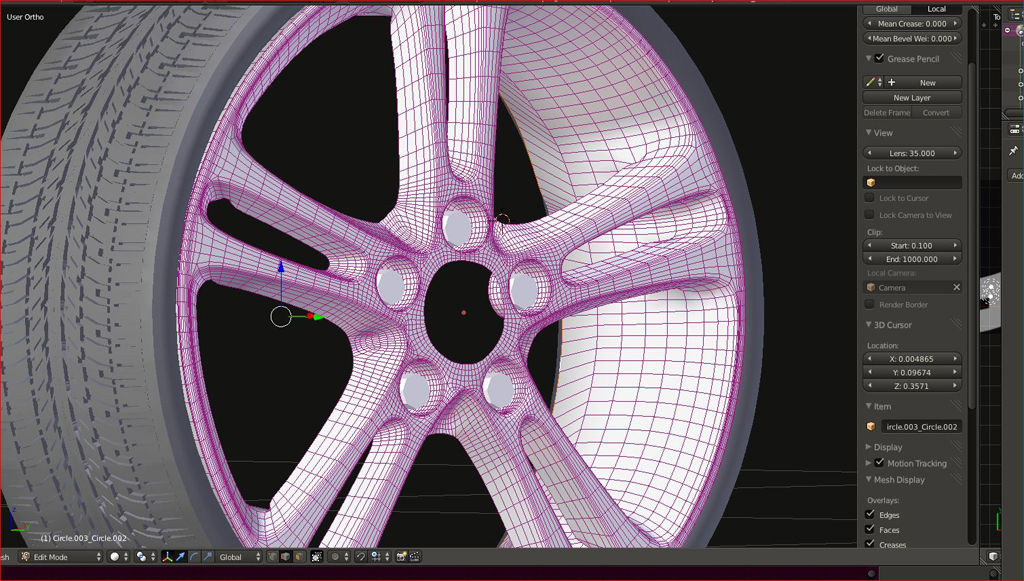
Here is a wire shot . If i dont know how to make somthing in blender i search for a tut on it
for this i whatched Andrew prices vid how to make a wheel in blender ,only thing i could not get the arays to work
how it should so i duplicated the one spoke of the wheel till it was done then merged all the open vertices.
took a while but it was worth the effort
for this i whatched Andrew prices vid how to make a wheel in blender ,only thing i could not get the arays to work
how it should so i duplicated the one spoke of the wheel till it was done then merged all the open vertices.
took a while but it was worth the effort
- Attachments
-
-
Unavailableartist
- Petty Officer First Class
- Posts: 58
- Joined: 31 Mar 2013, 19:50
- Type the number ten into the box: 10
Re: Audi R8
His tutorials are long but very helpful... He isn't bad to listen too either. Right now I'm using a free course, that very good (I feeling much more confident in my modeling skills with blender than when I started out), but he is boring, the vids aren't long though... Like 10-11 mins top-- his exercises are PDF tutorials though... Not vids.
I remember when I first started when I was 13 staring at all those polys wondering how on earth they got shapes like that.... Now, not so much I think there isn't a shape I can't figure out eventually (haven't gotten to organics yet  )
)
--- now my texturing needs help
I remember when I first started when I was 13 staring at all those polys wondering how on earth they got shapes like that.... Now, not so much
I think there isn't a shape I can't figure out eventually (haven't gotten to organics yet )--- now my texturing needs help
-
pugman 1
- Captain
- Posts: 1555
- Joined: 21 May 2009, 19:26
- Type the number ten into the box: 0
- Location: Germany
Re: Audi R8
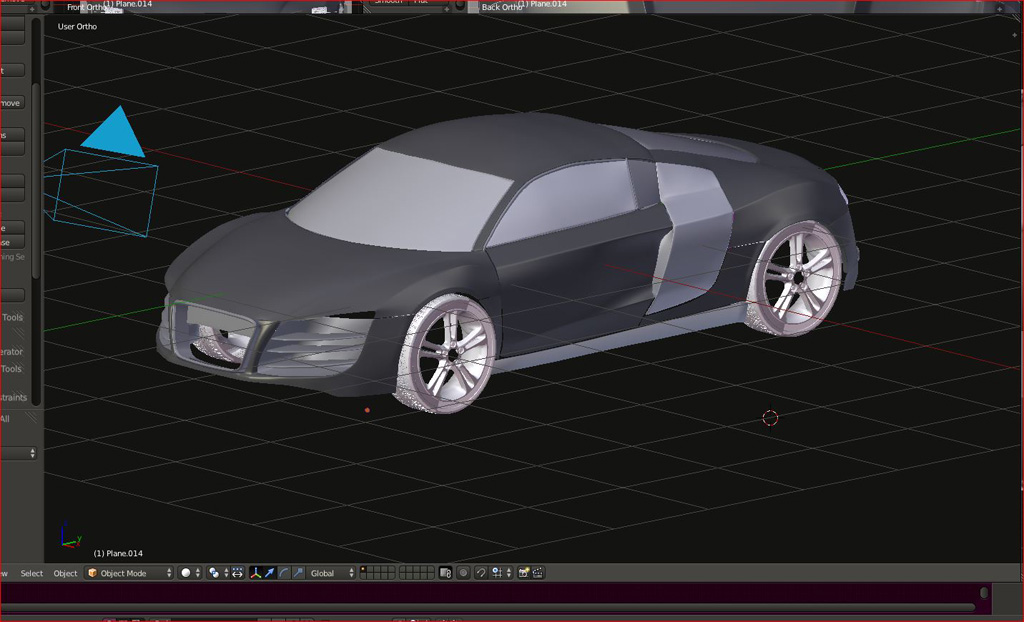
Here i am so far with this ,few things to model then comes the
the hard part rendering this beast
the hard part rendering this beast
- Attachments
-
-
Steinie

- Captain
- Posts: 2958
- Joined: 21 May 2009, 17:38
- Type the number ten into the box: 10
Re: Audi R8
I am happy to see someone getting far using Blender and modeling a cool vehicle at that.
Keep us updated, lookin' good!
Keep us updated, lookin' good!
-
pugman 1
- Captain
- Posts: 1555
- Joined: 21 May 2009, 19:26
- Type the number ten into the box: 0
- Location: Germany
Re: Audi R8
Thanks Steinie ,its hard but im getting there .
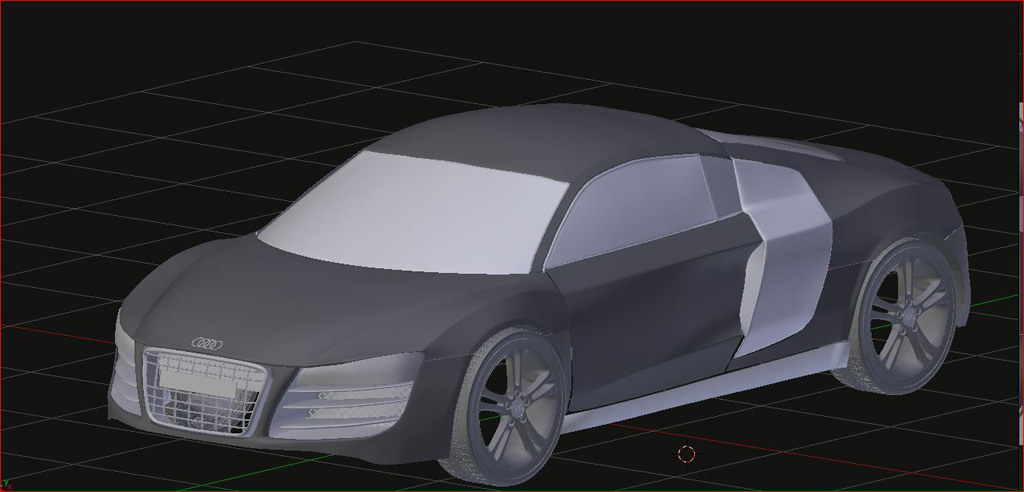
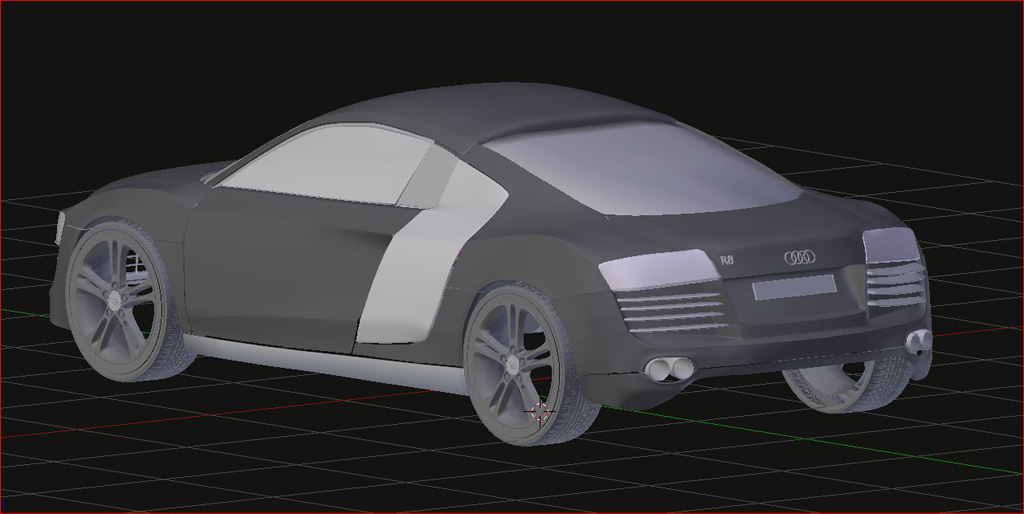
here are a couple of shots with the grill finished and a couple of other things
Cheers Ralph
here are a couple of shots with the grill finished and a couple of other things
Cheers Ralph
- Attachments
-
-
-
pugman 1
- Captain
- Posts: 1555
- Joined: 21 May 2009, 19:26
- Type the number ten into the box: 0
- Location: Germany
Re: Audi R8
Im trying to render this in Thea studio but cant seem to get the lights working
,so the render is black .
,so the render is black .
-
pugman 1
- Captain
- Posts: 1555
- Joined: 21 May 2009, 19:26
- Type the number ten into the box: 0
- Location: Germany
Re: Audi R8 test render
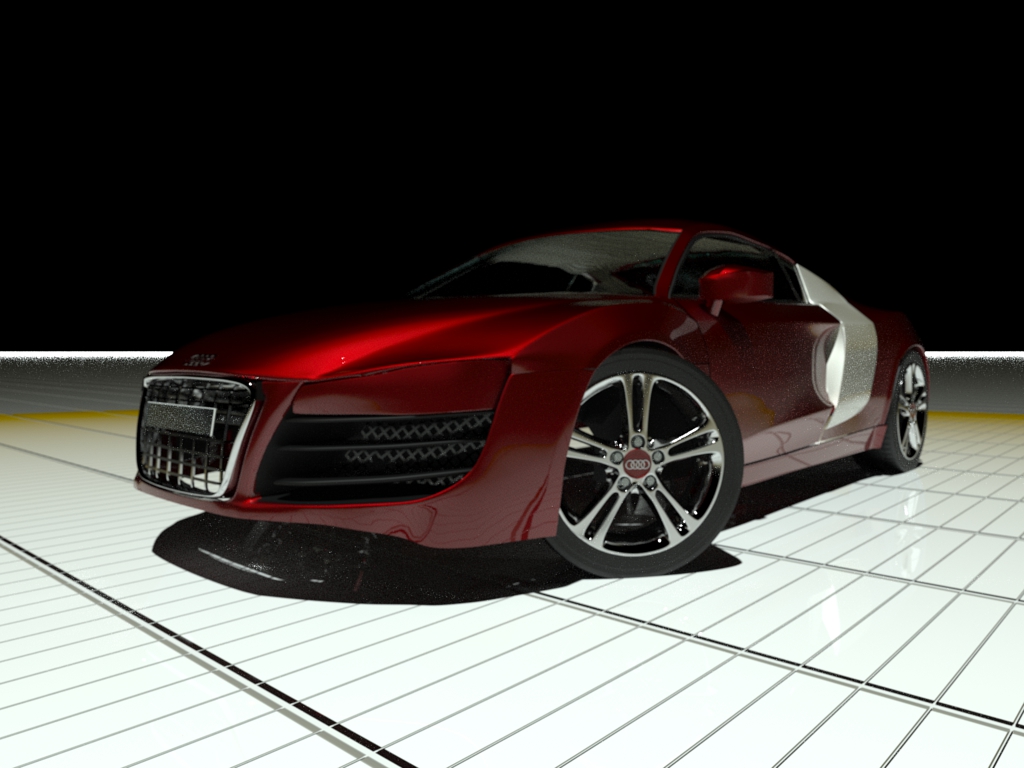
This is a test render still trying to learn thea studio ,
i think i must model the brakes and seats for this shot
i think i must model the brakes and seats for this shot
- Attachments
-
-
pugman 1
- Captain
- Posts: 1555
- Joined: 21 May 2009, 19:26
- Type the number ten into the box: 0
- Location: Germany
Re: Audi R8 final render
Here is the beast finished .modeled in blender ,rendered in Thea studio .
150 passes.
Cheers Ralph
150 passes.
Cheers Ralph
- Attachments
-

-
Steinie
- Captain
- Posts: 2958
- Joined: 21 May 2009, 17:38
- Type the number ten into the box: 10
Re: Audi R8
Nice work Pugman! I really like those wheels! (and the groovy name plate up front) 
-
Draise
- Captain
- Posts: 3200
- Joined: 21 Sep 2009, 19:33
- Type the number ten into the box: 0
- Location: Bogota, Colombia
Re: Audi R8


150 passes?!?!?!? You mean.. Like.. diffuse, specular, reflection, refraction, normal, zdepth, GI, finalgather, AO, ummm.. I can't even think of 150 passes!
But it looks fantastic, great work. =) Great to see it finished and beautiful.

-
pugman 1
- Captain
- Posts: 1555
- Joined: 21 May 2009, 19:26
- Type the number ten into the box: 0
- Location: Germany
Re: Audi R8
Thanks Steinie This is not the last im trying to get the lights sorted .
Draise ,in thea it renders up to 1000 passes each pass it renders a little bit better
with 1 crap with 100 ok the more the better
Draise ,in thea it renders up to 1000 passes each pass it renders a little bit better
with 1 crap with 100 ok the more the better
-
Draise
- Captain
- Posts: 3200
- Joined: 21 Sep 2009, 19:33
- Type the number ten into the box: 0
- Location: Bogota, Colombia
Re: Audi R8
ooooh, I see. So it does a progressive rendering algorithm, each time it does a pass it increases the quality? Not necesarrily "passes" like an information render pass or something. .
-
pugman 1
- Captain
- Posts: 1555
- Joined: 21 May 2009, 19:26
- Type the number ten into the box: 0
- Location: Germany
Re: Audi R8 final render 100%
I took it a bit farter .
- Attachments
-

-
Draise
- Captain
- Posts: 3200
- Joined: 21 Sep 2009, 19:33
- Type the number ten into the box: 0
- Location: Bogota, Colombia
Re: Audi R8
Beautiful, you got the hang of Kerykethea really well! The car park looks almost infinitely huge though, but the render, the quality, the light, it's all perfect. And great beautiful model!
I love the feeling of making something and not getting enough renders, you just want another and another and another!
I love the feeling of making something and not getting enough renders, you just want another and another and another!
-
pugman 1
- Captain
- Posts: 1555
- Joined: 21 May 2009, 19:26
- Type the number ten into the box: 0
- Location: Germany
Re: Audi R8
Thanks man, Yes the infinate plane in thea lets you reduce the sise of the textures but
not the sise of itself or i have not found out how yet i wish i could move up
the hdri backgroud but i can only rotate it ,
At the moment im doing another render of it .This time in metalic black. my pc is buzzing full 8 cores 4.4
Ps iv improved the car ,modeled thing new and added things .
not the sise of itself or i have not found out how yet i wish i could move up
the hdri backgroud but i can only rotate it ,
At the moment im doing another render of it .This time in metalic black. my pc is buzzing full 8 cores 4.4
Ps iv improved the car ,modeled thing new and added things .