Hi all can someone let me know which is better
carrera or vue studio. I think they can both do
the same things but not sure which to get.
carrera or vue studio
-
pugman 1
- Captain
- Posts: 1555
- Joined: 21 May 2009, 19:26
- Type the number ten into the box: 0
- Location: Germany
carrera or vue studio
-
LeonRegis

- Captain
- Posts: 1946
- Joined: 18 Aug 2009, 17:36
- Type the number ten into the box: 0
- Location: Brazil/Earth/Orion Arm/Milky Way/4th Dimension/This Universe/Multiverse???/Singularity???
Re: carrera or vue studio
I think that they are different things, since Carrara is focused in creation, Vue is focused in appearing and scenario creation.
I might be wrong
I might be wrong
Be the change you want to see in the world. - Mohandas Gandhi
-
jamesmc
- Captain
- Posts: 1776
- Joined: 08 Jul 2009, 15:35
Re: carrera or vue studio
leonregis is essentially correct.
Of course, being a Carrara user, I might be prejudiced.
Vue has a lot of advantages, to take full advantage, you will need the Vue Infinite which costs $900.00 or you can go full bore with Vue Xtream at $1500.00. The other Vue applications require that you buy plug-ins to make up the differents in capability (which ends up costing more.)
Vue at the upper ends is aimed at the CG professional, has more highly developed integrated tools for animation, better atmosphere and some other things it does well.
Carrara is more for hobbyists and is aimed at the CG part timer. Carrara has things like hair, ability to rig figures with skeletons, a reasonable polygonal (vertex) modeling room, highly integratable with Daz products (some are free or very cheap), the plug-ins are way cheaper and a lot of other stuff that Vue depends on outside programs like 3DMax, Lightwave3D, Cinema 4D or Maya to import or integrate with.
The new innovations in Carrara 8 Pro Beta are:
* Multi Threading
* FBX Export Updates
* COLLADA import/export Updates
* Multi Leaf Objects
* God Rays
* Barn Doors for Spotlights
* Puppeteer Animation Tool
* 64-bit versions for Mac and PC
* Edit Figure in Vertex Modeler without the need to Zero Figure
* Network Rendering Improvements
* Negative Lights
* IES Lighting
* Normal Maps
* Bullet Physics Engine (beta) - Rigid Body and Dynamic Cloth
I would say if you are a perfectionist, have CG industry ambitions or want to do professional environments, get Vue, but you will still need a modeling application. If you are a hobbyist, then get Carrara Pro.
I use the Hexagon Modeler with Carrara, as I don't like the Vertex room modeler, although it has integrated advantages, but nothing that a nice OBJ format can't solve.
I also have Lightwave3D, which is extremely powerful and is used in featured movies like Avatar, but I'm a novice assistant part-time newbee flunkee user in that program.
Currently, my program base revolves around 3D Coat, Zbrush, Carrara Pro and Bryce (a Daz Vue-like application - not as capable - but cool to use.)
It all depends on your ambitions, needs and wants. If you are a graphics professional CG artist, go Vue - if not go Carrara.
BTW, you can get both programs to try out for free. Vue has the Personal Learning Edition (Vue 8 PLE) and there are free downloads for Carrara Pro to try out.
Of course, being a Carrara user, I might be prejudiced.
Vue has a lot of advantages, to take full advantage, you will need the Vue Infinite which costs $900.00 or you can go full bore with Vue Xtream at $1500.00. The other Vue applications require that you buy plug-ins to make up the differents in capability (which ends up costing more.)
Vue at the upper ends is aimed at the CG professional, has more highly developed integrated tools for animation, better atmosphere and some other things it does well.
Carrara is more for hobbyists and is aimed at the CG part timer. Carrara has things like hair, ability to rig figures with skeletons, a reasonable polygonal (vertex) modeling room, highly integratable with Daz products (some are free or very cheap), the plug-ins are way cheaper and a lot of other stuff that Vue depends on outside programs like 3DMax, Lightwave3D, Cinema 4D or Maya to import or integrate with.
The new innovations in Carrara 8 Pro Beta are:
* Multi Threading
* FBX Export Updates
* COLLADA import/export Updates
* Multi Leaf Objects
* God Rays
* Barn Doors for Spotlights
* Puppeteer Animation Tool
* 64-bit versions for Mac and PC
* Edit Figure in Vertex Modeler without the need to Zero Figure
* Network Rendering Improvements
* Negative Lights
* IES Lighting
* Normal Maps
* Bullet Physics Engine (beta) - Rigid Body and Dynamic Cloth
I would say if you are a perfectionist, have CG industry ambitions or want to do professional environments, get Vue, but you will still need a modeling application. If you are a hobbyist, then get Carrara Pro.
I use the Hexagon Modeler with Carrara, as I don't like the Vertex room modeler, although it has integrated advantages, but nothing that a nice OBJ format can't solve.
I also have Lightwave3D, which is extremely powerful and is used in featured movies like Avatar, but I'm a novice assistant part-time newbee flunkee user in that program.
Currently, my program base revolves around 3D Coat, Zbrush, Carrara Pro and Bryce (a Daz Vue-like application - not as capable - but cool to use.)
It all depends on your ambitions, needs and wants. If you are a graphics professional CG artist, go Vue - if not go Carrara.
BTW, you can get both programs to try out for free. Vue has the Personal Learning Edition (Vue 8 PLE) and there are free downloads for Carrara Pro to try out.
Walk by faith, not by sight.
-
pugman 1
- Captain
- Posts: 1555
- Joined: 21 May 2009, 19:26
- Type the number ten into the box: 0
- Location: Germany
Re: carrera or vue studio
Thanks jamesmc ,At the moment i have poser 5 ,
daz studio 3d ,vue pioneer no watermarks and bryce,
what i am looking for is a programme for the rendering
with all the other stuff , i think carrera 7 will do for now.
cant get use to blender to complicated
daz studio 3d ,vue pioneer no watermarks and bryce,
what i am looking for is a programme for the rendering
with all the other stuff , i think carrera 7 will do for now.
cant get use to blender to complicated
-
RAYMAN

- Captain
- Posts: 2547
- Joined: 21 May 2009, 18:56
Re: carrera or vue studio
I have both carrara and Vue and daz studion and poser 5 and 8.
I prefer Vue for my renders . they give you great results especially if your into instancing.
You can do scenes that are much bigger then with most other softwre and pretty average systems.
Its called ecosystems.
I made a few thread about Vue workflow .
Look up somem of them with the search function
They are in the general discussion section.
Peter
I prefer Vue for my renders . they give you great results especially if your into instancing.
You can do scenes that are much bigger then with most other softwre and pretty average systems.
Its called ecosystems.
I made a few thread about Vue workflow .
Look up somem of them with the search function
They are in the general discussion section.
Peter
-
pugman 1
- Captain
- Posts: 1555
- Joined: 21 May 2009, 19:26
- Type the number ten into the box: 0
- Location: Germany
Re: carrera or vue studio
So , we have a vue fan and a carrera fan, i think in time
i will have both ,depending on buget
Thanks guys for the interest
i will have both ,depending on buget
Thanks guys for the interest
-
v3rd3
- Lieutenant Commander
- Posts: 1191
- Joined: 21 May 2009, 20:04
Re: carrera or vue studio
From a budget perspective you might still be able to find Carrara 6.2 on a cover disc from either 3d world or 3d artist. They both published the full version which fully qualifies for an upgrade.
-
brotherx
- Petty Officer Second Class
- Posts: 29
- Joined: 10 Jun 2009, 12:50
- Type the number ten into the box: 0
- Location: Galway, Ireland
Re: carrera or vue studio
The full version was on sale last week too with a free upgrade to 8...so sad. I think I got an upgrade for $140, down from 169 and they were doing the full verson for about 299 I think it was. I see it is back up to 549. Anyway, as far as I can see they will be giving v8 free if you buy v7 now.
I've not had a serious chance to play with it but I love the way you can generate unique trees for your scene. The renderer seems a little basic though.
I've not had a serious chance to play with it but I love the way you can generate unique trees for your scene. The renderer seems a little basic though.
-
marcel

- Captain
- Posts: 2247
- Joined: 21 May 2009, 19:52
- Type the number ten into the box: 0
- Location: paris - France
Re: carrera or vue studio
Maybe off topic but here is an advice to follow if you really want to do something. There are more and more software. They are all excellent but they require constant learning. They must be tested to make our choice. Then you must become expert in one or two software to enhance your knowledge, especially when several software offer the same benefits. but most people spend their lives learning and doing nothing. The danger is not having the courage to reach an acceptable level and to abandon all the time. My clients do not care software. They want an answer to their problem that only an experience can resolve.
Design - illustration - Animation
http://www.crea-vision.fr
http://www.crea-vision.fr
-
RAYMAN
- Captain
- Posts: 2547
- Joined: 21 May 2009, 18:56
Re: carrera or vue studio
I have to say to this logic that it always depends on the span of the software that you use.marcel wrote:Maybe off topic but here is an advice to follow if you really want to do something. There are more and more software. They are all excellent but they require constant learning. They must be tested to make our choice. Then you must become expert in one or two software to enhance your knowledge, especially when several software offer the same benefits. but most people spend their lives learning and doing nothing. The danger is not having the courage to reach an acceptable level and to abandon all the time. My clients do not care software. They want an answer to their problem that only an experience can resolve.
1+1+1+1+1 is still 5.......If you learn a large piece of software or 5 diffrent small ones is the same thing.
What many people dont realise is that some pieces of software need lots of workarounds something you need less in other pieces of software.
In the end what you buy and learn has to work for you. All you have to be is productive either way.....
Peter
-
nigec

- Master Chief Petty Officer
- Posts: 561
- Joined: 21 May 2009, 18:46
Re: carrera or vue studio
Carrara's render engine is actually quite good, but you'd need to a far bit of messing about to get photoreal, but then again I don't have C8 which has a lot better sky and lighting etcbrotherx wrote:The full version was on sale last week too with a free upgrade to 8...so sad. I think I got an upgrade for $140, down from 169 and they were doing the full verson for about 299 I think it was. I see it is back up to 549. Anyway, as far as I can see they will be giving v8 free if you buy v7 now.
I've not had a serious chance to play with it but I love the way you can generate unique trees for your scene. The renderer seems a little basic though.
But to be honest I don't want photoreal from Carrara, I use Thea for that, I like the more "arty" feel to Carrara's renders

-
brotherx
- Petty Officer Second Class
- Posts: 29
- Joined: 10 Jun 2009, 12:50
- Type the number ten into the box: 0
- Location: Galway, Ireland
Re: carrera or vue studio
Good to know. I've been messing with basic modelling and struggling with it. It is so different to truespace and even hexagon which kinda surprised me. Basically I'm going through tutorials but it will be a while before I managed to do anything meaningful with it at all...if ever.nigec wrote:Carrara's render engine is actually quite good, but you'd need to a far bit of messing about to get photoreal, but then again I don't have C8 which has a lot better sky and lighting etc
But to be honest I don't want photoreal from Carrara, I use Thea for that, I like the more "arty" feel to Carrara's renders
-
Steinie

- Captain
- Posts: 2958
- Joined: 21 May 2009, 17:38
- Type the number ten into the box: 10
Re: carrera or vue studio
Question One:
I imported my "obj" into Vue but the Material evidently wouldn't import also.
The only material it looks for is ".mat" I tried the drop down "import material" but no
luck.
Can someone enlighten me?
Second question:
Does Vue handle SDS objects properly?
I imported my "obj" into Vue but the Material evidently wouldn't import also.
The only material it looks for is ".mat" I tried the drop down "import material" but no
luck.
Can someone enlighten me?
Second question:
Does Vue handle SDS objects properly?
-
fahembree
- Chief Petty Officer
- Posts: 108
- Joined: 22 May 2009, 02:28
Re: carrera or vue studio
I think there were some excellent video courses from truespace on working with Vue. I think they were called Intregrating TS with Vue. I have 8 video downloaded courses. I'm sure they can be download some where from TS?Question One:
I imported my "obj" into Vue but the Material evidently wouldn't import also.
The only material it looks for is ".mat" I tried the drop down "import material" but no
luck.
Can someone enlighten me?
-
RAYMAN
- Captain
- Posts: 2547
- Joined: 21 May 2009, 18:56
Re: carrera or vue studio
To the first question it normally works flawlessly by simply exporting with Luuv.Steinie wrote:Question One:
I imported my "obj" into Vue but the Material evidently wouldn't import also.
The only material it looks for is ".mat" I tried the drop down "import material" but no
luck.
Can someone enlighten me?
Second question:
Does Vue handle SDS objects properly?
The object comes in with the material intact without any problems.
Mind if i look at the file ?
to the second question yes it normylly doesnt have any problems with sds not from truespace and not from Silo.
Done it a thousand times.....
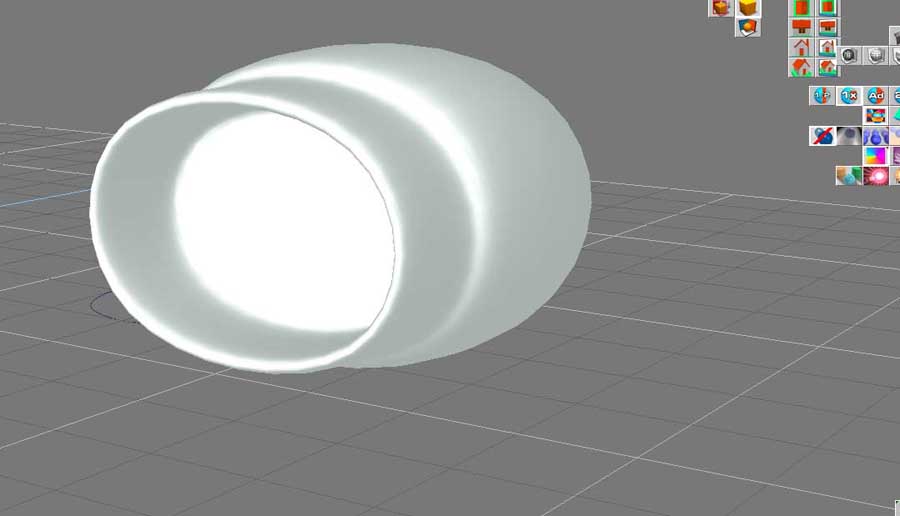
here are the screenshots.....
The videotutorial that fahembree is talking about is from Wizard and is on the caligari site.
Steinie just hand me a simple testfile that doesnt work and I will look at it and analyse it for you.
Peter
- Attachments
-
-
-


Last edited by RAYMAN on 18 Jul 2010, 16:22, edited 1 time in total.
-
RAYMAN
- Captain
- Posts: 2547
- Joined: 21 May 2009, 18:56
Re: carrera or vue studio
2. part
- Attachments
-
-

