Dribble is now open source..(free)
I downloaded it and 3d Delight.. installed them and got the license server running...
It works... but not with texture maps???
Any help would be greatly appriciated....
Cheers!!!
ranger0101
Dribble problem
-
ranger0101

- Master Chief Petty Officer
- Posts: 363
- Joined: 22 May 2009, 13:15
- Type the number ten into the box: 0
- Location: Orrville Ohio U.S.A.
Dribble problem
In order to Create Art... You must first learn to See...
My Website http://www.theartoftimkoons.yolasite.com
My Website http://www.theartoftimkoons.yolasite.com
-
clintonman

- Captain
- Posts: 5659
- Joined: 21 May 2009, 21:08
- Type the number ten into the box: 0
- Location: California
Re: Dribble problem
-
ranger0101
- Master Chief Petty Officer
- Posts: 363
- Joined: 22 May 2009, 13:15
- Type the number ten into the box: 0
- Location: Orrville Ohio U.S.A.
Re: Dribble problem
Thanks Clintonman...
I downloaded and installed the new shaders
and they work...
But still no texture maps...
Do they have to be a certain format???
I have tryed .jpg and .tga to no avail...
Cheers!!!
ranger0101
I downloaded and installed the new shaders
and they work...
But still no texture maps...
Do they have to be a certain format???
I have tryed .jpg and .tga to no avail...
Cheers!!!
ranger0101
In order to Create Art... You must first learn to See...
My Website http://www.theartoftimkoons.yolasite.com
My Website http://www.theartoftimkoons.yolasite.com
-
ranger0101
- Master Chief Petty Officer
- Posts: 363
- Joined: 22 May 2009, 13:15
- Type the number ten into the box: 0
- Location: Orrville Ohio U.S.A.
Re: Dribble problem
I'm also not getting any procedural shaders or bump maps...???
I am very lost... It will only render straight colers..
Help...
Cheers!!!
ranger0101
I am very lost... It will only render straight colers..
Help...
Cheers!!!
ranger0101
In order to Create Art... You must first learn to See...
My Website http://www.theartoftimkoons.yolasite.com
My Website http://www.theartoftimkoons.yolasite.com
-
clintonman
- Captain
- Posts: 5659
- Joined: 21 May 2009, 21:08
- Type the number ten into the box: 0
- Location: California
Re: Dribble problem
I can't imagine why it's not working. Can you post a scene file?
-
ranger0101
- Master Chief Petty Officer
- Posts: 363
- Joined: 22 May 2009, 13:15
- Type the number ten into the box: 0
- Location: Orrville Ohio U.S.A.
Re: Dribble problem
Thanks Clintonman..
I'm not exactly sure what you mean..
Do you want a .scn file... or a funky render.. ?
Cheers!!!
ranger0101
I'm not exactly sure what you mean..
Do you want a .scn file... or a funky render.. ?
Cheers!!!
ranger0101
In order to Create Art... You must first learn to See...
My Website http://www.theartoftimkoons.yolasite.com
My Website http://www.theartoftimkoons.yolasite.com
-
ranger0101
- Master Chief Petty Officer
- Posts: 363
- Joined: 22 May 2009, 13:15
- Type the number ten into the box: 0
- Location: Orrville Ohio U.S.A.
Re: Dribble problem
Here is a screen grab, a lightworks render
and a dribble/3dlight render...
Thanks for your help.
Cheers!!!
ranger0101
and a dribble/3dlight render...
Thanks for your help.
Cheers!!!
ranger0101
- Attachments
-
-
-


In order to Create Art... You must first learn to See...
My Website http://www.theartoftimkoons.yolasite.com
My Website http://www.theartoftimkoons.yolasite.com
-
clintonman
- Captain
- Posts: 5659
- Joined: 21 May 2009, 21:08
- Type the number ten into the box: 0
- Location: California
Re: Dribble problem
An scn file so I can give it a try.ranger0101 wrote:Thanks Clintonman..
I'm not exactly sure what you mean..
Do you want a .scn file... or a funky render.. ?
Cheers!!!
ranger0101
-
ranger0101
- Master Chief Petty Officer
- Posts: 363
- Joined: 22 May 2009, 13:15
- Type the number ten into the box: 0
- Location: Orrville Ohio U.S.A.
Re: Dribble problem
Here is the .scn file...
Good luck and thanks for
taking the time to give me a hand...
Cheers!!!
ranger0101
Good luck and thanks for
taking the time to give me a hand...
Cheers!!!
ranger0101
- Attachments
-
- newscene65.zip
- (590.9 KiB) Downloaded 224 times
In order to Create Art... You must first learn to See...
My Website http://www.theartoftimkoons.yolasite.com
My Website http://www.theartoftimkoons.yolasite.com
-
clintonman
- Captain
- Posts: 5659
- Joined: 21 May 2009, 21:08
- Type the number ten into the box: 0
- Location: California
Re: Dribble problem
My dribble is all messed up. Probably from programming tests. I'll need to reinstall everything before I can test your scene.
-
ranger0101
- Master Chief Petty Officer
- Posts: 363
- Joined: 22 May 2009, 13:15
- Type the number ten into the box: 0
- Location: Orrville Ohio U.S.A.
Re: Dribble problem
Thanks Clintonman...
Good luck with that.. Perhaps I should
do the same...
Cheers!!!
rangr0101
Good luck with that.. Perhaps I should
do the same...
Cheers!!!
rangr0101
In order to Create Art... You must first learn to See...
My Website http://www.theartoftimkoons.yolasite.com
My Website http://www.theartoftimkoons.yolasite.com
-
Steinie

- Captain
- Posts: 2958
- Joined: 21 May 2009, 17:38
- Type the number ten into the box: 10
Re: Dribble problem
Does Dribble still work with the latest version of 3DLight or do you need an earlier version?
-
clintonman
- Captain
- Posts: 5659
- Joined: 21 May 2009, 21:08
- Type the number ten into the box: 0
- Location: California
Re: Dribble problem
I have 3Delight version 9.0.0 installed on my machine.Steinie wrote:Does Dribble still work with the latest version of 3DLight or do you need an earlier version?
-
clintonman
- Captain
- Posts: 5659
- Joined: 21 May 2009, 21:08
- Type the number ten into the box: 0
- Location: California
Re: Dribble problem
I think I found the problem. In the dribble notes in the tsx/dribble folder
file:///C:/trueSpace761/tS/tsx/dribble/docs/notes.html
"Layered materials are not supported."
It also talks about what is and is not supported material-wise.
file:///C:/trueSpace761/tS/tsx/dribble/docs/notes.html
"Layered materials are not supported."
It also talks about what is and is not supported material-wise.
-
ranger0101
- Master Chief Petty Officer
- Posts: 363
- Joined: 22 May 2009, 13:15
- Type the number ten into the box: 0
- Location: Orrville Ohio U.S.A.
Re: Dribble problem
Thank You Very Much Clintonman 
For all your help....
My conclusion.... Dribble is crap.. Thats why its free..
The solution to this problem is to get access to the newest
LightWorks render engine...
I'll get on that right away...
I'll keep you posted on my progress..
OK.... Sory about the rant...
Just sad Dribble wont work for me...
Thanks again for all your help!!!
Cheers!!!
ranger0101
For all your help....
My conclusion.... Dribble is crap..
Thats why its free.. The solution to this problem is to get access to the newest
LightWorks render engine...
I'll get on that right away...
I'll keep you posted on my progress..
OK.... Sory about the rant...
Just sad Dribble wont work for me...
Thanks again for all your help!!!
Cheers!!!
ranger0101
In order to Create Art... You must first learn to See...
My Website http://www.theartoftimkoons.yolasite.com
My Website http://www.theartoftimkoons.yolasite.com
-
splinters
- Chief Warrant Officer
- Posts: 733
- Joined: 21 May 2009, 18:55
- Type the number ten into the box: 0
Re: Dribble problem
In all fairness to Simon, Dribble is a great addition to trueSpace and it allowed me to experiment with fur and displacement in a way tS7 didnt )or couldnt). That it no longer works as expected is no worse than the fact that tS development ended.
-
rjeff

- Master Chief Petty Officer
- Posts: 462
- Joined: 21 May 2009, 18:26
Re: Dribble problem
Is the Lightworks render engine developed by Lightworks Deisgn? If so would the newer render engine work with the old TS.
I looked at the competition they are having on their site, most of the winners are using TS for their software. That is a testament to the durablility of TS, and how good this program was/is. To bad somebody can take of the source and revamp it . 4 of the 8 images are TS users. Nice.
I looked at the competition they are having on their site, most of the winners are using TS for their software. That is a testament to the durablility of TS, and how good this program was/is. To bad somebody can take of the source and revamp it . 4 of the 8 images are TS users. Nice.
-
rjeff
- Master Chief Petty Officer
- Posts: 462
- Joined: 21 May 2009, 18:26
Re: Dribble problem
Wierd thing is, nowhere on their site do they list how to updgrade or get the latest version.
-
splinters
- Chief Warrant Officer
- Posts: 733
- Joined: 21 May 2009, 18:55
- Type the number ten into the box: 0
Re: Dribble problem
LW is a render engine which was licensed to Caligari. They were trying to phase out its use in favour of the realtime DX engine which is why an updated version never made it to tS7.6. I asked about this many years ago and was told (by the devs) that it was not possible to put an updated LW engine in.
I don't believe they do a standalone engine...do they?
As for Dribble, I reinstalled everything as per instructions but still no textures. I installed the 32 bit version even though my machine (and Windows 7) is 64 bit. I remember someone having problems with the 64 bit and trueSpace.
Any ideas what to try next?
I don't believe they do a standalone engine...do they?
As for Dribble, I reinstalled everything as per instructions but still no textures. I installed the 32 bit version even though my machine (and Windows 7) is 64 bit. I remember someone having problems with the 64 bit and trueSpace.
Any ideas what to try next?
-
splinters
- Chief Warrant Officer
- Posts: 733
- Joined: 21 May 2009, 18:55
- Type the number ten into the box: 0
Re: Dribble problem
As for LW you have to contact them for details:
http://www.lightworkdesign.com/latest-release-2011.html"
http://www.lightworkdesign.com/latest-release-2011.html"
-
splinters
- Chief Warrant Officer
- Posts: 733
- Joined: 21 May 2009, 18:55
- Type the number ten into the box: 0
Re: Dribble problem
Not sure if this is relevant but I am downloading version 9.0.6.9 (only version I can get on their site). However the update.txt says this is 3Delight 9.5...is this my problem. Furthermore, has anyone got a working version (v9.0?) of 3Delight.
I have a project that needs Dribble...this is really frustrating. I have no textures or shadows in Dribble: no SSS or fur either.
EDIT: managed to find a download of 9.0...strange things happening....now I am getting the rendering with Dribble (%) but see nothing on screen. License is up to date and I followed all the other instructions.
I have a project that needs Dribble...this is really frustrating. I have no textures or shadows in Dribble: no SSS or fur either.
EDIT: managed to find a download of 9.0...strange things happening....now I am getting the rendering with Dribble (%) but see nothing on screen. License is up to date and I followed all the other instructions.
Last edited by splinters on 29 Dec 2010, 16:30, edited 1 time in total.
-
clintonman
- Captain
- Posts: 5659
- Joined: 21 May 2009, 21:08
- Type the number ten into the box: 0
- Location: California
Re: Dribble problem
Did you download the latest shaders for 9.0?
Here are the steps I took.
http://www.clintons3d.com/w/index.php?title=Renderers"
Here are the steps I took.
http://www.clintons3d.com/w/index.php?title=Renderers"
-
splinters
- Chief Warrant Officer
- Posts: 733
- Joined: 21 May 2009, 18:55
- Type the number ten into the box: 0
Re: Dribble problem
I am now running 3Delight 8.5 and the render is back but no textures etc. I recall needing this file: 3de850_shaders.zip. Are the shaders in your link any different to these?
Last edited by splinters on 29 Dec 2010, 16:47, edited 1 time in total.
-
splinters
- Chief Warrant Officer
- Posts: 733
- Joined: 21 May 2009, 18:55
- Type the number ten into the box: 0
Re: Dribble problem
Here is the simple scene rendered in LW and the same in Dribble (the scene was set up in Dribble)
- Attachments
-
-


-
splinters
- Chief Warrant Officer
- Posts: 733
- Joined: 21 May 2009, 18:55
- Type the number ten into the box: 0
Re: Dribble problem
Okay, getting really narked now. Cleaned the whole thing out, reinstalled 3Delight, then Dribble, then copied over texture. No good at all.
Should I be using the 64 bit version instead?
Should I be using the 64 bit version instead?
-
clintonman
- Captain
- Posts: 5659
- Joined: 21 May 2009, 21:08
- Type the number ten into the box: 0
- Location: California
Re: Dribble problem
They're different. I recompiled the shaders for 3delight version 9.splinters wrote:I am now running 3Delight 8.5 and the render is back but no textures etc. I recall needing this file: 3de850_shaders.zip. Are the shaders in your link any different to these?
-
clintonman
- Captain
- Posts: 5659
- Joined: 21 May 2009, 21:08
- Type the number ten into the box: 0
- Location: California
Re: Dribble problem
No, it only works with 32 bit because truespace is 32 bit.splinters wrote:Okay, getting really narked now. Cleaned the whole thing out, reinstalled 3Delight, then Dribble, then copied over texture. No good at all.
Should I be using the 64 bit version instead?
-
splinters
- Chief Warrant Officer
- Posts: 733
- Joined: 21 May 2009, 18:55
- Type the number ten into the box: 0
Re: Dribble problem
Fixed, but by no means simple.
I found on a backup drive, a copy of the 3Delight shader library and copied it over the new install...voila....it worked. Even putting in the 'proper' 8.50 shaders didn't work. Better keep hold of that folder.
I found on a backup drive, a copy of the 3Delight shader library and copied it over the new install...voila....it worked. Even putting in the 'proper' 8.50 shaders didn't work. Better keep hold of that folder.
-
clintonman
- Captain
- Posts: 5659
- Joined: 21 May 2009, 21:08
- Type the number ten into the box: 0
- Location: California
Re: Dribble problem
I don't have my notes with me, but when I find them I'll document the compile shaders process so anyone can fix their own shaders no matter what version of 3delight they're using.splinters wrote:Fixed, but by no means simple.
I found on a backup drive, a copy of the 3Delight shader library and copied it over the new install...voila....it worked. Even putting in the 'proper' 8.50 shaders didn't work. Better keep hold of that folder.
-
splinters
- Chief Warrant Officer
- Posts: 733
- Joined: 21 May 2009, 18:55
- Type the number ten into the box: 0
Re: Dribble problem
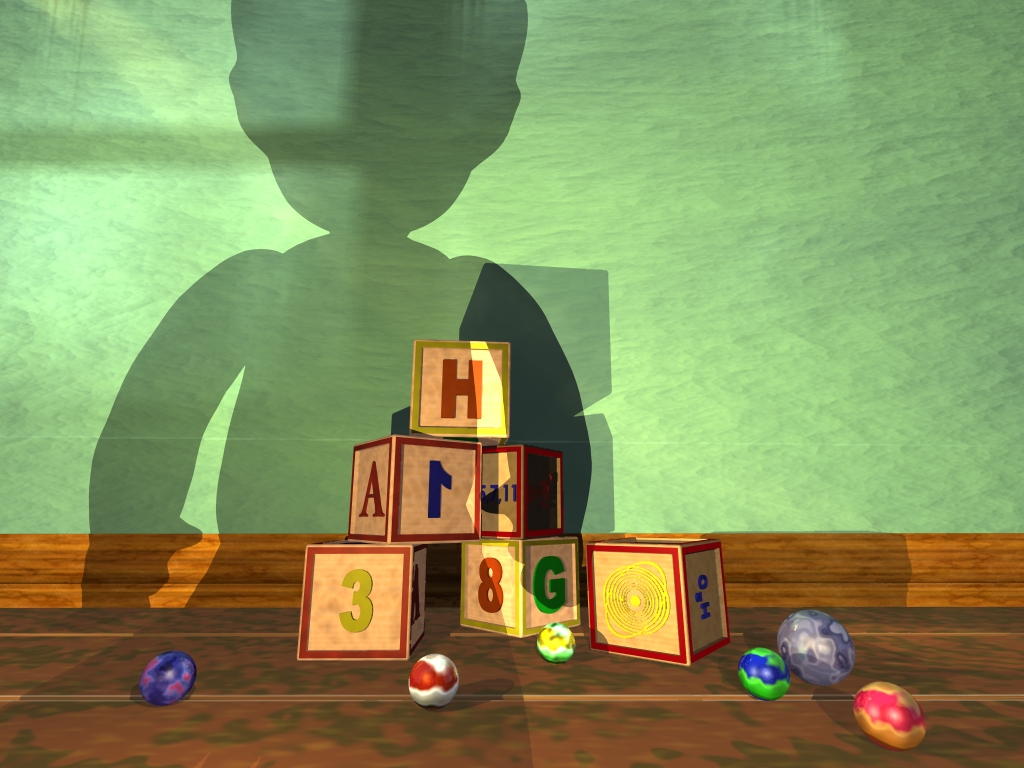
Ya gotta love Dribble...
- Attachments
-

-
bitkar

- Captain
- Posts: 2089
- Joined: 16 Mar 2010, 07:14
- Type the number ten into the box: 0
- Location: Czech Republic
Re: Dribble problem
veeeery niceeeee
Michal aka bitkar
tS freak since tS2 (1998) and forever (tS7.61 modeler)
tS freak since tS2 (1998) and forever (tS7.61 modeler)