Creating Fire
-
dreamcatcher107
- Petty Officer First Class
- Posts: 70
- Joined: 23 Aug 2009, 16:26
- Type the number ten into the box: 0
- Location: Illinois, USA
Creating Fire
I need to create fire and have seen posts about 'true particles' and 'primal particles' and the PPFX tutorial. Where do I find the plug-ins to download?
-
lothissen

- Petty Officer First Class
- Posts: 68
- Joined: 07 Jun 2009, 14:31
- Type the number ten into the box: 0
Re: Creating Fire
you can get them here:
http://www.primitiveitch.com/"
click the 'downlad free stuff' link to get them
http://www.primitiveitch.com/"
click the 'downlad free stuff' link to get them
--------------------===============AKA Jayr===============--------------------
------------------=========3D Coat -Lightwave- Messiah=========------------------
------------------=========3D Coat -Lightwave- Messiah=========------------------
-
dreamcatcher107
- Petty Officer First Class
- Posts: 70
- Joined: 23 Aug 2009, 16:26
- Type the number ten into the box: 0
- Location: Illinois, USA
Re: Creating Fire
Thanks. Found them. How do I transition what I am modeling that requires a fir animation into synch with this add-on?
-
dreamcatcher107
- Petty Officer First Class
- Posts: 70
- Joined: 23 Aug 2009, 16:26
- Type the number ten into the box: 0
- Location: Illinois, USA
Re: Creating Workspace Fire
The Workspace side of the program does not load .tsx files in the program manager as add-ons. I need a particle genarator on the workspace side. All assistance is greatly appreciated.
-
DarkScythe
- Senior Chief Petty Officer
- Posts: 243
- Joined: 23 Sep 2009, 08:57
Re: Creating Fire
The Workspace side of the program does not load .tsx files in the program manager as add-ons. I need a particle genarator on the workspace side. All assistance is greatly appreciated.
I think theres no particle generator in workspace side, but you can use the tSpecial-E D3D material to create some effects it is found in library: Material-Textures I think theres a tutorial how to use that material.
I don't know about this but can you try creating particle in modelside then open the bridge to bring it to workspace side. (I install only the stand alone workspace)
DS
-
v3rd3
- Lieutenant Commander
- Posts: 1191
- Joined: 21 May 2009, 20:04
Re: Creating Fire
I believe you are correct that there is no specific tool for creating fire in the workspace.
Also, any .tsx plugins you find run in the modelside, not the workspace. There are some developers working on tools that take advantage of the bridge and are writing scripts to move functionality from one side to the other. These scripts are discussed elsewhere in these forums.
Also, any .tsx plugins you find run in the modelside, not the workspace. There are some developers working on tools that take advantage of the bridge and are writing scripts to move functionality from one side to the other. These scripts are discussed elsewhere in these forums.
-
trueBlue

- Captain
- Posts: 5548
- Joined: 06 Jul 2009, 22:50
- Type the number ten into the box: 10
Re: Creating Fire
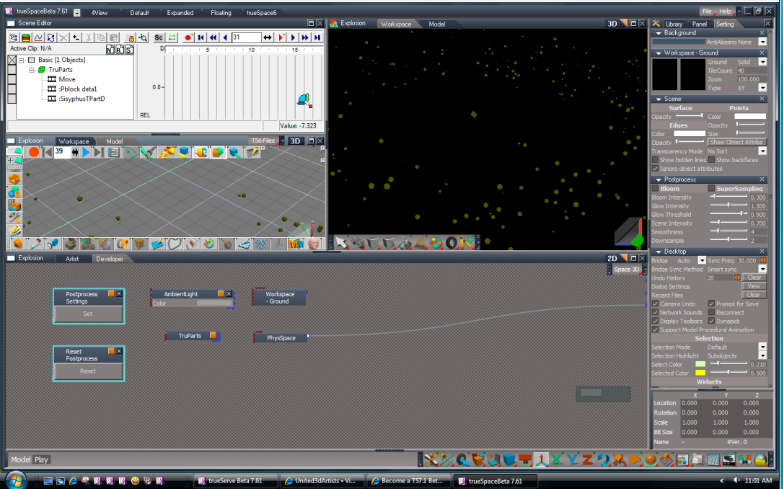
You can run trueParticles on both sides of the bridge.
You have to have the Model, Scene Editor, and Workspace Views open with the Bridge set On or Auto.
Perhaps it would work also with other Model plugins too.
You can read how noko did this 3 years ago here:
http://forums1.caligari.com/truespace/s ... #post11463"
You have to have the Model, Scene Editor, and Workspace Views open with the Bridge set On or Auto.
Perhaps it would work also with other Model plugins too.
You can read how noko did this 3 years ago here:
http://forums1.caligari.com/truespace/s ... #post11463"
- Attachments
-
-
dreamcatcher107
- Petty Officer First Class
- Posts: 70
- Joined: 23 Aug 2009, 16:26
- Type the number ten into the box: 0
- Location: Illinois, USA
Re: Creating Fire
My thanks to you all. I appreciate the direction. Specifically, I need to generate a 'breath of fire' being snorted out a horse's nostrils. It will need to be animated. I'd rather generate the sequence in workspace using the procedural animation controllers and generate the effect in its entirety into an .avi file for post process use elsewhere.
The only thing I haven't worked out is whether I can combine two pulsators onto a single cylinder with axis points at opposite ends - one to expand the expansion exhale at the fireball end and the other to contract the 'snort' point of origin so as to simulate movement of the flame's end. I am working on a prototype this afternoon, but is there a better method without resorting to keyframe generation? Can I also make use of the modelspace particle generators for this process in a better manner?
The only thing I haven't worked out is whether I can combine two pulsators onto a single cylinder with axis points at opposite ends - one to expand the expansion exhale at the fireball end and the other to contract the 'snort' point of origin so as to simulate movement of the flame's end. I am working on a prototype this afternoon, but is there a better method without resorting to keyframe generation? Can I also make use of the modelspace particle generators for this process in a better manner?
-
trueBlue
- Captain
- Posts: 5548
- Joined: 06 Jul 2009, 22:50
- Type the number ten into the box: 10
Re: Creating Fire
If you installed the Manual there is a tS-E_Fire_and_Smoke_Example.RsScn and tS-E Shader.pdf file that explains the tS-E_Shader.
C:\trueSpace76\tS\PDFMan\resources\chapter5\tS-E_Shader
C:\trueSpace76\tS\PDFMan\resources\chapter5\tS-E_Shader
-
noko
- Senior Chief Petty Officer
- Posts: 170
- Joined: 24 May 2009, 04:16
Re: Creating Fire
If you go that route with tS-E I can help out. Just let me know here. You can key frame as well tS-E on all the effects and it will match what you see in real time progress wise, so recording frame to frame to file works good.
-
dreamcatcher107
- Petty Officer First Class
- Posts: 70
- Joined: 23 Aug 2009, 16:26
- Type the number ten into the box: 0
- Location: Illinois, USA
Re: Creating Fire
I looked at the ts-e example and the shader resource material, thanks. Ts-e seems the way to go. Before I manipulate the material itself, I've got to simulate fire-breathing. As this has everything to do with animation, I'll start the specific post under that heading. Once I've achieved motion for the snort and fireball, I'll repost here with specific material problems I encounter. Thanks for the help!
-
noko
- Senior Chief Petty Officer
- Posts: 170
- Joined: 24 May 2009, 04:16
Re: Creating Fire
Great! Sounds like fun.
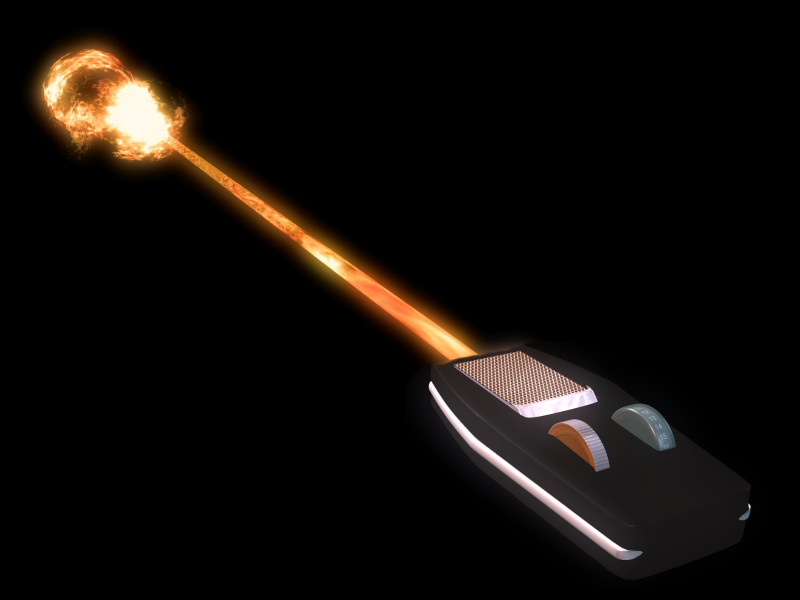
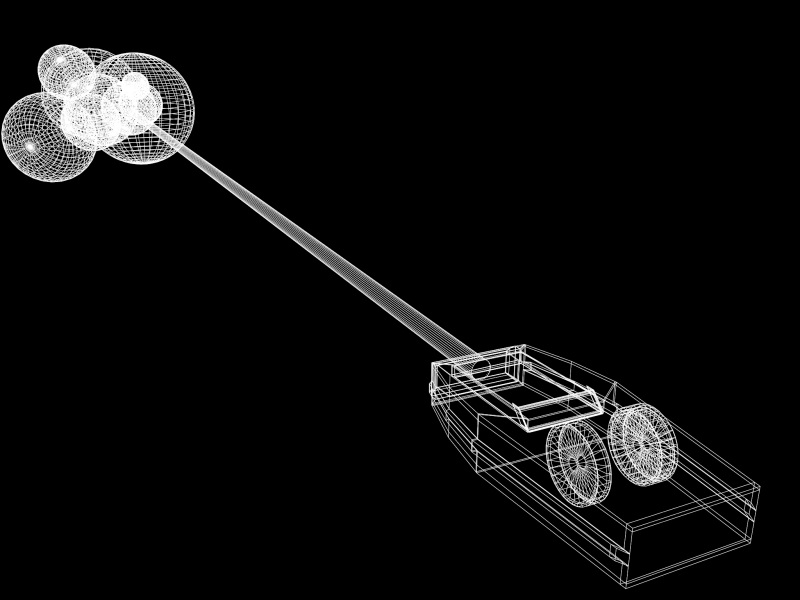
Here is an example of a fire ball, maybe useful for you to see if viable. While in this case it was just a still, it would be a matter of expanding the spheres procedurally or by keyframing. Morphs could also be used as well come to think about it. Basically just a bunch of spheres with the tS-E material instance, so really only one copy used. I included scene file so you can see how things are setup. Any questions please let me know.
Here is an example of a fire ball, maybe useful for you to see if viable. While in this case it was just a still, it would be a matter of expanding the spheres procedurally or by keyframing. Morphs could also be used as well come to think about it. Basically just a bunch of spheres with the tS-E material instance, so really only one copy used. I included scene file so you can see how things are setup. Any questions please let me know.
- Attachments
-
-
- SmallPhaser.zip
- (1.33 MiB) Downloaded 245 times
-
-
trueBlue
- Captain
- Posts: 5548
- Joined: 06 Jul 2009, 22:50
- Type the number ten into the box: 10
Re: Creating Fire
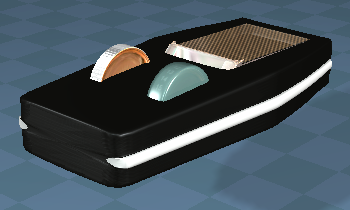
And...here is an Interactive version. LMB select the Phaser's adjustment knob on the left activates the Lazer and on the right turns it off.
- Attachments
-
- Capture.PNG (54.31 KiB) Viewed 3764 times
-
- Phaser.zip
- (752.62 KiB) Downloaded 235 times
-
theuns
- Lieutenant Junior Grade
- Posts: 868
- Joined: 10 Jun 2009, 11:21
- Type the number ten into the box: 0
- Location: South Africa
Re: Creating Fire
kewl stuff guys, will give it a try...
theuns - tSer since 2000
. http://theunsfvo.cgarena.com/" onclick="window.open(this.href);return false; |:.
. http://bluestarcreations.wordpress.com/" onclick="window.open(this.href);return false; |:.
.
http://theunsfvo.cgarena.com/" onclick="window.open(this.href);return false; |:..
http://bluestarcreations.wordpress.com/" onclick="window.open(this.href);return false; |:.-
noko
- Senior Chief Petty Officer
- Posts: 170
- Joined: 24 May 2009, 04:16
Re: Creating Fire
trueBlue wrote:And...here is an Interactive version. LMB select the Phaser's adjustment knob on the left activates the Lazer and on the right turns it off.
 Way cool there and it doesn't look half bad
  . Awesome TB.
-
theuns
- Lieutenant Junior Grade
- Posts: 868
- Joined: 10 Jun 2009, 11:21
- Type the number ten into the box: 0
- Location: South Africa
Re: Creating Fire
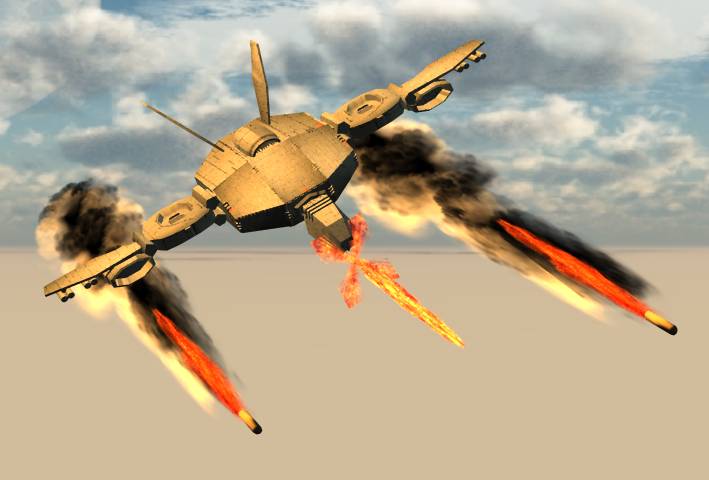
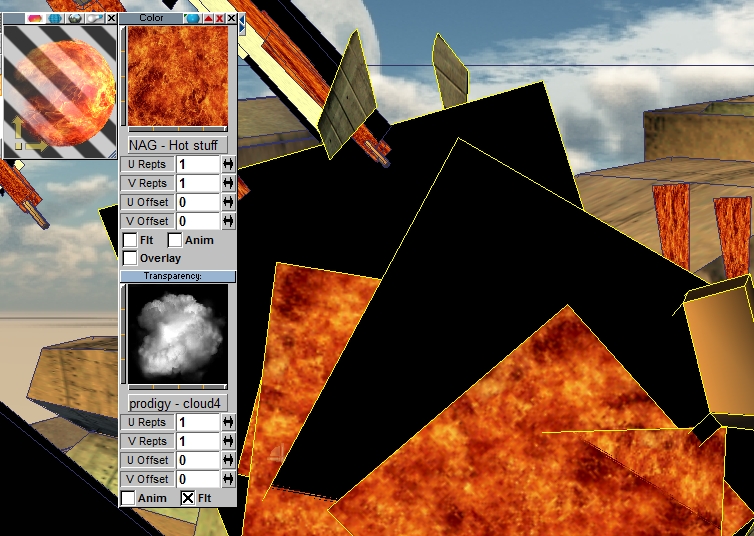
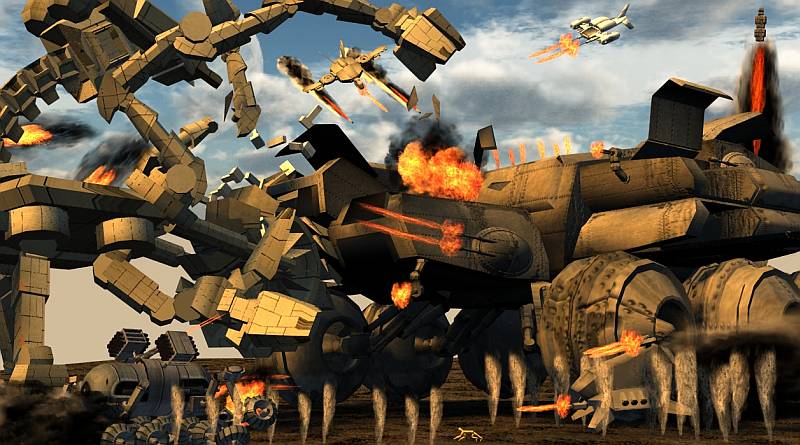
Did the following fire effect for MMC200911 Robots...
Basically two flat plains with alpha mask textures on them
Basically two flat plains with alpha mask textures on them
- Attachments
-
-
-
theuns - tSer since 2000
. http://theunsfvo.cgarena.com/" onclick="window.open(this.href);return false; |:.
. http://bluestarcreations.wordpress.com/" onclick="window.open(this.href);return false; |:.
.
http://theunsfvo.cgarena.com/" onclick="window.open(this.href);return false; |:..
http://bluestarcreations.wordpress.com/" onclick="window.open(this.href);return false; |:.-
dreamcatcher107
- Petty Officer First Class
- Posts: 70
- Joined: 23 Aug 2009, 16:26
- Type the number ten into the box: 0
- Location: Illinois, USA
Re: Creating Fire
Thanks everyone. I'm still working on mine and am now beginning the timer hook-up to the Ts-E materials. I'll post under my animation thread.