Brain plugin for model side : fur

User avatar
marcel
Captain
Posts: 2247
Joined: 21 May 2009, 19:52
Type the number ten into the box: 0
Location: paris - France

Brain plugin for model side : fur

Post by marcel »

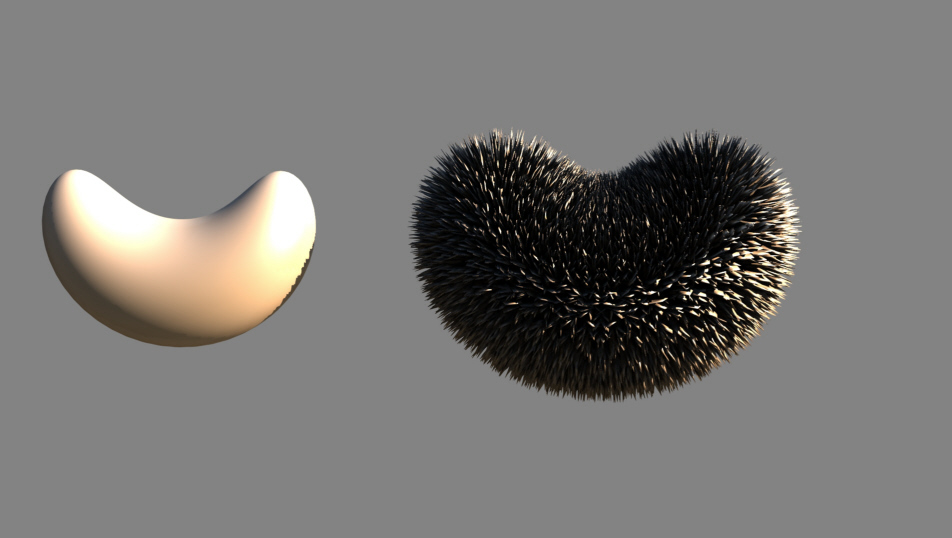
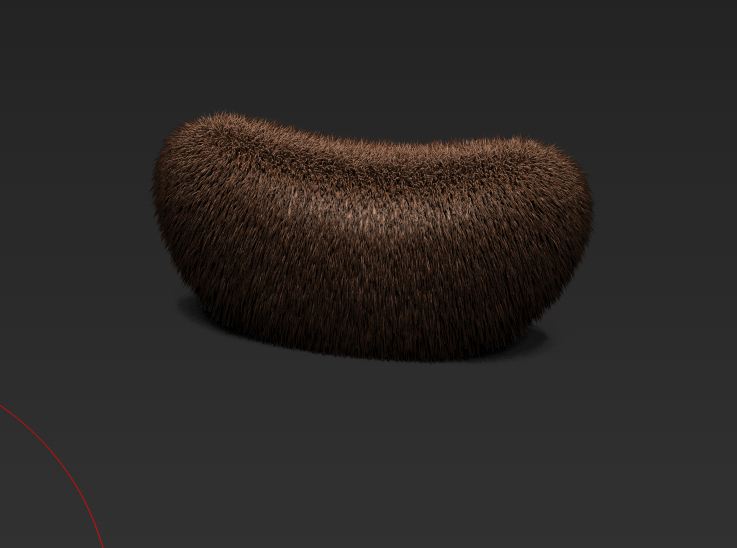
An example of fur created with the model side, without any plugin. A useful little trick that I like.
It takes a few seconds. :)
Attachments
fur3.jpg
fur1.jpg
fur2.jpg
Design - illustration - Animation
http://www.crea-vision.fr
pugman 1
Captain
Posts: 1555
Joined: 21 May 2009, 19:26
Type the number ten into the box: 0
Location: Germany

Re: Brain plugin for model side : fur

Post by pugman 1 »

Awsome looking . How did you do it then or are
you going to keep it a secret :worship:
User avatar
Emmanuel
Chief Warrant Officer
Posts: 670
Joined: 14 Jun 2009, 06:47

Re: Brain plugin for model side : fur

Post by Emmanuel »

It looks like Dribble's fur
User avatar
marcel
Captain
Posts: 2247
Joined: 21 May 2009, 19:52
Type the number ten into the box: 0
Location: paris - France

Re: Brain plugin for model side : fur

Post by marcel »

Not Dribble. I Have a real 3d object and i Can edit it with the tools of model side then render it with hdri or export the object if i want.
Design - illustration - Animation
http://www.crea-vision.fr
User avatar
Finis
Captain
Posts: 5410
Joined: 21 May 2009, 18:26
Type the number ten into the box: 0
Location: America!

Re: Brain plugin for model side : fur

Post by Finis »

I'll bet it is done with tip, sweep, or bevel. How to effect all the selected polygons at once in the desired way?
Last edited by Finis on 28 Apr 2012, 20:21, edited 1 time in total.
I prefer dangerous freedom over peaceful servitude. -- Thomas Jefferson/Jean Jacques Rousseau
v3rd3
Lieutenant Commander
Posts: 1191
Joined: 21 May 2009, 20:04

Re: Brain plugin for model side : fur

Post by v3rd3 »

Wow Marcel... your brain has plugins!!!!! Sure explains my problems .. :mrgreen:
User avatar
Finis
Captain
Posts: 5410
Joined: 21 May 2009, 18:26
Type the number ten into the box: 0
Location: America!

Re: Brain plugin for model side : fur

Post by Finis »

Marcel said in another thread that it is trueParticles.

V3rd3: I want brain upgrades!
I prefer dangerous freedom over peaceful servitude. -- Thomas Jefferson/Jean Jacques Rousseau
User avatar
RAYMAN
Captain
Posts: 2547
Joined: 21 May 2009, 18:56

Re: Brain plugin for model side : fur

Post by RAYMAN »

There are a few ways of doing this in applications.
One is the geometrical way.. if the application supports it.
You chose the nth gon and scale.. that could be every second or every third polygon..
the other way is particles and with partcles every application has a different implementation...
If you look at applications like Truespace those are somewhat basic.. if you look at others
that can go as far as dynamic and even animated.....
If you look at Vue its nothing else than an advanced particle system..
Peter
Attachments
flower1.gif
flower1.gif (586.68 KiB) Viewed 5096 times
hair2.jpg
hair.jpg
pugman 1
Captain
Posts: 1555
Joined: 21 May 2009, 19:26
Type the number ten into the box: 0
Location: Germany

Re: Brain plugin for model side : fur

Post by pugman 1 »

Modo 501 less than 2 mins
Zbrush 1 min
Attachments
hair play.JPG
Unbenannt.JPG
pugman 1
Captain
Posts: 1555
Joined: 21 May 2009, 19:26
Type the number ten into the box: 0
Location: Germany

Re: Brain plugin for model side : fur

Post by pugman 1 »

I forgot to say in both apps length width clumps and all the rest
you can do
User avatar
RAYMAN
Captain
Posts: 2547
Joined: 21 May 2009, 18:56

Re: Brain plugin for model side : fur

Post by RAYMAN »

there is another method though ! :lol:
Brainplugin !
Attachments
hai.jpg
User avatar
marcel
Captain
Posts: 2247
Joined: 21 May 2009, 19:52
Type the number ten into the box: 0
Location: paris - France

Re: Brain plugin for model side : fur

Post by marcel »

Thank. You can create fur with many soft. I think most of people know that since many years. I show only that it is possible to do fur on model side. That all. Maybe nobody use this old soft now. It was not a challenge. ;)
Design - illustration - Animation
http://www.crea-vision.fr
User avatar
marcel
Captain
Posts: 2247
Joined: 21 May 2009, 19:52
Type the number ten into the box: 0
Location: paris - France

Re: Brain plugin for model side : fur

Post by marcel »

Rayman : your Plugin use too many electricity for my old pc.
Design - illustration - Animation
http://www.crea-vision.fr
User avatar
RAYMAN
Captain
Posts: 2547
Joined: 21 May 2009, 18:56

Re: Brain plugin for model side : fur

Post by RAYMAN »

marcel wrote:Thank. You can create fur with many soft. I think most of people know that since many years. I show only that it is possible to do fur on model side. That all. Maybe nobody use this old soft now. It was not a challenge. ;)
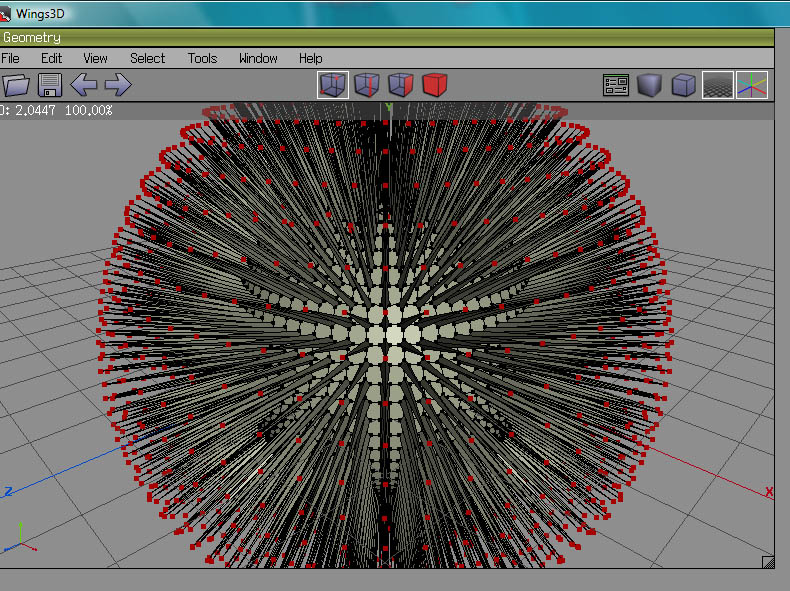
Marcel it was possible to do with older soft not just Truespace.......
as I recall you were even able to do it in Wings freeware when Truespace was still sold for 700 $....
Marcel you got to mention the different methods that are possible even with modelside....
I showed the way you can do it with particle like objects......
but its possible with geometry too.....
Has nothing to do with other software....
you just need a plugin to select the nth vertice... I dont recall the name anymore though.....
In some applications or with plugins you can bevel a vertex and then extrude.....
Peter
Attachments
Yopu can sometimes use a bevel
extrude 2.jpg
extrude1.jpg
Last edited by RAYMAN on 29 Apr 2012, 14:12, edited 5 times in total.
User avatar
RAYMAN
Captain
Posts: 2547
Joined: 21 May 2009, 18:56

Re: Brain plugin for model side : fur

Post by RAYMAN »

marcel wrote:Rayman : your Plugin use too many electricity for my old pc.
Hahahaha ! Yes I thought that was a funny picture !
Peter
v3rd3
Lieutenant Commander
Posts: 1191
Joined: 21 May 2009, 20:04

Re: Brain plugin for model side : fur

Post by v3rd3 »

More lessons please..... :worship:
User avatar
marcel
Captain
Posts: 2247
Joined: 21 May 2009, 19:52
Type the number ten into the box: 0
Location: paris - France

Re: Brain plugin for model side : fur

Post by marcel »

RAYMAN wrote:Marcel it was possible to do with older soft not just Truespace.......
as I recall you were even able to do it in Wings freeware when Truespace was still sold for 700 $....
Marcel you got to mention the different methods that are possible even with modelside....
I showed the way you can do it with particle like objects......
but its possible with geometry too.....
Has nothing to do with other software....
you just need a plugin to select the nth vertice... I dont recall the name anymore though.....
In some applications or with plugins you can bevel a vertex and then extrude.....
Peter
yes I know. I did already thirty years ago with a homemade software (0 $ :) ) and I was modeling with NURBS, 20 years before Rhino. I sometimes feel hens discover eggs thanks to the power of computer. Sometimes we spend more time looking for the tool to do what we can do by thinking a minimum. That's what I like to share. triturate your tools.
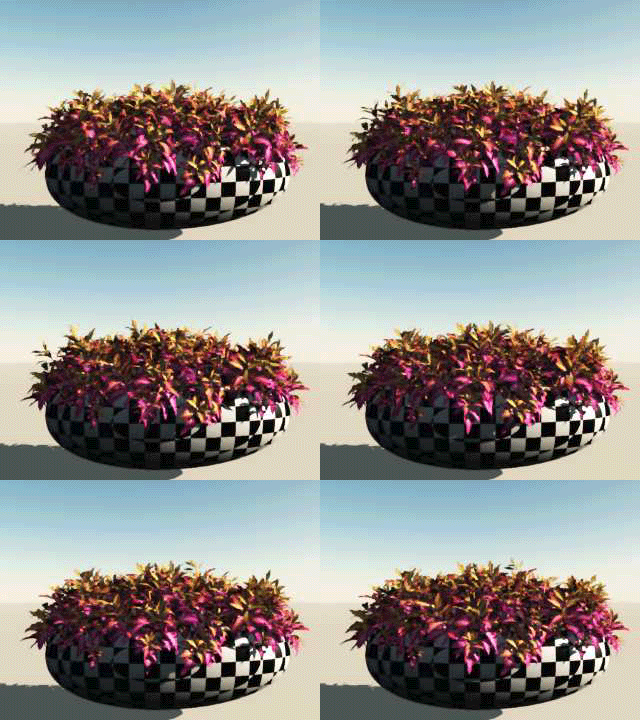
Here is a new test made with trueparticles using metaparticles. I separate each frame to create different objects and use a bend tools for the curve. trueparticles is not only for animation. it can be a good modeling tools for still image. I hope this may awaken creativity regardless of the software used.
Attachments
test.jpg
Design - illustration - Animation
http://www.crea-vision.fr
User avatar
marcel
Captain
Posts: 2247
Joined: 21 May 2009, 19:52
Type the number ten into the box: 0
Location: paris - France

Re: Brain plugin for model side : fur

Post by marcel »

Now you can start the flow of mud covered with fur. it may be horrible but funny.
Design - illustration - Animation
http://www.crea-vision.fr
User avatar
BNG
Chief Warrant Officer
Posts: 684
Joined: 16 Oct 2009, 03:26
Type the number ten into the box: 0
Location: Texas

Re: Brain plugin for model side : fur

Post by BNG »

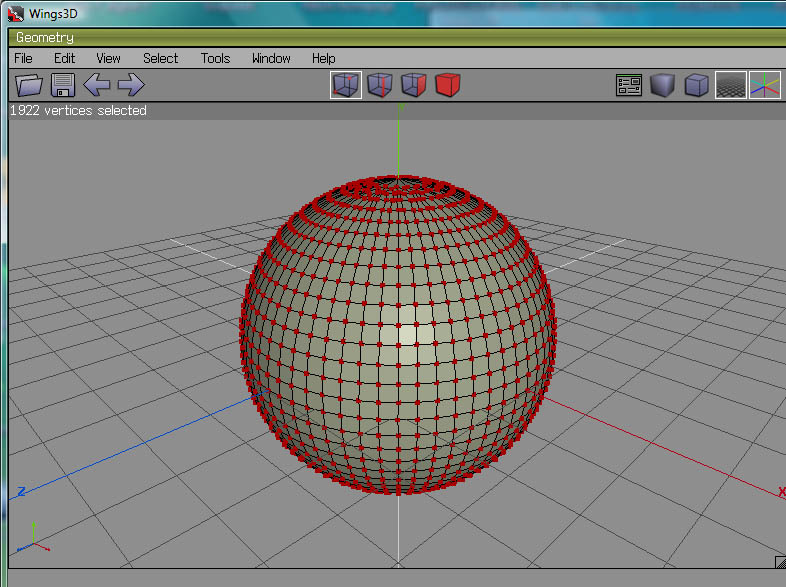
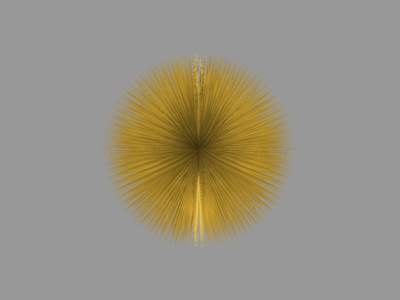
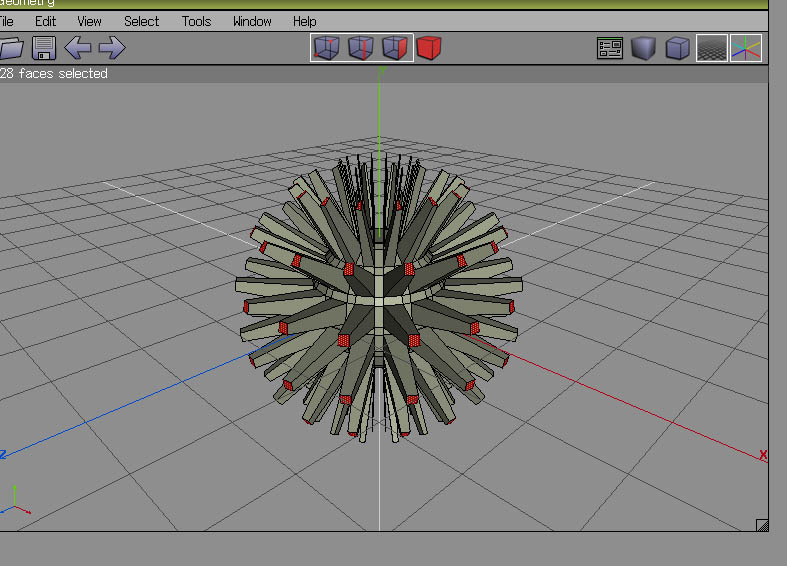
You can also do something similar in Anim8or here's a simple example of a sub divided sphere with all the faces extruded to a point. The poly count is rediculusly high but it's fairly easy to do.
Attachments
Anim8or sample hair ball.
User avatar
bitkar
Captain
Posts: 2089
Joined: 16 Mar 2010, 07:14
Type the number ten into the box: 0
Location: Czech Republic

Re: Brain plugin for model side : fur

Post by bitkar »

so your original pic is consisting of polyhedron particles? how many polygons does it have? how hard on CPU is it to move around it and render?
Michal aka bitkar
tS freak since tS2 (1998) and forever (tS7.61 modeler)
User avatar
marcel
Captain
Posts: 2247
Joined: 21 May 2009, 19:52
Type the number ten into the box: 0
Location: paris - France

Re: Brain plugin for model side : fur

Post by marcel »

here is the first method to use trueparticles as a fur plugin:
1 - Mode : fragmentation, pick the object you want to cover with fur, choose a thickness.
2 - Motion : use the speed as the lenght of hair
3 - Type : use size as the diameter of hair
4 - Spin : to change the direction of hair
Now you choose a frame of the animation then export as obj with Luuv (icon on motion menu is not visible)

Second method is to have no thickness and no speed (0). You can have a similar object than the original but with all faces separated then you can select all the faces and use others tools (sweep, ...). It can be interesting for other thing (question of imagination).

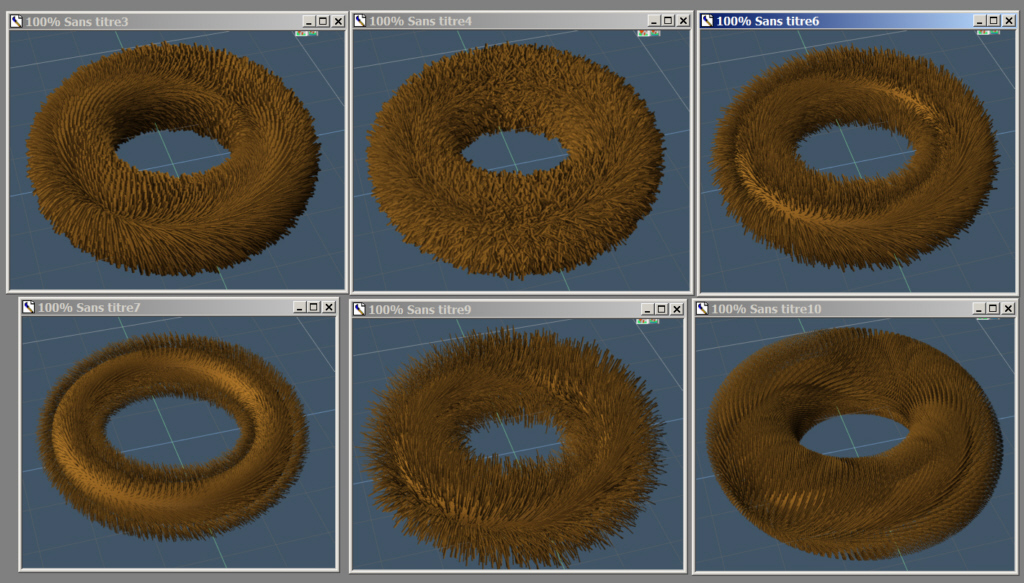
Here is some test with the first method. The change appear on screen in one second on my very old pc. On a good pc, i think you can have this in real time.
Attachments
Screens.jpg
Design - illustration - Animation
http://www.crea-vision.fr
User avatar
bitkar
Captain
Posts: 2089
Joined: 16 Mar 2010, 07:14
Type the number ten into the box: 0
Location: Czech Republic

Re: Brain plugin for model side : fur

Post by bitkar »

thanks marcel... i think iam speaking for everyone... this looks very nicely.

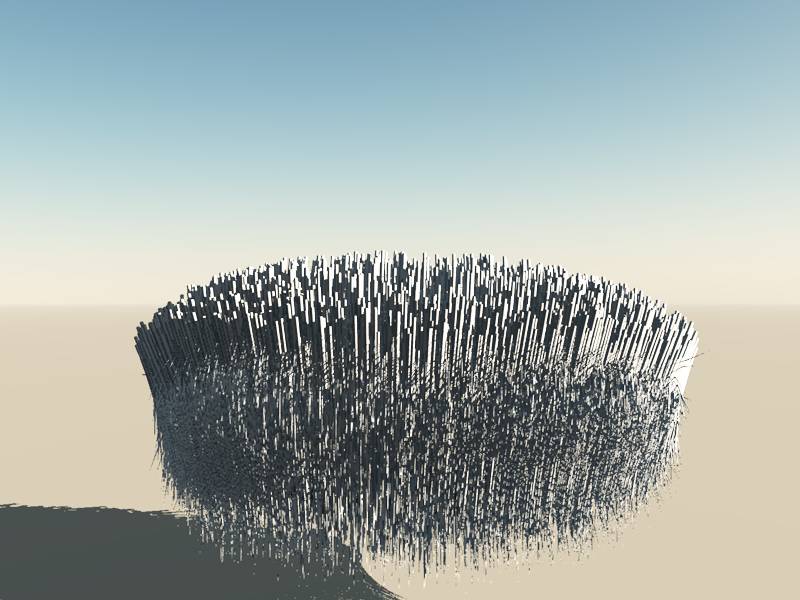
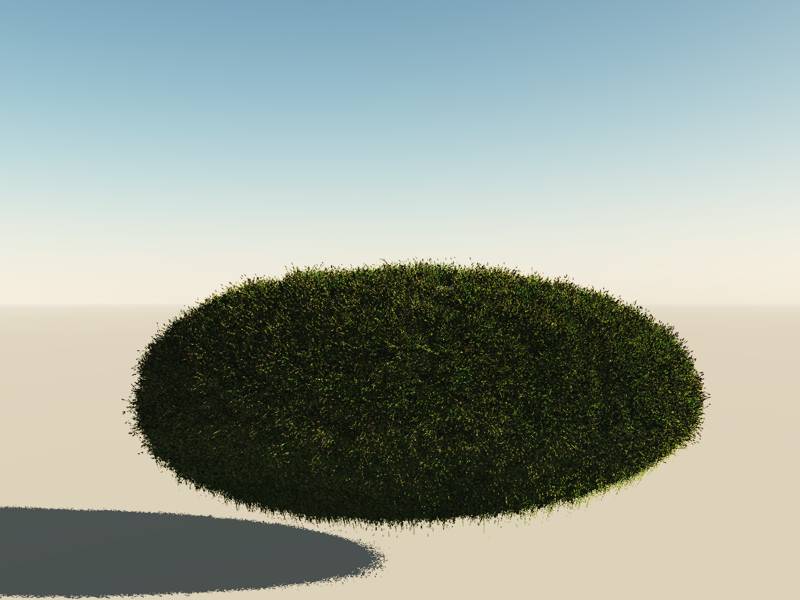
i havent played with trueparticels much... the fragmentation is pretty cool. my test torus had 130k polys and looked great. Changing took half a second on 3g fourcore AMD. I think there will be a limitation, you cant make fur on something big... but on smaller things, just one object in a scene, it works perfectly.

i usually used the old hairplug for this. but it makes it from polygons (sweeping) which are usually very regular and evenly spread. If you want to have lots of hair, you must have lots of polygons (triagulating helps a bit tho).

This is 163k poly torus made with hairplug (modelside tsx):
Attachments
made with hairplug
made with hairplug
Michal aka bitkar
tS freak since tS2 (1998) and forever (tS7.61 modeler)
User avatar
bitkar
Captain
Posts: 2089
Joined: 16 Mar 2010, 07:14
Type the number ten into the box: 0
Location: Czech Republic

Re: Brain plugin for model side : fur

Post by bitkar »

a little question about trueparticles? Is there a way to convert the created particles into a single non-animated object, so i can save it as COB? When i make the grass object, i want to store it.

answered :D - no need to extract, I just saved it and its just a cob object, so when i load it, its no more trueparticles anymore :) Must say i deleted all its keyframes in keyframe editor first.
Michal aka bitkar
tS freak since tS2 (1998) and forever (tS7.61 modeler)
User avatar
marcel
Captain
Posts: 2247
Joined: 21 May 2009, 19:52
Type the number ten into the box: 0
Location: paris - France

Re: Brain plugin for model side : fur

Post by marcel »

You can go to the frame that you want then save the object as obj. You will have what you need.
.
Design - illustration - Animation
http://www.crea-vision.fr

Return to “General Discussion”