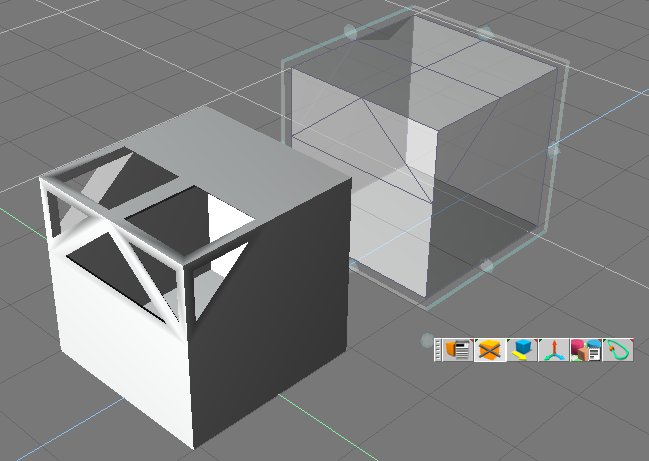
Using the shell tool for strutting.
by Anthony 'Bobbins' Ware
If you're getting a box in a box then you are probably simply shelling and not strutting. Take the outer box and boolean it in half - if it's hollow then you are shelling it alright.
Try the following:
- Start a new scene
- Open the Shell properties dialogue and set as shown in first image below
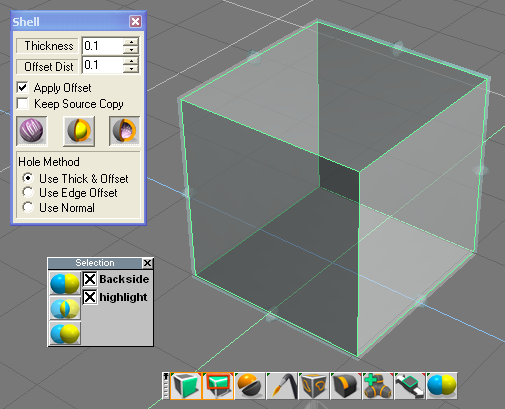
- Right click the cube to enter point edit mode
- Select all faces of the cube (I use 'select using rectangle' with backside enabled)
- Shell the cube
- Right click in workspace to exit point edit mode
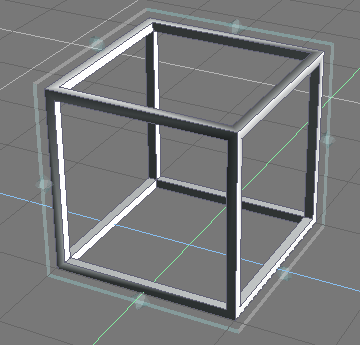
I get second image shown below
- attachment_003.png (23.42 KiB) Viewed 2177 times