How we do that effect that we can see the light in the air, like when we have dust, etc. Is with volmetric lights, isn't? But how? (Model Side)
Also we can use volumetric lights to do smoke, right? Tahnoak did a scene with smoke with volumetric lights, it turn out amazing, so how can I do that?
Thanks in Advance
Fo it, volumetric lights?
-
LeonRegis

- Captain
- Posts: 1946
- Joined: 18 Aug 2009, 17:36
- Type the number ten into the box: 0
- Location: Brazil/Earth/Orion Arm/Milky Way/4th Dimension/This Universe/Multiverse???/Singularity???
Fo it, volumetric lights?
Be the change you want to see in the world. - Mohandas Gandhi
-
RAYMAN

- Captain
- Posts: 2547
- Joined: 21 May 2009, 18:56
Re: Fo it, volumetric lights?
Leon you can do that effect only if the render engine supports it !
lightworks does support it and you can enable it by rightclicking a light and in the lighttab you have to check (enable ) volumetric lighting.
There is another button in model side called the advanced volumetric if you enable that and rightclick a panel opens with all your volumetric
settings like the density its the top control.
A big reason why I stress Vue that much is that it is built especially for volumetrics and volumetric effects....
It even has volumetric materials like real cloud material (metacloud)or smoke it also lets you make godrays.That makes it a lot easier to get effects like the ones you imagine.....
Tahnoak now uses vue a lot when he goes for volumetric effects like fog in the scene (see his beautiful mediavel village)
Kerkythea on the other hand isnt very good for these kind of effects..... same as realtime engine from workspace you wont be getting it at all.....
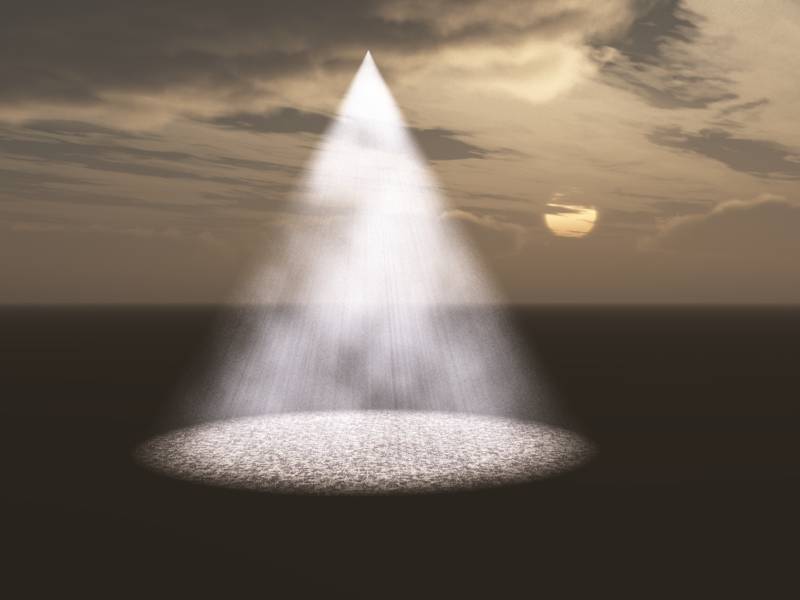
Here are render with a simple effect from lighwork (modelside) and Vue....
Peter
lightworks does support it and you can enable it by rightclicking a light and in the lighttab you have to check (enable ) volumetric lighting.
There is another button in model side called the advanced volumetric if you enable that and rightclick a panel opens with all your volumetric
settings like the density its the top control.
A big reason why I stress Vue that much is that it is built especially for volumetrics and volumetric effects....
It even has volumetric materials like real cloud material (metacloud)or smoke it also lets you make godrays.That makes it a lot easier to get effects like the ones you imagine.....
Tahnoak now uses vue a lot when he goes for volumetric effects like fog in the scene (see his beautiful mediavel village)
Kerkythea on the other hand isnt very good for these kind of effects..... same as realtime engine from workspace you wont be getting it at all.....
Here are render with a simple effect from lighwork (modelside) and Vue....
Peter
- Attachments
-
-

-
marcel

- Captain
- Posts: 2247
- Joined: 21 May 2009, 19:52
- Type the number ten into the box: 0
- Location: paris - France
Re: Fo it, volumetric lights?
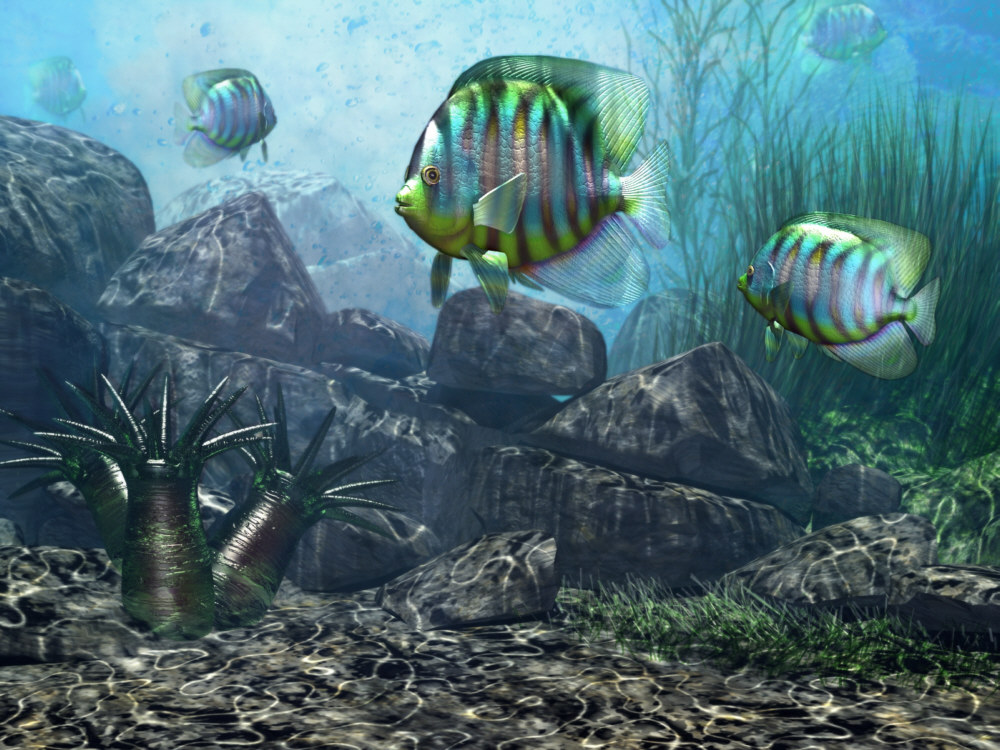
You can use a local light with volumetric setting combined with a projector light (no volumetric) to create special effect. for the sea, i use the volumetric to show the density of the water and the projector to simulate the caustic of the water on the ground. the volumetric setting for TS lightwork is not easy and you need to try on a simple scene before apply the setting for your scene. don't use too many volumetric light because the time of render grow up quickly. First create a strong effect as rayman show to find the good setting then reduce the effect to create a more subtil render. A good trick is to use 2 light at the same position on the scene. one is volumetric and the other not. with the value of the intensity of both light you can adjust the intensity of the volumetric effect without changing the setting of the volumetric.
Design - illustration - Animation
http://www.crea-vision.fr
http://www.crea-vision.fr
-
spacekdet

- Captain
- Posts: 1810
- Joined: 27 May 2009, 15:00
- Type the number ten into the box: 10
- Location: On the day shift at the Utility Muffin Research Kitchen
Re: Fo it, volumetric lights?
Here are some things that might help:
Here is a visual mini-tutorial on setting up a volumetric scene.
An example scene to play around with:
Basic rundown:
Use a dark background.
There are two places that you need to switch on volumetrics to get them to show up: on the light and also in the scene render options. (See mini tutorial link above for icon locations)
Select the light you want to cast the light beams.- Spots, area (slow) projector (slow) are all good because they are directional.
In the settings for the light, turn on Shadows, set Falloff to linear or squared, and use volumetrics effects.
Tip: Right click the light to see a green falloff cage that shows how far the light will shine.
Now expand Render Scene toolbar and right / left click 'Foreground Effects Shader- Advanced Volumetrics'
Volumetric options panel pops up.
Medium = the dust or fog
Medium density: how thick the dust/fog will appear.
Medium attenuation: how much the dust will absorb light. Very sensitive. Can black out the entire scene if set too high. I often just leave it at 0.
Medium ambient: makes the dust/fog have an extra overall glow.
Medium color: the color of the dust/fog- mixes with the light color over distance.
Medium shadows: makes the dust itself (not just the light) cast shadows- turning this on increases render time.
Min LOD: adds 'noise' to the dust/fog.
Error bound: controls accuracy of the light scattering. Default value of 0.1 is fine for most scenes.
Max LOD sets maximum level of details in dust/fog.
Model: click and hold to choose different models/types of how the light will scatter.
-Isotropic- fastest- scatters light in all directions uniformly- good for local lights.
-Greenstein- highly directional- good for spotlights.
-Mie Murky- 'smoky' teardrop shaped light scatter model- best for when the light is shining towards( not parallel to) the camera/viewpoint.
-Mie Hazy - good for thick fog effects. Similar to Mie Murky but a more elongated teardrop shape.
-Rayleigh- good for watery mist- 'peanut' shaped scatter- affects green and blue colored light more.
Density- used to make the fog/dust 'noisier'- click and hold, choose different type.
Right click to set options- scale, etc. Makes slower render but gives fog/dust a patchy appearance- thicker in some areas and thinner in others.
Have fun!
Another useful link:
Stan's Site Volumetrics page(Use IE, Firefox chokes on this one)
Here is a visual mini-tutorial on setting up a volumetric scene.
An example scene to play around with:
Basic rundown:
Use a dark background.
There are two places that you need to switch on volumetrics to get them to show up: on the light and also in the scene render options. (See mini tutorial link above for icon locations)
Select the light you want to cast the light beams.- Spots, area (slow) projector (slow) are all good because they are directional.
In the settings for the light, turn on Shadows, set Falloff to linear or squared, and use volumetrics effects.
Tip: Right click the light to see a green falloff cage that shows how far the light will shine.
Now expand Render Scene toolbar and right / left click 'Foreground Effects Shader- Advanced Volumetrics'
Volumetric options panel pops up.
Medium = the dust or fog
Medium density: how thick the dust/fog will appear.
Medium attenuation: how much the dust will absorb light. Very sensitive. Can black out the entire scene if set too high. I often just leave it at 0.
Medium ambient: makes the dust/fog have an extra overall glow.
Medium color: the color of the dust/fog- mixes with the light color over distance.
Medium shadows: makes the dust itself (not just the light) cast shadows- turning this on increases render time.
Min LOD: adds 'noise' to the dust/fog.
Error bound: controls accuracy of the light scattering. Default value of 0.1 is fine for most scenes.
Max LOD sets maximum level of details in dust/fog.
Model: click and hold to choose different models/types of how the light will scatter.
-Isotropic- fastest- scatters light in all directions uniformly- good for local lights.
-Greenstein- highly directional- good for spotlights.
-Mie Murky- 'smoky' teardrop shaped light scatter model- best for when the light is shining towards( not parallel to) the camera/viewpoint.
-Mie Hazy - good for thick fog effects. Similar to Mie Murky but a more elongated teardrop shape.
-Rayleigh- good for watery mist- 'peanut' shaped scatter- affects green and blue colored light more.
Density- used to make the fog/dust 'noisier'- click and hold, choose different type.
Right click to set options- scale, etc. Makes slower render but gives fog/dust a patchy appearance- thicker in some areas and thinner in others.
Have fun!
Another useful link:
Stan's Site Volumetrics page(Use IE, Firefox chokes on this one)
-
marcel
- Captain
- Posts: 2247
- Joined: 21 May 2009, 19:52
- Type the number ten into the box: 0
- Location: paris - France
Re: Fo it, volumetric lights?
what i like with the answers is the different manner to explain. rayman have a global view with many soft, spacekdet show a good tutorial, i show an artistic point of view to give idea of creation (often with trick). that is why this forum is useful for those who want to progress quickly. 
Design - illustration - Animation
http://www.crea-vision.fr
http://www.crea-vision.fr
-
Tiles

- Master Chief Petty Officer
- Posts: 401
- Joined: 27 May 2009, 08:34
Re: Fo it, volumetric lights?
I`m in the need of an underwater scene. And i have two further questions before i start to tinker around by myself. Does Volumetrics also work with Virtualight renderer? In an ocean scene you need to fade to blue the farer things are away. Can this be achieved too?
Free Gamegraphics, Freeware Games http://reinerstilesets.de
-
RAYMAN
- Captain
- Posts: 2547
- Joined: 21 May 2009, 18:56
Re: Fo it, volumetric lights?
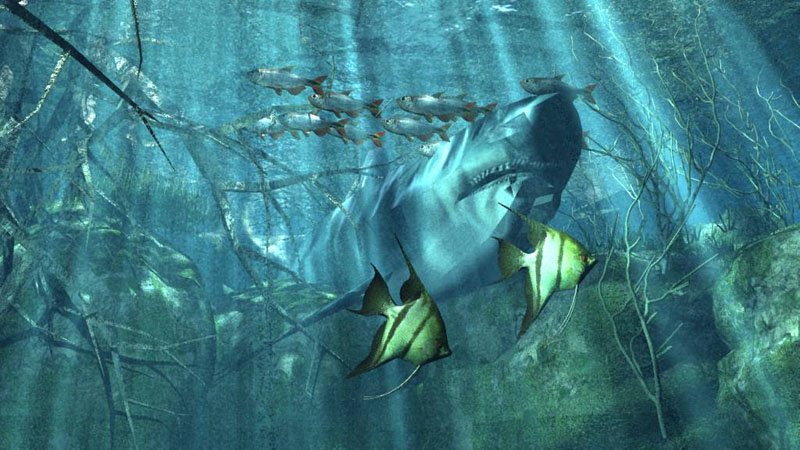
I tried virtuallight and couldnt get it to run it rendered black with the foreground shader
but Lightwork did run with foreground shader fog and a color blue selected.
but what it doesnt do is change the color with depth.
Vue (even Esprit probably even the free Pioneer version)on the other hand has that feature.
Its actually a function of the watermaterial there .
See testscenes ...
But what you can do is change the color of the background in postpro and make the fogyness with the foregroundfshader all rendered with Lightworks...
but Lightwork did run with foreground shader fog and a color blue selected.
but what it doesnt do is change the color with depth.
Vue (even Esprit probably even the free Pioneer version)on the other hand has that feature.
Its actually a function of the watermaterial there .
See testscenes ...
But what you can do is change the color of the background in postpro and make the fogyness with the foregroundfshader all rendered with Lightworks...
- Attachments
-

- Lightwork render with foreground fog shader on blue with postpro..
-
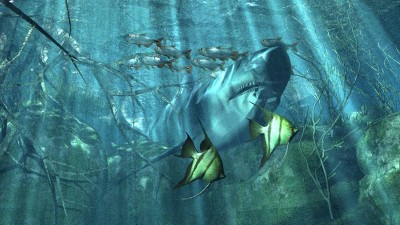
- Vue render
-
Tiles
- Master Chief Petty Officer
- Posts: 401
- Joined: 27 May 2009, 08:34
Re: Fo it, volumetric lights?
Thanks for the tests Rayman. Seems that Lightworks is back as an option to render with. I had thought of using Realtime first, with Giles as the lightmapper. Change of colour is not this important for me. Fade to one colur gives enough realism for my needs
Hm, looking closer, i need both, fog and Volumetrics. But those two are both foreground post processor filters. Is there a way to use both at the same time?
Hm, looking closer, i need both, fog and Volumetrics. But those two are both foreground post processor filters. Is there a way to use both at the same time?
Free Gamegraphics, Freeware Games http://reinerstilesets.de
-
RAYMAN
- Captain
- Posts: 2547
- Joined: 21 May 2009, 18:56
Re: Fo it, volumetric lights?
No they grey each other out you cant do that in Lightworks at once but you might be lucky if you make multipass renderings for each of the effectsTiles wrote:Thanks for the tests Rayman. Seems that Lightworks is back as an option to render with. I had thought of using Realtime first, with Giles as the lightmapper. Change of colour is not this important for me. Fade to one colur gives enough realism for my needs
Hm, looking closer, i need both, fog and Volumetrics. But those two are both foreground post processor filters. Is there a way to use both at the same time?
and compose them together.
but Marcel only uses volumetric lights without the foreground shader which also is possible
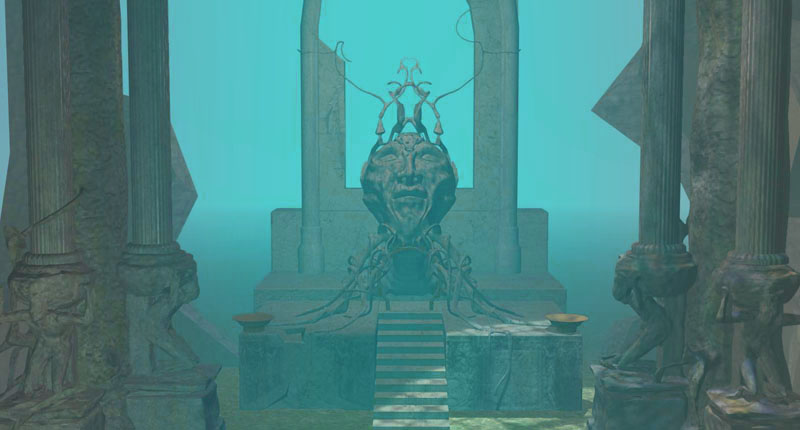
Vue does both ... volumetrics and fog and any of the effects are fully independant from each other and can be used one on top of the other : )
- Attachments
-
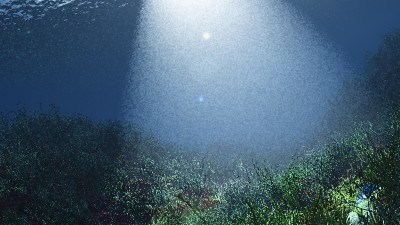
- Vue render with volumetrics

Last edited by RAYMAN on 05 Jan 2010, 11:40, edited 1 time in total.
-
Tiles
- Master Chief Petty Officer
- Posts: 401
- Joined: 27 May 2009, 08:34
Re: Fo it, volumetric lights?
Mhkay. That means i can even go back to Realtime, then add the stuff like Volumetrics and Caustics in a post process step. Many thanks for your help
Free Gamegraphics, Freeware Games http://reinerstilesets.de
-
marcel
- Captain
- Posts: 2247
- Joined: 21 May 2009, 19:52
- Type the number ten into the box: 0
- Location: paris - France
Re: Fo it, volumetric lights?
about the problem of smoke or dust of leonregis (it is the subject of this topic), it is interesting to use the turbulent shader on the advanced volumetric option.
Design - illustration - Animation
http://www.crea-vision.fr
http://www.crea-vision.fr
-
LeonRegis
- Captain
- Posts: 1946
- Joined: 18 Aug 2009, 17:36
- Type the number ten into the box: 0
- Location: Brazil/Earth/Orion Arm/Milky Way/4th Dimension/This Universe/Multiverse???/Singularity???
Re: Fo it, volumetric lights?
Thank you very much guys! Gonna do my volumetric scenes now!
Be the change you want to see in the world. - Mohandas Gandhi
-
LeonRegis
- Captain
- Posts: 1946
- Joined: 18 Aug 2009, 17:36
- Type the number ten into the box: 0
- Location: Brazil/Earth/Orion Arm/Milky Way/4th Dimension/This Universe/Multiverse???/Singularity???
Re: Fo it, volumetric lights?
This is really cool! Amazing how the quality is 100% improve. But there is a way to do volumetric smoke without add light?
Thanks
Thanks
Be the change you want to see in the world. - Mohandas Gandhi
-
RAYMAN
- Captain
- Posts: 2547
- Joined: 21 May 2009, 18:56
Re: Fo it, volumetric lights?
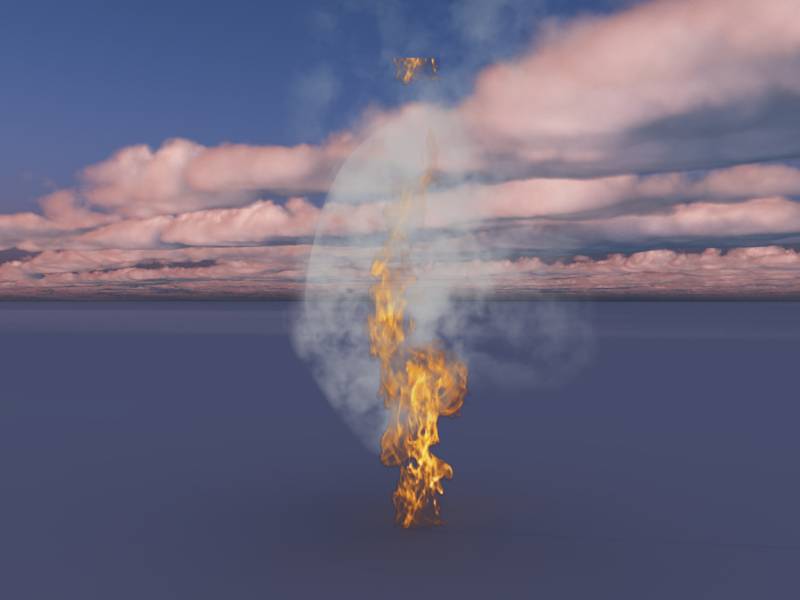
If you dont want to fake it you need volumetric materials and you renderengine has to support it..leonregis wrote:This is really cool! Amazing how the quality is 100% improve. But there is a way to do volumetric smoke without add light?
Thanks
- Attachments
-
-
LeonRegis
- Captain
- Posts: 1946
- Joined: 18 Aug 2009, 17:36
- Type the number ten into the box: 0
- Location: Brazil/Earth/Orion Arm/Milky Way/4th Dimension/This Universe/Multiverse???/Singularity???
Re: Fo it, volumetric lights?
Lightworks does? Or Blender, anything like that.
Thanks in Advance!
Thanks in Advance!
Be the change you want to see in the world. - Mohandas Gandhi
-
RAYMAN
- Captain
- Posts: 2547
- Joined: 21 May 2009, 18:56
Re: Fo it, volumetric lights?
Not that I know of..leonregis wrote:Lightworks does? Or Blender, anything like that.
Thanks in Advance!
-
LeonRegis
- Captain
- Posts: 1946
- Joined: 18 Aug 2009, 17:36
- Type the number ten into the box: 0
- Location: Brazil/Earth/Orion Arm/Milky Way/4th Dimension/This Universe/Multiverse???/Singularity???
Re: Fo it, volumetric lights?
Dammit!
Be the change you want to see in the world. - Mohandas Gandhi
-
marcel
- Captain
- Posts: 2247
- Joined: 21 May 2009, 19:52
- Type the number ten into the box: 0
- Location: paris - France
Re: Fo it, volumetric lights?
why do you want volumetric smoke without add light?
Design - illustration - Animation
http://www.crea-vision.fr
http://www.crea-vision.fr
-
spacekdet
- Captain
- Posts: 1810
- Joined: 27 May 2009, 15:00
- Type the number ten into the box: 10
- Location: On the day shift at the Utility Muffin Research Kitchen
Re: Fo it, volumetric lights?
Where there's smoke, there's fire!
(and where there's fire, there's light)
One workaround would be to turn the light down and the 'medium ambient' setting up.
Volumetric materials (not just lights) would indeed be cool to have.
You can always combine two images together.
(and where there's fire, there's light)
One workaround would be to turn the light down and the 'medium ambient' setting up.
Volumetric materials (not just lights) would indeed be cool to have.
You can always combine two images together.
-
LeonRegis
- Captain
- Posts: 1946
- Joined: 18 Aug 2009, 17:36
- Type the number ten into the box: 0
- Location: Brazil/Earth/Orion Arm/Milky Way/4th Dimension/This Universe/Multiverse???/Singularity???
Re: Fo it, volumetric lights?
I want kind a fog in the ground, and the ground does not has a light bulb... we are not in Tesla workshop.marcel wrote:why do you want volumetric smoke without add light?

Be the change you want to see in the world. - Mohandas Gandhi
-
nigec

- Master Chief Petty Officer
- Posts: 561
- Joined: 21 May 2009, 18:46
Re: Fo it, volumetric lights?
there's a program called particle Illusion which is good for smoke effects.
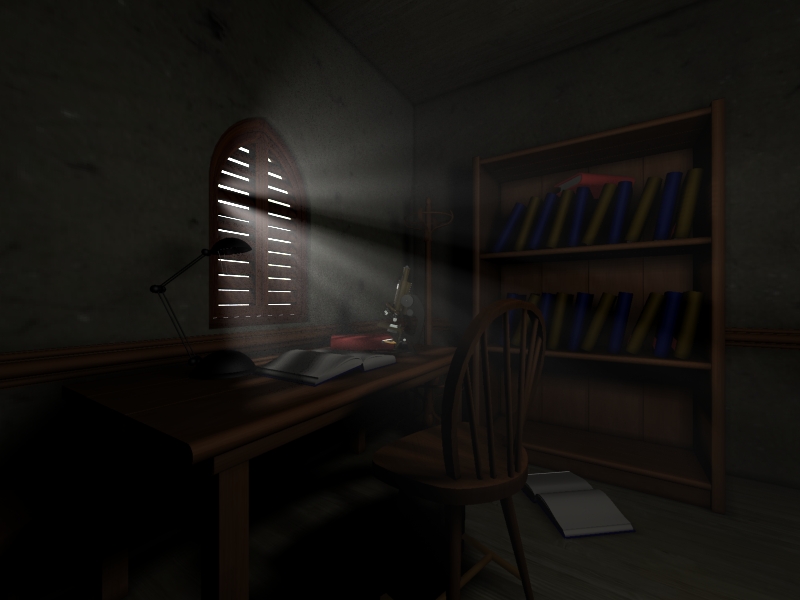
oh I was bored, I haven't rendered much with TS and Lightworks for awhile sooo
oh I was bored, I haven't rendered much with TS and Lightworks for awhile sooo
- Attachments
-

-
marcel
- Captain
- Posts: 2247
- Joined: 21 May 2009, 19:52
- Type the number ten into the box: 0
- Location: paris - France
Re: Fo it, volumetric lights?
I use paricules illusion to do post process for my animations. the interest is to try and change the effects without changing the animation witch can need a lot of time to render. the effect are viewed in real time even with full hd animation. this soft and the real atmospheric 3d render are different and can be complementary.
Design - illustration - Animation
http://www.crea-vision.fr
http://www.crea-vision.fr