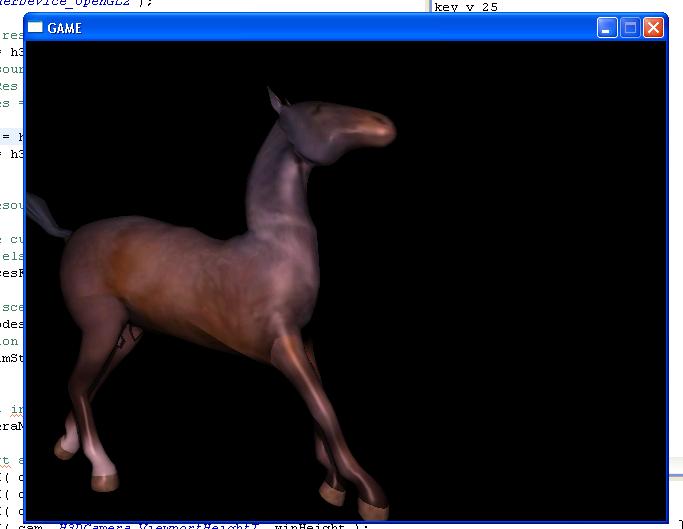
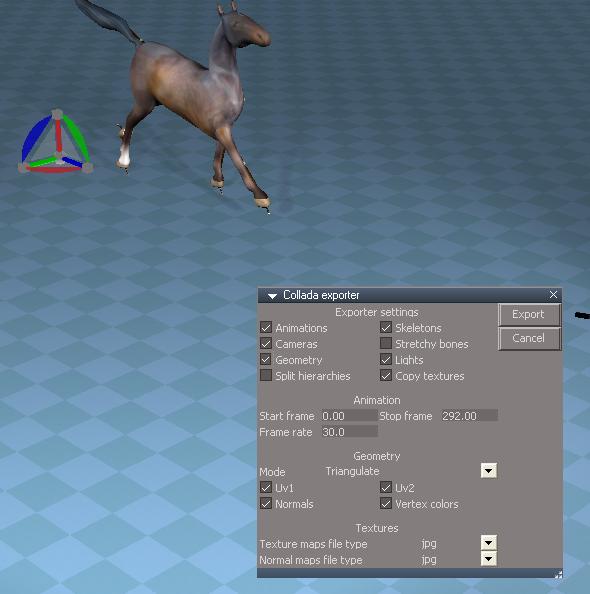
bitkar wrote: 21 Feb 2023, 10:06
good to know, thanks.
No problems.
I posted this after testing a lot of things and I was mixing up a lot of things to get it to work :/
Sadly it's not 100% compatible, but very close.
I restarted from scratch, with TS 7.61 full beta this time and it works fine also.
Basically, in my limited testing, TS out puts the model and animation fine, the textures the horde3d converter doesn't understand, it's exported not as library images, but as library effects/shaders, as per TS's materials, FYI, assimp seems to understand them and it converts them to library image.
TMK, the TS .dae exporter doesn't export the texture images, but the .x exporter does, so first do a .x export to get your images (if required) then export the .dae, idealy with the same settings.
Next, figure out the H3D asset converter, ie:
http://horde3d.org/docs/html/_contentpipe.html
Create both model and anim, it will create a model folder in your target directory (ie models/Horse) when I do it, it always creates a .material.xml with the model, but because of above, it's not correctly populated.
Just manually populate it, ie:
<Material>
<Shader source="shaders/model.shader"/>
<ShaderFlag name="_F01_Skinning" />
<Sampler name="albedoMap" map="models/Horse/col.jpg" />
<Sampler name="normalMap" map="models/Horse/norm.jpg" />
</Material>
Note, all files must be pre qualified with unix paths and must include folders from the base (ie models).
Copy your images to the model folder and that's it, it will load with textures and animate.
If it didn't create the .material.xml open your model .scene.xml file and on the last line..
<Mesh name="model-name-controller" material=".material.xml" batchStart="0" batchCount="17076" vertRStart="0" vertREnd="3254" />
</Model>
add or fix the name for the material value (unix full base path), ie:
material="models/Horse/material_0.material.xml"
Don't touch anything else!
If you have more complicated materials (textures/shaders) read through the shader you specify on the material (ie shaders/model.shader) and doc is here:
http://horde3d.org/docs/html/_formats.html
ie: to use normals you need to have:
<ShaderFlag name="_F02_NormalMapping" />
In the material xml.
The full docs are here.
http://horde3d.org/docs/manual.html
Here is the horse and it's converted files.