Cure for the "Stuck in transparent outline" bug?

Legacy tS 6.6
Galane
Chief Petty Officer
Posts: 111
Joined: 30 Aug 2009, 10:45

Cure for the "Stuck in transparent outline" bug?

Post by Galane »

At times I get an object stuck in transparent outline mode, it displays that way no matter what display mode is selected. The only way I've found to cure it is to open and save it in tS 3.2. Dunno if some version between that and 6.6 would also work.

I'd love a plugin or some way to correct it within 6.6.

Here's a small example of an object that's stuck in that display mode. It's a piece of my Cosmo Gun. It flipped like this just as I was finishing up and I wasn't even working on this part. :?
Attachments
slidecap.zip
(23.41 KiB) Downloaded 280 times
User avatar
nigec
Master Chief Petty Officer
Posts: 561
Joined: 21 May 2009, 18:46

Re: Cure for the "Stuck in transparent outline" bug?

Post by nigec »

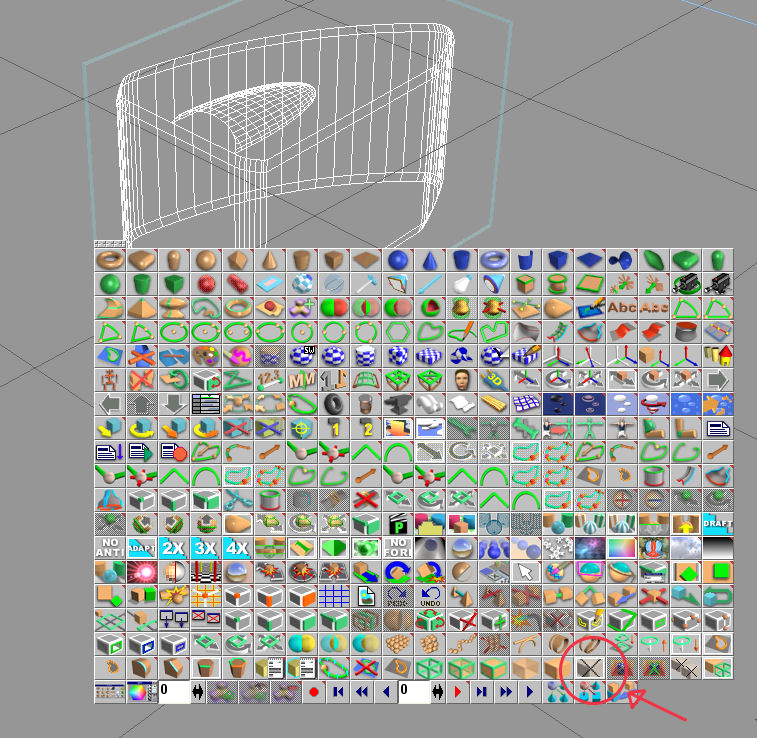
Theres an option called object mode but can I hell remember how to get it but its this icon
Attachments
Image1.jpg
Benji
Senior Chief Petty Officer
Posts: 280
Joined: 22 May 2009, 01:23

Re: Cure for the "Stuck in transparent outline" bug?

Post by Benji »

With the object selected you should see a sphere underneath the object. Right-clicking this sphere brings up the object modes and other goodies.
Galane
Chief Petty Officer
Posts: 111
Joined: 30 Aug 2009, 10:45

Re: Cure for the "Stuck in transparent outline" bug?

Post by Galane »

That works!
Benji
Senior Chief Petty Officer
Posts: 280
Joined: 22 May 2009, 01:23

Re: Cure for the "Stuck in transparent outline" bug?

Post by Benji »

Cool. :bananaguitar: