On the issue of holes
-
compPanda
- Senior Chief Petty Officer
- Posts: 275
- Joined: 21 May 2009, 21:15
- Type the number ten into the box: 0
On the issue of holes
Hi
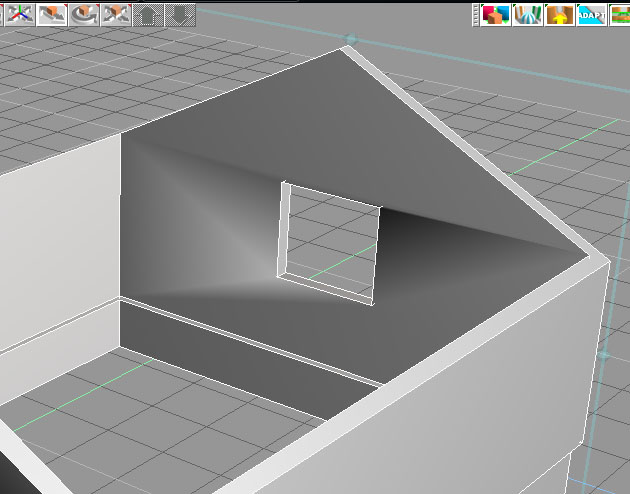
I have a trouble with a hole again. I know that we went through this issue with "holes" in the Caligari forum but I didn't get it. Why can't I simply boolean a hole in a wall and it looks alright?
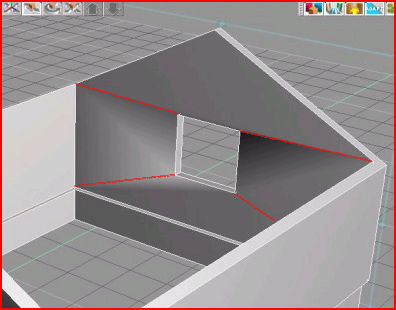
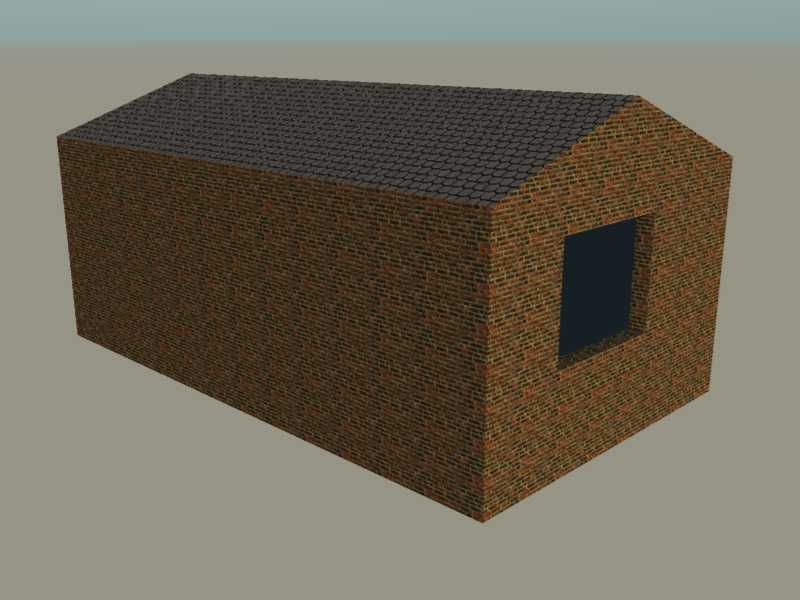
Look at this screenshoot - it looks strange in live view and I am sure another render than Lightwork will look funny too. But why?? I don't get it. What am I supposed to do when I make a hole? What am I suppose to do to make this correct? I guess I need to add some lines but where?
I have a trouble with a hole again. I know that we went through this issue with "holes" in the Caligari forum but I didn't get it. Why can't I simply boolean a hole in a wall and it looks alright?
Look at this screenshoot - it looks strange in live view and I am sure another render than Lightwork will look funny too. But why?? I don't get it. What am I supposed to do when I make a hole? What am I suppose to do to make this correct? I guess I need to add some lines but where?
-
marcel
- Captain
- Posts: 2247
- Joined: 21 May 2009, 19:52
- Type the number ten into the box: 0
- Location: paris - France
Re: On the issue of holes
Maybe your object is autofaceted. change the texture to faceted. For lightwork add edge to avoid some error only if you have a problem of render.
- Attachments
-

- Capturer.jpg (48.42 KiB) Viewed 5534 times
Design - illustration - Animation
http://www.crea-vision.fr
-
compPanda
- Senior Chief Petty Officer
- Posts: 275
- Joined: 21 May 2009, 21:15
- Type the number ten into the box: 0
Re: On the issue of holes
So it is possible to do a hole like that? Thank you for your suggestions Marcel.marcel wrote:Maybe your object is autofaceted. change the texture to faceted. For lightwork add edge to avoid some error only if you have a problem of render.
I seam to have an issue with holes....
-
RAYMAN
- Captain
- Posts: 2547
- Joined: 21 May 2009, 18:56
Re: On the issue of holes
Because thats how the nurbs tools work and normaly not the poly tools !spyfrog wrote:. Why can't I simply boolean a hole in a wall and it looks alright?
One exception is Sketchup.
Its built for that !
we discussed it at the old forum about booleans difference messing up geometry and thats not truespace specific thats a pain
of all polygon specific tools.
Tom suggested to make the holes as a seperate mesh and introduce it into the wall rather then using booleans.
But thats a pain !
Thats why I evangelised almosrt to the point were I got kicked to use a nurbs tool (I use Moi3d) that alows clean booleans
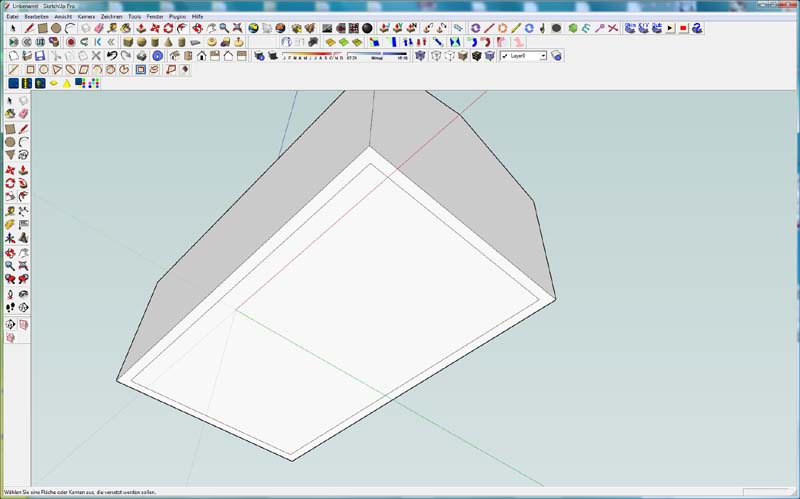
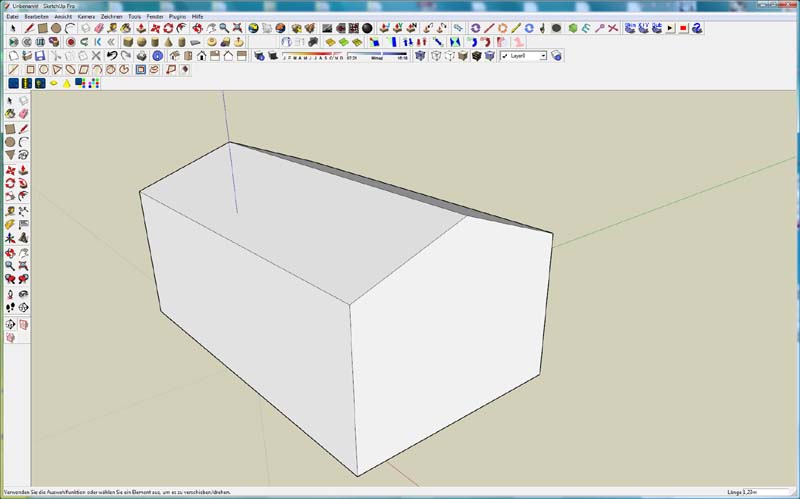
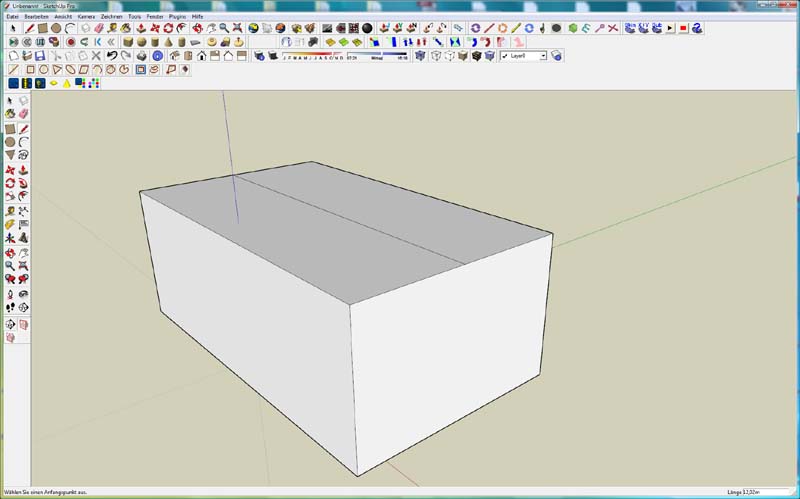
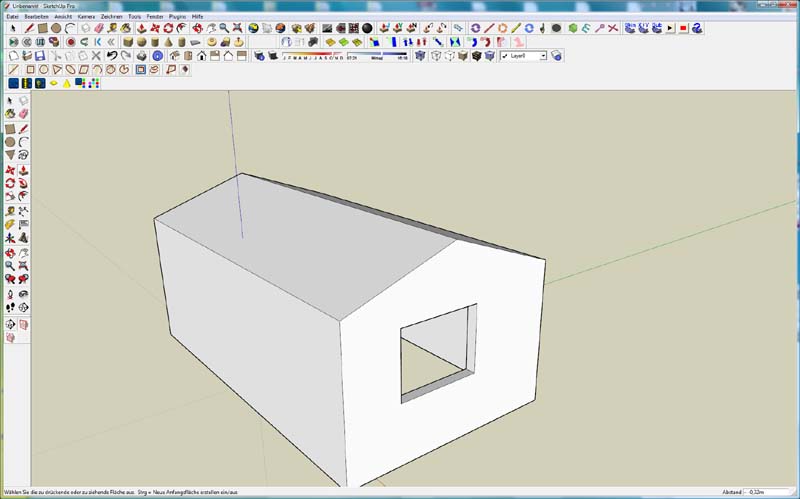
or use Sketchup which has a free version and alows for very simple draw of a window and boolean it out by just extruding inwards.
See the free sketchup thread in this section...
Peter
-
marcel
- Captain
- Posts: 2247
- Joined: 21 May 2009, 19:52
- Type the number ten into the box: 0
- Location: paris - France
Re: On the issue of holes
Read this thread about problems of hole before the forum close.
Rayman, TomG, me and others members explain a lot of think.
http://forums1.caligari.com/truespace/s ... php?t=7760
Rayman, TomG, me and others members explain a lot of think.
http://forums1.caligari.com/truespace/s ... php?t=7760
Design - illustration - Animation
http://www.crea-vision.fr
-
RAYMAN
- Captain
- Posts: 2547
- Joined: 21 May 2009, 18:56
Re: On the issue of holes
In that thread you will read that you cant just do booleans with poly tools
easily thats the bottom line it "CAN screw" up your topology but it must not do so....
I spent 195 $ to avoid that headache and have it no more I now cut through all my models like butter !!! (Moi3d or the free Sketchup)
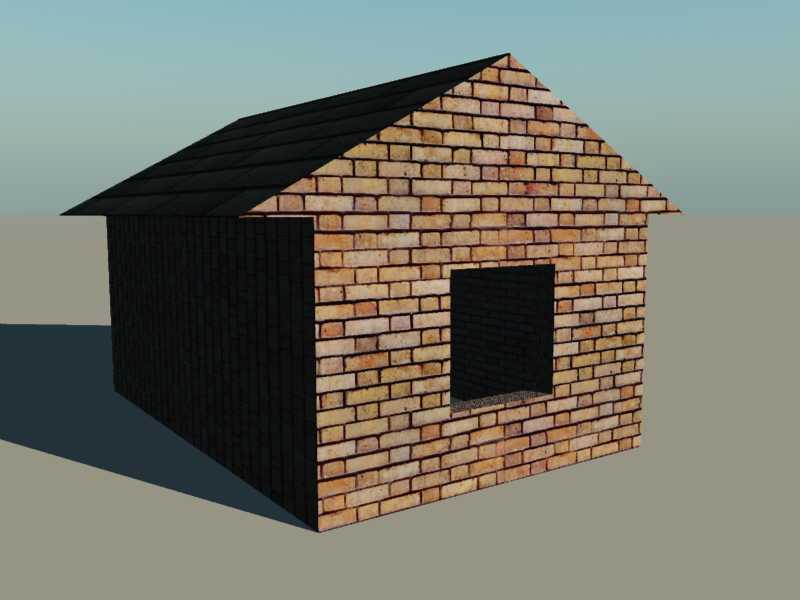
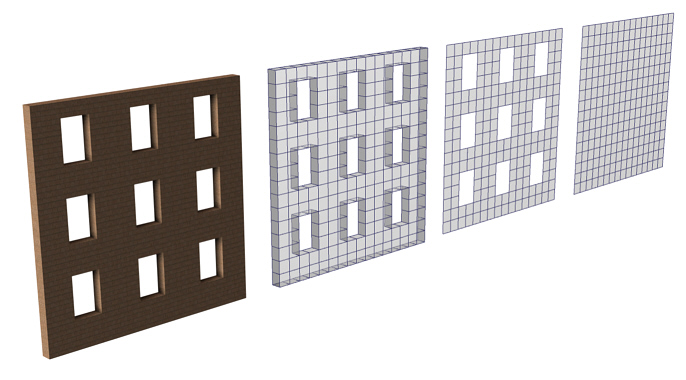
Ps.. here is the same thing in moi3d in 1 minute ! it took longer to render..
easily thats the bottom line it "CAN screw" up your topology but it must not do so....
I spent 195 $ to avoid that headache and have it no more I now cut through all my models like butter !!! (Moi3d or the free Sketchup)
Ps.. here is the same thing in moi3d in 1 minute ! it took longer to render..
-
marcel
- Captain
- Posts: 2247
- Joined: 21 May 2009, 19:52
- Type the number ten into the box: 0
- Location: paris - France
Re: On the issue of holes
Before this thread I was not aware of this problem. Maybe because I used to avoid problems with TS. I never had headaches with the holes. Even with hundreds of holes. How to begin and end an object with a TS is a matter of habit. An object may appear correct but poorly built.
Design - illustration - Animation
http://www.crea-vision.fr
-
RAYMAN
- Captain
- Posts: 2547
- Joined: 21 May 2009, 18:56
Re: On the issue of holes
Thats why 3d max introduced a new version of booleans in 2010 because of the problems with cutting
http://www.softpicks.net/blog/05/3ds-ma ... editor.htm" (A new modifier Quadify to work with ProBooleans module, allowing you to manage the topology of Boolean objects.)
but nurbs is much better and so is Sketchup...
http://www.softpicks.net/blog/05/3ds-ma ... editor.htm" (A new modifier Quadify to work with ProBooleans module, allowing you to manage the topology of Boolean objects.)
but nurbs is much better and so is Sketchup...
-
marcel
- Captain
- Posts: 2247
- Joined: 21 May 2009, 19:52
- Type the number ten into the box: 0
- Location: paris - France
Re: On the issue of holes
new Max for only...3495$ 
Design - illustration - Animation
http://www.crea-vision.fr
-
RAYMAN
- Captain
- Posts: 2547
- Joined: 21 May 2009, 18:56
-
compPanda
- Senior Chief Petty Officer
- Posts: 275
- Joined: 21 May 2009, 21:15
- Type the number ten into the box: 0
Re: On the issue of holes
Ok, is this why the video for architectual creation (or what it was called) don't use booleans to make windows but rather makes two separate wall pieces there?RAYMAN wrote:Because thats how the nurbs tools work and normaly not the poly tools !spyfrog wrote:. Why can't I simply boolean a hole in a wall and it looks alright?![]()
One exception is Sketchup.
Its built for that !
we discussed it at the old forum about booleans difference messing up geometry and thats not truespace specific thats a pain
of all polygon specific tools.
Tom suggested to make the holes as a seperate mesh and introduce it into the wall rather then using booleans.
But thats a pain !
Thats why I evangelised almosrt to the point were I got kicked to use a nurbs tool (I use Moi3d) that alows clean booleans
or use Sketchup which has a free version and alows for very simple draw of a window and boolean it out by just extruding inwards.
See the free sketchup thread in this section...
Peter
But then also, why do we have this tool? To me that tools seams like meant to cut holes? It is named "Change face into hole".
-
RAYMAN
- Captain
- Posts: 2547
- Joined: 21 May 2009, 18:56
Re: On the issue of holes
Yes that too makes holes in polygons (bevel)but while the inside is a quad the outside is an ngon which
Ts can use but you will have to cut it up if you export. But its hard to get the topology on the outside exactly to where the topology on the
inside is plus keep it flat.... not that it is impossible its just very slow.A house takes 10 minutes to create with the right tools and not just 5 minutes for a window.
Ts can use but you will have to cut it up if you export. But its hard to get the topology on the outside exactly to where the topology on the
inside is plus keep it flat.... not that it is impossible its just very slow.A house takes 10 minutes to create with the right tools and not just 5 minutes for a window.
-
marcel
- Captain
- Posts: 2247
- Joined: 21 May 2009, 19:52
- Type the number ten into the box: 0
- Location: paris - France
Re: On the issue of holes
It is not holes. No booleen operation. It is sweep tool in Truespace. One minute to do that too.
Design - illustration - Animation
http://www.crea-vision.fr
-
compPanda
- Senior Chief Petty Officer
- Posts: 275
- Joined: 21 May 2009, 21:15
- Type the number ten into the box: 0
Re: On the issue of holes
I am sure this is a stupid question but how do you get the holes in the plane then? I really don't get that...marcel wrote:It is not holes. No booleen operation. It is sweep tool in Truespace. One minute to do that too.
Also, does this mean that you can't for instance build a building and then realise that you need an extra window and then add that?
-
RAYMAN
- Captain
- Posts: 2547
- Joined: 21 May 2009, 18:56
Re: On the issue of holes
Yes you can but boolean operations arent very reliable you have to draw the polys of the windows and connect to the inside.spyfrog wrote:Also, does this mean that you can't for instance build a building and then realise that you need an extra window and then add that?
Marcels way is the same as they construct the prefab cement houses wall by wall and then fit together...
There are 100 ways to Rom but its a lot easier to download a softare and learn it in an hour and it shaves off tons of future
modeling time.... You can not only cut that hole in 3 seconds and extrude inwards you can also scale it and change that window.
You can drag windows from the library and move them on the surface and even array them. It automaticaly cuts the hole for you.....
-
compPanda
- Senior Chief Petty Officer
- Posts: 275
- Joined: 21 May 2009, 21:15
- Type the number ten into the box: 0
Re: On the issue of holes
My problem with the Sketchup solution is this: I am going to use this house in a game which means exporting it to gMax also.RAYMAN wrote:Yes you can but boolean operations arent very reliable you have to draw the polys of the windows and connect to the inside.spyfrog wrote:Also, does this mean that you can't for instance build a building and then realise that you need an extra window and then add that?
Marcels way is the same as they construct the prefab cement houses wall by wall and then fit together...
There are 100 ways to Rom but its a lot easier to download a softare and learn it in an hour and it shaves off tons of future
modeling time.... You can not only cut that hole in 3 seconds and extrude inwards you can also scale it and change that window.
You can drag windows from the library and move them on the surface and even array them. It automaticaly cuts the hole for you.....
So if I start with Sketchup, then I first need to export it from there to Truespace (by the way - which exporter should I choose there? I need a 3rd party since Sketchup free don't have any built in) and then to 3DS format from Truespace.
I know that I can model the whole house in Sketchup but I don't know how to use Sketchup at all so that would mean that I would need to learn Sketchup - doing only some work in Sketchup would be easier but would force me to export and import the model a lot.
-
RAYMAN
- Captain
- Posts: 2547
- Joined: 21 May 2009, 18:56
Re: On the issue of holes
No you dont have to export to Truespace.
You have 2 options......
1 . export to google earth format and change the ending to .zip and extract and you will get a collada file and the textures !
Second way is to export using the obj exporter plugin from 3d visual dudes thread it works great !
I will put up a tutorial for you to follow until tomorow !
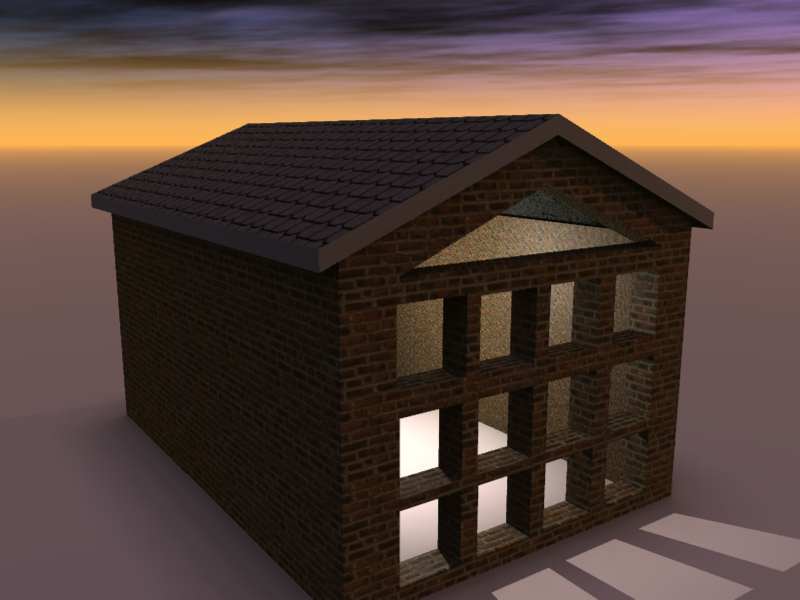
Here is something to look at for you... by the way you can model the window yourself and store it as a component in the library
You have 2 options......
1 . export to google earth format and change the ending to .zip and extract and you will get a collada file and the textures !
Second way is to export using the obj exporter plugin from 3d visual dudes thread it works great !
I will put up a tutorial for you to follow until tomorow !
Here is something to look at for you... by the way you can model the window yourself and store it as a component in the library
- Attachments
-
- house3web.zip
- (900.12 KiB) Downloaded 251 times
-
- houseweb.zip
- (603.24 KiB) Downloaded 276 times
Last edited by RAYMAN on 23 Aug 2009, 20:52, edited 1 time in total.
-
marcel
- Captain
- Posts: 2247
- Joined: 21 May 2009, 19:52
- Type the number ten into the box: 0
- Location: paris - France
Re: On the issue of holes
edit the plane and erase some faces. It was just an example but there are many method to avoid problem of holes.I am sure this is a stupid question but how do you get the holes in the plane then? I really don't get that...
Specialized software saves time, but if it is to move from one software to another, this can be longer. It depends on the complexity of the work involved. For simple things it is better to stay on the same software. for complex things, the use of several software is useful. I prefer to stay in truespace as possible but i find Rayman is right too. We are different. The problem is knowing what software you really want to use and you can't know that before try sketchup or other soft. Then you will know what to do. As Rayman said, you lose time to learn but you win time for futur project.
Design - illustration - Animation
http://www.crea-vision.fr
-
compPanda
- Senior Chief Petty Officer
- Posts: 275
- Joined: 21 May 2009, 21:15
- Type the number ten into the box: 0
Re: On the issue of holes
Thank you for your help Rayman. I will try this when I get to my home computer - I can't get gMax to be installed on my Vista machine off some reason (it says that I have VirtualPC 2007 installed already, whatever that has to do with this...).RAYMAN wrote:Sketchup modelm imports well into Gmax see screenshot...
I put up a simple Sketchup tutorial the first one in a row... !
-
RAYMAN
- Captain
- Posts: 2547
- Joined: 21 May 2009, 18:56
Re: On the issue of holes
Your welcome ! maybe its not a Vista related problem but Gmax´s habit of using the cookie for starting it which can
be the problem....
be the problem....
-
chamaeleon
- Seaman
- Posts: 8
- Joined: 10 Jun 2009, 13:44
Re: On the issue of holes
The problem in the opening post looks like a gouraud shading issue to me, with the different points in the polygons being assigned radically different amounts of light, maybe due to the orientation (facing or not facing light sources) of each polygon each vertex is associated with (more than one it seems), resulting in color changes as the algorithm interpolates the color values inside the polygon. Then again, I might be so wrong it's not even a tree I'm barking up.
-
Jimmer
- Chief Petty Officer
- Posts: 122
- Joined: 22 May 2009, 11:54
Re: On the issue of holes
I get this same effect from time to time in the REAL TIME view
when driilling... (ts6.6) its probably due to a slight math offset
(rounding out) when creating the holed out surface. Also, the
real time display is a bit sloppy (for redraw speed) too. When
this occures and it happens to me too... It still renders out FINE in
(LightWorks). Or it has so far....
when driilling... (ts6.6) its probably due to a slight math offset
(rounding out) when creating the holed out surface. Also, the
real time display is a bit sloppy (for redraw speed) too. When
this occures and it happens to me too... It still renders out FINE in
(LightWorks). Or it has so far....
-
Jimmer
- Chief Petty Officer
- Posts: 122
- Joined: 22 May 2009, 11:54
Re: On the issue of holes
Oh, yea!!! Also,the VERY NICE thing about the booleans in trueSpace is
that when you do- do a boolean like this it creates a SINGLE poly. Which
can be extruded, beveled ect... (Your not left with lots of triangles
and extra edges all over the place)....
that when you do- do a boolean like this it creates a SINGLE poly. Which
can be extruded, beveled ect... (Your not left with lots of triangles
and extra edges all over the place)....