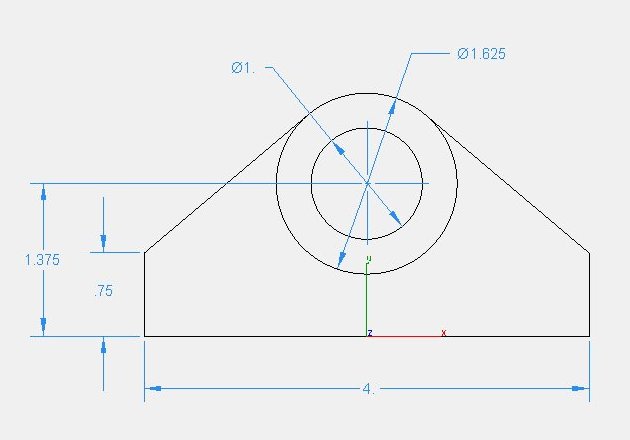
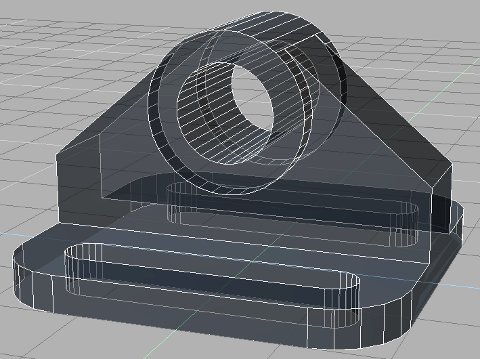
Is it possible to model attached example completely in TS without using any other
tools? If yes, how would I approach this?
My main problem is the tangency between the sloped face of the vertical rib
and the eye. I was able to do it, but I used another program to find the intersection
of those two sloped faces. From there it was easy. I know Truespace is no CAD
program, but after seeing all these amazing technical illustrations, created with TS,
I just got curious how easy it would be. Besides this is a good oppurtunity to get
familiar with mesh modeling thechniques, since I am not that familiar with it.
best practice to model this??? (see example)
-
Schultze
- Seaman Recruit
- Posts: 4
- Joined: 14 Dec 2009, 04:31
best practice to model this??? (see example)
- Attachments
-
-
-
Finis

- Captain
- Posts: 5410
- Joined: 21 May 2009, 18:26
- Type the number ten into the box: 0
- Location: America!
Re: best practice to model this??? (see example)
Yes. Since you know the exact size and location of the parts you could use the numerical panels to set the size, rotation, and location of the parts with precision. On model side right click on the arrow icon while an object is selected to get the numerical panel. I would use the boolean tools so you can work with cylinders and simple shapes. Then clean up the mesh manually with point edit (right click on selected object for point edit mode).
There are probably other ways too.
There are probably other ways too.
I prefer dangerous freedom over peaceful servitude. -- Thomas Jefferson/Jean Jacques Rousseau
-
marcel

- Captain
- Posts: 2247
- Joined: 21 May 2009, 19:52
- Type the number ten into the box: 0
- Location: paris - France
Re: best practice to model this??? (see example)
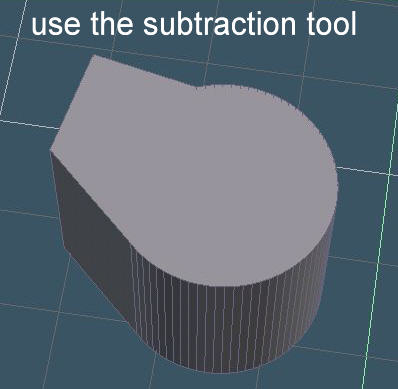
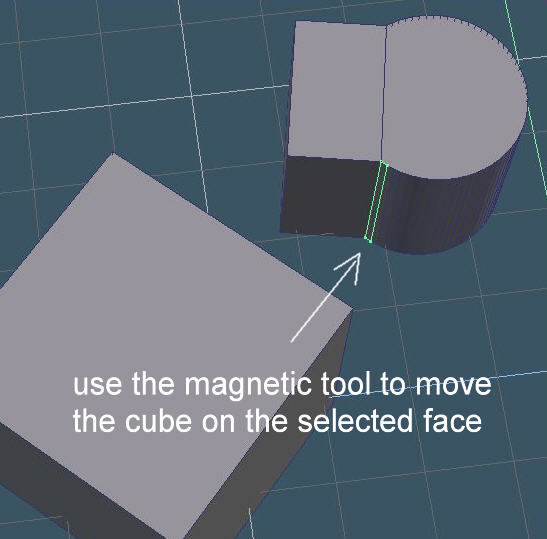
You can use the magnetic tool for many thing. here is an example:
- Attachments
-
-
-
- im3.jpg (21.33 KiB) Viewed 3145 times
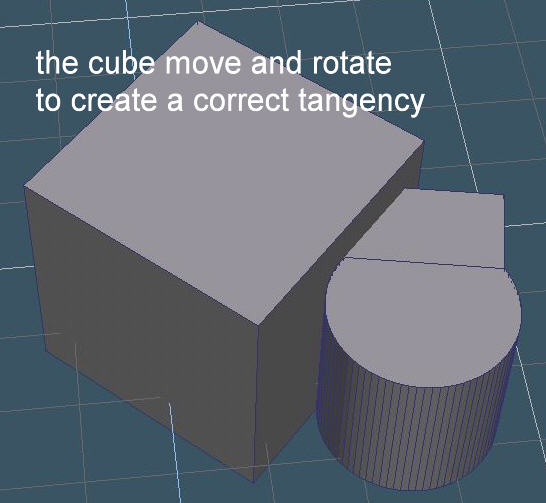
Design - illustration - Animation
http://www.crea-vision.fr
http://www.crea-vision.fr
-
Schultze
- Seaman Recruit
- Posts: 4
- Joined: 14 Dec 2009, 04:31
Re: best practice to model this??? (see example)
Hi guys thanks for your input.
Finis, actually I was able to model this part with the help of the numeric input
panel, see 3D model. My main problem is how to achieve some proper tangency,
which I solved using a cad program. But I would like to learn how to do this without
another software package.
Marcel, magnetic tools sounds pretty good, I will try this later on. I was actually
thinking about trying it to use collision detection, not sure if it works, have to try this
too.
Thanks again for supporting my puzzled mind to get on the right track
Finis, actually I was able to model this part with the help of the numeric input
panel, see 3D model. My main problem is how to achieve some proper tangency,
which I solved using a cad program. But I would like to learn how to do this without
another software package.
Marcel, magnetic tools sounds pretty good, I will try this later on. I was actually
thinking about trying it to use collision detection, not sure if it works, have to try this
too.
Thanks again for supporting my puzzled mind to get on the right track