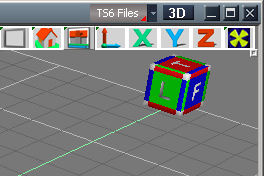
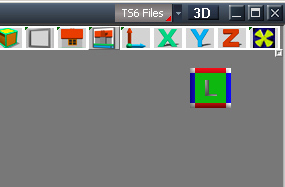
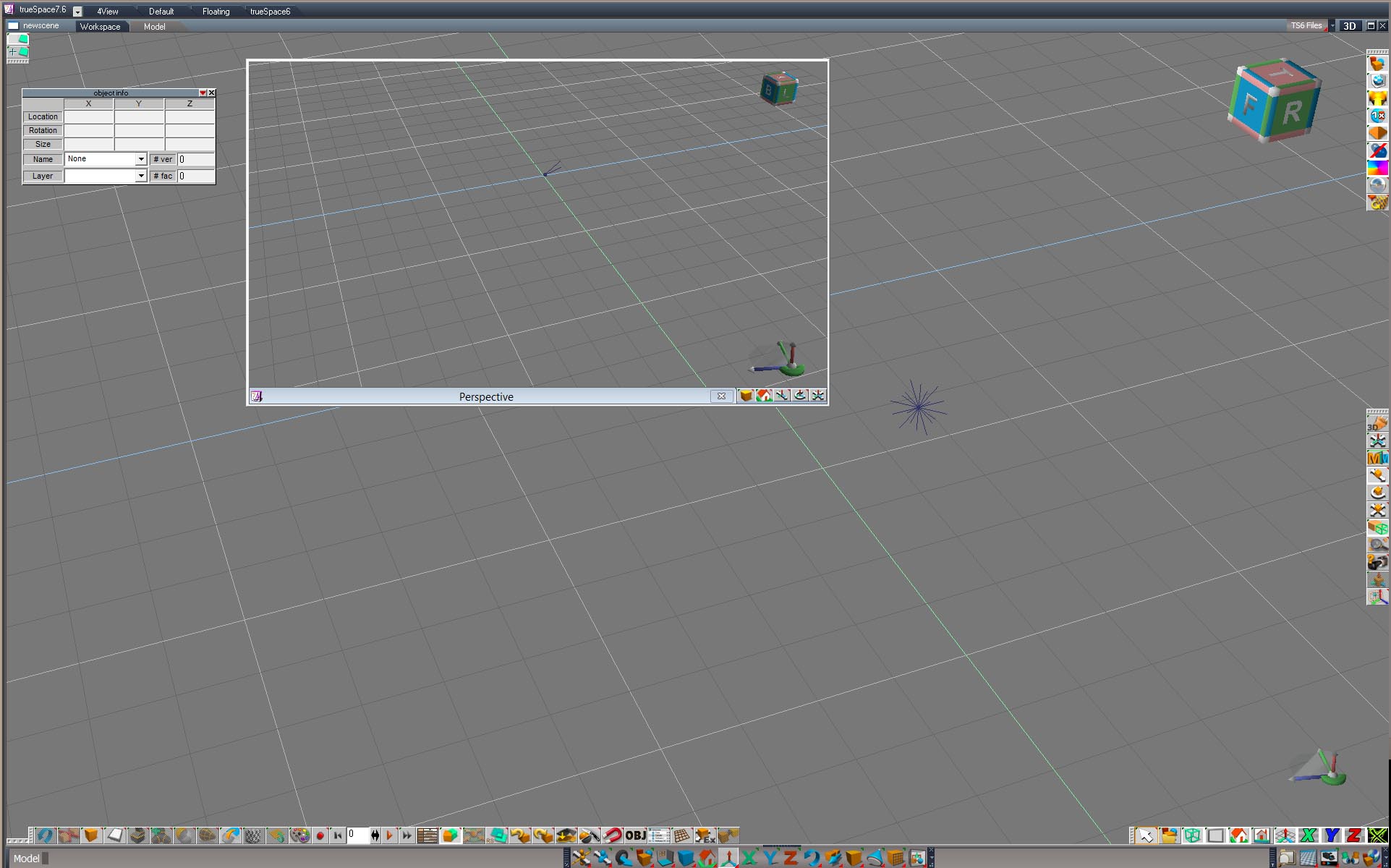
Thanks to DD for his original work in VB with the MagicBox.tsx that I ported to VS and made this version of the box widget with only 220 vertices and 378 faces vs 465 vertices and 2390 faces. Adding functionality and tool tips in the info bar. It now can move from one ortho view to another in one click. Also added camera view in upper corners.
From Left view one can go to Top, bottom, Front,Back in one click. etc.
In a future version I want to add perspective views in all corners like in Maya if I can get past the zoom issue. One known issue is that using the zoom icon the widget moves out of view or inward. With mouse scrolling for zoom it doesn't happen.
Works in ts6.6 and higher.
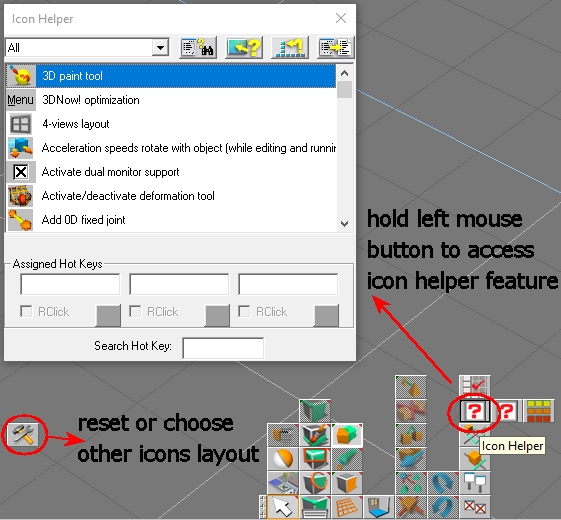
On installing you must go into Icon helper and add "Backspace" to the hotkey of 3D Controls ( Enable controls)so the widget shows instantly on changing back to perspective view. If not you must move the view a bit to get it to show.
the_ant
Chief Petty Officer
Posts:155
Joined: 02 Jun 2009, 09:26
Type the number ten into the box: 0
Location: Perugia - Italy
Re: Maya style box widget for ts6.6 modelside
Postby the_ant »
Great Stan!!!
Emmanuel
Chief Warrant Officer
Posts:670
Joined: 14 Jun 2009, 06:47
Re: Maya style box widget for ts6.6 modelside
Postby Emmanuel »
Thank you very much Stan,
I like the new features a lot !
As always, you take a tool and push it beyond its limits
The current colors are a bit aggressive to my eyes though. DD's Magic Box colors were soft and I like them.
For red it was RGB 255;173;173
green it was RGB 104;195;104,
and blue RGB 17;168;225,
Could you make a version of your box widget with these colors ?
stan
Master Chief Petty Officer
Posts:584
Joined: 21 May 2009, 17:20
Re: Maya style box widget for ts6.6 modelside
Postby stan »
Emmanuel,the colours can be altered in next version, bear in mind there is four colours for R, four for G, and four for B.example: Front, back, and the two side bars for F&B. This is because the widget must use material id as the trigger. I didn't really like that it reacts to changes in lighting either. It can get very dark. I can add more alpha in general to soften, that is the last number,there are four numbers in each material not three. (RGBA)
stan
Master Chief Petty Officer
Posts:584
Joined: 21 May 2009, 17:20
Re: Maya style box widget for ts6.6 modelside
Postby stan »
Ok here is the original colours and Emmanuel's colours..Downloads have an oc(original) or e(Emmanuel)
Thank you again Stan. I like this one a lot.
Having an option panel to customize the colors would be nice. For example people could choose to leave all faces of the cube all grey, like in Maya, and paint letters only in their respective colors.
Setting a custom size would be nice also...
Okay, now I stop requesting
stan
Master Chief Petty Officer
Posts:584
Joined: 21 May 2009, 17:20
Re: Maya style box widget for ts6.6 modelside
Postby stan »
Emmanual, I don't think it would be easy to let people choose colour . I must do this:
(blue)
15,168,225,255, //FRONT
16,168,225,255, //BACK
17,168,225,255, //FRONT M
18,168,225,255, //BACK M
or I get a dword error if any are the same so the grey idea which I like is harder to do. Not impossible but the greys would need to be different for all rectangles. The letters could be the colour but at the moment they are all one colour and not active which is much easier.
As for custom size it might be possible. I can make a right click on the cube open a window or droplist or get rid of the message box on the icon and put it there. I think you would have to either close ts or go to workspace and back to show the change.
Can you show a screen shot of the widget in your view.. So I can get an idea of what others see. I'm using the original size and it's fine in my screen res..
Emmanuel
Chief Warrant Officer
Posts:670
Joined: 14 Jun 2009, 06:47
Re: Maya style box widget for ts6.6 modelside
Postby Emmanuel »
Size is fine on small views. On large sceen it could be reduced a bit. Nothing dramatic though
stan
Master Chief Petty Officer
Posts:584
Joined: 21 May 2009, 17:20
Re: Maya style box widget for ts6.6 modelside
Postby stan »
The sizing can be done without leaving model space. First right click the icon, menu pops up , choose a size preset, then right click the perspective widget. Size changed.
sizing.jpg (64.37 KiB) Viewed 258 times
At the moment I just have perspective working. It would be easiest to size ortho with the same preset on the menu.
stan
Master Chief Petty Officer
Posts:584
Joined: 21 May 2009, 17:20
Sizable Maya style box widget for ts6.6 modelside
Postby stan »
Here is the sizable version. Both OC and E versions are in the rar file
I like this one very much.
Great to have the letters in black with the minus sign. Colors are nice too.
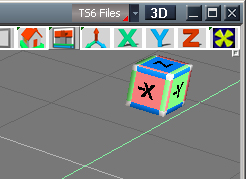
The only weird thing is that Z face is blue instead of red, X is red instead of green and Y is green instead of blue
stan
Master Chief Petty Officer
Posts:584
Joined: 21 May 2009, 17:20
Re: Maya style box widget for ts6.6 modelside
Postby stan »
yes it's setup different for The_Ant as he requested for his cad programs. From DD's thread:viewtopic.php?t=654&start=10
If you like the black I can alter the standard colour one. I was thinking one with x y z some folks would like better that front back etc.I'm wondering if it's possible to switch from one style(xyz vs front, back) to another without too much hassle.I want to see it can be done through my popup menu.
the_ant
Chief Petty Officer
Posts:155
Joined: 02 Jun 2009, 09:26
Type the number ten into the box: 0
Location: Perugia - Italy
Re: Maya style box widget for ts6.6 modelside
Postby the_ant »
Thaaaaanks sooo much Stan!!! No words for the best present ever received from this beautiful forum !!!!
stan
Master Chief Petty Officer
Posts:584
Joined: 21 May 2009, 17:20
Re: Maya style box widget for ts6.6 modelside
Postby stan »
Your welcome Mr Ant.. I'm glad you like it..check it for mistakes in the help. I think I got everything else right.
I'm going to put together a combo widget with cad, xyz and standard (top,front,etc) . I will try to get my extra perspective view corner working too.
clintonman
Captain
Posts:5659
Joined: 21 May 2009, 21:08
Type the number ten into the box: 0
Location: California
Re: Maya style box widget for ts6.6 modelside
Postby clintonman »
Emmanuel wrote: 19 Jan 2018, 09:38
I like this one very much.
Great to have the letters in black with the minus sign. Colors are nice too.
The only weird thing is that Z face is blue instead of red, X is red instead of green and Y is green instead of blue
What's truely weird is that trueSpace has a unique color scheme. All other 3D programs use RGB to represent XYZ. I always wondered why they were different.
Not all, my cad program Alibre design is the colours of truespace but in iso it starts with the z (red)is rotated to ts x position, y is up (blue). Colour setup matches Ant's but not axis positions.
It is possible to switch cubes. Widget now can change from front, top, etc, to xyz with standard colours or to Ant's cad axis and colours in a click on the menu then a right click on widget..Coming soon.
Attachments
clintonman
Captain
Posts:5659
Joined: 21 May 2009, 21:08
Type the number ten into the box: 0
Location: California
Re: Maya style box widget for ts6.6 modelside
Postby clintonman »
Ah, maybe that's it. Maybe they took inspiration from cad programs or the software engineers came from a cad background.
It's a fantastic idea ....very very good Stan!!! You're right about axis/colour/orientation variety in CAD-3D world....Can't wait next version!!!
trueBlue
Captain
Posts:5548
Joined: 06 Jul 2009, 22:50
Type the number ten into the box: 10
Re: Maya style box widget for ts6.6 modelside
Postby trueBlue »
Emmanuel wrote: 19 Jan 2018, 09:38
The only weird thing is that Z face is blue instead of red, X is red instead of green and Y is green instead of blue
Have to agree.
No disregard to anyone!!!
Unless you are changing the color of the XYZ locks, XYZ axis widget, Info panel, objects, and or anything eles not mentioned that does not conform to tS's XYZ=GBR theme , seems very confusing to me!
Long live trueSpace! (:-)
Awesome Stan ...you're like the Aladdin Lamp Genius (one scratch the lamp and like a magic has the request thing)...
the_ant
Chief Petty Officer
Posts:155
Joined: 02 Jun 2009, 09:26
Type the number ten into the box: 0
Location: Perugia - Italy
Re: Maya style box widget for ts6.6 modelside
Postby the_ant »
Huston we have a problem....i missed the icon helper on my tSp760 Cellulo ver2.1 (probably delete after installation) so can't set the BkSp option on "enable controls".
Another problem is that i must load or create new scene to see modifications on the look of widget (xyz/tsp/CAD) and if i exit/restart tSp the widget restart with original look (F-T-R...)
Am i missing something?....
stan
Master Chief Petty Officer
Posts:584
Joined: 21 May 2009, 17:20
Re: Maya style box widget for ts6.6 modelside
Postby stan »
Best talk to Cellulo about his truespace version if you don't have the show all icons button. Don't know anything about it. I've never used it,
As for changing from one style to another it should only take a right click on the widget after selecting which style you want.
The widget might revert back to standard after closing but I see no issue with that as it's easily changed. There is no settings file to save it in.
Cellulo
Lieutenant
Posts:927
Joined: 27 Sep 2012, 07:48
Type the number ten into the box: 9
Location: France
Re: Maya style box widget for ts6.6 modelside
Postby Cellulo »
Here a screenshot from my last modelside edition not released that explain to access icon helper: