Audio in Truespace

Smart people ~ Great Scripts
User avatar
Draise
Captain
Posts: 3200
Joined: 21 Sep 2009, 19:33
Type the number ten into the box: 0
Location: Bogota, Colombia

Audio in Truespace

Post by Draise »

I have discovered that you can trigger audio samples and attribute sound to objects in truespace. Also you can trigger sound to physics. But unfortunately you can't trigger a sound file to play when you press the play button (for lip syncing or animation)? Or atleast I don't know how to.

I hope to link the "play" tickbox/button in the audio sample player with the first frame of an animation. I am new to the link editor and activities, any help would be greatly appreciated!
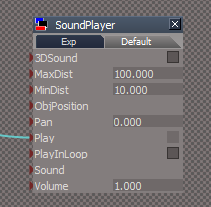
Captura.PNG
Captura.PNG (7.03 KiB) Viewed 558 times
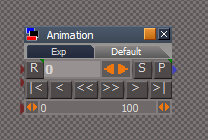
I found an animation toolbar, by trueblue I think it was? that had a frame output into the link editor (very handy).
Captura2.PNG
Captura2.PNG (5.64 KiB) Viewed 558 times
Is there a way to make a 0 / 1 activity trigger upon the frame 1 input that will actually trigger the audio to play? Maybe even stop the audio when the animation stops?

I am no programmer but an artist, and I need some hints.

If not... I may actually reserve truespace for just visualization and modelling...... an animator can't animate without sound...

Maybe I can rig another program to play videos to audio to do the audio testing for me, with multiple file preview renders (thank goodness the realtime render is fast). Also could use Papagayo http://www.lostmarble.com/papagayo/index.shtml to lipsync (has frame readouts of the phonomes of an analyzed file).

Do you know of alternatives? Or should I keep my animation to traditional software?
Attachments
mouth.PNG
User avatar
trueBlue
Captain
Posts: 5548
Joined: 06 Jul 2009, 22:50
Type the number ten into the box: 10

Re: Audio in Truespace

Post by trueBlue »

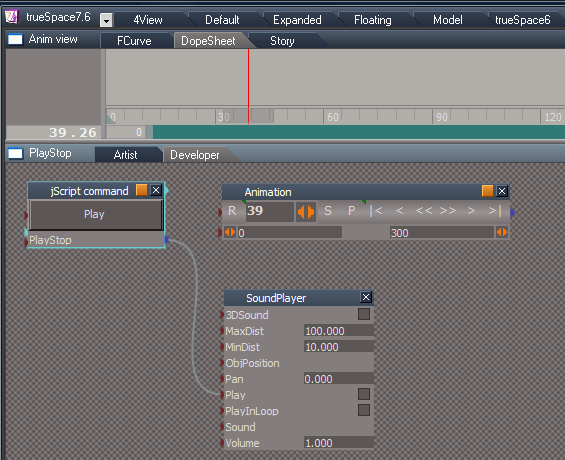
Try this...
Capture2.PNG
Attachments
New Compressed (zipped) Folder7a5d.zip
(277.81 KiB) Downloaded 34 times
User avatar
Draise
Captain
Posts: 3200
Joined: 21 Sep 2009, 19:33
Type the number ten into the box: 0
Location: Bogota, Colombia

Re: Audio in Truespace

Post by Draise »

AWESOME! THANKS VERY MUCH trueblue!

It works, and it is very helpful to animate, atleast to preview sound with the animation.

The downside is that you can't pause the audio then continue, and/or see the wave length. But I think that will have to wait for something like truespace 8. So something like papagayo for lipsync will come in handy. The rest can be left up to the Foley team!

But to test animations out, without the annoying render then program switch, this certainly is the bomb!! Thanks a tonne. =) I'll keep my super secret underground gpu revolution coming! =P
User avatar
Draise
Captain
Posts: 3200
Joined: 21 Sep 2009, 19:33
Type the number ten into the box: 0
Location: Bogota, Colombia

Re: Audio in Truespace

Post by Draise »

http://www.youtube.com/watch?v=tq6VmVIWlAw

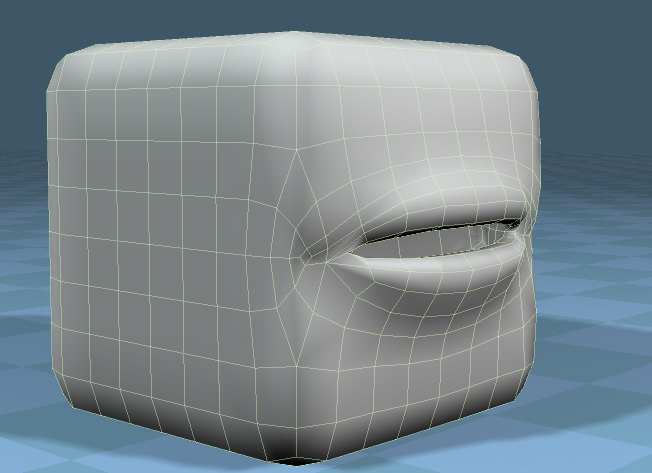
Here is my first lipsync test. It is VERY crude (quality, not content! :lol: ) I did this without the script above, instead using Premiere and preview rendering it to test the lipsync. Also used audacity to give an idea of the lip syncing. I am yet to test papagayo and the kindly offered script of Trueblue. Hurrah!

Return to “Scripts and SDK”