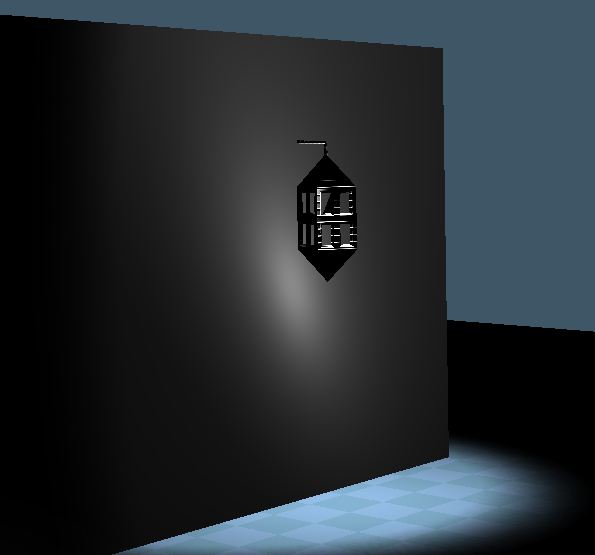
light test

Technical questions, etc..
pugman 1
Captain
Posts: 1555
Joined: 21 May 2009, 19:26
Type the number ten into the box: 0
Location: Germany

light test

Post by pugman 1 »

Hi all can someone tell me how
to get this to glow or to look right
inside the lamp i have one direction light :?
i am useing workspace side
Attachments
light test.JPG
User avatar
nigec
Master Chief Petty Officer
Posts: 561
Joined: 21 May 2009, 18:46

Re: light test

Post by nigec »

Steinie posted this, but its mainly shadows in WS
vi ... =13&t=1331"
in modelside I'd use glowing material and a light.. I haven't really bonded with WS :oops:
pugman 1
Captain
Posts: 1555
Joined: 21 May 2009, 19:26
Type the number ten into the box: 0
Location: Germany

Re: light test

Post by pugman 1 »

Hi nigec, i read the post frtom steinie.
I can not load this in ms its for my church wip
the church looses faces and crashes ms, i need it for ws
User avatar
nigec
Master Chief Petty Officer
Posts: 561
Joined: 21 May 2009, 18:46

Re: light test

Post by nigec »

I had a quick go and got this:
I used a direction light and a omni light
the white material has the specular setting really high and i put the omni light inside, then I enabled bloom in post process
Its a quick dirty way, but I'm sure one of the WS gods will have a better way ;)
Attachments
bloom.jpg
pugman 1
Captain
Posts: 1555
Joined: 21 May 2009, 19:26
Type the number ten into the box: 0
Location: Germany

Re: light test

Post by pugman 1 »

Thanks man now i put my fina entry in
but i keep this for the next time.
the omni light gives too much brightness in the scene
User avatar
Prodigy
Site Admin
Posts: 957
Joined: 21 May 2009, 14:46
Type the number ten into the box: 0
Location: Uruguay

Re: light test

Post by Prodigy »

If you will use Realtime:
Few tips,

(From what i see)
1) I should recommend add some subdivisions to the wall, and on the floor mesh. that will improve the quality of your lighting.
2) I should recommend you to use Alpha maps to make the Glow effect on the lights..
3) For the shadows, i vote for nigec's solution..
4) try to add more lights, ambient light with some blue tone will give the effect of the moonlight..
5) Apply the textures will help you a lot to make a better render, so i suggest add textures, normal maps first and then tweak the lights.. that will give you a nice idea where add lights and which intensity.. so move this tip up to number 2 :D
๑۩۞۩๑ prodigy ๑۩۞۩๑
User avatar
nigec
Master Chief Petty Officer
Posts: 561
Joined: 21 May 2009, 18:46

Re: light test

Post by nigec »

Seee... I told you someone cleverer than me would come alone :D

Glad to help, I like the model a lot ;)
pugman 1
Captain
Posts: 1555
Joined: 21 May 2009, 19:26
Type the number ten into the box: 0
Location: Germany

Re: light test

Post by pugman 1 »

Thanks guys for the help

Return to “TechForum”