Hey everyone.
So, I am working on a workflow for Messiah and Blender:
1a: Model in blender, export to Messiah, rig and animate.
1b: export MDD file, attach MDD file to mesh in blender
1c: add physics simulations and materials
1d: render
1e: Other steps
2a: model in blender, export to Messiah, rig, and animate
2b: create physics sims in blender, render to file(s)
2c: perform compositing in another application
2d: other steps
Yesterday I learned how to export and attach a MDD file to a mesh in blender.
I had issues with some meshes blowing up; I will try a solution today. This occurred with the trueSpace crazyBob mesh, and .lwo (lightwave object) files. Interestingly, the crazyBob mesh worked after I opened the .obj file, saved and closed it. The same process did not yield similar results for other files.
Messiah and Blender workflow
-
froo
- Captain
- Posts: 2554
- Joined: 22 May 2009, 12:13
Messiah and Blender workflow
-
Steinie

- Captain
- Posts: 2958
- Joined: 21 May 2009, 17:38
- Type the number ten into the box: 10
Re: Messiah and Blender workflow
I'm glad your posting your findings here, I am interested in learning.
-
froo
- Captain
- Posts: 2554
- Joined: 22 May 2009, 12:13
Re: Messiah and Blender workflow
Cool Steinie. I got fired up about animation again. 
So this is what I learned.
I think I understand what the problem with the mangled mesh was: I exported as a .OBJ file. But, I suspect the mesh in Messiah is originally a .lwo. So, if I were to compare the face/vertex data in the exported OBJ file with the .lwo version, there would be a lot of mismatches. So when I apply the MDD to the OBJ file (imported into Blender), I get the garbled mess due to this dis-order.
To avoid this, I enabled the .lwo import option in Blender, and imported the .lwo Dinosaur mesh directly, as opposed to exporting to OBJ from within Messiah. I then applied the MDD file to the .lwo imported mesh in Blender. Worked fine.
When loading into Blender, and applying the MDD file, the animation playback causes the character to move along a different axis. A Messiah user reported this is a bug that has persisted in Blender since version 2.49. Here is a patch for Blender to resolve that issue:
https://developer.blender.org/T28311"
You have to rename: init_.py to: __init__.py for Blender to recognize and load the file.
So this is what I learned.
I think I understand what the problem with the mangled mesh was: I exported as a .OBJ file. But, I suspect the mesh in Messiah is originally a .lwo. So, if I were to compare the face/vertex data in the exported OBJ file with the .lwo version, there would be a lot of mismatches. So when I apply the MDD to the OBJ file (imported into Blender), I get the garbled mess due to this dis-order.
To avoid this, I enabled the .lwo import option in Blender, and imported the .lwo Dinosaur mesh directly, as opposed to exporting to OBJ from within Messiah. I then applied the MDD file to the .lwo imported mesh in Blender. Worked fine.
When loading into Blender, and applying the MDD file, the animation playback causes the character to move along a different axis. A Messiah user reported this is a bug that has persisted in Blender since version 2.49. Here is a patch for Blender to resolve that issue:
https://developer.blender.org/T28311"
You have to rename: init_.py to: __init__.py for Blender to recognize and load the file.
-
pugman 1
- Captain
- Posts: 1555
- Joined: 21 May 2009, 19:26
- Type the number ten into the box: 0
- Location: Germany
Re: Messiah and Blender workflow
Hi froo why do you not do it all in blender its more than capeble?
-
froo
- Captain
- Posts: 2554
- Joined: 22 May 2009, 12:13
Re: Messiah and Blender workflow
Hey Pugman. That is a possibility; I have not yet investigated IK rigging in Blender. That is on my list. Although the setuptab.com website has issues with the training videos (usually you can't download some of the ones you pay for), Messiah is also a very powerful animation tool. IK rigging and animation directly in blender may make things easier; have to see. 
On another note:
If you do choose to use Messiah for character animation, save your character as: .lwo (Lightwave object) format; not OBJ format. When I have tried applying MDD data to a OBJ file it blows up.
On another note:
If you do choose to use Messiah for character animation, save your character as: .lwo (Lightwave object) format; not OBJ format. When I have tried applying MDD data to a OBJ file it blows up.
-
froo
- Captain
- Posts: 2554
- Joined: 22 May 2009, 12:13
Re: Messiah and Blender workflow
Oh, one thing I am keenly interested in, in Blender, is the ability to lock the foot to the ground to avoid the floating/sinking foot.
-
froo
- Captain
- Posts: 2554
- Joined: 22 May 2009, 12:13
Re: Messiah and Blender workflow
Started working on the ultra-beginner tutorial on building a character from scratch, from a simple plane, today. Almost have the face done.
-
clintonman

- Captain
- Posts: 5659
- Joined: 21 May 2009, 21:08
- Type the number ten into the box: 0
- Location: California
-
froo
- Captain
- Posts: 2554
- Joined: 22 May 2009, 12:13
Re: Messiah and Blender workflow
Thanks Clinton.
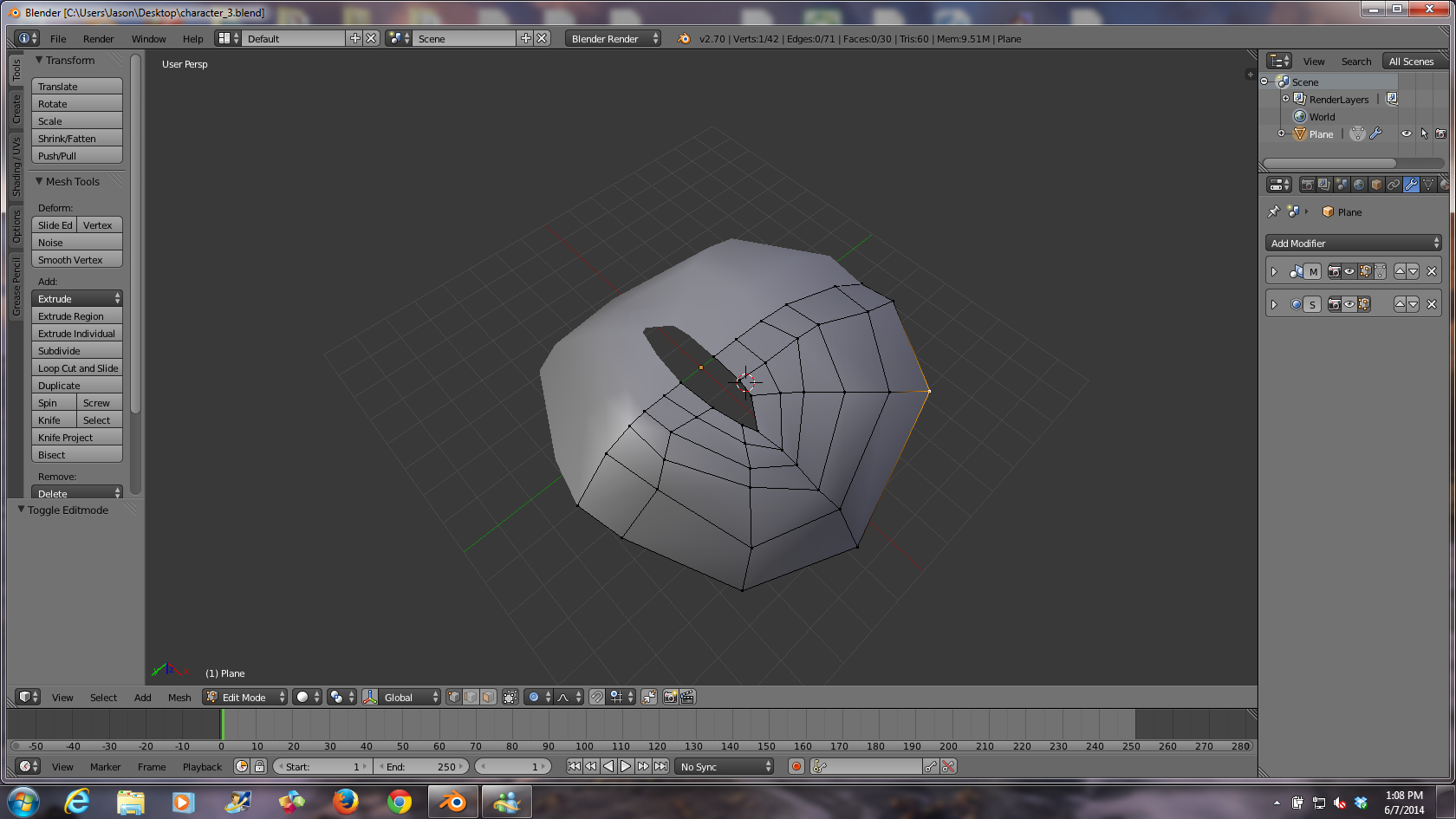
Here's the character face in work. Not advanced yet; learning the tools of Blender.
Turns out, a trackball mouse doesn't work so well for me when working with modelling heh. I should get another classic mouse.
Here's the character face in work. Not advanced yet; learning the tools of Blender.
Turns out, a trackball mouse doesn't work so well for me when working with modelling heh. I should get another classic mouse.
- Attachments
-
-
froo
- Captain
- Posts: 2554
- Joined: 22 May 2009, 12:13
Re: Messiah and Blender workflow
Ok I'll post pics later; I finished the character mesh, ultra simple lighting, and texturing. Now on to rigging and animation, in Blender. But, I want to rig and animate in Messiah as well. We'll see how it goes.
-
froo
- Captain
- Posts: 2554
- Joined: 22 May 2009, 12:13
Re: Messiah and Blender workflow
So looks like I have some problem with weight painting. Not sure what is going on. I posted the steps here:
http://blenderartists.org/forum/showthr ... ost2667244"
I need to be able to put files on a website though; so I can link to them - i.e., .blend files. Hope someone over there can explain what's going on with the approach I am taking. The steps are taken directly from a tutorial.
http://blenderartists.org/forum/showthr ... ost2667244"
I need to be able to put files on a website though; so I can link to them - i.e., .blend files. Hope someone over there can explain what's going on with the approach I am taking. The steps are taken directly from a tutorial.
-
Draise

- Captain
- Posts: 3200
- Joined: 21 Sep 2009, 19:33
- Type the number ten into the box: 0
- Location: Bogota, Colombia
Re: Messiah and Blender workflow
I find Blender always has a step or two extra to get to where one needs to go, compared to other software. I hope you find it! I spent an obsessive 12 hours looking for a way to do realtime GLSL shaders for Blender... because I don't know how to port over trueSpaces HLSL code to blenders shader node tree! I got a cool system more or less..... I'll post shortly. |
But good luck with rigging in Blender, always curious to see how it really is.
But good luck with rigging in Blender, always curious to see how it really is.
-
pugman 1
- Captain
- Posts: 1555
- Joined: 21 May 2009, 19:26
- Type the number ten into the box: 0
- Location: Germany
Re: Messiah and Blender workflow
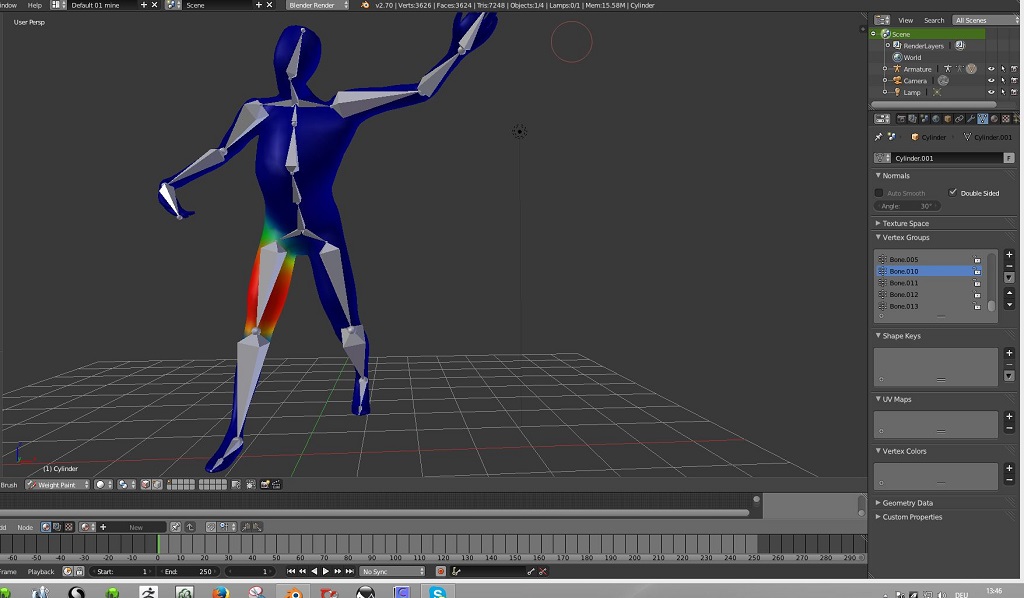
Hi Froo look at this it should help . its a basic rig in my low poly modell ,it did not need weight painting but shows
how to select different bones .
did you add the rig with auto weight painting ?
select the mesh first then the rig and then ctrl p
hope this helps .
how to select different bones .
did you add the rig with auto weight painting ?
select the mesh first then the rig and then ctrl p
hope this helps .
- Attachments
-
-
clintonman
- Captain
- Posts: 5659
- Joined: 21 May 2009, 21:08
- Type the number ten into the box: 0
- Location: California
Re: Messiah and Blender workflow
Here's a more recent video tutorial:
http://vimeo.com/79180525"
His steps look like the same steps you mention in the BA forums
Edit: I did a quick test and it worked for me so I think the video will help.
http://vimeo.com/79180525"
His steps look like the same steps you mention in the BA forums
Edit: I did a quick test and it worked for me so I think the video will help.
-
froo
- Captain
- Posts: 2554
- Joined: 22 May 2009, 12:13
Re: Messiah and Blender workflow
Thanks Ralph and Clinton.
Yeah I just found another tutorial that shows that the armature must be parented to the mesh. The tutorial I was following, said nothing about that. It's an older tutorial, I think for version 2.4 which walks through creation of the character (learning to use the blender modelling tools) to rigging. Once I execute the parenting step it works fine. On some characters the auto-weight painting works; when it doesn't I'd have to select the most basic option (Armature Deform) and perform manual weight painting.
Yeah I just found another tutorial that shows that the armature must be parented to the mesh. The tutorial I was following, said nothing about that. It's an older tutorial, I think for version 2.4 which walks through creation of the character (learning to use the blender modelling tools) to rigging. Once I execute the parenting step it works fine. On some characters the auto-weight painting works; when it doesn't I'd have to select the most basic option (Armature Deform) and perform manual weight painting.