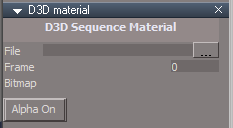
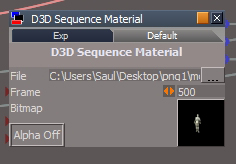
I made a D3D Material out of Prodigy and Clintonman's sequence script.
I have been using it to preview Workspace Animations inside tS761 mostly.
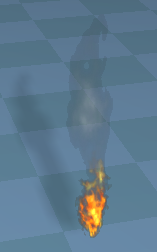
Included is an example of a Plane object that has been animated to play 32 frames of a Fire sequence captured from the C:\trueSpace76\tS\PDFMan\resources\chapter5\tS-E_Shader\tS-E_Fire_and_Smoke_Example.RsScn in the tS76 Manual.
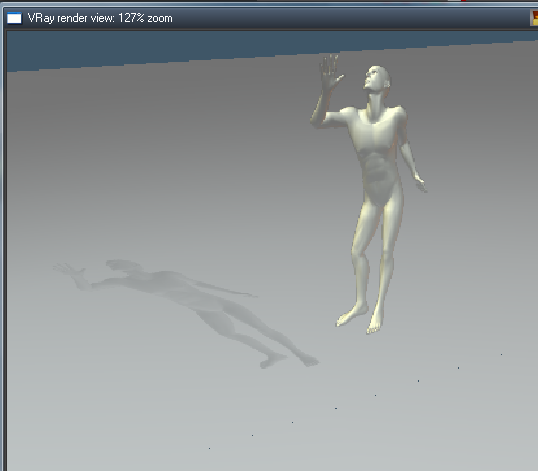
I rendered with a Black background so that I could enable the Alpha from the D3D Sequence Material. I have included a ReadMe.txt with instructions on how to use the example and D3D Sequence Material.
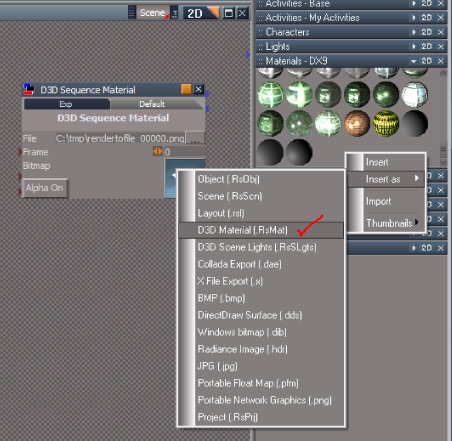
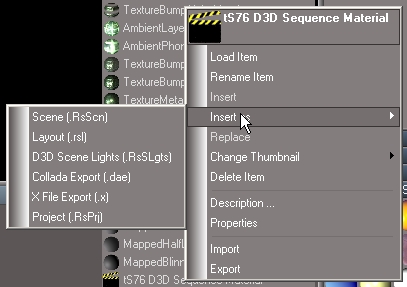
Ok converted the RsObj into a RsMat but i still cant make it work.
Thanks for your help trueBlue, I'll try again tomorrow.
trueBlue
Captain
Posts:5548
Joined: 06 Jul 2009, 22:50
Type the number ten into the box: 10
Re: tS76 D3D Sequence Material with Alpha
Postby trueBlue »
If you are trying to animate the Projector light (do not use the RsMat), please see the example scene. Make sure you have the D3D Sequence Material.RsObj selected when you add the Frame attribute to the Keying panel.
If you are trying to animate the D3D Sequence Material.RsMat, make sure you are selecting the Frame attribute inside your object's Material when adding it to the Keying panel. I was having a problem with the D3D Sequence Material.RsMat as well. The "Edit in Link Editor" button was not working as expected where as I was editing the Active Material in System verses the actual object's material in the Link Editor. That is why it is important to use the Inspect tool when using that button. Hope that makes sense. If not tell me exactly what you are trying to do and I'll create an example for you.
trueBlue wrote:make sure you are selecting the Frame attribute inside your object's Material
I cant get this far, i cant even load an image into the D3D Sequence Material.RsMat and get it to show up in the material preview, let alone the actual object!
trueBlue
Captain
Posts:5548
Joined: 06 Jul 2009, 22:50
Type the number ten into the box: 10
Re: tS76 D3D Sequence Material with Alpha
Postby trueBlue »
It's kind of hard to help you with limited information. Here is a Plane.RsObj with the D3D Sequence Material applied and animated with 90 frames. Use the File locater to supply the first file in your sequence of images.
As i said, i got it working but now cant find a way of getting the transparency to show up in vRay, is this because its a D3D material?
Attachments
trueBlue
Captain
Posts:5548
Joined: 06 Jul 2009, 22:50
Type the number ten into the box: 10
Re: tS76 D3D Sequence Material with Alpha
Postby trueBlue »
Yes this is a D3D Material and the script does not tranfer over to a Vray material.
You will have to Export and Hook up the LW material as shown to the D3D Sequence Material.RsObj and Record the Frame attribute again. I was able to render in VRay.
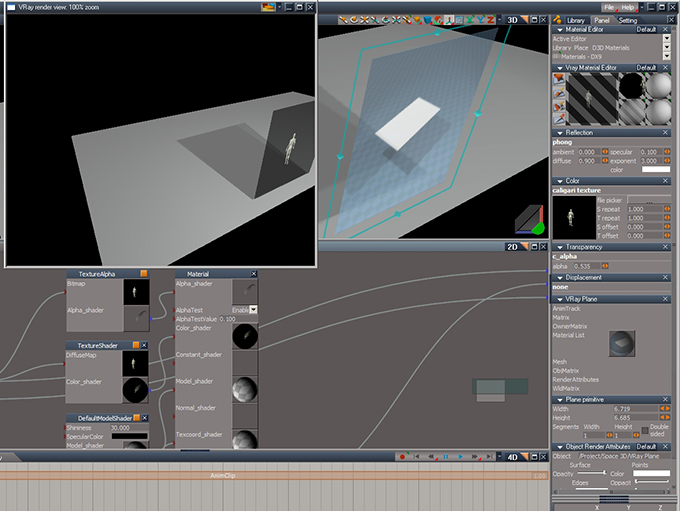
Cool! this works, however:
As shown in screenshot, the texture shows up in material preview pane and renders.....but doesn't show in workspace.
Can't get transparent channel working, i am missing something here.
Attachments
cap.jpg (46.06 KiB) Viewed 4625 times
trueBlue
Captain
Posts:5548
Joined: 06 Jul 2009, 22:50
Type the number ten into the box: 10
Re: tS76 D3D Sequence Material with Alpha
Postby trueBlue »
Looks like you will have to use VRay - Mapped Transparency with sequence images and enable Transparent Shadows.
With regards to the object not updating in Workspace (realtime). This is a limitation and or how it works in trueSpace it seems. If you use the Inspect tool on the object from the Material Editor it should update, but only one object at a time.
Nevertheless regardless if the object updates (realtime) or not it does render corectly in VRay.
I am not following this bit, trueBlue. Where is the sequence script?
Edit: Ahhh it does it automatically, i was thrown by opening the keying panel and seeing no red dot next to frame.
Perhaps the instructions should say:
'Press the select button in the color panel, this activates the sequence script and turns on frame attribute in keying panel.'
Edit further: Also make sure 'edit picked material directly' is on in the advanced tab of material editor and transparent shadows in the render prefs!
Last edited by Saul on 13 Dec 2012, 21:44, edited 1 time in total.
trueBlue
Captain
Posts:5548
Joined: 06 Jul 2009, 22:50
Type the number ten into the box: 10
Re: tS76 D3D Sequence Material with Alpha
Postby trueBlue »
I found several issues the VRay version so I removed it.
You can still get it to work using the Link Editor but not so much with the VRay Material Editor.