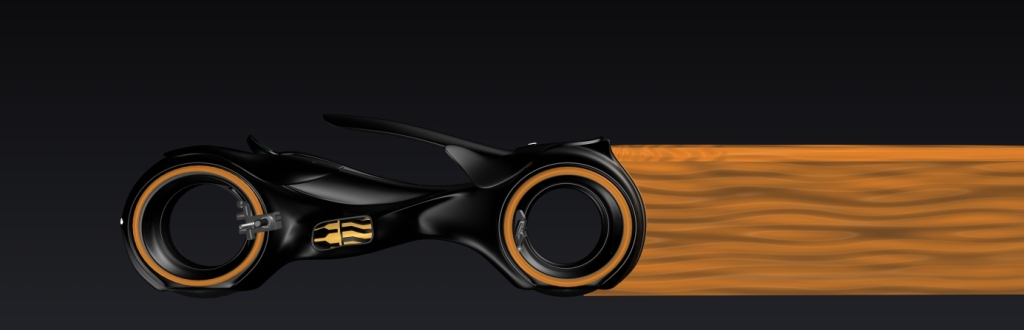
Lightcycle, Legacy style

User avatar
MikomDude
Captain
Posts: 1930
Joined: 04 Oct 2010, 11:12
Type the number ten into the box: 0
Location: The Hague, Netherlands

Lightcycle, Legacy style

Post by MikomDude »

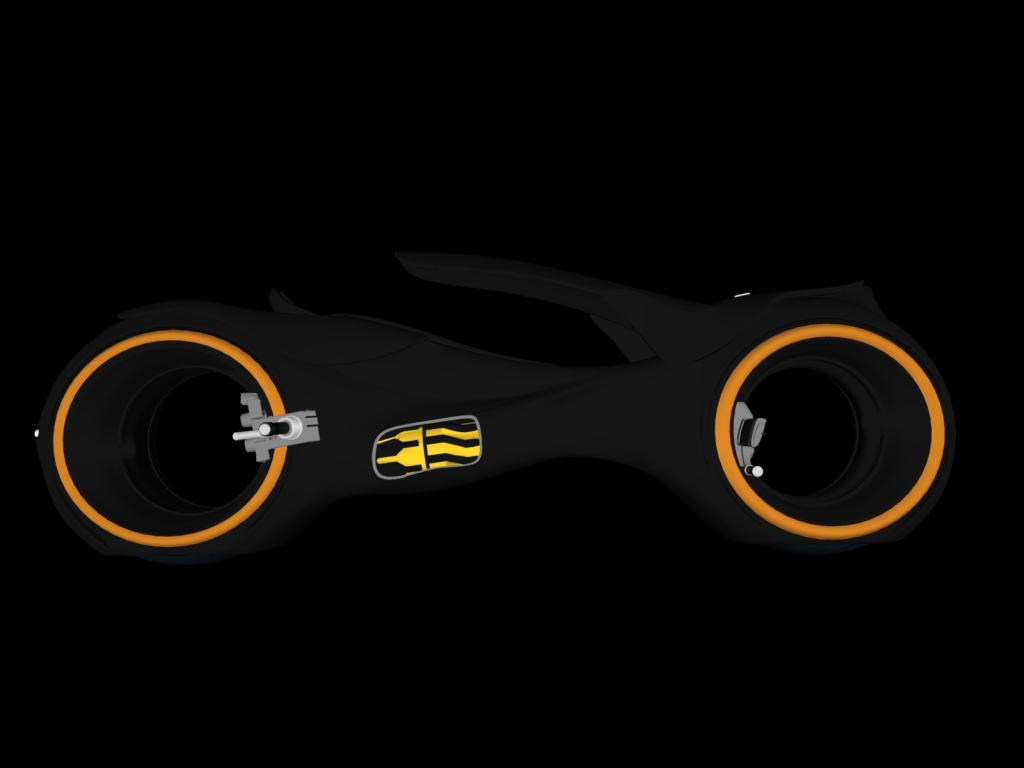
Here it is, finished but still without rider:
Image
-
Image
User avatar
MikomDude
Captain
Posts: 1930
Joined: 04 Oct 2010, 11:12
Type the number ten into the box: 0
Location: The Hague, Netherlands

Lightcycle, Legacy style, Black

Post by MikomDude »

Black, the everlasting lack of color suggesting awesome coolness :)
Image
pugman 1
Captain
Posts: 1555
Joined: 21 May 2009, 19:26
Type the number ten into the box: 0
Location: Germany

Re: Lightcycle, Legacy style

Post by pugman 1 »

Have you got the latest 3D world mag ,the bike is
in it .i thought of modeling this to
by the way great work
User avatar
MikomDude
Captain
Posts: 1930
Joined: 04 Oct 2010, 11:12
Type the number ten into the box: 0
Location: The Hague, Netherlands

Re: Lightcycle, Legacy style

Post by MikomDude »

3d world magazine? I've never read it :oops: Is it an online magazine or something you can buy at the local supermarket?

Thanks by the way, it's not really the same as in the movie but that's because I added some of my own ideas :bananacool2:
pugman 1
Captain
Posts: 1555
Joined: 21 May 2009, 19:26
Type the number ten into the box: 0
Location: Germany

Re: Lightcycle, Legacy style

Post by pugman 1 »

3d world magazine is one of the top mags for 3d modeling help tips tuts
and free textures,sounds and models.check it out online
User avatar
MikomDude
Captain
Posts: 1930
Joined: 04 Oct 2010, 11:12
Type the number ten into the box: 0
Location: The Hague, Netherlands

Re: Lightcycle, Legacy style

Post by MikomDude »

Cool, will do ;)
User avatar
nigec
Master Chief Petty Officer
Posts: 561
Joined: 21 May 2009, 18:46

Re: Lightcycle, Legacy style

Post by nigec »

cool )
funny I found a Blender version of the bike last week and was messing with motion blur to get the light trail, kinda worked but its was a bit grainy, it needed a lot longer to render but the bike wasn't nice enough to warrant a long render time.. yours is way nicer

I can post a pic but it doesn't have the motion blur
User avatar
MikomDude
Captain
Posts: 1930
Joined: 04 Oct 2010, 11:12
Type the number ten into the box: 0
Location: The Hague, Netherlands

Re: Lightcycle, Legacy style

Post by MikomDude »

Yeah sure! Post it :)
I made a light trail myself, it doesn't look quite like in the movies though. Also, I still haven't got a rider so it doesn't really make sense :P
Attachments
LightCycleblacksmall.jpg
User avatar
nigec
Master Chief Petty Officer
Posts: 561
Joined: 21 May 2009, 18:46

Re: Lightcycle, Legacy style

Post by nigec »

The light trail looks a lot better than mine did :worship: just rendering it again, there's some iffy geometry on the Blender one so I'm trying to hide it lol
User avatar
Buzz
Chief Petty Officer
Posts: 150
Joined: 05 Jul 2009, 12:46
Type the number ten into the box: 0
Location: Netherlands

Re: Lightcycle, Legacy style

Post by Buzz »

Cool model Mikom.
User avatar
nigec
Master Chief Petty Officer
Posts: 561
Joined: 21 May 2009, 18:46

Re: Lightcycle, Legacy style

Post by nigec »

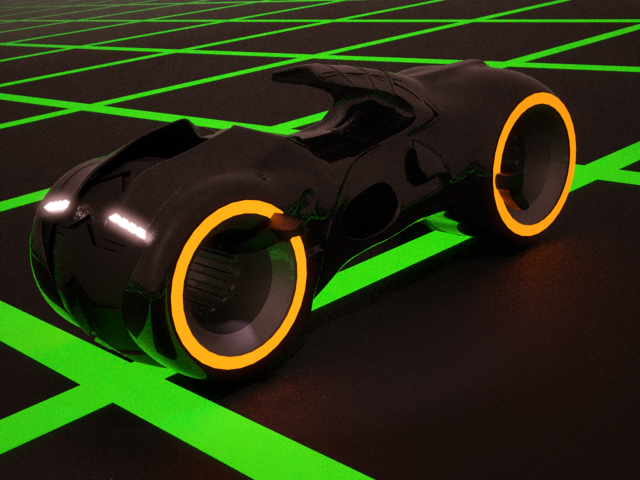
here's the Blender model, it did have glowing lines but the geometry looked cr*p, I should of used mat black and I forgot to about the glow on the Jet unit, but I just set it away rendering lol, it was rendered in Thea , unbias render 50 passes,the floor grid was made with TopMod
Attachments
bike.png
User avatar
MikomDude
Captain
Posts: 1930
Joined: 04 Oct 2010, 11:12
Type the number ten into the box: 0
Location: The Hague, Netherlands

Re: Lightcycle, Legacy style

Post by MikomDude »

Wow, that one is way better than mine, you got the style a lot better than mine. :worship:

you didn't render the light-trail though?
User avatar
nigec
Master Chief Petty Officer
Posts: 561
Joined: 21 May 2009, 18:46

Re: Lightcycle, Legacy style

Post by nigec »

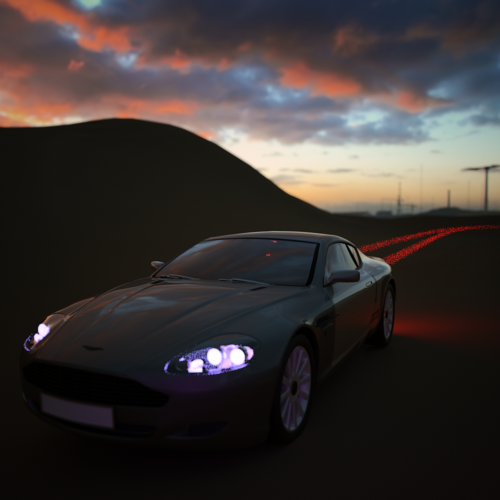
at best the light blur was never any better than this:
car.png
the car rendered in 10 minutes, the trail took 140 passes to get to that point, in hindsight it would be better to render the trail without the scene then merge them,

I much prefer your bike, I'd hate to think I was riding either of em lol, a modern race rep bike hurts enough lol
User avatar
MikomDude
Captain
Posts: 1930
Joined: 04 Oct 2010, 11:12
Type the number ten into the box: 0
Location: The Hague, Netherlands

Re: Lightcycle, Legacy style

Post by MikomDude »

Ah ok, still, it looks pretty good :)
User avatar
nigec
Master Chief Petty Officer
Posts: 561
Joined: 21 May 2009, 18:46

Re: Lightcycle, Legacy style

Post by nigec »

What did you use to render your bike?
User avatar
MikomDude
Captain
Posts: 1930
Joined: 04 Oct 2010, 11:12
Type the number ten into the box: 0
Location: The Hague, Netherlands

Re: Lightcycle, Legacy style

Post by MikomDude »

The normal TrueSpace render engine, model-side. However, I am going to try Kerkythea, I have it installed but I never got round to fully testing it.
User avatar
nigec
Master Chief Petty Officer
Posts: 561
Joined: 21 May 2009, 18:46

Re: Lightcycle, Legacy style

Post by nigec »

KerkyThea is really good, metropolitan light transport (MLT) is what I would use, there's no render options to set up, usually 50 passes is enough.
When using MTL or other unbias renders, save the image early on and check the file size, early on the size is quite big, as the image gets better the file size drops, when it looks ok and the file size levels out it'll be somewhere near ;)
Looking at the Daimler bike I did years ago with KT it did need a lot longer, I think that did 47 passes
Usually emitters as a light source render faster than a point light would with MTL
User avatar
MikomDude
Captain
Posts: 1930
Joined: 04 Oct 2010, 11:12
Type the number ten into the box: 0
Location: The Hague, Netherlands

Re: Lightcycle, Legacy style

Post by MikomDude »

Sounds good, I'll try to understand the meaning of what you just said after I started using Kerkythea but from your tone of writing I take it Kerkythea is a good choice :D
User avatar
nigec
Master Chief Petty Officer
Posts: 561
Joined: 21 May 2009, 18:46

Re: Lightcycle, Legacy style

Post by nigec »

Its free which is always a good start :D
I use Thea which is Kerkythea's younger brother, but the only thing in common really is the workspace navigation is similar and the same developer.
What I always like was the ability to build a scene, you can import models, move stuff around, retexture
User avatar
RAYMAN
Captain
Posts: 2547
Joined: 21 May 2009, 18:56

Re: Lightcycle, Legacy style

Post by RAYMAN »

nigec wrote:Its free which is always a good start :D
I use Thea which is Kerkythea's younger brother, but the only thing in common really is the workspace navigation is similar and the same developer.
What I always like was the ability to build a scene, you can import models, move stuff around, retexture
The great thing is that once you set up the scene and rendered inside kerkythea you can export it as a kerkythea file
and import it into Thea.That renders much nicer and 5 x as fast......
For setup inside Kerkythea I made the tutorial on this site in the tutorial section !
Peter
User avatar
MikomDude
Captain
Posts: 1930
Joined: 04 Oct 2010, 11:12
Type the number ten into the box: 0
Location: The Hague, Netherlands

Re: Lightcycle, Legacy style

Post by MikomDude »

Cool guys, I'll have a look :)
User avatar
MikomDude
Captain
Posts: 1930
Joined: 04 Oct 2010, 11:12
Type the number ten into the box: 0
Location: The Hague, Netherlands

Lightcycler in Kerkythea

Post by MikomDude »

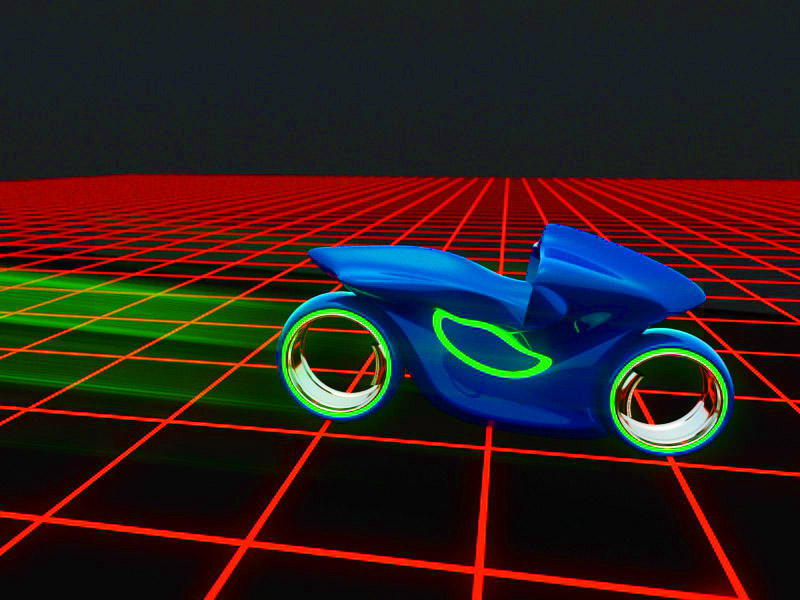
Ok, now I made a test render in Kerkythea. I'm not sure about all the settings yet so it probably isn't the best but please, tell me what you think. :bananacool2:
Attachments
lightcycle.jpg
User avatar
RAYMAN
Captain
Posts: 2547
Joined: 21 May 2009, 18:56

Re: Lightcycler in Kerkythea

Post by RAYMAN »

MikomDude wrote:Ok, now I made a test render in Kerkythea. I'm not sure about all the settings yet so it probably isn't the best but please, tell me what you think. :bananacool2:
Your render lacks a bit of depth.. you need something that you can see both the shape on and the background.
I made a lightcycle and a back ground to show what I mean about it.. it was a quicky this time with a few curves inside moi 3d...
Attachments
lightcycle final.jpg
User avatar
MikomDude
Captain
Posts: 1930
Joined: 04 Oct 2010, 11:12
Type the number ten into the box: 0
Location: The Hague, Netherlands

Re: Lightcycle, Legacy style

Post by MikomDude »

Ah, I see what you mean, I'll give it another try. Btw, how did you get the glowing effect for the grid? and is it a full model or a texture?
User avatar
RAYMAN
Captain
Posts: 2547
Joined: 21 May 2009, 18:56

Re: Lightcycle, Legacy style

Post by RAYMAN »

I will tell you how I did it ! I modeled the bike with a few curves inside moi3d and also textured it there I gave the lighted material a seperate material
I made a cube in Sketchup and made a Square in Photoshop that is white and made another square in that square that is black.
I added this texture to Sketchup face so that it was tiled and exported to Thea. same works with kerkythea.
I loaded the black and white texture into the clipping chanel and loaded red into the illuminated chanel. The same i did with the bike I loaded it into the
Thea render engine and added an illumintion texture..... i added metallic painting to the bike and chrome to the wheels.
when the render was finished with some depth of field I loaded it into Photoshop and selected the colors .. both the red for the grid and green for the wheels
and added it again to a layer on top . I then applied gaushian blur to that layer. i also made another copy of the lights from the bike to another layer on top of that and copied it 8 times on top of each other the layers were blurred with motion blur inside Photoshop... that way the lighttrail became brighter and brighter.. I deleted what was in front of the bike and left what was behind the bike.....
I then reduced the whole thing to a single layer.. thats all.. !
Peter
User avatar
MikomDude
Captain
Posts: 1930
Joined: 04 Oct 2010, 11:12
Type the number ten into the box: 0
Location: The Hague, Netherlands

Re: Lightcycle, Legacy style

Post by MikomDude »

So what you're saying is, you rendered it in different layers and later edited those layers in and image manipulation program? Ok, I think I understand, wouldn't quite know how to do it myself though. :P
User avatar
RAYMAN
Captain
Posts: 2547
Joined: 21 May 2009, 18:56

Re: Lightcycle, Legacy style

Post by RAYMAN »

MikomDude wrote:So what you're saying is, you rendered it in different layers and later edited those layers in and image manipulation program? Ok, I think I understand, wouldn't quite know how to do it myself though. :P
No I rendered it in one picture and added the glow and the trail inside Photoshop... the glow is a blurred copy of the grid and a blurred copy of the light of the bike and the trail is a motion blurred copy of the lights.... ;)
Peter
User avatar
MikomDude
Captain
Posts: 1930
Joined: 04 Oct 2010, 11:12
Type the number ten into the box: 0
Location: The Hague, Netherlands

Re: Lightcycle, Legacy style

Post by MikomDude »

Aw, my mistake. So you just added the effect later in photoshop? That's a lot easier than the first thing I thought it was :lol:
User avatar
RAYMAN
Captain
Posts: 2547
Joined: 21 May 2009, 18:56

Re: Lightcycle, Legacy style

Post by RAYMAN »

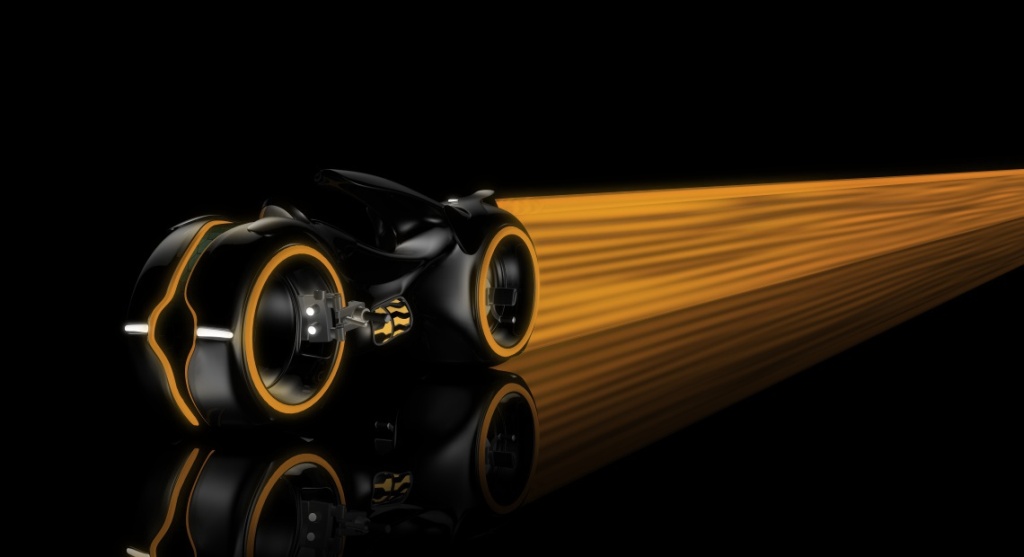
you might like to see these links here some realyoutube files from the guy who makes them and a lightcycle in action
vi ... 604#p23604"
Peter
User avatar
MikomDude
Captain
Posts: 1930
Joined: 04 Oct 2010, 11:12
Type the number ten into the box: 0
Location: The Hague, Netherlands

Re: Lightcycle, Legacy style

Post by MikomDude »

Cool, so he is the guy that made the lightcycles. I should ask him for some advice :)
User avatar
RAYMAN
Captain
Posts: 2547
Joined: 21 May 2009, 18:56

Re: Lightcycle, Legacy style

Post by RAYMAN »

MikomDude wrote:Cool, so he is the guy that made the lightcycles. I should ask him for some advice :)
Yup thats the guy !
Peter
User avatar
MikomDude
Captain
Posts: 1930
Joined: 04 Oct 2010, 11:12
Type the number ten into the box: 0
Location: The Hague, Netherlands

Tron Lightcycle - Legacy style

Post by MikomDude »

I made a new render of my Tron Lightcycle. Still no rider but I hope to build him to one day.
Attachments
MyLightcycle2.jpg
User avatar
Steinie
Captain
Posts: 2958
Joined: 21 May 2009, 17:38
Type the number ten into the box: 10

Re: Lightcycle, Legacy style

Post by Steinie »

Excellent!
User avatar
MikomDude
Captain
Posts: 1930
Joined: 04 Oct 2010, 11:12
Type the number ten into the box: 0
Location: The Hague, Netherlands

Re: Lightcycle, Legacy style

Post by MikomDude »

Thanks Steinie! :)
User avatar
Breech Block
Master Chief Petty Officer
Posts: 482
Joined: 13 Jun 2009, 20:31

Re: Lightcycle, Legacy style

Post by Breech Block »

Ditto! That is a really excellent render. Nice colour choice too as opposed to the ton of bluish ones you normally see on the net.
User avatar
bitkar
Captain
Posts: 2089
Joined: 16 Mar 2010, 07:14
Type the number ten into the box: 0
Location: Czech Republic

Re: Lightcycle, Legacy style

Post by bitkar »

all thumbs up !
Michal aka bitkar
tS freak since tS2 (1998) and forever (tS7.61 modeler)
User avatar
MikomDude
Captain
Posts: 1930
Joined: 04 Oct 2010, 11:12
Type the number ten into the box: 0
Location: The Hague, Netherlands

Lightcycle, Legacy style

Post by MikomDude »

Ok, I'll be without the internet for a for a few weeks now (probably) and this is the first time in days I have had access to the internet (my parents came by with their mobile internet). :)

However, I've been working some more on the lightcycle:
Image
Image
Image
Image

That's it for now, I'm happy with the results so I think I can finally call this model completely finished. Hope you like it too ;)
User avatar
Buzz
Chief Petty Officer
Posts: 150
Joined: 05 Jul 2009, 12:46
Type the number ten into the box: 0
Location: Netherlands

Re: Lightcycle, Legacy style

Post by Buzz »

Absolutely great job! :bananathumb:

Return to “MikomDude's Work”