New Update for trueSpace7.6 Unofficial Update
Unofficial Update Version 4
February 24, 2010
September 10, 2019
August 5, 2020
April 18, 2022
viewt ... =55&t=3733
This Unofficial Update is for trueSpace7.6
IMPORTANT: This Update should not be used with any other trueSpace versions!
trueSpace76_MS_Legacy_Edition_V1.2 is supported, Extract to:
C:\trueSpace76_MS_Legacy_Edition_V1.2
Also new in this update, the new Material Editor includes updates for Vray
Recommend that you install Vray version 1.53 and Load it into the Workspace's Package Manager first
You can download Vray version 1.53 here:
https://united3dartists.com/index.html
tS folder
Add
dialog.py
dlgtest.py
docview.py
object.py
string.py
thread.py
win32con.py
window.py
tS/Library/Scenes.scl folder
Add
Eyeblink.scn
Note: This is a fix for the trueSpace7.6 installation of Model's python scripts and Script Editor
tS7.6 "Unofficial" Update - Beta testers?
-
trueBlue

- Captain
- Posts: 5548
- Joined: 06 Jul 2009, 22:50
- Type the number ten into the box: 10
Re: tS7.6 "Unofficial" Update - Beta testers?
-
trueBlue
- Captain
- Posts: 5548
- Joined: 06 Jul 2009, 22:50
- Type the number ten into the box: 10
Re: tS7.6 "Unofficial" Update - Beta testers?
New Update for trueSpace7.6 Unofficial Update
Unofficial Update Version 4
February 24, 2010
September 10, 2019
August 5, 2020
April 20, 2022
viewt ... =55&t=3733
This Unofficial Update is for trueSpace7.6
IMPORTANT: This Update should not be used with any other trueSpace versions!
trueSpace76_MS_Legacy_Edition_V1.2 is supported, Extract to:
C:\trueSpace76_MS_Legacy_Edition_V1.2
Also new in this update, is new Material Editor that requires a new installation process
tS folder
Update
Material Editor 'Removed the Vray Material Editor'
Vray Material Editor 'Removed the Static aspect'
Note: When you Install/Load Vray from the Package Manager (After the Update), the Vray Material Editor is loaded into the Material Editor
Sequence Player
Update
'Add a Large button that opens the Display at 640x480'
New Instructions:
It is recommended that you completely Uninstall and Install trueSpace7.6 to a clean directory
Install the PDF Manual for trueSpace (Optional but required before installing the Update)
Install the tS76_Vray1_53.exe (Optional but required before installing the Update)
1.) Run the tS76.4.exe
2.) Browse [...] to where you installed C:\trueSpace76, select its folder and then the Extract button
3.) Select the Yes to All button
4.) Open trueSpace and select the Reset to Default Context icon
5.) In Workspace select the Default layout tab
6.) In Workspace, Install/Load Vray from the Package Manager and Close trueSpace
Unofficial Update Version 4
February 24, 2010
September 10, 2019
August 5, 2020
April 20, 2022
viewt ... =55&t=3733
This Unofficial Update is for trueSpace7.6
IMPORTANT: This Update should not be used with any other trueSpace versions!
trueSpace76_MS_Legacy_Edition_V1.2 is supported, Extract to:
C:\trueSpace76_MS_Legacy_Edition_V1.2
Also new in this update, is new Material Editor that requires a new installation process
tS folder
Update
Material Editor 'Removed the Vray Material Editor'
Vray Material Editor 'Removed the Static aspect'
Note: When you Install/Load Vray from the Package Manager (After the Update), the Vray Material Editor is loaded into the Material Editor
Sequence Player
Update
'Add a Large button that opens the Display at 640x480'
New Instructions:
It is recommended that you completely Uninstall and Install trueSpace7.6 to a clean directory
Install the PDF Manual for trueSpace (Optional but required before installing the Update)
Install the tS76_Vray1_53.exe (Optional but required before installing the Update)
1.) Run the tS76.4.exe
2.) Browse [...] to where you installed C:\trueSpace76, select its folder and then the Extract button
3.) Select the Yes to All button
4.) Open trueSpace and select the Reset to Default Context icon
5.) In Workspace select the Default layout tab
6.) In Workspace, Install/Load Vray from the Package Manager and Close trueSpace
-
trueBlue
- Captain
- Posts: 5548
- Joined: 06 Jul 2009, 22:50
- Type the number ten into the box: 10
Re: tS7.6 "Unofficial" Update - Beta testers?
New Update for trueSpace7.6 Unofficial Update
Unofficial Update Version 4
February 24, 2010
September 10, 2019
August 5, 2020
April 29, 2022
viewt ... =55&t=3733
This Unofficial Update is for trueSpace7.6
IMPORTANT: This Update should not be used with any other trueSpace versions!
trueSpace76_MS_Legacy_Edition_V1.2 is supported, Extract to:
C:\trueSpace76_MS_Legacy_Edition_V1.2
Vray installation is not necessary
Also new in this update, is new Material Editor that requires a new installation process
D3D Material Editor
Add
Render icons
Offline renderers
Add
Vray aspect
Includes button scripts to Restore, Reset, Copy and Paste the Vray panel to another scene
.
Updated the Vray panel and removed the Update aspect
New Instructions:
It is recommend that you completely Uninstall and Install trueSpace7.6 to a clean directory
Install the PDF Manual for trueSpace (Optional but required before installing the Update)
Install the tS76_Vray1_53.exe (Optional but required before installing the Update)
Vray
1.) Run the tS76.4.exe
2.) Browse [...] to where you installed C:\trueSpace76, select its folder and then the Extract button
3.) Select the Yes to All button
4.) Open trueSpace and select the Reset to Default Context icon
5.) In Workspace select the Default layout tab
6.) In Workspace, Install/Load Vray from the Package Manager and Exit trueSpace
Unofficial Update Version 4
February 24, 2010
September 10, 2019
August 5, 2020
April 29, 2022
viewt ... =55&t=3733
This Unofficial Update is for trueSpace7.6
IMPORTANT: This Update should not be used with any other trueSpace versions!
trueSpace76_MS_Legacy_Edition_V1.2 is supported, Extract to:
C:\trueSpace76_MS_Legacy_Edition_V1.2
Vray installation is not necessary
Also new in this update, is new Material Editor that requires a new installation process
D3D Material Editor
Add
Render icons
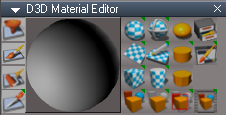
- tS76 D3D Material Editor.png (28.06 KiB) Viewed 12371 times
Add
Vray aspect
Includes button scripts to Restore, Reset, Copy and Paste the Vray panel to another scene

Updated the Vray panel and removed the Update aspect
New Instructions:
It is recommend that you completely Uninstall and Install trueSpace7.6 to a clean directory
Install the PDF Manual for trueSpace (Optional but required before installing the Update)
Install the tS76_Vray1_53.exe (Optional but required before installing the Update)
Vray
1.) Run the tS76.4.exe
2.) Browse [...] to where you installed C:\trueSpace76, select its folder and then the Extract button
3.) Select the Yes to All button
4.) Open trueSpace and select the Reset to Default Context icon
5.) In Workspace select the Default layout tab
6.) In Workspace, Install/Load Vray from the Package Manager and Exit trueSpace
-
trueBlue
- Captain
- Posts: 5548
- Joined: 06 Jul 2009, 22:50
- Type the number ten into the box: 10
Re: tS7.6 "Unofficial" Update - Beta testers?
New Update for trueSpace7.6 Unofficial Update
Unofficial Update Version 4
February 24, 2010
September 10, 2019
August 5, 2020
May 2, 2022
viewt ... =55&t=3733
This Unofficial Update is for trueSpace7.6
IMPORTANT: This Update should not be used with any other trueSpace versions!
trueSpace76_MS_Legacy_Edition_V1.2 is supported, Extract to:
C:\trueSpace76_MS_Legacy_Edition_V1.2
Vray installation is not necessary
D3D Material Editor
Update
Replaced Render Area with Render to File
Offline renderers
Add
Vray aspect
Update scripts to check for Vray Package plugin status
Photo Render
Add V button that opens the Vray panel
Note: This is for Model
Shear
Add Interactive Mode and Set buttons
.
New Instructions:
It is recommend that you completely Uninstall and Install trueSpace7.6 to a clean directory
Install the PDF Manual for trueSpace (Optional but required before installing the Update)
Install the tS76_Vray1_53.exe (Optional but required before installing the Update)
Vray
1.) Run the tS76.4.exe
2.) Browse [...] to where you installed C:\trueSpace76, select its folder and then the Extract button
3.) Select the Yes to All button
4.) Open trueSpace and select the Reset to Default Context icon
5.) In Workspace select the Default layout tab
6.) In Workspace, Install/Load Vray from the Package Manager and Exit trueSpace
Unofficial Update Version 4
February 24, 2010
September 10, 2019
August 5, 2020
May 2, 2022
viewt ... =55&t=3733
This Unofficial Update is for trueSpace7.6
IMPORTANT: This Update should not be used with any other trueSpace versions!
trueSpace76_MS_Legacy_Edition_V1.2 is supported, Extract to:
C:\trueSpace76_MS_Legacy_Edition_V1.2
Vray installation is not necessary
D3D Material Editor
Update
Replaced Render Area with Render to File
Offline renderers
Add
Vray aspect
Update scripts to check for Vray Package plugin status
Photo Render
Add V button that opens the Vray panel
Note: This is for Model
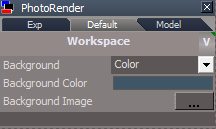
- PhotoRender Default.png (6.32 KiB) Viewed 12319 times
Add Interactive Mode and Set buttons
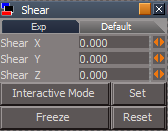
- Shear.png (5.63 KiB) Viewed 12319 times
New Instructions:
It is recommend that you completely Uninstall and Install trueSpace7.6 to a clean directory
Install the PDF Manual for trueSpace (Optional but required before installing the Update)
Install the tS76_Vray1_53.exe (Optional but required before installing the Update)
Vray
1.) Run the tS76.4.exe
2.) Browse [...] to where you installed C:\trueSpace76, select its folder and then the Extract button
3.) Select the Yes to All button
4.) Open trueSpace and select the Reset to Default Context icon
5.) In Workspace select the Default layout tab
6.) In Workspace, Install/Load Vray from the Package Manager and Exit trueSpace
-
trueBlue
- Captain
- Posts: 5548
- Joined: 06 Jul 2009, 22:50
- Type the number ten into the box: 10
Re: tS7.6 "Unofficial" Update - Beta testers?
New Update for trueSpace7.6 Unofficial Update
Unofficial Update Version 4
February 24, 2010
September 10, 2019
August 5, 2020
May 4, 2022
viewt ... =55&t=3733
This Unofficial Update is for trueSpace7.6
IMPORTANT: This Update should not be used with any other trueSpace versions!
trueSpace76_MS_Legacy_Edition_V1.2 is supported, Extract to:
C:\trueSpace76_MS_Legacy_Edition_V1.2
Vray installation is not necessary
D3D Material Editor
Update
Replaced Render Area with Render to File
Photo Renderer
Add
Vray aspect
.
* Render Options for Vray
Note: These options work for Vray regardless of the Bridge status, On. Off, or Auto in Workspace
Default aspect
* Render Options for Model's LightWorks
Note:In order to use the Render Options buttons in the Default aspect, Model has to be open, or the Bridge must be set to On
* V button
LMB = Opens the Vray panel
RMB = Reset - Vray Photo Render settings
Offline renderers
Update scripts to check for Vray Package plugin status
.
New Instructions:
It is recommended that you completely Uninstall and Install trueSpace7.6 to a clean directory
Install the PDF Manual for trueSpace (Optional but required before installing the Update)
Install the tS76_Vray1_53.exe (Optional but required before installing the Update)
Vray
1.) Run the tS76.4.exe
2.) Browse [...] to where you installed C:\trueSpace76, select its folder and then the Extract button
3.) Select the Yes to All button
4.) Open trueSpace and select the Reset to Default Context icon
5.) In Workspace select the Default layout tab
6.) In Workspace, Install/Load Vray from the Package Manager and Exit trueSpace
Unofficial Update Version 4
February 24, 2010
September 10, 2019
August 5, 2020
May 4, 2022
viewt ... =55&t=3733
This Unofficial Update is for trueSpace7.6
IMPORTANT: This Update should not be used with any other trueSpace versions!
trueSpace76_MS_Legacy_Edition_V1.2 is supported, Extract to:
C:\trueSpace76_MS_Legacy_Edition_V1.2
Vray installation is not necessary
D3D Material Editor
Update
Replaced Render Area with Render to File
Photo Renderer
Add
Vray aspect
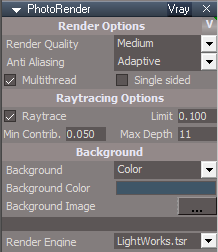
- PhotoRender for tS76.png (12.02 KiB) Viewed 12281 times
* Render Options for Vray
Note: These options work for Vray regardless of the Bridge status, On. Off, or Auto in Workspace
Default aspect
* Render Options for Model's LightWorks
Note:In order to use the Render Options buttons in the Default aspect, Model has to be open, or the Bridge must be set to On
* V button
LMB = Opens the Vray panel
RMB = Reset - Vray Photo Render settings
Offline renderers
Update scripts to check for Vray Package plugin status
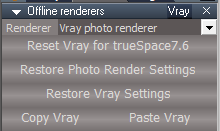
- Offline Renderers Vray.png (7.03 KiB) Viewed 12275 times
New Instructions:
It is recommended that you completely Uninstall and Install trueSpace7.6 to a clean directory
Install the PDF Manual for trueSpace (Optional but required before installing the Update)
Install the tS76_Vray1_53.exe (Optional but required before installing the Update)
Vray
1.) Run the tS76.4.exe
2.) Browse [...] to where you installed C:\trueSpace76, select its folder and then the Extract button
3.) Select the Yes to All button
4.) Open trueSpace and select the Reset to Default Context icon
5.) In Workspace select the Default layout tab
6.) In Workspace, Install/Load Vray from the Package Manager and Exit trueSpace
-
trueBlue
- Captain
- Posts: 5548
- Joined: 06 Jul 2009, 22:50
- Type the number ten into the box: 10
Re: tS7.6 "Unofficial" Update - Beta testers?
New Update for trueSpace7.6 Unofficial Update
Unofficial Update Version 4
February 24, 2010
September 10, 2019
August 5, 2020
May 18, 2022
viewt ... =55&t=3733
This Unofficial Update is for trueSpace7.6
IMPORTANT: This Update should not be used with any other trueSpace versions!
trueSpace76_MS_Legacy_Edition_V1.2 is supported, Extract to:
C:\trueSpace76_MS_Legacy_Edition_V1.2
Vray installation is not necessary
Toolbars
Render Scene, Render Object, Render Animation, Render Area, and Render to File icons
Add
if(Node.SubObjectCount('/D3DView')==0) return;
Removed Run.Activity(...) 'Script added to the Vray panel'
D3D Material Editor
Render Scene, Render Object, and Render Animation icons
Add
if(Node.SubObjectCount('/D3DView')==0) return;
Removed Run.Activity(...) 'Script added to the Vray panel'
Vray
Add
Update VRay Render View
'Resize the VRay Render View using the Vray panels - Width and Height values'
New Instructions:
It is recommended that you completely Uninstall and Install trueSpace7.6 to a clean directory
Install the PDF Manual for trueSpace (Optional but required before installing the Update)
Install the tS76_Vray1_53.exe (Optional but required before installing the Update)
Vray
1.) Run the tS76.4.exe
2.) Browse [...] to where you installed C:\trueSpace76, select its folder and then the Extract button
3.) Select the Yes to All button
4.) Open trueSpace and select the Reset to Default Context icon
5.) In Workspace select the Default layout tab
6.) In Workspace, Install/Load Vray from the Package Manager and Exit trueSpace
Unofficial Update Version 4
February 24, 2010
September 10, 2019
August 5, 2020
May 18, 2022
viewt ... =55&t=3733
This Unofficial Update is for trueSpace7.6
IMPORTANT: This Update should not be used with any other trueSpace versions!
trueSpace76_MS_Legacy_Edition_V1.2 is supported, Extract to:
C:\trueSpace76_MS_Legacy_Edition_V1.2
Vray installation is not necessary
Toolbars
Render Scene, Render Object, Render Animation, Render Area, and Render to File icons
Add
if(Node.SubObjectCount('/D3DView')==0) return;
Removed Run.Activity(...) 'Script added to the Vray panel'
D3D Material Editor
Render Scene, Render Object, and Render Animation icons
Add
if(Node.SubObjectCount('/D3DView')==0) return;
Removed Run.Activity(...) 'Script added to the Vray panel'
Vray
Add
Update VRay Render View
'Resize the VRay Render View using the Vray panels - Width and Height values'
New Instructions:
It is recommended that you completely Uninstall and Install trueSpace7.6 to a clean directory
Install the PDF Manual for trueSpace (Optional but required before installing the Update)
Install the tS76_Vray1_53.exe (Optional but required before installing the Update)
Vray
1.) Run the tS76.4.exe
2.) Browse [...] to where you installed C:\trueSpace76, select its folder and then the Extract button
3.) Select the Yes to All button
4.) Open trueSpace and select the Reset to Default Context icon
5.) In Workspace select the Default layout tab
6.) In Workspace, Install/Load Vray from the Package Manager and Exit trueSpace
-
trueBlue
- Captain
- Posts: 5548
- Joined: 06 Jul 2009, 22:50
- Type the number ten into the box: 10
tS7.6 "Unofficial" Update - Beta testers?
trueSpace7.6 Unofficial Update Version 5
February 24, 2010
September 10, 2019
August 5, 2020
May 18, 2022
My Final Release
September 21, 2024
viewtopic.php?t=3733
This Unofficial Update is for trueSpace7.6
IMPORTANT: This Update should not be used with any other trueSpace versions!
It is recommended that you completely Uninstall and Install trueSpace7.6 to a clean directory:
C:\trueSpace76- REQUIRED
Install the tS76PDF.exe (Optional but required before installing this Update)
Install the PDF Manual for trueSpace (Optional but required before installing the Update)
Install the tS76_Vray1_53.exe (Optional but required before installing the Update)
Vray
Updates:
Add: Clintons3dPlugin.dll Version 163857 'Loaded into System (C:\trueSpace76)' Author - Clinton Reese
preobjects
Toolbars.RsObj
Widgets.RsObj
MaterialEditor.RsObj
animpref.RsObj
DesktopPreferences.RsObj
Dialog settings.RsObj
C3DReset.RsObj
Status Message.RsObj
LayerProperties.RsObj
Custom preferences.RsObj
UUCommands.RsObj
Add:
Bevel
Shear
Encapsulate
RotatePOV
RotateISO
VisUtility Function Set
Visibility Function Set
CloseORASettings
Show Object Attribs
Show Object Attribs Panel
CycleCameras
Look At - Utilities
UUFunctionSet
UUCameraFunctionSet
UUShortcutsFunctionSet
Scripts
init.js
reset.js
Window.Shortcuts.xml
Window.Shortcuts_BACKUP.xml
tS76 Workspace Shortcut List.rtf
clintonobjects
ScriptManager.RsObj 'Place holder for ReloadCustomScripts script only (No UI)'
CustomScriptsStore 'Author - Clinton Reese'
Bake Keyframes.RsObj
OpenFloatingPanel.RsObj
Global Function Set.RsObj
Cycle Select.RsObj
Change Camera Type.RsObj
Removed ScriptCommands 'Uses: UUCommands Function Set(s)'
Hair tools toolbar commands 'Prompt to Apply or Cancel'
Look At Widget with cursor and Look At Utilities
Encapsulate UI panel with Unencapsulate - Move to Scene
Updated Camera Widget, Camera, and EntryPoint
Special thanks to Clinton Reese for all his help and contributions in this update
February 24, 2010
September 10, 2019
August 5, 2020
May 18, 2022
My Final Release
September 21, 2024
viewtopic.php?t=3733
This Unofficial Update is for trueSpace7.6
IMPORTANT: This Update should not be used with any other trueSpace versions!
It is recommended that you completely Uninstall and Install trueSpace7.6 to a clean directory:
C:\trueSpace76- REQUIRED
Install the tS76PDF.exe (Optional but required before installing this Update)
Install the PDF Manual for trueSpace (Optional but required before installing the Update)
Install the tS76_Vray1_53.exe (Optional but required before installing the Update)
Vray
Updates:
Add: Clintons3dPlugin.dll Version 163857 'Loaded into System (C:\trueSpace76)' Author - Clinton Reese
preobjects
Toolbars.RsObj
Widgets.RsObj
MaterialEditor.RsObj
animpref.RsObj
DesktopPreferences.RsObj
Dialog settings.RsObj
C3DReset.RsObj
Status Message.RsObj
LayerProperties.RsObj
Custom preferences.RsObj
UUCommands.RsObj
Add:
Bevel
Shear
Encapsulate
RotatePOV
RotateISO
VisUtility Function Set
Visibility Function Set
CloseORASettings
Show Object Attribs
Show Object Attribs Panel
CycleCameras
Look At - Utilities
UUFunctionSet
UUCameraFunctionSet
UUShortcutsFunctionSet
Scripts
init.js
reset.js
Window.Shortcuts.xml
Window.Shortcuts_BACKUP.xml
tS76 Workspace Shortcut List.rtf
clintonobjects
ScriptManager.RsObj 'Place holder for ReloadCustomScripts script only (No UI)'
CustomScriptsStore 'Author - Clinton Reese'
Bake Keyframes.RsObj
OpenFloatingPanel.RsObj
Global Function Set.RsObj
Cycle Select.RsObj
Change Camera Type.RsObj
Removed ScriptCommands 'Uses: UUCommands Function Set(s)'
Hair tools toolbar commands 'Prompt to Apply or Cancel'
Look At Widget with cursor and Look At Utilities
Encapsulate UI panel with Unencapsulate - Move to Scene
Updated Camera Widget, Camera, and EntryPoint
Special thanks to Clinton Reese for all his help and contributions in this update
-
bitkar

- Captain
- Posts: 2089
- Joined: 16 Mar 2010, 07:14
- Type the number ten into the box: 0
- Location: Czech Republic
Re: tS7.6 "Unofficial" Update - Beta testers?
iam not the one for betatest as Iam fan of the model side only, but i want to ask if someone can make some screen recording from using it. I wonder how it looks like put together and used by someone who can use it.
Michal aka bitkar
tS freak since tS2 (1998) and forever (tS7.61 modeler)
tS freak since tS2 (1998) and forever (tS7.61 modeler)
-
trueBlue
- Captain
- Posts: 5548
- Joined: 06 Jul 2009, 22:50
- Type the number ten into the box: 10
Re: tS7.6 "Unofficial" Update - Beta testers?
trueSpace7.6 UU version 5bitkar wrote: 22 Sep 2024, 12:54 iam not the one for betatest as Iam fan of the model side only, but i want to ask if someone can make some screen recording from using it. I wonder how it looks like put together and used by someone who can use it.
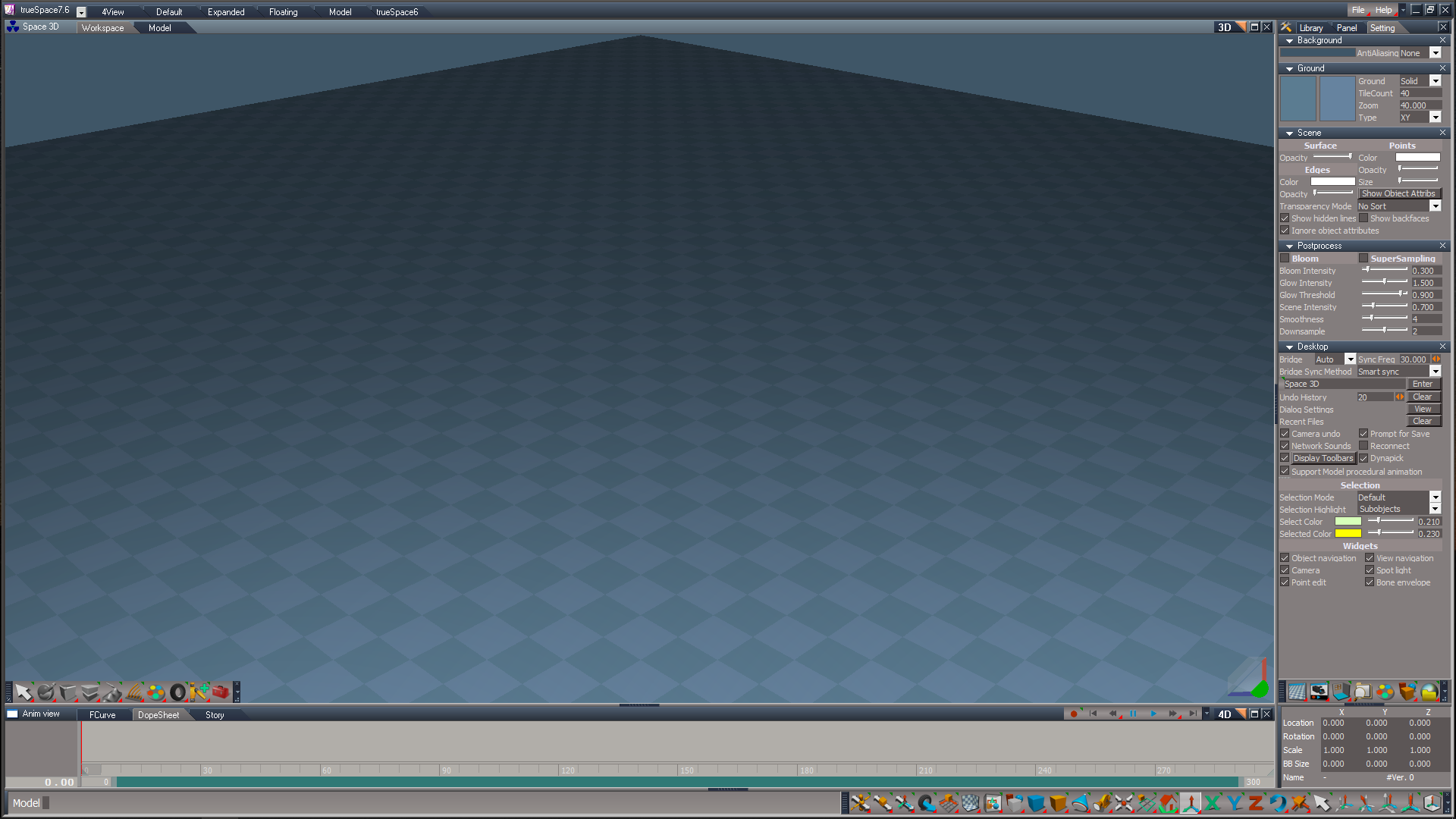
This patch enhances and fixes several issues in Workspace
Model is the same as the original, except there is a missing Spline Polygon tool and there is a Model layout that hides much of the Workspace UI
Also includes a My_Default.tsc that combines the top two Model and the bottom two Model toolbars together
Removed the duplicated Background and View Widgets
Adds the possibility to use the Selector Cage Widget, with or without the Object Navigation Widget
Thanks to Clinton Reese,
Look At and the Look At Utilities fixes several issues, including a missing UnLook At process
Fixes several issues with the Object Render Attributes, including toolbar icons that, Show, Hide, Show All, Hide Cameras & Lights, Show Cameras & Lights, and Hide All unselected
trueSpace7.6 does not have the ability to Unencapsulated 3D and 2D objects
viewtopic.php?t=6736
In the original/unpatched trueSpace7.6 Workspace UI, you have to have the main 3D View selected (has focus) in order for several toolbar icons to work, like switching to Perspective, Isometric, and Ortho views
This is very awkward, given that there are several different views that get focus, like the Stack, Link Editor, Animation Editor, Information panel, Floating and Docked Views, etc...
Using the UU Function Set(S), several toolbar commands work by getting the main 3D view, making it easier to use
The above is the most important but there are several other little tweaks that fix or enhance Workspace
.
trueSpace7.6 unpatched
Duplicated Background and View Widgets

Model layout

-
bitkar
- Captain
- Posts: 2089
- Joined: 16 Mar 2010, 07:14
- Type the number ten into the box: 0
- Location: Czech Republic
Re: tS7.6 "Unofficial" Update - Beta testers?
ya, i still dont understand, where are all those tools in the Workspace? :D its just empty. I have never understood. I like the DX9 only. I wish there was a space with DX9 and model space UI.
Michal aka bitkar
tS freak since tS2 (1998) and forever (tS7.61 modeler)
tS freak since tS2 (1998) and forever (tS7.61 modeler)
-
trueBlue
- Captain
- Posts: 5548
- Joined: 06 Jul 2009, 22:50
- Type the number ten into the box: 10
Re: tS7.6 "Unofficial" Update - Beta testers?
bitkar wrote: 22 Sep 2024, 18:45 ya, i still dont understand, where are all those tools in the Workspace?its just empty. I have never understood. I like the DX9 only. I wish there was a space with DX9 and model space UI.
They are in the Toolbars just like Modelwhere are all those tools in the Workspace?
Workspace and Model are both DX9I like the DX9 only. I wish there was a space with DX9 and model space UI.
Not sure I understand what you mean, but I think you are saying, "I wish there was a trueSpace7.6 Model only version"?
The Model layout is the closest trueSpace7.6 Model only version
If you use the Model's File menu to Exit, the next time you open trueSpace7.6, it opens in Model
-
bitkar
- Captain
- Posts: 2089
- Joined: 16 Mar 2010, 07:14
- Type the number ten into the box: 0
- Location: Czech Republic
Re: tS7.6 "Unofficial" Update - Beta testers?
sure, i use only the model side, but that one runs on DX7 (or some version of openGL). Workspace side is very different for me.
Michal aka bitkar
tS freak since tS2 (1998) and forever (tS7.61 modeler)
tS freak since tS2 (1998) and forever (tS7.61 modeler)