Multi Shadows in GI
-
rjeff

- Master Chief Petty Officer
- Posts: 462
- Joined: 21 May 2009, 18:26
Multi Shadows in GI
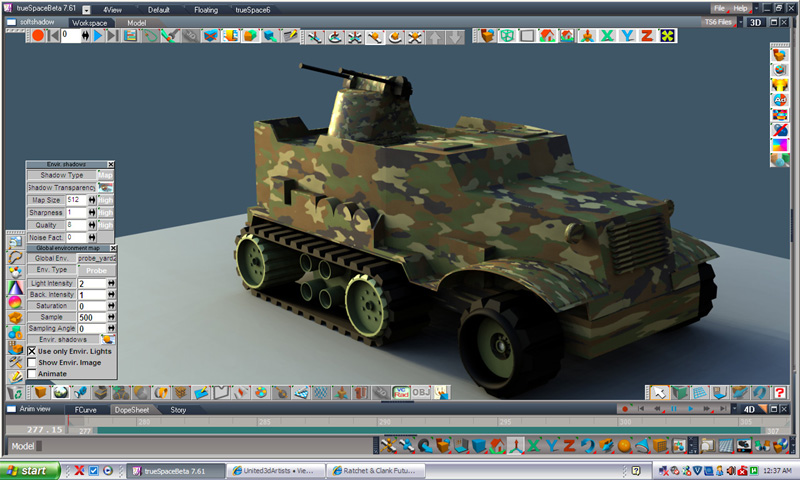
OK this is an issue that I have had for along time, and I can't seem to fix it. In my stomper image I love how the light lighting the scene, but I can't get rid of the 500 shadows that come with it. How do you do that. I have my samples at 100.
-
RAYMAN

- Captain
- Posts: 2547
- Joined: 21 May 2009, 18:56
Re: Multi Shadows in GI
Could you please tell us what renderengine you use because lightworks doesnt do global illumination. The only render engine that didrjeff wrote:OK this is an issue that I have had for along time, and I can't seem to fix it. In my stomper image I love how the light lighting the scene, but I can't get rid of the 500 shadows that come with it. How do you do that. I have my samples at 100.
was virtuallight and if you purchased it Vray.
Global illumination doesnt do multi shadows it only did it if you faked it with a lighting array.. what you see here are multiple lights.
if you use a light array you need to use bigger lights with softer shadows.......
a way to avoid this is to use a hdr to light the scene......
Or use a render engine that supports real Gi.... Kerkythea is free and Vray and Thea and all the others cost some money.....
Please give us some more information......
Peter
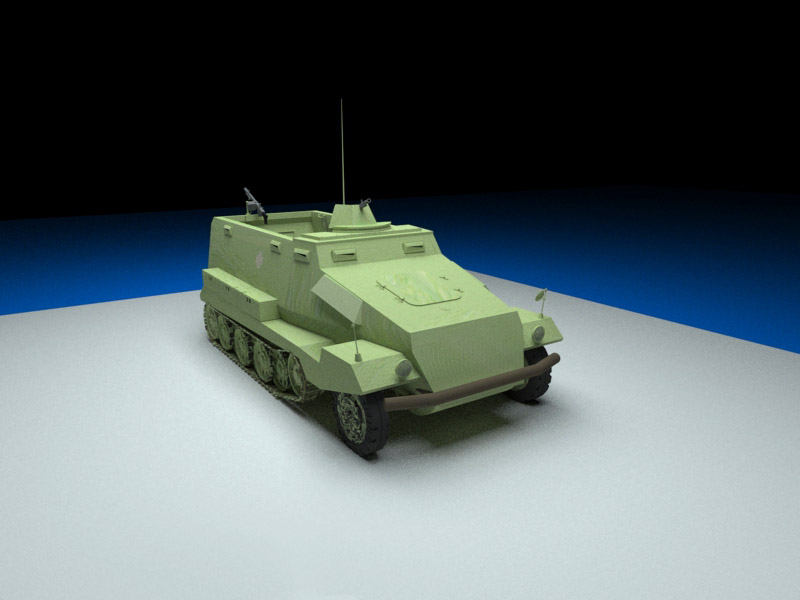
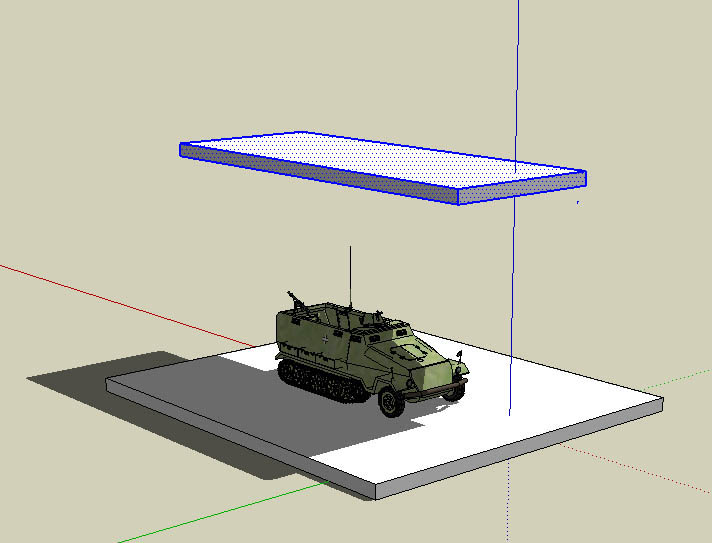
Here is a screenshot of a car light setup that you normally would use for car studio lighting with an area light on top of the car...
in this case of the test render I made for you a selfilluminating material above the camera nothing else....
- Attachments
-
-
-
rjeff
- Master Chief Petty Officer
- Posts: 462
- Joined: 21 May 2009, 18:26
Re: Multi Shadows in GI
Oh see I thought the Global Enviroment was GI. That is what I used with a HDR image.
-
RAYMAN
- Captain
- Posts: 2547
- Joined: 21 May 2009, 18:56
Re: Multi Shadows in GI
rjeff what you would need is a hdr lightent material I made 2 years ago.. I had it posted on the old forum its too large to post here though..rjeff wrote:Oh see I thought the Global Enviroment was GI. That is what I used with a HDR image.
Its now on the Kerkythea site though if you need it......I dont know thogh if you have to register to the site but its a good thing to do
as you learn a lot about rendering and lighting.. in general
http://www.kerkythea.net/phpBB2/viewtop ... udio#41582"
Peter
-
rjeff
- Master Chief Petty Officer
- Posts: 462
- Joined: 21 May 2009, 18:26
Re: Multi Shadows in GI
I will check into it. The images I am using are hdri images. Will any image have the 500 shaodws using the GE? Also des the size of the HDRI map make a difference in the amount of shadows?
-
rjeff
- Master Chief Petty Officer
- Posts: 462
- Joined: 21 May 2009, 18:26
Re: Multi Shadows in GI
Oh does Dribble do GI? I have it.
-
RAYMAN
- Captain
- Posts: 2547
- Joined: 21 May 2009, 18:56
Re: Multi Shadows in GI
dribble isnt a render engine it is a middler to a renderman compliant render engine and renderman engines including the one from Pixar are Gi solutions.......rjeff wrote:Oh does Dribble do GI? I have it.
to the question of Hdr it depends on your hdr if there are multiple areas with light in the hdr you would get multiple shadows......
if you use one of my studio hdr´s you only have the light from the precise areas that they are made for....... area light hdr´s from area´s
and lightent hdr from a soft procedural from the top.....
you normaly pay top dollors for studio hdr´s the ones i made are free..
Peter
-
RAYMAN
- Captain
- Posts: 2547
- Joined: 21 May 2009, 18:56
Re: Multi Shadows in GI
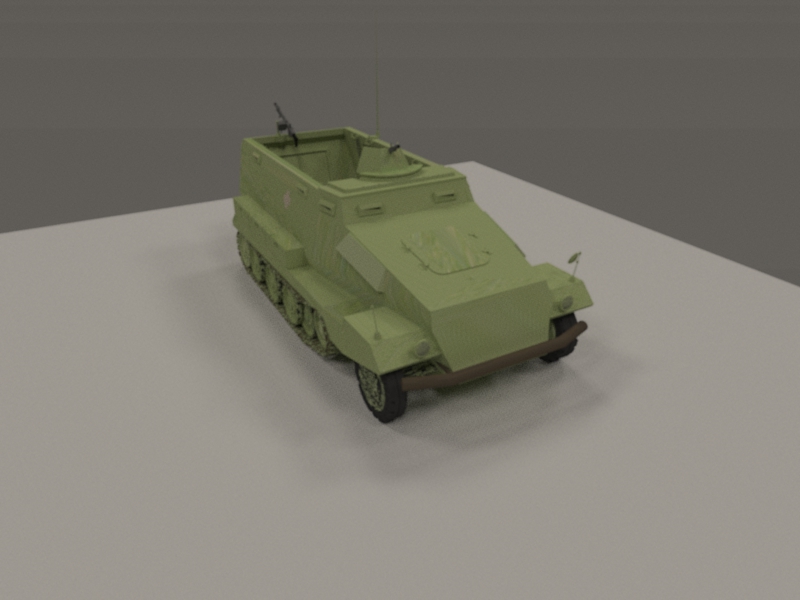
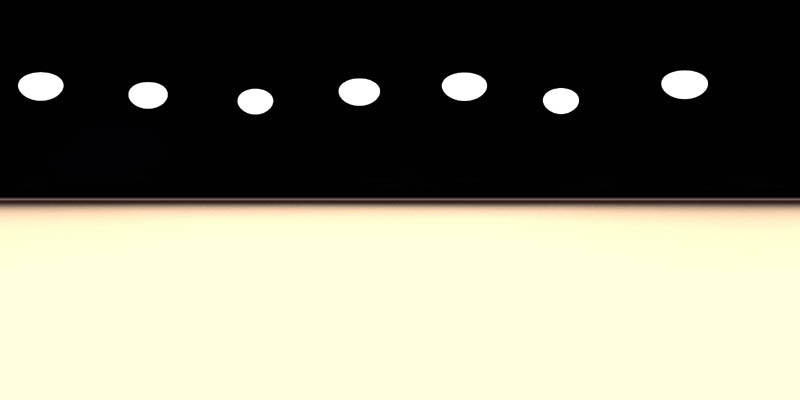
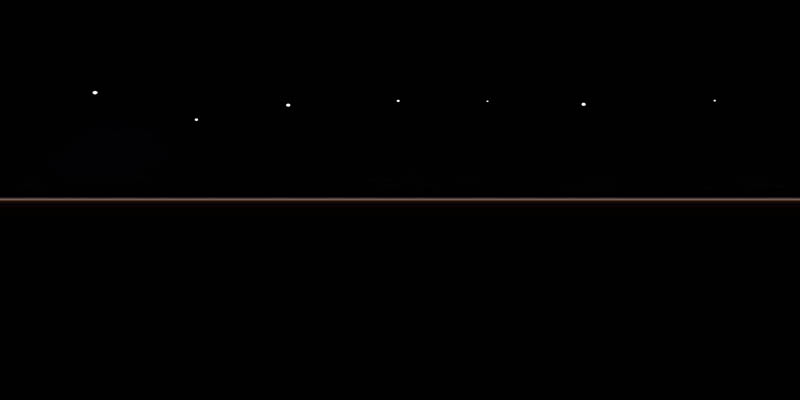
here is a render with this hdr map(note this isnt a hdr its just a picture of it)
the size of the lights are big on this one and tinted
size of the hdrt isnt as important here as we only use it as a lightsource.....
the size of the lights are big on this one and tinted
size of the hdrt isnt as important here as we only use it as a lightsource.....
- Attachments
-
-
-
RAYMAN
- Captain
- Posts: 2547
- Joined: 21 May 2009, 18:56
Re: Multi Shadows in GI
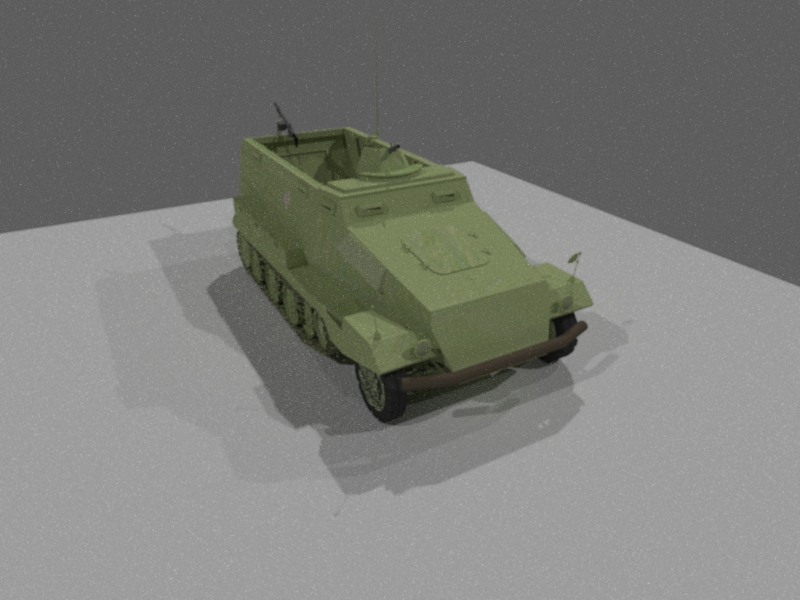
here is the same thing with smaller lights... see the smaller points on the map....
you get more pronounced shadows with sharper shadow edges.....
note that I use Vue to make these HDR maps
you get more pronounced shadows with sharper shadow edges.....
note that I use Vue to make these HDR maps
- Attachments
-
-
Last edited by RAYMAN on 20 Dec 2010, 04:27, edited 1 time in total.
-
rjeff
- Master Chief Petty Officer
- Posts: 462
- Joined: 21 May 2009, 18:26
Re: Multi Shadows in GI
I used one of your light tents and I still get way to many shadows. I have not tired it in Dribble yet though. Maybe GE just has alot of shadows.
-
RAYMAN
- Captain
- Posts: 2547
- Joined: 21 May 2009, 18:56
Re: Multi Shadows in GI
try dribble !rjeff wrote:I used one of your light tents and I still get way to many shadows. I have not tired it in Dribble yet though. Maybe GE just has alot of shadows.
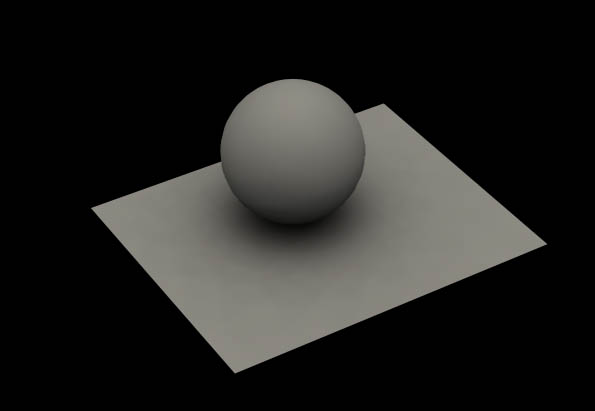
But I tried Lightworks with my map and if you turn the samples to 300 the multiple shadows are gone see the picture
- Attachments
-
-
rjeff
- Master Chief Petty Officer
- Posts: 462
- Joined: 21 May 2009, 18:26
Re: Multi Shadows in GI
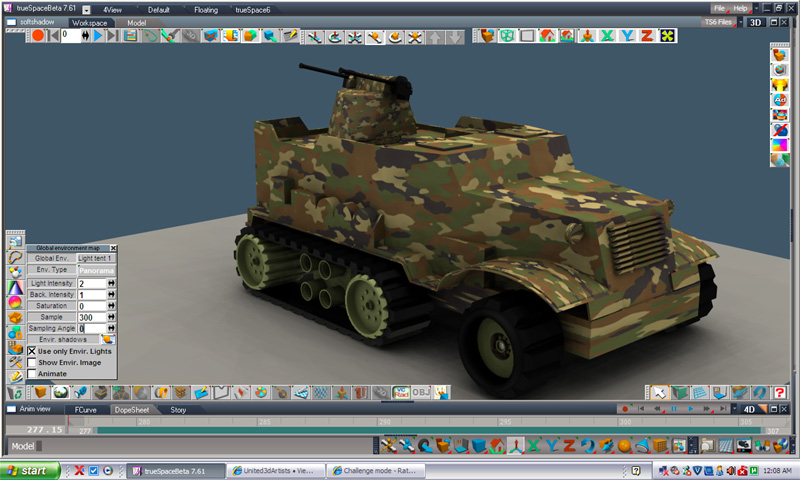
Ok I cranked up the samples, but I am still getting the shaows. Here is a screen cap of my settings
- Attachments
-
-
RAYMAN
- Captain
- Posts: 2547
- Joined: 21 May 2009, 18:56
Re: Multi Shadows in GI
its alredy much better then it was ! First try to crank up the samples even more and another thing that you can do is go to advanced shadows if you rightclick the shadow button (shadowpicture)rjeff wrote:Ok I cranked up the samples, but I am still getting the shaows. Here is a screen cap of my settings
you have a setting for transparent and transparent advanced.......
Peter
-
rjeff
- Master Chief Petty Officer
- Posts: 462
- Joined: 21 May 2009, 18:26
Re: Multi Shadows in GI
Oh that made a huge difference. Not sure if it was the samples or the Advanced Shadows, but I was able to use one of my HDRI's that I like so much. Thanks Peter. That was the answer I have been looking for, for a long time
- Attachments
-
-
Benji
- Senior Chief Petty Officer
- Posts: 280
- Joined: 22 May 2009, 01:23
Re: Multi Shadows in GI
Just FYI that this was a known issue from old forums that I had too, and it's because of the way lightworks utilises the hdr maps (by using the hdri to create light arrays in the scene, hence the "multi-light" look).
You found the solution anyway, looks nice.
You found the solution anyway, looks nice.
-
Finis

- Captain
- Posts: 5410
- Joined: 21 May 2009, 18:26
- Type the number ten into the box: 0
- Location: America!
Re: Multi Shadows in GI
Thanks! I've had trouble with that too.
I prefer dangerous freedom over peaceful servitude. -- Thomas Jefferson/Jean Jacques Rousseau