GLTF Import Export

User avatar
clintonman
Captain
Posts: 5659
Joined: 21 May 2009, 21:08
Type the number ten into the box: 0
Location: California

GLTF Import Export

Post by clintonman »

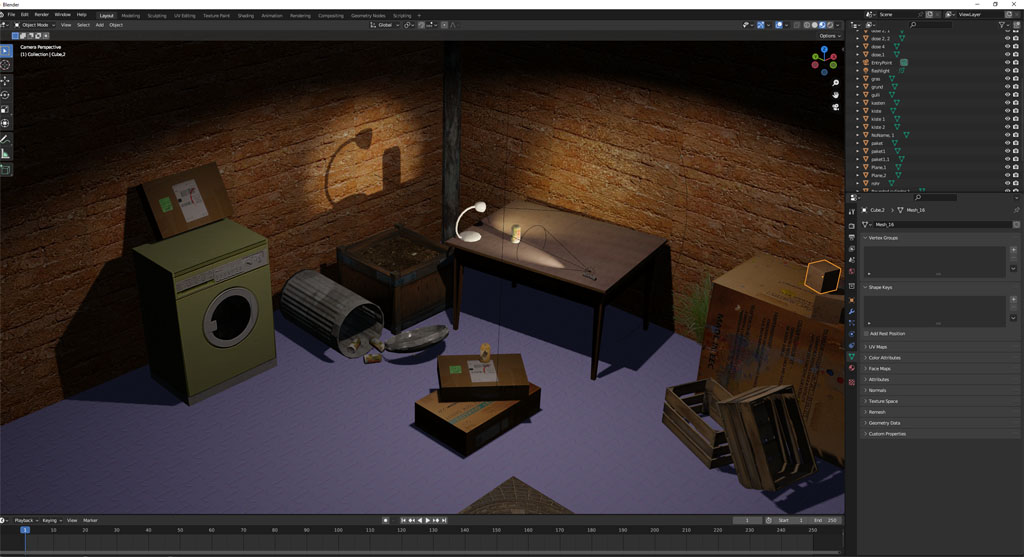
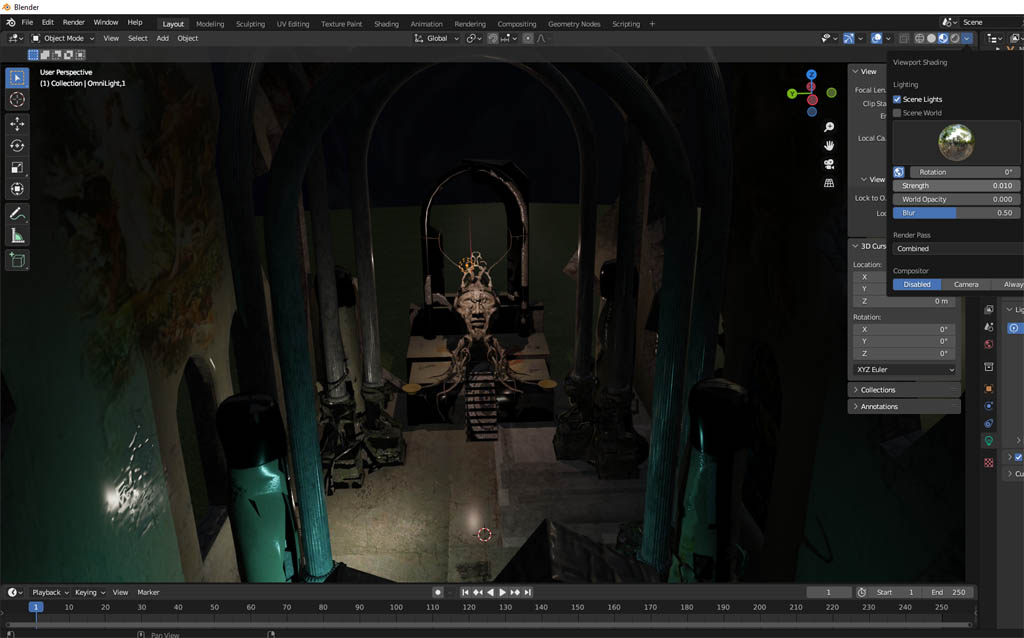
NightChurchInBlender.jpg

Night Church scene exported in GLTF format and imported to Blender.
The exporter has a few limitations, so the scene needed some alterations.

First the old scene uses old format materials. I found this command to update all the materials in the scene at once.

Code: Select all

Space.ConvertToMatList(Space.CurrentScene(),'{328915F2-9B2F-43c1-9168-CBA26A9B8F43}')
I think the long number means D3D material. This might be a good command to add the the material converter.

The GLTF exporter only works with scene instanced materials, so the material converter was run to make it happen.

Finally, the exporter does not work with grouped objects, so I ran the Unencapsulate 3D to break them down. I'll try to add group support before publishing. If no groups then a script to convert groups to parenting relationships which will export.
Clinton Reese

http://clintons3d.com
User avatar
trueBlue
Captain
Posts: 5548
Joined: 06 Jul 2009, 22:50
Type the number ten into the box: 10

Re: GLTF Import Export

Post by trueBlue »

Awesome! :bananathumb:

Code: Select all

Space.ConvertToMatList(Space.CurrentScene(),'{328915F2-9B2F-43c1-9168-CBA26A9B8F43}')
Always wondered what the above command was for
It also converts Lights and Cameras and maybe other unknowns
Any lights that have Intensity will no longer work
User avatar
clintonman
Captain
Posts: 5659
Joined: 21 May 2009, 21:08
Type the number ten into the box: 0
Location: California

Re: GLTF Import Export

Post by clintonman »

trueBlue wrote: 28 Oct 2023, 14:59 Awesome! :bananathumb:

Code: Select all

Space.ConvertToMatList(Space.CurrentScene(),'{328915F2-9B2F-43c1-9168-CBA26A9B8F43}')
Always wondered what the above command was for
It also converts Lights and Cameras and maybe other unknowns
Any lights that have Intensity will no longer work
Yes, I just noticed it updated a skeleton material. Maybe it can be run on individual nodes instead of the whole scene.
Clinton Reese

http://clintons3d.com
User avatar
trueBlue
Captain
Posts: 5548
Joined: 06 Jul 2009, 22:50
Type the number ten into the box: 10

Re: GLTF Import Export

Post by trueBlue »

clintonman wrote: 28 Oct 2023, 17:04
trueBlue wrote: 28 Oct 2023, 14:59 Awesome! :bananathumb:

Code: Select all

Space.ConvertToMatList(Space.CurrentScene(),'{328915F2-9B2F-43c1-9168-CBA26A9B8F43}')
Always wondered what the above command was for
It also converts Lights and Cameras and maybe other unknowns
Any lights that have Intensity will no longer work
Yes, I just noticed it updated a skeleton material. Maybe it can be run on individual nodes instead of the whole scene.

Code: Select all

Space.ConvertToMatList(Node.FirstSelected(),'{328915F2-9B2F-43c1-9168-CBA26A9B8F43}')
First selected works

Code: Select all

Space.ConvertToMatList(Space.CurrentScene(),'{328915F2-9B2F-43c1-9168-CBA26A9B8F43}')
Space.CurrentScene() works on groups too

So the key will be to avoid Lights, Cameras, and whatever else
User avatar
clintonman
Captain
Posts: 5659
Joined: 21 May 2009, 21:08
Type the number ten into the box: 0
Location: California

Re: GLTF Import Export

Post by clintonman »

BackYardGLTFtoBlender.jpg

Did a lot of testing and fixing. This is the BackYard scene transferred via GLTF to Blender.
The only issue is the floor. The color and normal bitmaps had the same filename so the color got overwritten during the export.
Things todo before release:

A script to ungroup or convert groups to parenting structures. Adding group support to the plugin would be more work than it's worth.

Cleanup script to remove temporary objects and add the imported items directly to the scene.

I'm hopeful for a release tomorrow.
Clinton Reese

http://clintons3d.com
User avatar
clintonman
Captain
Posts: 5659
Joined: 21 May 2009, 21:08
Type the number ten into the box: 0
Location: California

Re: GLTF Import Export

Post by clintonman »

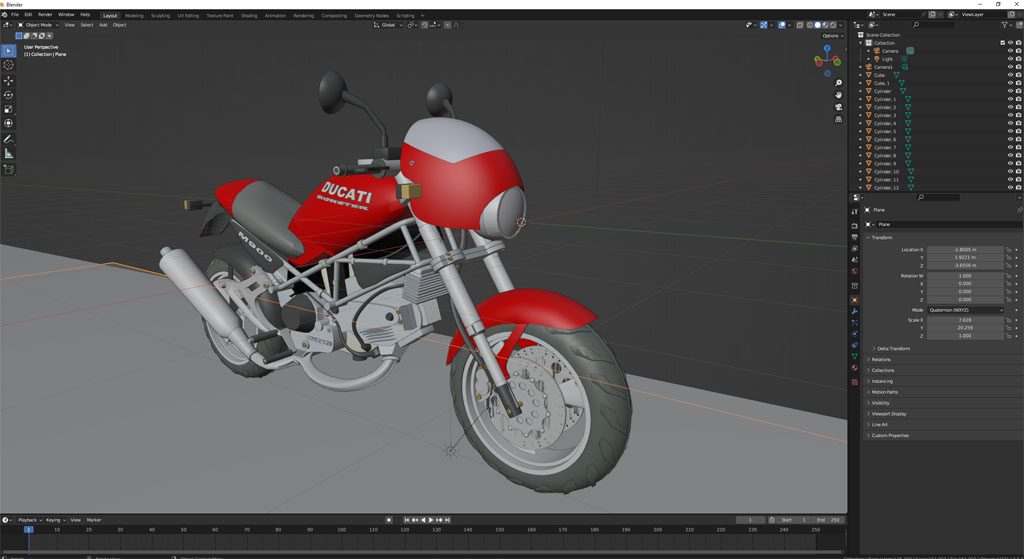
GLTFExportDucati.jpg

This shows the "ungroup all" function working. The Ducati scene from modelspace has a lot of groups and groups inside groups. After un-grouping the process is the same, convert materials to scene instanced and export.
Clinton Reese

http://clintons3d.com
User avatar
clintonman
Captain
Posts: 5659
Joined: 21 May 2009, 21:08
Type the number ten into the box: 0
Location: California

Re: GLTF Import Export

Post by clintonman »

Already found/discovered a new issue with actor import export.
Truespace actor structure is different from everyone else in that the mesh is parented to the skeleton, that's to say that the OwnerMatrix is connected to the skeleton WldMatrix and both live inside the actor. The skeleton is connected to the actor internally. In other programs the mesh and the skeleton are both attached internally to the actor.

Notes for the export say actor, skeleton and mesh have to all be at 0,0,0 with 0 rotations. The tS actor structure is the reason for this.

I'm going to try to find a way to properly translate between the different structures later this week. For collada export I see that truespace moves the mesh out of the actor.
Clinton Reese

http://clintons3d.com
garcia
Chief Petty Officer
Posts: 80
Joined: 23 Jan 2023, 02:51
Type the number ten into the box: 10

Re: GLTF Import Export

Post by garcia »

impressive!
User avatar
trueBlue
Captain
Posts: 5548
Joined: 06 Jul 2009, 22:50
Type the number ten into the box: 10

Re: GLTF Import Export

Post by trueBlue »

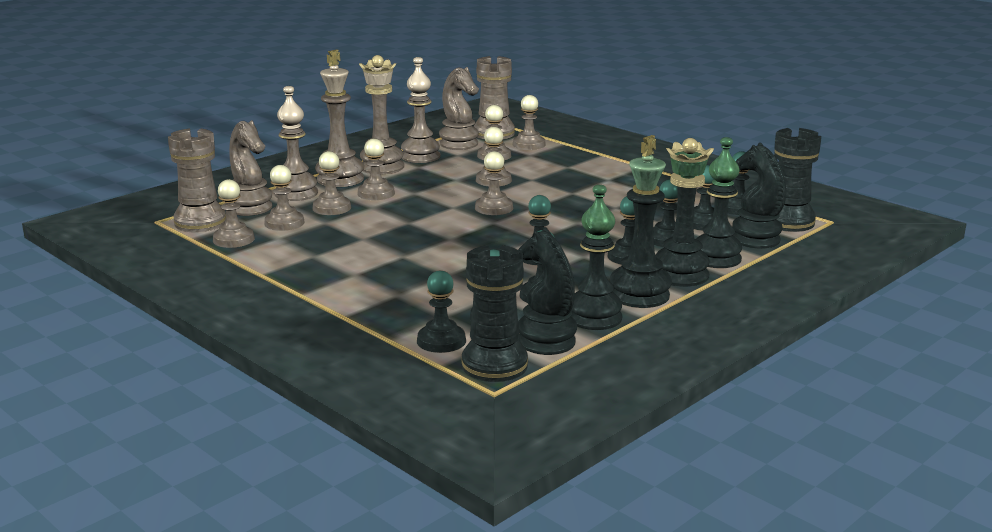
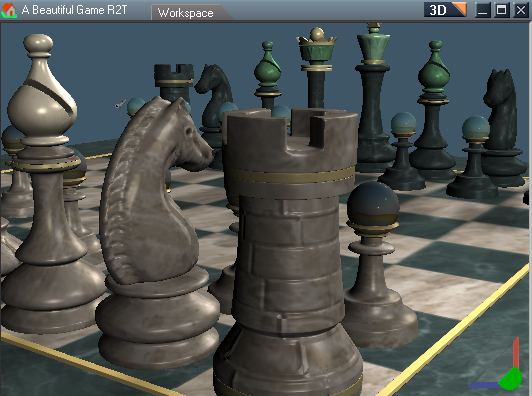
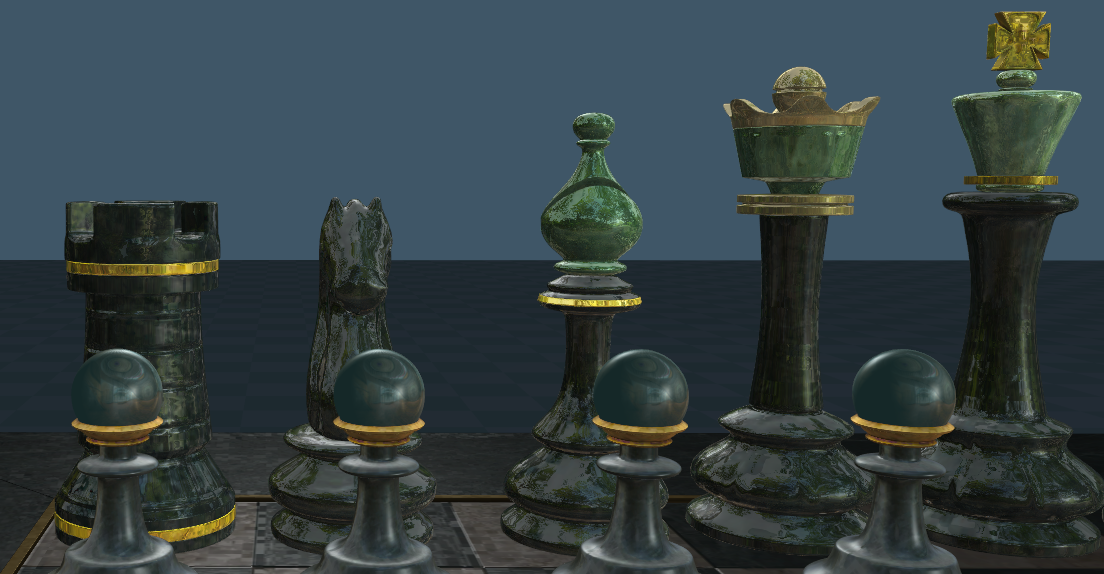
A Beautiful Game
glTF-Sample-Models-master\2.0\ABeautifulGame\glTF
I scaled all of the 2048x2048 images to 256x256
I Imported the ABeautifulGame.gltf into Rosetta UU9
I changed all of the TextureBumpMetal's SpecularStrength to 1.000
Saved the scene to a Library
Before.png
.
I unencapsulated all of the objects and Exported the scene to C:\Temp\New folder
Note to self: Never Export to the Desktop and Always Export to an Empty Folder :o
Cleared the scene and Imported this Exported - A Beautiful Game.gltf file
After.png
.
I think the Infinite lights Imported as Spotlights
The materials are not the same
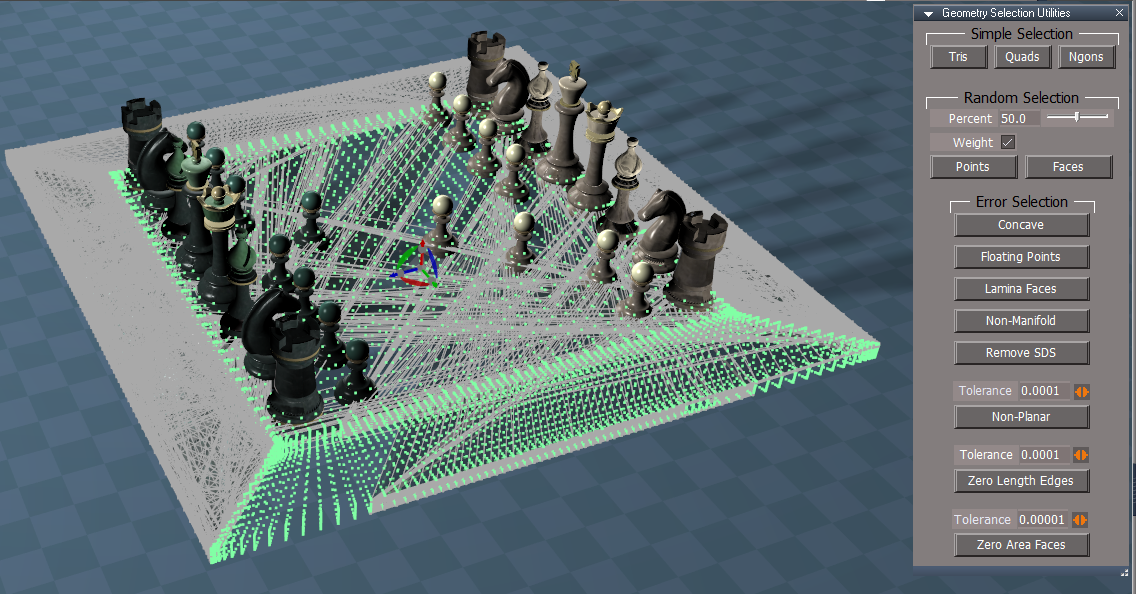
The Chessboard mesh is messed up
Floating unconnected points.png
.
Looks like a lot of unconnected floating points
User avatar
clintonman
Captain
Posts: 5659
Joined: 21 May 2009, 21:08
Type the number ten into the box: 0
Location: California

Re: GLTF Import Export

Post by clintonman »

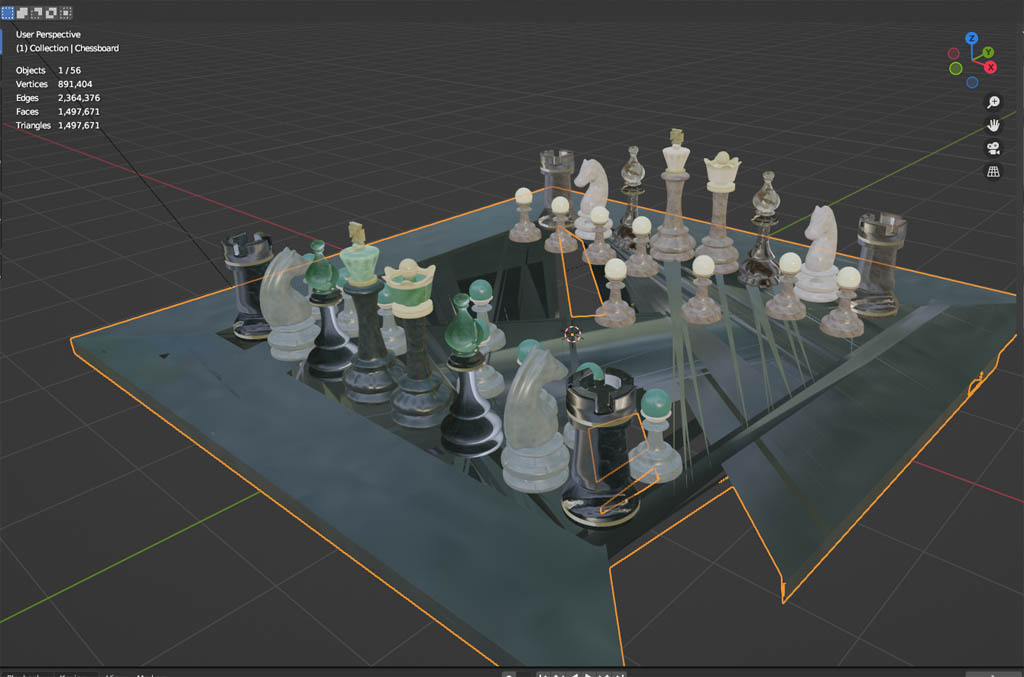
ChessBoardExported.jpg

Imported and Exported
Import to Blender

The board is messed up. When I take it into model mode it shows the magic number of 65536 vertices. The original in tS says 108441 verts.
Import the original file into Blender and it also shows 108441 verts.
I think something in the plugin is using a "unsigned short" data type which is limited 0 to 65536. hopefully it's that simple...

Not surprised about the materials. It was imported to tS with some loss of data then exported from tS again with some loss. Maybe some of it can be fixed but there is a big difference in the materials in tS and those used in glTF files. There should be less loss if you select High Material Complexity when importing.
Clinton Reese

http://clintons3d.com
User avatar
clintonman
Captain
Posts: 5659
Joined: 21 May 2009, 21:08
Type the number ten into the box: 0
Location: California

Re: GLTF Import Export

Post by clintonman »

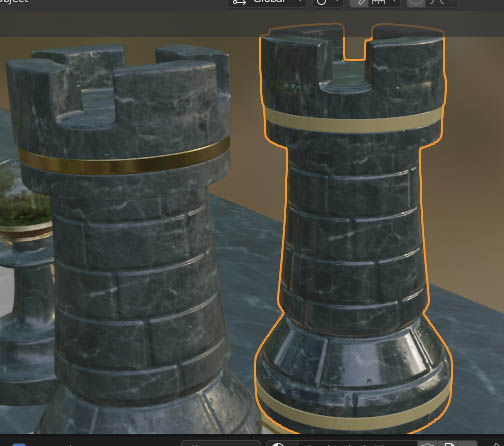
GLTFmaterialsLostInTranslation.jpg
Blender screen, left original, right imported from tS

Here's an example of how some material settings can get lost.
I tuned the export settings to try to get the materials exported to look like tS materials. The default for glTF is metallic so everything coming out of tS looked like metal so I set it to 0. Also the translation from glTF roughness to tS phong shininess isn't perfect because they aren't the same thing. The result is the castle on the right lost it's metallic band and is too shiny looking. In this case it is fixed by going into the blender material editor and turning up the metal factor from 0 to 1 and roughness value from 0.25 to 1. With those 2 changes the 2 castles look identical.

In this example it is a bug. Since if the metal roughness bitmap exists the metallic and roughness need to be turned up to maximum values, instead of the make it look like tS values for when there is no metal or roughness data.
Clinton Reese

http://clintons3d.com
User avatar
trueBlue
Captain
Posts: 5548
Joined: 06 Jul 2009, 22:50
Type the number ten into the box: 10

Re: GLTF Import Export

Post by trueBlue »

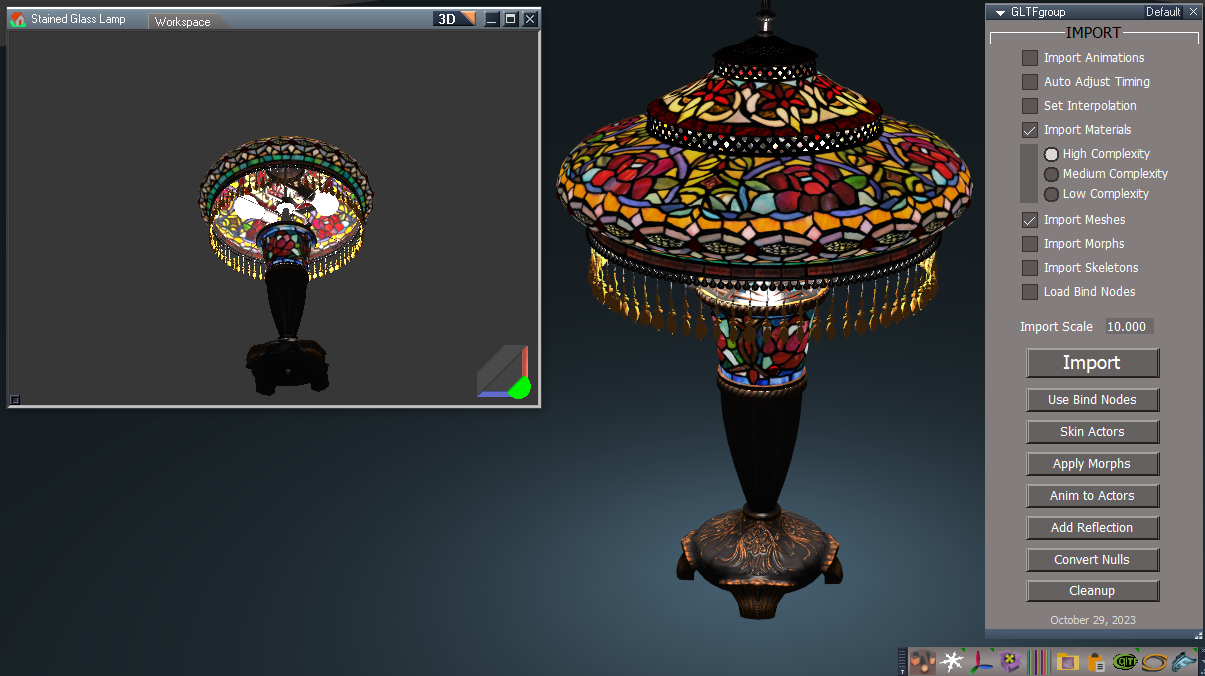
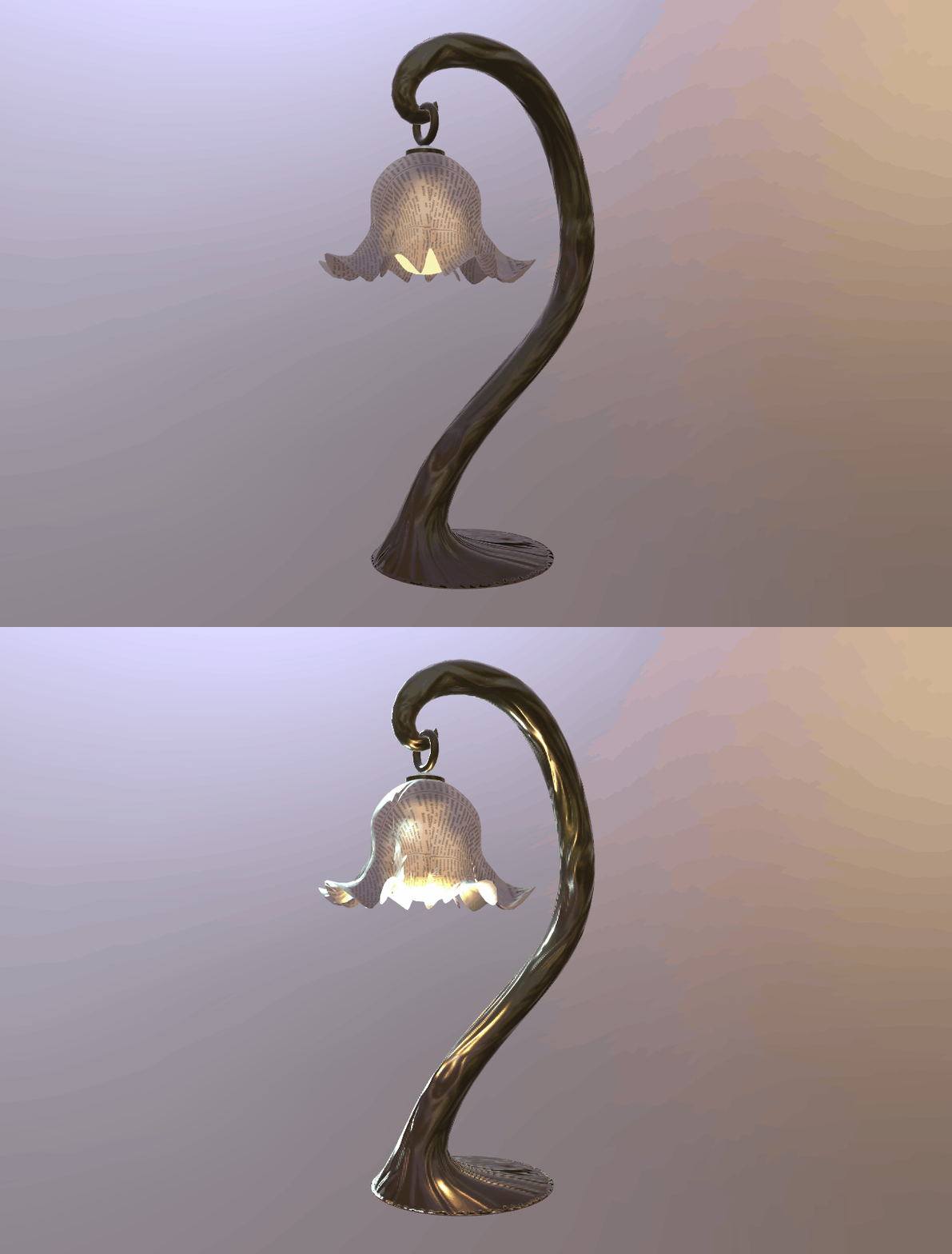
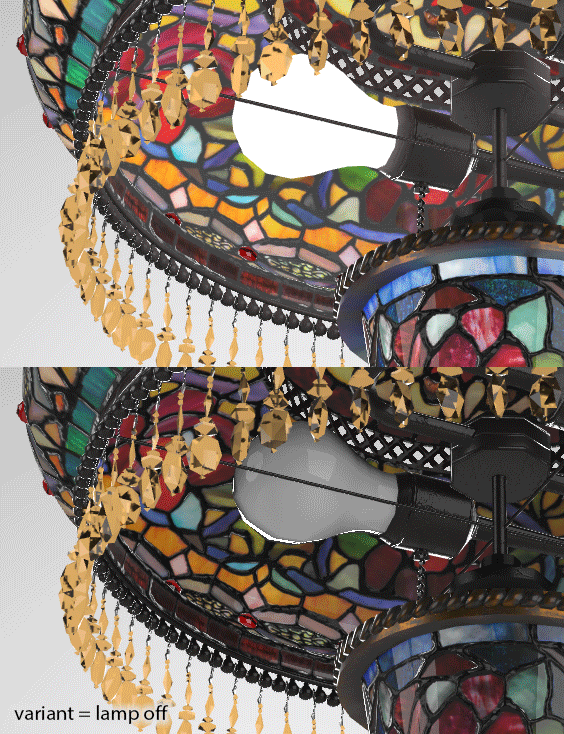
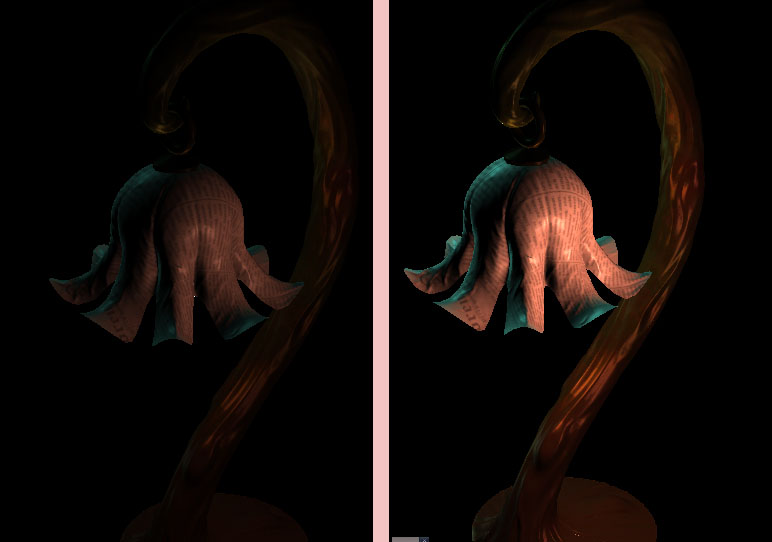
Awesome results with the Stained Glass Lamp with Constant Color (Bulbs) and Alpha D3D Materials! :bananathumb:
Stained Glass Lamp.png
User avatar
trueBlue
Captain
Posts: 5548
Joined: 06 Jul 2009, 22:50
Type the number ten into the box: 10

Re: GLTF Import Export

Post by trueBlue »

What is Add Reflection and how do you use it?
Would this work for the Chess game?
More importantly, for the Pawn's Spheres?
Reflections.png
User avatar
clintonman
Captain
Posts: 5659
Joined: 21 May 2009, 21:08
Type the number ten into the box: 0
Location: California

Re: GLTF Import Export

Post by clintonman »

trueBlue wrote: 04 Nov 2023, 23:40 What is Add Reflection and how do you use it?
Would this work for the Chess game?
More importantly, for the Pawn's Spheres?

Reflections.png
Import with high complexity
select an object and press the add reflection button and wait for it to show
pawns? don't know
Clinton Reese

http://clintons3d.com
User avatar
trueBlue
Captain
Posts: 5548
Joined: 06 Jul 2009, 22:50
Type the number ten into the box: 10

Re: GLTF Import Export

Post by trueBlue »

It sometimes works
Looks like it is changing the Base...material to Black for the Color for some objects
Add it to more objects and trueSpace will crash!
Edit: After Enabling Compression on all the InputBitmaps, I was able to add Reflections to all of the Chess pieces without crashing
User avatar
clintonman
Captain
Posts: 5659
Joined: 21 May 2009, 21:08
Type the number ten into the box: 0
Location: California

Re: GLTF Import Export

Post by clintonman »

trueBlue wrote: 05 Nov 2023, 01:41 It sometimes works
Looks like it is changing the Base...material to Black for the Color for some objects
Add it to more objects and trueSpace will crash!
Edit: After Enabling Compression on all the InputBitmaps, I was able to add Reflections to all of the Chess pieces without crashing
That's a nice surprise. I see there is no compression on the environment lighting node inputbitmaps. I'll add it now.
Clinton Reese

http://clintons3d.com
User avatar
clintonman
Captain
Posts: 5659
Joined: 21 May 2009, 21:08
Type the number ten into the box: 0
Location: California

Re: GLTF Import Export

Post by clintonman »

GLTFLargeMeshExportFixed.jpg
The board from ABeautifulGame sample Chessboard only imported from trueSpace to Blender

The problem with large mesh exports is fixed. Other fixes coming soon are
"Export Selected" fixed materials when exporting a selected actor,
full actor hierarchy will export now,
the actor, mesh, skeleton and skeleton root do not have to be centered at 0,0,0
fixed bug in the Convert Nulls script
fixed a bug in the Cleanup that would delete the scene if nothing imported
added a warning when the size and number of imported textures gets too big - can cancel the import to prevent a crash
added compression to all bitmap images

todo list
fix default metal and roughness factors for textures
test export on actor that has ik handles and locks
actors with multiple meshes export with bad skinning
test for unique joint names in an actor - unreal engine does not like repeat joint names
recheck zero all joints script - works but skeleton jumps out of position
mesh instancing tags - will make exporting large repeating meshes easier, faster and smaller file size
try one more time to fix the bind pose export
Clinton Reese

http://clintons3d.com
User avatar
trueBlue
Captain
Posts: 5548
Joined: 06 Jul 2009, 22:50
Type the number ten into the box: 10

Re: GLTF Import Export

Post by trueBlue »

Virtual City is great! :bananathumb:
Heck of a lot of Cameras :shock:
Virtual City.png
User avatar
clintonman
Captain
Posts: 5659
Joined: 21 May 2009, 21:08
Type the number ten into the box: 0
Location: California

Re: GLTF Import Export

Post by clintonman »

trueBlue wrote: 07 Nov 2023, 00:40 ...
Heck of a lot of Cameras :shock:

Virtual City.png
That's for sure
Clinton Reese

http://clintons3d.com
User avatar
clintonman
Captain
Posts: 5659
Joined: 21 May 2009, 21:08
Type the number ten into the box: 0
Location: California

Re: GLTF Import Export

Post by clintonman »

CRACKED IT!
GLTF_CrackedIt.jpg

Image shows imported CesiumMan sample export from tS into Blender
Finally got the bind pose export working!

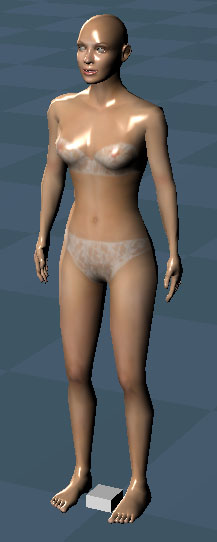
Found a new issue using trueBlues avatar - female file, all the animation clips exported even though all but 2 were disabled. Need to not export disabled clips. Also script bug when material has a blank name. And transfer full body actor motion to skeleton root for animations.
Clinton Reese

http://clintons3d.com
User avatar
trueBlue
Captain
Posts: 5548
Joined: 06 Jul 2009, 22:50
Type the number ten into the box: 10

Re: GLTF Import Export

Post by trueBlue »

Congradulations! :bananathumb:

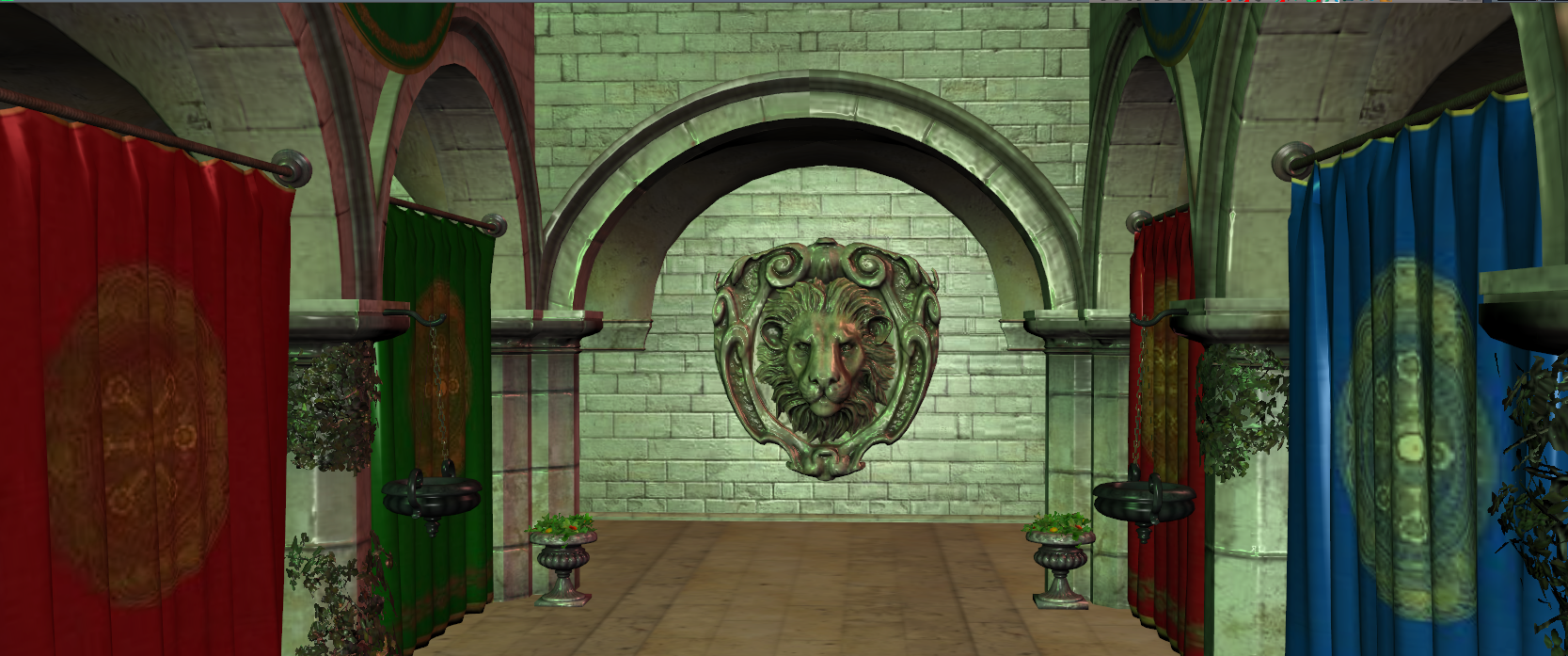
glTF - Sponza
My first experience with the glTF - Sponza crashed trueSpace using all three Material Complexity options
Resized all of the images from 1024x1024 to 256x256
Import with Medium Complexity
Imported.png
.
No issues except FPN takes a super long time to activate

I Exported this scene and then Imported back into trueSpace
Exported.png
.
Note the differences between the two?
Looks even better!
User avatar
clintonman
Captain
Posts: 5659
Joined: 21 May 2009, 21:08
Type the number ten into the box: 0
Location: California

Re: GLTF Import Export

Post by clintonman »

trueBlue wrote: 08 Nov 2023, 16:25 Congradulations! :bananathumb:

glTF - Sponza
My first experience with the glTF - Sponza crashed trueSpace using all three Material Complexity options
Resized all of the images from 1024x1024 to 256x256
Import with Medium Complexity
Imported.png
.
No issues except FPN takes a super long time to activate

I Exported this scene and then Imported back into trueSpace
Exported.png
.
Note the differences between the two?
Looks even better!
Thank you.

I never had a problem with the Sponza sample crashing. It does import as a single mesh with about 100 materials. Try it again with the Options tab check "Individual Mesh Primitives". This will import much faster, the 3d view won't slow down and maybe not crash.
Clinton Reese

http://clintons3d.com
User avatar
trueBlue
Captain
Posts: 5548
Joined: 06 Jul 2009, 22:50
Type the number ten into the box: 10

Re: GLTF Import Export

Post by trueBlue »

Dang it Jim, I just converted several textures for nothing! :(
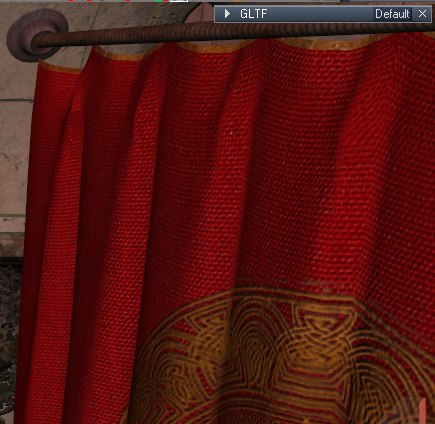
Much better!
I can actually see the Cloth Texture
Cloth texture.png
On a different note, pressing the Apply Morphs button is throwing errors
Examples:
With nothing selected, press Apply Morph
Select a primitive, press Apply Morphs, and Cancel "Convert to an Editable mesh?" dialog
Most likely other examples...

Edit: Using "Individual Mesh Primitives" creates a lot of Nulls
Flatten Nulls.png
Flatten Nulls.png (36.2 KiB) Viewed 2482 times
.
Is there any way to create a script that Flattens the Nulls?
User avatar
trueBlue
Captain
Posts: 5548
Joined: 06 Jul 2009, 22:50
Type the number ten into the box: 10

Re: GLTF Import Export

Post by trueBlue »

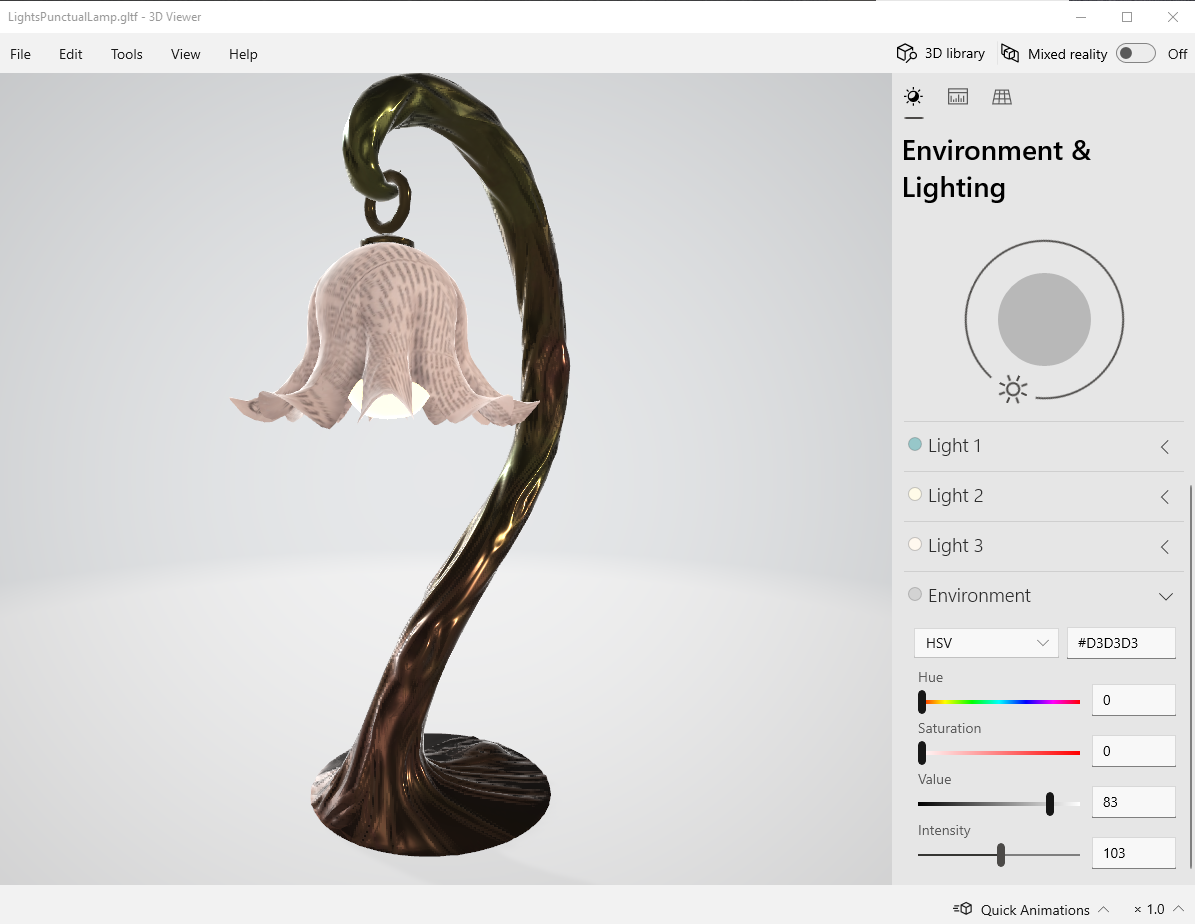
glTF - LightsPunctualLamp
This crashed for me
It only has five images that are 2048x2048
I reduced those to 512x512
It is supposed to have some sort of On|Off, but I do not see how that is supposed to work
Open this gif to see
lights_on_off.gif
User avatar
clintonman
Captain
Posts: 5659
Joined: 21 May 2009, 21:08
Type the number ten into the box: 0
Location: California

Re: GLTF Import Export

Post by clintonman »

trueBlue wrote: 11 Nov 2023, 01:45 glTF - LightsPunctualLamp
This crashed for me
It only has five images that are 2048x2048
I reduced those to 512x512
It is supposed to have some sort of On|Off, but I do not see how that is supposed to work
Open this gif to see
lights_on_off.gif
I don't see anything that mentions on off action. I think that gif is just showing that the light is going through the lamp shade.

I'm running a GE Force GTX 965M on my notebook, which I think is less powerful than your card, but no crashing here.
Clinton Reese

http://clintons3d.com
User avatar
clintonman
Captain
Posts: 5659
Joined: 21 May 2009, 21:08
Type the number ten into the box: 0
Location: California

Re: GLTF Import Export

Post by clintonman »

trueBlue wrote: 11 Nov 2023, 01:45 glTF - LightsPunctualLamp
This crashed for me
...
Maybe it's a driver thing, my driver version is 526.98
Clinton Reese

http://clintons3d.com
User avatar
trueBlue
Captain
Posts: 5548
Joined: 06 Jul 2009, 22:50
Type the number ten into the box: 10

Re: GLTF Import Export

Post by trueBlue »

I just tried again and no crash :bananathumb:
Maybe I got it confused with the glTF - Sponza 1024x1024 scene
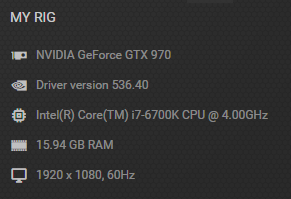
I usually keep my drivers up to date
My Rig.png
My Rig.png (35.06 KiB) Viewed 2461 times
.
Just noticed that the 3D Viewer opens glTF files :D
3D Viewer.png
.
screenshot_variants_on-off.gif
Open this gif to see
Maybe the On|Off is a PBR setting?
User avatar
clintonman
Captain
Posts: 5659
Joined: 21 May 2009, 21:08
Type the number ten into the box: 0
Location: California

Re: GLTF Import Export

Post by clintonman »

trueBlue wrote: 11 Nov 2023, 11:58 I just tried again and no crash :bananathumb:
Maybe I got it confused with the glTF - Sponza 1024x1024 scene
I usually keep my drivers up to date
My Rig.png
.
Just noticed that the 3D Viewer opens glTF files :D
3D Viewer.png
.
screenshot_variants_on-off.gif
Open this gif to see
Maybe the On|Off is a PBR setting?
It's still strange that Sponza crashes for you but not me on less hardware.

The on off you're seeing is from a material variant extension. It's changing the material of the bulb to make it emissive or not. The closest thing in tS is the constant shader and it doesn't emit any light.
Clinton Reese

http://clintons3d.com
User avatar
trueBlue
Captain
Posts: 5548
Joined: 06 Jul 2009, 22:50
Type the number ten into the box: 10

Re: GLTF Import Export

Post by trueBlue »

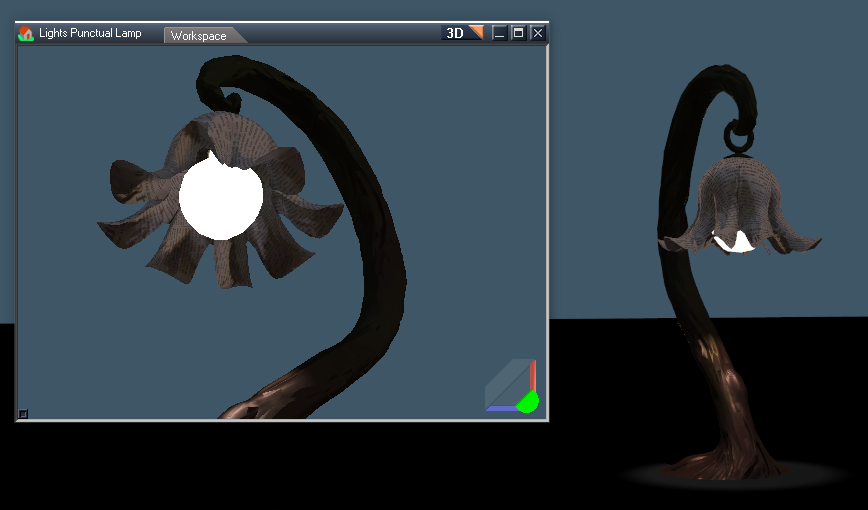
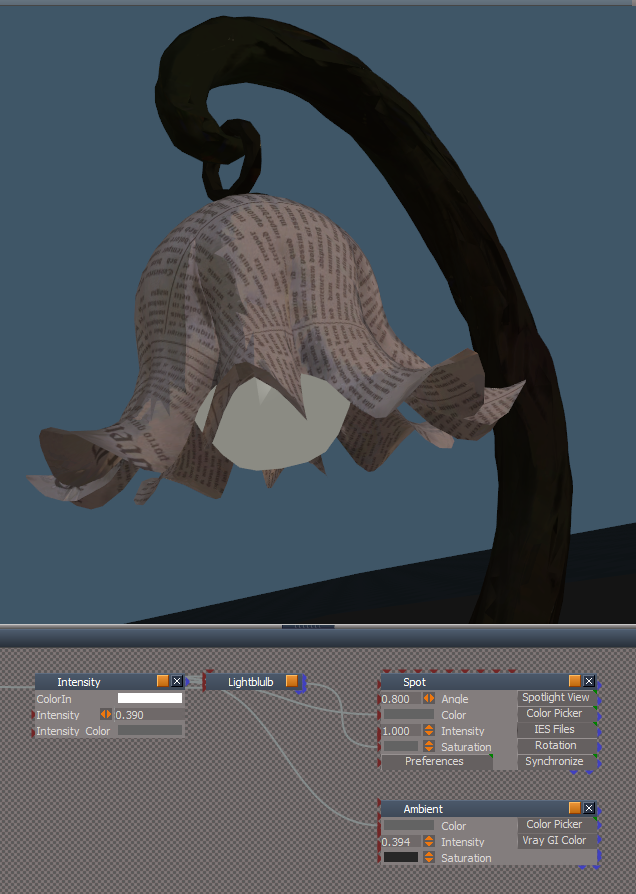
I am using an Intensity script to adjust the Constant Color, Spotlight, and Ambient light
On.png
.
Off.png
User avatar
trueBlue
Captain
Posts: 5548
Joined: 06 Jul 2009, 22:50
Type the number ten into the box: 10

Re: GLTF Import Export

Post by trueBlue »

clintonman wrote: 11 Nov 2023, 16:09
trueBlue wrote: 11 Nov 2023, 11:58 I just tried again and no crash :bananathumb:
Maybe I got it confused with the glTF - Sponza 1024x1024 scene
I usually keep my drivers up to date
My Rig.png
.
Just noticed that the 3D Viewer opens glTF files :D
3D Viewer.png
.
screenshot_variants_on-off.gif
Open this gif to see
Maybe the On|Off is a PBR setting?
It's still strange that Sponza crashes for you but not me on less hardware.

The on off you're seeing is from a material variant extension. It's changing the material of the bulb to make it emissive or not. The closest thing in tS is the constant shader and it doesn't emit any light.
Tried the original Sponza again, no crash :bananathumb:
However, I cannot use trueSpace after it loads, like Point Editing an entry point (Door) from the outside of the building
trueSpace eventually crashes!
If I Import with smaller textures, this is not a problem, and I cannot see any differences in the quality of the textures

I do not think trueSpace uses my GPU
I see very little usage to 0% in Task Manager
User avatar
clintonman
Captain
Posts: 5659
Joined: 21 May 2009, 21:08
Type the number ten into the box: 0
Location: California

Re: GLTF Import Export

Post by clintonman »

trueBlue wrote: 08 Nov 2023, 17:33 Dang it Jim, I just converted several textures for nothing! :(
Much better!
I can actually see the Cloth Texture
Cloth texture.png

On a different note, pressing the Apply Morphs button is throwing errors
Examples:
With nothing selected, press Apply Morph
Select a primitive, press Apply Morphs, and Cancel "Convert to an Editable mesh?" dialog
Most likely other examples...

Edit: Using "Individual Mesh Primitives" creates a lot of Nulls
Flatten Nulls.png
.
Is there any way to create a script that Flattens the Nulls?
Fixed Apply Morphs errors - not released yet.

Use of "Individual Mesh Primitives" should be rare. For most things leave it off. It was created because of the Sponza single object with many materials slowing down trueSpace and then no other samples had that problem so... don't use it unless you have to.

I forgot to mention earlier, but you can use a viewer page to see what the gltf samples looks like in 3d

https://github.khronos.org/glTF-Sample-Viewer-Release/
Clinton Reese

http://clintons3d.com
User avatar
the_ant
Chief Petty Officer
Posts: 155
Joined: 02 Jun 2009, 09:26
Type the number ten into the box: 0
Location: Perugia - Italy

Re: GLTF Import Export

Post by the_ant »

:worship: :worship: :worship: :worship:
User avatar
trueBlue
Captain
Posts: 5548
Joined: 06 Jul 2009, 22:50
Type the number ten into the box: 10

Re: GLTF Import Export

Post by trueBlue »

clintonman wrote: 12 Nov 2023, 06:11
trueBlue wrote: 08 Nov 2023, 17:33 Dang it Jim, I just converted several textures for nothing! :(
Much better!
I can actually see the Cloth Texture
Cloth texture.png

On a different note, pressing the Apply Morphs button is throwing errors
Examples:
With nothing selected, press Apply Morph
Select a primitive, press Apply Morphs, and Cancel "Convert to an Editable mesh?" dialog
Most likely other examples...

Edit: Using "Individual Mesh Primitives" creates a lot of Nulls
Flatten Nulls.png
.
Is there any way to create a script that Flattens the Nulls?
Fixed Apply Morphs errors - not released yet.

Use of "Individual Mesh Primitives" should be rare. For most things leave it off. It was created because of the Sponza single object with many materials slowing down trueSpace and then no other samples had that problem so... don't use it unless you have to.

I forgot to mention earlier, but you can use a viewer page to see what the gltf samples looks like in 3d

https://github.khronos.org/glTF-Sample-Viewer-Release/
:bananathumb:

glTF-Sample-Viewer
If we only had those Materials and Enviroments :!:

Individual Mesh Primitives
Yeah, but faster and those textures in the Sponza scene are far superior!
Wonder why the other Complexity options are different and are of less quality?
User avatar
trueBlue
Captain
Posts: 5548
Joined: 06 Jul 2009, 22:50
Type the number ten into the box: 10

Re: GLTF Import Export

Post by trueBlue »

In your Notes on your website:
Import Export Notes
Does not export grouped objects

Just noticed that Groups are Imported as TempNulls
If you use Convert Nulls, these Groups are converted to Nulls

There is also MeshInstance nodes
I was able to add/Remove these to the GLTFCleanup script similar to the way you are removing the other helper objects

Not sure about the Groups as they could possibly be in two different states
User avatar
clintonman
Captain
Posts: 5659
Joined: 21 May 2009, 21:08
Type the number ten into the box: 0
Location: California

Re: GLTF Import Export

Post by clintonman »

GLTF_LightIntensity.jpg

Started working on importing light intensity. Image left is default tS lights and right is modified lights with intensity taken into account. The lamp was imported at a scale of 10 so it came in a dimmer than if the scale had been 1. There is some compensation for scale. I didn't check how valid the scale mod is though and only scale = 1 import lighting is valid in actual reality.

I also imported this file into Blender and found that it is importing lights with intensity 1000 times smaller than it should be. Fixed it by multiplying the intensity by 1000 or if it shows mW units change it to W.
Clinton Reese

http://clintons3d.com
User avatar
trueBlue
Captain
Posts: 5548
Joined: 06 Jul 2009, 22:50
Type the number ten into the box: 10

Re: GLTF Import Export

Post by trueBlue »

clintonman wrote: 14 Nov 2023, 05:56 GLTF_LightIntensity.jpg


Started working on importing light intensity. Image left is default tS lights and right is modified lights with intensity taken into account. The lamp was imported at a scale of 10 so it came in a dimmer than if the scale had been 1. There is some compensation for scale. I didn't check how valid the scale mod is though and only scale = 1 import lighting is valid in actual reality.

I also imported this file into Blender and found that it is importing lights with intensity 1000 times smaller than it should be. Fixed it by multiplying the intensity by 1000 or if it shows mW units change it to W.
The lights that you are using from the preobects folder are the lights that Model uses
I suspect that the Spot and Projector's AttQuadratic, Angle and EnableShadow attributes are not setup correctly, that are installed by the trueSpace installer
If you load either of these lights in Model, the Shadow is disabled, Angle is set to 1.047, and AttQuadratic is set to 0.000
If you change these attributes and overwrite the original rsobj(s), as noted, they Import using your GLTF Import Export into trueSpace correctly
SpotLight2.png
User avatar
trueBlue
Captain
Posts: 5548
Joined: 06 Jul 2009, 22:50
Type the number ten into the box: 10

Re: GLTF Import Export

Post by trueBlue »

I did a test that includes all of the Model lights from the preobjects folder and Exported as glTF
I Imported this glTF scene into trueSpace
Results:
AmbientLight is converted to Null and is no longer a AmbientLight
DirectionalLight2 is converted to Infinite light
Projector light is converted to a Spotlight
AreaLight is converted to an OmniLight
User avatar
clintonman
Captain
Posts: 5659
Joined: 21 May 2009, 21:08
Type the number ten into the box: 0
Location: California

Re: GLTF Import Export

Post by clintonman »

link to gltf light info

https://github.com/KhronosGroup/glTF/bl ... /README.md


It has 3 types of light: point , spot and directional
There is no concept of ambient light. GLTF uses a completely different lighting and material system.
Directional would be the equivalent of tS infinite light but with shadow casting ability.
An option to choose infinite or tS directional light on import was added a few days ago - not published yet.
Clinton Reese

http://clintons3d.com
User avatar
trueBlue
Captain
Posts: 5548
Joined: 06 Jul 2009, 22:50
Type the number ten into the box: 10

Re: GLTF Import Export

Post by trueBlue »

clintonman wrote: 15 Nov 2023, 19:09 link to gltf light info

https://github.com/KhronosGroup/glTF/bl ... /README.md


It has 3 types of light: point , spot and directional
There is no concept of ambient light. GLTF uses a completely different lighting and material system.
Directional would be the equivalent of tS infinite light but with shadow casting ability.
An option to choose infinite or tS directional light on import was added a few days ago - not published yet.
Just pointing out the issue with the hopes that you could find a way to avoid the problem lights
User avatar
trueBlue
Captain
Posts: 5548
Joined: 06 Jul 2009, 22:50
Type the number ten into the box: 10

Re: GLTF Import Export

Post by trueBlue »

Add Reflection
This script adds Environment Lighting even though one exists already.
Enviro Lighting duplicated.png
User avatar
clintonman
Captain
Posts: 5659
Joined: 21 May 2009, 21:08
Type the number ten into the box: 0
Location: California

Re: GLTF Import Export

Post by clintonman »

trueBlue wrote: 16 Nov 2023, 16:26 Add Reflection
This script adds Environment Lighting even though one exists already.
Enviro Lighting duplicated.png
Thanks, added to the TODO list
Clinton Reese

http://clintons3d.com
User avatar
clintonman
Captain
Posts: 5659
Joined: 21 May 2009, 21:08
Type the number ten into the box: 0
Location: California

Re: GLTF Import Export

Post by clintonman »

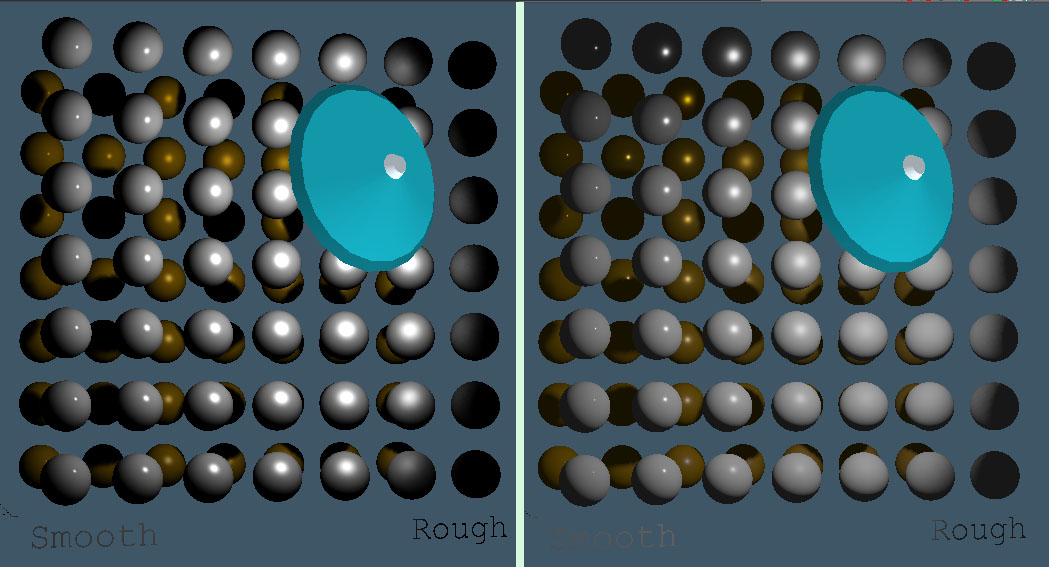
MetalShaderFixed.jpg

Improved handling of the metallic value in the non-texture model shader
Left is before and right is after

Easiest to see the difference in the gold spheres 3rd column from the left. As it goes up the metal factor increases and the highlight color changes from white to gold and the reflection properties change.
This change also requires a change to the lights so they are bright enough to illuminate it. Using unofficial update lights the intensity before was 2 and in the after image it was something like 200.

Next the texture based model shader will need a similar fix.
Clinton Reese

http://clintons3d.com
User avatar
trueBlue
Captain
Posts: 5548
Joined: 06 Jul 2009, 22:50
Type the number ten into the box: 10

Re: GLTF Import Export

Post by trueBlue »

clintonman wrote: 16 Nov 2023, 17:02
trueBlue wrote: 16 Nov 2023, 16:26 Add Reflection
This script adds Environment Lighting even though one exists already.
Enviro Lighting duplicated.png
Thanks, added to the TODO list
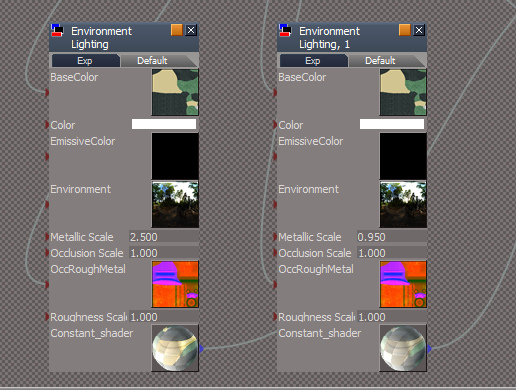
Really love your Environment Lighting :bananathumb:
Makes for some awesome Real time Gold material
Playing with the Roughness Scale
EnviroLightingRoughness.png
.
EnviroLightingRoughness2.png
User avatar
clintonman
Captain
Posts: 5659
Joined: 21 May 2009, 21:08
Type the number ten into the box: 0
Location: California

Re: GLTF Import Export

Post by clintonman »

MetalShaderEnvironmentFixed.jpg
Old is on the left and new is on the right. The new is much closer to how it should look.
Texture based model shader was updated and a new texture environment to go with it.
Clinton Reese

http://clintons3d.com
User avatar
trueBlue
Captain
Posts: 5548
Joined: 06 Jul 2009, 22:50
Type the number ten into the box: 10

Re: GLTF Import Export

Post by trueBlue »

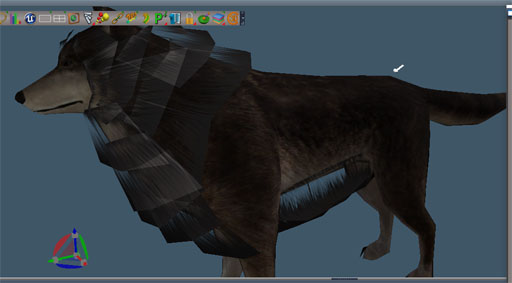
Here is a Wolf scene
Export does not export the Alpha Fur image
Import Fur is Solid Color
Attachments
Wolf.RsScn
(1.8 MiB) Downloaded 108 times
User avatar
clintonman
Captain
Posts: 5659
Joined: 21 May 2009, 21:08
Type the number ten into the box: 0
Location: California

Re: GLTF Import Export

Post by clintonman »

trueBlue wrote: 17 Nov 2023, 14:44 Here is a Wolf scene
Export does not export the Alpha Fur image
Import Fur is Solid Color
In gltf the alpha is a part of the color image. No color image so no alpha.

ColorToColorImage.jpg

You can use the "solid color image" compositing node with a TextureShader to create a color image.

The final result will have alpha but it will be reversed because of the special TextureAlpha3. It has an internal reverse of the alpha values.
GLTFWolfAlphaReversed.jpg
Clinton Reese

http://clintons3d.com
User avatar
trueBlue
Captain
Posts: 5548
Joined: 06 Jul 2009, 22:50
Type the number ten into the box: 10

Re: GLTF Import Export

Post by trueBlue »

clintonman wrote: 18 Nov 2023, 18:14
trueBlue wrote: 17 Nov 2023, 14:44 Here is a Wolf scene
Export does not export the Alpha Fur image
Import Fur is Solid Color
In gltf the alpha is a part of the color image. No color image so no alpha.


ColorToColorImage.jpg


You can use the "solid color image" compositing node with a TextureShader to create a color image.

The final result will have alpha but it will be reversed because of the special TextureAlpha3. It has an internal reverse of the alpha values.

GLTFWolfAlphaReversed.jpg
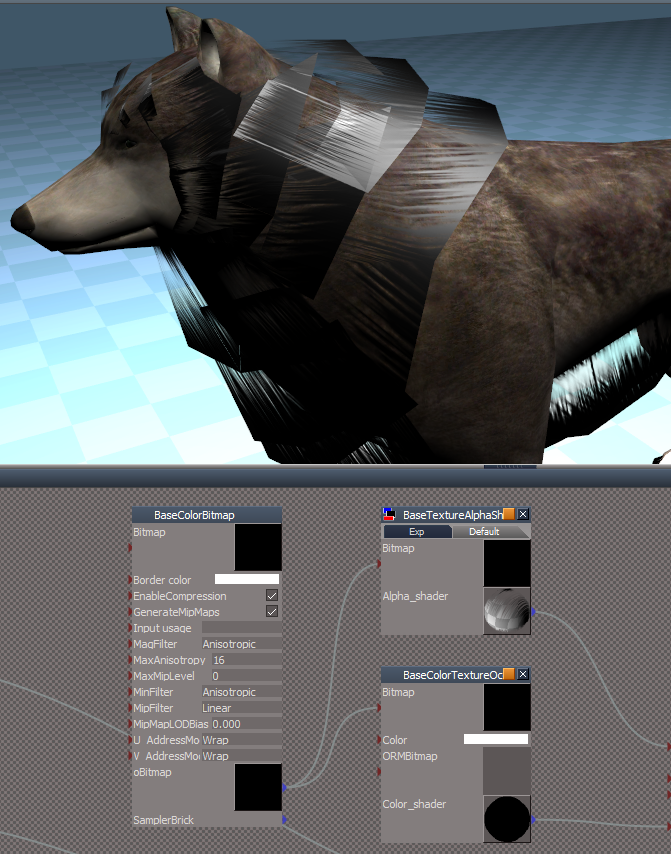
Tried a different Alpha Shader and a Black Color Texture
Results:
BaseColorTextureResults.png
.
BaseColorTexture.png
The imported Alpha Image is Inverted
User avatar
trueBlue
Captain
Posts: 5548
Joined: 06 Jul 2009, 22:50
Type the number ten into the box: 10

Re: GLTF Import Export

Post by trueBlue »

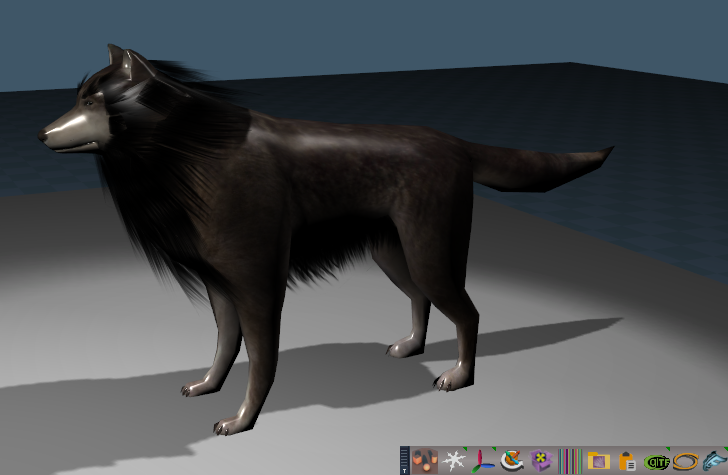
I changed the Wolf materials to Compiled Textures
I get much better results with Exporting and then Importing into trueSpace
Except it is Imported with Shinny textures
But the Alpha Fur is as expected
Wolf Compiled Materials.png
.

FYI:
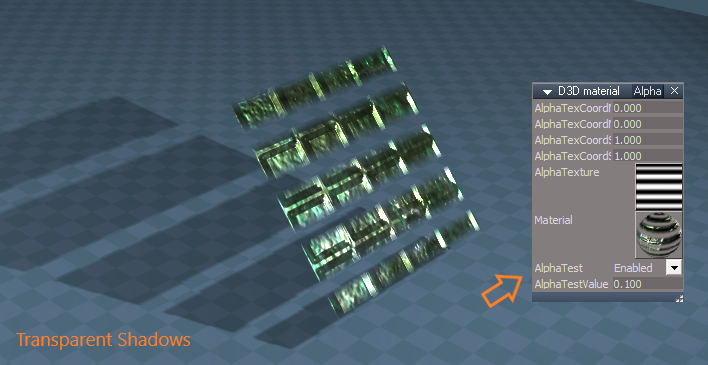
I discovered that trueSpace's TextureBumpAlphaMetal & TexxtureBumpAlpha compiled textures does not show the AlphaTest & AlphaTestValue attributes
And you can get Transparent Shadows
Transparent Shadows.png
.
Modifications
Expose:
AlphaTest
AlphaTestValue


AlphaTest = Enabled
AlphaTestValue = 0.100 'Transparent Shadows'
AlphaTestValue = 1.000 'No Transparent Shadows'
User avatar
trueBlue
Captain
Posts: 5548
Joined: 06 Jul 2009, 22:50
Type the number ten into the box: 10

Re: GLTF Import Export

Post by trueBlue »

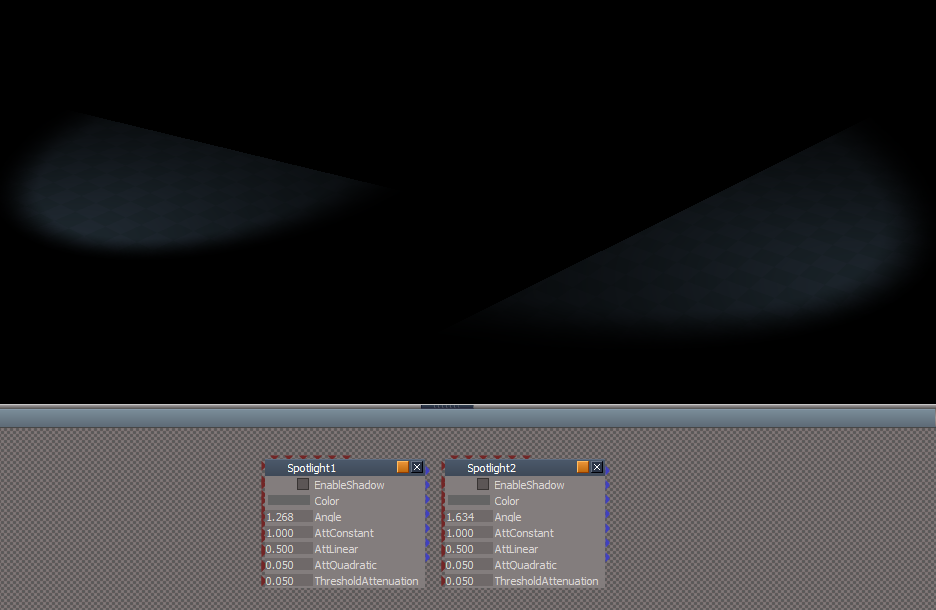
Something odd about the Imported Spotlights with No Shadow
Imported Spotlights No Shadow issue.png
User avatar
clintonman
Captain
Posts: 5659
Joined: 21 May 2009, 21:08
Type the number ten into the box: 0
Location: California

Re: GLTF Import Export

Post by clintonman »

trueBlue wrote: 20 Nov 2023, 17:20 Something odd about the Imported Spotlights with No Shadow
Imported Spotlights No Shadow issue.png
steps:

add cube to default scene
export gltf
import gltf
set light intensity to brighten it up
disable shadow on spotlight

see the problem

temporary workaround for now: change ThresholdAttenuation from 0.05 to 0.005

TODO: light export needs to look at the attenuation values to adjust the exported intensity and tinygltf won't load gltf with empty buffer, if empty remove from the file
Clinton Reese

http://clintons3d.com
User avatar
trueBlue
Captain
Posts: 5548
Joined: 06 Jul 2009, 22:50
Type the number ten into the box: 10

Re: GLTF Import Export

Post by trueBlue »

Post Load Skel Binding Parent Dev script needs: params.SetTerminationFlag()

Code: Select all

	if(importedActorNames == "")

params.SetTerminationFlag()
	return;
User avatar
trueBlue
Captain
Posts: 5548
Joined: 06 Jul 2009, 22:50
Type the number ten into the box: 10

Re: GLTF Import Export

Post by trueBlue »

I accidently pressed the Import button and Canceled the Import after I imported a GLTF file and pressed the Cleanup button
ERR Source object: /Scripts/CustomCommands/GLTFgroup/GLTF End Import Error: Microsoft JScript runtime error Description: Invalid procedure call or argument Error code: 0x800a0005 - (null) Line: 329, Char: 2 Script text: var lightData = Node.Value(light + "/LightData", "data");
Edit: I think the GLTF file gets corrupted!
Had a few crashes trying to re-Import the same exported GLTF file
User avatar
trueBlue
Captain
Posts: 5548
Joined: 06 Jul 2009, 22:50
Type the number ten into the box: 10

Re: GLTF Import Export

Post by trueBlue »

clintonman wrote: 20 Nov 2023, 18:46
trueBlue wrote: 20 Nov 2023, 17:20 Something odd about the Imported Spotlights with No Shadow
Imported Spotlights No Shadow issue.png
temporary workaround for now: change ThresholdAttenuation from 0.05 to 0.005
Setting the ThresholdAttenuation from 0.05 to 0.005 makes the shadows dim

Setting the AttQuadratic = 0.000 looks better IMO
User avatar
trueBlue
Captain
Posts: 5548
Joined: 06 Jul 2009, 22:50
Type the number ten into the box: 10

Re: GLTF Import Export

Post by trueBlue »

Any chance you could add the path to the Export folder and Open button script?
Export - location string and Open script.png
Export - location string and Open script.png (1.71 KiB) Viewed 2298 times
User avatar
trueBlue
Captain
Posts: 5548
Joined: 06 Jul 2009, 22:50
Type the number ten into the box: 10

Re: GLTF Import Export

Post by trueBlue »

First try on Exporting and Importing a Character with animation
Worked pretty good! :bananathumb:
Material is very dim
The animation imported with two extra keyframes: 1 & 40
I removed these keyframes, now the animation is as the original
Not sure how the how the Clips are supposed to Import but it looks like a couple of Disabled Clips imported
Note: This is in regard to Disabled Clips supposedly not Exporting
Avatar Female scene
Prep:
Scene Instanced
Removed Pivot from head & body
Disabled all Clips except two

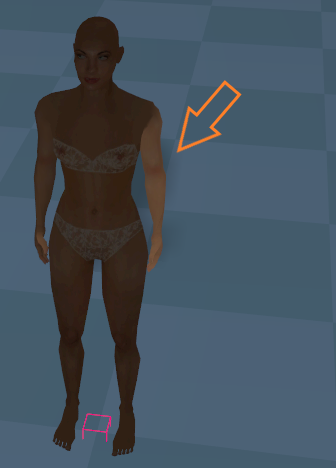
Import with High Complexity
Arm gets brighter when close to the body.png
Note: Arm gets brighter when close to body

Import with Med Complexity
Material is Black
Attachments
Avatar Female.RsScn
(1.95 MiB) Downloaded 72 times
User avatar
clintonman
Captain
Posts: 5659
Joined: 21 May 2009, 21:08
Type the number ten into the box: 0
Location: California

Re: GLTF Import Export

Post by clintonman »

trueBlue wrote: 21 Nov 2023, 21:01 First try on Exporting and Importing a Character with animation
Worked pretty good! :bananathumb:
Material is very dim
The animation imported with two extra keyframes: 1 & 40
I removed these keyframes, now the animation is as the original
Not sure how the how the Clips are supposed to Import but it looks like a couple of Disabled Clips imported
Note: This is in regard to Disabled Clips supposedly not Exporting
Avatar Female scene
Prep:
Scene Instanced
Removed Pivot from head & body
Disabled all Clips except two

Import with High Complexity
Arm gets brighter when close to the body.png
Note: Arm gets brighter when close to body

Import with Med Complexity
Material is Black
I think the normals of the mesh are not exporting correctly or not importing correctly. If you use any of the normals tools after import the color texture comes back.

Only 2 clips are exporting and only 2 clips import back in, but in script they are duplicated during the transfer of the animation to the actor. This is a weird one. If I import the fox sample I get the clips but no duplicates.

Edit: I have a theory. The animation from the gltf file is not on all the joints of the actor. So maybe the script is creating the duplicate clips to compensate somehow.
Clinton Reese

http://clintons3d.com
User avatar
trueBlue
Captain
Posts: 5548
Joined: 06 Jul 2009, 22:50
Type the number ten into the box: 10

Re: GLTF Import Export

Post by trueBlue »

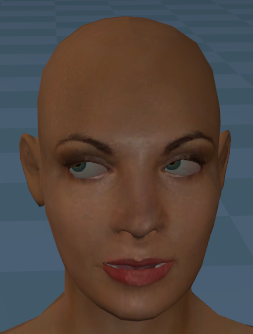
Confirm using the Normal tools restores the color
The eyes moved :o
Eyes moved.png
Eyes moved.png (81.67 KiB) Viewed 2285 times
.
There is only one material texture and no animation for the head or eyes
Edit: BTW... for non-shinny materials, setting Roughness to 0.950 seems to be the magic number
User avatar
clintonman
Captain
Posts: 5659
Joined: 21 May 2009, 21:08
Type the number ten into the box: 0
Location: California

Re: GLTF Import Export

Post by clintonman »

Did some tests and it looks like exporting an actor with more than 1 mesh has skinning issues but also normal issues. I boolean combined the 2 meshes, reskinned, exported and imported and the normals were ok. The duplicate clips may also be related since I didn't get the dups this time either.

Imported to Blender and the normals look wrong there too for the 2 mesh actor and the 1 mesh actor.
Clinton Reese

http://clintons3d.com
User avatar
clintonman
Captain
Posts: 5659
Joined: 21 May 2009, 21:08
Type the number ten into the box: 0
Location: California

Re: GLTF Import Export

Post by clintonman »

gltfNormalExportFixed.jpg
Normals export is fixed. The problem was that the actor meshes have to use the WldMatrix for the vertices and normals. The normals adjustment only needs the rotation, so the scale and translation of the matrix was messing them up.

Edit: Duplicate animation clips on actors with more than 1 mesh is fixed
Clinton Reese

http://clintons3d.com
User avatar
trueBlue
Captain
Posts: 5548
Joined: 06 Jul 2009, 22:50
Type the number ten into the box: 10

Re: GLTF Import Export

Post by trueBlue »

Great!
Not sure if you noticed, the character has morphs too
This may be why the eyes got messed up
User avatar
clintonman
Captain
Posts: 5659
Joined: 21 May 2009, 21:08
Type the number ten into the box: 0
Location: California

Re: GLTF Import Export

Post by clintonman »

trueBlue wrote: 20 Nov 2023, 19:26 Post Load Skel Binding Parent Dev script needs: params.SetTerminationFlag()

Code: Select all

	if(importedActorNames == "")

params.SetTerminationFlag()
	return;
Roger that, thanks.
Clinton Reese

http://clintons3d.com
User avatar
clintonman
Captain
Posts: 5659
Joined: 21 May 2009, 21:08
Type the number ten into the box: 0
Location: California

Re: GLTF Import Export

Post by clintonman »

The "final" fix is in. It can export actors that have more than 1 mesh.
The problem was that there are 2 types of skinning and the sdk was giving a bad piece of information with one type.
The fix was to get the skinning for the meshes via script and transfer that data over to the plugin.

I think there should be a new release this weekend. :D
Clinton Reese

http://clintons3d.com
User avatar
clintonman
Captain
Posts: 5659
Joined: 21 May 2009, 21:08
Type the number ten into the box: 0
Location: California

Re: GLTF Import Export

Post by clintonman »

LightingLargeFlatSurfaces2.jpg
The only difference between left and right is that the right image has the walls, floor and ceiling subdivided. This was giving me trouble while trying to work out the lights import and export values. You have to have more geometry on large flat surfaces to get good lighting.
Clinton Reese

http://clintons3d.com
User avatar
trueBlue
Captain
Posts: 5548
Joined: 06 Jul 2009, 22:50
Type the number ten into the box: 10

Re: GLTF Import Export

Post by trueBlue »

Latest version is looking and working pretty good! :bananathumb:
Love the Open File Location! :D
Here is a Female Avatar scene
90 frame animation moving the arms down and up
Also added Keyframes using the Eyes L & R morph moving the eyes left and back to looking straight ahead
Exported and then Imported
I used Bind Nodes and then Apply Morphs
Got an error
From the Rosetta.log:
04:51:03.841 INFO GLTF Import - 3765 ms 0x00000000 [RsCommandMng.cpp(84)]
04:51:03.841 INFO Transition Command - 3765 ms 0x00000000 [RsCommandMng.cpp(84)]
04:51:10.983 INFO Transition Command - 6859 ms 0x00000000 [RsCommandMng.cpp(84)]
04:51:33.971 INFO Transition Command - 2906 ms 0x00000000 [RsCommandMng.cpp(84)]
04:51:37.331 INFO MeshModifiers.OpenMeshEditorPanel('/Project/Avatar Female/body_skin/body/Vertex morphs',1,3,1); - 31 ms 0x00000000 [RsSysCore.cpp(700)]
04:51:37.519 INFO MeshModifiers.OpenMeshEditorPanel('/Project/Avatar Female/body_skin/body/Vertex morphs',1,3,1); - 62 ms 0x00000000 [RsSysCore.cpp(700)]
04:51:37.925 ERR Source object: /Scripts/CustomCommands/GLTFgroup/set keyframes Error: Microsoft JScript runtime error Description: Invalid procedure call or argument Error code: 0x800a0005 - (null) Line: 132, Char: 4 Script text: Node.Value(firstSel + "/Vertex morphs", keyname) = weight; IMPORTANT - if the above mentioned command is accessing any function set, the error line above may refer to the function set code, instead of command code! 0x80020101 [RcScriptCmd.cpp(1170)]
No Errors listed in the Import Options
I then used Skinn Actors, Anim to Actors, Convert Nulls, and Cleanup
Results:
90 frame animation moving the arms down and up
Removed the new in-between keyframe
chest moves a little bit
moving the eyes right and left is missing
Attachments
Avatar Female2e53.RsScn
(1.99 MiB) Downloaded 117 times
User avatar
clintonman
Captain
Posts: 5659
Joined: 21 May 2009, 21:08
Type the number ten into the box: 0
Location: California

Re: GLTF Import Export

Post by clintonman »

trueBlue wrote: 29 Nov 2023, 13:23 Latest version is looking and working pretty good! :bananathumb:
Love the Open File Location! :D
Here is a Female Avatar scene
90 frame animation moving the arms down and up
Also added Keyframes using the Eyes L & R morph moving the eyes left and back to looking straight ahead
Exported and then Imported
I used Bind Nodes and then Apply Morphs
Got an error
From the Rosetta.log:
04:51:03.841 INFO GLTF Import - 3765 ms 0x00000000 [RsCommandMng.cpp(84)]
04:51:03.841 INFO Transition Command - 3765 ms 0x00000000 [RsCommandMng.cpp(84)]
04:51:10.983 INFO Transition Command - 6859 ms 0x00000000 [RsCommandMng.cpp(84)]
04:51:33.971 INFO Transition Command - 2906 ms 0x00000000 [RsCommandMng.cpp(84)]
04:51:37.331 INFO MeshModifiers.OpenMeshEditorPanel('/Project/Avatar Female/body_skin/body/Vertex morphs',1,3,1); - 31 ms 0x00000000 [RsSysCore.cpp(700)]
04:51:37.519 INFO MeshModifiers.OpenMeshEditorPanel('/Project/Avatar Female/body_skin/body/Vertex morphs',1,3,1); - 62 ms 0x00000000 [RsSysCore.cpp(700)]
04:51:37.925 ERR Source object: /Scripts/CustomCommands/GLTFgroup/set keyframes Error: Microsoft JScript runtime error Description: Invalid procedure call or argument Error code: 0x800a0005 - (null) Line: 132, Char: 4 Script text: Node.Value(firstSel + "/Vertex morphs", keyname) = weight; IMPORTANT - if the above mentioned command is accessing any function set, the error line above may refer to the function set code, instead of command code! 0x80020101 [RcScriptCmd.cpp(1170)]
No Errors listed in the Import Options
I then used Skinn Actors, Anim to Actors, Convert Nulls, and Cleanup
Results:
90 frame animation moving the arms down and up
Removed the new in-between keyframe
chest moves a little bit
moving the eyes right and left is missing
It looks like the morph animation needs some work.
With glTF all the mesh morphs are animated at the same time, like the tS matrix animates tx,ty,tz,yaw, roll, pitch etc all together, so either need to require all morphs for the mesh are animated or some way to add zeros to the gltf file morph animations for the non-animated morphs.

Already fixed one problem with the animation names, the actor has names like "head/Vertex morphs/P - Jaw". If it wasn't an actor it would just be "Vertex morphs/P - Jaw" without the need for the mesh name at the front. Without it the body and head morphs were getting mixed up.

After fixing that and adding animation keys to all the morphs for testing I discovered that the morphs aren't matching up. I got the morph animation to export, but instead of the animated eyes I got an animated mouth. So the plugin needs to do something to match up the morphs in the exported file.
Clinton Reese

http://clintons3d.com
User avatar
trueBlue
Captain
Posts: 5548
Joined: 06 Jul 2009, 22:50
Type the number ten into the box: 10

Re: GLTF Import Export

Post by trueBlue »

I do not have very much experience with Morphs and I had a heck of a time just adding the Eyes Morph to the animation
At first, it was not even working, but I eventually I got it to work
It seems like it got baked into one of the AnimClips
It looks like it failed (error) on the body morphs, in with which I did not add to the animation

Wonder if I add another Clip just for the Eye Morph, it would have made a difference

Stil, if I do not Import the Morphs, the two clips have extra keyframes that make the arms drift, which is not in the original animation
Also, her bobbies move, which is not in the original animation :lol:
User avatar
clintonman
Captain
Posts: 5659
Joined: 21 May 2009, 21:08
Type the number ten into the box: 0
Location: California

Re: GLTF Import Export

Post by clintonman »

Fixed plugin code and got the morph animation to export to the correct morph. The change was surprisingly small but it did take a while to figure it out. Also found that the morph animations were being exported for disabled clips and fixed that.
Last fix for morphs will be to default morph animation values to zero for non-animated morphs of the mesh. If cannot then it will be required to set key frames for all morphs. An all or nothing situation.
Clinton Reese

http://clintons3d.com
User avatar
clintonman
Captain
Posts: 5659
Joined: 21 May 2009, 21:08
Type the number ten into the box: 0
Location: California

Re: GLTF Import Export

Post by clintonman »

GLTF_fullsizetextures.jpg
ABeautifulGame sample with full 2k textures

I decided to give the 4GB Patch someone mentioned in another thread a go on the Rosetta.exe file

Now the gltf importer will import the chess board sample without crashing. There was a fairly long delay before the model showed in the viewport.
Goes without saying, but use at your own risk.

Link for the patch is here:

https://ntcore.com/?page_id=371
Clinton Reese

http://clintons3d.com

Return to “Workspace Side”