Script with various options for selecting geometry. It can select triangle, quad and ngons, non-manifold edges(one edge connected to more than 2 polys), lamina(2 polys with the same vertices),concave polygons, non-planar polygons and triangles with zero length edge or zero area. At first it was going to have an option to automatically fix problems but there are too many variations of things that can go wrong. Concave and lamina selections don't work well when non-manifold geometry is present and concave also selects non-planar faces. Finally, there is a button for removing corrupt SDS which is the reason I started this to begin with. Available on the utilities page near the top.
http://www.clintons3d.com/plugins/trues ... index.html"
Bad Geometry Assist
-
clintonman

- Captain
- Posts: 5659
- Joined: 21 May 2009, 21:08
- Type the number ten into the box: 0
- Location: California
Bad Geometry Assist
-
Draise

- Captain
- Posts: 3200
- Joined: 21 Sep 2009, 19:33
- Type the number ten into the box: 0
- Location: Bogota, Colombia
Re: Bad Geometry Assist
This is SO handy! A very needed tool this plugin. Thanks so much.
...... Maybe there needs to be a new TS update with these new plugins and a slightly updated interface with your plugins Clinton! They are essential and it would be awesome to have them all integrated into TS with an update!

......
Maybe there needs to be a new TS update with these new plugins and a slightly updated interface with your plugins Clinton! They are essential and it would be awesome to have them all integrated into TS with an update! -
BNG

- Chief Warrant Officer
- Posts: 684
- Joined: 16 Oct 2009, 03:26
- Type the number ten into the box: 0
- Location: Texas
Re: Bad Geometry Assist
As always Clinton thank you. Leroy.
Casual Truespace 3D modeling hobbyist. My Truespace blog and simple 3d Modeling Tutorials for Casual Model Makers.
-
Steinie

- Captain
- Posts: 2958
- Joined: 21 May 2009, 17:38
- Type the number ten into the box: 10
Re: Bad Geometry Assist
This is GREAT!
Next Valentine's Day I'm sending Clintonman a card!
Thanks!!!
Next Valentine's Day I'm sending Clintonman a card!
Thanks!!!
-
froo
- Captain
- Posts: 2554
- Joined: 22 May 2009, 12:13
Re: Bad Geometry Assist
Very cool Clinton! I'll have to take a look at that script to see how it works! 

-
Peter
- Senior Chief Petty Officer
- Posts: 170
- Joined: 18 Apr 2010, 15:18
- Type the number ten into the box: 0
- Location: Texas
Re: Bad Geometry Assist
Cool & thanks.
Any chance you could add a "select random" feature?
Any chance you could add a "select random" feature?
a day without orange juice is like... a day without orange juice
-
clintonman
- Captain
- Posts: 5659
- Joined: 21 May 2009, 21:08
- Type the number ten into the box: 0
- Location: California
Re: Bad Geometry Assist
You got it. Re-download to get the latest.Peter wrote:Cool & thanks.
Any chance you could add a "select random" feature?
Has random face and random point selection buttons.
-
Draise
- Captain
- Posts: 3200
- Joined: 21 Sep 2009, 19:33
- Type the number ten into the box: 0
- Location: Bogota, Colombia
Re: Bad Geometry Assist
Hi Clinton!
Pardon the err, but I found a small bug in your script:
When selecting Quads, then Triangles, then Quads again, it does this weird error. If you select quads again, all good. But thought you'd like to know.
Select Quads

Select Tri's

Select Quads again, strange error!

.... Another error, I did freeze TS when selecting lamina polygons on some objects, but not on all.
Other than that, great! The random selections things realllly is awesome for noise and the like! Thanks! Also the selection of Ngons and other stuff, helps heaps with correcting bad geometry!
Pardon the err, but I found a small bug in your script:
When selecting Quads, then Triangles, then Quads again, it does this weird error. If you select quads again, all good. But thought you'd like to know.
Select Quads
Select Tri's
Select Quads again, strange error!
.... Another error, I did freeze TS when selecting lamina polygons on some objects, but not on all.
Other than that, great! The random selections things realllly is awesome for noise and the like! Thanks! Also the selection of Ngons and other stuff, helps heaps with correcting bad geometry!
-
clintonman
- Captain
- Posts: 5659
- Joined: 21 May 2009, 21:08
- Type the number ten into the box: 0
- Location: California
Re: Bad Geometry Assist
Selection bug fixed. The buttons are all now set to deselect before making a selection. Do you have a sample of the Lamina freezing bug?
-
Peter
- Senior Chief Petty Officer
- Posts: 170
- Joined: 18 Apr 2010, 15:18
- Type the number ten into the box: 0
- Location: Texas
Re: Bad Geometry Assist
Whoa! random select with threshold.
I can greeble now!
Thanks .
I can greeble now!
Thanks
.a day without orange juice is like... a day without orange juice
-
Finis

- Captain
- Posts: 5410
- Joined: 21 May 2009, 18:26
- Type the number ten into the box: 0
- Location: America!
Re: Bad Geometry Assist
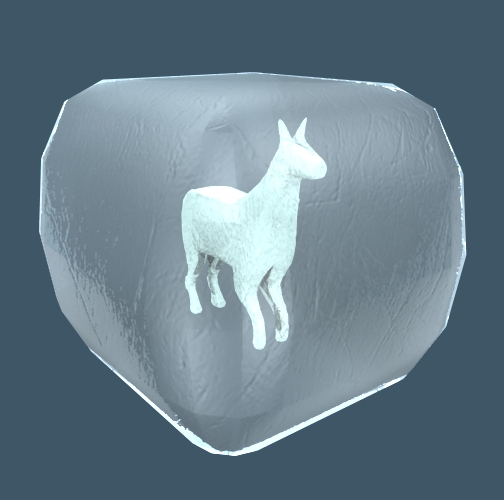
Frozen Colombian Lamina:clintonman wrote:Do you have a sample of the Lamina freezing bug?
- Attachments
-
I prefer dangerous freedom over peaceful servitude. -- Thomas Jefferson/Jean Jacques Rousseau
-
clintonman
- Captain
- Posts: 5659
- Joined: 21 May 2009, 21:08
- Type the number ten into the box: 0
- Location: California
Re: Bad Geometry Assist
Cute.  Useless, but it did give me a smile.
Useless, but it did give me a smile. -
Draise
- Captain
- Posts: 3200
- Joined: 21 Sep 2009, 19:33
- Type the number ten into the box: 0
- Location: Bogota, Colombia
Re: Bad Geometry Assist
hehehehehe 
Yes! Very funny!
The lamina problem happened when I had a selection specified (say only vertices) instead of "polygons" or "select all", thus confusing the script which tried to select a face but couldn't because it had the selection filter on.
I THIIIINK that was what happened, thus blocking TS. But I have not tested again.
Yes! Very funny!
The lamina problem happened when I had a selection specified (say only vertices) instead of "polygons" or "select all", thus confusing the script which tried to select a face but couldn't because it had the selection filter on.
I THIIIINK that was what happened, thus blocking TS. But I have not tested again.
-
clintonman
- Captain
- Posts: 5659
- Joined: 21 May 2009, 21:08
- Type the number ten into the box: 0
- Location: California
Re: Bad Geometry Assist
Update:
Added a button for removing vertices that have no connecting edges.
Added a button for removing vertices that have no connecting edges.
-
trueBlue

- Captain
- Posts: 5548
- Joined: 06 Jul 2009, 22:50
- Type the number ten into the box: 10
Re: Bad Geometry Assist
I just discovered that that this tool needs Clinton's 3D Plugin (rsx) installed and loaded.
http://www.clintons3d.com/plugins/trues ... index.html"
This was included in the Unofficial 3 update for the Full and Standalone versions, so these need to be noted or updated.
http://www.clintons3d.com/plugins/trues ... index.html"
This was included in the Unofficial 3 update for the Full and Standalone versions, so these need to be noted or updated.
-
clintonman
- Captain
- Posts: 5659
- Joined: 21 May 2009, 21:08
- Type the number ten into the box: 0
- Location: California
Re: Bad Geometry Assist
It's been more than 10 years since the last update.
The tool has been renamed to "Geometry Selection Utilitities", because it's a bunch of selection tools and only 1 fix it tool.
Improvements:
faster - some old functions could take a whole day to run
better feedback using the status line
select zero area triangles is now select zero area polygons
http://clintons3d.com/plugins/truespace ... ities.html
3DBuzz video "016-cleanup" shows how the original tools work in Maya.
https://archive.org/download/3dbuzz-arc ... gon-tools/
Maya has cleanup options, this trueSpace tool only selects elements.
Edit: Dec 22 2023, moved page from utilities into modeling
The tool has been renamed to "Geometry Selection Utilitities", because it's a bunch of selection tools and only 1 fix it tool.
Improvements:
faster - some old functions could take a whole day to run
better feedback using the status line
select zero area triangles is now select zero area polygons
http://clintons3d.com/plugins/truespace ... ities.html
3DBuzz video "016-cleanup" shows how the original tools work in Maya.
https://archive.org/download/3dbuzz-arc ... gon-tools/
Maya has cleanup options, this trueSpace tool only selects elements.
Edit: Dec 22 2023, moved page from utilities into modeling