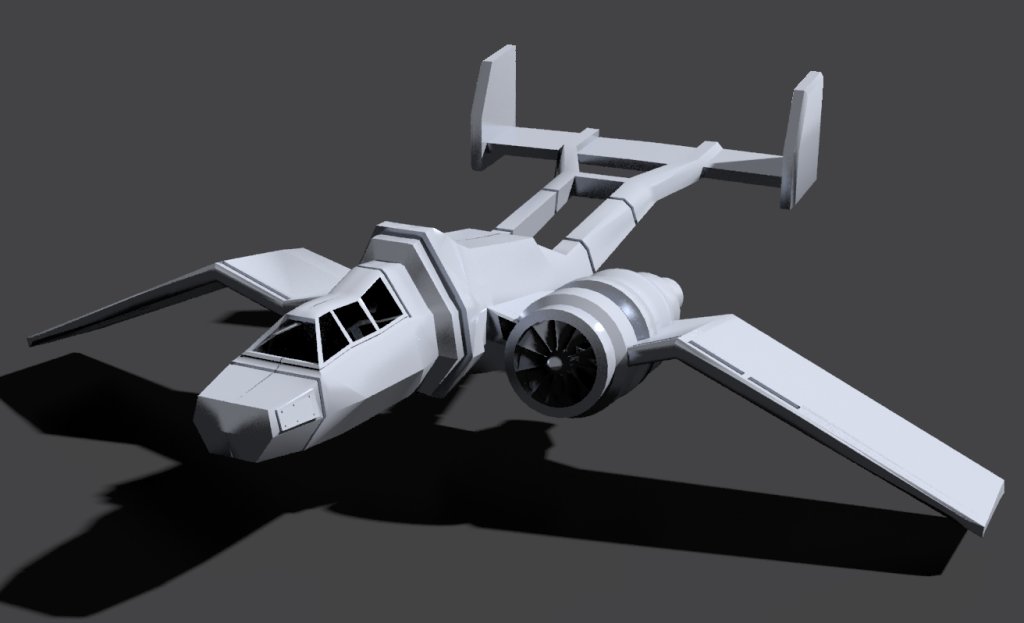
I decided to start a new Subject since I decided to quit fooling with blender and focus on truespace;
I actually like working in TS Workspace side , (much more that blender), so I decided to try and model this again is truespace. I only needed to use just a few commands
to do the model so I have no trouble remembering what they are. I am not trying to copy exactly but just the general model.
The rendering is done in yafaRay. Got about 80 percent of model done and so far no real problems. All of the edges of the model in blender had a modifier
applied to sharpen the edges. I don't think truespace has an option to do that, but so far most of the edges do look pretty sharp.
The original image (and model) was done by someone using Daz, but I don't know who, otherwise I would add credit.
Forgetting Blender for TS
-
FHembree

- Master Chief Petty Officer
- Posts: 337
- Joined: 21 Feb 2011, 17:43
- Type the number ten into the box: 9
Forgetting Blender for TS
- Attachments
-
-

-
FHembree
- Master Chief Petty Officer
- Posts: 337
- Joined: 21 Feb 2011, 17:43
- Type the number ten into the box: 9
Re: Forgetting Blender for TS
Here is the model pretty much complete.
Maybe a few final item to add to finish it. All done in ts workspace side and rendered in yafaRay.
Maybe a few final item to add to finish it. All done in ts workspace side and rendered in yafaRay.
- Attachments
-

-
Draise

- Captain
- Posts: 3200
- Joined: 21 Sep 2009, 19:33
- Type the number ten into the box: 0
- Location: Bogota, Colombia
Re: Forgetting Blender for TS
I do like modeling in the WS a lot too.. the viewport and visibility and the basic yet powerful tools makes it speedy to work... and I love the orientation controls for moving things without widgets.
-
seppgirty

- Master Chief Petty Officer
- Posts: 354
- Joined: 22 May 2009, 03:34
- Type the number ten into the box: 0
- Location: pittsburgh Pa.
Re: Forgetting Blender for TS
I defantly like using truespace over blender. Truespace's workflow seems more thought out and simpler.
truespace 3.2, 5.2, 6.6, ani-pack, flash plugin,........ you can check out my films athttp://www.chaosbrosfilms.com
-
BNG

- Chief Warrant Officer
- Posts: 684
- Joined: 16 Oct 2009, 03:26
- Type the number ten into the box: 0
- Location: Texas
Re: Forgetting Blender for TS
Blender has a long way to go before most Truespace oriented modelers can get behind using it. TS, on the other hand is well organized in some very important ways. I still prefer the model side over work space in terms of preference. Nice model btw.
Casual Truespace 3D modeling hobbyist. My Truespace blog and simple 3d Modeling Tutorials for Casual Model Makers.
-
FHembree
- Master Chief Petty Officer
- Posts: 337
- Joined: 21 Feb 2011, 17:43
- Type the number ten into the box: 9
Re: Forgetting Blender for TS
Thanks,BNG wrote:Blender has a long way to go before most Truespace oriented modelers can get behind using it. TS, on the other hand is well organized in some very important ways. I still prefer the model side over work space in terms of preference. Nice model btw.
I just use truespace part time and its hard to do that with blender as you quickly forget most of the short cut keys. Don't have that problem with truespace as I don't use any shortcut keys in
truespace.
Updated view.
- Attachments
-

-
FHembree
- Master Chief Petty Officer
- Posts: 337
- Joined: 21 Feb 2011, 17:43
- Type the number ten into the box: 9
Re: Forgetting Blender for TS
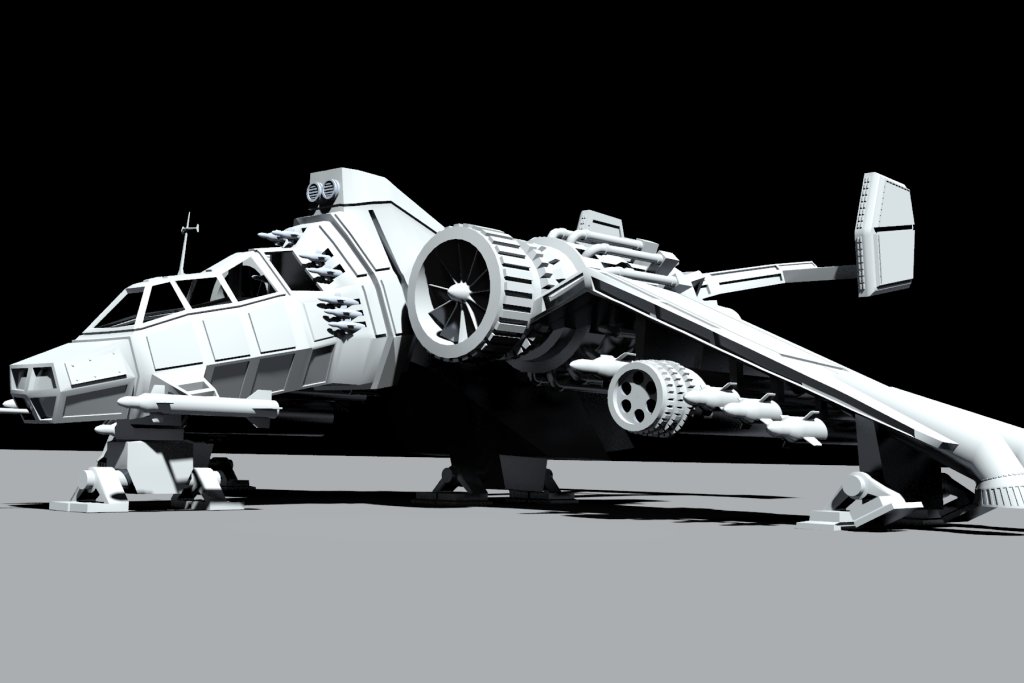
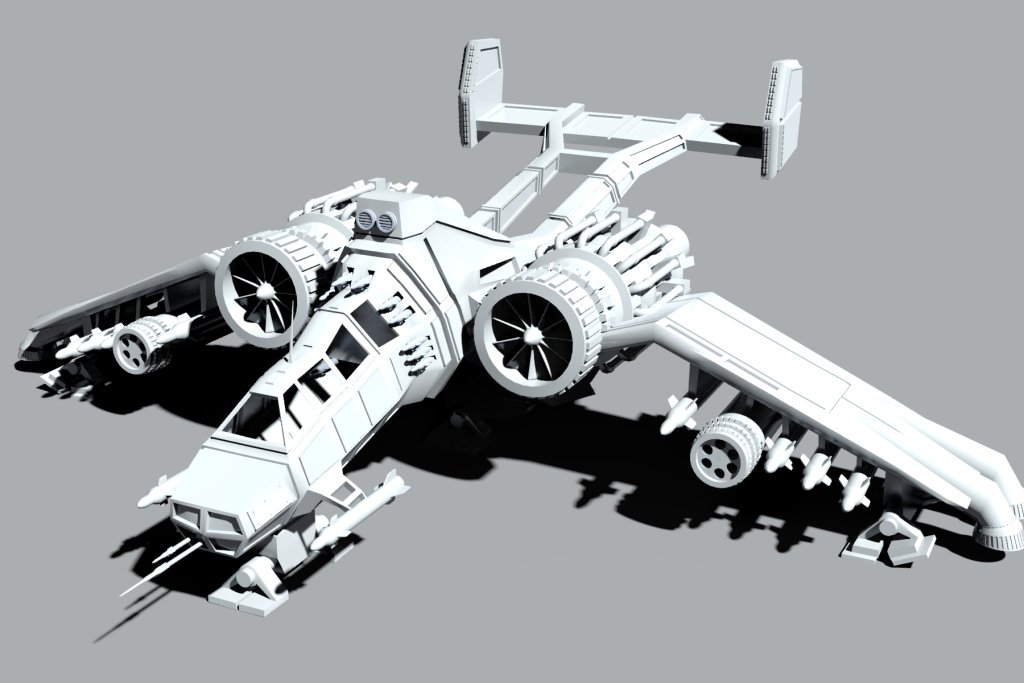
Just wanted to post an updated image with a few tweaks.
Does anyone know if there is a plugin that allows you to turn off the display of all objects except the currently current selected
object, (similar to blender command), and then turn display of all objects back on, (a toggle type icon).
Does anyone know if there is a plugin that allows you to turn off the display of all objects except the currently current selected
object, (similar to blender command), and then turn display of all objects back on, (a toggle type icon).
- Attachments
-
-
-

-
seppgirty
- Master Chief Petty Officer
- Posts: 354
- Joined: 22 May 2009, 03:34
- Type the number ten into the box: 0
- Location: pittsburgh Pa.
Re: Forgetting Blender for TS
looks great. nice detail. 
truespace 3.2, 5.2, 6.6, ani-pack, flash plugin,........ you can check out my films athttp://www.chaosbrosfilms.com
-
Draise
- Captain
- Posts: 3200
- Joined: 21 Sep 2009, 19:33
- Type the number ten into the box: 0
- Location: Bogota, Colombia
Re: Forgetting Blender for TS
Loving the detail. And that back angle is fricking awesome! Really looking forward to some shaders on your baby! And you were quick to model there! If I ever jump out the dynamic modelign approach of Softimage to get down and dirty to linear modeling, I will definately enjoy it again in trueSpace.
-
FHembree
- Master Chief Petty Officer
- Posts: 337
- Joined: 21 Feb 2011, 17:43
- Type the number ten into the box: 9
Re: Forgetting Blender for TS
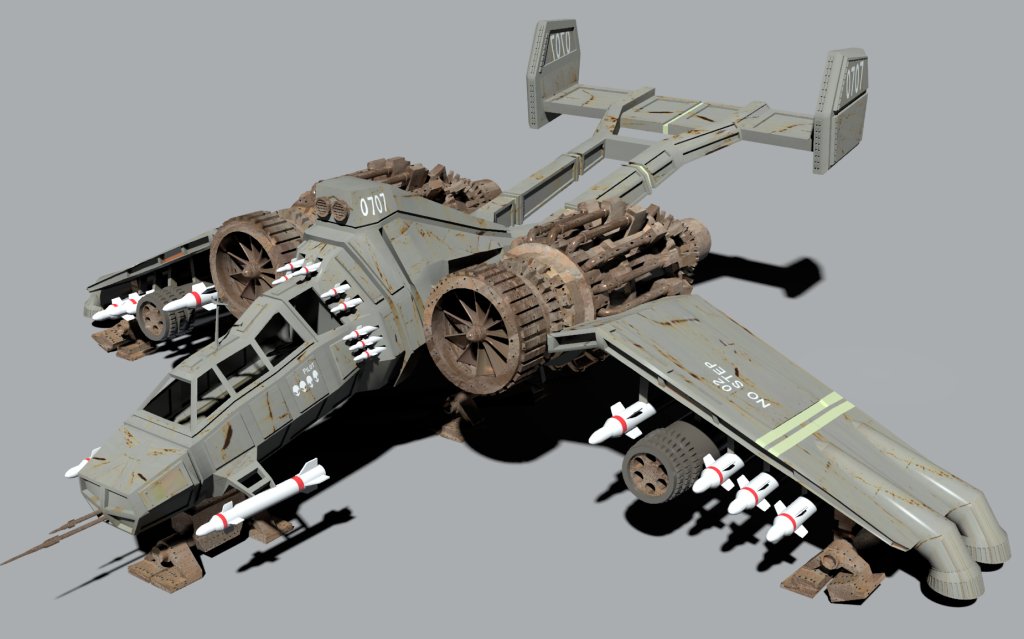
Thanks, I wasn't originally going to do texturing but I decided to go ahead and at least give it a try. Its a chance to learn a
few more things maybe.
It not very good but it was fun experimenting anyway.
few more things maybe.
It not very good but it was fun experimenting anyway.
- Attachments
-
-
Draise
- Captain
- Posts: 3200
- Joined: 21 Sep 2009, 19:33
- Type the number ten into the box: 0
- Location: Bogota, Colombia
Re: Forgetting Blender for TS
hahaha nice one!!!
I highly recommend using the plugin for Gimp Insane Bump, it will generate specular maps, normal maps, whatnots for your textures automatically and really quickly.
And yeah, shading really makes things pop.
Though.. I must admit now this thing looks like it might fall out of the sky in a ball of rusted dust if you fly it too hard. Hahaha
I highly recommend using the plugin for Gimp Insane Bump, it will generate specular maps, normal maps, whatnots for your textures automatically and really quickly.
And yeah, shading really makes things pop.
Though.. I must admit now this thing looks like it might fall out of the sky in a ball of rusted dust if you fly it too hard. Hahaha
-
FHembree
- Master Chief Petty Officer
- Posts: 337
- Joined: 21 Feb 2011, 17:43
- Type the number ten into the box: 9
Re: Forgetting Blender for TS
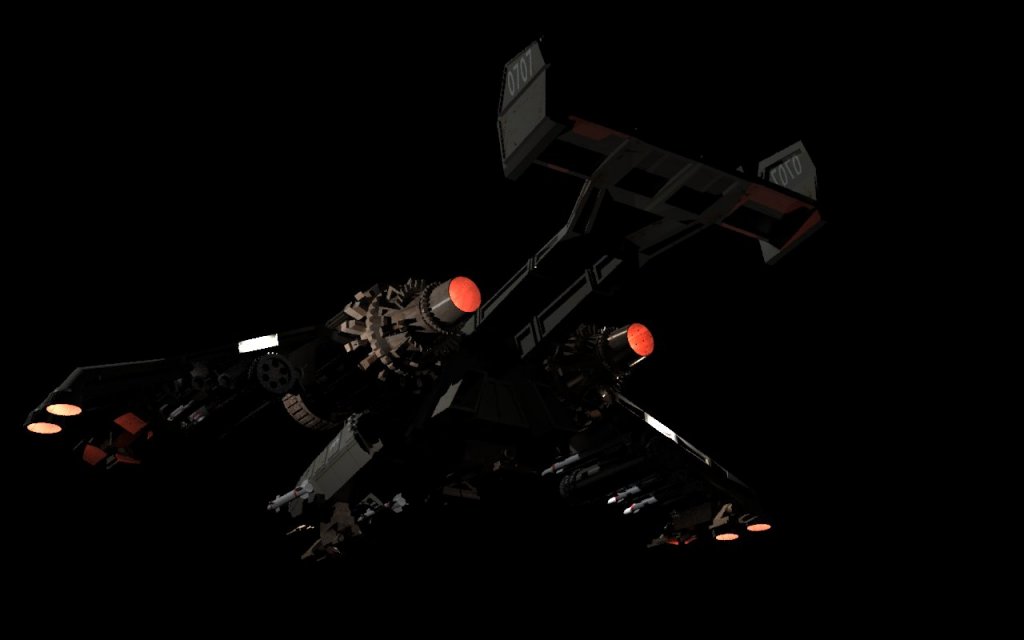
Decided to waste some time by experimenting and adding lights to model.
I tried using the light material in YafRay, but that didn't work, as only the 32 bit version
supports that material and it renders extremely slow. The solution was to use point lights
in YafRay and those all work with the 64 bit version.
I tried using the light material in YafRay, but that didn't work, as only the 32 bit version
supports that material and it renders extremely slow. The solution was to use point lights
in YafRay and those all work with the 64 bit version.
- Attachments
-
-

-
Steinie

- Captain
- Posts: 2958
- Joined: 21 May 2009, 17:38
- Type the number ten into the box: 10
Re: Forgetting Blender for TS
Dang, I wouldn't want to engage a fight with this one!!!
Nice work taking your work further. I think this is really cool stuff and makes a big difference !
Nice work taking your work further. I think this is really cool stuff and makes a big difference !
-
seppgirty
- Master Chief Petty Officer
- Posts: 354
- Joined: 22 May 2009, 03:34
- Type the number ten into the box: 0
- Location: pittsburgh Pa.
Re: Forgetting Blender for TS
That thing is a beast! I want 2 of them.
truespace 3.2, 5.2, 6.6, ani-pack, flash plugin,........ you can check out my films athttp://www.chaosbrosfilms.com
-
FHembree
- Master Chief Petty Officer
- Posts: 337
- Joined: 21 Feb 2011, 17:43
- Type the number ten into the box: 9
Re: Forgetting Blender for TS
Wanted to add an updated rear view. After some research I found that the yafaRay shinny
diffuse material has a check box for using this material as a Emission material. This basically
allows you to use shinny diffuse objects or mesh as a light mesh.
A few TS76 enhancements I have found as very useful:
1. Cycle wire highlight: (Hightlights objects as you move cursor over them and
makes it easier to see what you want to select.
2.Install frame-selection v0.3.1: (zoom to selection)
After install control double click middle mouse button to zoom to
selected object (Never get lost in a view again)
3. Layerz: (Very usefull layering system)
4. Install Visibility Toggle Button v1.5:
(Turn off visibility of selected object)
5. Spotlight Transform Widget installer:
(Add widget manulapator to spot light and other lights)
I also checked and found out there is a new version of yafaRay. It is
version 3.1.1 and I download it and an now using that version in truespace.
Haven't checked docs to see what improvements have been made but glad to see that yafaRay is
still being enhanced.
diffuse material has a check box for using this material as a Emission material. This basically
allows you to use shinny diffuse objects or mesh as a light mesh.
A few TS76 enhancements I have found as very useful:
1. Cycle wire highlight: (Hightlights objects as you move cursor over them and
makes it easier to see what you want to select.
2.Install frame-selection v0.3.1: (zoom to selection)
After install control double click middle mouse button to zoom to
selected object (Never get lost in a view again)
3. Layerz: (Very usefull layering system)
4. Install Visibility Toggle Button v1.5:
(Turn off visibility of selected object)
5. Spotlight Transform Widget installer:
(Add widget manulapator to spot light and other lights)
I also checked and found out there is a new version of yafaRay. It is
version 3.1.1 and I download it and an now using that version in truespace.
Haven't checked docs to see what improvements have been made but glad to see that yafaRay is
still being enhanced.
- Attachments
-
-


-
seppgirty
- Master Chief Petty Officer
- Posts: 354
- Joined: 22 May 2009, 03:34
- Type the number ten into the box: 0
- Location: pittsburgh Pa.
Re: Forgetting Blender for TS
I'm going to have to try again to get yafaray to work. Do you have the link for it?
truespace 3.2, 5.2, 6.6, ani-pack, flash plugin,........ you can check out my films athttp://www.chaosbrosfilms.com
-
FHembree
- Master Chief Petty Officer
- Posts: 337
- Joined: 21 Feb 2011, 17:43
- Type the number ten into the box: 9
Re: Forgetting Blender for TS
Below is the link to website for YafaRay for truespace project where you canseppgirty wrote:I'm going to have to try again to get yafaray to work. Do you have the link for it?
download yafaRay for truespace and also tutorials.
http://www.yafaray4ts.org/"
Once set up and working you can update yafaray to laterst version by downloading
using this link:
http://www.yafaray.org/download"
To use latest download just change the settings in the yafaray Truespace menu to point
to location of the latest version just downloaded.
The latest version is a zip file. For Truespace you unzip the file where you desire, and then in truespace
set location for the yafaray-xml.exe file. For my setup I put the files into folder
c:\YafaRay-3-3-1, so the yafaray-xml.exe file is located in at: C:\yafaRay-3-3-1\bin\yafaray-xml.exe
-
seppgirty
- Master Chief Petty Officer
- Posts: 354
- Joined: 22 May 2009, 03:34
- Type the number ten into the box: 0
- Location: pittsburgh Pa.
Re: Forgetting Blender for TS
Thanks for the info. i'll give it a try as soon as i get a chance.
truespace 3.2, 5.2, 6.6, ani-pack, flash plugin,........ you can check out my films athttp://www.chaosbrosfilms.com