Test Bryce Pro 7 Free
-
FHembree

- Master Chief Petty Officer
- Posts: 337
- Joined: 21 Feb 2011, 17:43
- Type the number ten into the box: 9
Test Bryce Pro 7 Free
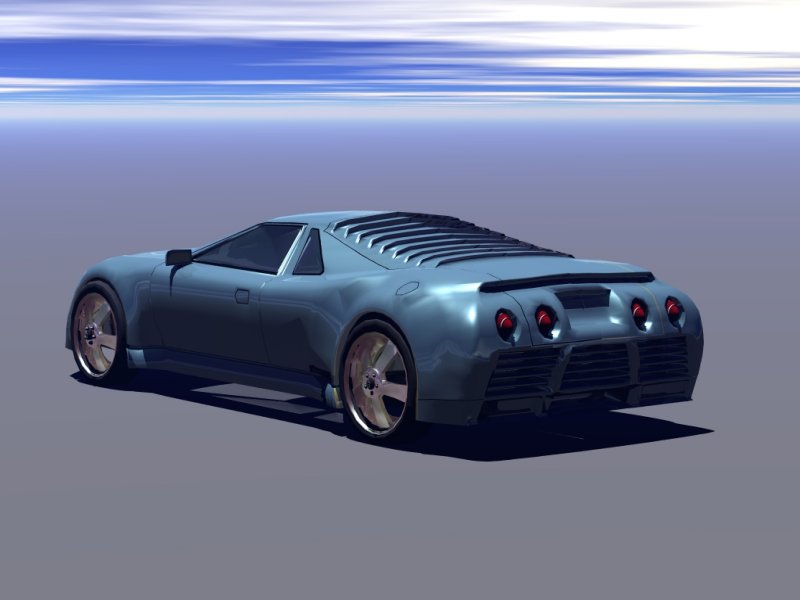
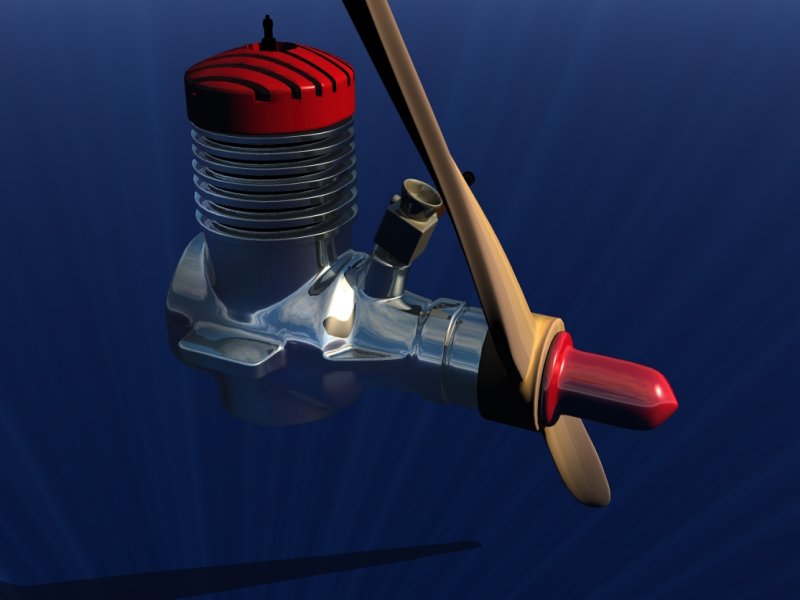
When I first did some test looks I started to delete and not use this software but after looking at some Utube videos I have become a fan of Bryce Pro 7. After learning the icons I think they are excellent. I really like the clouds, fog, & etc little preview icons so you can see instantally what will happen when you adjust the settings. I looked at the import menus and there are a lot of choices. I imported a couple of my truespace scenes and did some renders and its pretty fast and the result are good. Attached are a car I modeled a few years ago in ts and also a model engine.
- Attachments
-
-
-
MikomDude

- Captain
- Posts: 1930
- Joined: 04 Oct 2010, 11:12
- Type the number ten into the box: 0
- Location: The Hague, Netherlands
Re: Test Bryce Pro 7 Free
Hmm, it worked for you to import and render tS scenes so I guess it should work for me as well. What settings did you use?
-
FHembree
- Master Chief Petty Officer
- Posts: 337
- Joined: 21 Feb 2011, 17:43
- Type the number ten into the box: 9
Re: Test Bryce Pro 7 Free
For the model engine I just imported the truespace scene file and Bryce read it without problems.
But that did not work for the car. When I tried it with the car most of the file was missing, about 90%. For the car I had to go in to truespace and export parts of it as obj files. First I did the body, then the wheels, and last the taillights. When I imported the obj files into Bryce I had to move and also rescale them. I think the defualt is to center object when importing, but there probably is a way to change that. Don't know why it read the engine scene file ok, but not the car unless it has to do with file size and complexity. It may have something to do with the fact that the engine was modeled in workspace and the car in modelspace so the may be some bad geometry in the car.
But that did not work for the car. When I tried it with the car most of the file was missing, about 90%. For the car I had to go in to truespace and export parts of it as obj files. First I did the body, then the wheels, and last the taillights. When I imported the obj files into Bryce I had to move and also rescale them. I think the defualt is to center object when importing, but there probably is a way to change that. Don't know why it read the engine scene file ok, but not the car unless it has to do with file size and complexity. It may have something to do with the fact that the engine was modeled in workspace and the car in modelspace so the may be some bad geometry in the car.
-
Draise

- Captain
- Posts: 3200
- Joined: 21 Sep 2009, 19:33
- Type the number ten into the box: 0
- Location: Bogota, Colombia
Re: Test Bryce Pro 7 Free
Yes, I assume you can't have Ngons in your scene, make sure you only have poly's and tris. Also, think about the hyrachies. If they are more than 2 or 3 children deep, maybe Bryce will not read it properly. I'd assume that would be the issue.
-
MikomDude
- Captain
- Posts: 1930
- Joined: 04 Oct 2010, 11:12
- Type the number ten into the box: 0
- Location: The Hague, Netherlands
Re: Test Bryce Pro 7 Free
Oddly enough all of my tS scenes import just fine, the problems come when I want to render to an image. Simply rendering in the window works just fine.
-
bitkar

- Captain
- Posts: 2089
- Joined: 16 Mar 2010, 07:14
- Type the number ten into the box: 0
- Location: Czech Republic
Re: Test Bryce Pro 7 Free
what?? it can read .scn files?
anyway, it should be fast, the rendering looks simple.
anyway, it should be fast, the rendering looks simple.
Michal aka bitkar
tS freak since tS2 (1998) and forever (tS7.61 modeler)
tS freak since tS2 (1998) and forever (tS7.61 modeler)