"MicMac is a free open-source (Cecill-B licence) photogrammetric suite that can be used in a variety of 3D reconstruction scenarios." The suite takes the form of text commands that match images, computes cameras and creates point clouds and meshes.
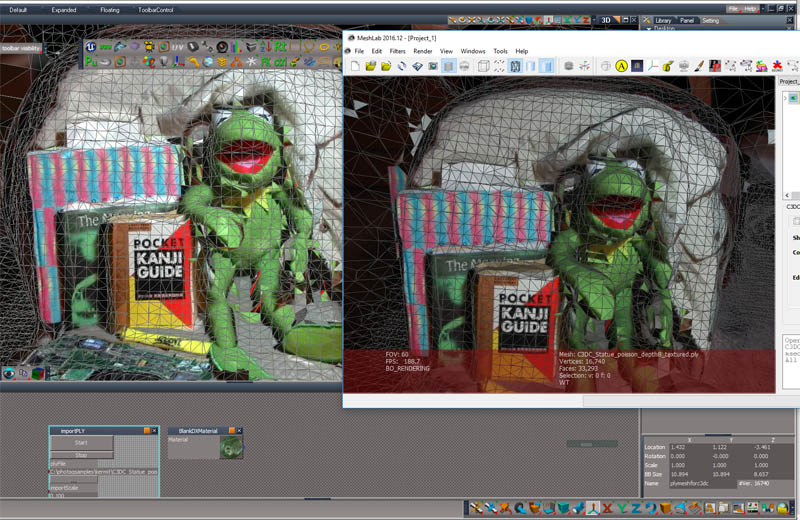
The image (truespace on the left and meshlab on the right shows my test of a ply importer for truespace that reads the textured result from the MicMac suite of commands. I'm creating a gui front end for MicMac using web technologies of electron and nodejs. Nodejs gives javascript access to the computer os and file system and electron can make a standalone package for distribution. I was going to just use Blender to read the ply file but the MicMac texture data is custom and doesn't import with the default blender ply importer and truespace has the advantage of it's realtime D3D display.
http://micmac.ensg.eu/index.php/Presentation
MicMac Photogrammetry
-
clintonman
- Captain
- Posts: 5659
- Joined: 21 May 2009, 21:08
- Type the number ten into the box: 0
- Location: California
MicMac Photogrammetry
-
Draise
- Captain
- Posts: 3200
- Joined: 21 Sep 2009, 19:33
- Type the number ten into the box: 0
- Location: Bogota, Colombia
Re: MicMac Photogrammetry
That's pretty nifty. I always wondered about Photogrammetry. I've seen some amazing results with the right photos.
-
Emmanuel
- Chief Warrant Officer
- Posts: 670
- Joined: 14 Jun 2009, 06:47
Re: MicMac Photogrammetry
Waow, a photogrammetry import solution !
That's VERY interesting. I would like to shoot a tall statue with my DJI drone and generate an STL file from it via a photogrammetry solution. Will your interface allow to import a textured 3D mesh from this photogrammetry software directly into tS ?
-
clintonman
- Captain
- Posts: 5659
- Joined: 21 May 2009, 21:08
- Type the number ten into the box: 0
- Location: California
Re: MicMac Photogrammetry
Yes, the ply import will read a textured mesh from micmac. The micmac programs that create and texture are experimental so it may or may not work well. For instance the texture program has 2 modes basic and the "better" packed mode. My frog test won't work in packed mode. If I try to increase the mesh density beyond the default I get some faces without texture applied. The frog is not a good test set. I need to get or create a better sample before I know what works best.
-
clintonman
- Captain
- Posts: 5659
- Joined: 21 May 2009, 21:08
- Type the number ten into the box: 0
- Location: California
Re: MicMac Photogrammetry
I got all the basic parts working now. It matches points in the images, computes the camera attributes, makes a point cloud, generates a mesh and textures the mesh. Each step is a separate call into MicMac, in fact each step may call several programs inside MicMac. One interesting quirk I found is if a pair of images is too similar it will fail. I got a sample of skull images and the first is almost identical to the last image. Other than that it seems to be working well. The ui is rough and still have a little bit to learn to make a proper electron app.
-
clintonman
- Captain
- Posts: 5659
- Joined: 21 May 2009, 21:08
- Type the number ten into the box: 0
- Location: California
Re: MicMac Photogrammetry
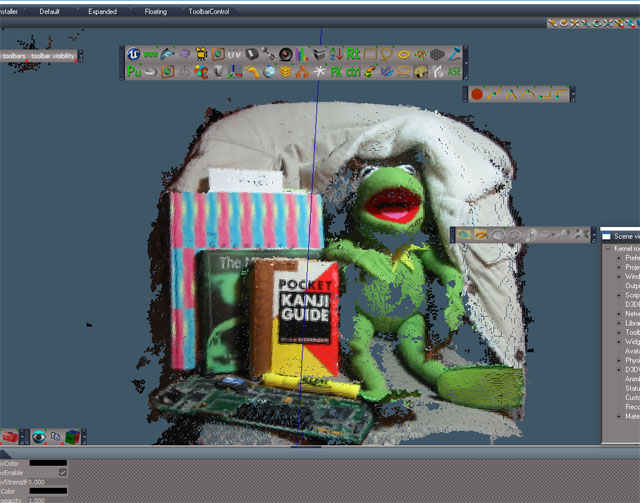
One more change to the truespace ply importer. Can import points only files with vertex color information. Useful for the preview point cloud generator. The image is from the full point cloud build. The actual preview shows just the points that tie the images together along with some points set to represent the camera positions.
-
Draise
- Captain
- Posts: 3200
- Joined: 21 Sep 2009, 19:33
- Type the number ten into the box: 0
- Location: Bogota, Colombia
Re: MicMac Photogrammetry
Fascinating.