I'm going to make a 3D sun. It is to be more stylish than realistic. A steampunk or such sun with gears from my button pushing machine in or around it. I've no idea how to do this so ideas or leads to known methods are welcome. I also so like to optionally add features like prominences and flares.
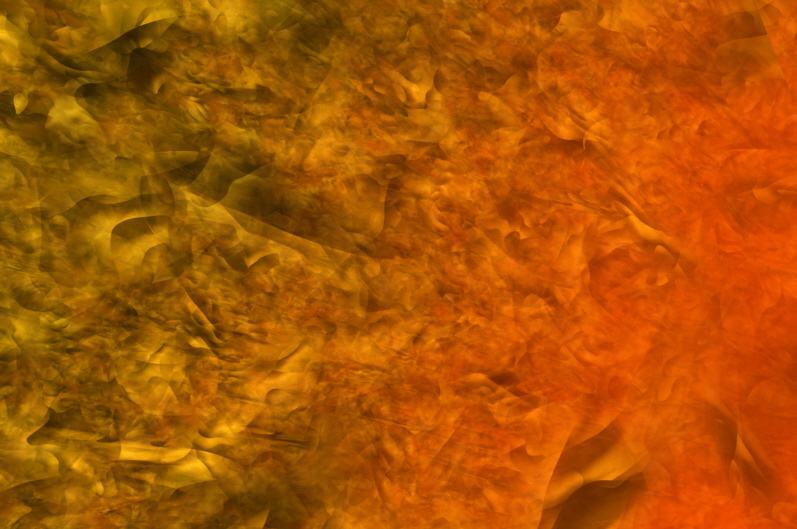
First I'll try using a sphere, or some concentric spheres, with textures like the gold background in the upper right here and the glow transparency shader.
3D Sun
-
Finis

- Captain
- Posts: 5410
- Joined: 21 May 2009, 18:26
- Type the number ten into the box: 0
- Location: America!
3D Sun
I prefer dangerous freedom over peaceful servitude. -- Thomas Jefferson/Jean Jacques Rousseau
-
Draise

- Captain
- Posts: 3200
- Joined: 21 Sep 2009, 19:33
- Type the number ten into the box: 0
- Location: Bogota, Colombia
Re: 3D Sun
This is a cool little sun with swirls. I used to spend time with Winamp and this sun visualization that would glow and explode and eb and wane with the beat. It was hypnotizing. I recommend finding it.
The sun below is a simple example done in aftereffects, not by me, but it's funky.
i also found some cool images of some really cool suns i would try to recreate.


Lots of red, lots of black, lots of contrasting color that really would make a sun look like it was coming through a fliter, strong enough to see the flares and spew of flame. Fill it with yellow volumetrics that are shaped by the flares and cogs, and it would be a killer sun! Quite hellish. And in your case, replace red with yellow, and it'd still be cool!
 I won't mind if you don't listen to me, but if you think it's a good idea, go for it!

The sun below is a simple example done in aftereffects, not by me, but it's funky.
i also found some cool images of some really cool suns i would try to recreate.
Lots of red, lots of black, lots of contrasting color that really would make a sun look like it was coming through a fliter, strong enough to see the flares and spew of flame. Fill it with yellow volumetrics that are shaped by the flares and cogs, and it would be a killer sun! Quite hellish. And in your case, replace red with yellow, and it'd still be cool!
I won't mind if you don't listen to me, but if you think it's a good idea, go for it! -
Finis
- Captain
- Posts: 5410
- Joined: 21 May 2009, 18:26
- Type the number ten into the box: 0
- Location: America!
Re: 3D Sun
Thanks Draise. That shutter stock sun looks something like what I want to do. Not so bold but with swirls and stuff. I'll probably use real sun photos for flares and such.
I'm trying to make something based on the "mechanical sun" term I thought of in the button pushing machine thread's volumetrics experiment. I have some images and a style in mind for shirts, prints, etc. and store logos and design for Zazzle stuff based on that. The idea is to imply that the sun is a mechanical device and that the hopefully steampunk looking gears make it shine and make the prominences and such. Also the surroundings will seldom be space but something more atmospheric or nebula-like. That is to be reminiscent of the old era sci fi where there was some blurring of the concepts of flying in air and space travel.
Here are some tests. The sun needs to be gaseous on the outer edge so objects going into it fade into the depths. Anyone done that for water? Probably would work for this.
I made a good looking sun with a sphere with a light in it and the glow transparency shader on the color. It can do turbulence which gives the details while also fading around the edges. The reflectance is Caligari phong with some luminance and a little transparency. Adjusting the shader settings can produce a more mottled appearance like I want but it is a delicate interplay between several settings.
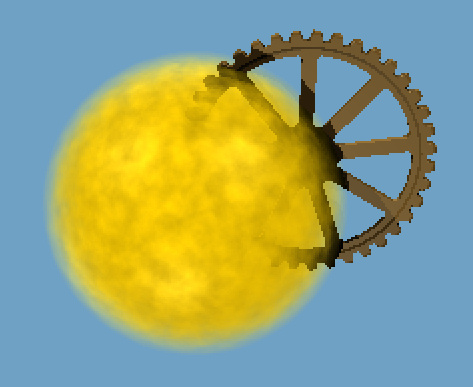
Top image: one sphere with light and shaders. See that the gear doesn't look like I want.
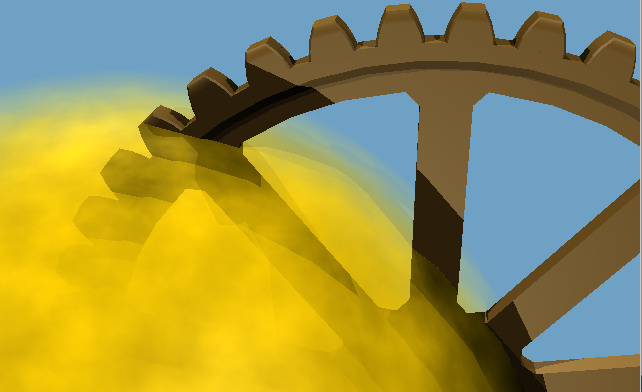
Middle image: Six nested spheres with light and shaders. Gear fades in to depths.
Bottom image: Close up the sphere layers are visible. I need a smooth and adjustable fade or depth effect to tune the look.
TS's volumetrics can produce light rays or shadows in the medium but I haven't been able to contain it inside the sun.
I saw Turbosquid suns for other programs using voxels. I could try using many small spheres as voxels or a particle system of some kind but I don't know if I could get the desired results. Maybe some of this could be done in Paint Shop post processing.
Knowledge, ideas, experience welcome. I know what I want it to look like. How to do it?
I'm trying to make something based on the "mechanical sun" term I thought of in the button pushing machine thread's volumetrics experiment. I have some images and a style in mind for shirts, prints, etc. and store logos and design for Zazzle stuff based on that. The idea is to imply that the sun is a mechanical device and that the hopefully steampunk looking gears make it shine and make the prominences and such. Also the surroundings will seldom be space but something more atmospheric or nebula-like. That is to be reminiscent of the old era sci fi where there was some blurring of the concepts of flying in air and space travel.
Here are some tests. The sun needs to be gaseous on the outer edge so objects going into it fade into the depths. Anyone done that for water? Probably would work for this.
I made a good looking sun with a sphere with a light in it and the glow transparency shader on the color. It can do turbulence which gives the details while also fading around the edges. The reflectance is Caligari phong with some luminance and a little transparency. Adjusting the shader settings can produce a more mottled appearance like I want but it is a delicate interplay between several settings.
Top image: one sphere with light and shaders. See that the gear doesn't look like I want.
Middle image: Six nested spheres with light and shaders. Gear fades in to depths.
Bottom image: Close up the sphere layers are visible. I need a smooth and adjustable fade or depth effect to tune the look.
TS's volumetrics can produce light rays or shadows in the medium but I haven't been able to contain it inside the sun.
I saw Turbosquid suns for other programs using voxels. I could try using many small spheres as voxels or a particle system of some kind but I don't know if I could get the desired results. Maybe some of this could be done in Paint Shop post processing.
Knowledge, ideas, experience welcome. I know what I want it to look like. How to do it?
- Attachments
-
-
-

I prefer dangerous freedom over peaceful servitude. -- Thomas Jefferson/Jean Jacques Rousseau
-
Finis
- Captain
- Posts: 5410
- Joined: 21 May 2009, 18:26
- Type the number ten into the box: 0
- Location: America!
Re: 3D Sun
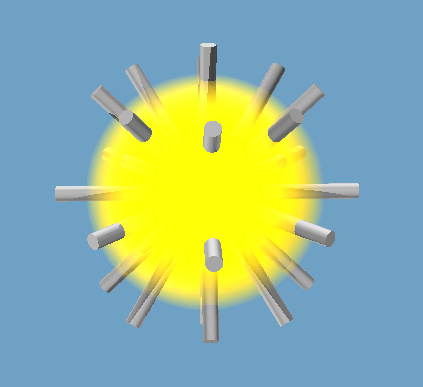
Not the results I want so far. This one uses one sphere with a light inside. Glow transparency shader w/o turbulence since this is a test of depth or how things look as they go into the sphere. Some rods look ok but they are the ones near the edge. That makes sense since the glow shader fades textures from center to edge. It must not be a 3D effect but a 2D one based on viewpoint. See how rods near the middle are just cut off rather than fading into the depths.
MSL_2, above, is the best so far but nested spheres haven't produce suitable FX up close. They have visible effects where things pass through layers.
There must be no cut offs or visible intersections with layers.
This is going to be difficult. I want a steampunk-ish sun with gears or machinery in it, rays of light shining from it, the appearance of depth as gears go in, and some swirls for flares etc. It doesn't have to come all from TS or all in one step or scene. Post processing and compositing is ok. It should be possible to produce many variations once the methods are found and components are made.
Ideas?
MSL_2, above, is the best so far but nested spheres haven't produce suitable FX up close. They have visible effects where things pass through layers.
There must be no cut offs or visible intersections with layers.
This is going to be difficult. I want a steampunk-ish sun with gears or machinery in it, rays of light shining from it, the appearance of depth as gears go in, and some swirls for flares etc. It doesn't have to come all from TS or all in one step or scene. Post processing and compositing is ok. It should be possible to produce many variations once the methods are found and components are made.
Ideas?
- Attachments
-
I prefer dangerous freedom over peaceful servitude. -- Thomas Jefferson/Jean Jacques Rousseau
-
Buzz

- Chief Petty Officer
- Posts: 150
- Joined: 05 Jul 2009, 12:46
- Type the number ten into the box: 0
- Location: Netherlands
Re: 3D Sun
Hi Finis, I think you want something like this. i made a quick scene just to demonstrate how it's done.
For the flameeffect you need the TLF Flame shader.
For the flameeffect you need the TLF Flame shader.
- Attachments
-
-
- sun268ab.zip
- (305.66 KiB) Downloaded 282 times

-
Buzz
- Chief Petty Officer
- Posts: 150
- Joined: 05 Jul 2009, 12:46
- Type the number ten into the box: 0
- Location: Netherlands
Re: 3D Sun
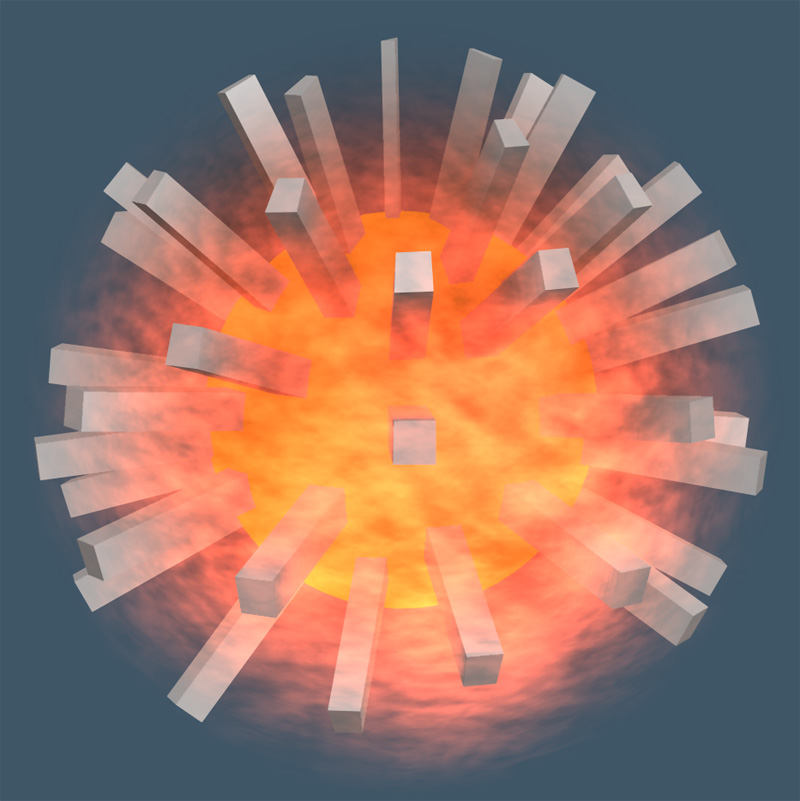
Tweaked it a bit... Looks as if the flames or heat is volumetric.
- Attachments
-
- sun3.zip
- (452.93 KiB) Downloaded 292 times
-
-
Finis
- Captain
- Posts: 5410
- Joined: 21 May 2009, 18:26
- Type the number ten into the box: 0
- Location: America!
Re: 3D Sun
Thanks Buzz. That flame shader could be just the thing I need. Especially if it is really volumetric. It looks good for general use too. Found it here http://members.ozemail.com.au/~snewnham ... flame.html"
The multi-layer or nested sphere (yellow) one with glow is what I did MSL_2 but you demonstrated that a good result is possible with many spheres. There is still banding or visible edges on the spikes in close up. This has to work for very high resolution pictures too (prints, shirts, mugs, etc. for Zazzle ... which is like Cafe Press). Looks like with enough tweaking it could be done.
Playing with TS's voumetrics has shown no way to contain it within a volume. Makes nice rays to overlay in post process though. Also good mottled patterns for textures.
The multi-layer or nested sphere (yellow) one with glow is what I did MSL_2 but you demonstrated that a good result is possible with many spheres. There is still banding or visible edges on the spikes in close up. This has to work for very high resolution pictures too (prints, shirts, mugs, etc. for Zazzle ... which is like Cafe Press). Looks like with enough tweaking it could be done.
Playing with TS's voumetrics has shown no way to contain it within a volume. Makes nice rays to overlay in post process though. Also good mottled patterns for textures.
I prefer dangerous freedom over peaceful servitude. -- Thomas Jefferson/Jean Jacques Rousseau
-
Finis
- Captain
- Posts: 5410
- Joined: 21 May 2009, 18:26
- Type the number ten into the box: 0
- Location: America!
Re: 3D Sun
Played with the TLF flames. The flames on a single sphere show that the depth or volume effect comes from the nested spheres. TLF plus the glow shader, as in sun3 (thanks Buzz), is better than just the glow shader with turbulence. Most view angles avoid the crisp edges on rods at the spheres even in close ups. Also the flame shader opens the possibility of animation.
I might try trueParticles some but it looks like the TLF flame/nested spheres/glow is the best way so far.
I might try trueParticles some but it looks like the TLF flame/nested spheres/glow is the best way so far.
I prefer dangerous freedom over peaceful servitude. -- Thomas Jefferson/Jean Jacques Rousseau
-
spacekdet

- Captain
- Posts: 1810
- Joined: 27 May 2009, 15:00
- Type the number ten into the box: 10
- Location: On the day shift at the Utility Muffin Research Kitchen
Re: 3D Sun
I'll just leave this here.
Setting falloff amount not working for limiting the volumetrics?
(don't want to sidetrack you since it seems you've got a solution already)
Setting falloff amount not working for limiting the volumetrics?
(don't want to sidetrack you since it seems you've got a solution already)
-
trueBlue

- Captain
- Posts: 5548
- Joined: 06 Jul 2009, 22:50
- Type the number ten into the box: 10
Re: 3D Sun
That is cool!
Chapter3 Lighting and Rendering| 79
• Source Attenuation: This parameter controls the attenuation of the volumetrics from the light source. Attenuation is the gradual falloff of light from the source as it spreads out and covers more area. Larger values of Source Attenuation result in the volumetric intensity fading faster from the light source. If the volumetrics are intense for a particular scene, increasing this value will reduce the volumetric light intensity on the objects and limit it near the light sources. For better visibility of the subtle noise and scattering of the volumetric light, this parameter will need to be lowered.
• Surface Attenuation: This parameter controls the darkening of the surfaces of objects relative to the distance from the eye (viewport or camera view). This means that the light between the object‟s surface and the fog is attenuated (modified) by the surface of the fog. Value increases in Surface Attenuation result in far away objects appearing darker than the foreground objects within the volumetric influence. Beware that using a very high surface attenuation value will result in almost all the light reaching the eye from the object surfaces being absorbed, creating black areas. This is similar to having a very dense smoke where no light passes through. The default value is 0 (no attenuation).
• Volume attenuation: Volume attenuation controls the falloff of scattered light, as measured by the distance from the scattering point to the camera or eye view. In other words, adjusting this value controls how bright or how dim far-off scattering effects will appear. With higher volume attenuation values, beams of light will only be visible when located very close to the camera, and will get progressively dimmer the farther they get from the camera. The default value is 0 (no attenuation). Note: The exact amount of attenuation to use in different scenes depends mainly on scene size. You will want to experiment with the settings until you achieve the desired effect. Make subtle changes to these attenuation controls, starting with low values such as 0.01 and slowly increasing to around 0.1 or 0.5.
Chapter3 Lighting and Rendering| 79
• Source Attenuation: This parameter controls the attenuation of the volumetrics from the light source. Attenuation is the gradual falloff of light from the source as it spreads out and covers more area. Larger values of Source Attenuation result in the volumetric intensity fading faster from the light source. If the volumetrics are intense for a particular scene, increasing this value will reduce the volumetric light intensity on the objects and limit it near the light sources. For better visibility of the subtle noise and scattering of the volumetric light, this parameter will need to be lowered.
• Surface Attenuation: This parameter controls the darkening of the surfaces of objects relative to the distance from the eye (viewport or camera view). This means that the light between the object‟s surface and the fog is attenuated (modified) by the surface of the fog. Value increases in Surface Attenuation result in far away objects appearing darker than the foreground objects within the volumetric influence. Beware that using a very high surface attenuation value will result in almost all the light reaching the eye from the object surfaces being absorbed, creating black areas. This is similar to having a very dense smoke where no light passes through. The default value is 0 (no attenuation).
• Volume attenuation: Volume attenuation controls the falloff of scattered light, as measured by the distance from the scattering point to the camera or eye view. In other words, adjusting this value controls how bright or how dim far-off scattering effects will appear. With higher volume attenuation values, beams of light will only be visible when located very close to the camera, and will get progressively dimmer the farther they get from the camera. The default value is 0 (no attenuation). Note: The exact amount of attenuation to use in different scenes depends mainly on scene size. You will want to experiment with the settings until you achieve the desired effect. Make subtle changes to these attenuation controls, starting with low values such as 0.01 and slowly increasing to around 0.1 or 0.5.
-
Finis
- Captain
- Posts: 5410
- Joined: 21 May 2009, 18:26
- Type the number ten into the box: 0
- Location: America!
Re: 3D Sun
Thanks TrueBlue and Spacekdet.
Some limiting of the volumetric effect was possible with the fall off but it doesn't have the look I want. The attenuation settings just turned the volumetrics off even at the lowest nonzero setting. "depends mainly on scene size" is the problem there I think. I'll make the objects bigger and try it. I think I'll still use an object for the sun but the volumetrics info. will help to get good rays and turbulence. The turbulence wasn't making the smoke or streamers I got in other scenes even at the largest scale. I think that's scene size too.
Spacekdet I'm glad you didn't post that link when I was making the button pushing machine. I'd still be making gears. That's just the style of machinery I need for this.
I think I'll get better result from more control over various parts of the image by making them separately and compositing rather than trying to make a single TS scene that does it all.
Some limiting of the volumetric effect was possible with the fall off but it doesn't have the look I want. The attenuation settings just turned the volumetrics off even at the lowest nonzero setting. "depends mainly on scene size" is the problem there I think. I'll make the objects bigger and try it. I think I'll still use an object for the sun but the volumetrics info. will help to get good rays and turbulence. The turbulence wasn't making the smoke or streamers I got in other scenes even at the largest scale. I think that's scene size too.
Spacekdet I'm glad you didn't post that link when I was making the button pushing machine. I'd still be making gears. That's just the style of machinery I need for this.
I think I'll get better result from more control over various parts of the image by making them separately and compositing rather than trying to make a single TS scene that does it all.
I prefer dangerous freedom over peaceful servitude. -- Thomas Jefferson/Jean Jacques Rousseau
-
Finis
- Captain
- Posts: 5410
- Joined: 21 May 2009, 18:26
- Type the number ten into the box: 0
- Location: America!
Re: 3D Sun
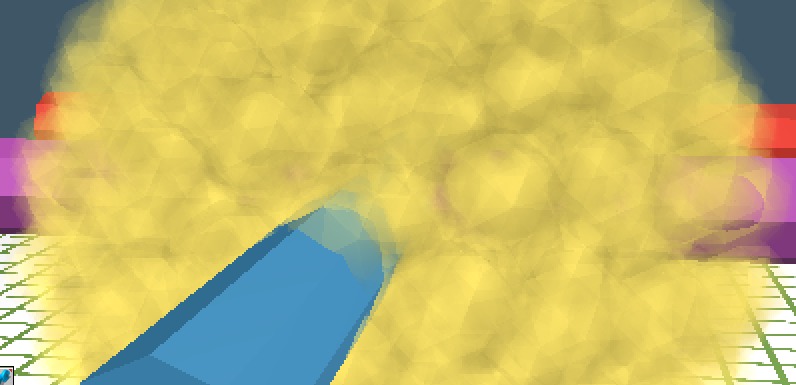
Talk of voxels in another thread spawned this. I tried making a sun with hundreds of spheres. They have the the glow shader as previous objects did. The depth effect looks controllable but there are still visible edges.
Onion skins might work. That would be spheres as layers as done earlier but many many of them. That would probably need each one having a different decreasing transparency going into the sun which would be a texturing nightmare.
This seems to need a genuine three dimensional shader. Maybe a post processing method would work. Ideas?
I'll post a mock up of what I'm trying to do sometime.
Onion skins might work. That would be spheres as layers as done earlier but many many of them. That would probably need each one having a different decreasing transparency going into the sun which would be a texturing nightmare.
This seems to need a genuine three dimensional shader. Maybe a post processing method would work. Ideas?
I'll post a mock up of what I'm trying to do sometime.
- Attachments
-
I prefer dangerous freedom over peaceful servitude. -- Thomas Jefferson/Jean Jacques Rousseau
-
Finis
- Captain
- Posts: 5410
- Joined: 21 May 2009, 18:26
- Type the number ten into the box: 0
- Location: America!
Re: 3D Sun
Tried closely nested spheres. Onion skins. Results were ok but I don't think that will work well enough. Will try some more of that though.
I think I'll check if Kerkythea has any shaders that could do this. Rayman had recommended I learn it and if it can do what I need for 3D sun then I'd be motivated.
I think I'll check if Kerkythea has any shaders that could do this. Rayman had recommended I learn it and if it can do what I need for 3D sun then I'd be motivated.
I prefer dangerous freedom over peaceful servitude. -- Thomas Jefferson/Jean Jacques Rousseau
-
MikomDude

- Captain
- Posts: 1930
- Joined: 04 Oct 2010, 11:12
- Type the number ten into the box: 0
- Location: The Hague, Netherlands
Re: 3D Sun
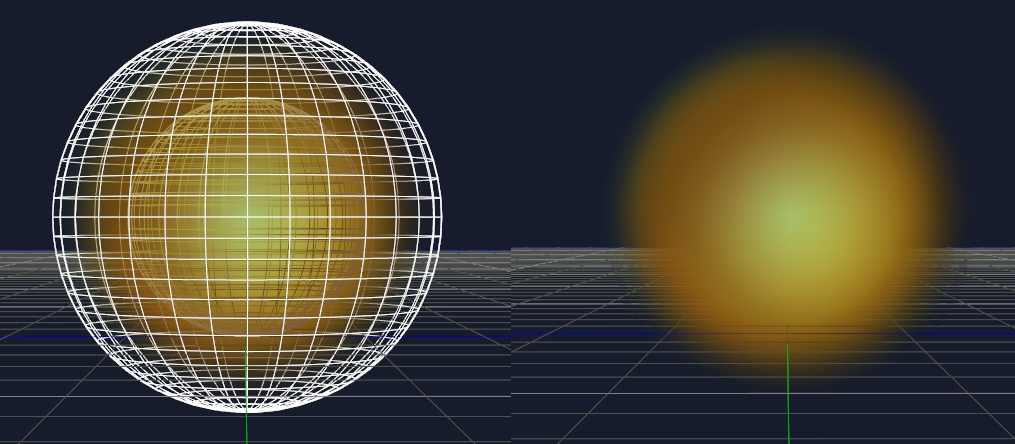
You could try a simpler approach to the sun with some simple inverted spheres.
I attached an image with how I made a 3d sun with 2 spheres. In the model side you could make the material more luminescent and I think you'd get roughly the same result as what you're looking for. I hope this helps, if it doesn't, you have the right to call me a noob
I attached an image with how I made a 3d sun with 2 spheres. In the model side you could make the material more luminescent and I think you'd get roughly the same result as what you're looking for. I hope this helps, if it doesn't, you have the right to call me a noob
- Attachments
-
-
bitkar

- Captain
- Posts: 2089
- Joined: 16 Mar 2010, 07:14
- Type the number ten into the box: 0
- Location: Czech Republic
Re: 3D Sun
i think that combining those two approaches (simple and more complicated) will bring a good result
Michal aka bitkar
tS freak since tS2 (1998) and forever (tS7.61 modeler)
tS freak since tS2 (1998) and forever (tS7.61 modeler)
-
marcel

- Captain
- Posts: 2247
- Joined: 21 May 2009, 19:52
- Type the number ten into the box: 0
- Location: paris - France
Re: 3D Sun
Hi Finis.
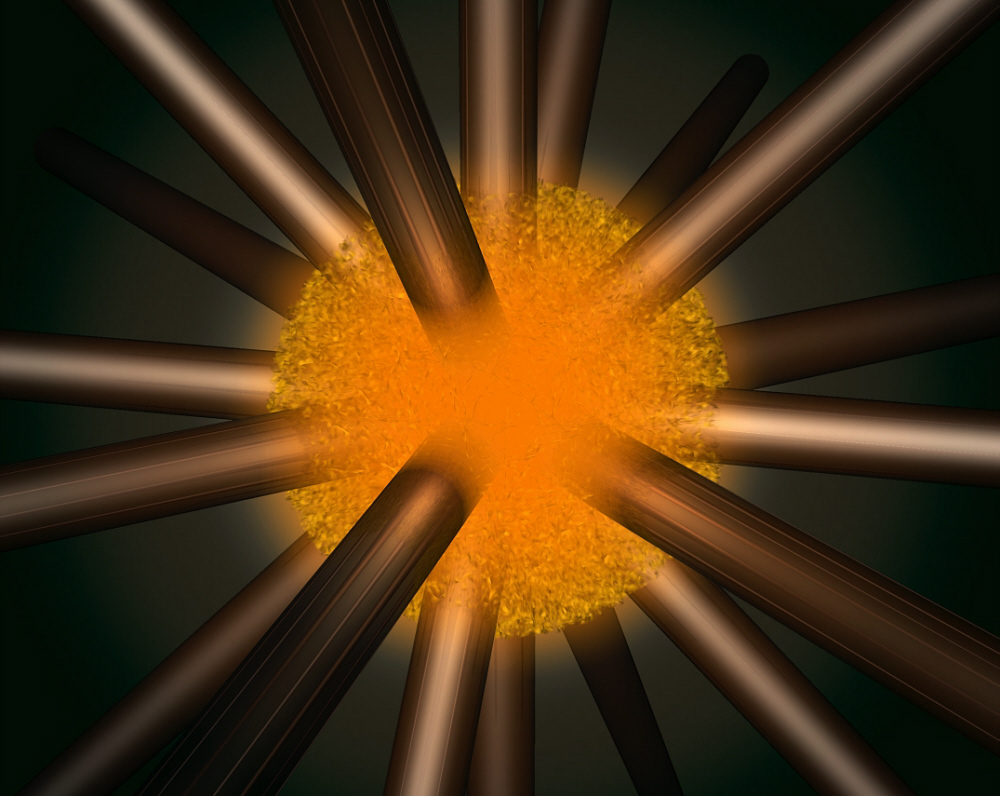
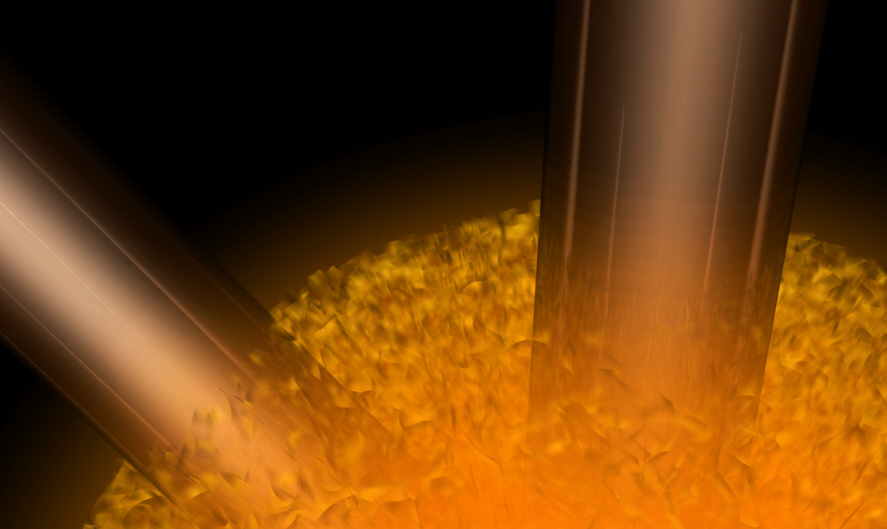
The problem with sphere is the intersection with the object that passes through on the render. To create un smooth transparency sphere, you can use multiple disks with planar uv and use eroded transparency shader and procedural rough bump. The eroder transparency can control the size and the space between the flames (see the zoom). You can add a glow sphere at the center to change the opacity of the center of the sun and to create a luminous atmosphere around the sun.. With the procedural texture you can be very near to see the flames without loosing details.
Hope that help you.
The problem with sphere is the intersection with the object that passes through on the render. To create un smooth transparency sphere, you can use multiple disks with planar uv and use eroded transparency shader and procedural rough bump. The eroder transparency can control the size and the space between the flames (see the zoom). You can add a glow sphere at the center to change the opacity of the center of the sun and to create a luminous atmosphere around the sun.. With the procedural texture you can be very near to see the flames without loosing details.
Hope that help you.
- Attachments
-
-
-

Design - illustration - Animation
http://www.crea-vision.fr
http://www.crea-vision.fr
-
marcel
- Captain
- Posts: 2247
- Joined: 21 May 2009, 19:52
- Type the number ten into the box: 0
- Location: paris - France
Re: 3D Sun
A view from inside the sun. It's hot. Here, the more an object inside the sun is away from the camera, more its appearance will be blurred and bright thanks to multiple disks, as a fog effect.
- Attachments
-
Design - illustration - Animation
http://www.crea-vision.fr
http://www.crea-vision.fr
-
Finis
- Captain
- Posts: 5410
- Joined: 21 May 2009, 18:26
- Type the number ten into the box: 0
- Location: America!
Re: 3D Sun
Thanks everyone.
Mikom I think that is what I did with the glow shader. It looks good for just a star but I need to stick things into it ... gears like from Button Pushing Machine etc. It is a steampunk, sort of, mechanical sun.
Bitkar, yeah it will probably take multiple methods and tools to do the whole project.
Marcel, I think you've got there! I'll try that. I did try planes and disks but I had them rotated around the same axis. Mixing them up like you did helps. Your method gives it a surface and glowing atmosphere while still having depth from any angle and up close in the surface.
Mikom I think that is what I did with the glow shader. It looks good for just a star but I need to stick things into it ... gears like from Button Pushing Machine etc. It is a steampunk, sort of, mechanical sun.
Bitkar, yeah it will probably take multiple methods and tools to do the whole project.
Marcel, I think you've got there! I'll try that. I did try planes and disks but I had them rotated around the same axis. Mixing them up like you did helps. Your method gives it a surface and glowing atmosphere while still having depth from any angle and up close in the surface.
I prefer dangerous freedom over peaceful servitude. -- Thomas Jefferson/Jean Jacques Rousseau
-
Peter
- Senior Chief Petty Officer
- Posts: 170
- Joined: 18 Apr 2010, 15:18
- Type the number ten into the box: 0
- Location: Texas
Re: 3D Sun
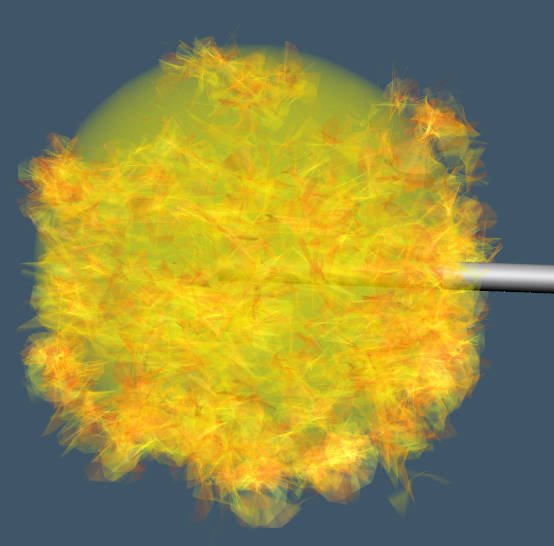
Just to chime in with another option:
On the workspace side:
Try putting hair on a sphere that already has a glow shader.
Make the hair long, curly, and wide.
Give the hair itself a transparency map shader with a cloudy grayscale transparency map. Also give it a fiery ambient texture map. Turn off diffuse.
Play with the transparency settings.
The result doesn't look too bad, but not great.
It does put a big load on my CPU, though. Maybe high poly-count.
Animating the hair might look cool. Maybe animated flame bitmaps.
I didn't play with the settings too much, someone could definitely improve it.
On the workspace side:
Try putting hair on a sphere that already has a glow shader.
Make the hair long, curly, and wide.
Give the hair itself a transparency map shader with a cloudy grayscale transparency map. Also give it a fiery ambient texture map. Turn off diffuse.
Play with the transparency settings.
The result doesn't look too bad, but not great.
It does put a big load on my CPU, though. Maybe high poly-count.
Animating the hair might look cool. Maybe animated flame bitmaps.
I didn't play with the settings too much, someone could definitely improve it.
- Attachments
-
a day without orange juice is like... a day without orange juice