This thread is for my animated Christmas card project which began in 2019.
The goal is a short film not a CG object representing a paper Christmas card. Some parts of the videos will be customized for each recipient. I hope I'm not overly ambitious and can finish this before Christmas.
The theme is toys come to life. A toy train carrying presents winds through the scene. Two action figure toys oppose each other as one tries to stop the train and the other to ensure its arrival.
I'm studying Blender's NLA editor. Its user interface is even worse than the rest of pre-2.8 Blender and has not been improved for 2.8.
https://www.youtube.com/watch?v=84ALxrtBkps
Since I'll use a lot of time learning and animating I'll kit bash items from many of my old projects. I'll also sign up at BlendSwap.
More when I've achieved anything to report.
Christmas Card 2022
-
Finis

- Captain
- Posts: 5410
- Joined: 21 May 2009, 18:26
- Type the number ten into the box: 0
- Location: America!
Christmas Card 2022
Last edited by Finis on 16 Nov 2022, 15:22, edited 5 times in total.
I prefer dangerous freedom over peaceful servitude. -- Thomas Jefferson/Jean Jacques Rousseau
-
RAYMAN

- Captain
- Posts: 2547
- Joined: 21 May 2009, 18:56
Re: Christmas Card 2019
This is what you want to look into!
https://youtu.be/HsOSDYTsG7o
https://youtu.be/HsOSDYTsG7o
-
Finis
- Captain
- Posts: 5410
- Joined: 21 May 2009, 18:26
- Type the number ten into the box: 0
- Location: America!
Re: Christmas Card 2019
@Rayman Yes! I'll make the train track and train motion curved based. Played with curves months ago for a roller coaster and curves are cool.
Still much work for my job so mostly learning, planning, and experimenting now. The grass will be dormant soon and I'll have more free time.
I re-installed trueSpace! I want to kitbash several old CG items and many of them are only in TS format. I tried using Bryce as a converter since it can read TS files and write many formats but it triangulates the models. OK for some use but I want to modify some or continue the old projects in Blender. Triangulation makes some of that difficult. Guess what?! Exporting directly from TS with the luuv plug-in has a no-triangulate option. That saves much time versus remaking them in Blender ... although that is good for improving my Blender modeling skills.
I have a story in mind but attempts to fill in the details, to make a script (actions, no dialog) ... well I'm not really a writer. I'm reading about screenwriting, screenplays, and it is interesting. Also the structure of that is helping me make an animate-able story. A true artist in writing/storytelling would find that restrictive. Structures, rules, formal formats are harmful to artistic freedom and so damage creativity, innovation, etc. Everything takes on a boring sameness. (A "black pill" note for aspiring pros about Hollywood reality on one of the screenwriting sites: sure you are the artist, use any structure you want, but no one will produce your film if you don't use this one.) But, I'm not an arteeest in writing so it helps me to get a semi-decent story at all.
In case this is too ambitious to finish by Christmas I have a fallback plan to make a simpler story using the setting and the train but no animated characters. In that case the main project can be next year's Christmas video.
Still much work for my job so mostly learning, planning, and experimenting now. The grass will be dormant soon and I'll have more free time.
I re-installed trueSpace! I want to kitbash several old CG items and many of them are only in TS format. I tried using Bryce as a converter since it can read TS files and write many formats but it triangulates the models. OK for some use but I want to modify some or continue the old projects in Blender. Triangulation makes some of that difficult. Guess what?! Exporting directly from TS with the luuv plug-in has a no-triangulate option. That saves much time versus remaking them in Blender ... although that is good for improving my Blender modeling skills.
I have a story in mind but attempts to fill in the details, to make a script (actions, no dialog) ... well I'm not really a writer. I'm reading about screenwriting, screenplays, and it is interesting. Also the structure of that is helping me make an animate-able story. A true artist in writing/storytelling would find that restrictive. Structures, rules, formal formats are harmful to artistic freedom and so damage creativity, innovation, etc. Everything takes on a boring sameness. (A "black pill" note for aspiring pros about Hollywood reality on one of the screenwriting sites: sure you are the artist, use any structure you want, but no one will produce your film if you don't use this one.) But, I'm not an arteeest in writing so it helps me to get a semi-decent story at all.
In case this is too ambitious to finish by Christmas I have a fallback plan to make a simpler story using the setting and the train but no animated characters. In that case the main project can be next year's Christmas video.
I prefer dangerous freedom over peaceful servitude. -- Thomas Jefferson/Jean Jacques Rousseau
-
Finis
- Captain
- Posts: 5410
- Joined: 21 May 2009, 18:26
- Type the number ten into the box: 0
- Location: America!
Re: Christmas Card 2019
Successes and mistakes. Images follow in the next post.
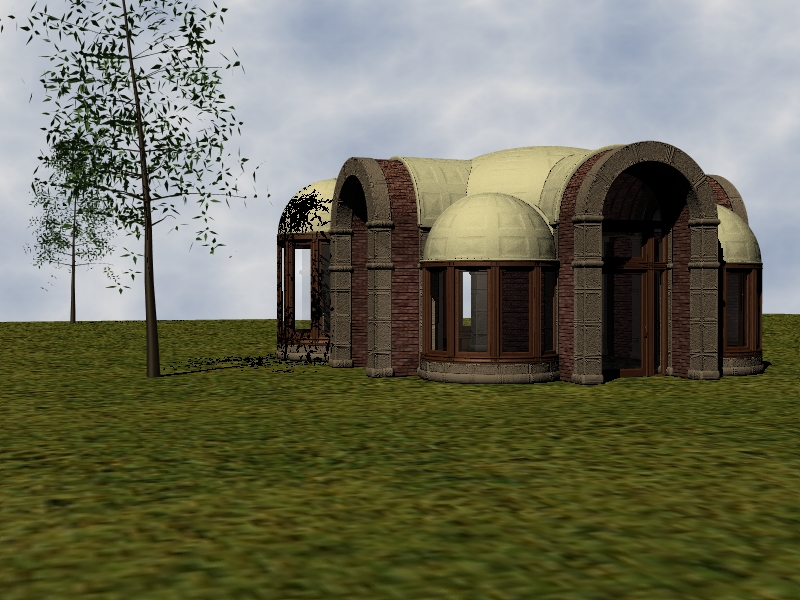
In 2000 I started a project in trueSpace to create a library building. I was never satisfied with the architecture so I didn't finish it. Although that building is a bit grand for a home, I decided to use its style and elements from it for the home in this Christmas project. Converting or importing it from the old .obj or TS files proved challenging. Too challenging. This was a strategic mistake. It took too much time. I should have made a simpler quicker setting and focused on animation and story.
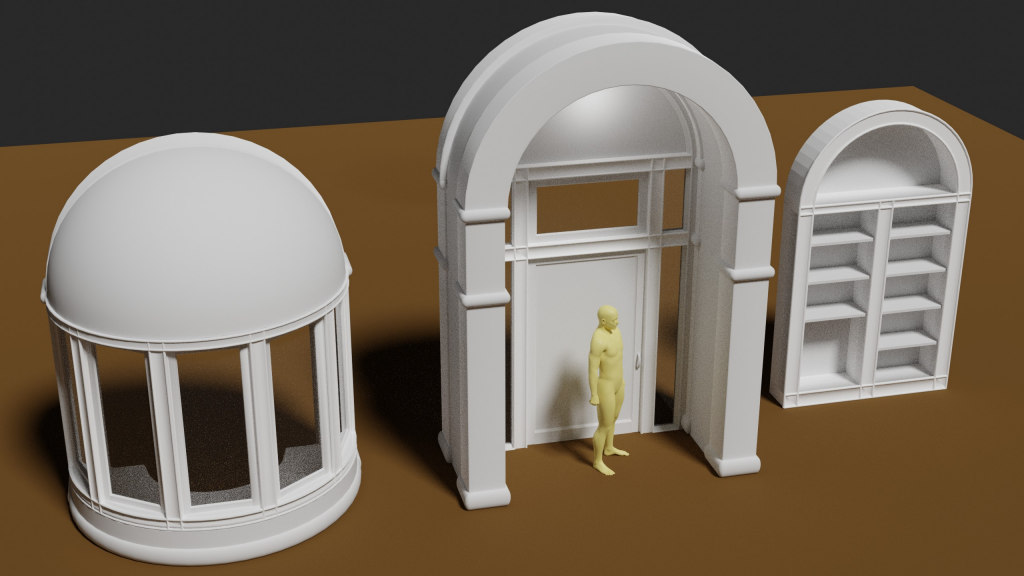
Some pathways from TS to Blender proved useful for general kitbashing where little editing of the object is needed. The bay window needed to be rebuilt in Blender 2.8. I succeeded in doing that using the imported old model as a guide. I also improved my poor Blender modeling skills and learned much.
I'll finish the setting first because a toy train or truck moving through it is the fall back plan if the animated characters prove too ambitious. I'll need the main room, some shelves, a writing or work nook, furniture, a Christmas tree and presents. Special objects on the shelves and work nook provide customization of the video for each recipient while localizing the custom things so they don't appear in other shots or views. That way only some frames have to be re-rendered for each video.
Toys will mostly be kitbashed from my past CG projects and free models perhaps from https://www.blendswap.com. A set of toy blocks will spell a custom message at the end. I learned interesting things while making blocks for this month's challenge.
The story has improved but I still need to work on the villain. Since the good guy is a Jedi with telekinetic power and a working light saber (after magically animating) the bad guy needs to be special too. Instead of the barbarian I planned he will be a super villain with powers. The bad guy's powers must not enable him to attack the Jedi but should be useful in avoiding the Jedi and sabotaging the train. An invisibility device would save me from animating him so much, be a device like the Jedi's sword, and allow a timer or such to show that the power is time limited. Night vision could be his innate power. He could shut of the room's light for advantage vs the Jedi or to escape.
Ideas for villain powers?
In 2000 I started a project in trueSpace to create a library building. I was never satisfied with the architecture so I didn't finish it. Although that building is a bit grand for a home, I decided to use its style and elements from it for the home in this Christmas project. Converting or importing it from the old .obj or TS files proved challenging. Too challenging. This was a strategic mistake. It took too much time. I should have made a simpler quicker setting and focused on animation and story.
Some pathways from TS to Blender proved useful for general kitbashing where little editing of the object is needed. The bay window needed to be rebuilt in Blender 2.8. I succeeded in doing that using the imported old model as a guide. I also improved my poor Blender modeling skills and learned much.
I'll finish the setting first because a toy train or truck moving through it is the fall back plan if the animated characters prove too ambitious. I'll need the main room, some shelves, a writing or work nook, furniture, a Christmas tree and presents. Special objects on the shelves and work nook provide customization of the video for each recipient while localizing the custom things so they don't appear in other shots or views. That way only some frames have to be re-rendered for each video.
Toys will mostly be kitbashed from my past CG projects and free models perhaps from https://www.blendswap.com. A set of toy blocks will spell a custom message at the end. I learned interesting things while making blocks for this month's challenge.
The story has improved but I still need to work on the villain. Since the good guy is a Jedi with telekinetic power and a working light saber (after magically animating) the bad guy needs to be special too. Instead of the barbarian I planned he will be a super villain with powers. The bad guy's powers must not enable him to attack the Jedi but should be useful in avoiding the Jedi and sabotaging the train. An invisibility device would save me from animating him so much, be a device like the Jedi's sword, and allow a timer or such to show that the power is time limited. Night vision could be his innate power. He could shut of the room's light for advantage vs the Jedi or to escape.
Ideas for villain powers?
I prefer dangerous freedom over peaceful servitude. -- Thomas Jefferson/Jean Jacques Rousseau
-
Finis
- Captain
- Posts: 5410
- Joined: 21 May 2009, 18:26
- Type the number ten into the box: 0
- Location: America!
Re: Christmas Card 2019
Pictures of the library project from 2000 and the rebuilt Blender version of the bay window. See previous post for information.
.
.
.
.
.
.

- Bay Window rebuilt in Blender 2.8
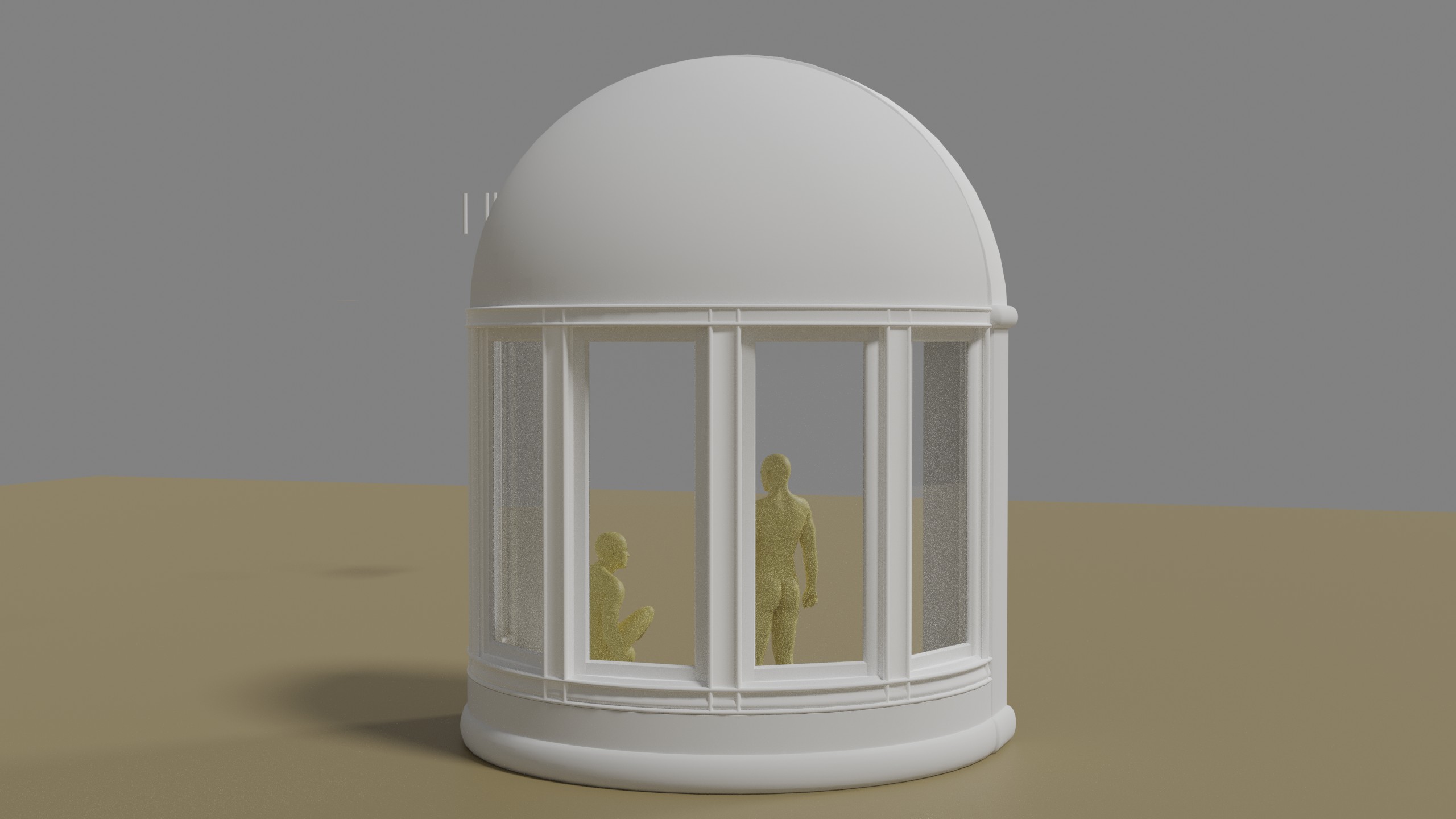
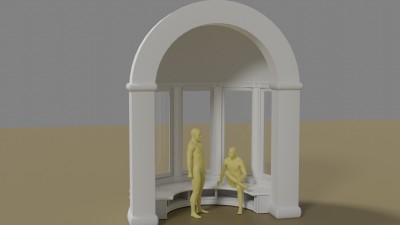
- Bay Window rebuilt in Blender 2.8


- Library Interior
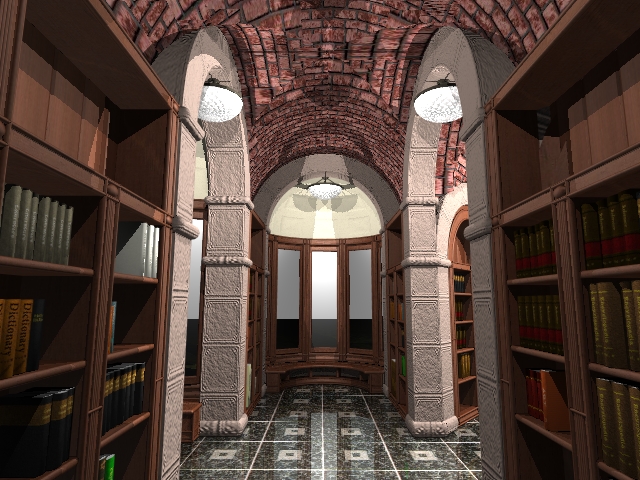
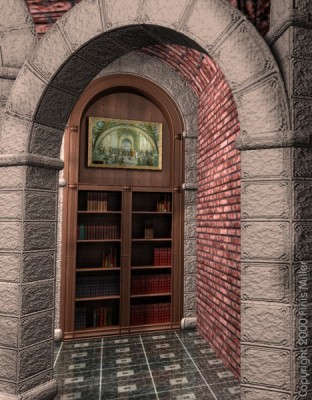
- Library Bookshelf


- Library Exterior
I prefer dangerous freedom over peaceful servitude. -- Thomas Jefferson/Jean Jacques Rousseau
-
MikomDude

- Captain
- Posts: 1930
- Joined: 04 Oct 2010, 11:12
- Type the number ten into the box: 0
- Location: The Hague, Netherlands
Re: Christmas Card 2019
I like the building.  curious to see the end result of this animation.
curious to see the end result of this animation.-
Finis
- Captain
- Posts: 5410
- Joined: 21 May 2009, 18:26
- Type the number ten into the box: 0
- Location: America!
Re: Christmas Card 2019
Thanks Mikom. I never found a design that let the original building to "flow" to create a harmonious whole. That last one was promising though.
I'll post the story after some improvements. Thanks Dragneye for suggesting heavenly glows. Among other things the train will carry an angel decoration. When the train arrives at the Christmas tree the good guy will put it on the tree top and a golden glow will shine there. Hmm, the action figures are about one foot tall (approx. 0.3 meters). Too much animation to have him climb up the tree. Maybe some other toys, like a trampoline, can help.
Here are the features that I want from the library scene for the house in this project. Rebuilt in Blender 2.8. My Blender modeling skills have improved but this still took considerable time. Hopefully I can apply materials without too much trouble.
To save time I'll consider:
- not including a fireplace (it's Christmas warmth so I want one)
- reduce the number of customized scenes
- make only one animated humanoid and use a robot or such as the bad guy
- rendering in 1080p instead of 1440p
- a desk instead of a writing or work nook
- maybe use eevee to render (not the look I want but may be necessary)
- not animate Three Legs from my Star Wars picture
- if I can't do this in time I'll leave the animated characters out and just have the train travel among the presents, arrive at the tree, and toy blocks will spell the custom messages. Then I'd finish the full story later.
trueSpace 7.6 won't load the old TS scene with the main library. Exporting from TS to obj with luuv plugin was the best TS to Blender path I found. I used Bryce as a converter but the results were more troublesome. I think most of my kitbashing will be with later things made in Hexagon and free stuff.
Something I didn't think about is sound. I'll use some Christmas music for the beginning and end credits but the main part needs some Foley sounds and maybe background music. That would take time to find and apply.
The good guy Jedi's name is Tevu. In case that meant something inappropriate in some language I searched the web. It means "fathers" in ... I think it was Latvian.
I'll post the story after some improvements. Thanks Dragneye for suggesting heavenly glows. Among other things the train will carry an angel decoration. When the train arrives at the Christmas tree the good guy will put it on the tree top and a golden glow will shine there. Hmm, the action figures are about one foot tall (approx. 0.3 meters). Too much animation to have him climb up the tree. Maybe some other toys, like a trampoline, can help.
Here are the features that I want from the library scene for the house in this project. Rebuilt in Blender 2.8. My Blender modeling skills have improved but this still took considerable time. Hopefully I can apply materials without too much trouble.
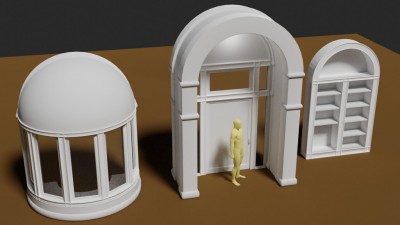
- Rebuilt in Blender 2.80
- not including a fireplace (it's Christmas warmth so I want one)
- reduce the number of customized scenes
- make only one animated humanoid and use a robot or such as the bad guy
- rendering in 1080p instead of 1440p
- a desk instead of a writing or work nook
- maybe use eevee to render (not the look I want but may be necessary)
- not animate Three Legs from my Star Wars picture
- if I can't do this in time I'll leave the animated characters out and just have the train travel among the presents, arrive at the tree, and toy blocks will spell the custom messages. Then I'd finish the full story later.
trueSpace 7.6 won't load the old TS scene with the main library. Exporting from TS to obj with luuv plugin was the best TS to Blender path I found. I used Bryce as a converter but the results were more troublesome. I think most of my kitbashing will be with later things made in Hexagon and free stuff.
Something I didn't think about is sound. I'll use some Christmas music for the beginning and end credits but the main part needs some Foley sounds and maybe background music. That would take time to find and apply.
The good guy Jedi's name is Tevu. In case that meant something inappropriate in some language I searched the web. It means "fathers" in ... I think it was Latvian.
I prefer dangerous freedom over peaceful servitude. -- Thomas Jefferson/Jean Jacques Rousseau
-
bitkar

- Captain
- Posts: 2089
- Joined: 16 Mar 2010, 07:14
- Type the number ten into the box: 0
- Location: Czech Republic
Re: Christmas Card 2019
what? how? Ive never experienced that. And I loaded even very old scenes from like tS3Finis wrote: 16 Nov 2019, 04:07 trueSpace 7.6 won't load the old TS scene with the main library.
Michal aka bitkar
tS freak since tS2 (1998) and forever (tS7.61 modeler)
tS freak since tS2 (1998) and forever (tS7.61 modeler)
-
Draise

- Captain
- Posts: 3200
- Joined: 21 Sep 2009, 19:33
- Type the number ten into the box: 0
- Location: Bogota, Colombia
Re: Christmas Card 2019
Looks like a great project. I love the architecture so far.
-
Finis
- Captain
- Posts: 5410
- Joined: 21 May 2009, 18:26
- Type the number ten into the box: 0
- Location: America!
Re: Christmas Card 2019
Thanks Draise!
@Bitkar Maybe something is wrong with the scene file. It loaded one scene but with the main library scene it complained about missing textures (same for the loadable one) then crashed when I clicked OK or whatever on the last texture complaint screen. Bryce could load it but it triangulates everything. Those objects are redone in Blender now. I hope I can use other TS items without this trouble but I don't think I'll be using many of them.
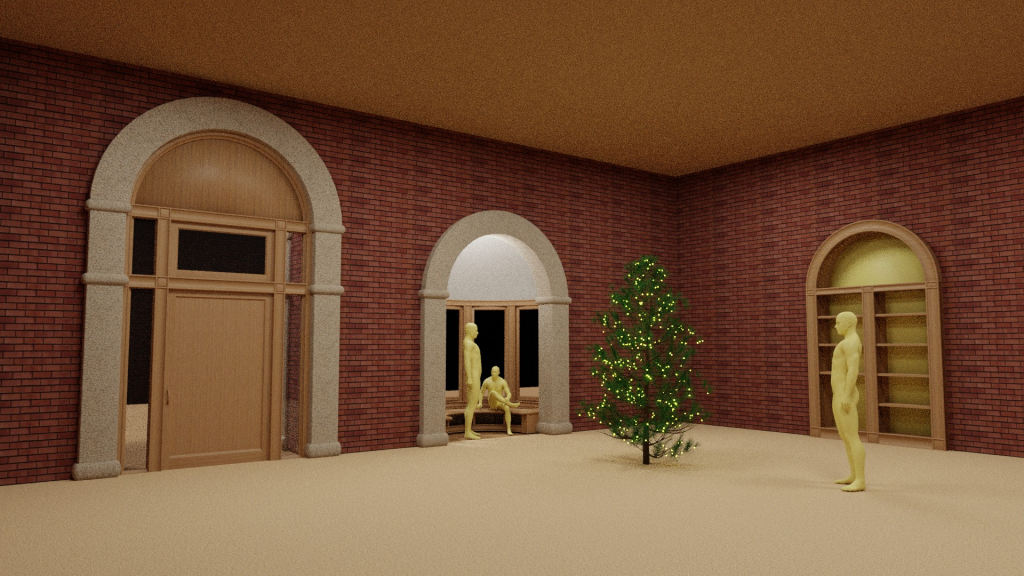
UV's and materials. I found the tabs (shading, uv) in B2.8 helpful. They provide a set up good for each action with a click. Ctrl-L, is a good thing to copy materials and UV's to multiple objects. They must have the same mesh except for scale and rotate. The UV cube, unwraps, etc. work better if you Apply the rotation and scale of the objects first. You must have faces selected in edit mode to do UV's.
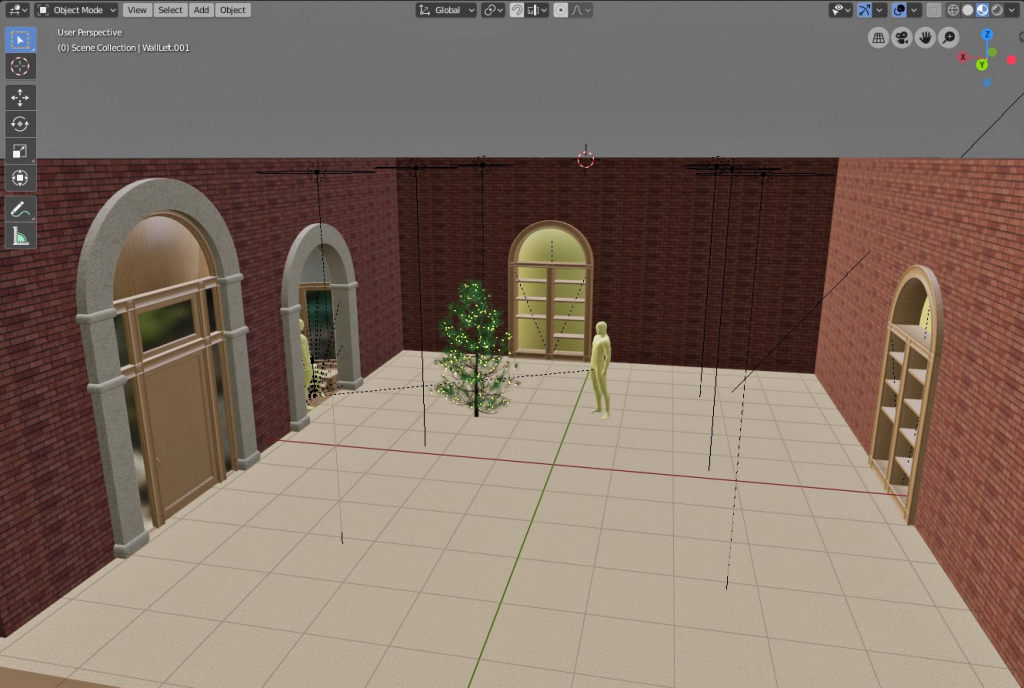
Building the room now. The ceiling is high. A vaulted, domed, or arched ceiling should work but that is part of the design trouble before. Have to move along so the room will be close to this. I'll make a closed interior door. That can fill wall space in a few places.
Blender has collections and parenting. You can use those to organize your objects and manipulate them as a group but the simplicity and effectiveness of TS's groups was better.
The door, bay window, and shelf have non-rendering objects for Boolean subtraction included. That cuts out the wall. Add a Boolean modifier to a wall using that object. That way I can move the door etc. where ever I want. The Boolean moves with it.
@Bitkar Maybe something is wrong with the scene file. It loaded one scene but with the main library scene it complained about missing textures (same for the loadable one) then crashed when I clicked OK or whatever on the last texture complaint screen. Bryce could load it but it triangulates everything. Those objects are redone in Blender now. I hope I can use other TS items without this trouble but I don't think I'll be using many of them.
UV's and materials. I found the tabs (shading, uv) in B2.8 helpful. They provide a set up good for each action with a click. Ctrl-L, is a good thing to copy materials and UV's to multiple objects. They must have the same mesh except for scale and rotate. The UV cube, unwraps, etc. work better if you Apply the rotation and scale of the objects first. You must have faces selected in edit mode to do UV's.
Building the room now. The ceiling is high. A vaulted, domed, or arched ceiling should work but that is part of the design trouble before. Have to move along so the room will be close to this. I'll make a closed interior door. That can fill wall space in a few places.
Blender has collections and parenting. You can use those to organize your objects and manipulate them as a group but the simplicity and effectiveness of TS's groups was better.
The door, bay window, and shelf have non-rendering objects for Boolean subtraction included. That cuts out the wall. Add a Boolean modifier to a wall using that object. That way I can move the door etc. where ever I want. The Boolean moves with it.
- Attachments
-
-
-

I prefer dangerous freedom over peaceful servitude. -- Thomas Jefferson/Jean Jacques Rousseau
-
Finis
- Captain
- Posts: 5410
- Joined: 21 May 2009, 18:26
- Type the number ten into the box: 0
- Location: America!
Re: Christmas Card 2019
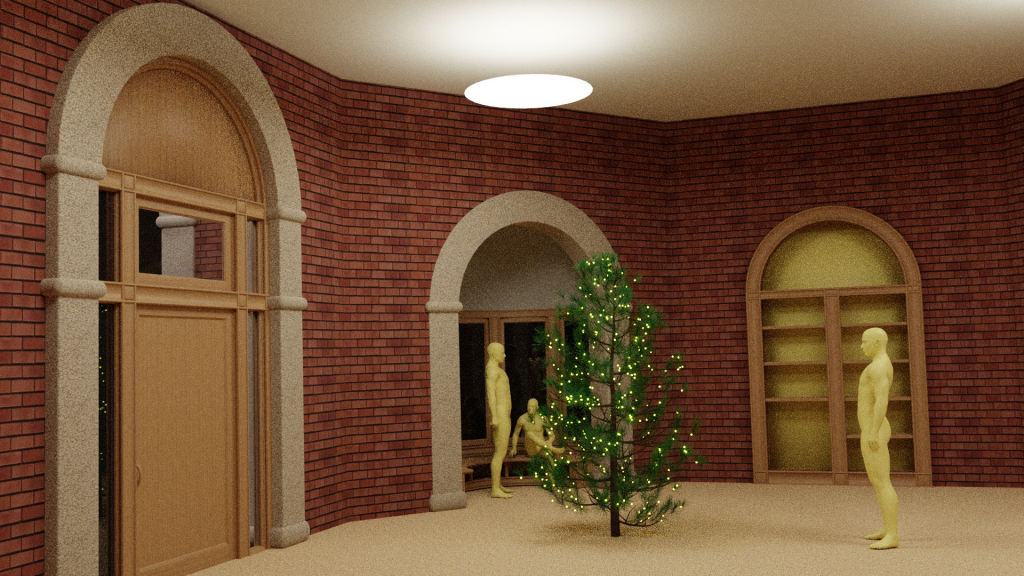
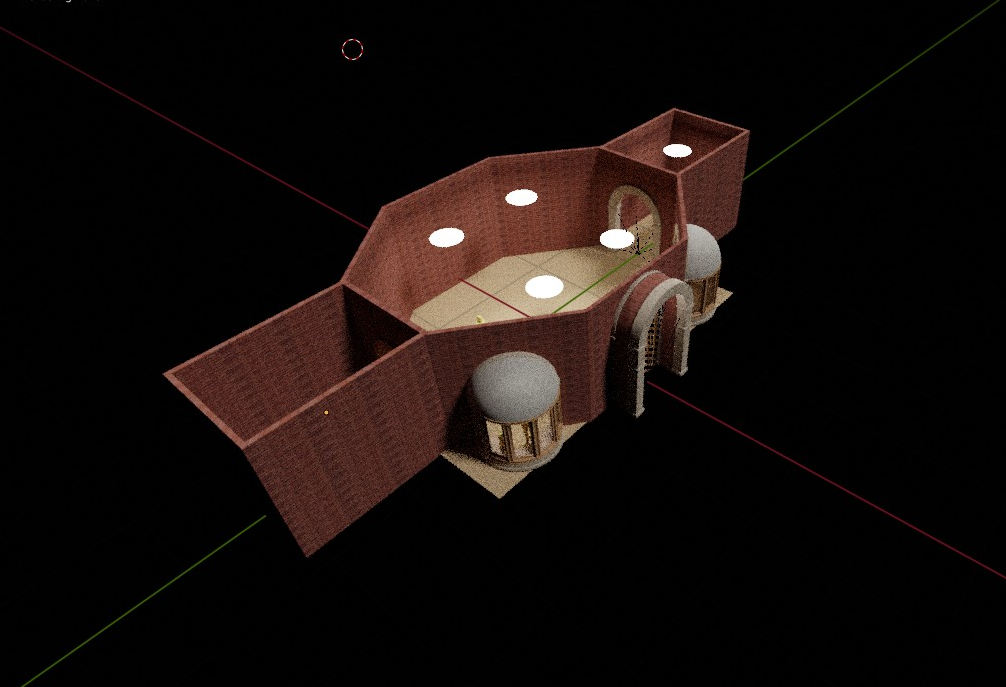
I made the main room octagonal and added a dining room to the side. I'll add a closed door based on a bookshelf arch. If there is time there can be a fireplace. The textures could use some fine tuning but too much else to do. Next is furniture, toy train, and decorations.
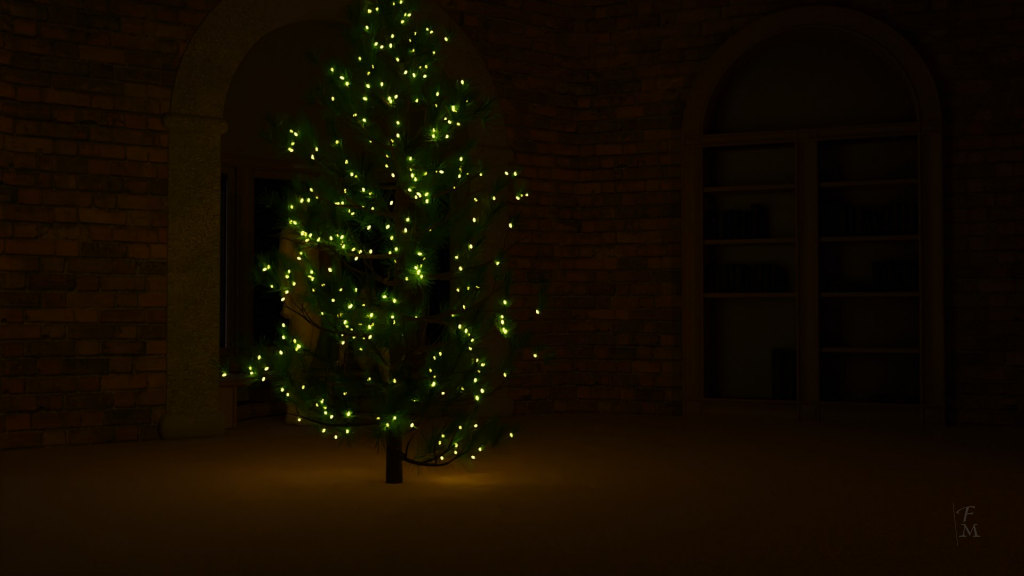
The tree has 300 particle instances of a light emitting icosphere. Surprisingly, the lights only add about one second to render time. The other bay window can be the writing nook with some customized items. Little of the room is visible in the camera view with the defaults. I read that 28mm focal length is popular for movies. That expanded the view but there is much distortion. 35 or 40mm works and tighter views are fine for many shots since it is about the characters and objects rather than the room.
The tree has 300 particle instances of a light emitting icosphere. Surprisingly, the lights only add about one second to render time. The other bay window can be the writing nook with some customized items. Little of the room is visible in the camera view with the defaults. I read that 28mm focal length is popular for movies. That expanded the view but there is much distortion. 35 or 40mm works and tighter views are fine for many shots since it is about the characters and objects rather than the room.
- Attachments
-
-
-

I prefer dangerous freedom over peaceful servitude. -- Thomas Jefferson/Jean Jacques Rousseau
-
Finis
- Captain
- Posts: 5410
- Joined: 21 May 2009, 18:26
- Type the number ten into the box: 0
- Location: America!
Re: Christmas Card 2019
Collecting free models for furniture and set dressing. Still working on textures but they are ok. Made a fireplace plus free log and container models. Fire simulation takes a while to render so I might not have fire in the finished animation. Will have more dramatic lighting. Dark scenes were noisy and the denoiser made splotches. B2.81 to the rescue! The new Intel denoiser did great on the dark scene and reduced render time for light scenes by needing fewer samples. The stonework, columns, arches, need a different material.
What do you think would be good for the panel in the fireplace arch? I don't think the wood works there.
Instead of invisibility the bad guy will have teleportation. That way I don't have to animate him as much and Tevu can find him when he reappears. Then how will Tevu capture him? He has to clap or some similar gesture to do it. Tevu will prevent him from doing that.
What do you think would be good for the panel in the fireplace arch? I don't think the wood works there.
Instead of invisibility the bad guy will have teleportation. That way I don't have to animate him as much and Tevu can find him when he reappears. Then how will Tevu capture him? He has to clap or some similar gesture to do it. Tevu will prevent him from doing that.
- Attachments
-
-

I prefer dangerous freedom over peaceful servitude. -- Thomas Jefferson/Jean Jacques Rousseau
-
Draise
- Captain
- Posts: 3200
- Joined: 21 Sep 2009, 19:33
- Type the number ten into the box: 0
- Location: Bogota, Colombia
Re: Christmas Card 2019
I like the warm lighting of the table, very nice.
-
Finis
- Captain
- Posts: 5410
- Joined: 21 May 2009, 18:26
- Type the number ten into the box: 0
- Location: America!
Re: Christmas Card 2019
Thanks Draise.
This won't be done before Christmas. I'd rather deliver it by then but I'll try to finish by the end of January.
I've added several set dressing pieces and some furniture. Next are few lamps, some pictures on the walls, Christmas decorations, and presents. I need to arrange the furniture and items so that customized items aren't visible or aren't noticeable except when intended.
The free stuff is from BlendSwap and Free3D. Some of it is for Blender Internal or isn't finished or otherwise needs work. Some of it may be stolen, may not have been made by the person claiming to have made it, etc. BlendSwap sometimes has notes with a model stating a license that is different than shown on the web page for the item.
My method to use free stuff has been to create a new blend file with the free model where I modify it as needed. I put the model's parts in a collection. I make a text file noting the author, license, and where I got the model for attribution/credits. Then I use File->Append to copy the collection from those files into the working scene.
This won't be done before Christmas. I'd rather deliver it by then but I'll try to finish by the end of January.
I've added several set dressing pieces and some furniture. Next are few lamps, some pictures on the walls, Christmas decorations, and presents. I need to arrange the furniture and items so that customized items aren't visible or aren't noticeable except when intended.
The free stuff is from BlendSwap and Free3D. Some of it is for Blender Internal or isn't finished or otherwise needs work. Some of it may be stolen, may not have been made by the person claiming to have made it, etc. BlendSwap sometimes has notes with a model stating a license that is different than shown on the web page for the item.
My method to use free stuff has been to create a new blend file with the free model where I modify it as needed. I put the model's parts in a collection. I make a text file noting the author, license, and where I got the model for attribution/credits. Then I use File->Append to copy the collection from those files into the working scene.
I prefer dangerous freedom over peaceful servitude. -- Thomas Jefferson/Jean Jacques Rousseau
-
Finis
- Captain
- Posts: 5410
- Joined: 21 May 2009, 18:26
- Type the number ten into the box: 0
- Location: America!
Re: Christmas Card 2019
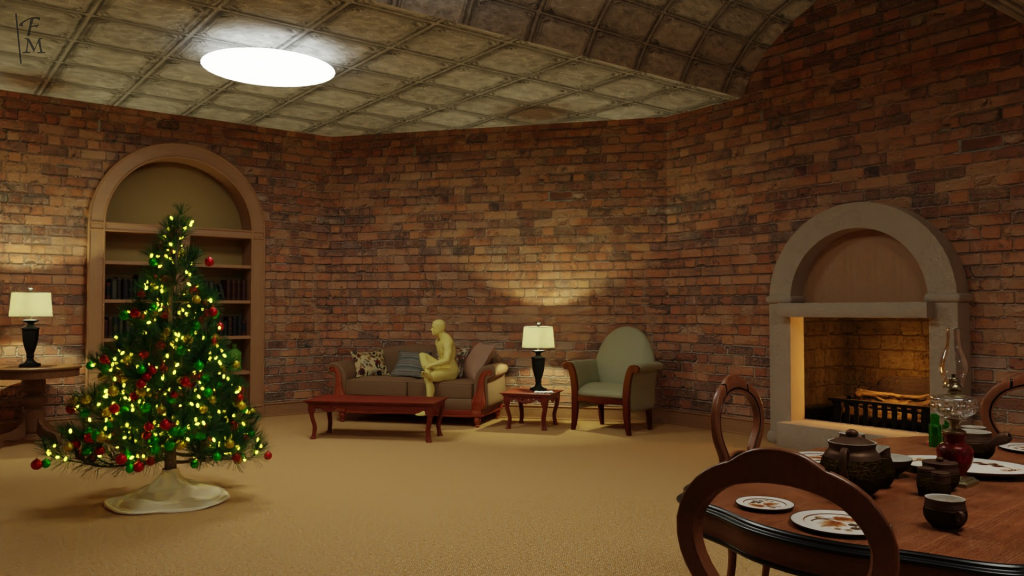
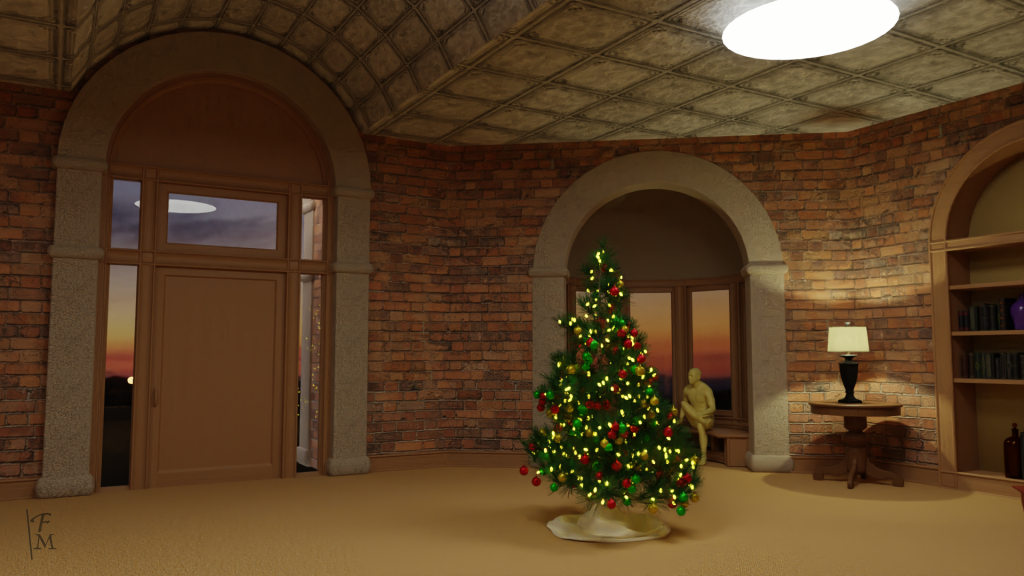
I've added more furniture and objects like dishes. The furniture and most of the objects are free stuff.
Things I modeled:
- The building itself.
- The tree (Blender sapling generator) and the ornaments
- The oil lamp on the table (from here)
- An antique pharmacy bottle (from here)
- Bottles from an old project.
- An open book (from here)
I lowered the ceiling and put a barrel vault over the door arch. I'll put a similar arch over the fireplace. Still working on the ceiling material. it should look like the pressed tin ceilings of olden days.
Things I modeled:
- The building itself.
- The tree (Blender sapling generator) and the ornaments
- The oil lamp on the table (from here)
- An antique pharmacy bottle (from here)
- Bottles from an old project.
- An open book (from here)
I lowered the ceiling and put a barrel vault over the door arch. I'll put a similar arch over the fireplace. Still working on the ceiling material. it should look like the pressed tin ceilings of olden days.
- Attachments
-
-
-

Last edited by Finis on 01 Jan 2020, 01:05, edited 1 time in total.
I prefer dangerous freedom over peaceful servitude. -- Thomas Jefferson/Jean Jacques Rousseau
-
trueBlue

- Captain
- Posts: 5548
- Joined: 06 Jul 2009, 22:50
- Type the number ten into the box: 10
Re: Christmas Card 2020.2
Nice work!
I like the first one the most!
I like the first one the most!
-
Finis
- Captain
- Posts: 5410
- Joined: 21 May 2009, 18:26
- Type the number ten into the box: 0
- Location: America!
Re: Christmas Card 2020.2
Thanks trueBlue! Thanks Spacekdet for ceiling suggestions.
Here is a render test with a fire simulation. I think a warm fire is good for Christmas pictures. I thought it might take too long to render with fire. One of these million polygon critters renders in about 48 seconds with Cycles. 50 seconds with this test fire.
The new Intel AI denoiser is great. These images just have 50 samples in Cycles so it saves time and the dark scenes aren't blotchy. It blurred the sitting figure in this image. There aren't any controls for it but slight changes to number of samples or lighting might fix that.
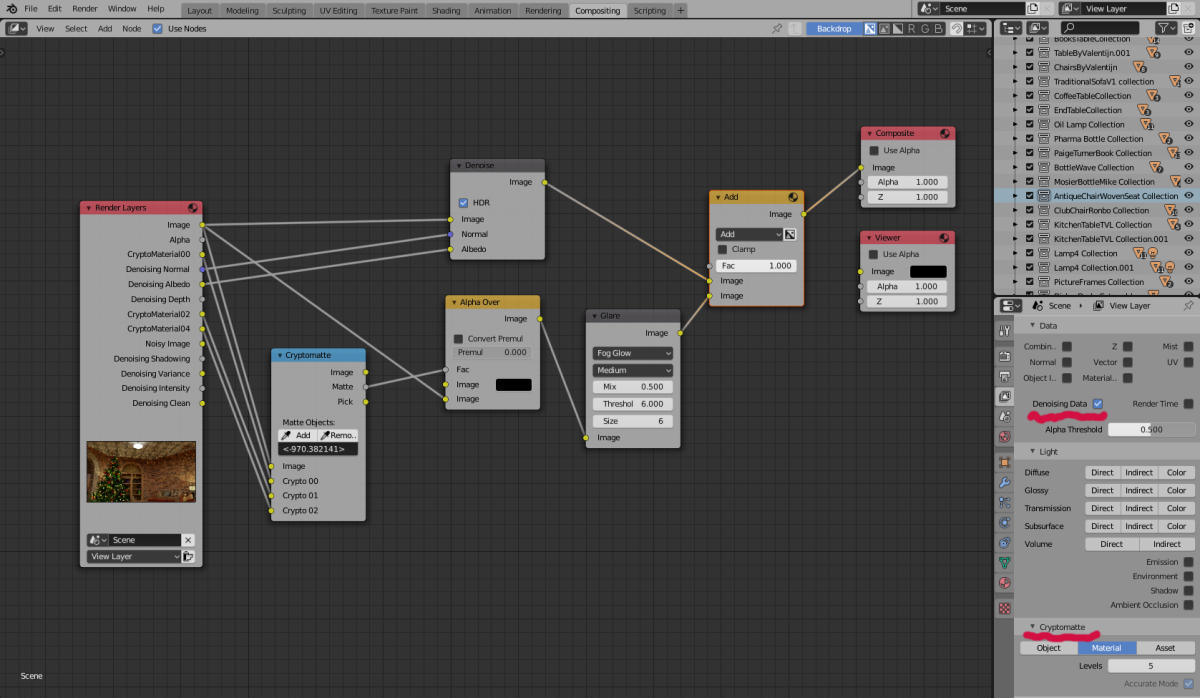
I planned to overlay Eevee's glow on Cycles frames to create the glow of Tevu's lightsaber. Then I learned of a Blender compositor node for glare. Problem: the glare node works on bright lights. I want glare/glow for the Christmas tree lights and saber but not for other lights. Cryptomatte to the rescue. After much study of cryptomatte tutorials this compositor node tree applied the denoiser and isolated the Christmas tree light material for glare.
Here is a render test with a fire simulation. I think a warm fire is good for Christmas pictures. I thought it might take too long to render with fire. One of these million polygon critters renders in about 48 seconds with Cycles. 50 seconds with this test fire.

I planned to overlay Eevee's glow on Cycles frames to create the glow of Tevu's lightsaber. Then I learned of a Blender compositor node for glare. Problem: the glare node works on bright lights. I want glare/glow for the Christmas tree lights and saber but not for other lights. Cryptomatte to the rescue. After much study of cryptomatte tutorials this compositor node tree applied the denoiser and isolated the Christmas tree light material for glare.
I prefer dangerous freedom over peaceful servitude. -- Thomas Jefferson/Jean Jacques Rousseau
-
jamesmc
- Captain
- Posts: 1776
- Joined: 08 Jul 2009, 15:35
Re: Christmas Card 2020.2
Maybe you won't need lighting on background if the holiday lights are bright enough.
Backlit may work to provide subtle outlines of the surroundings.
Backlit may work to provide subtle outlines of the surroundings.
Walk by faith, not by sight.
-
Finis
- Captain
- Posts: 5410
- Joined: 21 May 2009, 18:26
- Type the number ten into the box: 0
- Location: America!
Re: Christmas Card 2020.2
@James The room will have brighter lighting for most of the movie. For dark scenes the Christmas tree lights could work as you suggest. Backlit. Hmm, that could work to make the bad guy look ominous.
Some details, Christmas decorations, and presents and I'll be done with the setting. Then the characters and animation.
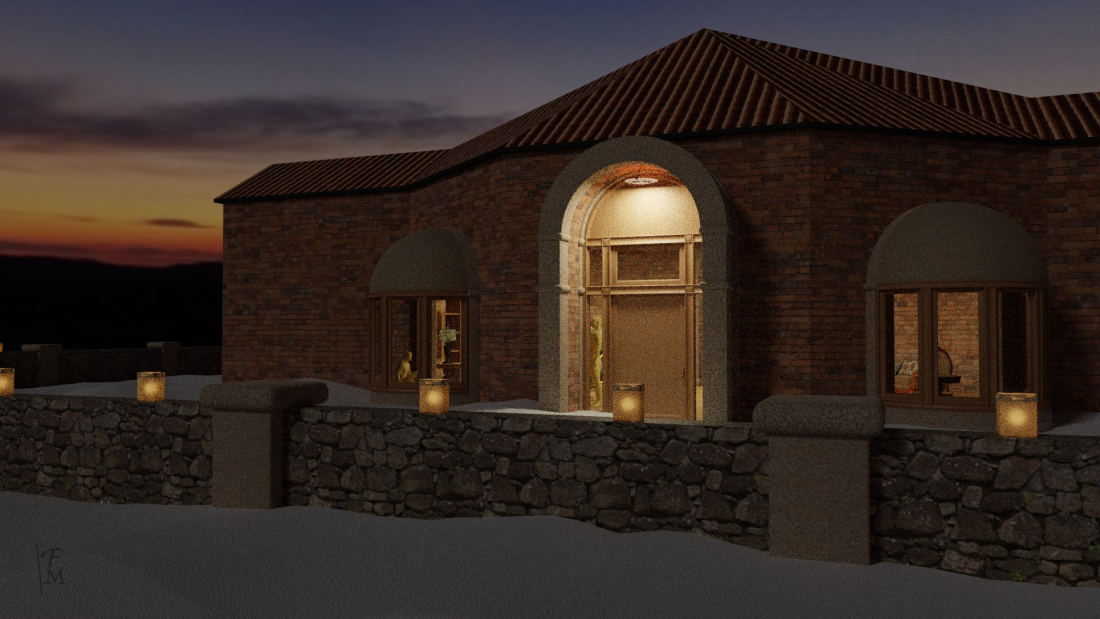
I modeled lunimarias, a wall, a roof, and light fixtures and put a cylinder around the scene with a panoramic sunset photo I took at Three Rivers. The roof is a quickie and will probably barely be seen in the movie.
For artistic effect I wanted the light fixtures to be bright but still show a parchment texture on their glass. If they emit enough light for the room they are just white. These have a round area light under them for the real lighting and their own light for visual artistic effect. That is troublesome and not working well so I'll just go back to emissive material on them.
I already estimate the movie's total render time at over sixty hours if it is two minutes long. So there is a trade off between quality and speed. I think more samples plus the denoiser could be a suitable compromise. I'll also test denoising in HitFilm instead of B2.81.
These pictures were rendered with 200 samples in Cycles and no denoiser. The 1080x1920 pictures show enough speckles to notice and I'll bet that they would change or shimmer in animation. The Intel AI denoiser is magic for some dark scenes but it makes some scenes have a cartoonish look. I'd use Eevee if I wanted a cartoonish look.
Some details, Christmas decorations, and presents and I'll be done with the setting. Then the characters and animation.
I modeled lunimarias, a wall, a roof, and light fixtures and put a cylinder around the scene with a panoramic sunset photo I took at Three Rivers. The roof is a quickie and will probably barely be seen in the movie.
For artistic effect I wanted the light fixtures to be bright but still show a parchment texture on their glass. If they emit enough light for the room they are just white. These have a round area light under them for the real lighting and their own light for visual artistic effect. That is troublesome and not working well so I'll just go back to emissive material on them.
I already estimate the movie's total render time at over sixty hours if it is two minutes long. So there is a trade off between quality and speed. I think more samples plus the denoiser could be a suitable compromise. I'll also test denoising in HitFilm instead of B2.81.
These pictures were rendered with 200 samples in Cycles and no denoiser. The 1080x1920 pictures show enough speckles to notice and I'll bet that they would change or shimmer in animation. The Intel AI denoiser is magic for some dark scenes but it makes some scenes have a cartoonish look. I'd use Eevee if I wanted a cartoonish look.

I prefer dangerous freedom over peaceful servitude. -- Thomas Jefferson/Jean Jacques Rousseau
-
Finis
- Captain
- Posts: 5410
- Joined: 21 May 2009, 18:26
- Type the number ten into the box: 0
- Location: America!
Re: Christmas Card 2020.2
Here are video tests to check noise vs. denoise in motion. This is a worst case with the camera moving and turning. Most scenes will have a stationary camera and I think it will look better that way.
This also tests the 28mm focal length I read is popular with film directors. That gives a wide angle view but there is distortion near the edges. I didn't find it noticeable unless I looked for it. I'll probably use tighter 35mm to 50mm for most shots.
There is no denoiser in HitFilm Express or Davinci Resolve. The pro versions have it and there is a cheap plugin for HitFilm. Enough samples to reach acceptable noise levels are fine for still pictures but that render time is far beyond ok for animation frames. So my plan now is to use 720p instead of 1080p, 24 fps instead of 30, use the the Blender denoiser compositor node, and increase samples.
I mistakenly upscaled these tests from 720p to 1080p in video editing.
no denoise
https://vimeo.com/384365383/e6d8fd397a
with denoise
https://vimeo.com/384366535/32be24353a
This also tests the 28mm focal length I read is popular with film directors. That gives a wide angle view but there is distortion near the edges. I didn't find it noticeable unless I looked for it. I'll probably use tighter 35mm to 50mm for most shots.
There is no denoiser in HitFilm Express or Davinci Resolve. The pro versions have it and there is a cheap plugin for HitFilm. Enough samples to reach acceptable noise levels are fine for still pictures but that render time is far beyond ok for animation frames. So my plan now is to use 720p instead of 1080p, 24 fps instead of 30, use the the Blender denoiser compositor node, and increase samples.
I mistakenly upscaled these tests from 720p to 1080p in video editing.
no denoise
https://vimeo.com/384365383/e6d8fd397a
with denoise
https://vimeo.com/384366535/32be24353a
I prefer dangerous freedom over peaceful servitude. -- Thomas Jefferson/Jean Jacques Rousseau
-
Finis
- Captain
- Posts: 5410
- Joined: 21 May 2009, 18:26
- Type the number ten into the box: 0
- Location: America!
Re: Christmas Card 2020 or 2022
Getting better. Other Blender folks made a new node set up for the denoiser that preserves much detail.
https://vimeo.com/386381520/e6c946105e
https://vimeo.com/386381520/e6c946105e
Last edited by Finis on 16 Nov 2022, 15:15, edited 1 time in total.
I prefer dangerous freedom over peaceful servitude. -- Thomas Jefferson/Jean Jacques Rousseau
-
RAYMAN
- Captain
- Posts: 2547
- Joined: 21 May 2009, 18:56
Re: Christmas Card 2020.2
Hi Finis!
Been away for health issues for some time here but had
lots of time to think about 3d and our enviroment..and one big thing was....that we are killing our enviroment by using to much energy.....fossil resources etc...the fires in
Australia are just a few more indicators!
So I am pretty much more aware now how to save energy...especialy also in 3D!
I looked into your scene and a few suggestions...!
What realy makes noise in cycles are lights that you have
in your scene that are close to walls! Those dont clear up well! When you render scenes keep the back walls open
and rather light with hdr then with real lights in your scenes...and real physically correct radiosity from the walls...
When you build your library keep the walls detachable!
You often dont need very high settings.....
You have textures on the building where you dont see them in the frame...leave them away...they cost resources! Fill up your ram for no reason...
Rule of thumb..keep only textures you realy see in your framerender...or in a reflection in your scene!
You can shave off lots of time if you bake your lighting...
If you use hdr use a very small size! If you dont see portions of the hdr in your frame....and just need the light from it 1500 px is more then enough wide! Just needs the coloring and needs to mimic the lighting in the interior!
etc ..etc ..etc...
Every item to much not only sums up but it multiplies!!!
Look also into e cycles! Its an optimised version and optimised settings of cycles!
Been away for health issues for some time here but had
lots of time to think about 3d and our enviroment..and one big thing was....that we are killing our enviroment by using to much energy.....fossil resources etc...the fires in
Australia are just a few more indicators!
So I am pretty much more aware now how to save energy...especialy also in 3D!
I looked into your scene and a few suggestions...!
What realy makes noise in cycles are lights that you have
in your scene that are close to walls! Those dont clear up well! When you render scenes keep the back walls open
and rather light with hdr then with real lights in your scenes...and real physically correct radiosity from the walls...
When you build your library keep the walls detachable!
You often dont need very high settings.....
You have textures on the building where you dont see them in the frame...leave them away...they cost resources! Fill up your ram for no reason...
Rule of thumb..keep only textures you realy see in your framerender...or in a reflection in your scene!
You can shave off lots of time if you bake your lighting...
If you use hdr use a very small size! If you dont see portions of the hdr in your frame....and just need the light from it 1500 px is more then enough wide! Just needs the coloring and needs to mimic the lighting in the interior!
etc ..etc ..etc...
Every item to much not only sums up but it multiplies!!!
Look also into e cycles! Its an optimised version and optimised settings of cycles!
-
RAYMAN
- Captain
- Posts: 2547
- Joined: 21 May 2009, 18:56
Re: Christmas Card 2020.2
-
Finis
- Captain
- Posts: 5410
- Joined: 21 May 2009, 18:26
- Type the number ten into the box: 0
- Location: America!
Re: Christmas Card 2020.2
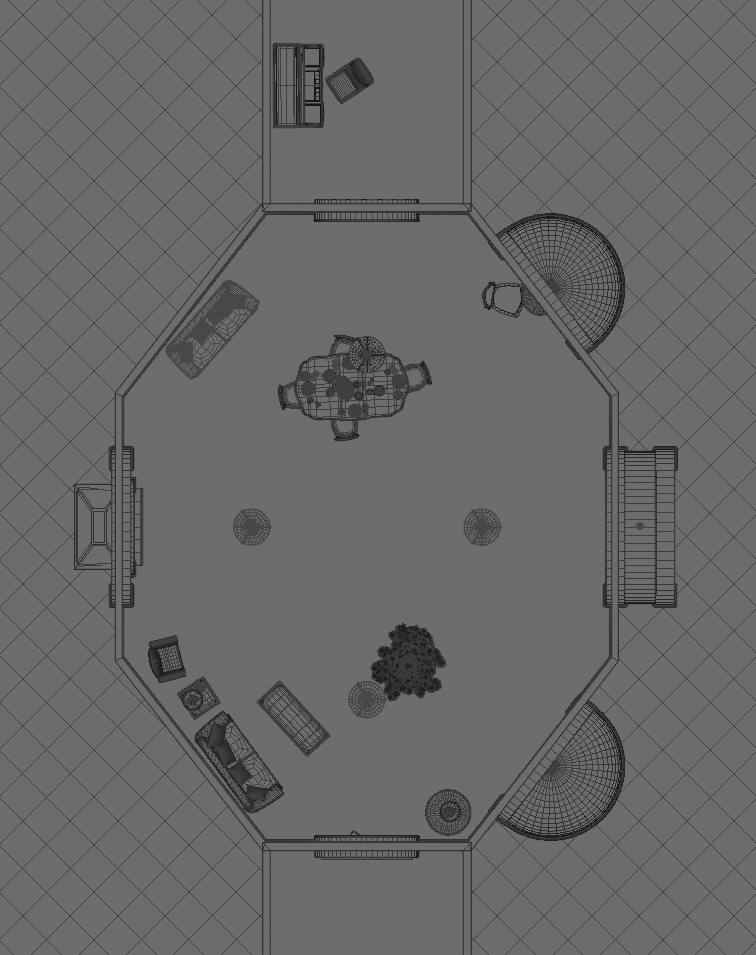
Your ideas? Consider the floor and wall space to the left and right of the door. What furniture or objects would be appropriate there?
Thanks Rayman. I'll look into some of that.
Thanks Rayman. I'll look into some of that.
- Attachments
-
-

I prefer dangerous freedom over peaceful servitude. -- Thomas Jefferson/Jean Jacques Rousseau
-
trueBlue
- Captain
- Posts: 5548
- Joined: 06 Jul 2009, 22:50
- Type the number ten into the box: 10
Re: Christmas Card 2020.2
Camera @ front door
X-mas tree @ front window
Dining table in side room
Chair, table and lamp @ bookcase
Sofa(s) and Recliner around fireplace
Rug(s)
Piano?
Framed pictures on walls
X-mas décor
Leg lamp from Fragile
X-mas tree @ front window
Dining table in side room
Chair, table and lamp @ bookcase
Sofa(s) and Recliner around fireplace
Rug(s)
Piano?
Framed pictures on walls
X-mas décor
Leg lamp from Fragile
-
Finis
- Captain
- Posts: 5410
- Joined: 21 May 2009, 18:26
- Type the number ten into the box: 0
- Location: America!
Re: Christmas Card 2020.2
Thanks trueBlue! Those suggestions caused me to see what the problem really is. The main room is too large. I made it that way to support distant camera placement (hindsight: not needed), up to two minutes of travel time for the train, several localities for adventures, proportionality to the height of the ceiling (due to size of the bay windows and entry which I'm not changing).
Now I see that a smaller main room with more side rooms is better. It eliminates the need to have so much stuff in one room, eliminates unnecessary wall and floor space, and contains the action in more focused settings. Side rooms can hide recipients' customized items from being seen from elsewhere (fewer scenes to re-render) and give a more architecturally believable layout.
I'll redesign the building. Also will use the suggestions in arranging furniture and placing items.
Now I see that a smaller main room with more side rooms is better. It eliminates the need to have so much stuff in one room, eliminates unnecessary wall and floor space, and contains the action in more focused settings. Side rooms can hide recipients' customized items from being seen from elsewhere (fewer scenes to re-render) and give a more architecturally believable layout.
I'll redesign the building. Also will use the suggestions in arranging furniture and placing items.
I prefer dangerous freedom over peaceful servitude. -- Thomas Jefferson/Jean Jacques Rousseau
-
RAYMAN
- Captain
- Posts: 2547
- Joined: 21 May 2009, 18:56
Re: Christmas Card 2020.2
Not the size..but you have a wide angle which isnt 35 mm
but looks more like 18mm and has lots of distortion....making the items you have in your room look miniscule.....very vrry small..and you have a big unused space in the front!
I would just make one corner..fill that up and see how that looks and blends with your modeltrain and animation.... have it grow away from that corner!
I know of many of these problems being a photographer and constantly running into problems with filling the space....! You can even run into problems if your client is on set standing next to you! When the final images dont sell..!
but looks more like 18mm and has lots of distortion....making the items you have in your room look miniscule.....very vrry small..and you have a big unused space in the front!
I would just make one corner..fill that up and see how that looks and blends with your modeltrain and animation.... have it grow away from that corner!
I know of many of these problems being a photographer and constantly running into problems with filling the space....! You can even run into problems if your client is on set standing next to you! When the final images dont sell..!
-
RAYMAN
- Captain
- Posts: 2547
- Joined: 21 May 2009, 18:56
Re: Christmas Card 2020.2
Here is a scene that comes with Vue of a toy train!
When you make an animation of your setup just show the
parts that make up the parts involved..not the whole room!
Divide your animations up into takes....use normal to tele
camera settings....use DOF to show that its a modeltrain not a big one! If you just load into the scene the portions visible in the take..leave the ceiling away etc your rendertimes and setup times will drop dramatically!
Your also faster with the animations itself! Make a storyboard.... draw the scenes with pencil..and write down what logically must be visible in the frame from that angle...! But dont make a house....load the toy and start moving around in that house virtualy! Your rendertimes wont make it! Plus it wont have the drama if you dont use different tight perspectives for the takes...!
When you make an animation of your setup just show the
parts that make up the parts involved..not the whole room!
Divide your animations up into takes....use normal to tele
camera settings....use DOF to show that its a modeltrain not a big one! If you just load into the scene the portions visible in the take..leave the ceiling away etc your rendertimes and setup times will drop dramatically!
Your also faster with the animations itself! Make a storyboard.... draw the scenes with pencil..and write down what logically must be visible in the frame from that angle...! But dont make a house....load the toy and start moving around in that house virtualy! Your rendertimes wont make it! Plus it wont have the drama if you dont use different tight perspectives for the takes...!
- Attachments
-

-
Finis
- Captain
- Posts: 5410
- Joined: 21 May 2009, 18:26
- Type the number ten into the box: 0
- Location: America!
Re: Christmas Card 2020.2
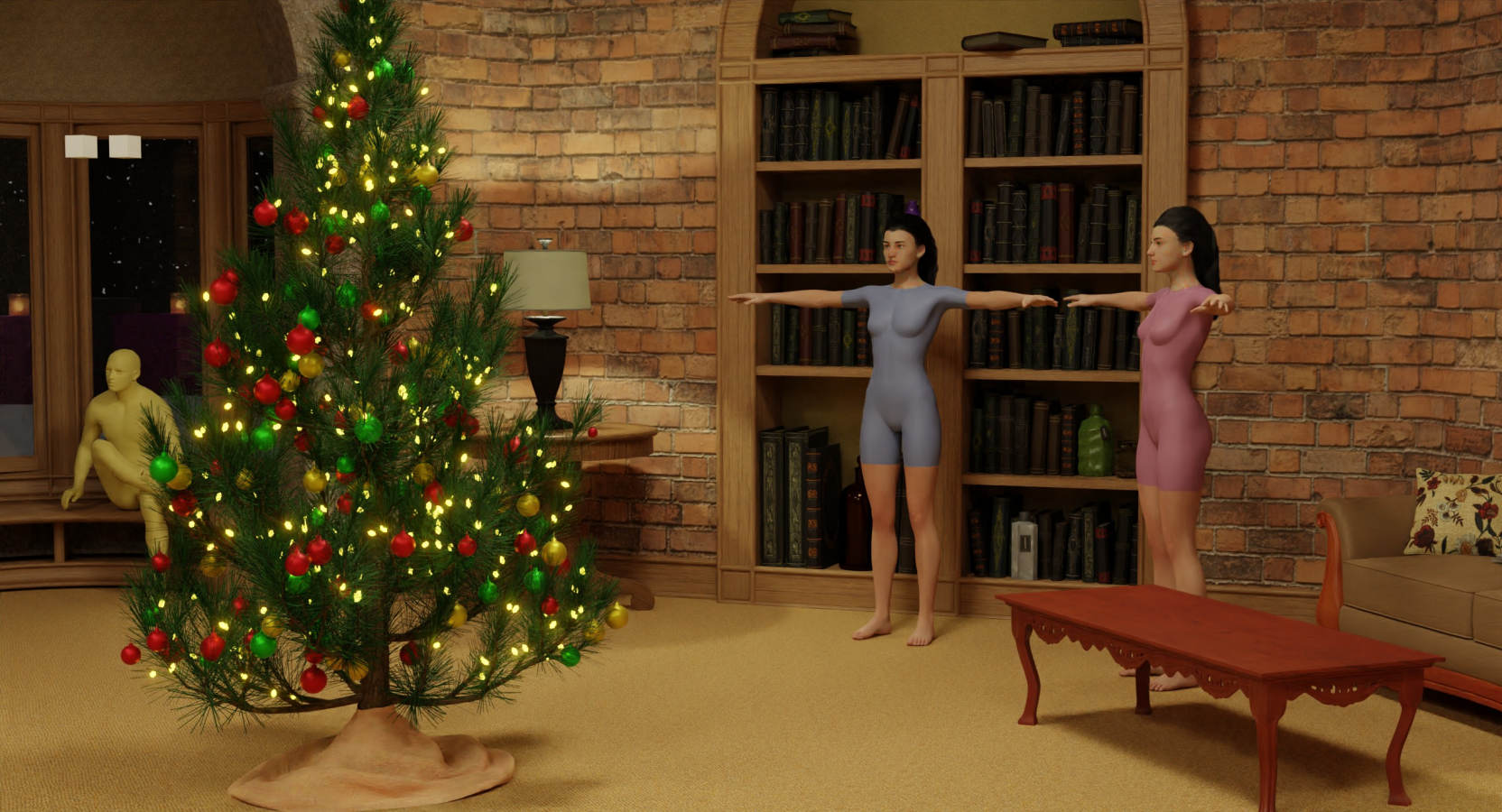
I tested how many detailed characters with hair I could put in this scene. The answer is 2. Characters for the animation will be simpler so my computer can do this. Render time though, hmm.
https://blenderartists.org/t/paige-two- ... 1242981/23
https://blenderartists.org/t/paige-two- ... 1242981/23
I prefer dangerous freedom over peaceful servitude. -- Thomas Jefferson/Jean Jacques Rousseau
-
bitkar
- Captain
- Posts: 2089
- Joined: 16 Mar 2010, 07:14
- Type the number ten into the box: 0
- Location: Czech Republic
Re: Christmas Card 2020.2
dude can be bald ;)
Michal aka bitkar
tS freak since tS2 (1998) and forever (tS7.61 modeler)
tS freak since tS2 (1998) and forever (tS7.61 modeler)
-
Finis
- Captain
- Posts: 5410
- Joined: 21 May 2009, 18:26
- Type the number ten into the box: 0
- Location: America!
Re: Christmas Card 2020.2
November 2022 I want to do a version of this project for Christmas 2022. This one is a camera fly through of the scene showing customized parts for each recipient. The full project with characters will proceed slowly with no deadline.
Here is the project WIP: https://blenderartists.org/t/christmas- ... ip/1413802
Artistic, cinema, ideas, creativity advice is welcome and technical Blender advice too. Comment here or at BlenderAritists. Which ever is best for you.
Here is the project WIP: https://blenderartists.org/t/christmas- ... ip/1413802
Artistic, cinema, ideas, creativity advice is welcome and technical Blender advice too. Comment here or at BlenderAritists. Which ever is best for you.
I prefer dangerous freedom over peaceful servitude. -- Thomas Jefferson/Jean Jacques Rousseau
-
Finis
- Captain
- Posts: 5410
- Joined: 21 May 2009, 18:26
- Type the number ten into the box: 0
- Location: America!
Re: Christmas Card 2022
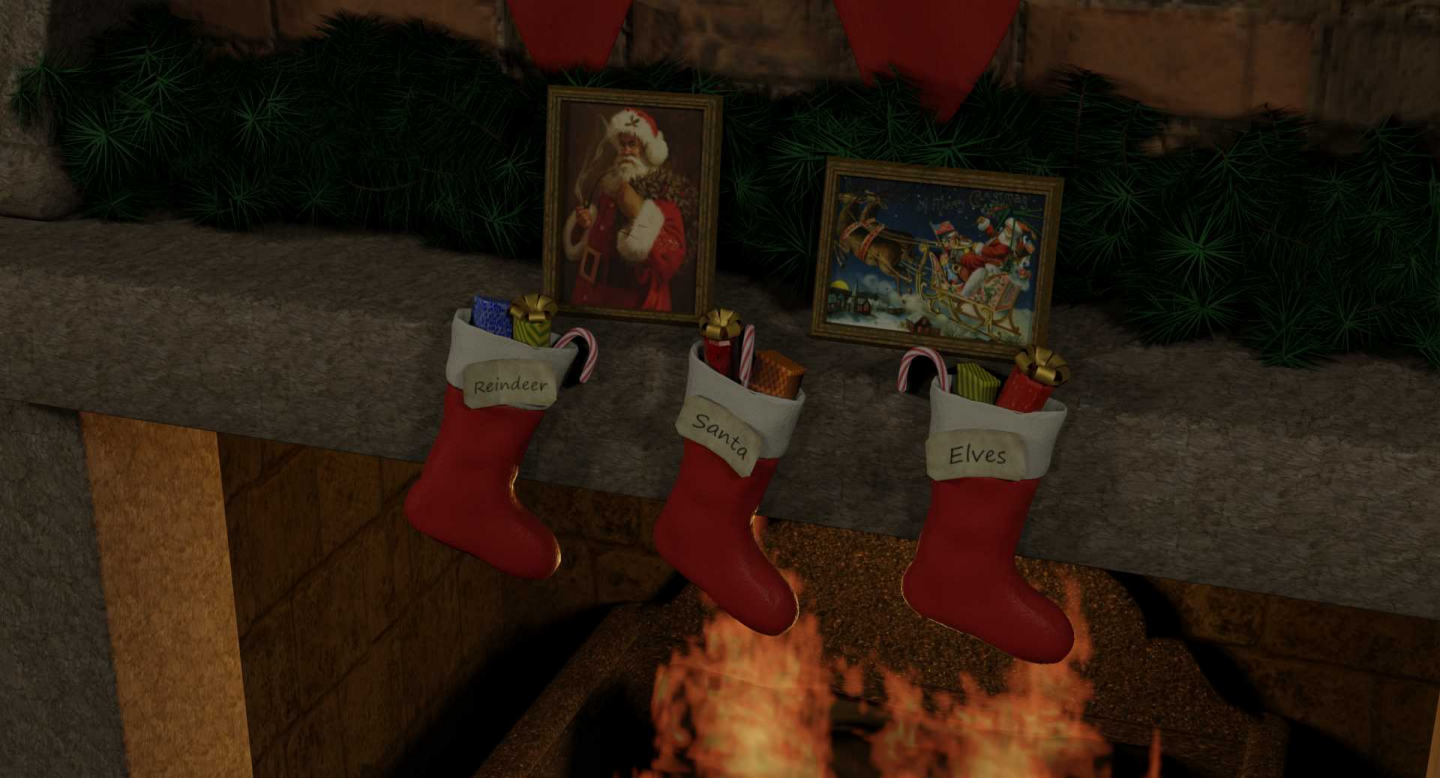
Almost ready to produce the videos. There will be a generic one plus some customized for each recipient.
more here
https://blenderartists.org/t/christmas- ... ip/1413802
https://blenderartists.org/t/christmas- ... ip/1413802
I prefer dangerous freedom over peaceful servitude. -- Thomas Jefferson/Jean Jacques Rousseau
-
Finis
- Captain
- Posts: 5410
- Joined: 21 May 2009, 18:26
- Type the number ten into the box: 0
- Location: America!
Re: Christmas Card 2022
Merry Christmas!
I prefer dangerous freedom over peaceful servitude. -- Thomas Jefferson/Jean Jacques Rousseau
-
bitkar
- Captain
- Posts: 2089
- Joined: 16 Mar 2010, 07:14
- Type the number ten into the box: 0
- Location: Czech Republic
Re: Christmas Card 2022
wow, this has come a long way... nicely done Finis.
The only thing I would improve is the camera movement, its very "robotic".
The only thing I would improve is the camera movement, its very "robotic".
Michal aka bitkar
tS freak since tS2 (1998) and forever (tS7.61 modeler)
tS freak since tS2 (1998) and forever (tS7.61 modeler)
-
Steinie

- Captain
- Posts: 2958
- Joined: 21 May 2009, 17:38
- Type the number ten into the box: 10
Re: Christmas Card 2022
This was truly magical! Well done!
The Angel and Tree at the end was perfect!
The 5 pieces of chicken credit cracked me up!
I too can play the violin but only in the bathroom...
Merry Christmas!
The Angel and Tree at the end was perfect!
The 5 pieces of chicken credit cracked me up!
I too can play the violin but only in the bathroom...
Merry Christmas!
- Attachments
-

-
Finis
- Captain
- Posts: 5410
- Joined: 21 May 2009, 18:26
- Type the number ten into the box: 0
- Location: America!
Re: Christmas Card 2022
The embed above now shows a director's cut. 1440p, 60fps, plus technical fixes, added flickering fire light, mountains visible through windows. I'll eventually do that for the customized ones too.
Thanks Steinie! You can play violin the bathroom? I can sing in the shower! We'll team up, win on Bathroom has Talent and become superstars!
Thanks Bitkar! The camera movements are precise or smooth. Robotic could describe that. I don't want a handheld wobbling shaky look. My starting goal was to make it nostalgic with movie theater academy flat aspect ratio and traditional cinema camera moves like dolly and track. No film grain though. But I liked a move-while-turning look for the connecting shots which would be difficult with a physical camera. Probably a robot arm used in the real world. Not old fashioned. I welcome your suggestions on how to de-robot the movements.
De-robot: I saw "who's browsing this forum" number was 47. Mostly robots of course ... 67 ... 71 ... how many crawlers are there? ... 93 ... 96
Thanks Steinie! You can play violin the bathroom? I can sing in the shower! We'll team up, win on Bathroom has Talent and become superstars!
Thanks Bitkar! The camera movements are precise or smooth. Robotic could describe that. I don't want a handheld wobbling shaky look. My starting goal was to make it nostalgic with movie theater academy flat aspect ratio and traditional cinema camera moves like dolly and track. No film grain though. But I liked a move-while-turning look for the connecting shots which would be difficult with a physical camera. Probably a robot arm used in the real world. Not old fashioned. I welcome your suggestions on how to de-robot the movements.
De-robot: I saw "who's browsing this forum" number was 47. Mostly robots of course ... 67 ... 71 ... how many crawlers are there? ... 93 ... 96
I prefer dangerous freedom over peaceful servitude. -- Thomas Jefferson/Jean Jacques Rousseau
-
trueBlue
- Captain
- Posts: 5548
- Joined: 06 Jul 2009, 22:50
- Type the number ten into the box: 10
Re: Christmas Card 2022
Awesome work! 
Looks like you fixed the shadow movement from the previous version.
Looks like you fixed the shadow movement from the previous version.
-
bitkar
- Captain
- Posts: 2089
- Joined: 16 Mar 2010, 07:14
- Type the number ten into the box: 0
- Location: Czech Republic
Re: Christmas Card 2022
I mean, its ofc my opinion (and iam not the author) that it would look more warm and natural with a litle wobbly camera, not like action movie hard shake. But ya, its not necessary.
But as I watched it for the second time - today - I think I know what is disturbing and not calming - its the edit.
As I have also some video editing experience (even professional for some time) I see a problem in mixing really different camera movementes together. Its not really good when it goes left and right, expecially with a hard cut - and thats the other problem - you should maybe use about 2 second transitions to smooth it out (maybe reverse some camera movements to fit the previous more).
You can have hard cuts only when the two shots fit together and there are main focus areas in the same place in the IN and OUT portions of the cut. If you watch a take and then it hard cuts into other where your eyes watch one object on the right side of screen just before the cut, and then the next take has main object at the left, its not good.
PS: I like the music, thats well chosen.
But as I watched it for the second time - today - I think I know what is disturbing and not calming - its the edit.
As I have also some video editing experience (even professional for some time) I see a problem in mixing really different camera movementes together. Its not really good when it goes left and right, expecially with a hard cut - and thats the other problem - you should maybe use about 2 second transitions to smooth it out (maybe reverse some camera movements to fit the previous more).
You can have hard cuts only when the two shots fit together and there are main focus areas in the same place in the IN and OUT portions of the cut. If you watch a take and then it hard cuts into other where your eyes watch one object on the right side of screen just before the cut, and then the next take has main object at the left, its not good.
PS: I like the music, thats well chosen.
Michal aka bitkar
tS freak since tS2 (1998) and forever (tS7.61 modeler)
tS freak since tS2 (1998) and forever (tS7.61 modeler)
-
Finis
- Captain
- Posts: 5410
- Joined: 21 May 2009, 18:26
- Type the number ten into the box: 0
- Location: America!
Re: Christmas Card 2022
Thanks!
trueBlue The shadow problem was the most noticeable. Blender's Eevee renderer is fast but not realistic so shadows and reflections are mostly faked and odd things can happen at the edge of images. Here's the wip thread with the many problems encountered https://blenderartists.org/t/christmas- ... ip/1413802.
Good advice Bitkar. I'll use that knowledge in future films. It would take too long to change the left-right movement thing in this one but I might add dissolves for soft transitions.
I'll take a creative break from this project for a while. It really started in 2019 with the goal of a film with CG characters in this setting and I'll return to that sometime. Toys come to life and Jedi Tevu saves Christmas.
trueBlue The shadow problem was the most noticeable. Blender's Eevee renderer is fast but not realistic so shadows and reflections are mostly faked and odd things can happen at the edge of images. Here's the wip thread with the many problems encountered https://blenderartists.org/t/christmas- ... ip/1413802.
Good advice Bitkar. I'll use that knowledge in future films. It would take too long to change the left-right movement thing in this one but I might add dissolves for soft transitions.
I'll take a creative break from this project for a while. It really started in 2019 with the goal of a film with CG characters in this setting and I'll return to that sometime. Toys come to life and Jedi Tevu saves Christmas.
I prefer dangerous freedom over peaceful servitude. -- Thomas Jefferson/Jean Jacques Rousseau