FBX Progress
-
clintonman

- Captain
- Posts: 5659
- Joined: 21 May 2009, 21:08
- Type the number ten into the box: 0
- Location: California
FBX Progress
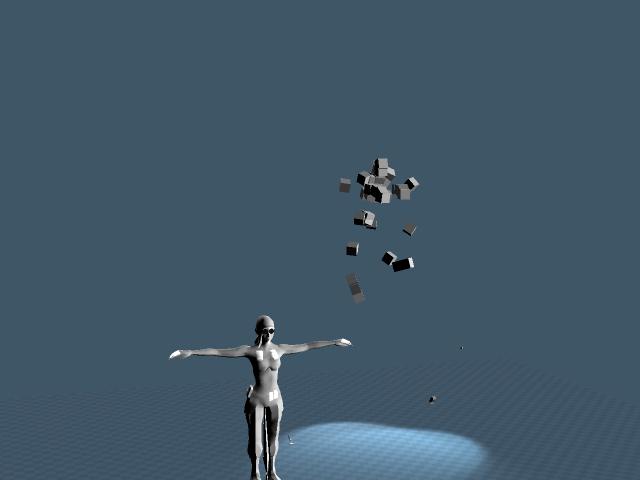
I started the animation portion of the FBX importer. I think it's going to work out. The SDK doesn't seem to like setting keyframes for hierarchy objects or skeletal structures, so I imported as parenting structures instead. I'll use script to transfer the animations after the binary import step. It's the same approach I had to take with the Unreal PSA importer except for that one I used a temporary text file to hold the intermediate animation values. The attached zip file contains a wmv sample animation of a climbing motion I got from the 3DBuzz MMO class.
- Attachments
-
- fbxtest.zip
- (70.2 KiB) Downloaded 222 times
-
tylerzambori
- Senior Chief Petty Officer
- Posts: 170
- Joined: 06 Aug 2009, 23:02
Re: FBX Progress
Yay Clintonman!
-
froo
- Captain
- Posts: 2554
- Joined: 22 May 2009, 12:13
Re: FBX Progress
Kick Ass Clinton!
-
Benji
- Senior Chief Petty Officer
- Posts: 280
- Joined: 22 May 2009, 01:23
Re: FBX Progress
Nice..... 
-
Steinie

- Captain
- Posts: 2958
- Joined: 21 May 2009, 17:38
- Type the number ten into the box: 10
Re: FBX Progress
Boy I hope this works, this would be awesome if I could use trueSpace with Messiah for animation.
-
RAYMAN

- Captain
- Posts: 2547
- Joined: 21 May 2009, 18:56
Re: FBX Progress
In fact it would be even more awsome then you think .. because you could use Messiah with Truespace and Vue...........Steinie wrote:Boy I hope this works, this would be awesome if I could use trueSpace with Messiah for animation.
You could export to truespace via FBX and to Vue via Collada......you could even use anything from Animeeple over Daz studio to Motion builder......
Here is an animation i did in a few minutes with Animeeple and exported to Vue and rendered inside Vue......
remember if you dont use Vray or yafaray your stuck inside Truespace with realtime renderer...
Peter
- Attachments
-

- animeeple animation setup exported to daz studio and rendered inside Vue 8...
- downfall.gif (357.89 KiB) Viewed 5158 times
-

- animeeple to Vue 8.....
- dollfalling.gif (650.17 KiB) Viewed 5160 times
-
Steinie
- Captain
- Posts: 2958
- Joined: 21 May 2009, 17:38
- Type the number ten into the box: 10
Re: FBX Progress
That is where Stan's new "Stan-alone VRay" comes in!RAYMAN wrote: You could export to truespace via FBX and to Vue via Collada......you could even use anything from Animeeple over Daz studio to Motion builder......
Here is an animation i did in a few minutes with Animeeple and exported to Vue and rendered inside Vue......
remember if you dont use Vray or yafaray your stuck inside Truespace with realtime renderer...
Peter
-
RAYMAN
- Captain
- Posts: 2547
- Joined: 21 May 2009, 18:56
Re: FBX Progress
Well lets see how well that handles batches....the batchprocessing for Kerky and Thea werent that easy from what I gathered from the forums.....Steinie wrote:That is where Stan's new "Stan-alone VRay" comes in!RAYMAN wrote: You could export to truespace via FBX and to Vue via Collada......you could even use anything from Animeeple over Daz studio to Motion builder......
Here is an animation i did in a few minutes with Animeeple and exported to Vue and rendered inside Vue......
remember if you dont use Vray or yafaray your stuck inside Truespace with realtime renderer...
Peter
-
stan
- Master Chief Petty Officer
- Posts: 584
- Joined: 21 May 2009, 17:20
Re: FBX Progress
I'm still trying to understand how animation is done in vray..at the moment you would have to move a object or bone by keyframe and press render again, saving as a numbered image..lol.. 
-
RAYMAN
- Captain
- Posts: 2547
- Joined: 21 May 2009, 18:56
Re: FBX Progress
I guess that the exporter for the standalone version will be able to render batches of frames......stan wrote:I'm still trying to understand how animation is done in vray..at the moment you would have to move a object or bone by keyframe and press render again, saving as a numbered image..lol..
there are other problems to consider too like flicker...... years and years Vue had difficulty with that in the very fine detail of plants......
no animation support isnt just exporting frame by frame......from animations inside Ts workspace......
both fbx and collada exporters are godsent sometimes....
Peter
-
clintonman
- Captain
- Posts: 5659
- Joined: 21 May 2009, 21:08
- Type the number ten into the box: 0
- Location: California
Re: FBX Progress
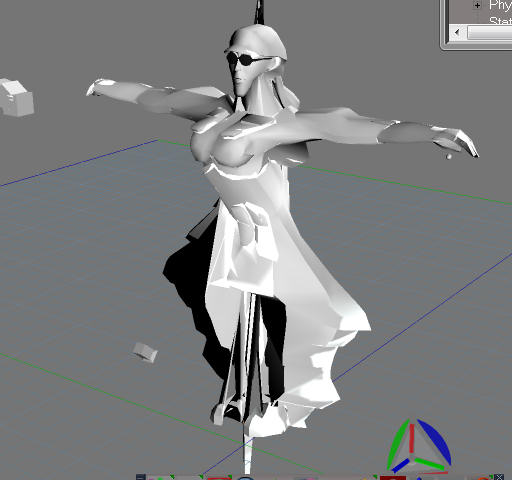
I posted an update last night but it didn't take so here's try number 2. I tried using the SDK to take care of skinning but it didn't turn out well. This is the result even before reading the skin from the fbx file.
So I'm going with plan B which is to save the skin info to a text file and use scripting to do it. This is the approach I took with the PSK importer. Last night I finished the research on how to read the skin from the fbx file. After that gets coded I start the scripts for the final skinning, transferring the animation to the actor and converting heirarchy objects from parenting form to tS grouping form.
-
Benji
- Senior Chief Petty Officer
- Posts: 280
- Joined: 22 May 2009, 01:23
Re: FBX Progress
While this is OT, another way to potentially get animations into TS could be through the "save morph sequence" feature. This saves out animations as a series of objects. These could, perhaps, be imported into TS the way blender fluids are with Froo's script.....I'm not sure if these could be imported via FBX or any other method.
Anyway, just a thought.....
Anyway, just a thought.....
-
clintonman
- Captain
- Posts: 5659
- Joined: 21 May 2009, 21:08
- Type the number ten into the box: 0
- Location: California
Re: FBX Progress
Not off topic at all. FBX supports morph targets and vertex animations. I do plan to take a look at Froo's plugin to see how he did it. I'll more likely look into the MDD file format for vertex animations. It's kind of a standard and it's supposed to be very straight forward to use. The only thing is workspace completely lacks vertex animation support, so we'll see what I can learn from Froo.Benji wrote:While this is OT, another way to potentially get animations into TS could be through the "save morph sequence" feature. This saves out animations as a series of objects. These could, perhaps, be imported into TS the way blender fluids are with Froo's script.....I'm not sure if these could be imported via FBX or any other method.
Anyway, just a thought.....
I got a lot of coding done today. The intermediate skinning text file looks good and I have started the script to copy animations and skinning. Overall, it's looking pretty good.
-
RAYMAN
- Captain
- Posts: 2547
- Joined: 21 May 2009, 18:56
Re: FBX Progress
I said a few days ago that opening that chapter is like opening a can of worms........clintonman wrote:Not off topic at all. FBX supports morph targets and vertex animations. I do plan to take a look at Froo's plugin to see how he did it. I'll more likely look into the MDD file format for vertex animations. It's kind of a standard and it's supposed to be very straight forward to use. The only thing is workspace completely lacks vertex animation support, so we'll see what I can learn from Froo.Benji wrote:While this is OT, another way to potentially get animations into TS could be through the "save morph sequence" feature. This saves out animations as a series of objects. These could, perhaps, be imported into TS the way blender fluids are with Froo's script.....I'm not sure if these could be imported via FBX or any other method.
Anyway, just a thought.....
I got a lot of coding done today. The intermediate skinning text file looks good and I have started the script to copy animations and skinning. Overall, it's looking pretty good.
All applications out there have a different implementaion of these animation capable formats ..worst of all .. is the Collada format world where you find most problems
from one application to the other......
This importer and exporter needs a lot of testing with different applications.....
if it works well with next to about anything out there that exports fbx then truespace can become a secret swiss knife for conversions...
You guys dont know how many crashes a had with the Alias fbx converted files...
Peter
-
clintonman
- Captain
- Posts: 5659
- Joined: 21 May 2009, 21:08
- Type the number ten into the box: 0
- Location: California
Re: FBX Progress
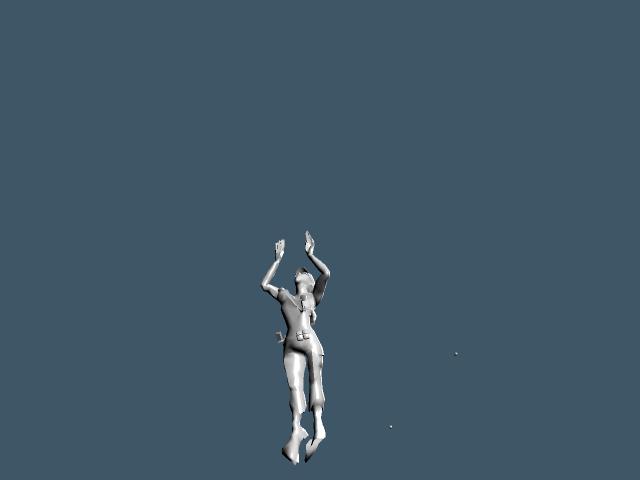
The animation transfer to the joints is matching up now. Next up is skinning.
Attached shows same animation as before applied to the skeleton.
- fbxTestB_00583.jpg (8.62 KiB) Viewed 4890 times
- Attachments
-
- fbxtestB.zip
- (116.63 KiB) Downloaded 220 times
-
Benji
- Senior Chief Petty Officer
- Posts: 280
- Joined: 22 May 2009, 01:23
Re: FBX Progress
Wow, you've made a lot of progress. Cool. 
As for Collada, I think it's fair to say that it's going nowhere fast. It showed promise, but there was never much lust for it in the commercial world (i.e Austodesk users), and this has pretty much killed it as an animation format.
FBX seems to be the king now, everybody seems to support it.
As for Collada, I think it's fair to say that it's going nowhere fast. It showed promise, but there was never much lust for it in the commercial world (i.e Austodesk users), and this has pretty much killed it as an animation format.
FBX seems to be the king now, everybody seems to support it.
-
RAYMAN
- Captain
- Posts: 2547
- Joined: 21 May 2009, 18:56
Re: FBX Progress
Yeah well the market does things doesnt it !Benji wrote:Wow, you've made a lot of progress. Cool.
As for Collada, I think it's fair to say that it's going nowhere fast. It showed promise, but there was never much lust for it in the commercial world (i.e Austodesk users), and this has pretty much killed it as an animation format.
FBX seems to be the king now, everybody seems to support it.
But for all of you interested in using the fbx file from Truespace now..... the fbx transformer that comes free from Alias does a good job for transforming
Collada files from animations inside Truespce to ie Carrara pro that most of you got from coverdiscs.....
Its importing animations or rigs thats the big problem for now....
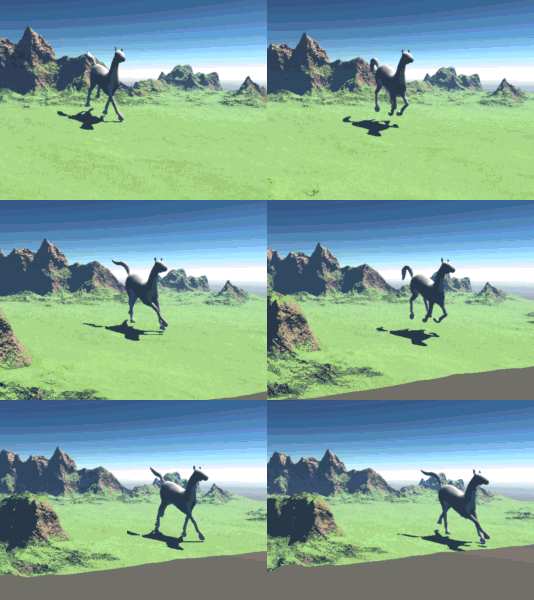
Here is the truespace horse with animation (mocap) exported from TS with Collada and transformed with the alias complier and imported into
a Carrara 7.2 demo scene....
- Attachments
-
- Doc1.gif (1.3 MiB) Viewed 4854 times
-
Benji
- Senior Chief Petty Officer
- Posts: 280
- Joined: 22 May 2009, 01:23
Re: FBX Progress
Yes, the fbx converter apparently does a better job than the official Collada plugins for 3dsmax as well. I still think fbx is the way forward, but in 3d "whatever works" is the credo most we must live by .......
-
RAYMAN
- Captain
- Posts: 2547
- Joined: 21 May 2009, 18:56
Re: FBX Progress
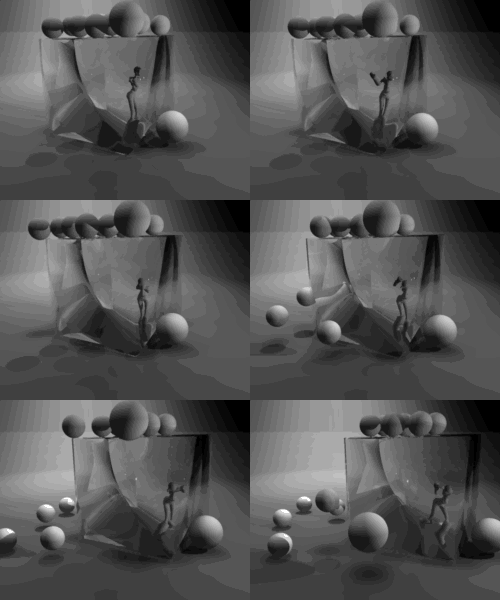
sometimes everything works like exporting physics but the animations of your skeletons go wak.... see this example of tankgirl pushing the
cube and the spheres falling..
cube and the spheres falling..
- Attachments
-
- Doc last.gif (2.04 MiB) Viewed 4844 times
-
clintonman
- Captain
- Posts: 5659
- Joined: 21 May 2009, 21:08
- Type the number ten into the box: 0
- Location: California
Re: FBX Progress
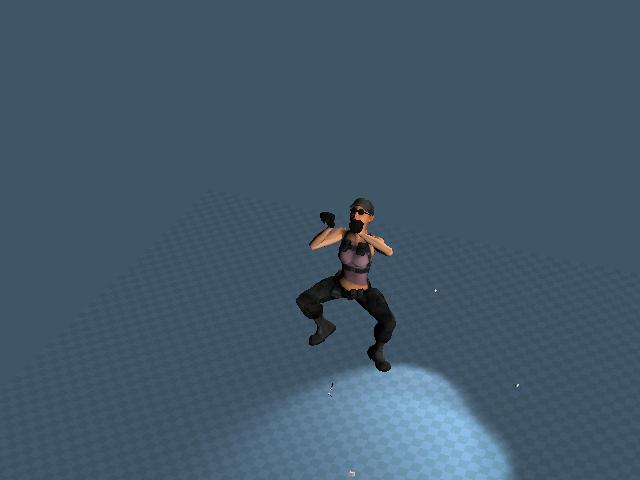
See latest video attached.
- Attachments
-
- fbxtestC.zip
- (95.22 KiB) Downloaded 210 times