Edge don't want to be created?

Legacy tS 6.6
compPanda
Senior Chief Petty Officer
Posts: 275
Joined: 21 May 2009, 21:15
Type the number ten into the box: 0

Edge don't want to be created?

Post by compPanda »

Hi.

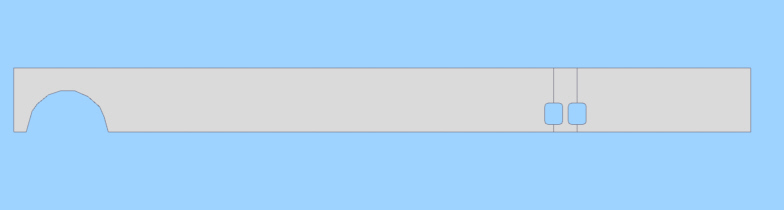
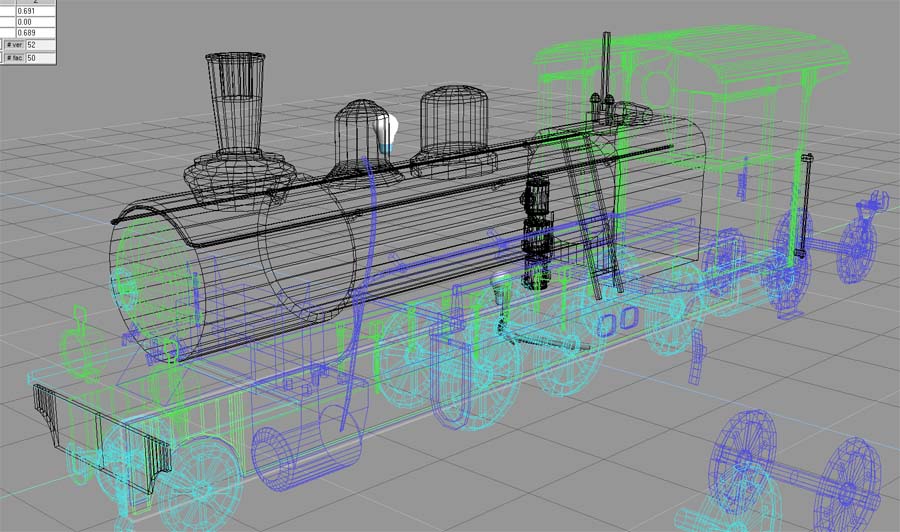
I am working on this engine and are having a problem with a hole (yes, that again) that is in the framework.
bild_17_detaljer_detaljer.jpg
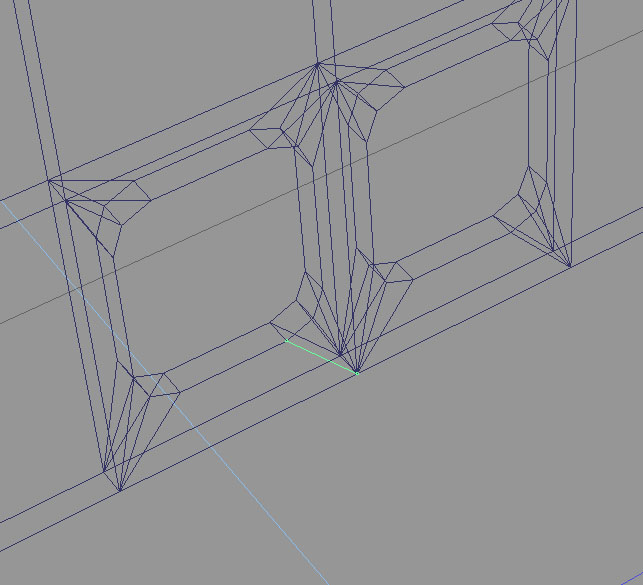
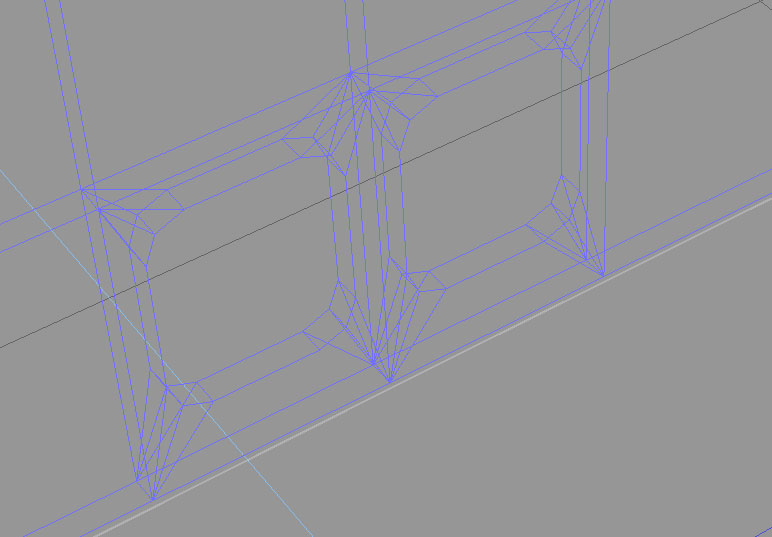
As you can see, I have made a hole. And I have managed to connect it to the surrounding vertex.
Except one egde - as shown in this picture:
hole_q1_operation.jpg
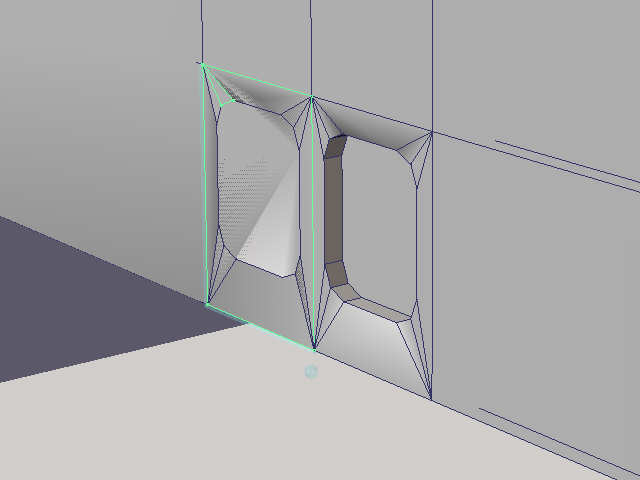
That single edge refuse to be created. This is what it comes out as:
hole_q1_result.jpg
I am sure that there is a vertex on both points from where I try to draw the edge. But as soon as I return from edit mode to object mode the edge vanishes. What can I do?

I have included the COB file if anyone is interested.
compPanda
Senior Chief Petty Officer
Posts: 275
Joined: 21 May 2009, 21:15
Type the number ten into the box: 0

Re: Edge don't want to be created?

Post by compPanda »

Had to add a new post to add the COB file...
ramverkssida_m_lufthal.zip
(3.44 KiB) Downloaded 292 times
User avatar
spacekdet
Captain
Posts: 1810
Joined: 27 May 2009, 15:00
Type the number ten into the box: 10
Location: On the day shift at the Utility Muffin Research Kitchen

Re: Edge don't want to be created?

Post by spacekdet »

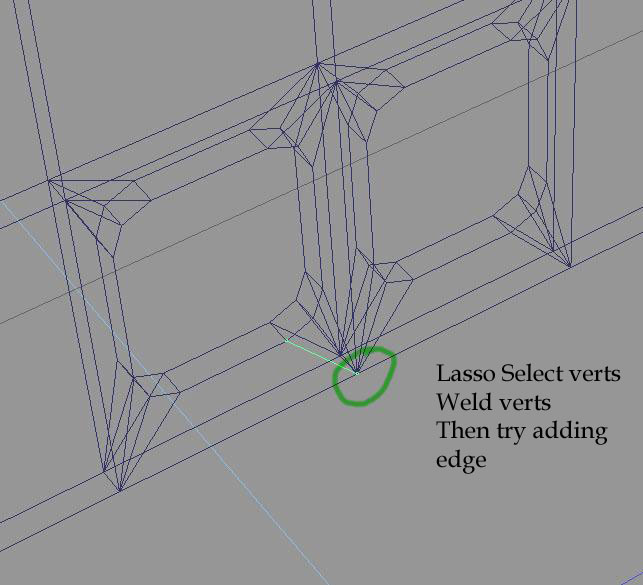
Try selecting the vertex(s) indicated. Use Lasso or Rectangle select.
(There may be extra vertices here)
Use 'Weld Vertex' (Model) or 'Weld geometry together' tool.
Then try drawing the edge again. Start at the vertex you just welded.
hole_q1_operation_annoted.jpg
User avatar
clintonman
Captain
Posts: 5659
Joined: 21 May 2009, 21:08
Type the number ten into the box: 0
Location: California

Re: Edge don't want to be created?

Post by clintonman »

crazyFace.jpg
Loaded in to ts6 and I don't see a hole in solid mode and you can see the selected face is a little bit crazy. That is one face but it looks like 2 faces one large rectangle and one small triangle.
Clinton Reese

http://clintons3d.com
User avatar
spacekdet
Captain
Posts: 1810
Joined: 27 May 2009, 15:00
Type the number ten into the box: 10
Location: On the day shift at the Utility Muffin Research Kitchen

Re: Edge don't want to be created?

Post by spacekdet »

If that's the case, you could try the weld on each of the four 'corners', see if that cleans it up.
User avatar
BNG
Chief Warrant Officer
Posts: 684
Joined: 16 Oct 2009, 03:26
Type the number ten into the box: 0
Location: Texas

Re: Edge don't want to be created?

Post by BNG »

If you haven't tried Fix Bad Geometry than make a copy of the part and give that a whirl. I've seen this issue in some of my own models when I've swept them. Sometimes, when I select faces TS grabs the backside rather then the frontside and I end up with some odd looking geometry. As I recall, I would to delete a face and readd it to correct the issue. At any rate make several copies and try both. You might also try copying the other identical object of the model and if it's okay, make a copy of that and use the copy to replace the probematic object.
User avatar
Finis
Captain
Posts: 5410
Joined: 21 May 2009, 18:26
Type the number ten into the box: 0
Location: America!

Re: Edge don't want to be created?

Post by Finis »

The other hole also has strange geometry if you examine it in point edit. I'd recommend rebuilding the object. That is probably less work than fixing this one especially since the way to fix it is not clear.

If I was making this I'd Boolean subtract. Make a drill object by making a cube and then right click on cube primitive icon for controls to adjust the number of sides. Point edit and scale the object into the hole shape. Subtract the drill. Point edit to add or delete edges as needed. Probably that's what you did.

Point edit tips. Right click on selection icons to get a panel where you can select one sided selection. Use a side view window to check that selected points are on the correct side of the object. When adding an edge if the end point doesn't snap then try starting from that end and going to the other. Undo to stop the current add edge.
I prefer dangerous freedom over peaceful servitude. -- Thomas Jefferson/Jean Jacques Rousseau
compPanda
Senior Chief Petty Officer
Posts: 275
Joined: 21 May 2009, 21:15
Type the number ten into the box: 0

Re: Edge don't want to be created?

Post by compPanda »

Finis wrote:The other hole also has strange geometry if you examine it in point edit. I'd recommend rebuilding the object. That is probably less work than fixing this one especially since the way to fix it is not clear.

If I was making this I'd Boolean subtract. Make a drill object by making a cube and then right click on cube primitive icon for controls to adjust the number of sides. Point edit and scale the object into the hole shape. Subtract the drill. Point edit to add or delete edges as needed. Probably that's what you did.

Point edit tips. Right click on selection icons to get a panel where you can select one sided selection. Use a side view window to check that selected points are on the correct side of the object. When adding an edge if the end point doesn't snap then try starting from that end and going to the other. Undo to stop the current add edge.
I did this using boolean subtract. The holes that is.
I will try to fix them in some way. I am afraid that the same problem will appear again if I redo the object.
User avatar
Finis
Captain
Posts: 5410
Joined: 21 May 2009, 18:26
Type the number ten into the box: 0
Location: America!

Re: Edge don't want to be created?

Post by Finis »

Try this one.

I made a 12 sided object from a cube with the cube primitive right click menu and fit it to the shape of a hole. Then I deleted the points making the holes (lasso select with points only double sided). Then I Boolean subtracted (delete edges unchecked) a copy of the 12 sided hole drill from the train part. Then I added edges to connect to the corners.

You may need to adjust the vertex positions since I fit and positioned the drill visually to an original hole.
Attachments
TempTrainObjectWithHoles.zip
(4.05 KiB) Downloaded 282 times
I prefer dangerous freedom over peaceful servitude. -- Thomas Jefferson/Jean Jacques Rousseau
User avatar
Tiles
Master Chief Petty Officer
Posts: 401
Joined: 27 May 2009, 08:34

Re: Edge don't want to be created?

Post by Tiles »

One word to the initial problem. The first thing i usually do in such a case is to press the heal vertices button. Watch the vertices count before and after. When it changes then there were two vertices where just one should`ve been. trueSpace just loves to loose connection, and to make two vertices out of one. You usually don`t see it, that`s the mean part. Which can lead to holes and wicked geometry. Heal vertices welds vertices together that are very close to each other. For bigger gaps between vertices Weld vertices is your friend.

EDIT: Gah, forget it, i haven`t seen that this is a 6.6 question. Above is meant for 7.6 and Workspace.
Free Gamegraphics, Freeware Games http://reinerstilesets.de
User avatar
marcel
Captain
Posts: 2247
Joined: 21 May 2009, 19:52
Type the number ten into the box: 0
Location: paris - France

Re: Edge don't want to be created?

Post by marcel »

Hi compPanda!
I think the problems are not solved by then ...
Avoid having all these lines that converge on the same points. Think NGones: Do not connect the hole from an existing point but create a line from the middle of a line of the hole to the edge of the object. Do not exceed 4 lines converging to one point and you will not have problems with holes.
Attachments
NGones.jpg
TrainObjectNGones.zip
(4.49 KiB) Downloaded 288 times
Design - illustration - Animation
http://www.crea-vision.fr
compPanda
Senior Chief Petty Officer
Posts: 275
Joined: 21 May 2009, 21:15
Type the number ten into the box: 0

Re: Edge don't want to be created?

Post by compPanda »

Finis wrote:Try this one.

I made a 12 sided object from a cube with the cube primitive right click menu and fit it to the shape of a hole. Then I deleted the points making the holes (lasso select with points only double sided). Then I Boolean subtracted (delete edges unchecked) a copy of the 12 sided hole drill from the train part. Then I added edges to connect to the corners.

You may need to adjust the vertex positions since I fit and positioned the drill visually to an original hole.
Thank you Finis, I redid the object as you suggested and it works.

One thing I don't understand is how TS can add more vertexes - isn't the draw edge only supposed to work between already existing vertixes? So how does it come that it might create more of them?
User avatar
Finis
Captain
Posts: 5410
Joined: 21 May 2009, 18:26
Type the number ten into the box: 0
Location: America!

Re: Edge don't want to be created?

Post by Finis »

Thanks CompPanda.

I think the troublesome extra vertices problem people are talking about, and some other point edit strangeness, is from bugs.

TS can add an edge with one or both ends as new vertices along existing edges. It will snap to existing nearby vertices so you usually get vertex to vertex edges when that's what you try to do. So you could get an unexpected vertex near another if add edge didn't snap to an existing vertex.

I think adding an edge that goes through an object happens sometimes and that it causes strange polygons and trouble. Imagine a sphere with an edge connecting two vertices on opposite sides through the middle. What polygon does it belong to? The "through edge" would likely confuse TS. I'm guessing that the original object had one or more such edges by mistake or due to a bug.

I try to rotate the object or view to have the part I'm working on on the near side and use single sided selection unless I really need double sided for some reason. Note that single sided doesn't always work and sometimes selection still acts like double sided. That's why I work in 4-view (Model side, not the tab) or with a side view window.

Marcel is right, as usual, about n-gons ... if your software accepts and handles them well. I think you are going to transfer this model to an n-gon unfriendly program. If not then do as Marcel said.
I prefer dangerous freedom over peaceful servitude. -- Thomas Jefferson/Jean Jacques Rousseau
compPanda
Senior Chief Petty Officer
Posts: 275
Joined: 21 May 2009, 21:15
Type the number ten into the box: 0

Re: Edge don't want to be created?

Post by compPanda »

Finis wrote:Thanks CompPanda.

I think the troublesome extra vertices problem people are talking about, and some other point edit strangeness, is from bugs.

TS can add an edge with one or both ends as new vertices along existing edges. It will snap to existing nearby vertices so you usually get vertex to vertex edges when that's what you try to do. So you could get an unexpected vertex near another if add edge didn't snap to an existing vertex.

I think adding an edge that goes through an object happens sometimes and that it causes strange polygons and trouble. Imagine a sphere with an edge connecting two vertices on opposite sides through the middle. What polygon does it belong to? The "through edge" would likely confuse TS. I'm guessing that the original object had one or more such edges by mistake or due to a bug.

I try to rotate the object or view to have the part I'm working on on the near side and use single sided selection unless I really need double sided for some reason. Note that single sided doesn't always work and sometimes selection still acts like double sided. That's why I work in 4-view (Model side, not the tab) or with a side view window.

Marcel is right, as usual, about n-gons ... if your software accepts and handles them well. I think you are going to transfer this model to an n-gon unfriendly program. If not then do as Marcel said.

Thank you both Finis and Marcel.
The problem is that this is to be exported to Blender using 3DS format and then exported to Trainz. I don't think the version off Blender I use supports NGons (that is new in the beta versions) and Trainz doesn't do it either if I understand it.

Btw, I used Finis model and it works good. My previous didn't looked good when I rendered it but Finis version shows the holes as they should.