This is the end of my Parts Hutch WIP....
I learned a lot...
I would like to thank everyone
For there comments and advice..
Parts Hutch
-
ranger0101

- Master Chief Petty Officer
- Posts: 363
- Joined: 22 May 2009, 13:15
- Type the number ten into the box: 0
- Location: Orrville Ohio U.S.A.
Parts Hutch
- Attachments
-
In order to Create Art... You must first learn to See...
My Website http://www.theartoftimkoons.yolasite.com
My Website http://www.theartoftimkoons.yolasite.com
-
marcel

- Captain
- Posts: 2247
- Joined: 21 May 2009, 19:52
- Type the number ten into the box: 0
- Location: paris - France
Re: Parts Hutch
Good one but it was not necessary to have all these tools to repare a bear. 
Design - illustration - Animation
http://www.crea-vision.fr
http://www.crea-vision.fr
-
ranger0101
- Master Chief Petty Officer
- Posts: 363
- Joined: 22 May 2009, 13:15
- Type the number ten into the box: 0
- Location: Orrville Ohio U.S.A.
Re: Parts Hutch
Thanks Marcel...
This truely was the hardest project I have ever done.
But I also learned more...
This Comunity is a priceless Resorce
For advice,critique, and encouragement
in propper measure...
I think for my next project I will pick something easy...
Like an Intergalactic Battle Crueser...
This truely was the hardest project I have ever done.
But I also learned more...
This Comunity is a priceless Resorce
For advice,critique, and encouragement
in propper measure...
I think for my next project I will pick something easy...
Like an Intergalactic Battle Crueser...
In order to Create Art... You must first learn to See...
My Website http://www.theartoftimkoons.yolasite.com
My Website http://www.theartoftimkoons.yolasite.com
-
bitkar

- Captain
- Posts: 2089
- Joined: 16 Mar 2010, 07:14
- Type the number ten into the box: 0
- Location: Czech Republic
Re: Parts Hutch
every next project should be the hardest! or you will not get better. I like the last one very much, but one more complaint - I still miss some inside shading (inside shadows), in that shelfs... you know what I mean. Its nearly perfect, Very nice scene, them, nice overall. And nice bear :)
Michal aka bitkar
tS freak since tS2 (1998) and forever (tS7.61 modeler)
tS freak since tS2 (1998) and forever (tS7.61 modeler)
-
ranger0101
- Master Chief Petty Officer
- Posts: 363
- Joined: 22 May 2009, 13:15
- Type the number ten into the box: 0
- Location: Orrville Ohio U.S.A.
Re: Parts Hutch
Big thanks...  to my
to my
lovable task master bitkar ... Who pushed me to
do more and better at every stage of this project..
He rely has helped make me a better 3D artyst...
bitkar.... I would like you to sugest my next project...
Cheers...
to my lovable task master bitkar
... Who pushed me to do more and better at every stage of this project..
He rely has helped make me a better 3D artyst...
bitkar.... I would like you to sugest my next project...
Cheers...
- Attachments
-

In order to Create Art... You must first learn to See...
My Website http://www.theartoftimkoons.yolasite.com
My Website http://www.theartoftimkoons.yolasite.com
-
ranger0101
- Master Chief Petty Officer
- Posts: 363
- Joined: 22 May 2009, 13:15
- Type the number ten into the box: 0
- Location: Orrville Ohio U.S.A.
Re: Parts Hutch
ONE MORE TIME.... 
This is my final entry...
Thanks again for all the help and encouragement
Every one.....
This is my final entry...
Thanks again for all the help and encouragement
Every one.....
- Attachments
-

In order to Create Art... You must first learn to See...
My Website http://www.theartoftimkoons.yolasite.com
My Website http://www.theartoftimkoons.yolasite.com
-
bitkar
- Captain
- Posts: 2089
- Joined: 16 Mar 2010, 07:14
- Type the number ten into the box: 0
- Location: Czech Republic
Re: Parts Hutch
you will start to dislike me this way :D
I thought some soft shading, you know - what is more deeper in closed space appears darker. I used to cheat a little to make this fake ambient oclussion (of fake gi) by placing negative lights to corners (point lights or area) to darken it a litle (light was emmiting dark :D).
I dont know if this is the right solution, maybe there is something with the material. I still find something a little odd in the otherwise very nice work. Maybe postprocessing it in 2D editor could be the best solution.
Let others talk if its not only my opinion. Maybe iam wrong. I like the 66.jpg most although last three are really good, almost finish to me. But I miss the shading of the inside and I thing that making the left side of the image a little darker could look better, making nice contrast (maybe this could do adjusting a light falloff, i dont know how you scene looks like exactly in therm of technical look).
but you know, its detail, its already good enough.
I thought some soft shading, you know - what is more deeper in closed space appears darker. I used to cheat a little to make this fake ambient oclussion (of fake gi) by placing negative lights to corners (point lights or area) to darken it a litle (light was emmiting dark :D).
I dont know if this is the right solution, maybe there is something with the material. I still find something a little odd in the otherwise very nice work. Maybe postprocessing it in 2D editor could be the best solution.
Let others talk if its not only my opinion. Maybe iam wrong. I like the 66.jpg most although last three are really good, almost finish to me. But I miss the shading of the inside and I thing that making the left side of the image a little darker could look better, making nice contrast (maybe this could do adjusting a light falloff, i dont know how you scene looks like exactly in therm of technical look).
but you know, its detail, its already good enough.
Michal aka bitkar
tS freak since tS2 (1998) and forever (tS7.61 modeler)
tS freak since tS2 (1998) and forever (tS7.61 modeler)
-
ranger0101
- Master Chief Petty Officer
- Posts: 363
- Joined: 22 May 2009, 13:15
- Type the number ten into the box: 0
- Location: Orrville Ohio U.S.A.
Re: Parts Hutch
Starting to actually enjoy lighting...
- Attachments
-

In order to Create Art... You must first learn to See...
My Website http://www.theartoftimkoons.yolasite.com
My Website http://www.theartoftimkoons.yolasite.com
-
bitkar
- Captain
- Posts: 2089
- Joined: 16 Mar 2010, 07:14
- Type the number ten into the box: 0
- Location: Czech Republic
Re: Parts Hutch
hm hmmm, this looks very nice.. now try turning shadows into map type (not ray). I suggest "medium" softness.
But basically you got it! Several nice verions, every single one is a little different, making a little another impression, nice showcase of what lighting can do. Congratulations! Good job.
But basically you got it! Several nice verions, every single one is a little different, making a little another impression, nice showcase of what lighting can do. Congratulations! Good job.
Michal aka bitkar
tS freak since tS2 (1998) and forever (tS7.61 modeler)
tS freak since tS2 (1998) and forever (tS7.61 modeler)
-
ranger0101
- Master Chief Petty Officer
- Posts: 363
- Joined: 22 May 2009, 13:15
- Type the number ten into the box: 0
- Location: Orrville Ohio U.S.A.
Re: Parts Hutch
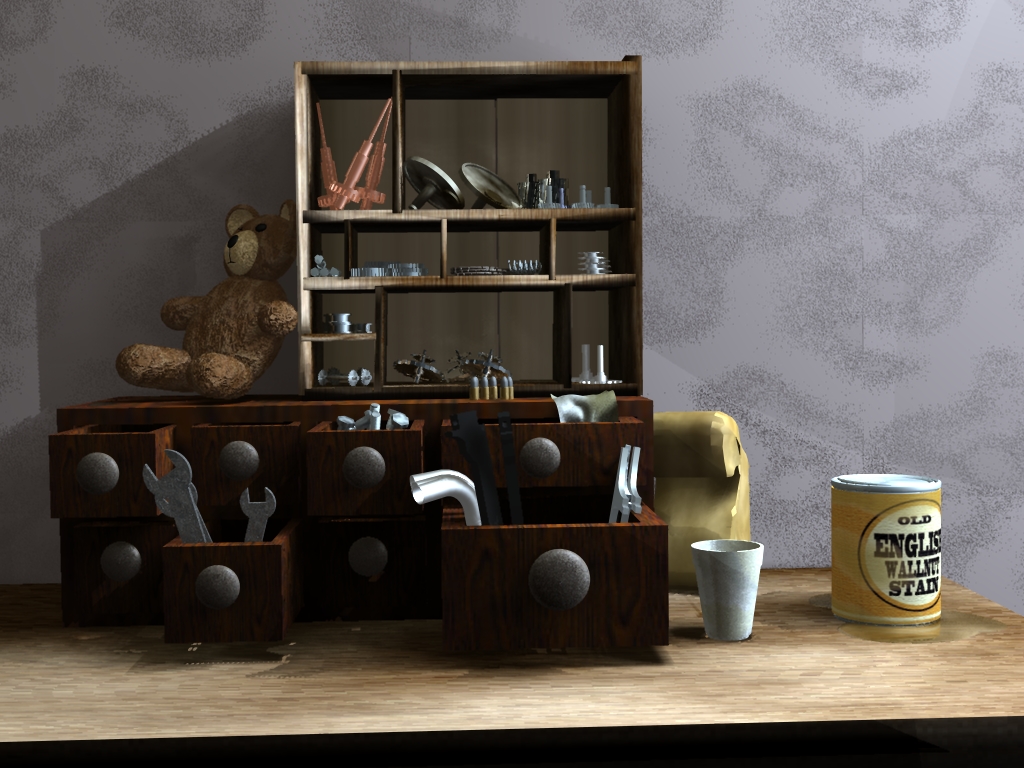
The shadows on this render are maped.. Sadly the
shadows in the last render were also maped..
I cant seem to get the edges to soften..
I did not use any transparet shadows..
shadows in the last render were also maped..
I cant seem to get the edges to soften..
I did not use any transparet shadows..
- Attachments
-

In order to Create Art... You must first learn to See...
My Website http://www.theartoftimkoons.yolasite.com
My Website http://www.theartoftimkoons.yolasite.com
-
bitkar
- Captain
- Posts: 2089
- Joined: 16 Mar 2010, 07:14
- Type the number ten into the box: 0
- Location: Czech Republic
Re: Parts Hutch
thats wierd, why arent the shadows on the wall soft... :-/ nevermind, it looks like several lightbulbs light there, it looks good too.
Michal aka bitkar
tS freak since tS2 (1998) and forever (tS7.61 modeler)
tS freak since tS2 (1998) and forever (tS7.61 modeler)
-
ranger0101
- Master Chief Petty Officer
- Posts: 363
- Joined: 22 May 2009, 13:15
- Type the number ten into the box: 0
- Location: Orrville Ohio U.S.A.
Re: Parts Hutch
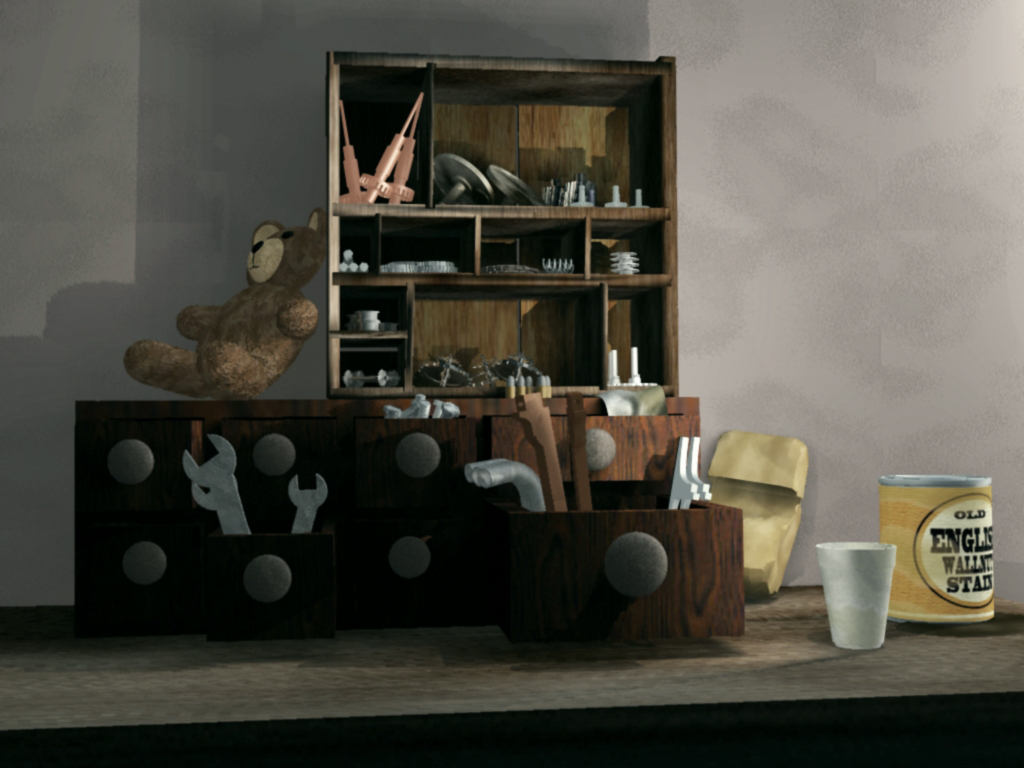
Could it be the area lights that are giving the sharp shadow outlines?
- Attachments
-
In order to Create Art... You must first learn to See...
My Website http://www.theartoftimkoons.yolasite.com
My Website http://www.theartoftimkoons.yolasite.com
-
Finis

- Captain
- Posts: 5410
- Joined: 21 May 2009, 18:26
- Type the number ten into the box: 0
- Location: America!
Re: Parts Hutch
With mapped shadows it can be difficult to get soft shadows from a light close to the shadow casting object. Try experimenting with the mapped shadow settings in a simple mock-up of the scene with only one light.
Try turning all the lights off (zero brightness, write down the brightnesses to restore later) and then turning one on at a time to see the effect of each light.
Another thing to watch for with mapped shadows is blockish or pixelated soft areas.
Another way to get soft shadows is by using a light array. Use a few lights where one would have been. This is not so good for objects close to the camera as the "layers" of shadow edges will be visible.
If you like light arrays then make a few, each with its own object naming convention and the members glued together, and save them to object files for reuse.
If you do get soft shadows from a shadow mapped light but it is pixelated then an array of two shadow mapped lights will sometimes fix that.
Try turning all the lights off (zero brightness, write down the brightnesses to restore later) and then turning one on at a time to see the effect of each light.
Another thing to watch for with mapped shadows is blockish or pixelated soft areas.
Another way to get soft shadows is by using a light array. Use a few lights where one would have been. This is not so good for objects close to the camera as the "layers" of shadow edges will be visible.
- Move them apart a little so each one makes a slightly different shadow.
- More lights in an array equals softer shadows and longer render time.
- For an array of N lights replacing one light of brightness B each light in the array has brightness B/N.
- Adjust the distance between members of an array to adjust the softness. This is useful for those light-close-to-object situations.
If you like light arrays then make a few, each with its own object naming convention and the members glued together, and save them to object files for reuse.
If you do get soft shadows from a shadow mapped light but it is pixelated then an array of two shadow mapped lights will sometimes fix that.
I prefer dangerous freedom over peaceful servitude. -- Thomas Jefferson/Jean Jacques Rousseau
-
ranger0101
- Master Chief Petty Officer
- Posts: 363
- Joined: 22 May 2009, 13:15
- Type the number ten into the box: 0
- Location: Orrville Ohio U.S.A.
Re: Parts Hutch
Thank you Finis..
That is almost certainly the problem...
I am using area lights... very close to the
objects...
There is an area light casting a shadow
across the back wall in the background the blend from
light to shadow is allmost inperceptable...
yup... I think that is it...
Thanks again...
That is almost certainly the problem...
I am using area lights... very close to the
objects...
There is an area light casting a shadow
across the back wall in the background the blend from
light to shadow is allmost inperceptable...
yup... I think that is it...
Thanks again...
In order to Create Art... You must first learn to See...
My Website http://www.theartoftimkoons.yolasite.com
My Website http://www.theartoftimkoons.yolasite.com
-
ranger0101
- Master Chief Petty Officer
- Posts: 363
- Joined: 22 May 2009, 13:15
- Type the number ten into the box: 0
- Location: Orrville Ohio U.S.A.
Re: Parts Hutch
just HDRI...
- Attachments
-

In order to Create Art... You must first learn to See...
My Website http://www.theartoftimkoons.yolasite.com
My Website http://www.theartoftimkoons.yolasite.com
-
ranger0101
- Master Chief Petty Officer
- Posts: 363
- Joined: 22 May 2009, 13:15
- Type the number ten into the box: 0
- Location: Orrville Ohio U.S.A.
Re: Parts Hutch
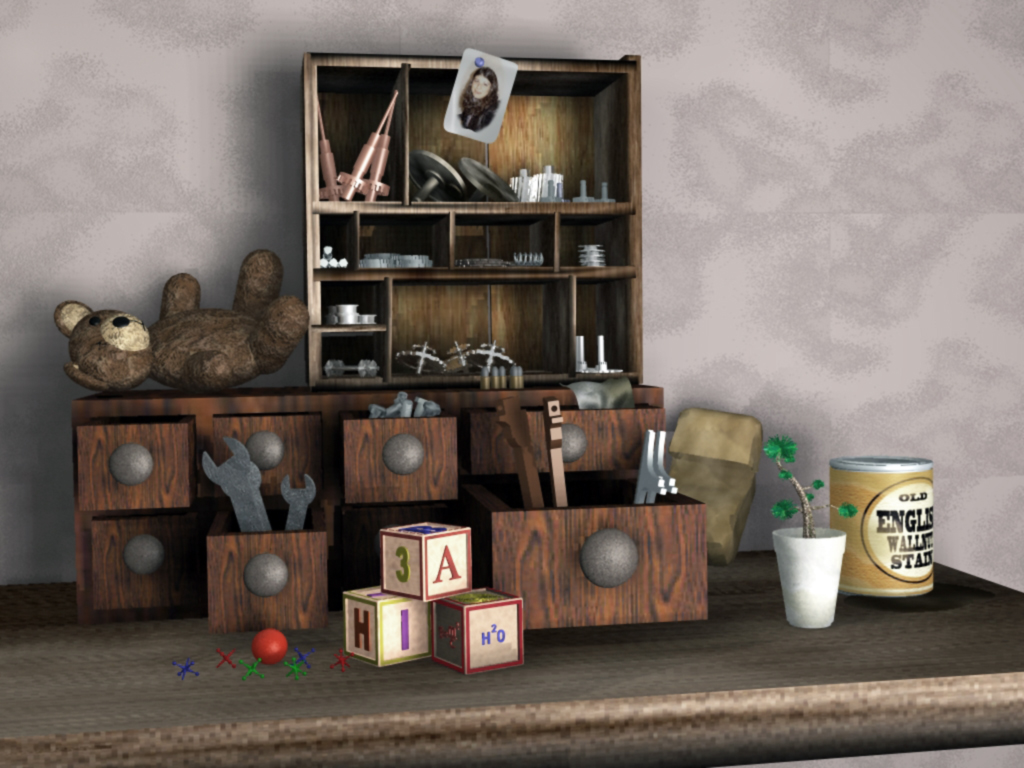
Update... Soft Shadows..
- Attachments
-
In order to Create Art... You must first learn to See...
My Website http://www.theartoftimkoons.yolasite.com
My Website http://www.theartoftimkoons.yolasite.com