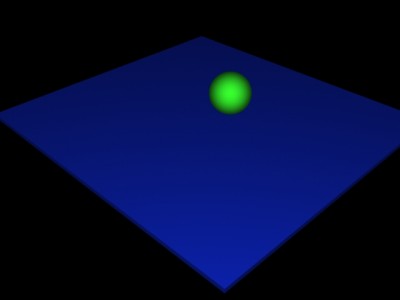
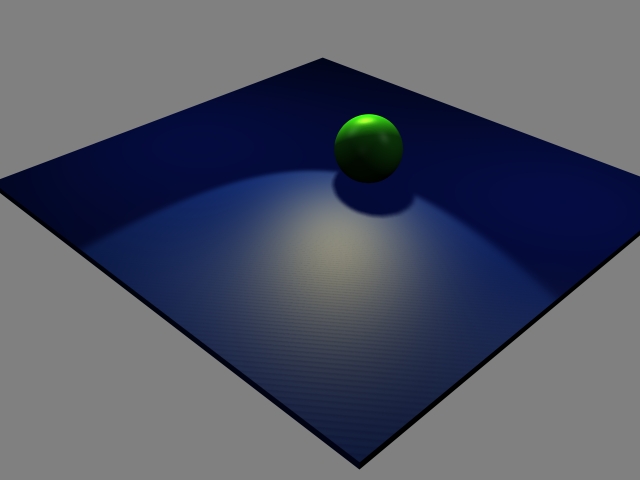
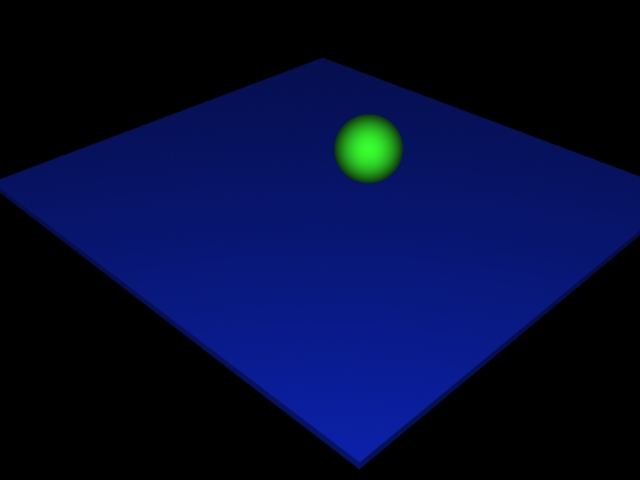
I installed Dribble today and, erm it works, managed to install the license etc and it renders, BUT it doesn't react to lights at all, what am I missing lol
I cant get shadows, no matter what I do the light is always the same
I tried twiddling the knobs etc and lights just don't seem to work
I'm using the Dribble shader
its the newest version on the most recent 3D Delight in TS 6.6
New Dribbler
-
nigec

- Master Chief Petty Officer
- Posts: 561
- Joined: 21 May 2009, 18:46
New Dribbler
- Attachments
-
-
- Dribble
-
DesignDevil

- Master Chief Petty Officer
- Posts: 500
- Joined: 22 May 2009, 08:52
- Type the number ten into the box: 0
- Location: Neuruppin, Germany, Earth.
Re: New Dribbler
welcome into the "myterious of dribble" 
ok, serious...
i also had a lot of trouble with dribble. Here a few tips:
- check that you have the right shader files http://forums1.caligari.com/truespace/s ... ht=dribble
- start the dribble server then start trueSpace and NOW copy the shader files into the SHADERS folder of your dribble installation
- If you get crazy artefacts (triangles) switch "single side rendering" on
If i remember correctly map shadows work with just one sort of light (but i don't remember which one - sorry) but Ray shadows should work. Search in the old forum for more informations.
Well ... it's a sad story. dribble has so many potential. It would be very cool to get a update (or a bugfix). I miss it so much to create cool effects like fur or motion blur. dribble could bring this to life but it doesn't work properly. If you use fur then the model is invisible - as an example - or map shadows etc.pp.
I also would pay again for a newer version - and maybe more money if it would work (clintonman - can you here me )
ok, serious...
i also had a lot of trouble with dribble. Here a few tips:
- check that you have the right shader files http://forums1.caligari.com/truespace/s ... ht=dribble
- start the dribble server then start trueSpace and NOW copy the shader files into the SHADERS folder of your dribble installation
- If you get crazy artefacts (triangles) switch "single side rendering" on
If i remember correctly map shadows work with just one sort of light (but i don't remember which one - sorry) but Ray shadows should work. Search in the old forum for more informations.
Well ... it's a sad story. dribble has so many potential. It would be very cool to get a update (or a bugfix). I miss it so much to create cool effects like fur or motion blur. dribble could bring this to life but it doesn't work properly. If you use fur then the model is invisible - as an example - or map shadows etc.pp.
I also would pay again for a newer version - and maybe more money if it would work (clintonman - can you here me
)I still use TrueSpace 6.6
Link: My Youtube Channel
Link: www.DesignDevil.de - Plugins, Tutorials and more about TrueSpace 6.6
Link: My Youtube Channel
Link: www.DesignDevil.de - Plugins, Tutorials and more about TrueSpace 6.6
-
nigec
- Master Chief Petty Officer
- Posts: 561
- Joined: 21 May 2009, 18:46
Re: New Dribbler
Thanks DesignDevil, it worked a treat 
Yes here's hoping there is further development, Its the only option really for us modelside and 6.6 users
The lack of recent activity has put me off buying it, but right now I need something that can offer better rendering than lightworks without the need to export models to other render systems
Thanks again
Yes here's hoping there is further development, Its the only option really for us modelside and 6.6 users
The lack of recent activity has put me off buying it, but right now I need something that can offer better rendering than lightworks without the need to export models to other render systems
Thanks again
-
clintonman

- Captain
- Posts: 5659
- Joined: 21 May 2009, 21:08
- Type the number ten into the box: 0
- Location: California
Re: New Dribbler
What's going on here my ears are burning. 
-
DesignDevil
- Master Chief Petty Officer
- Posts: 500
- Joined: 22 May 2009, 08:52
- Type the number ten into the box: 0
- Location: Neuruppin, Germany, Earth.
Re: New Dribbler
@clintonman ... was just a idea - in my eyes you are the only one with enough experience in writing plugins to create a new "3dlight adapter" if the old one (dribble) don't go further.
I still use TrueSpace 6.6
Link: My Youtube Channel
Link: www.DesignDevil.de - Plugins, Tutorials and more about TrueSpace 6.6
Link: My Youtube Channel
Link: www.DesignDevil.de - Plugins, Tutorials and more about TrueSpace 6.6
-
Benji
- Senior Chief Petty Officer
- Posts: 280
- Joined: 22 May 2009, 01:23
Re: New Dribbler
Maybe if dribble could be open-sourced like Simon's prior efforts the community could at least fix the bugs. Dribble was the best thing to happen in truespace in the 2+ years I've been using it, it would be a shame to leave it in it's current state.
BTW thanks for hosting the CK plugins on your site. I've been after a serial for clothmotion fo two years, it was really cool to finally get it.
BTW thanks for hosting the CK plugins on your site. I've been after a serial for clothmotion fo two years, it was really cool to finally get it.
-
nigec
- Master Chief Petty Officer
- Posts: 561
- Joined: 21 May 2009, 18:46
Re: New Dribbler
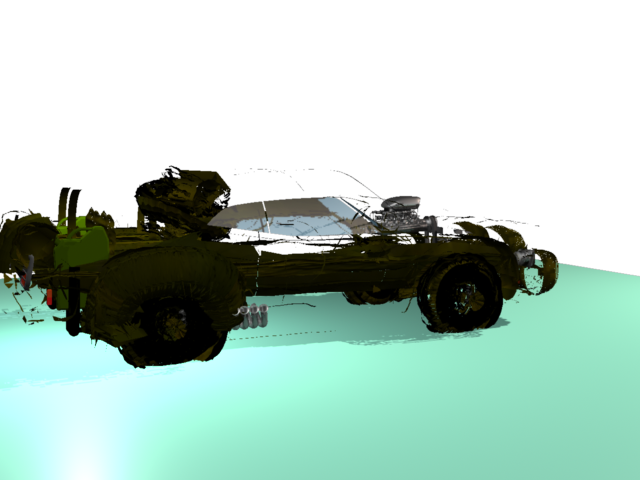
WTF! Me and Dribble just aint getting along! This model renders perfectly in Lightworks, Carrara, Vue5, and Kerky
Diribble however blows it up, loses faces and the model has dropped through the floor
TBH I've given up with it, any of the above can get a good image with very little effort
Diribble however blows it up, loses faces and the model has dropped through the floor
TBH I've given up with it, any of the above can get a good image with very little effort
- Attachments
-
-
Accu
- Petty Officer First Class
- Posts: 78
- Joined: 21 Jul 2009, 18:00
Re: New Dribbler
Do you have the newest version of Dribble? I have dribble1.04wip080808 installed, but I'm not sure if it's the one you need. Maybe there's a newer one.
I had some blowing up problems too a while ago - http://forums1.caligari.com/truespace/s ... tcount=435 but Simon fixed them.
I had some blowing up problems too a while ago - http://forums1.caligari.com/truespace/s ... tcount=435 but Simon fixed them.
-
nigec
- Master Chief Petty Officer
- Posts: 561
- Joined: 21 May 2009, 18:46
Re: New Dribbler
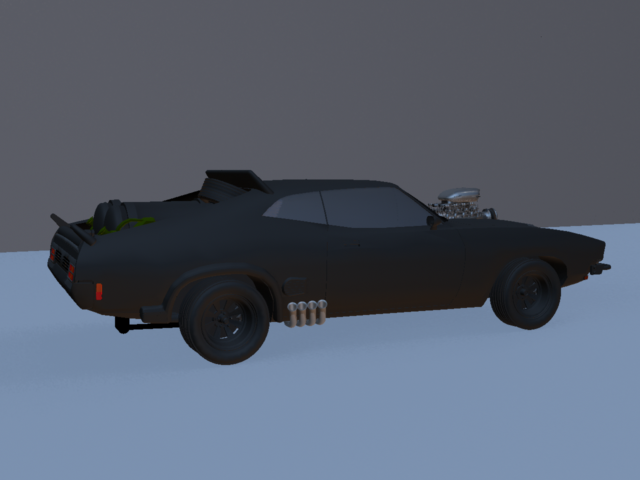
It is version dribble1.04wip080808 , with the updated shaders, the only thing with any SD is the roof and rear spoilers, I could understand it if it was just the car body, its probably got some bad geometry but everything else was basic primitives
edit
I tried again with another model I'd done eairlier, theres stuff the car has in common but no explosions!
edit
I tried again with another model I'd done eairlier, theres stuff the car has in common but no explosions!
- Attachments
-
-
Benji
- Senior Chief Petty Officer
- Posts: 280
- Joined: 22 May 2009, 01:23
Re: New Dribbler
My memory is a bit hazy, but i don't think there's been a patch since this blowing up issue, just shader updates. I think you can avoid it by making sure your objects have distinct names. Unfortunately, for imported objects, this may mean a lot of work......Do you have the newest version of Dribble? I have dribble1.04wip080808 installed, but I'm not sure if it's the one you need. Maybe there's a newer one.
I had some blowing up problems too a while ago - http://forums1.caligari.com/truespace/s ... tcount=435" but Simon fixed them.
-
nigec
- Master Chief Petty Officer
- Posts: 561
- Joined: 21 May 2009, 18:46
Re: New Dribbler
It looked to me like only the fur problem was fixed, BUT I know why the car was blowing up... textures
I tried un grouping things, and renaming them but it didn't work, but I noticed stuff like the chrome, glass etc wasn't going funky but the textured parts where, so I stripped out all the maps and just gave it regular colours and....
I tried un grouping things, and renaming them but it didn't work, but I noticed stuff like the chrome, glass etc wasn't going funky but the textured parts where, so I stripped out all the maps and just gave it regular colours and....
- Attachments
-
-
Benji
- Senior Chief Petty Officer
- Posts: 280
- Joined: 22 May 2009, 01:23
Re: New Dribbler
It's tough to say what's going on, I've never had issues like this with texture maps in dribble. I think I had issues with color maps being inverted at render time.
Unfortunately, dribble is apparently now an "as is" product, so stuff like this isn't going to improve. I'm trying to lock down a set of do's and don'ts for dribble, I'll look into this one over then next couple of weeks.
Unfortunately, dribble is apparently now an "as is" product, so stuff like this isn't going to improve. I'm trying to lock down a set of do's and don'ts for dribble, I'll look into this one over then next couple of weeks.
-
Accu
- Petty Officer First Class
- Posts: 78
- Joined: 21 Jul 2009, 18:00
Re: New Dribbler
Looking at the dribble.txt in the TSX folder, I found that:Benji wrote:My memory is a bit hazy, but i don't think there's been a patch since this blowing up issue, just shader updates.
"Changes:
1.04wip080808
- Fixed "explosion" effect when rendering complex scenes"
Guess there's more than one cause for the explosion.
-
nigec
- Master Chief Petty Officer
- Posts: 561
- Joined: 21 May 2009, 18:46
Re: New Dribbler
I'll have a look to see what size and format the textures where, it wasn't mapped just tiles
Its such a shame that Dribble isn't still active, its so close
I think I'll use it for the next SMC, maybe if its seen to be used publicly it'll rekindle some interest
edit
the textures are a 512x512 jpg, on the car body i used cubic UV projection, the wheel etc would of had uv projection
the chrome was mapped with a 128x128 TGA that didn't explode
Its such a shame that Dribble isn't still active, its so close
I think I'll use it for the next SMC, maybe if its seen to be used publicly it'll rekindle some interest
edit
the textures are a 512x512 jpg, on the car body i used cubic UV projection, the wheel etc would of had uv projection
the chrome was mapped with a 128x128 TGA that didn't explode
-
Benji
- Senior Chief Petty Officer
- Posts: 280
- Joined: 22 May 2009, 01:23
Re: New Dribbler
1.04wip080808
- Fixed "explosion" effect when rendering complex scenes"
Well, that's cool. It makes this new issue a bit of a mystery, though.
-
nigec
- Master Chief Petty Officer
- Posts: 561
- Joined: 21 May 2009, 18:46
Re: New Dribbler
I can narrow it down even more, the textures had a bump map.. whether it has uv projection or not doesn't make a difference, remove the bump and its ok
-
Accu
- Petty Officer First Class
- Posts: 78
- Joined: 21 Jul 2009, 18:00
Re: New Dribbler
Hmmm... dribble has "micro-polygon displacement giving much more realistic results than bump mapping". With the image from the site...

Maybe your bump maps displace the surfaces too much....
Maybe your bump maps displace the surfaces too much....
-
Benji
- Senior Chief Petty Officer
- Posts: 280
- Joined: 22 May 2009, 01:23
Re: New Dribbler
This may be the thing.
If you want to disable displacement, you have to uncheck the "Flt" option in the bump map rollout. Alternatively, you can also try to dial down the strength of the map. I've found that displacement is very strong even at low settings. Maybe start at 0.01 and see what happens.
If you want to disable displacement, you have to uncheck the "Flt" option in the bump map rollout. Alternatively, you can also try to dial down the strength of the map. I've found that displacement is very strong even at low settings. Maybe start at 0.01 and see what happens.
-
nigec
- Master Chief Petty Officer
- Posts: 561
- Joined: 21 May 2009, 18:46
Re: New Dribbler
Yes I can confirm that, set the bump at .01 and everything if fine, no exploding car! triangulated meshes seem to be the ones that get detatched or go transparent, primitives just expand
-
Benji
- Senior Chief Petty Officer
- Posts: 280
- Joined: 22 May 2009, 01:23
Re: New Dribbler
It's good that you figured out the problem. Dribble as a bit hard to get your head around as it often uses normal truespace settings, but they work differently.
-
SiW
- Petty Officer Third Class
- Posts: 10
- Joined: 25 Sep 2009, 04:54
Re: New Dribbler
Hey Nige, sorry I didn't see this thread earlier, I would have been able to tell you it was displacement right away.
Like benji said, the trouble with dribble is that I had to walk a fine line between adding "cool stuff" and making sure that said cool stuff was accessible without having to use a bunch of custom shaders and stuff, forcing you to retexture everything. Of course, anyone with multiple-renderer experience would tell you that you should tune your scenes for the intended renderer anyway
It's perfectly possible to write one "uber shader" that does everything, you just end up with a massive number of parameters to manage. That's the way I went with virtuaout for example, and many people couldn't get their head around that.
Like benji said, the trouble with dribble is that I had to walk a fine line between adding "cool stuff" and making sure that said cool stuff was accessible without having to use a bunch of custom shaders and stuff, forcing you to retexture everything. Of course, anyone with multiple-renderer experience would tell you that you should tune your scenes for the intended renderer anyway
It's perfectly possible to write one "uber shader" that does everything, you just end up with a massive number of parameters to manage. That's the way I went with virtuaout for example, and many people couldn't get their head around that.
-
nigec
- Master Chief Petty Officer
- Posts: 561
- Joined: 21 May 2009, 18:46
Re: New Dribbler
Thanks Simon,
With every renderer I use I have to retexture, but I guess it was such a massive difference between Lightworks being ok and things looking blown up its not the first thing you consider, luckily with me using extenal renders the car was textured in such away it was easily re do
worth mentioning Dribble is a lump faster in TS 7.61
With every renderer I use I have to retexture, but I guess it was such a massive difference between Lightworks being ok and things looking blown up its not the first thing you consider, luckily with me using extenal renders the car was textured in such away it was easily re do
worth mentioning Dribble is a lump faster in TS 7.61