LIGHTWAVE MINUS 101

jamesmc
Captain
Posts: 1776
Joined: 08 Jul 2009, 15:35

LIGHTWAVE MINUS 101

Post by jamesmc »

Had to call it Minus 101, because I know less than nothing, sub-zero - I'm so far underwater in my knowlege of LightWave3D that I might as well be snorkeling for oysters at 500 feet!

Anyways, my first project - box - :shock:
Image

Image
Walk by faith, not by sight.
User avatar
marcel
Captain
Posts: 2247
Joined: 21 May 2009, 19:52
Type the number ten into the box: 0
Location: paris - France

Re: LIGHTWAVE MINUS 101

Post by marcel »

Very good start! Now you can try to do a sphere! :bananacheers: :lol:
Design - illustration - Animation
http://www.crea-vision.fr
User avatar
clintonman
Captain
Posts: 5659
Joined: 21 May 2009, 21:08
Type the number ten into the box: 0
Location: California

Re: LIGHTWAVE MINUS 101

Post by clintonman »

marcel wrote:Very good start! Now you can try to do a sphere! :bananacheers: :lol:
But watch out, it's tricky. It's called "Ball" instead of sphere.
Clinton Reese

http://clintons3d.com
User avatar
marcel
Captain
Posts: 2247
Joined: 21 May 2009, 19:52
Type the number ten into the box: 0
Location: paris - France

Re: LIGHTWAVE MINUS 101

Post by marcel »

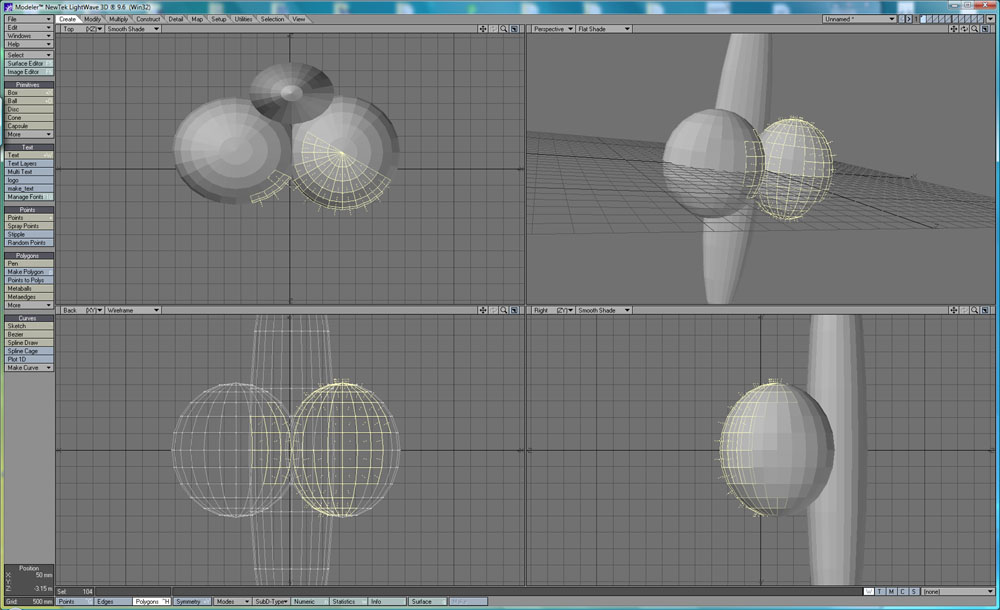
A ball is a volume. A sphere is a surface. Most of the 3d soft we use are surface 3d soft. Volume 3d soft is used for CAD for resistance materials. If lightwave say ball, maybe it have volume 3d function (?). I know this soft but never try it.
Design - illustration - Animation
http://www.crea-vision.fr
jamesmc
Captain
Posts: 1776
Joined: 08 Jul 2009, 15:35

Re: LIGHTWAVE MINUS 101

Post by jamesmc »

Volume and Surface

Yes, that's the way 3D coat works with Voxels. (Voxel sculpt is volume) other tools are for the surface, which after applying change to voxels.

I think LightWave3D refers to surface as the color, texture, shading and perhaps dynamics influences?

The volume being the points, edges and faces.

But not sure, just starting...
Walk by faith, not by sight.
User avatar
RAYMAN
Captain
Posts: 2547
Joined: 21 May 2009, 18:56

Re: LIGHTWAVE MINUS 101

Post by RAYMAN »

marcel wrote:A ball is a volume. A sphere is a surface.
but be carefull 2 spheres are not called balls... even if they are not volumes ! :lol:
Attachments
spheres.jpg
User avatar
clintonman
Captain
Posts: 5659
Joined: 21 May 2009, 21:08
Type the number ten into the box: 0
Location: California

Re: LIGHTWAVE MINUS 101

Post by clintonman »

Ya see. I told you it was tricky. If you create a ball in lightwave you are creating a sphere. This is one of the least of some of the crazy names they have for things. I like lightwave but their naming scheme for some tools is not good. I also don't like that it is split into 2 applications(sound familiar anyone?).
Clinton Reese

http://clintons3d.com
noko
Senior Chief Petty Officer
Posts: 170
Joined: 24 May 2009, 04:16

Re: LIGHTWAVE MINUS 101

Post by noko »

Does anyone here have any experience with Core? Sounds so much like tS transition I don't know what to think. I am tending towards Modo since it is all new and looks like it is developing nicely without having to worry about old stuff.
User avatar
Steinie
Captain
Posts: 2958
Joined: 21 May 2009, 17:38
Type the number ten into the box: 10

Re: LIGHTWAVE MINUS 101

Post by Steinie »

JamesMc, Did you buy Lightwave with intentions of moving on to Core?
I do know that Lightwave has won more Emmys and awards then all the other
3D programs. So I wouldn't laugh at this application too much. I tried using
Lightwave back in the early days and could never get used to the interface.
I bet it doesn't crash as much as trueSpace. Fill us in on your thoughts as you
learn this program James because I am curious to know your opinion of it.
User avatar
marcel
Captain
Posts: 2247
Joined: 21 May 2009, 19:52
Type the number ten into the box: 0
Location: paris - France

Re: LIGHTWAVE MINUS 101

Post by marcel »

what I love with TS, it can work without dropdown menus. Most software uses this system because it's easier to create a clean interface. But in practice, is tiring to seek functions ceaselessly. These programs use keyboard shortcuts but it is not easy to remember all this. Finally, the interface of TS could be adapted to a touch interface more easily than other software.

what is Core? what is these 2 apps inside Lightwave that you speak?
Design - illustration - Animation
http://www.crea-vision.fr
User avatar
RAYMAN
Captain
Posts: 2547
Joined: 21 May 2009, 18:56

Re: LIGHTWAVE MINUS 101

Post by RAYMAN »

marcel wrote:what I love with TS, it can work without dropdown menus. Most software uses this system because it's easier to create a clean interface. But in practice, is tiring to seek functions ceaselessly. These programs use keyboard shortcuts but it is not easy to remember all this. Finally, the interface of TS could be adapted to a touch interface more easily than other software.

what is Core? what is these 2 apps inside Lightwave that you speak?
Core is the next generation of Lightwave built up from scratch with the big bonus that all the developers have access to even the deepest of the
functions that the program has therefore the name.....
The second big step away from the old architecture is that Core now combines the 2 seperate pieces of the architecture - modeler and layout into
a single application ......
Lightwave is an awsome package as a standard package....has a very nice render engine for the price built into it.
When I bought Vue inf. 5 about 4 years ago it was bundled with lightwave 8 for 700 $ just about the best deals out there and lots of people got onto that
route. I could even update up to the version 9.6 all for that money....
That doesnt implement that it fits my style of modeling.....
I love to ad and subtract from models and therefore use boolean operations extensivly thats something that no polygon modeler likes... it gives you some
unpredictable results with all of them.....
thats mostly the reason why i use the modelers that I use.. but if it comes to bending or tappering those meshes i put them into Lightwave..

Lightwave is cool for its animational possibilities next to everything is keyframable...
Peter
DanX
Senior Chief Petty Officer
Posts: 179
Joined: 23 May 2009, 17:53
Type the number ten into the box: 0
Location: Florida

Re: LIGHTWAVE MINUS 101

Post by DanX »

I only played with Lightwave demo back when it was bundled with Vue 5infinite. These are the things I didn’t like and consequently the reasons I didn’t purchase the bundle. The main reason was I had already purchased Vue 5 prior to the offer and would have had to sell my copy to make it worth while.

Lightwave came with a dongle key so you could install it on multiple pc’s but it would not function without the dongle plugged in. It had a model side and rendering/setup side so you had 2 separate desktop icons for the same application. And finally it looked to have a major learning curve. I could not make much sense out of it by just browsing the interface but this is probably because I was raised on TS haha.

But Lightwave has an incredible track history and is well known to be a very solid application so don’t sell it short.
Image
User avatar
marcel
Captain
Posts: 2247
Joined: 21 May 2009, 19:52
Type the number ten into the box: 0
Location: paris - France

Re: LIGHTWAVE MINUS 101

Post by marcel »

RAYMAN wrote:Core is the next generation of Lightwave built up from scratch with the big bonus that all the developers have access to even the deepest of the
functions that the program has therefore the name.....
The second big step away from the old architecture is that Core now combines the 2 seperate pieces of the architecture - modeler and layout into
a single application ......
Lightwave is an awsome package as a standard package....has a very nice render engine for the price built into it.
When I bought Vue inf. 5 about 4 years ago it was bundled with lightwave 8 for 700 $ just about the best deals out there and lots of people got onto that
route. I could even update up to the version 9.6 all for that money....
That doesnt implement that it fits my style of modeling.....
I love to ad and subtract from models and therefore use boolean operations extensivly thats something that no polygon modeler likes... it gives you some
unpredictable results with all of them.....
thats mostly the reason why i use the modelers that I use.. but if it comes to bending or tappering those meshes i put them into Lightwave..

Lightwave is cool for its animational possibilities next to everything is keyframable...
Peter
thank Rayman. I hope this new architecture is enough mature to avoid kind of problem we know with "old and new" TS together. It is a good think for a new user to start with a new architecture without knowing this problem. Many soft need to change their code or architecture after a long period of update. With Core, Lightwave is maybe that kind of soft interesting to start a new story.
Design - illustration - Animation
http://www.crea-vision.fr
User avatar
RAYMAN
Captain
Posts: 2547
Joined: 21 May 2009, 18:56

Re: LIGHTWAVE MINUS 101

Post by RAYMAN »

marcel wrote:
RAYMAN wrote:Core is the next generation of Lightwave built up from scratch with the big bonus that all the developers have access to even the deepest of the
functions that the program has therefore the name.....
The second big step away from the old architecture is that Core now combines the 2 seperate pieces of the architecture - modeler and layout into
a single application ......
Lightwave is an awsome package as a standard package....has a very nice render engine for the price built into it.
When I bought Vue inf. 5 about 4 years ago it was bundled with lightwave 8 for 700 $ just about the best deals out there and lots of people got onto that
route. I could even update up to the version 9.6 all for that money....
That doesnt implement that it fits my style of modeling.....
I love to ad and subtract from models and therefore use boolean operations extensivly thats something that no polygon modeler likes... it gives you some
unpredictable results with all of them.....
thats mostly the reason why i use the modelers that I use.. but if it comes to bending or tappering those meshes i put them into Lightwave..

Lightwave is cool for its animational possibilities next to everything is keyframable...
Peter
thank Rayman. I hope this new architecture is enough mature to avoid kind of problem we know with "old and new" TS together. It is a good think for a new user to start with a new architecture without knowing this problem. Many soft need to change their code or architecture after a long period of update. With Core, Lightwave is maybe that kind of soft interesting to start a new story.
The interesting part is that it uses the Collada format now as its main format it can therefore be very interesting for use with vue for animations....
but they postponed the release for 1 Q 2010 so i havent had any chance to get my hands over it.
what´s also nice is that its sort of parametric .. every thing can be changed in the constuction history and what you have done on top of that step gets updated accordingly...
Peter
User avatar
marcel
Captain
Posts: 2247
Joined: 21 May 2009, 19:52
Type the number ten into the box: 0
Location: paris - France

Re: LIGHTWAVE MINUS 101

Post by marcel »

DanX wrote: Lightwave came with a dongle key so you could install it on multiple pc’s but it would not function without the dongle plugged in. It had a model side and rendering/setup side so you had 2 separate desktop icons for the same application. And finally it looked to have a major learning curve. I could not make much sense out of it by just browsing the interface but this is probably because I was raised on TS haha.

But Lightwave has an incredible track history and is well known to be a very solid application so don’t sell it short.
Truespace have a workspace and model side too and it is the first reason most of new users don't like it or don't understand it. If i was a new user, sure i never try to learn truespace like i never try to use the old lightwave. core seem a good new. Caligari was the opposite and it has stalled in the difficulty to give us a monster with 2 heads. Personally, I use the old head and ignores the new. My new head will be surely a different soft, modern and responsive to changing equipment.
Design - illustration - Animation
http://www.crea-vision.fr
User avatar
Finis
Captain
Posts: 5410
Joined: 21 May 2009, 18:26
Type the number ten into the box: 0
Location: America!

Re: LIGHTWAVE MINUS 101

Post by Finis »

I think that the big boys toys like Lightwave are intended for professionals and studios so they aren't so easy to learn as hobby-ware. However, productivity is important to pros and studios so once you have climbed that learning curve you can probably do a lot. Maya and such, I think, are meant for studios with teams of people and specialists in different aspects. One person could learn it but each part is probably complex but powerful.
I prefer dangerous freedom over peaceful servitude. -- Thomas Jefferson/Jean Jacques Rousseau
User avatar
RAYMAN
Captain
Posts: 2547
Joined: 21 May 2009, 18:56

Re: LIGHTWAVE MINUS 101

Post by RAYMAN »

Finis wrote:I think that the big boys toys like Lightwave are intended for professionals and studios so they aren't so easy to learn as hobby-ware. However, productivity is important to pros and studios so once you have climbed that learning curve you can probably do a lot. Maya and such, I think, are meant for studios with teams of people and specialists in different aspects. One person could learn it but each part is probably complex but powerful.
The real challange is that they have to fit your style of working.
In fact apart from being able to animate next to any parameter in the software they arent any different to Truespace...
Everything is very solid but no surprise.....
They all mostly have pretty standard polygon modeling.most of them dont even let you paint your maps.....(modo does and so does c4d with bodypaint)
Your just pushing and pulling poygons......
jamesmc
Captain
Posts: 1776
Joined: 08 Jul 2009, 15:35

Re: LIGHTWAVE MINUS 101

Post by jamesmc »

Arghhhh!

grumble, mumble - (holds digit of primary interest up)

Image

Luckily, they have a seven-day a week customer service.

Still,

arghhh!
=====================
Ahhhh!
That was quick. :)

Starting on rounded face die, using a tool called rounder.

Image
Walk by faith, not by sight.
jamesmc
Captain
Posts: 1776
Joined: 08 Jul 2009, 15:35

Re: LIGHTWAVE MINUS 101

Post by jamesmc »

Added a slight micro bevel about 2mm to each round face and added a surface color to the whole die. (Die is 500x500x500 mm).

Changed the translucency a bit, so I can see through it somewhat, along with some hightlights, etc.

Image
Walk by faith, not by sight.
jamesmc
Captain
Posts: 1776
Joined: 08 Jul 2009, 15:35

Re: LIGHTWAVE MINUS 101

Post by jamesmc »

BTW, following a tutorial made by Newtek Lightwave3d for 9.6, so one can see the original video at the Newteck Website.

Making the divots, tapering one end, duplicating in an array and using Speed boolean to substract from rounded face die.

Image
Image
Walk by faith, not by sight.
jamesmc
Captain
Posts: 1776
Joined: 08 Jul 2009, 15:35

Re: LIGHTWAVE MINUS 101

Post by jamesmc »

After several days of trying to get Lightwave to run, I have given up.

It was running fine until I started to work in it, now it won't even start up.

After several days of calling Newtek and using their solutions, still no joy.

What a waste of money...
Walk by faith, not by sight.
User avatar
RAYMAN
Captain
Posts: 2547
Joined: 21 May 2009, 18:56

Re: LIGHTWAVE MINUS 101

Post by RAYMAN »

jamesmc wrote:After several days of trying to get Lightwave to run, I have given up.

It was running fine until I started to work in it, now it won't even start up.

After several days of calling Newtek and using their solutions, still no joy.

What a waste of money...
James you shouldnt give up because its unusual that it doesnt work at all !
tell us what it does and doesnt do !
But although as I said i got it through the vue special a few years ago I didnt use it as much as i thought i would.....
I always come back to the same things......
guess it habits...
User avatar
marcel
Captain
Posts: 2247
Joined: 21 May 2009, 19:52
Type the number ten into the box: 0
Location: paris - France

Re: LIGHTWAVE MINUS 101

Post by marcel »

Why all the 3d software interfaces are gray? I would prefer something different like bright black and dark white. :lol:
Design - illustration - Animation
http://www.crea-vision.fr
User avatar
LeonRegis
Captain
Posts: 1946
Joined: 18 Aug 2009, 17:36
Type the number ten into the box: 0
Location: Brazil/Earth/Orion Arm/Milky Way/4th Dimension/This Universe/Multiverse???/Singularity???

Re: LIGHTWAVE MINUS 101

Post by LeonRegis »

A gradient silver-black would look beautiful. :mrgreen:
Be the change you want to see in the world. - Mohandas Gandhi
User avatar
Finis
Captain
Posts: 5410
Joined: 21 May 2009, 18:26
Type the number ten into the box: 0
Location: America!

Re: LIGHTWAVE MINUS 101

Post by Finis »

Mighty boxer JamesMC takes punches in round one ... ding goes the bell ... coach Finis at the corner between rounds: "So's ya took some punches?" Wipes blood from James' face. "You got lots a rounds left to win this thing." Gives James water. "Now git back out there an' knock 'em flat!" ... Ding. Round two!

Dont' give up James. Keep demanding help from NewTek. Try Lightwave forums for help from others. Since there have been several days effort I guess you have already uninstalled and reinstalled.
I prefer dangerous freedom over peaceful servitude. -- Thomas Jefferson/Jean Jacques Rousseau
jamesmc
Captain
Posts: 1776
Joined: 08 Jul 2009, 15:35

Re: LIGHTWAVE MINUS 101

Post by jamesmc »

Okay, I finally got Lightwave3D back to a usable state.

The culprits?

Zonealarm virus, a bad mouse and an old virus protection software P-cillin by Micro Trend that was interfering, even though it was deactivated. That combination was wreaking havoc and got worse. By the process of elimination, I back into Lightwave3D and hopefully haven't forgotten too much, but am studying tutorials again.

It's a complicated 3D software, but I love it's power and potential. After all, it was used to help make the movie Avatar!

Now, back to watching tutorials, stubbing my toe and singing by the campfire under the stars.

Okay, not the last part...
Walk by faith, not by sight.
User avatar
Finis
Captain
Posts: 5410
Joined: 21 May 2009, 18:26
Type the number ten into the box: 0
Location: America!

Re: LIGHTWAVE MINUS 101

Post by Finis »

Glad to hear you got it working!
I prefer dangerous freedom over peaceful servitude. -- Thomas Jefferson/Jean Jacques Rousseau
User avatar
bitkar
Captain
Posts: 2089
Joined: 16 Mar 2010, 07:14
Type the number ten into the box: 0
Location: Czech Republic

Re: LIGHTWAVE MINUS 101

Post by bitkar »

marcel wrote:what I love with TS, it can work without dropdown menus. Most software uses this system because it's easier to create a clean interface. But in practice, is tiring to seek functions ceaselessly. These programs use keyboard shortcuts but it is not easy to remember all this. Finally, the interface of TS could be adapted to a touch interface more easily than other software.

what is Core? what is these 2 apps inside Lightwave that you speak?
you speak my words about tS!

btw: lightwave was the first 3d app I experienced. Two splits are: one for modeling, second interface is for animation. I didnt like it from the first time, then when I saw tS, it was more convenient to use and I fell in love at first sight.
I think LW was app that could do great things, but days of fame are over. Maya and others overtook the leadership.
Michal aka bitkar
tS freak since tS2 (1998) and forever (tS7.61 modeler)

Return to “Work in Progress”