i'm messing around in TP. i'm using the fire2 preset and the flame decal that comes standard with truespace 6.6. i figured out that you are supposed to paint the fire ball on frame zero so it will be textured for the whole animation. my problem is no matter how many times i scale the U V in the "paint box" it always comes out just yellowish orange. there is no flame detail on the mesh. so how do i get that flame detail to show up? ....
thanks
joe
texturing in True particles?
-
seppgirty

- Master Chief Petty Officer
- Posts: 354
- Joined: 22 May 2009, 03:34
- Type the number ten into the box: 0
- Location: pittsburgh Pa.
texturing in True particles?
truespace 3.2, 5.2, 6.6, ani-pack, flash plugin,........ you can check out my films athttp://www.chaosbrosfilms.com
-
ranger0101

- Master Chief Petty Officer
- Posts: 363
- Joined: 22 May 2009, 13:15
- Type the number ten into the box: 0
- Location: Orrville Ohio U.S.A.
Re: texturing in True particles?
Hi.. Seppgirty..
You might want to try using a picked object for particle type.
create a plane position it verticaly and move it outside of render area.
Paint the plane with the texture you want..
Now you can render this plane and make adjustments until you
get it looking just the way you want..
When you are happy with the result..
Go to the particle type tab in TruePartiles setup box.. Click on
picked object buton then click on your textured plane..
That plane is what will come out of the Particle Emitter..
btw.. For future reference you can use any geometry as picked
object..
I hope this helps...
CHEERS
ranger0101
You might want to try using a picked object for particle type.
create a plane position it verticaly and move it outside of render area.
Paint the plane with the texture you want..
Now you can render this plane and make adjustments until you
get it looking just the way you want..
When you are happy with the result..
Go to the particle type tab in TruePartiles setup box.. Click on
picked object buton then click on your textured plane..
That plane is what will come out of the Particle Emitter..
btw.. For future reference you can use any geometry as picked
object..
I hope this helps...
CHEERS
ranger0101
In order to Create Art... You must first learn to See...
My Website http://www.theartoftimkoons.yolasite.com
My Website http://www.theartoftimkoons.yolasite.com
-
spacekdet

- Captain
- Posts: 1810
- Joined: 27 May 2009, 15:00
- Type the number ten into the box: 10
- Location: On the day shift at the Utility Muffin Research Kitchen
Re: texturing in True particles?
Just eliminating the obvious here, but have you applied a UV Map to the object?
-
seppgirty
- Master Chief Petty Officer
- Posts: 354
- Joined: 22 May 2009, 03:34
- Type the number ten into the box: 0
- Location: pittsburgh Pa.
Re: texturing in True particles?
thanks ranger, i'll give that a try....
hey spacecadet, i tried to apply a UV map to it but it wouldn't take. i guess it's because it's already animated. (i tried to UV map it before i posted the question ) i was just wondering if there is a simple trick to it that i haven't figured out yet.
has anyone REALLY messed with true particles?
hey spacecadet, i tried to apply a UV map to it but it wouldn't take. i guess it's because it's already animated. (i tried to UV map it before i posted the question
) i was just wondering if there is a simple trick to it that i haven't figured out yet.has anyone REALLY messed with true particles?
truespace 3.2, 5.2, 6.6, ani-pack, flash plugin,........ you can check out my films athttp://www.chaosbrosfilms.com
-
ranger0101
- Master Chief Petty Officer
- Posts: 363
- Joined: 22 May 2009, 13:15
- Type the number ten into the box: 0
- Location: Orrville Ohio U.S.A.
Re: texturing in True particles?
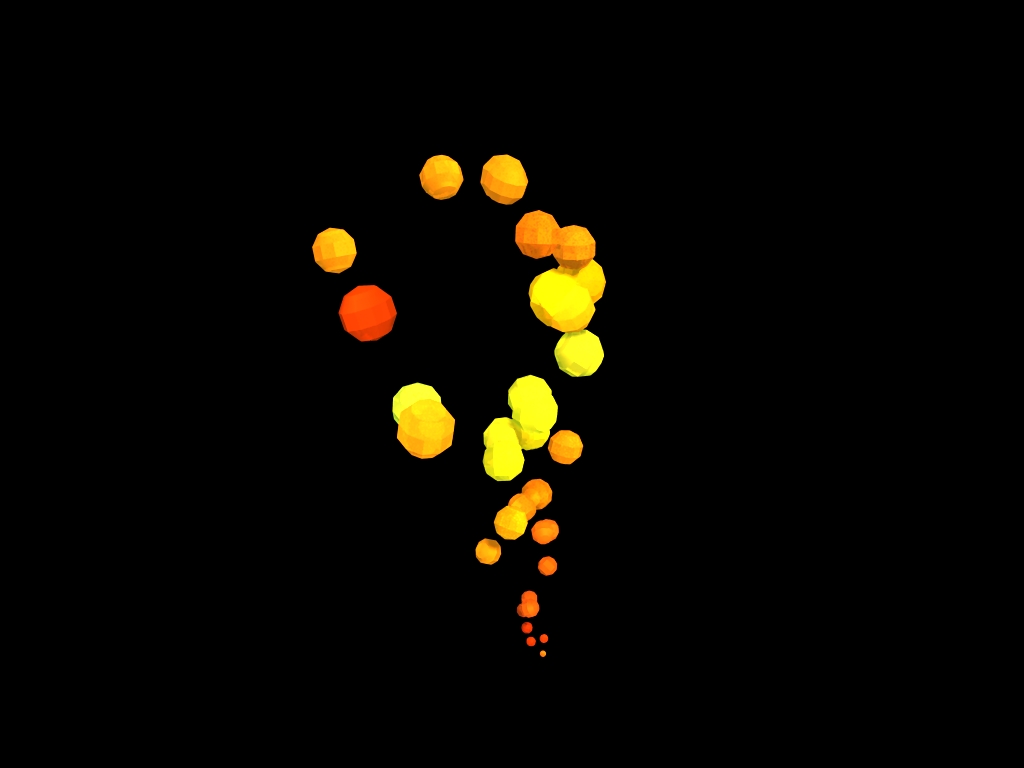
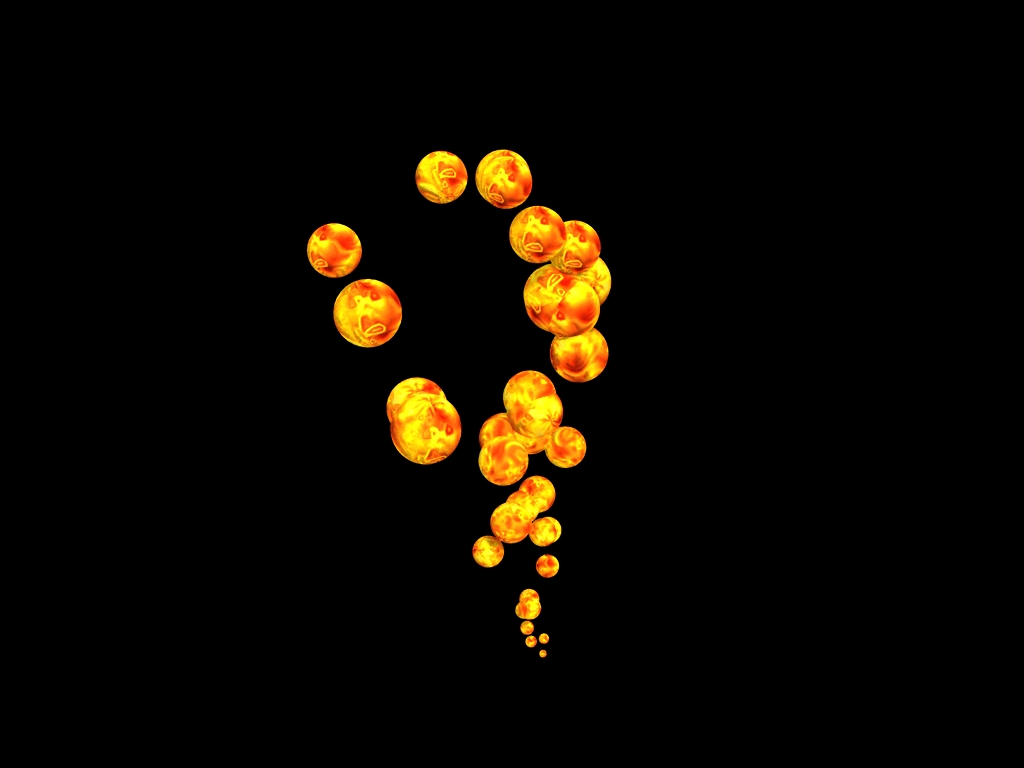
Here are some examples of what I'm
Talking about.. The nice looking one
is a maped sphear as a piked object as
particle type... The goofy looking one
is the same map applied to the emitter
and sphear as particle type...
In the second case the emitter spreads
the map over many sphears... i don't know
any way to alter this..
CHEERS
ranger0101
Talking about.. The nice looking one
is a maped sphear as a piked object as
particle type... The goofy looking one
is the same map applied to the emitter
and sphear as particle type...
In the second case the emitter spreads
the map over many sphears... i don't know
any way to alter this..
CHEERS
ranger0101
- Attachments
-
-
In order to Create Art... You must first learn to See...
My Website http://www.theartoftimkoons.yolasite.com
My Website http://www.theartoftimkoons.yolasite.com
-
ranger0101
- Master Chief Petty Officer
- Posts: 363
- Joined: 22 May 2009, 13:15
- Type the number ten into the box: 0
- Location: Orrville Ohio U.S.A.
Re: texturing in True particles?
I just reread your first post.... 
I did'nt realise you were using a preset..
That preset uses meta-particles witch
means a gazillion particles and that means
the texture is spread out over even more
particles... which equals MUD...
What you could do is paint the emmiter
with a very bright transparent yellow then
place another 2/3 smaller emmiter inside it
painted a verry brite transparent blue...
The real answer for fire in TrueSpace is
Primal Particles FX a great particle system
plugin... And it's FREE to download.
http://www.primitiveitch.com/
Just click on the download free stuff button
and download all four free plugins they are all
pro quality..
Wish I could have helped more..
CHEERS
ranger0101
I did'nt realise you were using a preset..
That preset uses meta-particles witch
means a gazillion particles and that means
the texture is spread out over even more
particles... which equals MUD...
What you could do is paint the emmiter
with a very bright transparent yellow then
place another 2/3 smaller emmiter inside it
painted a verry brite transparent blue...
The real answer for fire in TrueSpace is
Primal Particles FX a great particle system
plugin... And it's FREE to download.
http://www.primitiveitch.com/
Just click on the download free stuff button
and download all four free plugins they are all
pro quality..
Wish I could have helped more..
CHEERS
ranger0101
In order to Create Art... You must first learn to See...
My Website http://www.theartoftimkoons.yolasite.com
My Website http://www.theartoftimkoons.yolasite.com
-
seppgirty
- Master Chief Petty Officer
- Posts: 354
- Joined: 22 May 2009, 03:34
- Type the number ten into the box: 0
- Location: pittsburgh Pa.
Re: texturing in True particles?
hey ranger0101
thanks, you answered my question quite fine. i'll give the picked object a try and also download and try the other particle program.... thanks for the help bud
thanks, you answered my question quite fine. i'll give the picked object a try and also download and try the other particle program.... thanks for the help bud
truespace 3.2, 5.2, 6.6, ani-pack, flash plugin,........ you can check out my films athttp://www.chaosbrosfilms.com
-
ranger0101
- Master Chief Petty Officer
- Posts: 363
- Joined: 22 May 2009, 13:15
- Type the number ten into the box: 0
- Location: Orrville Ohio U.S.A.
Re: texturing in True particles?
You'r Welcome... seppgirty...
I've been using TrueSpace since ver. 3.2..
And I spent a lot of time in Califorum and this forum
getting help and instruction...
It's great to be able to pass on the favour..
!!! CHEERS !!!
ranger0101
seppgirty...I've been using TrueSpace since ver. 3.2..
And I spent a lot of time in Califorum and this forum
getting help and instruction...
It's great to be able to pass on the favour..
!!! CHEERS !!!
ranger0101
In order to Create Art... You must first learn to See...
My Website http://www.theartoftimkoons.yolasite.com
My Website http://www.theartoftimkoons.yolasite.com
-
LeonRegis

- Captain
- Posts: 1946
- Joined: 18 Aug 2009, 17:36
- Type the number ten into the box: 0
- Location: Brazil/Earth/Orion Arm/Milky Way/4th Dimension/This Universe/Multiverse???/Singularity???
Re: texturing in True particles?
I use primal particles for that kind of effect. Warning: they don't cast shadows.
Be the change you want to see in the world. - Mohandas Gandhi