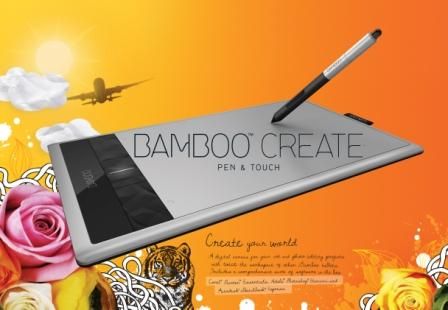
Just bought this Bamboo Create Touch Pad because I have a lot of graphics applications and Windows 8 which was made for moving stuff around with fingers.
Received it yesterday and I've managed to open so many menus and go places on the Web I didn't want to go to.
A blind cat stomping on a keyboard would have better success than I.
I suppose it takes some getting used to, but who knew that writing with a pen would involve knowing how to hold your jaw.
Had the best success with Photoshop so far, not so much with 3DCoat or other applications. Hopefully it will get better. heh
Bamboo Create Tourch Pad
-
jamesmc
- Captain
- Posts: 1776
- Joined: 08 Jul 2009, 15:35
Bamboo Create Tourch Pad
- Attachments
-
Walk by faith, not by sight.
-
Steinie

- Captain
- Posts: 2958
- Joined: 21 May 2009, 17:38
- Type the number ten into the box: 10
Re: Bamboo Create Tourch Pad
It is a pain at first but after awhile it becomes second nature. I really like my Bamboo for certain applications.
-
Draise

- Captain
- Posts: 3200
- Joined: 21 Sep 2009, 19:33
- Type the number ten into the box: 0
- Location: Bogota, Colombia
Re: Bamboo Create Tourch Pad
I had this exact same tablet before they mugged me of it!!!!!! God I miss it. It was the perfect size, great for painting and the multi-touch sensitivity very Zen.
Though like you, I found the gestures from the touch sensitivity was a little hard to get used to, because.. you can't see where you're doing the gestures on the screen... I haven't tried it on Windows 8, but I can imagine the same difficulty. Pencil 'n' paper and tactile surface screens have direct contact with your hands and what you see, making gestures natural and very easy, but with this case of a touch surface and a screen elsewhere other than where you touch will screw with your senses and will take some time to dislodge and offset your motor-skills to visual. Thus most artists hate drawing on tablets at first... (because they have to learn how to draw again with the visual offset, example)
Again, most 2D, Sculpt and texture painting features of a software are best on a tablet, and I actually used some heavier software, like Blender, with only the tablet.
But other heavier 3D software and games, other than Blender, I used the traditional mouse, or a mix of both depending on the function.
Hope you get the hang of it! And fast!
Oh, and I totally recommend and learn all the gestures and features from this article HERE and also HERE.
Though like you, I found the gestures from the touch sensitivity was a little hard to get used to, because.. you can't see where you're doing the gestures on the screen... I haven't tried it on Windows 8, but I can imagine the same difficulty. Pencil 'n' paper and tactile surface screens have direct contact with your hands and what you see, making gestures natural and very easy, but with this case of a touch surface and a screen elsewhere other than where you touch will screw with your senses and will take some time to dislodge and offset your motor-skills to visual. Thus most artists hate drawing on tablets at first... (because they have to learn how to draw again with the visual offset, example)
Again, most 2D, Sculpt and texture painting features of a software are best on a tablet, and I actually used some heavier software, like Blender, with only the tablet.
But other heavier 3D software and games, other than Blender, I used the traditional mouse, or a mix of both depending on the function.
Hope you get the hang of it! And fast!
Oh, and I totally recommend and learn all the gestures and features from this article HERE and also HERE.
-
jamesmc
- Captain
- Posts: 1776
- Joined: 08 Jul 2009, 15:35
Re: Bamboo Create Tourch Pad
Thanks for the encouragement Steinie and Draise - think I'm gonna need it till I get used to the tablet and pen.
heh
Draise, those links look like just what I needed. Thanks!
Drew this in Xara vector application to see what I could do, rough - but I can see its potential. It's also what I feel like at the moment.
heh
Draise, those links look like just what I needed. Thanks!
Drew this in Xara vector application to see what I could do, rough - but I can see its potential. It's also what I feel like at the moment.
- Attachments
-

- WYLIE.jpg (15.04 KiB) Viewed 5012 times
Walk by faith, not by sight.
-
3dfrog

- Senior Chief Petty Officer
- Posts: 175
- Joined: 21 May 2009, 21:09
Re: Bamboo Create Tourch Pad
Cool James. I like that drawing. I find that the app gimp works well with a tablet as well. I have a adesso and it works great so a wacom probably even much better. I found the adesso tablet didn't respond too well in corel but yeah much better in gimp. They have recently improved gimp, worth checking out if you haven't. My budget wicked tight these days so I'm optng on free or low cost programs. My version of Photoshop was so outdated, that gimp actually works better on my system for me and I just can't justify the cost of adobe products anymore 
-
marcel

- Captain
- Posts: 2247
- Joined: 21 May 2009, 19:52
- Type the number ten into the box: 0
- Location: paris - France
Re: Bamboo Create Tourch Pad
And don't forget, Tablet have the pressure. It is a feature useful for artist. A mouse can't do That. Sculptris is a good example of what a Tablet can do when the soft is written for that.
I have an Intuos 5 medium size. A good dimension for me.
I have an Intuos 5 medium size. A good dimension for me.
Design - illustration - Animation
http://www.crea-vision.fr
http://www.crea-vision.fr
-
froo
- Captain
- Posts: 2554
- Joined: 22 May 2009, 12:13
Re: Bamboo Create Tourch Pad
very nice james!
-
Steinie
- Captain
- Posts: 2958
- Joined: 21 May 2009, 17:38
- Type the number ten into the box: 10
Re: Bamboo Create Tourch Pad
-
spacekdet

- Captain
- Posts: 1810
- Joined: 27 May 2009, 15:00
- Type the number ten into the box: 10
- Location: On the day shift at the Utility Muffin Research Kitchen
Re: Bamboo Create Tourch Pad
The typo 'Tourch' in the topic bothers me more than it should.
I imagine bamboo would make a fine torch.
I used my bamboo tablet to make a watermark! Good times.
I imagine bamboo would make a fine torch.
I used my bamboo tablet to make a watermark! Good times.
-
3dfrog
- Senior Chief Petty Officer
- Posts: 175
- Joined: 21 May 2009, 21:09
Re: Bamboo Create Tourch Pad
Ohh I forgot about pixlar, thanks STeinie. The only problem is, no pressure sensitivity Otherwise a very cool app.
Otherwise a very cool app.-
jamesmc
- Captain
- Posts: 1776
- Joined: 08 Jul 2009, 15:35
Re: Bamboo Create Tourch Pad
The pronunciation and thus, subsequent spelling of "Tourch" most likely comes from my initial efforts to learn how to use the stylus. While holding the stylus I had to angle my jaw, curl my toes and bow my neck all the while not breathing any more than was necessary.spacekdet wrote:The typo 'Tourch' in the topic bothers me more than it should.
I imagine bamboo would make a fine torch.
I used my bamboo tablet to make a watermark! Good times.
Walk by faith, not by sight.