installing conversion pack to 6.6
-
bkjernisted
- Chief Petty Officer
- Posts: 114
- Joined: 23 May 2009, 06:10
installing conversion pack to 6.6
Is there a way of doing this? I believe it was meant to be installed on 6.5! Thanks!
-
Emmanuel

- Chief Warrant Officer
- Posts: 670
- Joined: 14 Jun 2009, 06:47
Re: installing conversion pack to 6.6
Yes, conversion pack install requires tS6.5
I still have tS6.5 + CP on a USB key but honestly we don't really need it. CP's formats are outdated and everytime I try to import some DWG I just get an error message.
The best workaround is to export the Audocad scene in DXF R14 compatibility format, or better : export in EPS or AI formats which load much better in tS.
I still have tS6.5 + CP on a USB key but honestly we don't really need it. CP's formats are outdated and everytime I try to import some DWG I just get an error message.
The best workaround is to export the Audocad scene in DXF R14 compatibility format, or better : export in EPS or AI formats which load much better in tS.
-
marcel

- Captain
- Posts: 2247
- Joined: 21 May 2009, 19:52
- Type the number ten into the box: 0
- Location: paris - France
Re: installing conversion pack to 6.6
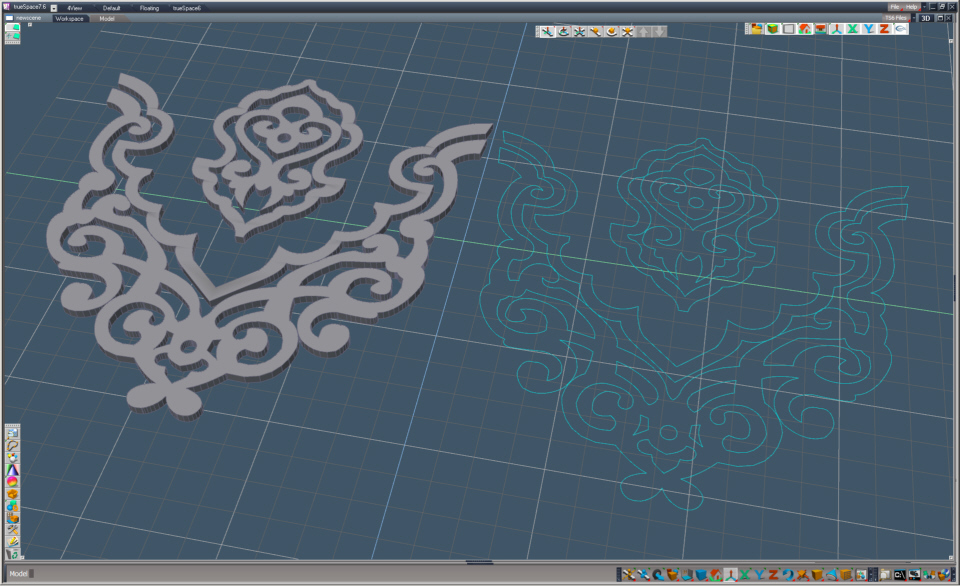
i have the conversion pack installed on TS 7.6.
i can import nurbs from autocad.
ps: TS can import AI file but only under version8. if you have CS you can export an illustrator profile as a dwg file and it work fine with TS.
i can import nurbs from autocad.
ps: TS can import AI file but only under version8. if you have CS you can export an illustrator profile as a dwg file and it work fine with TS.
- Attachments
-
Design - illustration - Animation
http://www.crea-vision.fr
http://www.crea-vision.fr
-
bkjernisted
- Chief Petty Officer
- Posts: 114
- Joined: 23 May 2009, 06:10
Re: installing conversion pack to 6.6
Marcel is it difficult to install the conversion pack on 7.61?
-
marcel
- Captain
- Posts: 2247
- Joined: 21 May 2009, 19:52
- Type the number ten into the box: 0
- Location: paris - France
Re: installing conversion pack to 6.6
There is no installer for that but i have all the uncompressed files from the installer. All i need is to put these files on the same folder where the TS7.exe is (c:\trueSpace76\ts\). It work with 7.6 and 7.61 model side. This manual install add the possibility to read autocad dwg (polyline and nurbs) and macromedia, viewpoint, stereolithography, directX, 3d studio, iges, standard acis,...
before import, be sure to read a version compatible with these dll. It is an old importer but if you can save a dwg in a compatible version, it work. See the option on the dialog box of the importer to know what you TS can read. If you want a zip files of the uncompressed conversion pack, send a message in my box. Even if the soft is dead we can't post this kind of link on the forum.
before import, be sure to read a version compatible with these dll. It is an old importer but if you can save a dwg in a compatible version, it work. See the option on the dialog box of the importer to know what you TS can read. If you want a zip files of the uncompressed conversion pack, send a message in my box. Even if the soft is dead we can't post this kind of link on the forum.
Design - illustration - Animation
http://www.crea-vision.fr
http://www.crea-vision.fr